How to Abort Network Requests Inside an iframe With Puppeteer
Block selected requests from one iframe in Puppeteer by filtering page-level requests with request.frame(), while letting the rest of the page load.

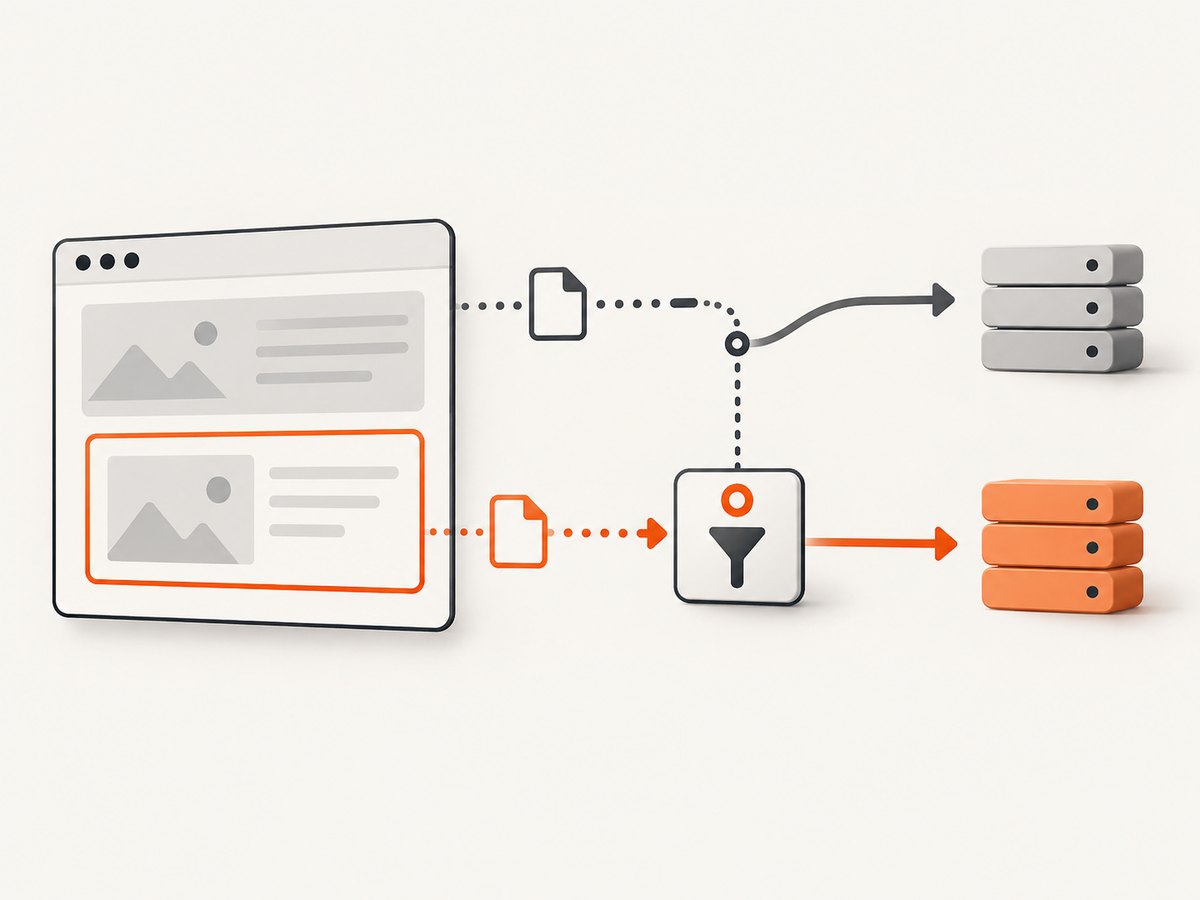
To abort network requests from one iframe without blocking the rest of the page, enable request interception on the owning Puppeteer Page, then handle its request events. For each request, compare request.frame() with the target iframe’s Frame object. Abort requests that match your rule; continue every other request.
Puppeteer does not expose a separate request-interception switch on a Frame. The page emits requests for its frames, and each HTTPRequest identifies the frame that initiated it. Once interception is enabled, every request must be resolved, so an incomplete handler can stall the page. See the official Page.setRequestInterception API, HTTPRequest.frame API, and request interception guide.
1. Minimal pattern: select a frame and abort matching URLs
This runnable example selects an iframe by its current URL, then blocks requests to a particular analytics host from that frame. Replace the example page, iframe URL, and predicate with values from your application. Install interception before navigation so the iframe’s initial document request can be caught.
import puppeteer from 'puppeteer';

const pageUrl = 'https://example.com';
const iframeUrl = 'https://widgets.example.net/embed';

function shouldBlock(url) {
  try {
    const parsed = new URL(url);
    return parsed.hostname === 'analytics.example.net';
  } catch {
    return false;
  }
}

const browser = await puppeteer.launch({ headless: true });
try {
  const page = await browser.newPage();
  await page.setRequestInterception(true);

  page.on('request', request => {
    if (request.isInterceptResolutionHandled()) return;

    const frame = request.frame();
    if (frame && frame === targetFrame && shouldBlock(request.url())) {
      void request.abort();
    } else {
      void request.continue();
    }
  });

  await page.goto(pageUrl, { waitUntil: 'domcontentloaded' });
  const targetFrame = page.frames().find(frame => frame.url() === iframeUrl);
  if (!targetFrame) throw new Error(`Could not find iframe: ${iframeUrl}`);

  // Continue with page work here.
} finally {
  await browser.close();
}
Timing caveat: this compact pattern looks up the frame after the parent page has navigated. That works for requests made after the frame is found, but it can miss the iframe’s initial navigation and early resources. For reliable capture of requests from the iframe as it is created, use the listener and frame lifecycle approach below.
2. Catch the iframe’s initial requests
An iframe may issue its document request before page.frames() contains a frame whose URL matches the destination. If your filter must cover the iframe navigation itself, identify the frame as early as possible through the page’s frame lifecycle and correlate requests as the frame appears. One practical option is to match the known iframe destination URL while the new frame is being created, then retain the resulting frame identity for its later subresource requests.

Because the request event may precede the frame’s final URL state, frame selection is application-specific. A stable iframe name, the parent frame, an expected origin, and the sequence in which frames attach can help distinguish it. Puppeteer’s Frame API describes the frame tree and navigation events; it does not prescribe one universal selection rule. This example uses a known target URL and blocks that navigation plus matching later requests when the request exposes the target frame:
import puppeteer from 'puppeteer';

const pageUrl = 'https://example.com';
const iframeOrigin = 'https://widgets.example.net';
const blockedHost = 'analytics.example.net';

const browser = await puppeteer.launch({ headless: true });
try {
  const page = await browser.newPage();
  let targetFrame = null;
  const pendingFrameUrls = new Set([`${iframeOrigin}/embed`]);

  page.on('frameattached', frame => {
    // Record a candidate as soon as the frame is attached. Its URL may
    // still be about:blank, so refresh identification on navigation too.
    if (frame.url().startsWith(iframeOrigin)) targetFrame = frame;
  });
  page.on('framenavigated', frame => {
    if (frame.url().startsWith(iframeOrigin)) targetFrame = frame;
  });

  await page.setRequestInterception(true);
  page.on('request', request => {
    if (request.isInterceptResolutionHandled()) return;
    const frame = request.frame();
    const url = request.url();
    const isTargetDocument = pendingFrameUrls.has(url);
    if (frame && frame === targetFrame && new URL(url).hostname === blockedHost) {
      void request.abort();
    } else if (isTargetDocument && frame && frame !== page.mainFrame()) {
      // The known iframe document request can be handled by URL here.
      // Remove this branch if the iframe document itself should load.
      void request.continue();
    } else {
      void request.continue();
    }
  });

  await page.goto(pageUrl, { waitUntil: 'domcontentloaded' });
  // Application work and assertions go here.
} finally {
  await browser.close();
}
This illustrates the timing problem; it is not a universal frame-identification algorithm. In production, decide whether to block the iframe’s own document, its later resources, or both. If multiple embeds share an origin, origin matching alone is too broad. Use parent-frame context, a stable name/id obtained from the DOM, or a known frame URL pattern plus an application-specific relationship. Avoid calling new URL(url) without handling non-HTTP schemes if requests may include about: or data:.
3. Build a safe URL and resource predicate
Keep frame selection and request matching as separate decisions. First prove that a request originated in the target frame; then decide whether that URL or resource type should be blocked. This avoids accidentally suppressing a shared endpoint used by the main document or another iframe.
function shouldBlock(request) {
  let parsed;
  try {
    parsed = new URL(request.url());
  } catch {
    return false;
  }

  const blockedHosts = new Set([
    'analytics.example.net',
    'metrics.example.net',
  ]);
  const blockedTypes = new Set(['image', 'font']);

  return blockedHosts.has(parsed.hostname) || blockedTypes.has(request.resourceType());
}

page.on('request', request => {
  if (request.isInterceptResolutionHandled()) return;

  const fromTargetFrame = request.frame() === targetFrame;
  if (fromTargetFrame && shouldBlock(request)) {
    void request.abort();
  } else {
    void request.continue();
  }
});
Common predicates include exact hostname matching, a path prefix, a set of resource types, or a combination. Parse URLs and compare the hostname or pathname instead of using loose substring checks such as url.includes('analytics'); substring checks can match unrelated hosts or query parameters. Resource type names are supplied by Puppeteer’s request object. Add types only when you understand the effect: blocking scripts can stop widget behavior, while blocking styles or fonts can change layout and screenshots.
4. Step-by-step implementation
- Choose your target frame identity. Decide what makes the iframe unique: full URL, origin plus path, a stable frame name, the parent frame, or application context. URL equality is straightforward when it is stable and unique.
- Enable interception before target traffic. Call
await page.setRequestInterception(true)beforepage.goto()or before the action that creates/navigates the iframe. Interception only affects requests issued while it is active. - Register one handler that resolves requests. Check
isInterceptResolutionHandled(). Abort only when both frame and block rule match; otherwise continue. - Navigate or trigger the iframe. Wait for the application-specific ready condition, not merely an arbitrary delay. A frame can navigate more than once, so reassess its URL as the app changes.
- Inspect the result. Record the blocked URLs during development and verify that the main page and allowed iframe assets still load.
5. Frame matching choices and edge cases
| Situation | Useful approach | Risk to account for |
|---|---|---|
| One stable, unique iframe URL | Match frame.url() to the expected URL, then compare frame object identity. |
Redirects, query changes, or URL fragments may make exact equality brittle. |
| Several frames share an origin | Use parent-frame or known frame name/id context together with origin/path. | Origin alone can block sibling embeds. |
| Need to block only selected assets | Check frame identity, then URL host/path or resource type. | Blocking scripts, CSS, or fonts can break rendering or application behavior. |
| Frame reloads or redirects | Track frame navigation and evaluate the current URL for each request. | A stored frame reference can detach; frames can be replaced during app updates. |
| Request has no frame | Continue it unless a separate explicit rule applies. | request.frame() can be null, including error-page navigation cases. |
Compare frame objects rather than comparing only their URLs whenever you already have the target Frame. That identity comparison is an implementation inference from Puppeteer exposing both the initiating frame and frame objects; it gives a narrower match when URLs overlap. The target frame itself can become stale if the iframe is removed and recreated, so update your reference on attachment and navigation events when the page is dynamic.
Requests to subframes and nested iframes also need an explicit policy. A nested frame’s request belongs to that nested frame, not automatically to its ancestor. If you intend to block the target frame and all descendants, walk up parentFrame() from the request frame until you find the target. If you intend to affect only the direct iframe, retain strict equality.
6. Multiple handlers, asynchronous rules, and resolution
Every intercepted request must be continued, aborted, or fulfilled with a response. The Puppeteer guide warns that another handler, including one installed by a dependency, may resolve a request first. Always check isInterceptResolutionHandled(). If your handler awaits asynchronous work before resolving, check again immediately before calling abort() or continue(); another listener may have handled it during the wait.
page.on('request', async request => {
  if (request.isInterceptResolutionHandled()) return;

  const matches = request.frame() === targetFrame && shouldBlock(request);
  await logDecision(request.url(), matches);

  // Another handler could have resolved this request while logging awaited.
  if (request.isInterceptResolutionHandled()) return;
  if (matches) await request.abort();
  else await request.continue();
});
Keep the decision synchronous when possible, as in the minimal example. If several interceptors need to coordinate, Puppeteer’s network interception guide documents cooperative interception and resolution priorities. Use priorities only when you intentionally coordinate handlers; they change how competing abort/continue/respond decisions are resolved. Do not mix cooperative and legacy assumptions casually.
7. Troubleshooting
| Symptom or error | Likely cause | Fix |
|---|---|---|
| Navigation or page loading hangs | A request was intercepted but no handler resolved it. | Ensure every unhandled request reaches continue() or an intentional abort(). Check all conditional branches and error paths. |
Request is already handled! |
A second listener or dependency resolved the request first. | Guard with isInterceptResolutionHandled(); after asynchronous work, check again directly before resolution. Consolidate overlapping handlers if possible. |
| Requests from the iframe are not blocked | The handler was attached after those requests, or the wrong frame was selected. | Enable interception before navigation/iframe creation. Log request.url() and request.frame()?.url(); account for redirects and frame replacement. |
| Main page requests are being blocked | Filtering by URL or host alone also matches requests from the parent page. | Require request.frame() === targetFrame before applying the URL predicate. |
| The iframe loads but its content breaks | A required script, stylesheet, API call, image, or font was blocked. | Start with a narrow exact-host/path rule. Log blocked request resource types and remove essential origins from the block list. |
Could not find iframe |
The frame has not navigated yet, the URL differs, or the iframe is conditional. | Wait for an application-specific frame condition; inspect page.frames().map(f => f.url()). Do not assume a redirect preserves the original URL. |
| Malformed URL exception | The request URL uses a nonstandard scheme or an invalid value for new URL(). |
Wrap parsing in try/catch and treat unparsable requests as non-matches unless there is a specific policy for them. |
8. Performance, reliability, and cost
Request interception adds work to the browser automation path: Puppeteer pauses each request until the handler resolves it. Keep predicates fast, avoid network calls or slow logging in the handler, and do not perform expensive parsing repeatedly. Restrict interception to pages that need it and disable it when finished with await page.setRequestInterception(false) if the same page continues into a phase that does not need interception.
Reliability depends mostly on timing and selection. Install interception before the target traffic, define what counts as the target iframe, and expect redirects, lazy-loaded resources, re-navigation, and detached frames. Test both the positive case (a matching iframe request is aborted) and negative cases (the main page and allowed iframe requests continue). A blocked request normally appears as a failed request from the page’s perspective; your application may need to tolerate the missing resource.
There is no universal performance figure for this pattern: handler cost, number of requests, site behavior, Puppeteer version, and browser environment determine the impact. Track request decisions in a development run, then remove verbose per-request logging in production. Puppeteer’s API docs are versioned; check your installed package’s documentation when relying on version-sensitive interception behavior.
Browser automation also has an operational cost: you manage Puppeteer, a compatible browser, process lifecycle, timeouts, and site-specific behavior. For screenshot workloads, compare that setup and its maintenance against a screenshot API call. Avoid assuming blocked third-party requests make a page safe or private by themselves; the page may still call other hosts or send data through allowed endpoints.
9. Or skip the browser setup
If your goal is a website screenshot rather than custom browser automation, ScreenshotNeo offers a single API call. Its documented service accepts a URL and returns an image or PDF; see the ScreenshotNeo website and API documentation.
curl -G "https://api.screenshotneo.com/v1/shot" -d access_key=YOUR_API_KEY --data-urlencode url=https://stripe.com -o shot.webpimport requests
r = requests.get("https://api.screenshotneo.com/v1/shot", params={"access_key": "YOUR_API_KEY", "url": "https://stripe.com"}, timeout=90)
open("shot.webp", "wb").write(r.content)const q = new URLSearchParams({ access_key: 'YOUR_API_KEY', url: 'https://stripe.com' });
const res = await fetch(`https://api.screenshotneo.com/v1/shot?${q}`);- Cookie and consent banners are accepted before capture, and more than 60 known consent platforms, newsletter popups, and chat widgets are removed; each step can be turned off.
- Bot checks, CAPTCHAs, blank pages, timeouts, failed loads, and cache hits are not billed. Responses include
X-Page-VerdictandX-Billedheaders. - An MCP server provides
take_screenshot,get_page_info, andcapture_pdftools for Claude, Cursor, and other MCP clients. - The Free plan includes 1,000 shots per month with no card; paid plans start at $5 for 3,000 shots. Every feature is on every plan.
Create a free ScreenshotNeo account for 1,000 screenshots a month, with no card required.
10. Frequently asked questions
Can I abort requests from an iframe without affecting the parent page?
Yes. Check the initiating frame first and apply your block rule only when it matches the target iframe’s Frame object. Continue all other requests.
Does this block the iframe document itself?
It can, if the document request is intercepted and your rule matches it. Choose whether your policy targets the iframe navigation, later resources, or both; those are separate practical cases because the frame URL and identity can change during navigation.
Can I block requests based on resource type instead of URL?
Yes. Combine request.resourceType() with the frame check. Resource-type filtering is broad, so verify that the iframe does not need the blocked type to render or function.
Can Puppeteer intercept traffic in cross-origin iframes?
The request listener is attached to the owning page and uses Puppeteer’s request/frame metadata; the page’s same-origin restrictions on in-page JavaScript are a separate issue. Validate the target frame identification in your application, especially for redirects and nested frames.
Is interception required just to take a screenshot?
No. Interception is for custom control over browser requests. If you only need a website screenshot or PDF, an API can avoid maintaining that interception logic and browser setup.


