How to Abort Puppeteer Requests After a Timeout
Learn how to cancel Puppeteer requests with interception, distinguish request and navigation timeouts, and avoid stalled handlers and false failures.
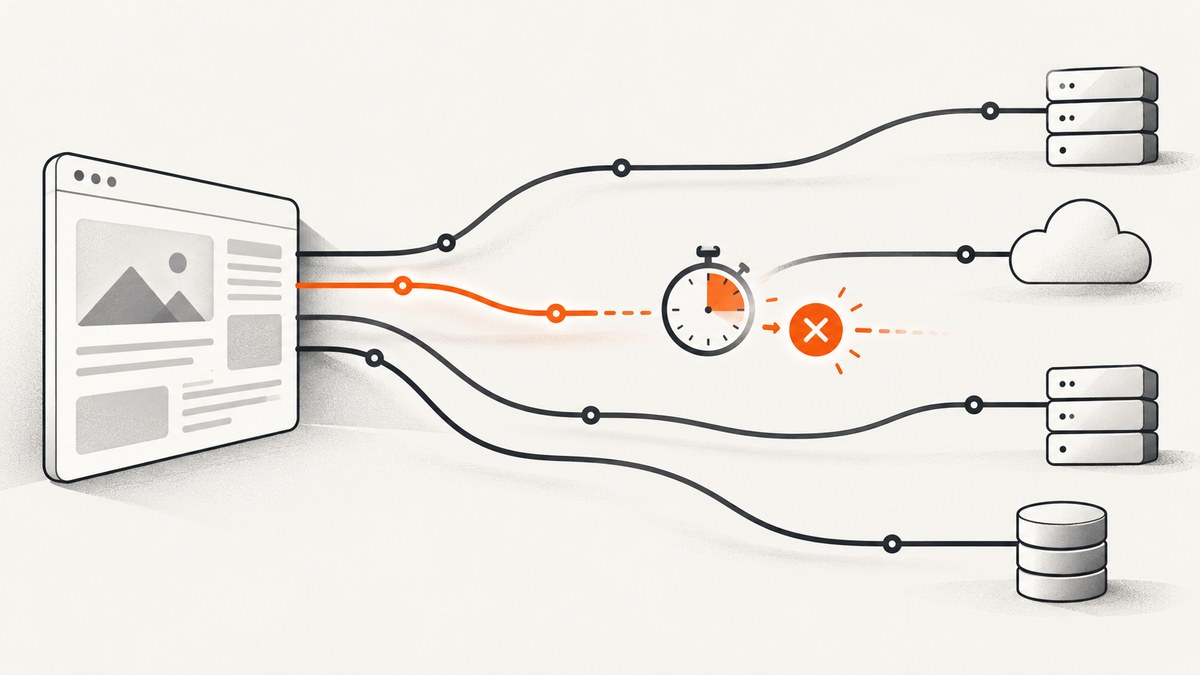
To abort an individual Puppeteer request after a deadline, enable request interception and resolve that request with request.abort() when its timer expires. A wait timeout, navigation timeout, or browser launch timeout controls a different operation. It does not automatically cancel one HTTP request.
This distinction matters because intercepted requests pause until Puppeteer continues, responds to, or aborts them. The official guide states: every intercepted request stalls until it is continued, responded to, or aborted. Your handler must therefore have exactly one resolution path and must check whether another handler already resolved the request.
Choose the timeout scope first
Before writing code, define what should be canceled and when the clock starts.
| Goal | Puppeteer mechanism | What it cancels |
|---|---|---|
| Cancel one intercepted request | request.abort() with request interception |
A particular HTTPRequest that your policy holds and then rejects |
| Stop waiting for a navigation or selector | Wait option timeout or an AbortSignal |
The Puppeteer wait operation |
| Limit browser startup | launch({ timeout }) |
Waiting for Chromium to start |
| Limit navigation duration | Navigation timeout settings or per-call options | The navigation operation and its associated wait |
Puppeteer documents a 30,000 ms default for many wait operations and says that 0 disables that timeout. Verify the exact behavior against the version installed by your project in the API reference, because option names and supported methods can vary between releases.
How request interception works
Call await page.setRequestInterception(true) before the request is issued. Once enabled, requests are paused. Every request must eventually be continued, fulfilled with respond(), or rejected with abort().

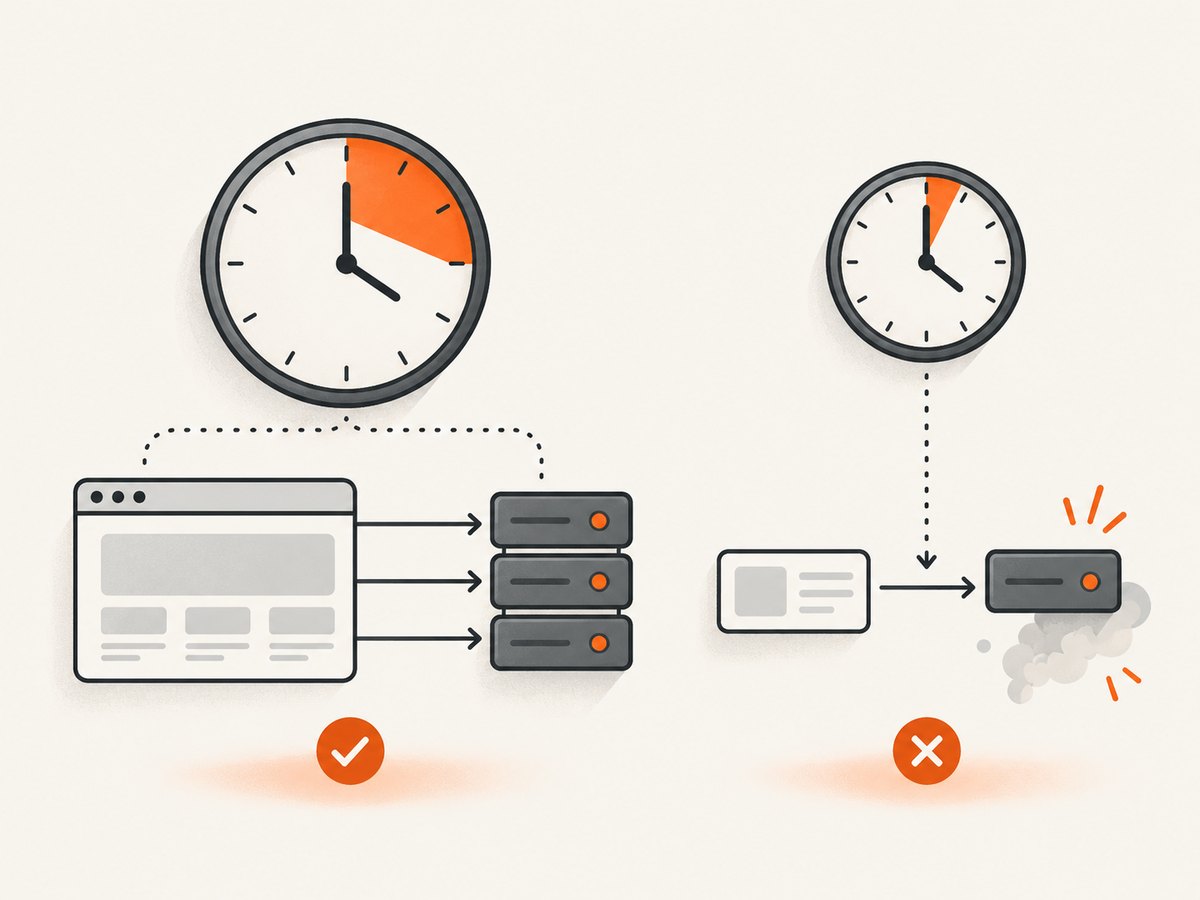
There is a subtle limitation: if you call request.continue() immediately, the interception is resolved and a later timer cannot reliably abort that same intercepted request. A true per-request deadline therefore requires holding the matching interception unresolved until your policy chooses an action. Holding too many requests can stall a page, so match narrowly and keep the scope explicit.
Runnable example: abort matching requests at 10 seconds
The following script holds requests whose URL matches a predicate and aborts them after 10 seconds. All other requests continue immediately. It also clears timer handles and protects against competing listeners.
const puppeteer = require('puppeteer');

const REQUEST_TIMEOUT_MS = 10_000;
const timers = new WeakMap();

function shouldApplyDeadline(request) {
  const url = request.url();
  // Keep the policy narrow. This example targets a known API path.
  return url.includes('/slow-api/');
}

(async () => {
  const browser = await puppeteer.launch({ headless: true });
  const page = await browser.newPage();

  await page.setRequestInterception(true);

  page.on('request', request => {
    if (request.isInterceptResolutionHandled()) return;

    if (!shouldApplyDeadline(request)) {
      void request.continue().catch(() => {});
      return;
    }

    const timer = setTimeout(() => {
      // Check immediately before resolving. Another listener may have won.
      if (request.isInterceptResolutionHandled()) return;
      void request.abort('timedout').catch(() => {});
    }, REQUEST_TIMEOUT_MS);

    timers.set(request, timer);
    // Do not call continue() here: the request must remain pending
    // until the deadline policy decides what to do.
  });

  function clearTimer(request) {
    const timer = timers.get(request);
    if (timer) clearTimeout(timer);
    timers.delete(request);
  }

  page.on('requestfinished', clearTimer);
  page.on('requestfailed', clearTimer);

  try {
    await page.goto('https://example.com', {
      waitUntil: 'domcontentloaded',
      timeout: 30_000
    });
    console.log('Navigation completed');
  } catch (error) {
    console.error('Navigation or request error:', error.message);
  } finally {
    await browser.close();
  }
})();
This policy is intentionally conservative. A held request cannot begin its network exchange until you resolve the interception, so the timer measures how long your handler leaves it pending. If you need a request to start immediately and then cancel an in-flight exchange, use a browser-level operation deadline or a lower-level protocol design rather than assuming a later abort() will undo an already continued interception.
Use a shared operation deadline
Sometimes the requirement is “the whole page must finish within 20 seconds,” not “each request gets 10 seconds.” In that case, keep interception simple and use a navigation or wait timeout:
await page.setRequestInterception(true);
page.on('request', request => {
  if (request.isInterceptResolutionHandled()) return;
  void request.continue().catch(() => {});
});

await page.goto('https://example.com', {
  waitUntil: 'networkidle2',
  timeout: 20_000
});
This lets requests proceed normally while Puppeteer stops waiting for navigation after 20 seconds. It does not classify every outstanding request as a per-request failure.
Prevent double resolution
Dependencies can register their own request listeners. A listener can also resolve a request while your code is awaiting asynchronous policy. Check request.isInterceptResolutionHandled() both before starting work and immediately before calling continue(), respond(), or abort().
Puppeteer also documents Cooperative Intercept Mode. Every handler must provide a numeric priority for cooperative rules to apply. The highest priority wins; equal-priority ties prefer abort, then respond, then continue. A handler that resolves without a priority uses legacy behavior and can resolve immediately, so priority mode does not eliminate the need for handled checks.
page.on('request', async request => {
  if (request.isInterceptResolutionHandled()) return;

  const blocked = request.url().includes('tracker.example');
  await Promise.resolve(); // Represents asynchronous policy work.

  if (request.isInterceptResolutionHandled()) return;

  if (blocked) {
    await request.abort('blockedbyclient', 5);
  } else {
    await request.continue({}, 0);
  }
});
Keep the final interception action synchronous with the last handled check. Do not assume that checking before an await remains valid afterward.
Observe failures correctly
Listen for requestfailed when you need to observe a network-level failure, including an abort:
page.on('requestfailed', request => {
  const failure = request.failure();
  console.log({
    url: request.url(),
    errorText: failure?.errorText ?? null
  });
});
request.failure() can expose an error string, but Puppeteer does not guarantee a stable error-text value. Treat it as diagnostic data, not a portable classification key.
An HTTP response status is different from a network failure. A 404 or 503 normally completes as an HTTP response and can lead to requestfinished; it is not automatically a requestfailed event. If your application needs to reject 404 or 503 responses, inspect the response status separately.
Common errors and fixes
| Symptom | Cause | Fix |
|---|---|---|
| The page hangs after enabling interception | A request was never resolved | Install a handler before navigation and ensure every branch calls continue, respond, or abort. |
| The timer fires but the request still loads | The handler already called continue() |
Do not continue matching requests before the deadline if your policy requires holding them. |
Request is already handled |
Another listener resolved it first | Check isInterceptResolutionHandled() before and after asynchronous work. |
| 404 is missing from failure logs | HTTP errors are responses, not network failures | Read the response status and reserve requestfailed for transport failures. |
| Abort error text differs across machines | Puppeteer does not guarantee failure strings | Use event type, URL, and your own timeout metadata for stable application logic. |
| Too many requests are aborted | The URL predicate is broad or the deadline is shared unintentionally | Match exact host/path patterns and document whether the clock is per request or per operation. |
| Navigation times out even though requests are handled | The navigation wait and request policy have separate clocks | Set an explicit navigation timeout and inspect which wait condition is not completing. |
Design checklist for production code
- Enable interception before calling
goto()or triggering the action that creates requests. - Continue nonmatching requests immediately.
- Hold only the requests that truly need a deadline.
- Store one timer per request in a
WeakMapor equivalent lifecycle-aware structure. - Clear timers on both
requestfinishedandrequestfailed. - Check handled state immediately before the final interception action.
- Record your own reason, URL pattern, and deadline because failure strings are not guaranteed.
- Close pages and browsers in a
finallyblock so abandoned timers do not keep a worker alive. - Verify behavior against the Puppeteer version in your lockfile.
Performance, reliability, and cost considerations
Request interception adds a page-wide coordination point. A handler that performs slow asynchronous work delays unrelated requests, and a held request can prevent scripts, fonts, or data from arriving. Use a narrow predicate, avoid network calls inside the interception handler, and continue everything that does not require special treatment.
Per-request timers can create large numbers of handles on pages with many resources. Prefer one shared operation deadline when the product requirement is page-level. For high-volume workers, measure browser startup, navigation, and cleanup separately so a request timeout is not mistaken for a Chromium launch problem.
Reliability improves when timeout policy is explicit: define whether the timer starts when the request event is received, whether it resets after redirects, and whether retries get a new budget. Those reset rules are application decisions; Puppeteer does not infer them for you.
Or skip the browser setup
If your goal is a clean screenshot rather than browser-network experimentation, ScreenshotNeo provides a single request that returns PNG, JPEG, WebP, or PDF. The API accepts the same kinds of URL and screenshot parameters used by other services, and the documentation lists all options.
curl -G 'https://api.screenshotneo.com/v1/shot' -d access_key=YOUR_API_KEY --data-urlencode 'url=https://stripe.com' -o shot.webpimport requests
r = requests.get(
'https://api.screenshotneo.com/v1/shot',
params={'access_key': 'YOUR_API_KEY', 'url': 'https://stripe.com'},
timeout=90,
)
r.raise_for_status()
open('shot.webp', 'wb').write(r.content)const q = new URLSearchParams({ access_key: 'YOUR_API_KEY', url: 'https://stripe.com' });
const res = await fetch(`https://api.screenshotneo.com/v1/shot?${q}`);
if (!res.ok) throw new Error(`Screenshot failed: ${res.status}`);
const fs = await import('node:fs/promises');
await fs.writeFile('shot.webp', Buffer.from(await res.arrayBuffer()));Cookie banners, newsletter popups, and chat widgets are removed before the shot. Bot checks, blank pages, failed loads, timeouts, and cache hits are not billed, and response headers report the page verdict and billing result. ScreenshotNeo also offers an MCP server with take_screenshot, get_page_info, and capture_pdf tools for Claude, Cursor, and other MCP clients.
The Free plan includes 1,000 screenshots each month with no card. Paid plans start at $5 for 3,000 shots, and every feature is available on every plan. Create a free ScreenshotNeo account.
FAQ
Does a Puppeteer timeout abort the network request?
Usually no. A wait or navigation timeout stops Puppeteer waiting for an operation. Aborting a particular intercepted request requires resolving that request with request.abort().
Can I abort a request after calling continue()?
Do not rely on that pattern. Continuing resolves the interception. If you need a true in-flight cancellation, use a protocol-level design or an operation-level timeout instead.
What does abort('timedout') mean?
It supplies an abort error reason for the intercepted request. Your application should still use its own metadata to distinguish policy timeouts from other failures.
Should every 5xx response be aborted?
Only if that is your application policy. A 5xx is an HTTP response, not automatically a Puppeteer network failure. Inspect the response status and decide separately.
Where can I confirm option behavior?
Check the Puppeteer documentation for the exact version installed by your project, especially for wait options, navigation methods, launch settings, and interception behavior.


