How to Add Bootstrap to Angular: Step-by-Step
Install Bootstrap CSS in Angular, configure global styles, and choose a safe path for interactive components. Includes npm, CDN, troubleshooting, and verification steps.
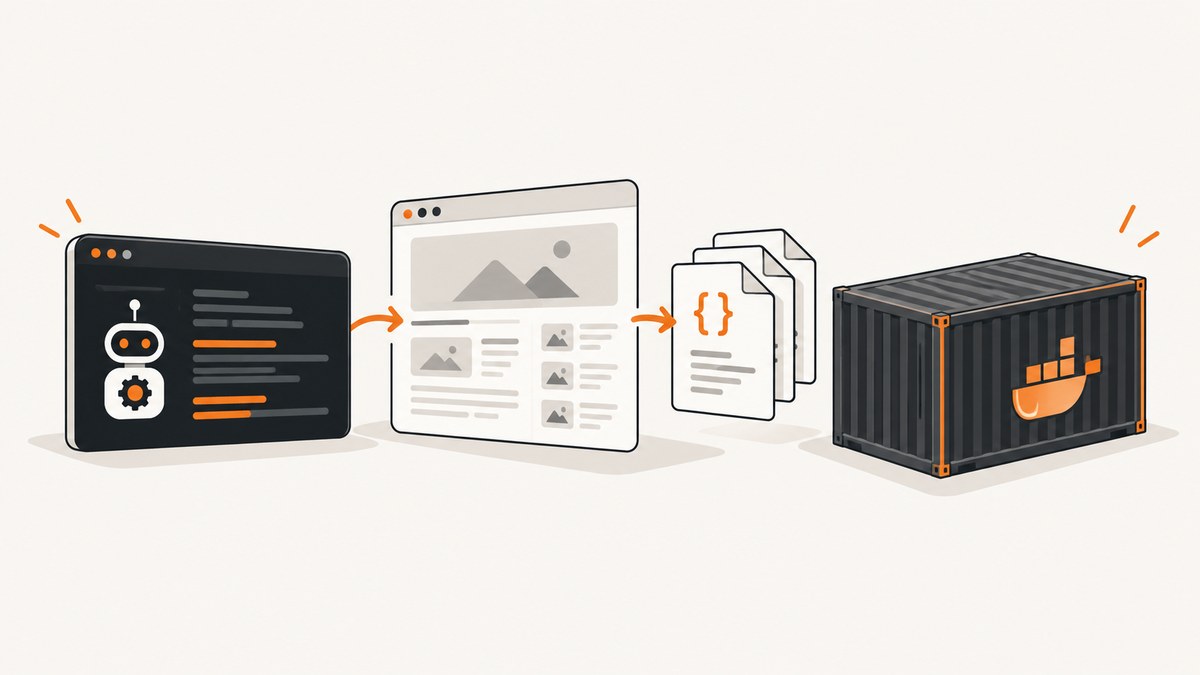
To add Bootstrap styling to an Angular app, install Bootstrap and register its compiled CSS as a global stylesheet in the Angular workspace configuration. You can also load the CSS from Bootstrap’s CDN. If you need interactive components such as dropdowns or modals, use an Angular integration that manages component behavior; Bootstrap warns that its standalone JavaScript plugins can conflict with frameworks that manage the DOM.
The setup below uses Bootstrap 5.3.8, the version listed in the official documentation at the time of writing. Confirm the version you intend to use against the Bootstrap download documentation before copying version-specific commands. Angular workspace layouts differ, so edit the configuration for the application and builder in your own workspace. See the Angular workspace configuration reference.
1. Check your Angular project
Open a terminal at the project root, where the workspace configuration file (usually angular.json) and package.json are located. If you have a multi-project workspace, identify the application you want to style; a library project does not necessarily use the same build target or stylesheet configuration as an application.
pwd
ls
Find the app’s build configuration. In a typical workspace, the relevant settings are under projects, then your application name, then architect.build.options (or the corresponding target in a newer or customized layout). The key you will edit is styles.
2. Install Bootstrap from npm
For package-managed assets, install Bootstrap from the project root:
npm install bootstrap@5.3.8This adds Bootstrap to the project dependencies and makes its compiled files available under node_modules/bootstrap/dist. Keep the version in your dependency manifest and lockfile consistent so that local development and automated builds install the same package version. If your team uses a different package manager, use its equivalent install command and commit the lockfile it maintains.
Bootstrap 5 does not require jQuery for its own components. That does not mean its JavaScript plugins automatically fit Angular’s component model; see the interactive component guidance below.
3. Register Bootstrap CSS as a global style
Add the stylesheet path to the styles array for the application’s build target. Preserve existing entries, such as src/styles.css or src/styles.scss, and add Bootstrap before your own global stylesheet when your custom global rules should override Bootstrap defaults.
{
  "projects": {
    "my-app": {
      "architect": {
        "build": {
          "options": {
            "styles": [
              "node_modules/bootstrap/dist/css/bootstrap.min.css",
              "src/styles.css"
            ]
          }
        }
      }
    }
  }
}
This is an excerpt to show placement, not a complete angular.json file. Do not replace the rest of your workspace configuration with it. The application name, target structure, style file name, and builder can differ. For a Sass-based project, keep your existing Sass entry and add the Bootstrap CSS path in the workspace list, or use the Bootstrap Sass source only if you have deliberately configured Sass imports and want to customize Bootstrap variables.
Save the configuration and restart the development server if it was already running. Workspace build configuration is consumed by Angular’s build tooling, so a browser refresh alone may not pick up a changed global stylesheet list.
4. Verify the CSS in a component template
Use a few familiar Bootstrap classes in an Angular template. This example checks a container, grid, spacing utility, and button style:
<main class="container py-4">
  <div class="row g-3">
    <section class="col-12 col-md-8">
      <h1 class="h3">Bootstrap is available</h1>
      <p class="text-body-secondary">
        This layout uses Bootstrap classes inside an Angular template.
      </p>
      <button class="btn btn-primary" type="button">
        Continue
      </button>
    </section>
    <aside class="col-12 col-md-4">
      Responsive column
    </aside>
  </div>
</main>
Run the application with the command your project already uses, commonly ng serve or an npm script such as npm start. Resize the browser to check the grid breakpoint and inspect the button styling. If plain HTML elements display but none of the Bootstrap classes change their appearance, check the build configuration and browser network/console errors before changing component code.
5. Choose npm or CDN
| Choice | How assets arrive | Good fit | Trade-off |
|---|---|---|---|
| npm package | Resolved by the project build from installed dependencies | Most Angular applications and repeatable builds | Bootstrap is part of dependency and build management |
| CDN stylesheet | Browser requests the stylesheet from jsDelivr at runtime | A quick trial or a deliberate external-asset setup | Rendering depends on a remote request and its availability |
The npm approach makes the dependency explicit in the project and lockfile. The CDN approach avoids bundling the stylesheet through npm, but users’ browsers must fetch it from the CDN. Bootstrap’s official v5.3 docs include versioned CDN URLs and Subresource Integrity (SRI) hashes; copy the URL and its matching hash from the same version’s docs rather than guessing or mixing versions.
For example, the structure of a CDN link is:
<link
  href="https://cdn.jsdelivr.net/npm/bootstrap@5.3.8/dist/css/bootstrap.min.css"
  rel="stylesheet"
  integrity="COPY_THE_MATCHING_HASH_FROM_BOOTSTRAP_DOCS"
  crossorigin="anonymous"
>
Put a CDN stylesheet in the document head using the setup supported by your Angular application. The placeholder integrity value is intentionally not a usable hash: copy the exact value from the official version-specific instructions. A mismatch makes the browser reject the resource. For production, decide how remote assets fit your availability, privacy, and content security policy requirements.
6. Decide whether you need Bootstrap JavaScript
If you only need typography, colors, grid, spacing, buttons, cards, and other CSS styling, the global stylesheet is enough. Some components have CSS appearance but need JavaScript to perform their interactions. Examples include dropdown toggles, modal opening and closing, collapse behavior, tooltips, popovers, and carousels.
Angular owns its rendered DOM and component state. Bootstrap’s standalone JavaScript plugins manipulate DOM elements directly, which can conflict with a framework that also manages those elements. Bootstrap explicitly warns that its JavaScript is not fully compatible with frameworks such as Angular that assume full knowledge of the DOM. For interactive components, evaluate an Angular integration such as ng-bootstrap or ngx-bootstrap. Check the selected package’s current installation instructions and compatibility information against both your Angular version and the Bootstrap version you plan to use; do not assume a package’s compatibility from its name.
Can you use Bootstrap’s JavaScript directly?
It is possible to load Bootstrap JavaScript in an Angular application, but it is not the default recommendation for UI that Angular also renders or controls. A plugin may update attributes, classes, or child elements behind Angular’s back. That can lead to stale component state, unexpected rerenders, or event behavior that is difficult to coordinate.
If you have a contained, legacy integration that must use a Bootstrap plugin, use Bootstrap’s documented JavaScript setup for your version and take responsibility for plugin initialization and teardown as Angular views are created and destroyed. Avoid attaching plugins globally to elements that Angular conditionally renders without a clear lifecycle strategy. The bundled Bootstrap JavaScript file includes Popper for positioning features such as dropdowns, popovers, and tooltips, but including the bundle does not resolve the framework ownership issue.
7. Common problems and fixes
| Symptom | Likely cause | What to check |
|---|---|---|
| Bootstrap classes have no visible effect | Stylesheet not registered for the app’s build target, wrong path, or server not restarted | Confirm the dependency exists, check the exact app’s styles list, then restart the development server |
| Some custom styles disappear or change | Stylesheet order changed which rules win the cascade | Place the application’s custom global stylesheet after Bootstrap and inspect component style encapsulation where relevant |
| Dropdown or modal looks right but does nothing | Only Bootstrap CSS is loaded | Choose a compatible Angular integration or explicitly plan a contained JavaScript plugin integration |
| CDN stylesheet is blocked in the browser | Network restriction, content security policy, incorrect URL, or SRI mismatch | Inspect the browser console and network panel; use the exact version URL and matching SRI hash from Bootstrap docs |
| Build fails after editing configuration | Invalid JSON, misplaced path, or edited the wrong project target | Check commas and quoting, confirm the application and builder path, and compare with the workspace reference |
| Angular and a Bootstrap plugin disagree about an element | Both systems are manipulating the same DOM | Move the interaction to an Angular wrapper or isolate plugin ownership and lifecycle carefully |
| Works locally but not in CI | Dependency not recorded, lockfile omitted, or build uses a different project configuration | Commit the package manifest and lockfile; confirm CI installs dependencies and builds the intended app configuration |
8. Performance, reliability, and maintenance
Adding Bootstrap CSS makes its styles available across the application; keep the installed dependency and stylesheet choice intentional. If the application uses only a small subset of Bootstrap, a full precompiled stylesheet may include rules the app never uses. Bootstrap also provides Sass sources for customization, but adopting them means setting up the project’s Sass processing and maintaining the configuration. Do not remove styles simply because they appear unused without checking templates and dynamically rendered content.
Package-managed styles are resolved as part of the application build, while CDN styles add a browser-time dependency on the remote host. A CDN can serve a shared asset to many applications, but it also adds a request outside your deployment. Choose based on your build, network, and operational requirements rather than assuming one is universally faster.
Pin or otherwise deliberately manage upgrades. Review Bootstrap release notes and test important layouts and interactions after changing versions. For Angular wrapper packages, track the wrapper’s own release and compatibility guidance too; Bootstrap and Angular versions alone do not prove that a wrapper combination is supported.
Or skip the browser setup
If you need screenshots of your Angular pages for documentation, previews, or visual review, ScreenshotNeo captures a URL with one GET request. It is a website screenshot API and MCP server from Yorker Media. It is separate from adding Bootstrap to your application: use the setup above to style the app, then capture a page once it is available at a URL reachable by the capture service.

For API options and response details, see the ScreenshotNeo documentation. This runnable cURL example captures a page as WebP:
curl -G "https://api.screenshotneo.com/v1/shot" \
  -d access_key=YOUR_API_KEY \
  --data-urlencode url=https://stripe.com \
  -o shot.webp
Python:
import requests

r = requests.get(
    "https://api.screenshotneo.com/v1/shot",
    params={"access_key": "YOUR_API_KEY", "url": "https://stripe.com"},
    timeout=90,
)
open("shot.webp", "wb").write(r.content)
Node.js:
const q = new URLSearchParams({
  access_key: 'YOUR_API_KEY',
  url: 'https://stripe.com'
});
const res = await fetch(`https://api.screenshotneo.com/v1/shot?${q}`);
if (!res.ok) throw new Error(`Screenshot request failed: ${res.status}`);
const image = Buffer.from(await res.arrayBuffer());
await import('node:fs/promises').then(fs => fs.writeFile('shot.webp', image));
ScreenshotNeo removes cookie and consent banners, newsletter popups, and chat widgets before capture; each step can be turned off. Bot checks and CAPTCHAs, blank pages, timeouts, failed loads, and cache hits are not billed, and the response identifies the page verdict and billing status in headers. Its MCP server provides take_screenshot, get_page_info, and capture_pdf tools for Claude, Cursor, and other MCP clients. The free plan includes 1,000 screenshots per month with no card; paid plans start at $5 for 3,000 screenshots. Every feature is available on every plan.
Sign up for 1,000 free screenshots a month, with no card required.
FAQ
How do I add Bootstrap CSS to an Angular project?
Install the Bootstrap package, add its compiled CSS path to the application’s global styles configuration, and restart the development server. A CDN stylesheet is another option.
Do I need Bootstrap JavaScript to use Bootstrap classes?
No. CSS utilities, grid, typography, and static component styling work with the stylesheet. Interactive plugins need JavaScript behavior or an Angular integration.
Which Angular Bootstrap package should I pick?
Compare the current official documentation for ng-bootstrap and ngx-bootstrap, especially its Angular and Bootstrap compatibility guidance and the components your application needs.
Why does a Bootstrap modal not open after I add the CSS?
CSS supplies appearance, not modal behavior. Add an Angular component integration or deliberately configure Bootstrap’s JavaScript while accounting for Angular’s DOM lifecycle.
Can I use Bootstrap 4 instructions for Bootstrap 5?
Check each instruction against the Bootstrap version in your dependency manifest. Package paths, setup details, and component dependencies can differ between major versions.