How to Add Cookies from a Cookie Container to Selenium
Convert cookie-container entries into Selenium cookies, add them on the right domain, verify them, and avoid common scope and expiry errors.
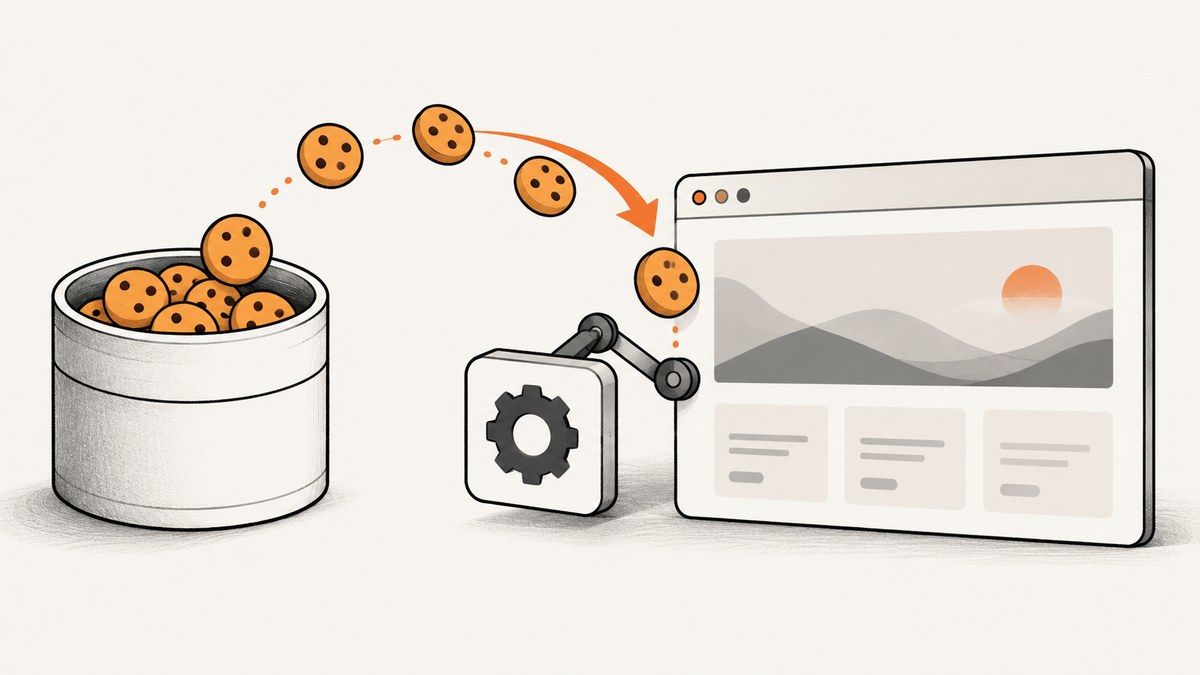
Direct answer: open the destination site in Selenium first, convert each entry in your cookie container into the cookie shape required by your Selenium binding, add the cookies one at a time, then read the session cookies back to verify them. Selenium cookie operations are tied to the current browser context and domain, so copying a raw cookie-jar object directly usually does not work.
In Python, call driver.add_cookie() with a dictionary containing at least name and value. In Java, construct Selenium Cookie objects and pass them to driver.manage().addCookie(). Preserve attributes such as path, domain, expiry, secure, httpOnly, and sameSite whenever the source container provides them.
1. Understand the conversion workflow
A cookie container, cookie jar, browser export, or HTTP client library may use its own object type and field names. Selenium expects its own representation. Treat the operation as an explicit conversion:
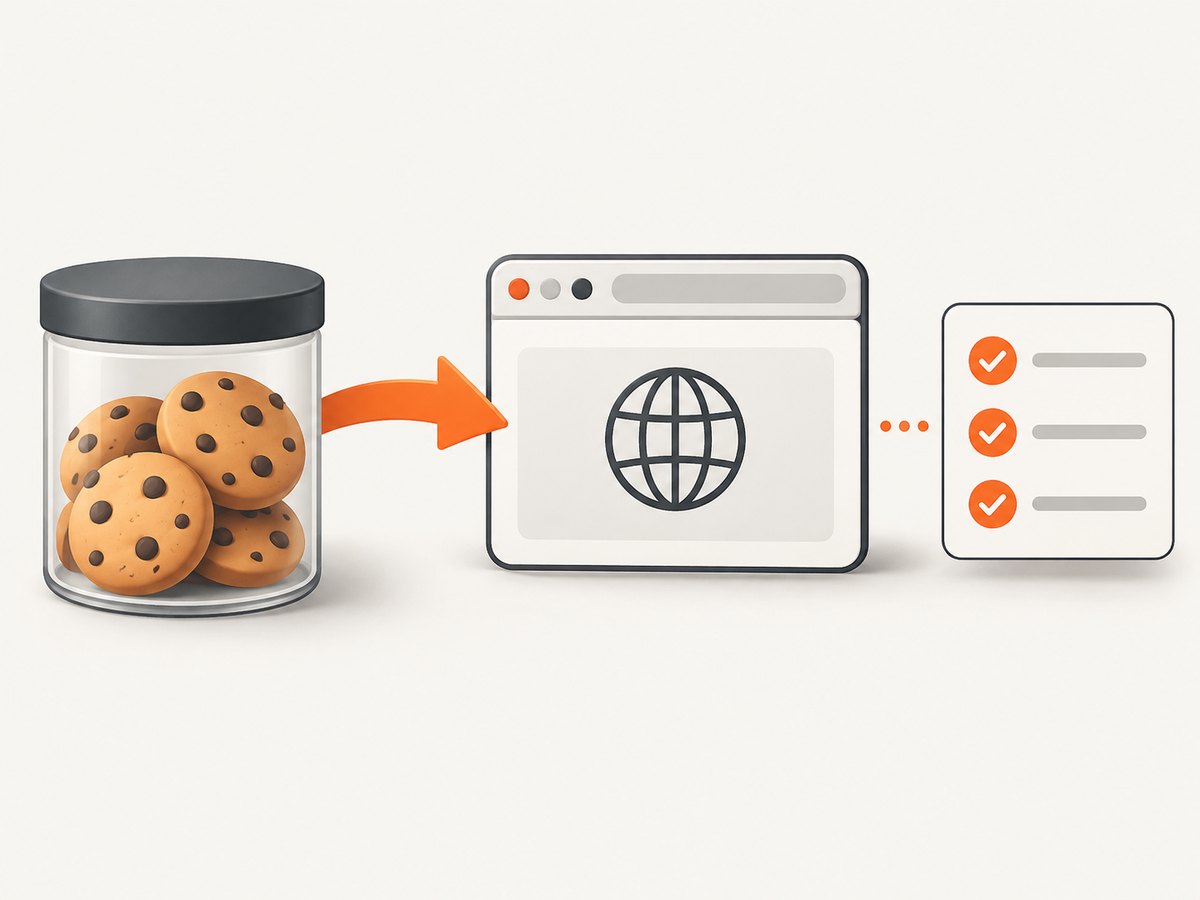
- Start a WebDriver session.
- Navigate to the host that should receive the cookies.
- Iterate over the source container.
- Map the source name and value into Selenium’s format.
- Copy supported attributes when they exist.
- Add each cookie individually.
- Read the cookies back and check the values and scope.
- Refresh or continue navigating within the target site.
Opening the destination first is essential. Cookie scope is based on domain and path. A cookie for app.example.com cannot be made valid for accounts.example.com simply by copying its value. If a domain is omitted, Selenium’s Java API documents that the current document’s domain is assumed. See the Selenium cookie documentation for the standard WebDriver workflow.
2. Python: add cookies from an iterable container
The following example assumes that cookie_container is iterable and each item exposes cookie attributes. The adapter deliberately uses getattr because container libraries do not all expose the same schema.
from selenium import webdriver
from selenium.webdriver.chrome.options import Options


def add_container_cookies(driver, cookie_container):
    """Convert source entries into Selenium cookie dictionaries."""
    for item in cookie_container:
        name = getattr(item, "name", None)
        value = getattr(item, "value", None)
        if name is None or value is None:
            raise ValueError("Every source cookie needs a name and value")

        cookie = {"name": str(name), "value": str(value)}

        # Selenium documents these as optional cookie dictionary keys.
        for key in ("path", "domain", "secure", "httpOnly", "expiry", "sameSite"):
            source_value = getattr(item, key, None)
            if source_value is not None:
                cookie[key] = source_value

        # A blank domain is often safer than passing an invalid one. The
        # browser will apply the cookie to the current document's domain.
        if cookie.get("domain") == "":
            cookie.pop("domain")

        driver.add_cookie(cookie)


options = Options()
# options.add_argument("--headless=new")  # Enable in CI if desired.
driver = webdriver.Chrome(options=options)

try:
    driver.get("https://example.com/")

    # Replace this with your real cookie container or cookie-jar object.
    cookie_container = []
    add_container_cookies(driver, cookie_container)

    visible_cookies = driver.get_cookies()
    print("Cookies visible to the current session:", visible_cookies)

    driver.refresh()
finally:
    driver.quit()
The required Python keys are name and value. The documented optional keys include path, domain, secure, httpOnly, expiry, and sameSite. Match the source library’s actual value types to what your installed Selenium binding accepts. For example, an expiry normally needs to be represented as an integer timestamp rather than a datetime object.
Using dictionaries as the source container
Some applications store cookies as dictionaries instead of objects. Normalize both forms before calling Selenium:
def add_cookie_records(driver, records):
    for record in records:
        name = record.get("name")
        value = record.get("value")
        if name is None or value is None:
            raise ValueError(f"Invalid cookie record: {record!r}")

        cookie = {"name": str(name), "value": str(value)}
        for key in ("path", "domain", "secure", "httpOnly", "expiry", "sameSite"):
            if key in record and record[key] is not None:
                cookie[key] = record[key]

        if cookie.get("domain") == "":
            del cookie["domain"]
        driver.add_cookie(cookie)


records = [
    {"name": "session_id", "value": "abc123", "path": "/", "secure": True},
]
add_cookie_records(driver, records)
3. Java: convert source entries into Selenium Cookie objects
Java’s WebDriver options API uses Selenium Cookie objects. The builder makes the conversion explicit and lets you preserve the attributes your source type actually has.
import java.time.Duration;
import java.util.Set;
import org.openqa.selenium.Cookie;
import org.openqa.selenium.WebDriver;
import org.openqa.selenium.chrome.ChromeDriver;

public class ImportCookies {
    public static void main(String[] args) {
        WebDriver driver = new ChromeDriver();
        try {
            driver.manage().timeouts().implicitlyWait(Duration.ofSeconds(5));
            driver.get("https://example.com/");

            // Replace SourceCookie and cookieContainer with your own types.
            for (SourceCookie item : cookieContainer) {
                Cookie.Builder builder = new Cookie.Builder(
                    item.getName(), item.getValue()
                );

                String path = item.getPath();
                if (path != null && !path.isEmpty()) {
                    builder.path(path);
                }

                String domain = item.getDomain();
                if (domain != null && !domain.isEmpty()) {
                    builder.domain(domain);
                }

                if (item.isSecure()) {
                    builder.isSecure(true);
                }
                if (item.isHttpOnly()) {
                    builder.isHttpOnly(true);
                }
                if (item.getExpiry() != null) {
                    builder.expiresOn(item.getExpiry());
                }
                if (item.getSameSite() != null) {
                    builder.sameSite(item.getSameSite());
                }

                driver.manage().addCookie(builder.build());
            }

            Set<Cookie> visible = driver.manage().getCookies();
            System.out.println("Cookies visible to the current session: " + visible);
            driver.navigate().refresh();
        } finally {
            driver.quit();
        }
    }

    // Placeholder source type for illustration.
    interface SourceCookie {
        String getName();
        String getValue();
        String getPath();
        String getDomain();
        boolean isSecure();
        boolean isHttpOnly();
        java.util.Date getExpiry();
        String getSameSite();
    }

    static Iterable<SourceCookie> cookieContainer = java.util.List.of();
}
Adapt the builder calls to the Selenium Java version in your project. The Java API exposes cookie construction, domain, path, expiry, secure, httpOnly, sameSite, and JSON accessors, while WebDriver.Options provides addCookie and getCookies. See the Java Cookie API and WebDriver.Options API.
4. Map attributes carefully
| Source value | Selenium field | Why it matters |
|---|---|---|
| Name | name |
Identifies the cookie and is required. |
| Value | value |
Stores the session, preference, or state value and is required. |
| Path | path |
Controls which URL paths receive the cookie; use the source path when available. |
| Domain | domain |
Controls host scope. It must match the current site context and cookie rules. |
| Secure | secure / isSecure |
Restricts transmission to secure connections. |
| HttpOnly | httpOnly / isHttpOnly |
Preserves the browser’s script-access restriction. |
| Expiry | expiry / expiresOn |
Prevents a persistent cookie from becoming a session cookie or vice versa. |
| SameSite | sameSite |
Preserves cross-site request behavior when the binding and browser support it. |
Do not blindly copy fields that your binding rejects. First preserve the fields the source actually contains, then let Selenium validate them. A raw export may also include metadata that is meaningful to the source library but has no Selenium equivalent.
5. Verify insertion and scope
Adding a cookie without an exception does not prove that the next page will use it. Read the current session back:
# Python
for cookie in driver.get_cookies():
    print(cookie["name"], cookie.get("domain"), cookie.get("path"))

# Check a specific cookie
session = next(
    (c for c in driver.get_cookies() if c["name"] == "session_id"),
    None,
)
if session is None:
    raise AssertionError("session_id was not visible in the current scope")
// Java
Set<Cookie> cookies = driver.manage().getCookies();
for (Cookie cookie : cookies) {
System.out.println(cookie.getName() + " " + cookie.getDomain()
+ " " + cookie.getPath());
}
if (driver.manage().getCookieNamed("session_id") == null) {
throw new IllegalStateException("session_id was not visible");
}Cookie retrieval reports cookies visible in the current session and domain scope. If the cookie is absent, inspect the browser exception, domain, path, expiry, and security attributes instead of assuming that the source record was valid.
6. Domain, path, and browser edge cases
Navigate to the exact host first
Start with the host that owns the cookie. A cookie intended for www.example.com should not be injected while the browser is on an unrelated host. For a subdomain cookie, use the appropriate subdomain before adding it and preserve the domain attribute only when it is valid for that context.
Normalize expiry values
Containers may expose expiry as a datetime, integer, floating-point value, or null. Convert it to the type expected by your Selenium binding. Remove expired records or expect the browser to reject them. A session cookie may legitimately have no expiry.
Respect secure and SameSite behavior
A secure cookie belongs on an HTTPS workflow. SameSite settings can affect cross-site redirects and embedded flows. Preserve them when available, but verify that your browser and Selenium version accept the value.
Partitioned and BiDi storage
Standard cookie calls are sufficient for ordinary domain and path scoped cookies. If your task specifically requires partitioned storage or BiDi semantics, Selenium’s Python BiDi storage API documents filtered cookie retrieval and set-cookie operations with partition descriptors. Use that API when the storage model itself is part of the test.
7. Troubleshooting common failures
| Symptom | Likely cause | Fix |
|---|---|---|
InvalidCookieDomainException |
The browser is on a different host, or the domain is invalid for the current document. | Navigate to the target host first; remove an incorrect domain or set the valid domain. |
InvalidArgumentException |
A field has the wrong type or an unsupported value. | Check expiry type, SameSite spelling, boolean fields, and required name/value fields. |
Cookie adds but is missing from get_cookies() |
Path, domain, expiry, or browser scope prevents visibility. | Read back immediately, inspect the returned scope, and test from a URL matching the cookie path. |
| Authentication still fails after import | The application uses several cookies, local storage, a CSRF token, or a short-lived session. | Import every relevant cookie, refresh after insertion, and reproduce any required navigation or token request. |
| Cookie works manually but not in automation | The source value was copied without security attributes or the automated browser uses another host. | Preserve applicable attributes and log the current URL and returned cookie set. |
| Expired session appears to load a logged-out page | The container held stale credentials. | Check expiry before insertion and obtain a current session through the application’s supported login flow. |
8. Make the importer reliable
- Log metadata, not secrets: record cookie names, domains, paths, and expiry status; avoid printing values or authentication tokens.
- Fail per record with context: include the source index and cookie name in conversion errors so one malformed entry is easy to find.
- Use deterministic ordering: add cookies in a stable order when debugging container conversions.
- Refresh deliberately: refresh only after all cookies are present if the page must observe the complete set.
- Keep browser and source state aligned: do not reuse a cookie container after its session has expired or been revoked.
- Test host variants: authentication may redirect between apex and subdomains, each with different cookie scope.
Cookie insertion itself is normally small compared with browser startup and page loading. Performance work should focus on reusing a WebDriver session where safe, avoiding unnecessary refreshes, and importing only cookies needed for the scenario. Reliability comes from validating scope and expiry, not from adding the same cookie repeatedly.
9. Or skip the browser setup
If your goal is a clean screenshot after restoring browser state, ScreenshotNeo can handle the capture request without maintaining your own Selenium setup. Its API accepts one GET request and returns a PNG, JPEG, WebP, or PDF. See the ScreenshotNeo documentation for the full option list.

curl -G "https://api.screenshotneo.com/v1/shot" -d access_key=YOUR_API_KEY --data-urlencode url=https://stripe.com -o shot.webpimport requests
r = requests.get("https://api.screenshotneo.com/v1/shot", params={"access_key": "YOUR_API_KEY", "url": "https://stripe.com"}, timeout=90)
open("shot.webp", "wb").write(r.content)const q = new URLSearchParams({ access_key: 'YOUR_API_KEY', url: 'https://stripe.com' });
const res = await fetch(`https://api.screenshotneo.com/v1/shot?${q}`);Before capture, ScreenshotNeo accepts cookie and consent banners and removes more than 60 known consent platforms, newsletter popups, and chat widgets; each step can be turned off. Bot checks, blank pages, timeouts, failed loads, and cache hits are not billed, and the response identifies the result with X-Page-Verdict and X-Billed headers. Its MCP server gives Claude, Cursor, and other MCP clients take_screenshot, get_page_info, and capture_pdf tools.
You can start with 1,000 screenshots per month free, with no card. Paid plans start at $5 for 3,000 shots. Create a free ScreenshotNeo account.
10. FAQ
Can I pass a cookie jar directly to Selenium?
No. Convert each entry into the dictionary or Cookie object required by your Selenium binding.
Should I add cookies before calling driver.get()?
No. Navigate to the relevant domain first, then add cookies. Cookie scope is tied to the current browser context.
Do I need to copy every attribute?
Copy every applicable attribute that the source provides. Name and value are required, while path, domain, secure, httpOnly, expiry, and sameSite preserve behavior.
Why does the browser show a cookie but the application still treats me as logged out?
The session may require multiple cookies, a matching subdomain, a valid expiry, or another state mechanism such as local storage or a CSRF token.
Can I use this approach with Selenium BiDi?
Yes, when you need BiDi storage features such as partition-aware filtering or set-cookie operations. Use the standard calls for ordinary cookie injection.


