How to Add Custom Thumbnails to YouTube Videos
Learn how to upload custom thumbnails for YouTube videos and Shorts, meet image limits, fix errors, and prepare better preview images.
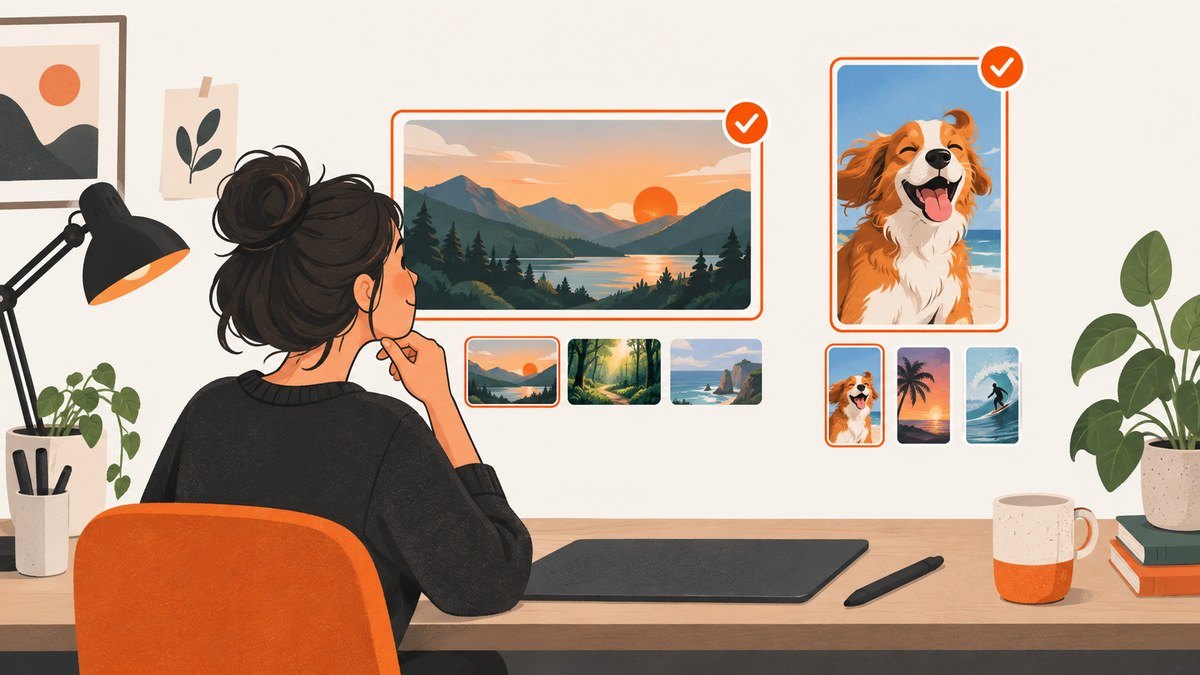
A custom thumbnail is the preview image viewers see before they choose a YouTube video. For a standard video, sign in to YouTube Studio, open Content, select the video, choose Upload file in the Thumbnail section, pick an image, and save. Your account must be verified before YouTube allows custom thumbnails. YouTube Help documents the current upload workflow and limits.
Shorts use a different shape and have a different workflow. YouTube’s current desktop instructions say to open YouTube Studio on a computer, select the Short, choose Upload file under Thumbnail, and save. The Android help page says custom thumbnails for Shorts are currently added on a computer, while the Studio Android app supports custom thumbnails for standard videos.
What you need before uploading
- A YouTube channel with verification completed.
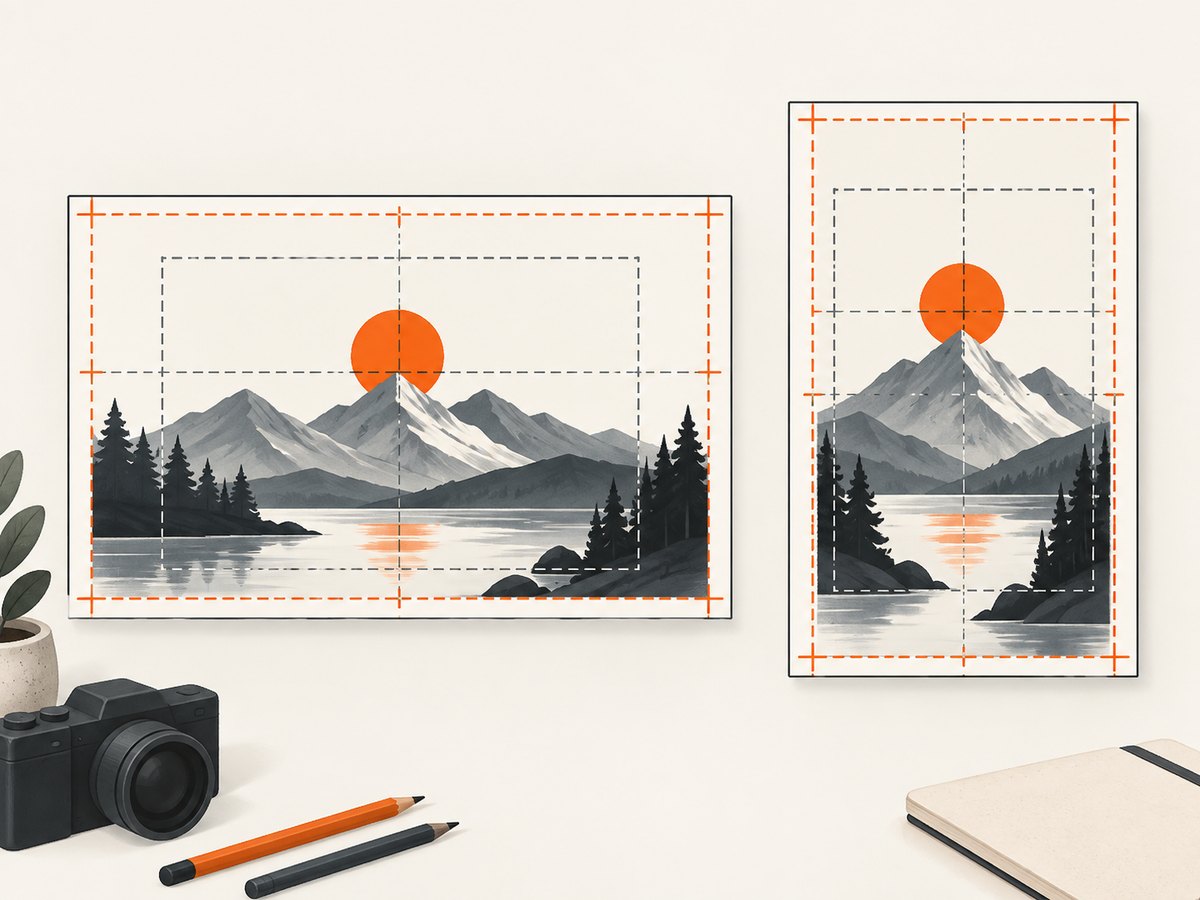
- An image file that matches the intended placement: landscape 16:9 for a standard video or vertical 9:16 for a Short.
- A file within the size limit for the device you will use.
- An image that follows YouTube Community Guidelines.
- Access to YouTube Studio and the video or Short you want to edit.
For standard videos, YouTube recommends 3840 × 2160 pixels, with a minimum width of 640 pixels, JPG or PNG format, and a 16:9 aspect ratio. The listed upload limit is 50 MB on desktop and 2 MB for mobile video thumbnails. For Shorts, YouTube recommends 2160 × 3840 pixels, a minimum height of 640 pixels, a 9:16 ratio, and a desktop limit of 50 MB. These are current recommendations and limits shown in YouTube Help, so check the official page if the uploader reports a different limit.
How to add a custom thumbnail to a standard YouTube video
- Verify your account. Custom thumbnails require a verified account. If the upload control is missing, complete channel verification and return to Studio.
- Open YouTube Studio. Go to YouTube Studio and sign in to the channel that owns the video.
- Open Content. Select Content from the left navigation. You can filter or search if the channel has many videos.
- Select the video. Click the video whose thumbnail you want to change. The details editor opens.
- Find Thumbnail. In the thumbnail area, choose Upload file, then select the prepared JPG or PNG image. YouTube may also show automatically generated choices or Get suggestions.
- Review the preview. Check the image at small size. Make sure the subject remains clear, faces are not cropped, and important information is away from the edges.
- Save. Select Save. The change may take time to appear everywhere YouTube displays the video.
Changing a thumbnail after publishing
The process is the same for a published video. Open the video in Studio, replace the image in the Thumbnail section, and save. A new thumbnail does not change the video URL, title, description, comments, or analytics history. It only changes the preview image YouTube uses where that thumbnail is eligible to appear.
How to add a custom thumbnail in the YouTube Studio Android app
- Open the YouTube Studio app and sign in.
- Tap Content and select the standard video.
- Tap Edit, then Edit thumbnail.
- Choose an automatically generated option or select Custom thumbnail to pick an image from the device.
- Review the crop and save the change.
The mobile limit listed by YouTube for video thumbnails is 2 MB. If an image that works on desktop is rejected in the app, export a smaller JPG, reduce its pixel dimensions, or upload through Studio on a computer.
How to add a custom thumbnail to a YouTube Short
For Shorts, use YouTube Studio on a computer according to the current desktop instructions:
- Open YouTube Studio and choose Content.
- Open the Shorts tab or filter the content list to Shorts.
- Select the Short you want to edit.
- In the Thumbnail section, select Upload file.
- Choose a vertical image, review it, and select Save.
Shorts use a 9:16 design target. YouTube recommends 2160 × 3840 pixels and a minimum height of 640 pixels. A 16:9 image designed for a normal video can be cropped or replaced in some vertical placements, so create a dedicated Short thumbnail when the Short is important to your channel.
Thumbnail dimensions, formats, and display behavior
| Content | Recommended size | Minimum dimension | Aspect ratio | Listed desktop limit | Listed mobile limit |
|---|---|---|---|---|---|
| Standard video | 3840 × 2160 px | 640 px wide | 16:9 | 50 MB | 2 MB |
| Short | 2160 × 3840 px | 640 px high | 9:16 | 50 MB | Use Studio on a computer for the documented custom-Short workflow |
JPG and PNG are the formats listed for standard video thumbnails. Keep the source sharp enough for large displays, but inspect a compressed copy at the actual upload limit. A very large PNG can exceed the limit even when its pixel dimensions are correct; converting photographic artwork to JPG often reduces the file size substantially.
Vertical video caveat
YouTube says a 16:9 custom thumbnail for a vertical video may be replaced by an automatically generated 4:5 thumbnail on Home, Explore, and subscription pages. The custom image can still appear in the watch feed, watch history, and on non-mobile platforms. Design the central subject so it survives a tighter crop, and check the video in the surfaces that matter to your audience.
Community Guidelines and eligibility rules
Custom thumbnails must comply with YouTube’s Community Guidelines. YouTube identifies nudity or sexually provocative content, hate speech, violence, and harmful or dangerous content as reasons for rejection or a strike. Repeated violations can result in the loss of custom-thumbnail privileges for 30 days or account termination.
Channels also have a daily custom-thumbnail upload limit. The limit can vary by country or region and channel history. If Studio shows Daily custom thumbnail limit reached, YouTube advises trying again after 24 hours. Copyright or Community Guidelines strikes can affect eligibility and limits. YouTube may also turn off custom thumbnails for particular search results when it considers them inappropriate for viewers.
Using Ask Studio for thumbnail suggestions
YouTube documents an Ask Studio workflow that can suggest thumbnail concepts using a video’s transcript and themes. You can prompt it for a concept, provide the video or reference images, request revisions, and review the suggestions before choosing an image. Treat suggestions as starting points: confirm the result represents the actual video and meets the same policy and dimension requirements as an uploaded design.
Testing thumbnail alternatives
YouTube’s Test & compare thumbnails feature can compare up to three thumbnails when a channel and video meet its eligibility rules. The documented feature is available on computers through YouTube Studio and requires advanced features. It supports public long-form videos and podcast episodes; private, made-for-kids, and mature-audience videos are excluded. Eligibility and interface details can change, so verify the current requirements in YouTube’s Test & compare documentation before planning an experiment.
When testing, change only the thumbnail if you want a clean comparison. Keep the title, description, audience setting, and publishing context stable. Compare concepts with a clear subject, readable contrast, and an accurate promise rather than using imagery that misrepresents the video.
Preparing a reliable thumbnail file
- Start with the correct canvas. Use 16:9 for a standard video and 9:16 for a Short.
- Keep the focal point central. This helps when YouTube crops the image on smaller surfaces.
- Use strong contrast. A subject should remain recognizable against a busy feed.
- Keep text short. Thumbnail text is supporting context, not a transcript of the title.
- Export to JPG or PNG. Check the resulting file size before uploading.
- Preview at small size. If the subject disappears in a small preview, simplify the composition.
- Save a source file. Keep an editable original so you can revise the image without repeatedly rebuilding it.
Troubleshooting custom-thumbnail problems
| Problem | Likely cause | Fix |
|---|---|---|
| Upload file is missing | The channel is not verified or the account lacks eligibility. | Complete verification, check for strikes or restrictions, then reopen Studio. |
| File is too large | The file exceeds the device-specific limit. | On mobile, keep a video thumbnail under the listed 2 MB limit. On desktop, keep video and Short thumbnails under 50 MB. Re-export as JPG or reduce dimensions. |
| Image looks cropped | The source ratio does not match the placement or a vertical surface uses a tighter crop. | Use a 16:9 source for standard videos and a 9:16 source for Shorts. Keep essential content in the center. |
| Short thumbnail cannot be changed in the phone app | YouTube’s current instructions require custom Shorts thumbnails on a computer. | Open YouTube Studio on a computer and edit the Short there. |
| Daily custom thumbnail limit reached | The channel has hit its daily limit, which varies by region and channel history. | Wait 24 hours and try again. Review strikes and avoid repeated failed uploads. |
| Thumbnail is rejected or removed | The image may violate Community Guidelines or be considered inappropriate for a search result. | Replace it with an accurate, policy-compliant image and review channel restrictions. |
| New image is not visible immediately | YouTube propagation and cached surfaces can take time to update. | Wait, refresh Studio and the watch page, and check again across the relevant device or surface. |
Performance, reliability, and workflow notes
Thumbnail changes affect the preview image, but they do not alter the video file or its processing status. Upload from a stable connection, keep a local copy of the exact file used, and record which version was applied if you are comparing designs. For a large channel, prepare images in batches with consistent naming such as video-slug-v2.jpg so the intended version is easy to identify.

Do not infer performance from a single early change. YouTube surfaces thumbnails differently on desktop, mobile, Home, Search, subscriptions, and watch pages. A vertical video can receive a different crop on selected mobile surfaces, and changes may take time to appear. If you use Test & compare, confirm that the video is eligible before treating its results as a controlled comparison.
Or skip the browser setup
If you need a clean image of a public YouTube page for documentation, a content workflow, or a design review, ScreenshotNeo can capture the page through one API request. It removes cookie banners, newsletter popups, and chat widgets before the shot. Bot checks, blank pages, failed loads, timeouts, and cache hits are not billed, and the response identifies the page verdict and billing status in headers. Its MCP server provides take_screenshot, get_page_info, and capture_pdf tools for Claude, Cursor, and other MCP clients.
See the ScreenshotNeo API documentation for the complete option list. The basic request returns an image such as PNG, JPEG, or WebP:
cURL
curl -G "https://api.screenshotneo.com/v1/shot" -d access_key=YOUR_API_KEY --data-urlencode url=https://www.youtube.com/watch?v=VIDEO_ID -o shot.webpPython
import requests

r = requests.get(
    "https://api.screenshotneo.com/v1/shot",
    params={"access_key": "YOUR_API_KEY", "url": "https://www.youtube.com/watch?v=VIDEO_ID"},
    timeout=90,
)
r.raise_for_status()
open("shot.webp", "wb").write(r.content)
Node.js
const q = new URLSearchParams({
  access_key: 'YOUR_API_KEY',
  url: 'https://www.youtube.com/watch?v=VIDEO_ID'
});
const res = await fetch(`https://api.screenshotneo.com/v1/shot?${q}`);
if (!res.ok) throw new Error(`Screenshot failed: ${res.status}`);
const image = Buffer.from(await res.arrayBuffer());
require('fs').writeFileSync('shot.webp', image);
For a thumbnail review workflow, use the available options for a custom viewport or device preset, retina scale, dark mode, full-page capture, a CSS selector for one element, custom CSS, a wait for a selector or network idle, and image resizing. You can also provide headers, cookies, a user agent, timezone, geolocation, or an authorization header when the page requires them. Caching with a chosen TTL helps repeated captures; asynchronous jobs, signed webhooks, bulk capture of up to 100 URLs per call, signed links, and the usage API support larger pipelines.
ScreenshotNeo has a free plan with 1,000 shots per month and no card. Paid plans start at $5 for 3,000 shots, and every feature is available on every plan. Create a free ScreenshotNeo account to start.
Frequently asked questions
Can I add a custom thumbnail before publishing?
Yes. Open the video in YouTube Studio, upload the image in the Thumbnail section, and save before publishing or while editing the draft.
Why does my thumbnail look different on Home?
YouTube can crop thumbnails by surface. Vertical videos may receive an automatically generated 4:5 image on Home, Explore, and subscription pages even when a 16:9 custom thumbnail was uploaded.
Does changing a thumbnail reset views or comments?
No. It changes the preview image associated with the video. The video URL and existing engagement remain the same.
Can I use a GIF as a custom thumbnail?
The cited YouTube guidance lists JPG and PNG for standard video thumbnails. Export the design as one of those formats before uploading.
How long does a thumbnail change take to show?
YouTube says changes may take time to appear. Refresh later and check the surfaces where viewers encounter the video.
What should I do if my account loses thumbnail access?
Check verification status, copyright or Community Guidelines strikes, and any daily-limit message. Resolve restrictions or wait the stated period before trying again.


