How to Add an Open Graph Image to Your Website
Add reliable Open Graph and Twitter Card images with correct HTML, image sizing, validation steps, troubleshooting, and automated capture options.

Put the Open Graph tags in your page’s HTML <head>, use an absolute HTTPS image URL, and verify the result with the target platform’s debugger. The four required Open Graph properties are og:title, og:type, og:image, and og:url. The og:image value identifies the image representing the page in the social graph. The official protocol documentation defines these properties and the optional structured image fields at ogp.me.
For broad compatibility, create a 1200 × 630 pixel JPEG, PNG, or WebP image, host it publicly over HTTPS, and add Twitter Card tags as well when X previews matter.
1. Add the core tags to your HTML head
Use this complete baseline. Replace the title, description, canonical URL, and image URL with values for the page being shared.
<!doctype html>
<html prefix="og: https://ogp.me/ns#">
<head>
  <meta charset="utf-8">
  <title>Example page title</title>
  <meta property="og:title" content="Example page title">
  <meta property="og:type" content="website">
  <meta property="og:url" content="https://example.com/example-page">
  <meta property="og:image" content="https://example.com/images/example-og.jpg">
  <meta property="og:image:secure_url" content="https://example.com/images/example-og.jpg">
  <meta property="og:image:type" content="image/jpeg">
  <meta property="og:image:width" content="1200">
  <meta property="og:image:height" content="630">
  <meta property="og:image:alt" content="A descriptive summary of the preview image">
  <meta property="og:description" content="Short page description for sharing">

  <meta name="twitter:card" content="summary_large_image">
  <meta name="twitter:image" content="https://example.com/images/example-og.jpg">
</head>
<body>...</body>
</html>
Use property, rather than name, for Open Graph fields. Keep og:url aligned with the canonical URL you want platforms to associate with the preview. The og:image:secure_url, MIME type, dimensions, and alt text are structured properties that help crawlers interpret the asset.
2. Choose and host the image
Recommended dimensions and format
A 1200 × 630 pixel raster image is a practical default for social-card compatibility. JPEG, PNG, and WebP are safer choices than SVG because SVG support varies between crawlers and preview clients. Keep essential subjects and text away from the outer edges: different platforms crop or resize cards differently.
Use an absolute, public URL
The value of og:image should include https://, for example https://example.com/images/example-og.jpg. A root-relative path such as /images/example-og.jpg does not identify a complete resource to every crawler. The image must load without authentication, special cookies, or a browser session.
Check the response headers from your image host. A successful response should return an image content type such as image/jpeg, image/png, or image/webp. Redirect chains, hotlink protection, robots rules, and user-agent blocks can prevent a social crawler from retrieving an otherwise valid URL.
One image for every page or one global image?
A global image is simple and works for a small site. Per-page images usually produce more useful previews because the visual matches the article, product, or documentation page being shared. Generate the tags from the page record when your site has a CMS or framework. Always provide a fallback image for records that do not have a custom asset.
3. Add Open Graph tags in common site architectures
Static HTML
Place the tags directly in each document’s <head>. If you use a shared template, expose title, description, URL, and image variables and render them server-side.
Server-rendered templates
Escape values before inserting them into attributes. A title containing a quote must not break the HTML. Render the final tags in the server response so crawlers that do not execute JavaScript can read them immediately.
React or other client-rendered applications
Social crawlers may fetch the initial HTML without waiting for client-side JavaScript. Prefer framework metadata APIs or server-side rendering. If tags are generated only after hydration, inspect the raw response and move the metadata into the server-rendered document when it is missing.
CMS templates
Map the CMS fields to og:title, og:description, og:url, and og:image. Normalize image URLs to HTTPS and create a fallback for drafts or posts without a featured image. Avoid emitting several competing sets of tags from a theme and a plugin.
4. Support Facebook-style previews and X cards
Facebook reads the main og:* fields. X uses Twitter Card fields and can display a different layout. Include at least:
<meta name="twitter:card" content="summary_large_image">
<meta name="twitter:image" content="https://example.com/images/example-og.jpg">
You can add twitter:title and twitter:description when the X copy should differ from the Open Graph values. Otherwise, keeping the shared title and description reduces maintenance. The Open Graph protocol itself does not require Twitter-specific tags; they are a platform-specific extension.
5. Handle multiple images deliberately
If you publish multiple og:image tags, they form an ordered array. The first image is preferred when a conflict exists. Put the intended default first, then add alternatives only when you have a clear reason to provide them. Give each image its own structured properties when dimensions or MIME types differ.
<meta property="og:image" content="https://example.com/images/primary.jpg">
<meta property="og:image:width" content="1200">
<meta property="og:image:height" content="630">
<meta property="og:image" content="https://example.com/images/alternate.jpg">
<meta property="og:image:width" content="1200">
<meta property="og:image:height" content="630">
6. Verify the deployed preview
- View the page source or fetch the raw HTML and confirm every tag is inside
<head>. - Copy the exact
og:imageURL into a private browser window. Confirm it loads without login and returns an image content type. - Check that
og:urlmatches the public page URL and that all URLs use HTTPS. - Submit the page to the relevant social platform’s preview or debugger tool.
- After changing an image, request a re-scrape. Preview services cache metadata and may continue showing an old image after your HTML is fixed.
Do not rely only on what your browser displays after JavaScript runs. Compare the rendered page with the raw HTTP response that a crawler receives.
7. Troubleshooting missing or stale images
| Symptom | Likely cause | Fix |
|---|---|---|
| No image in the preview | og:image is missing, malformed, or outside <head> |
Add the tag with property="og:image" in the document head. |
| Image URL appears as text or fails to load | URL is relative, HTTP-only, authenticated, or blocked | Use a public absolute HTTPS URL and test it directly. |
| Preview uses the wrong image | Several og:image tags are present |
Put the desired image first and remove duplicates emitted by themes or plugins. |
| Image is cropped badly | Important content is near an edge or aspect ratios differ | Design at 1200 × 630 and keep key content inside a safe central area. |
| Facebook shows an old image | Metadata is cached | Use the platform debugger to request a fresh scrape, then share the canonical URL again. |
| X shows a small card | twitter:card is absent or not set to summary_large_image |
Add the Twitter Card tag and twitter:image. |
| Crawler receives an empty page | Metadata is injected only in client-side JavaScript | Render the tags in server HTML or through your framework’s metadata API. |
| Image request is denied | Robots rules, hotlink protection, redirects, or user-agent filtering | Allow public crawler access, simplify redirects, and return the image directly. |
8. Performance, reliability, and maintenance
Serve a reasonably sized image; oversized files slow crawler fetches and previews without improving the card. Cache immutable image files with a long-lived URL. When replacing an image, use a new filename or query version if your CDN and preview services continue returning the old bytes.
Keep metadata generation close to your page data so title, canonical URL, description, and image cannot drift apart. Add a deployment check that requests representative pages and asserts that the four required properties exist, the image URL is absolute, and the image endpoint returns a successful image response.
Use a stable fallback image for error pages or pages without artwork. If an image generation job fails, do not emit a broken URL; emit the fallback instead. Store descriptive alt text with the asset so og:image:alt remains meaningful.
9. Or skip the browser setup
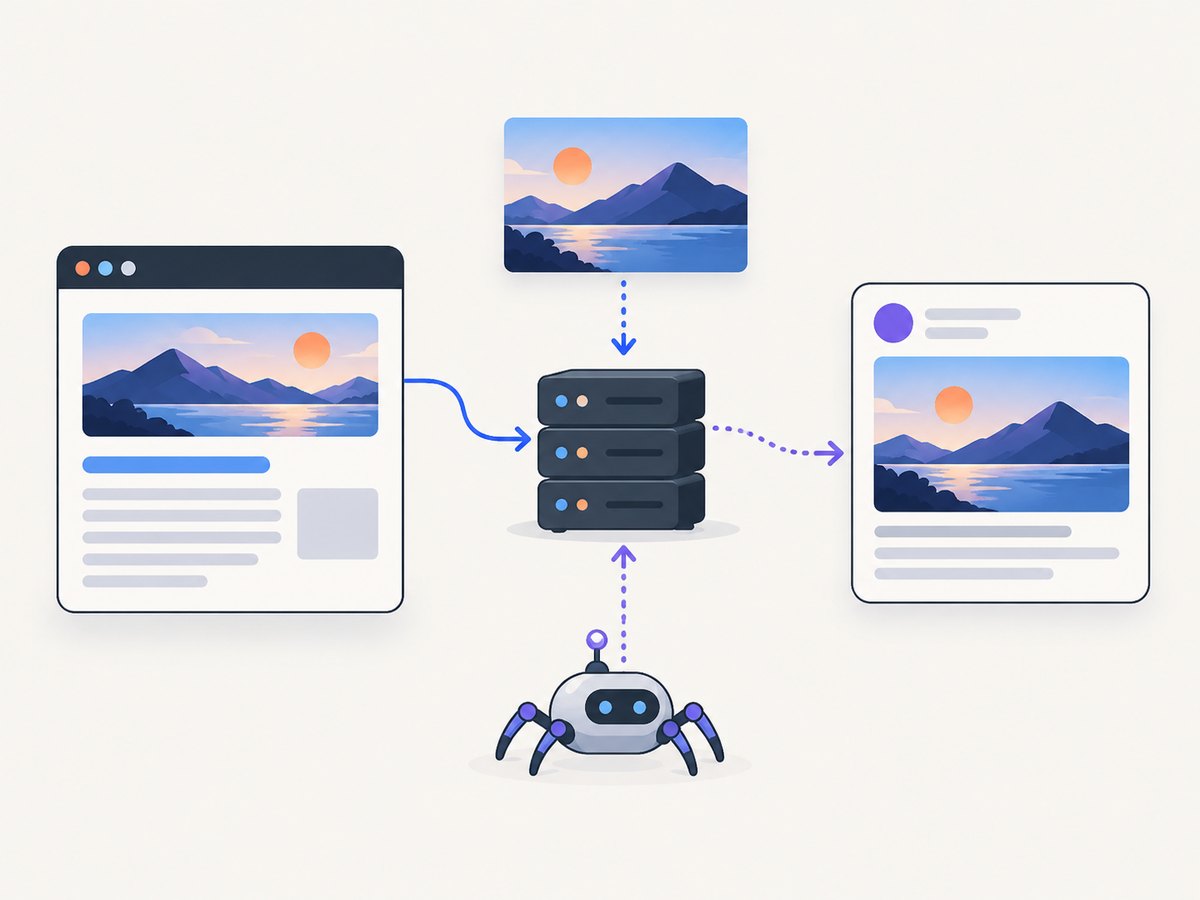
If you need to create the image asset itself from a web page, ScreenshotNeo provides a one-request website screenshot API. Its cleanup steps accept cookie or consent banners and remove more than 60 known consent platforms, newsletter popups, and chat widgets before capture; each step can be disabled. Bot checks, blank pages, timeouts, failed loads, and cache hits cost nothing, and response headers identify the page verdict and whether the shot was billed.

See the ScreenshotNeo API documentation for all options. Basic cURL:
curl -G "https://api.screenshotneo.com/v1/shot" -d access_key=YOUR_API_KEY --data-urlencode url=https://example.com -o shot.webpPython:
import requests

r = requests.get("https://api.screenshotneo.com/v1/shot", params={"access_key": "YOUR_API_KEY", "url": "https://example.com"}, timeout=90)
r.raise_for_status()
open("shot.webp", "wb").write(r.content)
Node.js:
const q = new URLSearchParams({ access_key: 'YOUR_API_KEY', url: 'https://example.com' });
const res = await fetch(`https://api.screenshotneo.com/v1/shot?${q}`);
if (!res.ok) throw new Error(`HTTP ${res.status}`);
const data = Buffer.from(await res.arrayBuffer());
await import('node:fs/promises').then(fs => fs.writeFile('shot.webp', data));
ScreenshotNeo also supports full-page captures with lazy images loaded, CSS element capture, dark mode, custom viewports and device presets, retina scale, custom CSS and JavaScript, clicks, selector or network-idle waits, request blocking, headers, cookies, user agents, authorization, timezone, geolocation, transparent backgrounds, resizing, caching with a chosen TTL, signed links, asynchronous jobs, signed webhooks, bulk capture for up to 100 URLs per call, usage reporting, and PDF output. An MCP server exposes take_screenshot, get_page_info, and capture_pdf to Claude, Cursor, and other MCP clients.
The Free plan includes 1,000 shots per month with no card. Paid plans start at $5 for 3,000 shots. Create a free ScreenshotNeo account.
10. Short FAQ
Is og:image required?
The Open Graph protocol lists og:title, og:type, og:image, and og:url as the four required properties for a page.
Can I use a relative image path?
Use an absolute HTTPS URL. Relative paths are not reliably understood by every crawler.
Should the image be JPEG or PNG?
Either is suitable. WebP is also practical, while SVG support is inconsistent across social preview systems.
Why does the source look correct but the preview remain old?
Preview services cache metadata and images. Request a re-scrape in the relevant debugger after deployment.
Do Open Graph tags work without JavaScript?
They work best when present in the initial server response. Client-only injection can leave crawlers with no metadata.
Can I use one image for every page?
Yes. A shared fallback is valid, but page-specific images make previews clearer when your site supports them.


