How to Add Screenshots to Playwright Tests
Add Playwright screenshots for debugging and visual regression with page.screenshot(), toHaveScreenshot(), stable baselines, and failure capture.
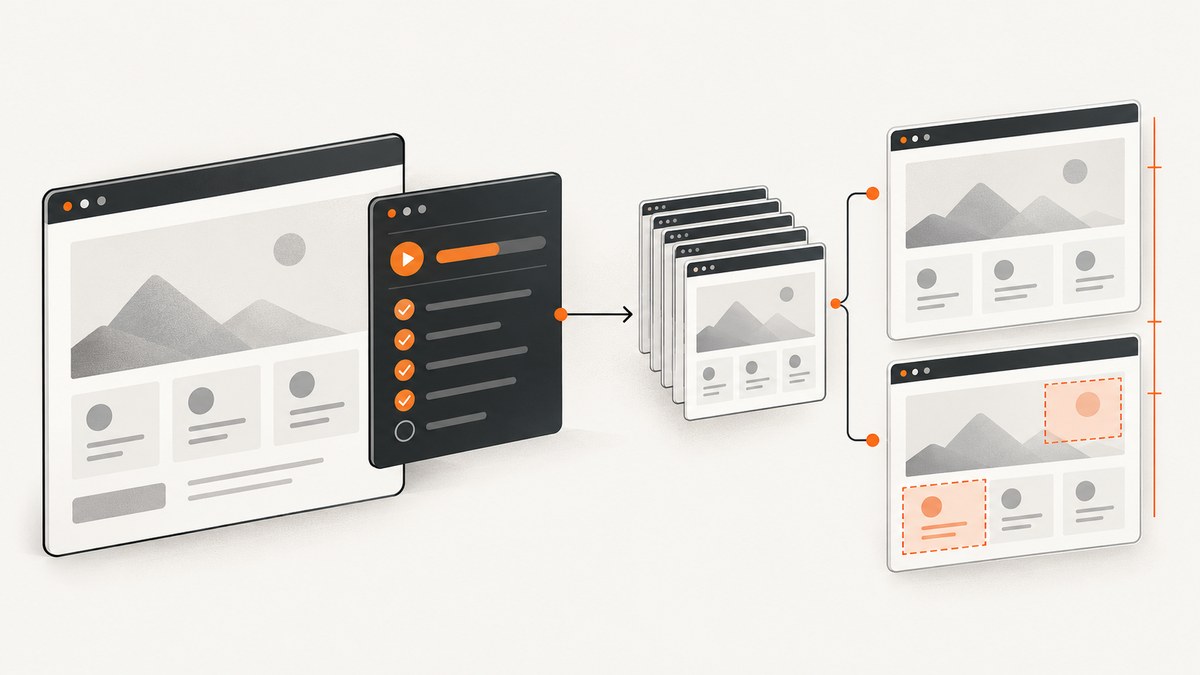
Direct answer: use page.screenshot() when you need an image artifact, and use expect(page).toHaveScreenshot() when the test should compare the rendered page with a committed visual baseline. Playwright creates the baseline on the first assertion run, then compares later captures after waiting for two consecutive screenshots to match. For automatic evidence after failures, configure use.screenshot as 'only-on-failure' or 'on-first-failure'.
This guide shows complete TypeScript examples, element and full-page captures, visual regression setup, deterministic test techniques, baseline maintenance, failure artifacts, troubleshooting, and an API option when you do not want to maintain browser capture infrastructure.
1. Choose the right Playwright screenshot API
| Goal | API | What happens |
|---|---|---|
| Save an image for debugging or a report | page.screenshot() |
Writes the current page image to a path or returns a buffer. |
| Capture one component | locator.screenshot() |
Clips the image to the locator’s rendered bounds. |
| Detect unintended visual changes | expect(page).toHaveScreenshot() |
Creates or compares a managed snapshot baseline. |
| Capture only failed tests | use.screenshot |
Playwright stores automatic artifacts in the test output directory. |
These APIs serve different purposes. A saved screenshot is evidence; a screenshot assertion is a test expectation. Combining them is common: use assertions for a small set of stable visual contracts and failure screenshots for diagnosis across the rest of the suite.
2. Install Playwright and create a first screenshot test
npm init playwright@latestSelect TypeScript and the browsers you need when the setup wizard asks. A minimal test is:

import { test, expect } from '@playwright/test';

test('landing page matches its visual baseline', async ({ page }) => {
  await page.goto('https://example.com', { waitUntil: 'networkidle' });
  await expect(page).toHaveScreenshot('landing.png');
});
Run it once:
npx playwright testOn the first run Playwright reports that the expected image does not exist and writes the actual image as the baseline. Review that file before committing it. Subsequent runs compare the new capture with the committed snapshot. Keep the generated snapshot directory in version control so every change is reviewable.
3. Capture an image artifact with page.screenshot()
Use page.screenshot() when a screenshot is an output of a test rather than a pass/fail visual contract.
import { test } from '@playwright/test';

test('save checkout evidence', async ({ page }, testInfo) => {
  await page.goto('/checkout');
  await page.screenshot({
    path: testInfo.outputPath('checkout.png'),
    fullPage: true,
    animations: 'disabled'
  });
});
fullPage: true captures the full scrollable page. The default is a viewport screenshot, so do not assume a full-page image is produced unless you set the option. A locator can capture one region:
test('save the main content only', async ({ page }, testInfo) => {
  await page.goto('/dashboard');
  await page.getByRole('main').screenshot({
    path: testInfo.outputPath('main.png')
  });
});
Useful screenshot options include path, fullPage, type ('png' or 'jpeg'), quality for JPEG, omitBackground for transparency, clip for a rectangle, mask for hiding volatile locators, and animation controls. A screenshot can also be returned as a buffer when another reporter or upload step needs it:
const image = await page.screenshot({ type: 'png' });
// image is a Buffer
4. Add visual regression with toHaveScreenshot()
The assertion API is available through Playwright Test’s expect API. It waits for consecutive screenshots to stabilize before comparing them, which helps avoid capturing an intermediate animation frame.
import { test, expect } from '@playwright/test';

test('main content has not changed', async ({ page }) => {
  await page.goto('/');
  await expect(page.getByRole('main')).toHaveScreenshot('main.png');
});
You can assert the whole page or a locator. Snapshot names can be explicit, or generated from the test name. PNG is the default; a filename ending in .webp selects WebP snapshots. The visual comparison guide and APIs document the available options: visual comparisons, page assertions, page API, and locator API.
Set comparison tolerance carefully
await expect(page).toHaveScreenshot('account.png', {
  maxDiffPixels: 100,
  animations: 'disabled',
  mask: [page.locator('[data-testid="clock"]')]
});
maxDiffPixels allows a specified number of differing pixels. Use a tolerance only when the team understands which changes it permits. A larger threshold is not a substitute for reviewing the diff. You can also configure screenshot assertion defaults at the project or global level.
5. Make screenshots deterministic
Visual tests are most useful when the same test state produces the same pixels. Rendering can vary with the host operating system, browser version, browser settings, hardware, power source, and headless mode. Generate and compare baselines in the same environment whenever practical.
Freeze data and state
- Use seeded fixtures or API responses rather than live, changing records.
- Set a fixed viewport, locale, timezone, and color scheme in the Playwright project.
- Wait for the page state you actually want to inspect, such as a heading or loaded table.
- Disable or mask clocks, rotating banners, random avatars, ads, and live counters.
import { defineConfig } from '@playwright/test';

export default defineConfig({
  use: {
    viewport: { width: 1440, height: 900 },
    locale: 'en-US',
    timezoneId: 'UTC',
    colorScheme: 'light'
  }
});
Control animation and volatile elements
For an assertion, disable animations and mask content that is intentionally unpredictable:
await expect(page).toHaveScreenshot('profile.png', {
  animations: 'disabled',
  mask: [
    page.locator('[data-testid="last-updated"]'),
    page.locator('.live-price')
  ],
  maskColor: '#999999'
});
The documentation also describes applying a stylesheet to filter volatile elements. These controls reduce variation; they cannot guarantee that every source of nondeterminism has been removed. Keep the test state deterministic as well as the image options.
6. Capture screenshots automatically after failures
If the purpose is debugging rather than visual regression, configure automatic screenshots:
import { defineConfig } from '@playwright/test';

export default defineConfig({
  use: {
    screenshot: 'only-on-failure'
  }
});
The documented modes are 'off', 'on', 'only-on-failure', and 'on-first-failure'. The default is 'off'. Playwright puts screenshots and other test outputs in the test output directory, typically test-results. Use 'on' when every test needs an artifact; use a failure-only mode to reduce storage and runtime.
7. Maintain baselines in a team and CI
- Run the visual test in the canonical browser and operating-system environment.
- Review the newly generated image and its diff.
- Commit the snapshot directory with the test change.
- When a design change is intentional, run
npx playwright test --update-snapshots. - Inspect every updated image in code review; never accept all updates blindly.
Snapshot paths can be customized with snapshotPathTemplate. In multi-project configurations, Playwright includes the project or browser context in snapshot naming, so Chromium, Firefox, and WebKit can have separate expected images. Maintain separate baselines when cross-browser differences are part of the coverage plan. See the snapshot guide and test configuration API.
8. Full-page, element, and special-case captures
Lazy-loaded content
Full-page capture may trigger layout and loading work for content below the fold. Before capturing, scroll or wait for the element that proves the lazy section is ready. If the page’s layout changes after the screenshot starts, prefer a locator assertion after the content is loaded.
Cookie banners and overlays
Dismiss consent dialogs in the test setup or hide them deliberately for a component-focused assertion. Do not mask a banner if the banner itself is what you are testing. A locator screenshot is often safer than a full-page image when a third-party overlay is outside your test’s ownership.
Responsive projects
Define separate Playwright projects for desktop and mobile viewports. Give each project its own snapshot set and review breakpoints independently. A single baseline at one viewport cannot prove responsive behavior.
PDF or print output
A screenshot is a raster image. If the requirement is a printable document, use Playwright’s PDF workflow in a Chromium context and test the resulting document separately. Do not use a screenshot assertion as a proxy for pagination correctness.
9. Troubleshooting common errors
| Symptom | Likely cause | Fix |
|---|---|---|
| “Snapshot does not exist” | This is the first run or the snapshot path is wrong. | Review the generated image, then commit it. Check snapshotPathTemplate and project names. |
| Pixels differ on every CI run | Different OS, browser, fonts, hardware, animation, or live data. | Pin the environment, browser version, fonts, locale, timezone, and test data. Disable animations and mask volatile locators. |
| Screenshot is blank | Capture occurs before navigation or rendering finishes. | Await page.goto(), then wait for a meaningful selector or application-ready state. |
| Full page misses content | Lazy content has not loaded or the page changes during capture. | Load the lazy sections first, wait for stable layout, and capture again. |
| Assertion is too sensitive | Small anti-aliasing or dynamic regions create legitimate differences. | Use a stable environment, mask only known volatile regions, or set a narrowly justified maxDiffPixels. |
| Screenshot artifacts are missing after failure | Automatic capture is disabled or output was not retained by CI. | Set use.screenshot to 'only-on-failure' and configure CI to upload test-results. |
| Updates hide a real regression | All snapshots were refreshed without review. | Update only intentional changes and inspect each image diff in the pull request. |
10. Performance, reliability, and cost considerations
- Runtime: full-page captures and multiple browser projects take longer than a viewport or locator capture. Keep assertions focused on stable, high-value surfaces.
- Parallelism: parallel workers reduce wall-clock time but can expose shared test data races. Isolate accounts and fixtures before increasing workers.
- Storage: failure-only screenshots usually produce fewer artifacts than capturing every passing test. Retain artifacts long enough to diagnose failures, then expire them through your CI policy.
- Reliability: browser and platform rendering differences are a known source of drift. A canonical environment and reviewed baselines make failures actionable.
- Cost: local Playwright screenshots are files generated by your test runs. Any hosted browser, CI, artifact-storage, or screenshot API cost is separate from the Playwright assertion itself.
11. Or skip the browser setup
If you need a clean screenshot of a URL for a test artifact, report, or visual workflow without maintaining a browser process, ScreenshotNeo provides a single GET request. Its API can return PNG, JPEG, WebP, or PDF. The equivalent call is:

curl -G "https://api.screenshotneo.com/v1/shot" -d access_key=YOUR_API_KEY --data-urlencode url=https://stripe.com -o shot.webpPython:
import requests
r = requests.get("https://api.screenshotneo.com/v1/shot", params={"access_key": "YOUR_API_KEY", "url": "https://stripe.com"}, timeout=90)
open("shot.webp", "wb").write(r.content)
Node.js:
const q = new URLSearchParams({ access_key: 'YOUR_API_KEY', url: 'https://stripe.com' });
const res = await fetch(`https://api.screenshotneo.com/v1/shot?${q}`);
See the ScreenshotNeo API documentation for request parameters and response handling. Before capture, ScreenshotNeo accepts cookie or consent banners and removes more than 60 known consent platforms, newsletter popups, and chat widgets; each step can be turned off. Bot checks or CAPTCHAs, blank pages, timeouts, failed loads, and cache hits cost nothing, and response headers identify the page verdict and whether the request was billed.
For test pipelines, relevant options include full-page capture with lazy images loaded, CSS-selector element capture, dark mode, device presets or custom viewports, retina scale, custom CSS and JavaScript, clicks, selector or network-idle waits, request and resource blocking, headers, cookies, user agents, authorization, timezone, geolocation, transparent backgrounds, resizing, configurable cache TTL, signed links, asynchronous jobs with signed webhooks, bulk capture for up to 100 URLs per call, a usage API, and an OpenAPI specification. An MCP server exposes take_screenshot, get_page_info, and capture_pdf to Claude, Cursor, and other MCP clients.
The Free plan includes 1,000 shots per month with no card. Paid plans start at $5 for 3,000 shots; yearly billing gives two months free, and every feature is available on every plan. Create a free ScreenshotNeo account and use the 1,000 monthly screenshots without adding a card.
12. FAQ
Should I use page.screenshot or toHaveScreenshot?
Use page.screenshot() for an artifact you inspect or attach. Use toHaveScreenshot() when a pixel difference should fail the test.
Where are Playwright snapshots stored?
They are stored in the snapshot directory generated for the test and project. The exact path and naming can be customized with snapshotPathTemplate.
Can I compare only one component?
Yes. Call toHaveScreenshot() on a locator, or call locator.screenshot() when you only need an image artifact.
How do I intentionally accept a design change?
Run npx playwright test --update-snapshots, then review the resulting image changes and commit only the expected updates.
Why do screenshots differ between Chromium and WebKit?
Browser engines and their rendering environments differ. Maintain project-specific baselines when those differences are part of your test matrix.
Can automatic failure screenshots replace visual assertions?
No. Failure screenshots explain a failed functional test; visual assertions detect an unintended visual change even when behavior tests pass.
13. Practical checklist
- Choose artifact capture or visual assertion before writing the test.
- Set a stable viewport, browser, locale, timezone, and data state.
- Wait for the application-ready condition.
- Use locator screenshots for component-level checks.
- Disable animations and mask only known volatile content.
- Commit reviewed baselines.
- Update snapshots only for intentional changes.
- Enable failure screenshots and retain CI artifacts.
- Use a screenshot API when browser setup, cleanup, or large URL batches are the real problem.
With these practices, Playwright screenshots remain useful in two distinct ways: deterministic visual assertions protect the interface, while targeted artifacts make functional failures easier to diagnose.


