Affordable Datacenter Proxies for Web Scraping at Scale
Compare datacenter proxy pricing, billing models, concurrency and rotation, then estimate the real cost per successful page before scaling.
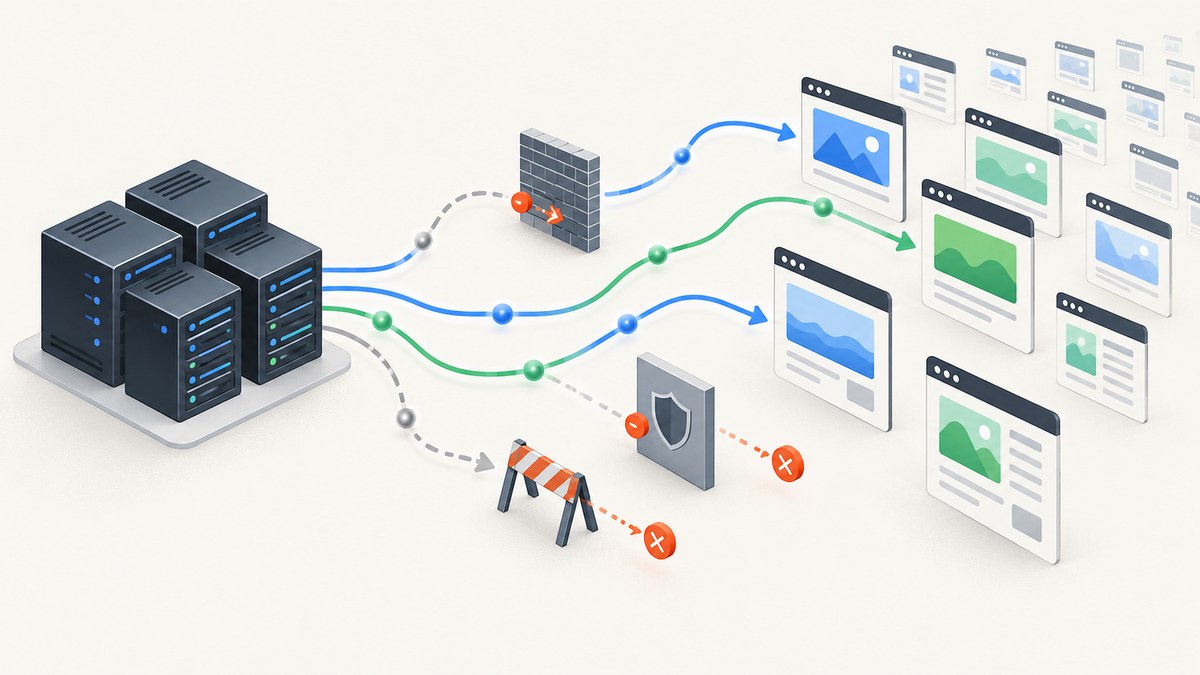
Datacenter proxies are often the affordable, fast starting point for large-scale scraping: requests exit through hosting or cloud IP ranges, and providers commonly price access per IP or per gigabyte. They can work well for public pages, APIs, catalogs, and documentation, but hosting IP ranges are easier for anti-bot systems to identify than consumer ISP ranges. The right choice depends on your target’s behavior and your measured cost per successful page, not the advertised price alone.
Start with a small, representative test at low concurrency. Track success rate, latency, response bytes, retries, and blocks. Scale the datacenter pool while those measures remain acceptable; investigate other approaches only if your targets persistently reject datacenter traffic. Review the target’s rules and legal requirements before collecting data.
1. What a datacenter proxy does
A proxy forwards a request so the destination sees the proxy’s IP address rather than the scraper’s. A datacenter proxy uses an address hosted in a datacenter or cloud network, not an address assigned to a household by a consumer ISP. Datacenter products are commonly positioned as low-cost, high-speed options. For example, Eclipse Proxy lists HTTP, HTTPS, SOCKS5, rotating and sticky sessions, and pay-as-you-go bandwidth. Check its current product details.
The trade-off is classification: anti-bot services can often recognize hosting-network ranges. Oxylabs notes that datacenter IPs can be detectable because they do not originate from an ISP. See Oxylabs’ explanation and current product terms. A proxy changes the route and apparent source IP; it does not grant permission, make a blocked request acceptable, or guarantee a successful response.
| Target or workload | Datacenter fit | What to measure |
|---|---|---|
| Public documentation, catalogs, public APIs | Often a sensible first tier | Response correctness, latency, rate limits |
| Large refresh jobs on permissive sites | Often cost-effective if requests succeed | Bytes, concurrency, retries, cost per page |
| High-defence sites or frequent CAPTCHA responses | May be a poor fit | Block rate and useful records per dollar |
| Multi-step workflows requiring the same session | Potentially suitable with sticky sessions | Session continuity and expiration behavior |
2. How to compare affordable proxy offers
Billing model and effective cost
Providers may charge per IP, per GB, per request, or with a hybrid package. Per-IP pricing can suit steady workloads when the included bandwidth and fair-use terms fit. Per-GB pricing can be easier to cap for variable workloads. Neither headline price captures retry traffic, unsuccessful requests, idle IP capacity, minimum commitments, or optional geography and session premiums.
Use this monthly estimate for each candidate:
monthly_cost = subscription_or_IP_fee
             + bandwidth_charges
             + expected_retry_traffic
             + geography_or_session_premiums

cost_per_successful_page = monthly_cost / successful_pages
Define success at the application level. A 200 status containing a CAPTCHA or an empty shell may not be a usable page. Count successful records after your parser or validation step, and include proxy and scraping costs consistently.
Concurrency, rotation, protocols, and geography
Ask for the actual thread, session, and connection limits for the package you would buy. Some plans tie concurrency to the number of purchased IPs or impose thresholds after a bandwidth allowance. Check whether rotation happens per request or whether you can hold a sticky session. Per-request rotation can be useful when repeated reuse is being throttled; sticky sessions can preserve continuity in a multi-step flow. Follow the target’s rules either way.
- Protocols: confirm HTTP and HTTPS support for ordinary clients, or SOCKS5 if your stack needs it.
- Geography: verify country, region, and city availability where localized results matter.
- Pool quality: ask about subnet diversity, reputation, replacement policy, and how blocks are handled.
- Operations: check authentication, usage dashboards, alerts, spend controls, support, and fair-use terms.
For each provider, record the exact package, currency, billing period, included traffic, overages, minimum commitment, concurrency conditions, and date checked. Prices and terms change; verify checkout and contract details before purchase.
3. Price anchors to verify
The following are research-dossier snapshots accessed in 2026, not quotes or endorsements. Recheck the linked pages for current pricing, minimums, fair use, taxes, overages, and package identity.
| Provider or route | Published starting point in the dossier | Check before comparing |
|---|---|---|
| ScreenshotNeo | Not a proxy provider; website screenshot API with a free tier | Use it when the task is capturing rendered pages, not routing a general scraper through proxies |
| Bright Data | $0.90 per IP starting price | Shared or dedicated option, bandwidth billing, minimums |
| Oxylabs | $1.20 per IP starting price | Unlimited-bandwidth fair-use conditions and concurrency thresholds |
| ScrapeNow | $0.60 per GB | Traffic definition, minimums, and the provider’s pool claims |
| AWS Marketplace listing | $0.70 per IP and $0.094 per GB in a $500 starter package | Vendor identity, prepaid-unit terms, and spend controls |
Primary product pages: Bright Data, Oxylabs, and ScrapeNow. Eclipse Proxy also describes a pay-as-you-go bandwidth option on its product site. Marketplace packages can involve a named third-party vendor; confirm who supplies the service and what the listing’s contract covers.
There is no universal cheapest option. A per-IP offer can win for steady traffic; a per-GB offer may suit a variable job. Compare equivalent successful work and package terms rather than treating the figures above as directly interchangeable.
4. A measured rollout for scale
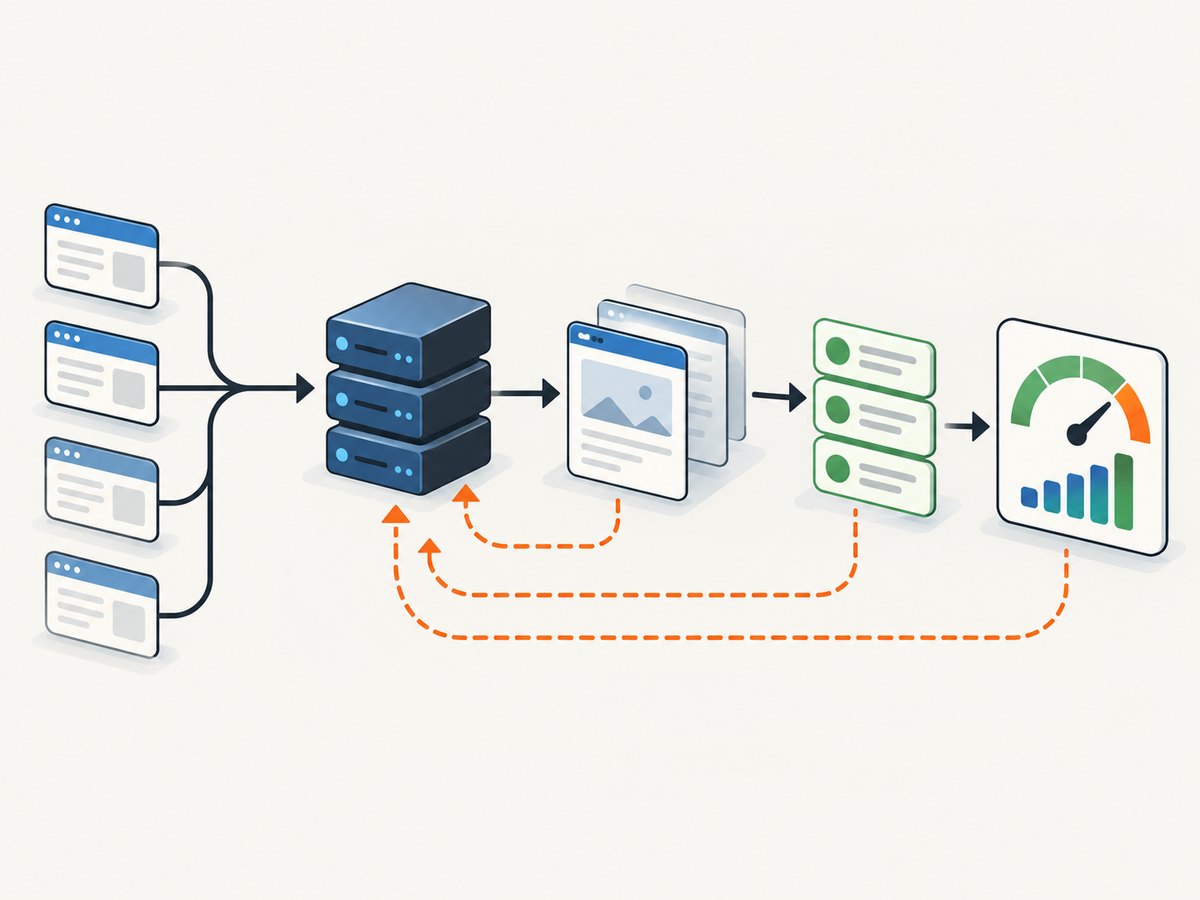
- Choose a representative sample. Include the domains, page types, locales, and response sizes expected in production. Keep the initial request rate low.
- Confirm authorized access and provider setup. Read the target’s robots.txt, terms, documented rate limits, and applicable privacy and data-protection requirements. Configure the proxy protocol, credentials, and geography according to the provider’s documentation.
- Choose session behavior. Use sticky sessions for flows that need continuity; test rotation where reuse is the source of throttling. Do not use rotation to evade access controls or CAPTCHAs.
- Handle failures by type. Back off on 429 responses, retry transient transport errors with a limit, and do not retry genuine 404s. A CAPTCHA, access denial, or repeated block is a signal to stop and reassess, not to bypass the control. Budget Proxies describes failure-specific retry handling in its scraping guidance.
- Record outcomes. Log status class, parse success, latency, response bytes, retry count, proxy/session identifier where appropriate, and block or CAPTCHA indications. Avoid retaining personal data you do not need.
- Calculate effective economics. Divide total measured cost by successfully parsed pages or records. Increase concurrency gradually and watch for rising latency, errors, and retries.
- Change tiers only with evidence. Keep datacenter proxies as the economical default where they work. If a target persistently blocks them, evaluate whether a different permitted collection method or proxy class meets the target’s rules and your requirements.
Use capped exponential backoff with jitter for retryable transport errors and 429s, subject to the target’s published limits. Set a retry ceiling and a job deadline. Retrying every failure immediately can amplify load, inflate bandwidth costs, and make a temporary issue worse.
5. Configuration and operational checklist
- Provider endpoint, protocol, authentication method, and credential rotation are documented and stored outside source control.
- IP allocation, session persistence, rotation interval, and geo-targeting match the specific task.
- Connection and read timeouts are set; concurrency starts below the provider’s stated limit.
- Retries are limited to appropriate transient failures and respect 429 backoff.
- Response size and content are validated before a record is counted as successful.
- Usage alerts or spend caps are enabled where available; bandwidth and retry budgets are monitored.
- Logs contain enough operational detail to debug failures without unnecessarily storing sensitive page contents or credentials.
- Robots.txt, terms, rate limits, privacy duties, and applicable law have been reviewed.
Limits vary by provider and plan, so there is no safe universal thread count or rotation interval. Use the documented limits as an upper bound, then lower the rate if target behavior or error rates indicate that the crawl is too aggressive.
6. Performance, reliability, and cost controls
Datacenter routes can provide low latency because the network exits from hosting infrastructure, but end-to-end time also depends on the destination, page size, DNS, TLS, and your own parser. Benchmark a representative set rather than assuming a provider’s network speed predicts the time to usable data.
Reliability depends on both the pool and the target. Measure successful parses, not just connected requests. Track median latency and tail latency, response bytes, retries, and CAPTCHA or block outcomes. A provider’s marketing claims do not guarantee a zero-block rate. Keep a small canary job, alert on sudden drops in valid records, and pause a crawl when failure rates rise sharply.
Control cost by limiting concurrency, response size where the provider supports it, retries, and idle IP allocation. Compare per-IP and per-GB billing against actual workload variability. Include failed-request traffic and retries in the estimate, and check how fair-use thresholds alter concurrency or charges. Do not scale solely because a larger package lowers the nominal unit price.
7. Troubleshooting common problems
| Symptom | Likely cause | Practical response |
|---|---|---|
| Proxy authentication fails | Wrong credentials, unsupported auth format, or malformed escaping | Verify the provider’s required username/password or token format; keep credentials out of logs. |
| Connection timeout or reset | Endpoint, protocol, DNS, firewall, or temporary network issue | Check the endpoint and protocol, use bounded retries for transient failures, and inspect provider status and limits. |
| 429 responses increase | Request rate exceeds target limits or the target is throttling the session | Back off, reduce concurrency, honor published limits, and stop if throttling persists. |
| CAPTCHA, 403, or access denied | Target defense rejects the request or the request is unauthorized | Do not try to defeat the control. Stop, review permission and terms, and use an approved access path. |
| HTTP 200 but no usable record | Challenge page, empty shell, changed markup, or incomplete content | Validate expected fields and page markers; count only parsed records as successes. |
| Unexpected bandwidth bill | Large responses, retries, repeated downloads, or billing unit misunderstandings | Measure bytes and attempts, check overage and fair-use rules, add alerts, and cap the job. |
| Sticky workflow loses state | Session expired or requests left the assigned session | Check session lifetime and routing configuration; restart the workflow cleanly within the target’s rules. |
8. When you need screenshots rather than a proxy pool
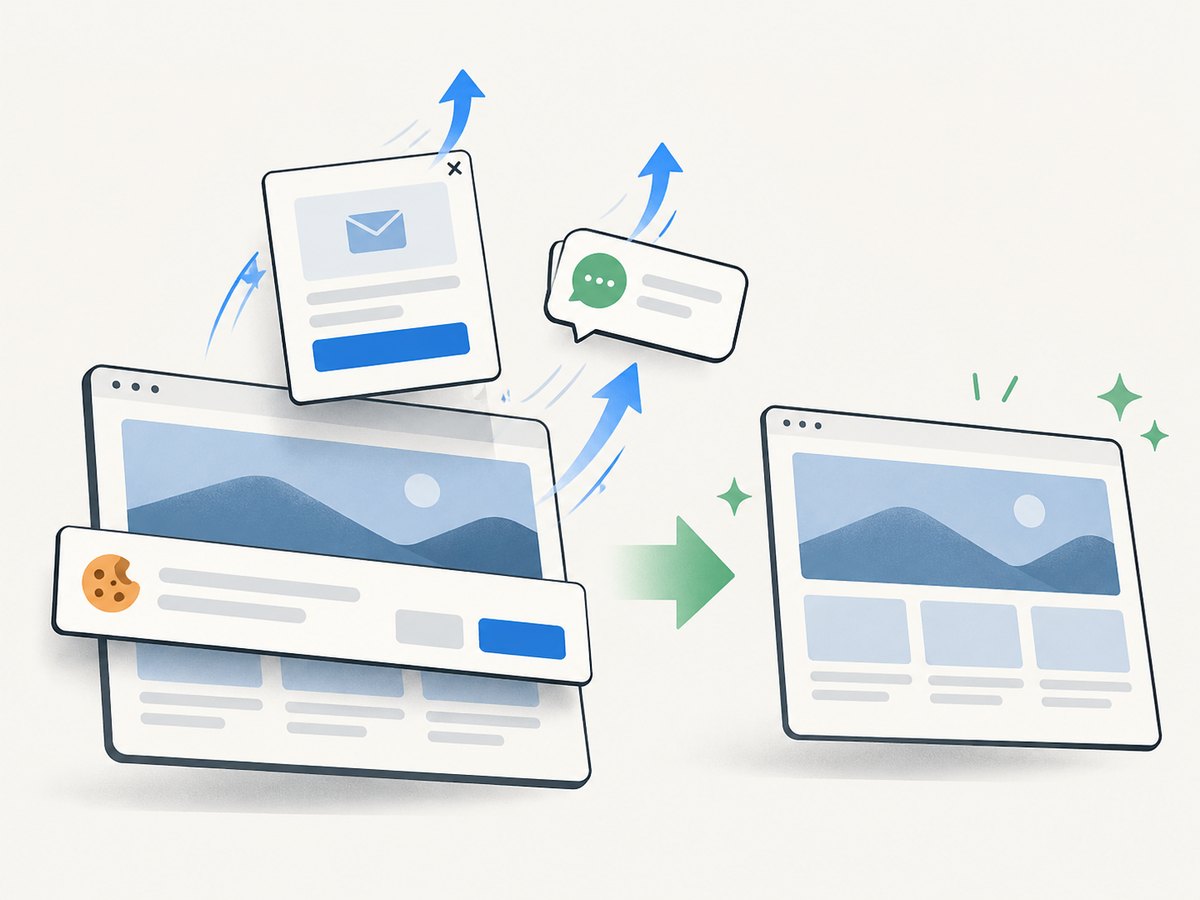
A proxy service routes your scraper’s requests. If the actual task is to capture a rendered website as an image or PDF, a screenshot API can remove browser setup and produce the artifact directly. ScreenshotNeo is a website screenshot API and MCP server from Yorker Media. It returns PNG, JPEG, WebP, or PDF from one GET request. Its published facts include cookie-consent handling and removal of 60+ known consent platforms, newsletter popups, and chat widgets before capture; each step can be turned off. It also reports page verdict and billing status in response headers.
ScreenshotNeo is not a general-purpose datacenter proxy provider. Use it for rendered captures; use a proxy provider when your authorized workflow specifically needs proxy routing for general HTTP collection.
9. Or skip the browser setup
If your job is to save website screenshots, you can call ScreenshotNeo directly instead of managing a browser and proxy configuration. The parameter names used by other screenshot APIs also work, which can make a migration easier. See the ScreenshotNeo API documentation for request options.
curl -G "https://api.screenshotneo.com/v1/shot" \
  -d access_key=YOUR_API_KEY \
  --data-urlencode url=https://stripe.com \
  -o shot.webp
import requests
r = requests.get(
"https://api.screenshotneo.com/v1/shot",
params={"access_key": "YOUR_API_KEY", "url": "https://stripe.com"},
timeout=90,
)
open("shot.webp", "wb").write(r.content)const q = new URLSearchParams({
access_key: 'YOUR_API_KEY',
url: 'https://stripe.com'
});
const res = await fetch(`https://api.screenshotneo.com/v1/shot?${q}`);
if (!res.ok) throw new Error(`Screenshot request failed: ${res.status}`);
const fs = await import('node:fs/promises');
await fs.writeFile('shot.webp', Buffer.from(await res.arrayBuffer()));Cookie banners, popups, and chat widgets are removed before the shot. Bot checks, blank pages, timeouts, and failed loads are never billed; cache hits also cost nothing. The MCP server gives AI agents tools to take screenshots, inspect page information, and capture PDFs. The free plan includes 1,000 screenshots a month with no card; paid plans start at $5 for 3,000. Sign up for the free plan.
10. Compliance before scale
RFC 9309 defines the Robots Exclusion Protocol. It explicitly says robots.txt rules “are not a form of access authorization.” Read RFC 9309. Treat robots.txt as an important crawler signal, not a substitute for permission or legal review. The U.S. General Services Administration also advises agencies to use robots.txt when scraping public-facing data in its web guidance.
Before production, review terms of service, authentication and paywall boundaries, rate limits, privacy and data-protection requirements, copyright or database rights, and applicable law. Do not use proxies to evade access controls, defeat paywalls, bypass CAPTCHAs, or collect personal data without a lawful basis. Identify your crawler where practical and provide an abuse contact.
11. Frequently asked questions
Are datacenter proxies good enough for large-scale scraping?
They can be when the target permits the traffic and the measured success rate remains high. Validate on representative URLs and expand gradually.
Should I pay per IP or per GB?
Estimate both using your own traffic. Per-IP often suits steady use with acceptable fair-use conditions; per-GB makes variable usage easier to bound. Retries and response size can reverse the apparent bargain.
Will rotating proxies prevent blocks?
No. Rotation changes which proxy IP is used; it does not guarantee acceptance or authorize access. Follow target limits and stop when access controls reject the crawl.
How many concurrent requests should I run?
There is no universal number. Start low, stay within provider limits and target guidance, then increase only while valid-result rate and latency remain healthy.
When should I consider another collection method?
When a permitted, low-rate test shows persistent datacenter rejection or the target offers a documented API or feed better suited to the task.