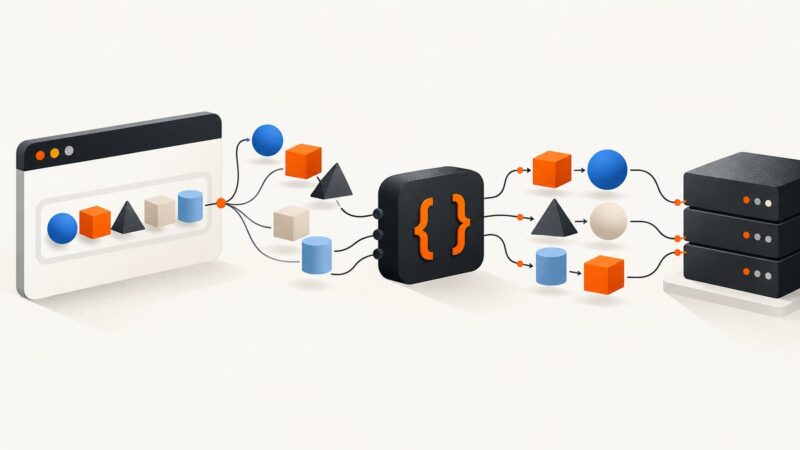
Web Scraping Social Media for OSINT
A practical, permission-first guide to collecting public social-media evidence for OSINT, preserving provenance, and avoiding common legal, privacy, and technical failures.

Web scraping for open-source intelligence (OSINT) is automated collection of information from websites or social-media interfaces. The defensible approach is to define a lawful purpose, check the platform’s terms and access rules, prefer an official API or permitted export, collect the minimum necessary data at a respectful pace, and preserve the original material with enough provenance for another person to assess it. Public visibility alone does not settle whether collection is permitted. Meta distinguishes authorized scraping from automation that violates its terms, and Canadian privacy commissioners say publicly accessible personal information remains subject to privacy laws. Meta’s scraping guidance and the Canadian privacy commissioners’ joint statement are good starting points.
This guide explains how to plan a small, permitted collection, how to preserve what you observe, and when a browser capture is useful. It does not provide a way to evade login controls, CAPTCHAs, rate limits, or other technical restrictions. If a platform disallows automated access or blocks your requests, stop and use an authorized route.
1. Decide whether scraping is appropriate
Start with the investigative question, not with a crawler. Record what you need to establish, which platform and public pages are in scope, the relevant dates and geography, and why collection is necessary. If the question can be answered with an official API, a platform export, a public record, or a smaller set of manual observations, use that route. APIs generally provide structured fields and clearer access rules, but their coverage or historical depth may not fit the question. Browser access may show the page as a person encountered it, but dynamic rendering, account context, and changing content make it less repeatable.
Before collection, inspect the current terms of service, API documentation, access permissions, published rate limits, and the site’s robots.txt. These are separate considerations: a page being publicly visible does not override contractual terms, privacy obligations, or technical restrictions. Google describes robots.txt as a way for site owners to declare how crawlers should interact with pages; AWS recommends respecting it, identifying a crawler in its user agent, and handling rate limits and errors. Treat robots.txt as an important publisher signal, not as legal advice or a universal permission grant. See Google’s robots.txt documentation and AWS crawler guidance.
Legal and privacy review
There is no universal yes-or-no answer to “Is scraping public social-media data legal?” It depends on the jurisdiction, data, purpose, access method, platform rules, and how the collected information will be used. Canadian regulators caution that personal information can remain protected even when publicly accessible. CNIL’s January 2026 guidance says collection of publicly accessible personal data through scraping generally relies on legitimate interest in the French context, accompanied by measures to protect people’s rights and freedoms. That is not a blanket authorization for every collector or purpose. The CNIL focus sheet describes risks including large-scale collection and exposure of sensitive or highly personal information.
Document the lawful-basis assessment appropriate to your organization and location. Minimize collection, avoid sensitive attributes unless demonstrably necessary and properly authorized, restrict access, define retention and deletion dates, and provide transparency or a contact channel where required. For a high-impact investigation or uncertain legal position, obtain qualified privacy or legal advice before collecting.
2. Plan a small, accountable collection
- Write the purpose and scope. Specify the question, target pages or accounts, date range, geography, allowed fields, exclusions, and stop conditions.
- Choose the access method. Review the platform’s API or export first. If a public page crawl is appropriate, verify terms, robots.txt, permissions, and rate limits. Do not use logged-in access unless the account and method are expressly authorized for the task.
- Test narrowly. Start with a small sample and record the query, page context, timestamp, and collector version. Check that the output actually answers the question before expanding.
- Set request limits. Use conservative pacing, batch work, and stop on a block, CAPTCHA, repeated 403 response, or 429 response. AWS gives examples of one request every 10–15 seconds for small or medium sites and 1–2 requests per second for larger sites or cases with explicit permission. Those are operational examples, not legal limits or universal safe rates.
- Define retention and access. Decide who can see raw captures, when they will be deleted, how corrections or deletion requests are handled, and what may be included in reports.

3. Minimal Python example for a permitted public page
The example below downloads one HTML page only after checking the site’s robots.txt for the declared collector name. It uses a transparent user agent, a timeout, and a fixed single request. It does not log in, follow social-platform APIs, solve challenges, or crawl links. Set PAGE_URL to a page and domain for which you have confirmed the applicable rules and permission. A robots.txt “allow” result does not itself establish legal or contractual permission.
from urllib.parse import urlparse
from urllib.robotparser import RobotFileParser
from datetime import datetime, timezone
import hashlib
import requests

PAGE_URL = "https://example.org/public-page"
USER_AGENT = "ResearchCollector/1.0 (contact: analyst@example.org)"

parts = urlparse(PAGE_URL)
robots_url = f"{parts.scheme}://{parts.netloc}/robots.txt"
robots = RobotFileParser()
robots.set_url(robots_url)
robots.read()

if not robots.can_fetch(USER_AGENT, PAGE_URL):
    raise SystemExit("robots.txt disallows this URL; do not fetch it")

response = requests.get(
    PAGE_URL,
    headers={"User-Agent": USER_AGENT},
    timeout=(5, 20),
    allow_redirects=True,
)
if response.status_code == 429:
    raise SystemExit("Rate limited; stop and review the site's instructions")
if response.status_code in (401, 403):
    raise SystemExit("Access denied; do not try to bypass the restriction")
response.raise_for_status()

body = response.content
captured_at = datetime.now(timezone.utc).isoformat()
digest = hashlib.sha256(body).hexdigest()

with open("page-original.html", "wb") as output:
    output.write(body)

print({
    "requested_url": PAGE_URL,
    "final_url": response.url,
    "captured_at_utc": captured_at,
    "status": response.status_code,
    "sha256": digest,
    "bytes": len(body),
})
Install the dependency with python -m pip install requests. The saved bytes, hash, request URL, final URL, time, status, and tool identity form a useful starting record. Keep metadata in a separate manifest and protect both files. The page may contain personal information; do not publish the raw artifact or its contents merely because the page was public.
What this example does not solve
Many social platforms render content with JavaScript, require a particular context, or serve different pages by region or account. A basic HTTP request may therefore return a shell, a sign-in page, an error, or incomplete content. Do not work around those barriers with stealth headers, rotating identities, CAPTCHA solving, or credential sharing. Use the documented API, an authorized export, or a capture method allowed by the site and your investigation rules. If you cannot confirm authorization, do not automate the collection.
4. Preserve evidence so another person can assess it
A screenshot can show how a page appeared at a moment, while downloaded source or structured API output may preserve other details. Preserve the original artifact without edits and make working copies for redaction, annotation, or analysis. For each item, record the original URL, capture time with timezone, page or post identifier if available, method and tool version, HTTP status or capture result, SHA-256 hash, and the person or process that collected it. Keep a chain-of-custody log of transfers, access, and transformations.

Separate observations from interpretation. Store analyst notes, translations, OCR, excerpts, and deduplication decisions separately from raw captures. Record missing pages, edits, deletions, inaccessible dates, and any uncertainty about timezones or account context. Hashes can help show whether a file changed after collection; they do not independently prove that the page was authentic or that the capture time is accurate. Corroborate significant claims with independent sources and explain gaps.
Hunchly is a capture-focused option described in its product materials as collecting URLs, timestamps, and hashes and making full-page captures, with tagging, search, and audit-trail packages. See Hunchly’s product page for its current capabilities. Maltego’s official documentation describes tools for searching, graph analysis, cases, monitoring, and evidence workflows, including Hunchly integration; consider it when relationship mapping, monitoring, or team case management is central. See Maltego documentation. Assess current terms, access, retention, security, cost, and geographic availability before adopting any service.
5. Capture a public page in a browser
When the research question concerns what a human visitor could see, a browser capture can preserve rendered layout, visible content, and context. Use it only for pages you are permitted to access. Record the exact URL and capture time, and retain the original output. Browser rendering is affected by dynamic content, viewport, locale, consent prompts, and changing page state, so note those settings if they matter to interpretation.
For a local, one-page capture of an authorized page using Playwright, install the package and browser first:
npm install playwright
npx playwright install chromium
// capture.mjs
import { chromium } from "playwright";
import { createHash } from "node:crypto";
import { writeFile } from "node:fs/promises";
const url = "https://example.org/public-page";
const browser = await chromium.launch({ headless: true });
const page = await browser.newPage({ viewport: { width: 1365, height: 900 } });
try {
const response = await page.goto(url, {
waitUntil: "domcontentloaded",
timeout: 30000
});
if (!response || response.status() === 401 || response.status() === 403 || response.status() === 429) {
throw new Error(`Access or rate-limit response: ${response?.status() ?? "no response"}`);
}
const bytes = await page.screenshot({ fullPage: true, type: "png" });
await writeFile("page-original.png", bytes);
console.log(JSON.stringify({
requestedUrl: url,
finalUrl: page.url(),
capturedAt: new Date().toISOString(),
status: response.status(),
sha256: createHash("sha256").update(bytes).digest("hex"),
bytes: bytes.length
}, null, 2));
} finally {
await browser.close();
}Run it with node capture.mjs. This script does not check site terms or robots.txt; do that before running it. It also does not evade access controls. If the page redirects to login, displays a CAPTCHA, or blocks automated access, stop and use an authorized method. Full-page screenshots can differ from an API response or a later human visit, so keep the capture settings and context in the evidence manifest.
Or skip the browser setup
ScreenshotNeo is a website screenshot API and MCP server from Yorker Media. One GET request returns a PNG, JPEG, WebP, or PDF. For an authorized public page, the API call is:
curl -G "https://api.screenshotneo.com/v1/shot" -d access_key=YOUR_API_KEY --data-urlencode url=https://example.org/public-page -o shot.webpSee the ScreenshotNeo API documentation for the request details. Python:
import requests
r = requests.get("https://api.screenshotneo.com/v1/shot", params={"access_key": "YOUR_API_KEY", "url": "https://example.org/public-page"}, timeout=90)
open("shot.webp", "wb").write(r.content)
Node.js:
const q = new URLSearchParams({ access_key: 'YOUR_API_KEY', url: 'https://example.org/public-page' });
const res = await fetch(`https://api.screenshotneo.com/v1/shot?${q}`);
For captures where clean page presentation is useful, cookie and consent banners, newsletter popups, and chat widgets are removed before the shot; each cleanup step can be turned off. Bot checks, blank pages, failed loads, timeouts, and cache hits are not billed, with response headers indicating the page verdict and billing status. Its MCP server provides take_screenshot, get_page_info, and capture_pdf for Claude, Cursor, and other MCP clients. The free plan includes 1,000 screenshots a month with no card; paid plans start at $5 for 3,000. A screenshot is a visual record, not a substitute for authorized data access, a preserved source artifact, or a chain-of-custody process. Sign up for 1,000 free screenshots a month, with no card required.
6. Collection quality, speed, and cost
Optimize for defensibility before throughput. A small, repeatable collection with clear scope is generally easier to explain than a large, poorly documented crawl. Batch only within permitted limits; keep concurrency low unless the platform explicitly allows more. Add bounded retries with exponential backoff for transient server errors, honor any Retry-After instruction, and stop on access denial or repeated throttling. Never retry a CAPTCHA or a denial by changing identities or disguising the client.
For long-running collections, checkpoint completed items and log every attempt, including skips and failures. Make the process resumable without duplicating records. Keep raw data and derived indexes in separate stores with access controls. Monitor storage growth and retention deadlines. Calculate total cost across API subscriptions, capture services, storage, analyst review, and legal/privacy review; free collection tools do not remove the labor or governance cost. No capture method guarantees that content stays available or that future reviewers can recreate the same page.
7. Troubleshooting common failures
| Symptom | Likely cause | Responsible response |
|---|---|---|
| HTTP 401 or 403 | Authentication required, permission missing, or automated access denied. | Stop. Check official access routes and written authorization; do not bypass the restriction. |
| HTTP 429 or “too many requests” | Rate limit reached or request pace is too high. | Pause, honor Retry-After if present, reduce volume, and check documented limits. Stop if limits persist. |
| CAPTCHA or bot check | The platform is challenging or blocking automation. | Do not solve or evade it. Request access or use an authorized API/export. |
| Blank or incomplete page | JavaScript rendering, unavailable content, location/context variation, or failed load. | Record what appeared, check whether an authorized browser capture is allowed, and document the limitation. |
| Robots parser cannot retrieve rules | robots.txt unavailable, malformed, or transiently unreachable. | Do not treat the failure as permission. Pause, inspect the site’s published guidance, and seek permission for extensive collection. |
| Timeout or connection error | Network issue, slow response, or server load. | Use a bounded timeout and limited backoff for transient errors. Avoid rapid retries and record failed attempts. |
| Screenshot differs on repeat | Dynamic content, viewport, locale, consent state, or page edits changed. | Record capture settings and timestamps, preserve each original, and explain the variation. |
| Hash mismatch later | The file changed, the wrong artifact was hashed, or transfer/storage altered bytes. | Recompute from preserved originals, investigate the transfer history, and document the discrepancy; do not overwrite evidence. |
8. A final collection checklist
- Purpose, scope, lawful basis, and stop conditions documented.
- Terms, API rules, robots.txt, permissions, and rate limits reviewed.
- Official API or permitted export considered first.
- Smallest necessary data collected with transparent identification and conservative pacing.
- No authentication, CAPTCHA, paywall, or technical block bypassed.
- Original files, URLs, timestamps, identifiers, hashes, and tool details preserved.
- Raw evidence separated from annotations and transformations.
- Access, retention, deletion, and disclosure rules documented.
- Important findings corroborated, with gaps and uncertainty reported.
FAQ
Can I use a screenshot as evidence?
It can document a visual observation, but alone it may not establish authenticity, completeness, or capture time. Preserve the original artifact and contextual metadata, and follow the evidentiary requirements relevant to your case.
Does public visibility mean I can reuse the content?
No. Access, privacy, platform terms, copyright, and downstream use are separate questions. Review each before collecting or publishing material.
Should I collect deleted posts?
Only if you have a lawful, authorized source and the collection fits the documented purpose. Clearly label archival or third-party copies and do not imply that they are the original live page.
What if a platform changes its rules during a project?
Pause collection, review the revised terms and access documentation, assess whether the lawful basis and scope still apply, and update the record before resuming.