How to Use AI for Automated Price Scraping
Build a reliable AI price-monitoring pipeline: choose authorized sources, render pages, extract structured prices, validate records, and schedule alerts.

Direct answer: use AI as one extraction component in a monitored data pipeline. Choose an authorized source, fetch its page or API response, render JavaScript only when required, extract prices into a fixed schema, validate every record, and store the source URL and observation time. AI can adapt to changing page layouts, but it cannot grant permission to collect data and should not trigger alerts or repricing without checks.
This guide shows how to build that workflow for competitor monitoring, catalog comparison, and price-change alerts. It covers source selection, browser rendering, AI extraction, validation, scheduling, cost control, failure handling, and a practical implementation in Python. The same design works with an official API, direct HTTP requests, browser automation, or a managed capture service such as ScreenshotNeo.
1. Define the price record before collecting anything
A scraper that returns a number without context creates unreliable comparisons. Define the record you need before writing a fetcher or prompt. A useful observation contains:
retailerand a stableproduct_idwhen one exists- product name, variant, size, bundle quantity, seller, and condition
- raw displayed price, normalized numeric amount, currency, and unit
- promotion text, coupon requirements, shipping or membership conditions
- availability and stock wording
- canonical product URL and observation timestamp in UTC
- extraction method, parser version, and validation status
Preserve the raw price string even after normalization. “$19.99,” “19,99 €,” “from $19,” and “$19.99 with membership” do not mean the same thing. Keep variant and seller fields separate so a one-pack is never compared with a three-pack. This schema is practical guidance derived from the collection and preprocessing concerns discussed by the OECD’s 2025 report on scraping and APIs.
2. Confirm that the source and collection method are allowed
A scraping vendor does not automatically authorize collection from every site. Start with a documented retailer or marketplace API when it supplies the fields you need. Its contract, authentication rules, quotas, and terms define the permitted use. If you need a public page, review the site’s terms and robots.txt, identify rate limits, and avoid bypassing login walls, CAPTCHAs, bot checks, or other access controls.
The OECD distinguishes ordinary scraping, crawling, screen scraping, and API access; those methods have different technical and contractual properties. Scrayle’s acceptable-use policy gives public product listings and prices as an example use while stating that “Scrayle respects robots.txt directives by default.” That is Scrayle’s policy, not a universal legal conclusion. Read the Scrayle acceptable-use policy and obtain legal advice for your jurisdiction and project.
3. Choose the lightest fetch method that works
| Approach | Use it when | Main trade-off |
|---|---|---|
| Official API | The provider exposes the required product and price fields. | Best-defined access, but limited by contract, quotas, and schema. |
| Site-specific parser | Markup is stable and predictable. | Fast and precise until a redesign breaks selectors. |
| Direct HTTP parsing | The price is present in returned HTML or embedded JSON. | Low resource use, but cannot execute client-side application code. |
| Browser automation | Prices appear only after JavaScript, interaction, or lazy loading. | Handles dynamic pages but consumes more CPU, memory, and time. |
| AI extraction | Layouts vary and adaptable field mapping reduces parser maintenance. | Needs validation and can add model or endpoint cost. |
Fetch a representative sample with direct HTTP first. Escalate only pages that need JavaScript. WebScraping.AI documents separate basic and JavaScript-rendered modes and recommends rendering for single-page applications while disabling it for static pages; see its API documentation. Do not raise request concurrency simply because your infrastructure can run more workers. Respect the target’s stated limits.
4. Render a page and extract a strict schema
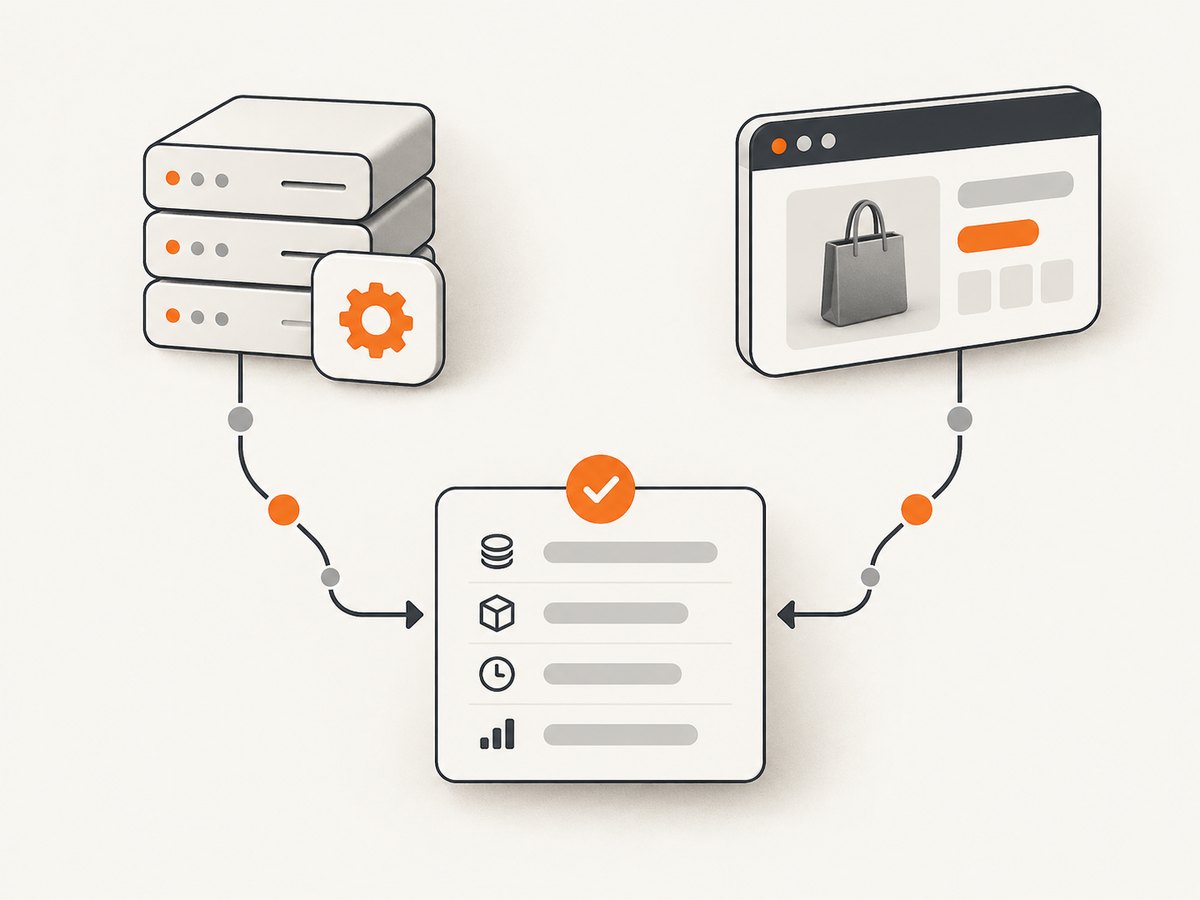
Ask an AI model for fields, not a prose summary. Give it the rendered HTML or a compact representation of the relevant product section, then require valid JSON. A prompt should define what counts as the selling price, how to represent missing values, and how to distinguish a discount from a list price.

Extract one product offer from the supplied page.
Return JSON only with these keys:
{
  "product_name": string|null,
  "variant": string|null,
  "seller": string|null,
  "raw_price": string|null,
  "amount": number|null,
  "currency": string|null,
  "unit": string|null,
  "promotion": string|null,
  "availability": string|null,
  "product_url": string|null,
  "confidence": number
}
Rules:
- Use the price the customer must pay for the selected variant.
- Do not treat a crossed-out list price as amount.
- Preserve currency and unit exactly when visible.
- Use null when a field is absent; never guess.
- Confidence is 0 to 1 and reflects evidence in the page.
Pass only the content needed for extraction where possible. Remove navigation, reviews, and unrelated recommendations before sending text to a model. Keep the original response or a content hash so an anomalous record can be audited.
5. A runnable Python pipeline
The example below illustrates the control flow. Replace fetch_html and extract_with_model with your authorized API, browser, and model clients. The validation code is deliberately strict: an uncertain record is stored for review rather than used for an alert.
from dataclasses import dataclass, asdict
from datetime import datetime, timezone
from decimal import Decimal, InvalidOperation
from urllib.parse import urljoin
import json
import requests

@dataclass
class PriceObservation:
    product_name: str | None
    variant: str | None
    seller: str | None
    raw_price: str | None
    amount: float | None
    currency: str | None
    unit: str | None
    promotion: str | None
    availability: str | None
    product_url: str | None
    observed_at: str
    confidence: float
    status: str

def fetch_html(url: str) -> str:
    response = requests.get(
        url,
        headers={"User-Agent": "PriceMonitor/1.0 (+contact@example.com)"},
        timeout=30,
    )
    response.raise_for_status()
    return response.text

def validate(data: dict, source_url: str) -> PriceObservation:
    amount = data.get("amount")
    currency = data.get("currency")
    confidence = float(data.get("confidence") or 0)
    status = "ok"
    if amount is not None:
        try:
            amount = float(Decimal(str(amount)))
            if amount < 0:
                status = "review"
        except (InvalidOperation, ValueError):
            amount = None
            status = "review"
    if not data.get("raw_price") or not currency or confidence < 0.85:
        status = "review"
    product_url = data.get("product_url")
    if product_url:
        product_url = urljoin(source_url, product_url)
    return PriceObservation(
        product_name=data.get("product_name"),
        variant=data.get("variant"),
        seller=data.get("seller"),
        raw_price=data.get("raw_price"),
        amount=amount,
        currency=currency,
        unit=data.get("unit"),
        promotion=data.get("promotion"),
        availability=data.get("availability"),
        product_url=product_url or source_url,
        observed_at=datetime.now(timezone.utc).isoformat(),
        confidence=confidence,
        status=status,
    )

def run(url: str):
    html = fetch_html(url)
    # Send a cleaned product section to your model and parse JSON.
    extracted = extract_with_model(html)  # implement with your chosen provider
    observation = validate(extracted, url)
    print(json.dumps(asdict(observation), ensure_ascii=False))
    if observation.status == "ok":
        save_observation(asdict(observation))
    else:
        send_for_review(asdict(observation))

# Implement these using your storage and model provider.
def extract_with_model(html: str) -> dict: ...
def save_observation(record: dict): ...
def send_for_review(record: dict): ...
Run the job from a scheduler, queue URLs with a concurrency limit, and write immutable observations. A later process can compare the same product and conditions, calculate changes, and issue alerts.
6. Validate prices before comparison or alerts
- Schema checks: reject malformed JSON, missing required keys, impossible negative amounts, and unknown currencies.
- Identity checks: verify that the product, variant, seller, and pack size match the record being updated.
- Evidence checks: require the raw price and nearby text or selector evidence. A number in a recommendation widget may not be the product price.
- Historical checks: flag unusually large changes, currency changes, and sudden disappearance of availability.
- Human sampling: manually review representative pages after every parser or prompt change.
Do not automatically reprice or notify customers from a low-confidence extraction. The September 2026 preprint by Evgeniia Kositsyna and Jorge Lloret-Gazo reports precision rising from 77.2% to 87.3% and average per-page processing time falling approximately 14% for its adaptive browserless method versus its baseline. Those results belong to that experiment and are not a guarantee for your pages; read the preprint and benchmark your own targets.
7. Scheduling, storage, and alert design
Choose refresh frequency from the business requirement and the target’s permitted rate. A daily catalog comparison, an hourly promotion monitor, and a near-real-time stock alert have different workloads. Store each observation with a timestamp, URL, source response status, extraction version, and validation status. This lets you distinguish a real price change from a changed variant, coupon, shipping condition, or temporary error.
Use idempotent jobs: the same URL and observation window should not create duplicate records. Retry transient network failures with exponential backoff and a limit. Send an alert only after a successful validation and, for high-impact changes, a second confirming observation.
8. Performance, reliability, and cost
- Reduce page work: prefer APIs or direct HTML when sufficient; render JavaScript only for pages that need it; extract a focused section instead of a full document.
- Control concurrency: use a queue and per-domain limits. Parallel workers improve throughput but can violate rate limits or increase blocks.
- Cache carefully: cache unchanged pages for a defined period, but do not mistake a cache hit for a fresh price observation.
- Measure the full path: record fetch time, render time, model time, retries, token usage, and review rate.
- Budget by mode: WebScraping.AI’s July 20, 2026 documentation lists 1 credit for a basic request, 5 for JavaScript rendering, 10 for residential proxy without JavaScript, 25 for residential plus JavaScript, 50 for stealth proxy, and an additional 5 credits for AI endpoints. These are that vendor’s credit units, not market-wide prices.
Estimate monthly cost as URLs per run × runs per month × average fetch and extraction cost, then add retries and manual review. Recalculate when the share of JavaScript pages changes.
9. Or skip the browser setup
ScreenshotNeo provides a website screenshot API and MCP server. It can render dynamic pages and return PNG, JPEG, WebP, or PDF so your extraction step can work from a consistent visual capture. Before capture it accepts cookie or consent banners and removes more than 60 known consent platforms, newsletter popups, and chat widgets; each step can be turned off. Bot checks, CAPTCHAs, blank pages, timeouts, failed loads, and cache hits are not billed, and the response reports the result through X-Page-Verdict and X-Billed headers.
Use the same request from cURL, Python, or Node.js. Full option names and examples are in the ScreenshotNeo API documentation.
curl -G "https://api.screenshotneo.com/v1/shot" -d access_key=YOUR_API_KEY --data-urlencode url=https://stripe.com -o shot.webpimport requests
r = requests.get("https://api.screenshotneo.com/v1/shot", params={"access_key": "YOUR_API_KEY", "url": "https://stripe.com"}, timeout=90)
open("shot.webp", "wb").write(r.content)const q = new URLSearchParams({ access_key: 'YOUR_API_KEY', url: 'https://stripe.com' });
const res = await fetch(`https://api.screenshotneo.com/v1/shot?${q}`);For price extraction, useful options include full-page capture with lazy images loaded, a CSS element selector, custom JavaScript or CSS, waiting for a selector or network idle, custom headers and cookies, timezone and geolocation, blocking ads or resource types, caching with a chosen TTL, and bulk capture of up to 100 URLs per call. You can also use async jobs with signed webhooks, signed links for public image tags, the usage API, and the OpenAPI specification. An MCP server exposes take_screenshot, get_page_info, and capture_pdf to Claude, Cursor, and other MCP clients.
ScreenshotNeo is a practical first option when you need clean captures, because only clean shots are billed and the lowest paid plan is $5 for 3,000 shots. The Free plan includes 1,000 shots per month with no card; Growth is $15 for 15,000 and higher plans scale to 1,000,000 shots, with every feature on every plan. Start with 1,000 free screenshots a month.
10. Troubleshooting common failures
| Symptom | Likely cause | Fix |
|---|---|---|
| Price is missing | JavaScript did not run, or the selector targets a placeholder. | Use a rendered browser or ScreenshotNeo, wait for the price selector, and capture the loaded element. |
| Wrong price extracted | List price, recommendation, or another variant was selected. | Include variant and promotion rules in the schema; require nearby evidence and validate identity. |
| Currency is wrong | Locale, geolocation, or account settings changed the page. | Set locale, timezone, geolocation, and currency expectations explicitly; store the raw string. |
| Frequent 403 or CAPTCHA | Requests exceed limits or trigger access controls. | Slow down, use an authorized API, review terms, and do not attempt to evade controls. |
| Blank screenshot | Page timeout, blocked resource, or content rendered after capture. | Increase wait conditions, inspect failed resources, and check X-Page-Verdict and X-Billed when using ScreenshotNeo. |
| Duplicate alerts | Retries are not idempotent or observations lack a stable key. | Key records by product, variant, seller, currency, and observation window; deduplicate before alerting. |
| Costs grow unexpectedly | Every page uses browser rendering, proxy retries, or AI extraction. | Measure each mode, cache where appropriate, and route static pages through direct HTTP. |
FAQ
Can AI scrape any website?
No. AI changes extraction, not authorization. Follow the target’s terms, robots.txt guidance, API contract, and rate limits.
Should I use an LLM for every page?
No. Use deterministic parsing for stable fields and reserve AI for variable layouts or recovery paths. Validate both.
How do I compare sale prices fairly?
Store the raw display, promotion text, variant, pack size, seller, shipping conditions, currency, and timestamp. Compare equivalent offers only.
When is a screenshot better than HTML?
Use a screenshot when the visible price depends on JavaScript, layout state, consent handling, or lazy loading. For machine-readable embedded data, direct HTML or an official API is usually lighter.
What should happen when extraction confidence is low?
Keep the observation, mark it for review, and suppress automated alerts until a second capture or human check confirms it.
Conclusion
A dependable AI price scraper is a monitored data product: authorized inputs, the lightest suitable fetch method, explicit fields, validation, historical context, and conservative alerting. Start with a small representative set, measure failures and cost by page type, then scale the schedule and concurrency gradually.


