AI Function Calling for Browser Automation
Build safe browser agents with function calling, Playwright, computer-use tools, MCP, and production troubleshooting.
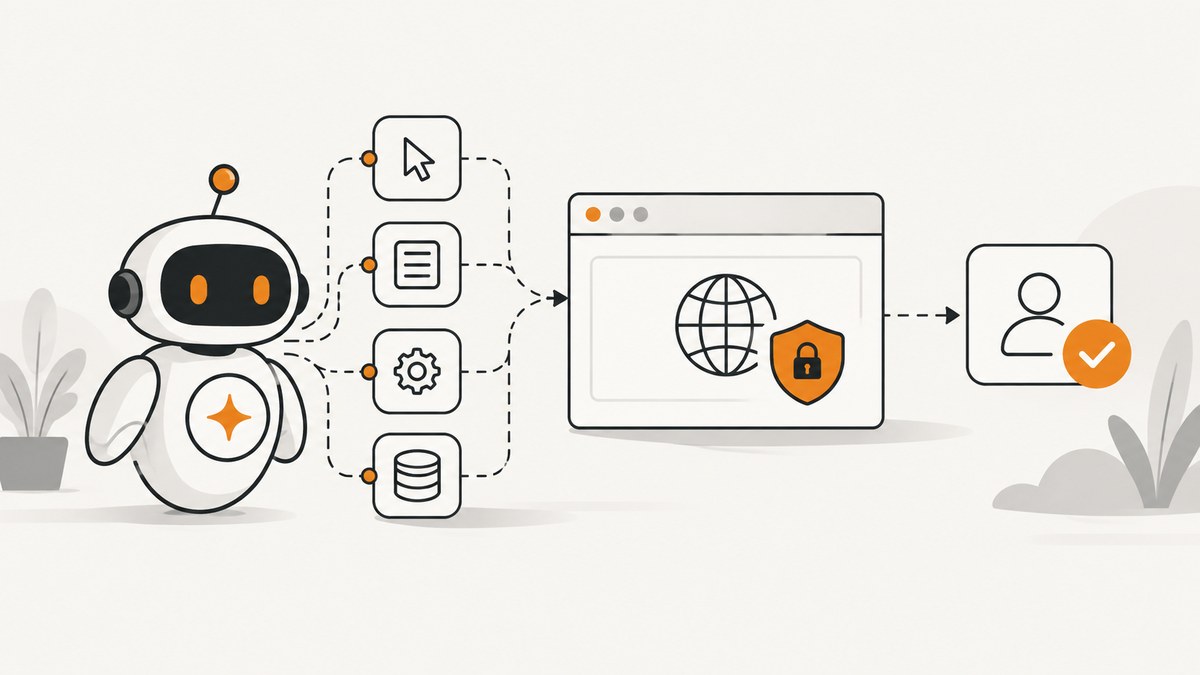
Direct answer: AI function calling automates a browser by running an application-controlled loop. You describe narrow tools such as navigate, click, fill, and extract to the model; your server executes each approved call in a real browser (usually Playwright), sends the result back with the call ID, and repeats until the model returns a final answer. The model proposes actions, while your code owns the browser session, permissions, validation, and side effects.
1. The function-calling loop
OpenAI defines function calling as a way for models to interface with external systems; Anthropic calls the same pattern tool use. A reliable browser agent has five stages:
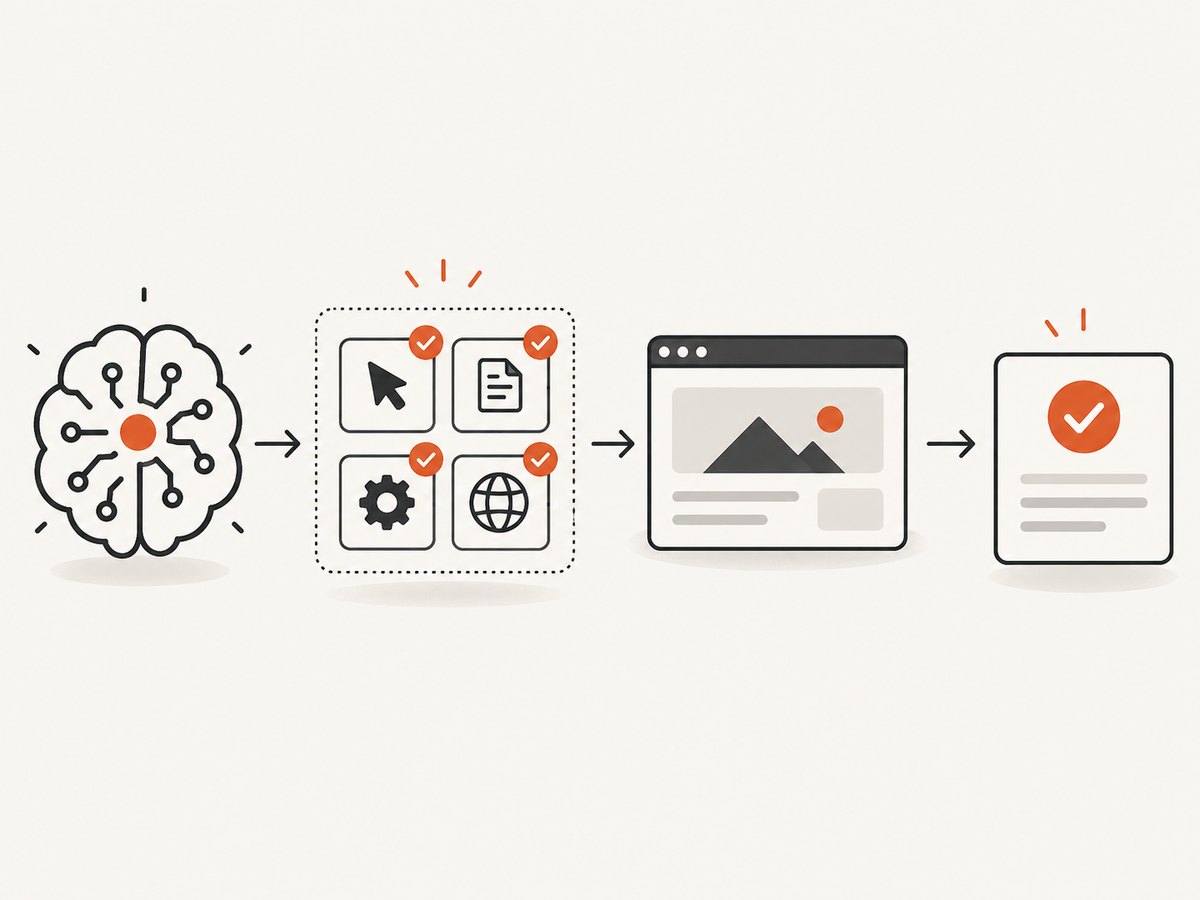
- Describe tools. Give each function a JSON schema with required fields, enums, and limits.
- Ask the model. Include the user goal and current page state.
- Receive a tool call. The response contains a function name, arguments, and an ID.
- Execute in your runtime. Validate arguments, perform the bounded Playwright action, and capture a concise result or screenshot.
- Return the tool result. Send it with the original ID. Continue until the model emits normal text.
Never let a function call directly become an unreviewed purchase, deletion, message, or data upload. Treat page text, accessibility labels, and tool output as untrusted instructions.
2. Choose an architecture
| Approach | Best for | Trade-offs |
|---|---|---|
| Structured tools + Playwright | Stable forms, extraction, tests | Deterministic and easy to validate; needs selectors or roles |
| Computer-use actions | Irregular visual interfaces | Handles screenshots, clicks, typing and zoom; higher latency and weaker determinism |
| Programmatic tool calling | Known multi-step batches | Fast orchestration; less model judgment between steps |
| MCP browser server | Claude, Cursor, or any MCP client | Discoverable tools; arbitrary-code runners require trusted clients and isolation |
Start with structured operations. Add screenshot-based computer use only for controls that cannot be represented reliably in the DOM. Use programmatic calls for deterministic loops such as checking ten URLs, and direct calls when every result needs fresh approval.
3. A safe Playwright tool runner in Python
The example below uses OpenAI-style tool schemas and Playwright. Install openai and playwright, then run playwright install chromium. Keep the browser in an isolated container or VM.
import json
import os
from openai import OpenAI
from playwright.sync_api import sync_playwright, TimeoutError as PlaywrightTimeout

client = OpenAI(api_key=os.environ["OPENAI_API_KEY"])

TOOLS = [{"type": "function", "function": {
    "name": "navigate",
    "description": "Open an allowlisted URL in the current browser page.",
    "parameters": {"type": "object", "properties": {
        "url": {"type": "string"}
    }, "required": ["url"], "additionalProperties": False}
}}, {"type": "function", "function": {
    "name": "click",
    "description": "Click one visible element by role and accessible name.",
    "parameters": {"type": "object", "properties": {
        "role": {"type": "string", "enum": ["button", "link", "checkbox"]},
        "name": {"type": "string"}
    }, "required": ["role", "name"], "additionalProperties": False}
}}, {"type": "function", "function": {
    "name": "fill",
    "description": "Fill a non-sensitive field identified by its label.",
    "parameters": {"type": "object", "properties": {
        "label": {"type": "string"}, "value": {"type": "string", "maxLength": 2000}
    }, "required": ["label", "value"], "additionalProperties": False}
}}, {"type": "function", "function": {
    "name": "extract",
    "description": "Return visible text from a CSS selector, capped for token safety.",
    "parameters": {"type": "object", "properties": {
        "selector": {"type": "string"}
    }, "required": ["selector"], "additionalProperties": False}
}}]

ALLOWED_ORIGINS = {"example.com", "www.example.com"}
def allowed(url):
    from urllib.parse import urlparse
    p = urlparse(url)
    return p.scheme == "https" and p.hostname in ALLOWED_ORIGINS

def run(goal):
    messages = [{"role": "user", "content": goal}]
    with sync_playwright() as pw:
        browser = pw.chromium.launch(headless=True)
        page = browser.new_page()
        for step in range(12):
            response = client.chat.completions.create(
                model="gpt-4.1-mini", messages=messages, tools=TOOLS,
                tool_choice="auto", temperature=0)
            msg = response.choices[0].message
            if not msg.tool_calls:
                print(msg.content or "")
                break
            messages.append(msg)
            for call in msg.tool_calls:
                args = json.loads(call.function.arguments)
                try:
                    if call.function.name == "navigate":
                        if not allowed(args["url"]): raise ValueError("URL is not allowlisted")
                        page.goto(args["url"], wait_until="domcontentloaded", timeout=15000)
                        result = {"url": page.url, "title": page.title()}
                    elif call.function.name == "click":
                        page.get_by_role(args["role"], name=args["name"]).click(timeout=5000)
                        result = {"clicked": True, "url": page.url}
                    elif call.function.name == "fill":
                        page.get_by_label(args["label"]).fill(args["value"], timeout=5000)
                        result = {"filled": args["label"]}
                    elif call.function.name == "extract":
                        text = page.locator(args["selector"]).inner_text(timeout=5000)
                        result = {"text": text[:8000]}
                    else:
                        result = {"error": "unknown tool"}
                except (PlaywrightTimeout, ValueError) as exc:
                    result = {"error": str(exc)}
                messages.append({"role": "tool", "tool_call_id": call.id,
                                "content": json.dumps(result)})
        else:
            raise RuntimeError("step limit reached")
        browser.close()

if __name__ == "__main__":
    run("Open https://example.com and return its page title")
Production changes include a per-run deadline, cancellation, an action audit log, secret redaction, and a confirmation gate before submit, payment, deletion, or external transmission. Do not put passwords or tokens in the model-visible prompt; inject them in the runtime only after a policy check.
4. Node.js version with Playwright
import OpenAI from 'openai';
import { chromium } from 'playwright';
const openai = new OpenAI();
const browser = await chromium.launch({ headless: true });
const page = await browser.newPage();
const tools = [{ type: 'function', function: {
  name: 'get_title', description: 'Open an allowlisted URL and return its title',
  parameters: { type: 'object', properties: { url: { type: 'string' } }, required: ['url'], additionalProperties: false }
}}];
let messages = [{ role: 'user', content: 'Get the title of https://example.com' }];
for (let step = 0; step < 8; step++) {
  const r = await openai.chat.completions.create({ model: 'gpt-4.1-mini', messages, tools, temperature: 0 });
  const m = r.choices[0].message;
  if (!m.tool_calls?.length) { console.log(m.content); break; }
  messages.push(m);
  for (const call of m.tool_calls) {
    const args = JSON.parse(call.function.arguments);
    if (!new URL(args.url).hostname.endsWith('example.com')) throw new Error('blocked host');
    await page.goto(args.url, { waitUntil: 'domcontentloaded', timeout: 15000 });
    messages.push({ role: 'tool', tool_call_id: call.id, content: JSON.stringify({ title: await page.title() }) });
  }
}
await browser.close();
5. Computer-use and MCP decisions
Computer-use tools expose low-level screenshot, click, type, and zoom actions. They are useful when a canvas, remote desktop, or unstable markup defeats selectors. Require a fresh screenshot after navigation and after every consequential action; check that the expected state changed. MCP packages browser capabilities as discoverable tools for clients such as Claude or Cursor. Keep MCP servers private, authenticate clients, and disable arbitrary-code runners unless the client is trusted and the browser is isolated.
6. Tool design and browser state
- Use one intent per tool. Prefer
click_checkoutwith a policy check over a generic JavaScript evaluator. - Constrain strings by length and enums; reject unknown JSON properties.
- Return structured data: URL, title, visible confirmation text, and a short error code.
- Persist a session ID, cookies, storage state, viewport, locale, and timezone in your own store. Expire sessions.
- Wait on a selector or explicit state, not a fixed sleep. Use network-idle only when the app is known to quiesce.
- Cap steps, wall-clock time, page size, screenshot bytes, and model spend. Cancel on repeated identical failures.
7. Safety checklist
- Run Chromium in a sandboxed container or VM with no private network access.
- Allowlist domains, HTTP methods, and tool names. Block file URLs, localhost, cloud metadata addresses, and unapproved redirects.
- Mark all page text as untrusted; ignore instructions embedded in pages that attempt to change policy or reveal secrets.
- Ask for human confirmation before purchases, account changes, sending messages, uploading data, or typing sensitive values.
- Verify outcomes independently: inspect the resulting URL, receipt text, download hash, or server-side record.
- Log model call IDs, arguments, policy decisions, browser events, and final evidence with secrets removed.
8. Reliability, performance, and cost
Determinism improves when you use semantic locators, stable test IDs, short tool outputs, and explicit waits. Visual actions cover more interfaces but require more screenshots and model tokens. Reuse a warm browser only for isolated, same-tenant sessions; otherwise start a fresh context to prevent cookie leakage. Parallelize independent read-only pages, while serializing actions that share a session.
Budget three costs separately: model input/output tokens, browser CPU and memory, and external services such as proxy or CAPTCHA solving. Cache immutable extraction results, cap screenshot dimensions, and stop after a successful assertion. Retries should be targeted: retry navigation on transient network errors with backoff, but do not blindly repeat a purchase or form submission. Record latency per tool and the reason for each retry so you can tune limits from real traces.
9. Troubleshooting
| Symptom | Likely cause | Fix |
|---|---|---|
| Tool arguments fail validation | Loose schema or model emitted extra fields | Set additionalProperties: false, return a structured error, and ask the model to retry. |
| Locator timeout | Wrong role, hidden element, or page not ready | Inspect an accessibility snapshot, wait for a specific selector, and use a stable test ID. |
| Clicks wrong control | Duplicate accessible names | Scope to a container, require an exact name, or return candidate matches for approval. |
| Agent loops forever | No step/deadline limit or unchanged state | Cap steps, detect repeated URL/DOM hashes, and stop after two identical failures. |
| Blank or blocked page | Bot check, consent wall, geoblocking, or network policy | Capture evidence, classify the result, and route to a human or an approved alternate flow. |
| State leaks between users | Shared context or persistent profile | Use a new browser context per tenant and encrypt, expire, and delete storage state. |
| MCP executes arbitrary code | Untrusted client enabled a code runner | Disable it, isolate the server, and allow only reviewed tools. |
10. Or skip the browser setup
If your job is to obtain clean screenshots rather than operate a whole interactive session, ScreenshotNeo provides a single HTTP call. It accepts cookie and consent banners like a visitor, removes more than 60 known consent platforms plus newsletter popups and chat widgets, and lets you turn each cleanup step off. Only clean shots are billed: bot checks, blank pages, timeouts, failed loads, and cache hits cost nothing, and response headers report the verdict and billing status.

See the ScreenshotNeo API documentation for all options. The same endpoint supports full-page lazy-image loading, CSS element capture, dark mode, device presets or custom viewports, retina scale, PDF paper and margin settings, custom CSS and JavaScript, clicks, selector or network-idle waits, request blocking, headers, cookies, user agents, Authorization, timezone, geolocation, transparent backgrounds, resizing, TTL caching, signed image links, asynchronous jobs with signed webhooks, bulk capture of 100 URLs, usage reporting, and an OpenAPI specification.
curl -G "https://api.screenshotneo.com/v1/shot" -d access_key=YOUR_API_KEY --data-urlencode url=https://stripe.com -o shot.webpimport requests
r = requests.get("https://api.screenshotneo.com/v1/shot", params={"access_key": "YOUR_API_KEY", "url": "https://stripe.com"}, timeout=90)
open("shot.webp", "wb").write(r.content)const q = new URLSearchParams({ access_key: 'YOUR_API_KEY', url: 'https://stripe.com' });
const res = await fetch(`https://api.screenshotneo.com/v1/shot?${q}`);ScreenshotNeo also has an MCP server with take_screenshot, get_page_info, and capture_pdf tools for Claude, Cursor, and other MCP clients. The Free plan includes 1,000 shots each month with no card; paid plans start at $5 for 3,000 shots, and every feature is available on every plan. Create a free ScreenshotNeo account.
11. FAQ
Do I need Playwright to use function calling?
No. You need a real execution runtime. Playwright is a practical choice; a computer-use handler or another browser service can implement the same tool loop.
Should tools return HTML?
Usually no. Return the smallest structured result that lets the model decide, such as a title, URL, visible confirmation, or bounded text excerpt. Keep raw HTML in logs for debugging.
When should a human approve?
Before money movement, destructive changes, external messages, uploads, or sensitive-data entry. Read-only navigation and extraction can often run under an allowlist.
How do I test an agent?
Replay recorded pages and tool traces, inject timeouts and bot pages, and assert that forbidden domains and side effects are blocked. Measure task completion and policy violations separately; no universal success benchmark applies.
Is MCP safer than direct function tools?
MCP improves discovery and interoperability, but safety still depends on server permissions, client trust, isolation, and confirmation gates.