How to Allow ScreenshotNeo Through Cloudflare on Your Own Site
Allow ScreenshotNeo through Cloudflare safely by verifying its published request identity, scoping a WAF rule to the needed paths, and checking Security Events.

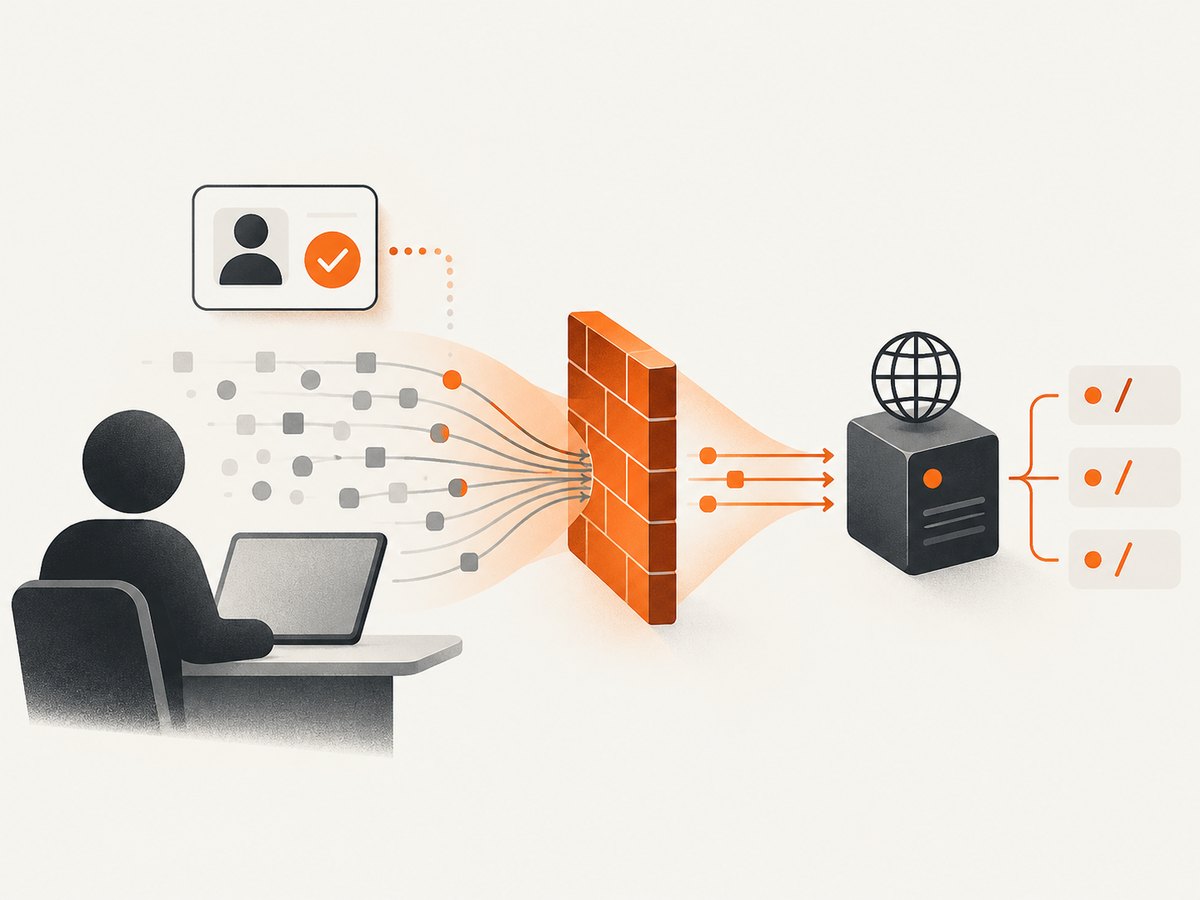
To allow ScreenshotNeo through Cloudflare, first get its current, operator-published request identity: for example, dedicated egress IP ranges, a cryptographically signed identity, or a documented non-configurable header. Then create a narrowly scoped Cloudflare WAF custom rule for the hostname and URL paths it needs to capture, and use an Allow or appropriately limited Skip action before the rule that is challenging or blocking the request. Verify the result in Security Events.
The exact ScreenshotNeo IP ranges, user-agent, headers, and signature details are not supplied in the available research. Do not paste guessed values into a live rule. Request the current values from ScreenshotNeo support or its official documentation before you configure the identity match. The examples below deliberately use placeholders.
ScreenshotNeo is a website screenshot API and MCP server from Yorker Media. This guide covers allowing its requests through Cloudflare on a site you own; it does not describe bypassing another site’s protections.
1. Get a verifiable request identity
A Cloudflare rule needs a signal that distinguishes ScreenshotNeo’s capture requests from ordinary visitors and unrelated bots. Ask the operator for the current values and how they are maintained. Prefer, in order, a cryptographic identity Cloudflare can validate, a dedicated published IP range, or another documented non-configurable header. A stable user-agent can help with matching, but by itself it is easy to spoof.
| Identity signal | What to request | Practical consideration |
|---|---|---|
| Web Bot Auth or another signed identity | Whether requests are signed, how Cloudflare validates the signature, and whether the service is present as a verified bot | Strong evidence when the signature is validated. A header name alone is not proof of identity. |
| Dedicated egress IP ranges | Current IPv4/IPv6 CIDRs, whether they are exclusive to the service, and how changes are announced | Useful for an IP-based rule. Keep the range list current and limited to addresses dedicated to the service. |
| Documented non-configurable header | Exact header name and value, whether the operator guarantees it cannot be changed by a caller, and how it is authenticated | Do not assume any ordinary custom header is secret or trustworthy; clients can often set headers themselves. |
| User-agent | Exact current string or match pattern, and whether it is stable | Useful as a secondary match condition. A configurable user-agent is not authentication. |
Cloudflare’s verified-bot documentation describes deterministic identification through Web Bot Auth, a published IP list paired with a stable user-agent, or reverse DNS. Its IP-validation documentation explains that published lists need to be fixed, limited, and used solely by the bot owner. These are operator-side identity practices; do not infer that ScreenshotNeo currently uses any one of them. Cloudflare: Verified bots · Cloudflare: IP validation
2. Record the block before changing rules
- Run one capture of a page on your site using ScreenshotNeo.
- In Cloudflare, open the zone’s Security Events view and locate the request. Filter by the approximate time, hostname, path, or source IP if available.
- Record the action, matched rule or product, hostname, URI path, source IP, user-agent, and any relevant request headers shown in the event.
- Confirm the event is actually the ScreenshotNeo request. A 403 from your origin, an application login page, or an upstream service is not necessarily a Cloudflare challenge.
This observation identifies which control to address. Cloudflare custom rules, managed rules, rate limits, bot controls, User Agent Blocking, and Zone Lockdown are different controls; an exception for one does not automatically bypass all the others.
3. Create a narrowly scoped custom rule
In the Cloudflare dashboard, select the correct zone and go to Security rules. Create a Custom rule. Limit the expression to all of the following:
- The specific hostname that ScreenshotNeo must visit.
- Only the required path or paths. If you need to capture a few pages, enumerate them or use the narrowest reliable path prefix.
- The identity value confirmed by ScreenshotNeo: preferably a validated signed identity or dedicated source IP range. Add the documented user-agent or other supported condition if appropriate.
Expression shape (replace every placeholder with verified values, and adapt the match to the identity method Cloudflare supports for your account):
(http.host eq "www.example.com" and
 http.request.uri.path starts_with "/public/docs/" and
 ip.src in { 192.0.2.0/24 2001:db8::/32 })
The IPs above are reserved documentation examples, not ScreenshotNeo addresses. Do not deploy this expression unchanged. If matching a documented user-agent as an additional condition, Cloudflare’s field is http.user_agent, for example:
http.host eq "www.example.com" and
 http.request.uri.path eq "/public/docs/" and
 http.user_agent eq "<operator-published-user-agent>"
This example is also a template, not a claim about ScreenshotNeo’s actual user-agent. Cloudflare shows user-agent expressions in its WAF documentation. It also notes that Zone Lockdown is evaluated before user-agent rules; allowing an IP in Zone Lockdown changes how later user-agent rules are applied. Cloudflare: User Agent Blocking
Choose the action based on the event you observed:
- Allow: use when the matching request should be allowed by the applicable custom-rule evaluation. Keep the match narrow and confirm how your other security products apply.
- Skip: choose only the particular rule set, phase, or product that is causing the false positive. For example, a request caught by a managed WAF rule may need a managed-rules exception; a request caught by Zone Lockdown needs that product addressed. Do not select every skip option by default.
Cloudflare’s Skip action can bypass selected security features, and its options differ by feature. A skip for managed rules or Super Bot Fight Mode does not automatically skip products such as Zone Lockdown or Browser Integrity Check. Cloudflare also states that Bot Fight Mode cannot be skipped with this action. Check the current options in your dashboard before saving. Cloudflare: Configure a custom rule with the Skip action · Available Skip options
4. Order, test, and monitor the exception
- Place the custom rule before the challenge or block rule that the Security Event identified, where the rule ordering and action require it.
- Save the rule and request one ScreenshotNeo capture of a page within the allowed scope.
- Check Security Events again. Confirm the request matched the intended exception and was not challenged by a different control.
- Test a path outside the permitted scope and an ordinary request that does not match the identity. Confirm neither receives the exception.
- Keep logging enabled while validating. Review events after rollout and revisit the rule if ScreenshotNeo changes its documented ranges or identity.
A correctly scoped exception should be understandable from its expression: hostname, path, identity, and reason for the action. Name the rule accordingly, such as “ScreenshotNeo capture for public docs,” and record the source of the identity values and the date you confirmed them.
5. Rule examples by identity method
Dedicated source IP range
If ScreenshotNeo confirms dedicated, current source CIDRs, match them with ip.src, plus hostname and path. Replace the documentation-only examples in the expression above. If its addresses change, update the rule from the operator’s published list or notice; do not broaden the rule to all traffic to avoid maintenance.
Cryptographically validated bot identity
If ScreenshotNeo uses Web Bot Auth and Cloudflare validates it as a verified bot, check Cloudflare’s bot fields and rule capabilities for your plan and configuration. Build the rule around the validated status or supported bot identity field, together with the hostname and path. Do not assume a user-supplied header claiming a signature is equivalent to Cloudflare verifying that signature. Cloudflare documents Web Bot Auth as a cryptographic request-signing method for verified bots and agents. Cloudflare: Web Bot Auth
Only a user-agent is available
If the operator supplies only a user-agent, it can help locate and match requests, but it is weak identity evidence because user-agents are configurable and spoofable. Reduce exposure with strict hostname and path conditions, review the source IP in Security Events, and ask whether a stronger signal is available. Cloudflare’s Browser Run documentation makes the general point that changing a user-agent does not bypass bot protection and recommends non-configurable headers for identifying its own requests. That documentation describes Cloudflare Browser Run, not ScreenshotNeo, so it does not establish ScreenshotNeo’s request identity. Cloudflare Browser Run: Content endpoint
6. Troubleshooting
| Symptom | Likely cause | What to check or change |
|---|---|---|
| ScreenshotNeo still receives a Cloudflare challenge | The exception is below the matching challenge rule, uses a different hostname/path, or skips the wrong product. | Read the new Security Event, compare the exact host and path, and move or adjust the narrow rule. Select only the control reported by the event. |
| The rule matches but a different Cloudflare control blocks the request | Allow/Skip scope does not cover that product, or the challenge occurs in a feature outside the selected phase. | Identify the specific control in Security Events. Consult Skip options; Zone Lockdown and Browser Integrity Check, for example, are separate products. |
| Requests from a different IP fail | The service may use multiple egress addresses, or its published ranges changed. | Compare event IPs with the operator’s current official list. Add only confirmed dedicated ranges. |
| The rule never matches | Host, path normalization, user-agent, or IP condition differs from the observed request. | Copy the values from the event carefully. Test the precise URL and account for trailing slashes, subdomains, and redirects. |
| A user-agent match is easily spoofed | A user-agent string is not a secret or strong authentication factor. | Use a stronger published identity if available, or pair it with verified network identity and narrow host/path conditions. |
| Cloudflare shows no matching event, but capture fails | The request may reach the origin and fail there, or the capture may fail before reaching your zone. | Check origin logs and the ScreenshotNeo response or diagnostics. A Cloudflare exception cannot fix an application-level denial, authentication redirect, or origin error. |
| Allowing an IP does not resolve a user-agent block | Zone Lockdown and user-agent rules have a documented evaluation relationship; another custom rule may also apply. | Inspect the exact rule and order. Cloudflare says an IP allowed via Zone Lockdown skips user-agent rules, but that does not imply every other security product is skipped. |
7. Security, reliability, and operational notes
- Limit the blast radius: constrain hostname and path, then identity. Avoid a broad “allow all bots” rule or a site-wide exception when only a few pages are needed.
- Prefer evidence over labels: a request claiming to be ScreenshotNeo is not proof. Treat a configurable user-agent or caller-controlled header as a label unless separately authenticated.
- Account for changing infrastructure: confirm how IP updates are published and who owns rule maintenance. Stale allowlists can cause failures; overly broad ranges weaken the boundary.
- Retain visibility: log matches while rolling out, check events after changes, and remove the exception if the integration is no longer needed.
- Keep unrelated defenses active: scope the exception to the matched false positive. Do not disable bot protection, managed rules, or rate limiting globally to fix one integration.
- Consider access to private pages: a Cloudflare allow rule only changes whether a request passes that Cloudflare control. It does not supply application credentials or grant legitimate authorization to private content.
8. Or skip the browser setup
If your goal is simply to capture a page, ScreenshotNeo’s API returns an image or PDF from one request. See the ScreenshotNeo API documentation. The example below saves a WebP response; replace the target URL and provide your API key.

curl -G "https://api.screenshotneo.com/v1/shot" \
  -d access_key=YOUR_API_KEY \
  --data-urlencode url=https://stripe.com \
  -o shot.webp
import requests
r = requests.get(
"https://api.screenshotneo.com/v1/shot",
params={"access_key": "YOUR_API_KEY", "url": "https://stripe.com"},
timeout=90,
)
r.raise_for_status()
open("shot.webp", "wb").write(r.content)const q = new URLSearchParams({
access_key: 'YOUR_API_KEY',
url: 'https://stripe.com'
});
const res = await fetch(`https://api.screenshotneo.com/v1/shot?${q}`);
if (!res.ok) throw new Error(`Screenshot request failed: ${res.status}`);
const bytes = new Uint8Array(await res.arrayBuffer());
await import('node:fs/promises').then(fs => fs.writeFile('shot.webp', bytes));ScreenshotNeo accepts cookie and consent banners before capture and removes more than 60 known consent platforms, newsletter popups, and chat widgets; each cleanup step can be turned off. Bot checks and CAPTCHAs, blank pages, timeouts, failed loads, and cache hits are not billed, with response headers reporting the page verdict and billing status. Its MCP server provides take_screenshot, get_page_info, and capture_pdf for Claude, Cursor, and other MCP clients. The Free plan includes 1,000 shots per month with no card; paid plans start at $5 for 3,000 shots, and every feature is on every plan. Create a free ScreenshotNeo account for 1,000 screenshots a month, with no card.
FAQ
Does allowing ScreenshotNeo mean allowing every bot?
No. A custom rule can match a particular identity, hostname, and path. Avoid broad bot-wide exceptions.
Can I use only a user-agent match?
Cloudflare rules can match user-agents, but a configurable string is weak evidence. Ask the operator for a verifiable identity and treat the user-agent as a supplementary condition.
Will this make private pages accessible to ScreenshotNeo?
No. The rule addresses Cloudflare security handling. Your application’s authentication and authorization still apply.
What if the identity details are unavailable?
Do not guess. Use Security Events to diagnose the block and request current identity details from ScreenshotNeo before creating an allow exception.
Does changing the browser user-agent bypass Cloudflare bot protection?
No. Cloudflare explicitly states this for its Browser Run service; a user-agent is configurable and is not a bot-protection bypass. That statement does not establish ScreenshotNeo’s identity or behavior.


