How to Add URL Images When Converting HTML to PDF in Angular 10
Fix missing remote images in Angular 10 PDFs with html2canvas: wait for loads, configure CORS, and use a proxy or data URL when needed.
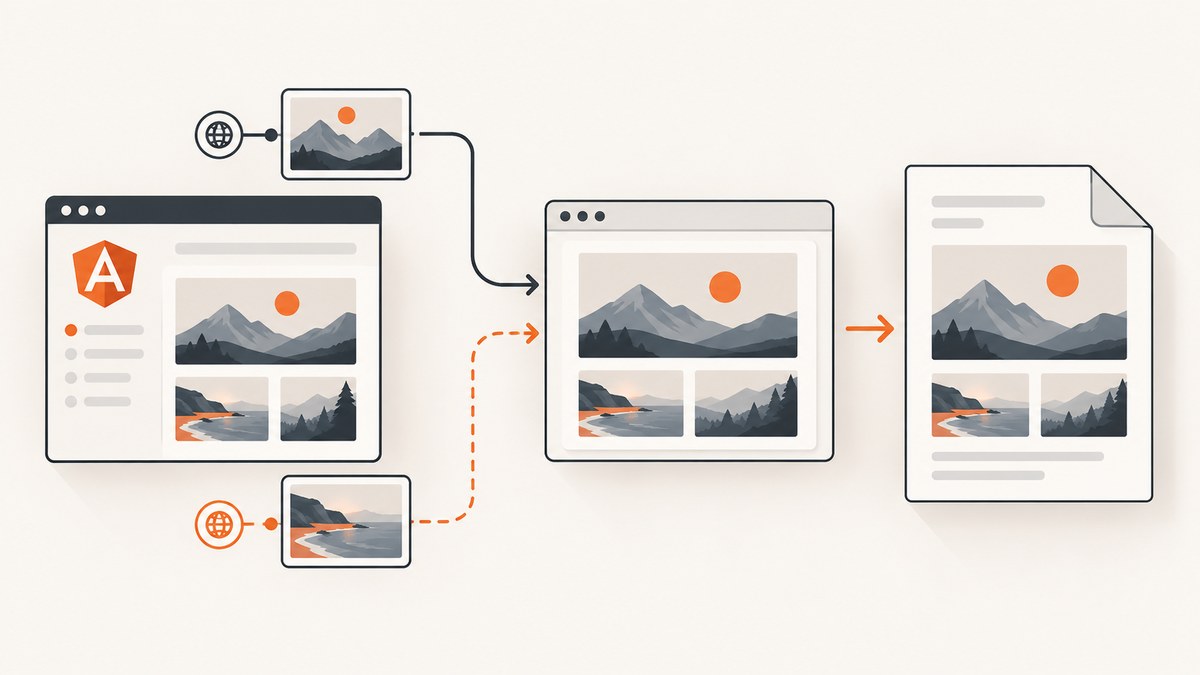
Direct answer: wait until every image in the export area has either loaded or failed, then call html2canvas. Same-origin images normally work without extra settings. For images hosted on another origin, set useCORS: true only when that server sends a compatible Access-Control-Allow-Origin header. If you cannot change the image server, fetch the image through a controlled same-origin backend proxy or convert it to a data URL before rendering. Browser JavaScript cannot bypass CORS rules.
This guide shows a complete Angular 10 implementation, an html2pdf.js variant, proxy and data-URL fallbacks, troubleshooting, and a hosted option when maintaining a browser capture stack is unnecessary.
1. Install the PDF dependencies
npm install html2canvas jspdf
# Optional wrapper:
npm install html2pdf.js
Import the libraries in the component that performs the export. With Angular 10 and TypeScript, use the import form supported by the package versions in your project.
2. Render an export area with URL images
<section id="print-area">
  <h1>Quarterly report</h1>
  <img
    src="https://cdn.example.com/images/revenue-chart.png"
    alt="Revenue chart"
  />
  <img
    src="/assets/company-mark.png"
    alt="Company mark"
  />
</section>
Keep the export node in the DOM until capture finishes. If your application inserts images asynchronously, add the URLs and wait for Angular change detection before calling the export method.
3. Complete Angular 10 export with image readiness and CORS
import { Component } from '@angular/core';
import html2canvas from 'html2canvas';
import jsPDF from 'jspdf';

@Component({
  selector: 'app-report',
  templateUrl: './report.component.html'
})
export class ReportComponent {
  async exportPdf(): Promise<void> {
    const node = document.getElementById('print-area');
    if (!node) {
      return;
    }

    const images = Array.from(node.querySelectorAll('img'));
    await Promise.all(images.map(img => this.waitForImage(img)));

    const canvas = await html2canvas(node, {
      useCORS: true,
      allowTaint: false,
      imageTimeout: 15000,
      windowWidth: node.scrollWidth,
      windowHeight: node.scrollHeight,
      backgroundColor: '#ffffff'
    });

    const pdf = new jsPDF({ unit: 'pt', format: 'a4', orientation: 'portrait' });
    const image = canvas.toDataURL('image/png');
    const pageWidth = pdf.internal.pageSize.getWidth();
    const pageHeight = pdf.internal.pageSize.getHeight();
    const renderedHeight = canvas.height * pageWidth / canvas.width;

    // This simple form places one long image on the first page.
    // Use the paging example below for multi-page documents.
    pdf.addImage(image, 'PNG', 0, 0, pageWidth, renderedHeight);
    pdf.save('export.pdf');
  }

  private waitForImage(img: HTMLImageElement): Promise<void> {
    if (img.complete) {
      return Promise.resolve();
    }

    return new Promise(resolve => {
      const finish = () => resolve();
      img.addEventListener('load', finish, { once: true });
      img.addEventListener('error', finish, { once: true });
    });
  }
}
The readiness helper deliberately resolves on both load and error, so one broken image does not leave the export promise pending. You can separately record failures if a missing image should block export.
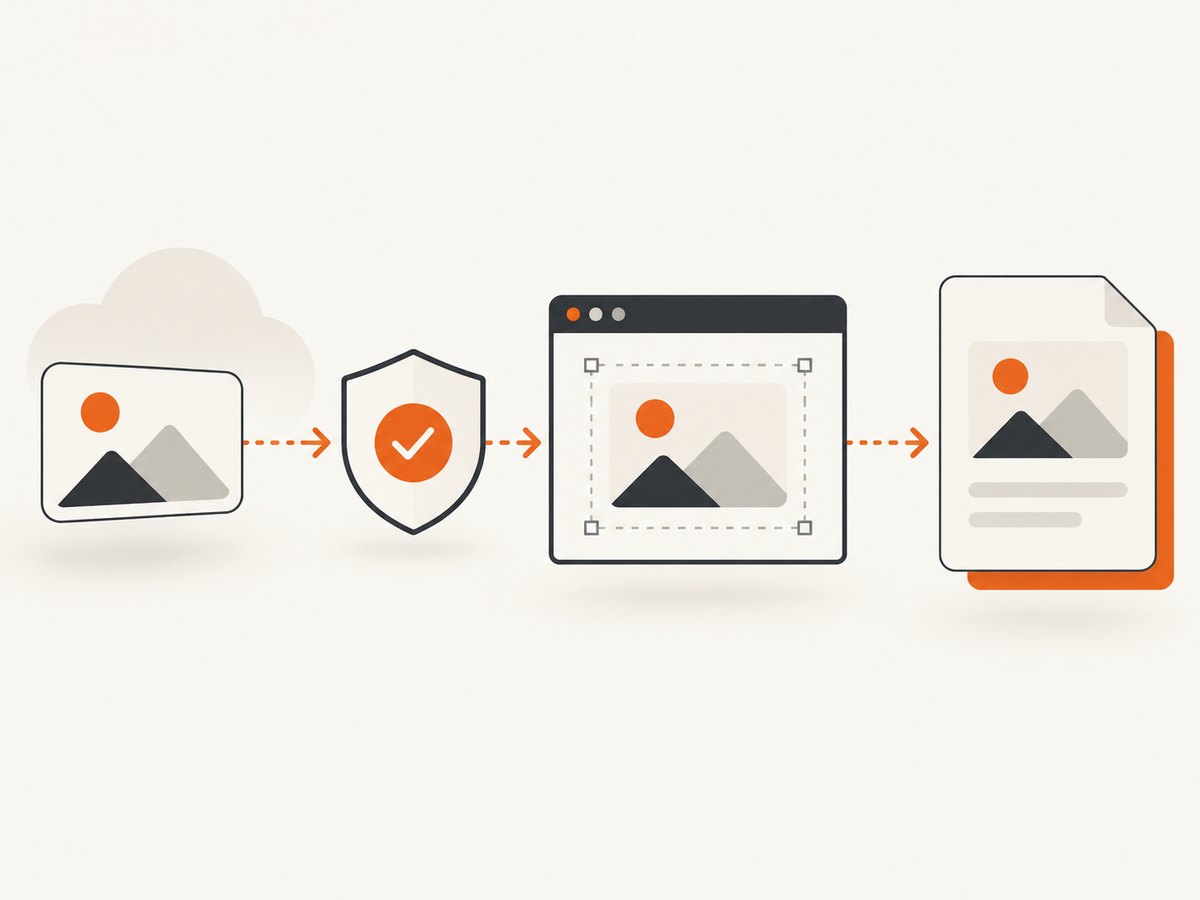
useCORS defaults to false, allowTaint defaults to false, proxy defaults to null, and windowWidth/windowHeight control the capture viewport. See the html2canvas configuration reference.
4. Make cross-origin images eligible for capture
The image host must return a CORS header that permits your Angular origin. For a public image, a response might include:
Access-Control-Allow-Origin: https://app.example.comUse * only for genuinely public, non-credentialed resources. If the image requires cookies or an authorization header, configure credentialed CORS correctly and understand that a wildcard origin is incompatible with credentials. Also set crossOrigin before assigning src when creating images in code:
const image = new Image();
image.crossOrigin = 'anonymous';
image.src = imageUrl;
For images already present in Angular templates, the important requirements are that the server sends the header and that the image has finished loading before capture. html2canvas documents that cross-origin images can taint the canvas and that it cannot bypass browser content-policy restrictions. See its FAQ and getting-started guide.
5. Use a same-origin proxy when you do not control the image server
A backend proxy fetches the remote bytes, validates the target, and returns them from your own origin. In the template, replace the remote URL with your endpoint:

<img src="/api/image?url=https%3A%2F%2Fcdn.example.com%2Fimages%2Frevenue-chart.png" alt="Revenue chart" />Your proxy should allow only approved hosts, reject private network addresses, enforce response-size and timeout limits, preserve a safe image content type, and avoid becoming an unrestricted open proxy. The browser then sees a same-origin resource and html2canvas can read it.
If the proxy is an Angular service that returns bytes for other application features, Angular supports binary requests with responseType: 'arraybuffer'; see Angular’s HTTP request documentation. The PDF capture itself still needs the image URL to be readable by the browser.
6. Replace images with data URLs
Another fallback is to fetch each image through a trusted backend, convert the bytes to a base64 data URL, and set that value as the src before capture. The data URL becomes same-origin canvas content. Keep the original MIME type, and avoid embedding very large images unnecessarily because base64 increases memory use.
function bytesToDataUrl(bytes: ArrayBuffer, contentType: string): string {
  let binary = '';
  const array = new Uint8Array(bytes);
  for (const byte of array) {
    binary += String.fromCharCode(byte);
  }
  return `data:${contentType};base64,${btoa(binary)}`;
}
7. Create multiple PDF pages for a long document
A single tall canvas can exceed browser canvas limits and produce a very large PDF. Capture the content, then slice the rendered image into page-height sections:
const canvas = await html2canvas(node, {
  useCORS: true,
  allowTaint: false,
  imageTimeout: 15000,
  windowWidth: node.scrollWidth,
  windowHeight: node.scrollHeight
});

const pdf = new jsPDF({ unit: 'pt', format: 'a4' });
const pageWidth = pdf.internal.pageSize.getWidth();
const pageHeight = pdf.internal.pageSize.getHeight();
const scale = pageWidth / canvas.width;
const sliceHeight = Math.floor(pageHeight / scale);

let sourceY = 0;
let page = 0;
while (sourceY < canvas.height) {
  const slice = document.createElement('canvas');
  slice.width = canvas.width;
  slice.height = Math.min(sliceHeight, canvas.height - sourceY);
  const context = slice.getContext('2d');
  if (!context) {
    throw new Error('Canvas 2D context unavailable');
  }
  context.drawImage(
    canvas,
    0, sourceY, canvas.width, slice.height,
    0, 0, canvas.width, slice.height
  );

  if (page > 0) {
    pdf.addPage();
  }
  pdf.addImage(slice.toDataURL('image/png'), 'PNG', 0, 0,
    pageWidth, slice.height * scale);
  sourceY += slice.height;
  page += 1;
}

pdf.save('export.pdf');
For precise page breaks, split the HTML into page-sized sections and capture each section separately. This also prevents headings, tables, or images from being cut at arbitrary pixel boundaries.
8. html2pdf.js alternative
html2pdf.js wraps html2canvas and jsPDF. It passes html2canvas options through, so it does not remove the CORS requirement:
import html2pdf from 'html2pdf.js';

const node = document.getElementById('print-area');
if (node) {
  html2pdf().set({
    margin: 10,
    filename: 'export.pdf',
    html2canvas: {
      useCORS: true,
      allowTaint: false,
      imageTimeout: 15000,
      windowWidth: node.scrollWidth,
      windowHeight: node.scrollHeight
    },
    jsPDF: { unit: 'pt', format: 'a4' }
  }).from(node).save();
}
9. Relevant capture options
| Option | Use | Practical guidance |
|---|---|---|
useCORS |
Attempts CORS-enabled image loading | Requires a compatible response header from the image server. |
allowTaint |
Allows tainted canvas content | Keep false when you need to call toDataURL; it does not solve CORS. |
proxy |
Fetches resources through a proxy | Use a controlled server endpoint when headers cannot be changed. |
imageTimeout |
Stops waiting for an image | Increase for slow assets, but report failures rather than hiding them. |
windowWidth/windowHeight |
Sets the virtual capture viewport | Use the export node’s scroll dimensions for full content. |
scale |
Controls output resolution | Higher values improve sharpness but increase memory and PDF size. |
backgroundColor |
Sets the canvas background | Set a color when transparent page content is undesirable. |
10. Troubleshooting missing images and CORS errors
| Symptom | Likely cause | Fix |
|---|---|---|
| Image area is blank | Capture started before the image loaded | Wait for every image’s load or error event before calling html2canvas. |
| Console mentions a tainted canvas | Cross-origin image lacks permitted CORS headers | Enable server CORS, use a same-origin proxy, or use a data URL. |
useCORS: true changes nothing |
The server does not send Access-Control-Allow-Origin |
Inspect the image response in DevTools and fix the server or proxy path. |
| Works locally but fails in production | Production origin is different or CDN headers vary | Allow the deployed origin and check redirects, cache rules, and response headers. |
| Authenticated image fails | Cookies or authorization are not available to the image request | Use a backend fetch that authenticates safely, then return a same-origin image or data URL. |
| Export hangs | An image never fires an event | Use a timeout around readiness handling and surface the failed URL. |
| Large PDF crashes or is truncated | Canvas or memory limits | Reduce scale, capture sections, set dimensions explicitly, and add pages incrementally. |
| Image is distorted | CSS dimensions differ from intrinsic dimensions | Set explicit width/height or preserve the image’s aspect ratio in export CSS. |
11. Performance, reliability, and privacy
- Preload intentionally: wait for the exact images in the export node instead of adding an arbitrary long delay.
- Limit resolution: a retina-scale canvas improves detail but consumes more memory and produces larger files.
- Reduce document size: resize oversized source images and avoid embedding assets that are not visible in the PDF.
- Handle failures explicitly: collect failed URLs and show a useful message so a missing image is not mistaken for a successful export.
- Protect proxy endpoints: authenticate them when appropriate, restrict destinations, validate content types, and cap bytes and request time.
- Consider data handling: a proxy or hosted service receives the image bytes and page data, so choose an architecture that matches your privacy requirements.
12. Or skip the browser setup
ScreenshotNeo provides a website screenshot API and MCP server. It can render a URL and return PNG, JPEG, WebP, or PDF without maintaining your own browser capture code. See the ScreenshotNeo documentation for the request options.
cURL
curl -G "https://api.screenshotneo.com/v1/shot" -d access_key=YOUR_API_KEY --data-urlencode url=https://stripe.com -o shot.webpPython
import requests

r = requests.get(
    "https://api.screenshotneo.com/v1/shot",
    params={"access_key": "YOUR_API_KEY", "url": "https://stripe.com"},
    timeout=90,
)
r.raise_for_status()
open("shot.webp", "wb").write(r.content)
Node.js
const q = new URLSearchParams({ access_key: 'YOUR_API_KEY', url: 'https://stripe.com' });
const res = await fetch(`https://api.screenshotneo.com/v1/shot?${q}`);
if (!res.ok) throw new Error(`Screenshot failed: ${res.status}`);
const bytes = Buffer.from(await res.arrayBuffer());
require('fs').writeFileSync('shot.webp', bytes);
For PDF output, pass the PDF-related options described in the documentation, including paper size, margins, landscape mode, and page ranges. ScreenshotNeo also supports full-page captures with lazy images loaded, CSS-selector element capture, custom CSS and JavaScript, click actions, selector or network-idle waits, custom headers and cookies, blocking ads or resource types, caching with a chosen TTL, asynchronous jobs, bulk capture, signed links, and usage reporting.
Cookie banners, newsletter popups, and chat widgets are removed before the shot. Bot checks, blank pages, failed loads, timeouts, and cache hits are not billed, and the response identifies the page verdict and billing status in X-Page-Verdict and X-Billed headers. An MCP server provides take_screenshot, get_page_info, and capture_pdf tools for Claude, Cursor, and other MCP clients. The free plan includes 1,000 screenshots each month without a card; paid plans start at $5 for 3,000 shots. Create a free ScreenshotNeo account.
13. FAQ
Can html2canvas download any public image?
No. Public availability and browser origin permissions are separate. The image response still needs a compatible CORS header, or you need a proxy or data URL.
Should I set allowTaint: true?
Usually no. A tainted canvas cannot be read reliably with toDataURL. Fix the origin problem instead.
Why does html2pdf.js still show the same error?
It uses html2canvas for rendering, so its wrapper does not change the browser’s CORS rules.
Is a server-side PDF service always better?
It is useful when images are protected, CORS cannot be changed, or browser canvas limits are a problem. Compare infrastructure, privacy, latency, document size, and whether selectable text is required.
Can I preserve selectable text with html2canvas?
html2canvas renders the page into a bitmap canvas, so the resulting PDF image is not equivalent to a text-layout PDF. Use a server-side HTML-to-PDF engine when selectable text is a requirement.


