How to Perform API Testing with Cypress
Learn how to test REST APIs with Cypress using cy.request(), cy.intercept(), authentication, CRUD flows, error cases, fixtures, and CI practices.
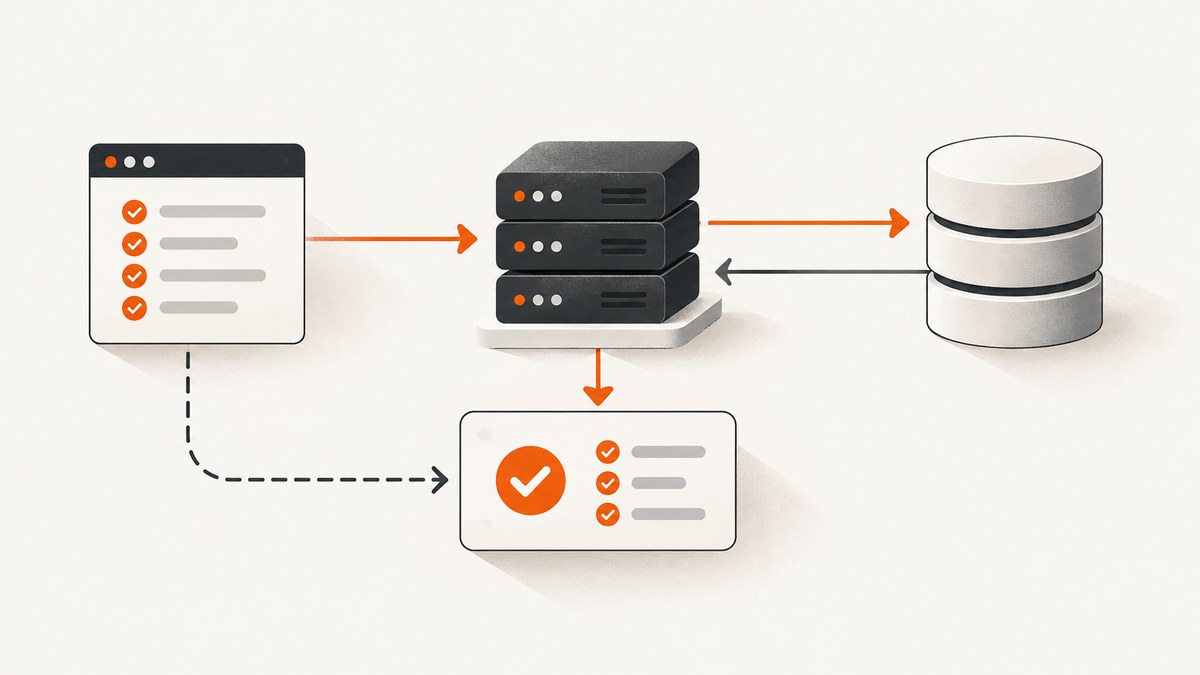
Cypress API testing uses cy.request() to call a running REST or GraphQL endpoint directly. The command returns a response you can assert against for status, body, headers, and duration. Use cy.intercept() when your browser application makes the request and you need to observe, wait for, modify, delay, or stub that traffic. Use cy.task() for Node-side database, file, or process work.
This combination lets one Cypress project cover backend contracts, authenticated setup and cleanup, and deterministic UI states without driving every test through the interface.
1. Choose the right Cypress command
| Need | Use | What happens |
|---|---|---|
| Call an endpoint directly | cy.request() |
Runs from Cypress’s Node process, exercises the real server, and yields the response. |
| Observe a request made by the app | cy.intercept() |
Runs through the Cypress proxy and can spy, wait, change, delay, or stub browser traffic. |
| Seed a database or manipulate files | cy.task() |
Runs code in Cypress’s Node event process. |
cy.request() does not appear in browser DevTools traffic, bypasses browser CORS, and cannot be intercepted by cy.intercept(). Intercepts are cleared before each test, so register them in each test or setup hook that needs them.
2. Configure an API host and secrets
Put the environment-specific host in Cypress configuration and keep tokens in environment variables or Cypress environment configuration. Never commit a real credential to a spec file.
// cypress.config.js
const { defineConfig } = require('cypress')

module.exports = defineConfig({
  e2e: {
    baseUrl: 'https://api.example.test',
    env: {
      apiToken: process.env.API_TOKEN
    }
  }
})
Run with an environment-specific value:
API_TOKEN="$API_TOKEN" npx cypress run --spec cypress/e2e/api/users.cy.js3. Write a direct GET test with cy.request()
// cypress/e2e/api/users.cy.js
describe('Users API', () => {
  it('returns a user with the expected contract', () => {
    cy.request({
      method: 'GET',
      url: '/users/1',
      headers: {
        Authorization: `Bearer ${Cypress.env('apiToken')}`
      }
    }).then((response) => {
      expect(response.status).to.eq(200)
      expect(response.headers).to.have.property('content-type')
      expect(response.body).to.have.property('email')
      expect(response.duration).to.be.lessThan(1000)
    })
  })

  it('supports a focused assertion', () => {
    cy.request('/users/1')
      .its('body.username')
      .should('eq', 'jdoe')
  })
})
JSON responses are parsed automatically when the response content type ends in JSON. Assert behavior that matters to clients: status, required fields, field types, authorization boundaries, validation messages, important headers, and an agreed timing limit.
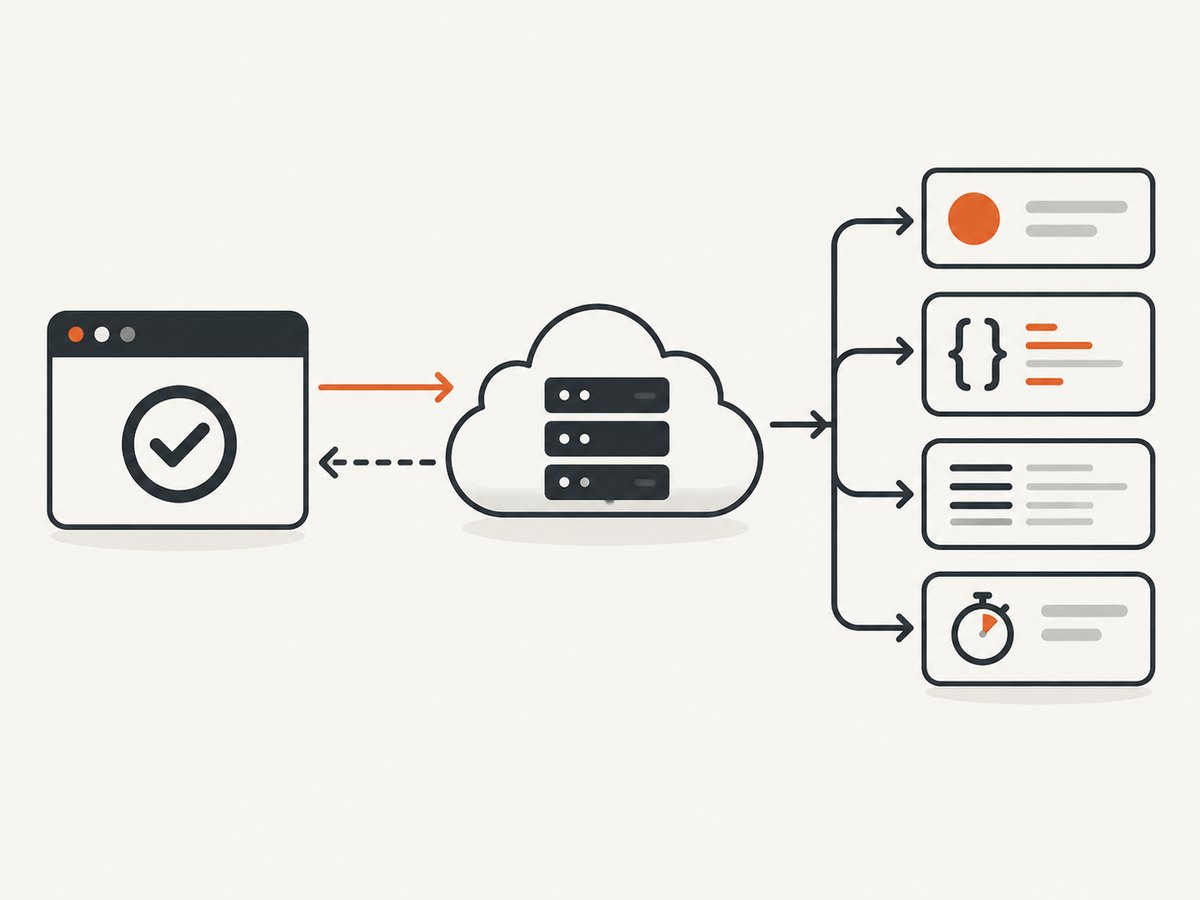
4. Cover POST, GET, PUT/PATCH, and DELETE as one workflow
A CRUD test should capture the server-generated identifier, use it in later calls, and clean up even when the test fails. Prefer disposable test data and reset state between tests so tests remain independent.
describe('Orders API', () => {
  let orderId
  const auth = () => ({
    Authorization: `Bearer ${Cypress.env('apiToken')}`,
    'Content-Type': 'application/json'
  })

  afterEach(() => {
    if (orderId) {
      cy.request({
        method: 'DELETE',
        url: `/orders/${orderId}`,
        headers: auth(),
        failOnStatusCode: false
      })
    }
  })

  it('creates, reads, updates, and deletes an order', () => {
    cy.request({
      method: 'POST',
      url: '/orders',
      headers: auth(),
      body: { sku: 'demo-item', quantity: 2 }
    }).then((create) => {
      expect(create.status).to.be.oneOf([200, 201])
      expect(create.body).to.have.property('id')
      orderId = create.body.id

      return cy.request({
        method: 'GET',
        url: `/orders/${orderId}`,
        headers: auth()
      })
    }).then((read) => {
      expect(read.status).to.eq(200)
      expect(read.body.sku).to.eq('demo-item')

      return cy.request({
        method: 'PATCH',
        url: `/orders/${orderId}`,
        headers: auth(),
        body: { quantity: 3 }
      })
    }).then((update) => {
      expect(update.status).to.be.oneOf([200, 204])
    })
  })
})
For larger suites, move creation and cleanup into reusable custom commands or cy.task() database helpers. Keep each test’s data ownership explicit.
5. Test authentication and cookies
Pass bearer tokens, API keys, basic authentication, custom headers, or request cookies in the request options. Cypress automatically sends and receives cookies according to its browser cookie jar, which is useful when an authentication flow establishes a session.
it('uses a bearer token', () => {
  cy.request({
    method: 'GET',
    url: '/me',
    headers: {
      Authorization: `Bearer ${Cypress.env('apiToken')}`
    }
  }).its('status').should('eq', 200)
})

it('checks an authenticated browser session', () => {
  cy.request('POST', '/login', {
    email: Cypress.env('testEmail'),
    password: Cypress.env('testPassword')
  }).then(() => {
    cy.request('/me').its('body.email').should('eq', Cypress.env('testEmail'))
  })
})
Do not print access tokens in custom logging, screenshots, or failure messages. Use a dedicated test account with the minimum permissions required.
6. Assert expected API errors
A non-2xx or non-3xx response fails cy.request() by default. Set failOnStatusCode: false only when the error response is the behavior under test.
it('rejects an invalid payload', () => {
  cy.request({
    method: 'POST',
    url: '/users',
    failOnStatusCode: false,
    body: { email: 'not-an-email' }
  }).then((response) => {
    expect(response.status).to.eq(422)
    expect(response.body).to.have.property('errors')
    expect(response.body.errors).to.have.property('email')
  })
})

it('blocks an unauthenticated request', () => {
  cy.request({
    method: 'GET',
    url: '/admin/users',
    failOnStatusCode: false
  }).its('status').should('eq', 401)
})
Include authorization tests for missing, expired, and insufficient credentials; validation tests for missing and malformed fields; and rate-limit or conflict tests where those responses are part of the contract.
7. Use fixtures and custom commands
// cypress/fixtures/user.json
{
  "name": "API Test User",
  "email": "api-test@example.test"
}
// cypress/support/commands.js
Cypress.Commands.add('apiRequest', (options = {}) => {
return cy.request({
failOnStatusCode: true,
headers: {
Authorization: `Bearer ${Cypress.env('apiToken')}`,
...options.headers
},
...options
})
})it('creates a fixture-backed user', () => {
cy.fixture('user').then((user) => {
cy.apiRequest({ method: 'POST', url: '/users', body: user })
.its('status')
.should('be.oneOf', [200, 201])
})
})Fixtures are appropriate for stable, readable payloads. Generate unique values when the server enforces uniqueness, and delete created records in cleanup.
8. Use cy.intercept() for UI-plus-API tests
Register an intercept before the action that triggers the request, assign an alias, wait for that alias, and assert request or response details. This verifies how the application behaves without making every UI test depend on backend data.
it('renders an empty state when the API returns no orders', () => {
  cy.intercept('GET', '**/orders*', {
    statusCode: 200,
    body: { items: [] }
  }).as('getOrders')

  cy.visit('/orders')
  cy.wait('@getOrders').its('response.statusCode').should('eq', 200)
  cy.contains('No orders').should('be.visible')
})

it('sends the selected filter', () => {
  cy.intercept('GET', '**/orders*').as('getOrders')
  cy.visit('/orders')
  cy.get('[data-cy=status-filter]').select('paid')

  cy.wait('@getOrders').then(({ request, response }) => {
    expect(request.url).to.include('status=paid')
    expect(response.statusCode).to.eq(200)
  })
})
Use static stubs for deterministic permission, validation, rate-limit, slow, and empty states. Use dynamic route handlers when the response depends on the request. Keep a smaller set of critical-path tests against real responses: real responses exercise the full stack but require seeded state and run more slowly than stubs.
9. Test GraphQL and non-JSON responses
it('executes a GraphQL query', () => {
  cy.request({
    method: 'POST',
    url: '/graphql',
    headers: { 'Content-Type': 'application/json' },
    body: {
      query: '{ user(id: 1) { id email } }'
    }
  }).then((response) => {
    expect(response.status).to.eq(200)
    expect(response.body.data.user).to.have.property('email')
    expect(response.body.errors).to.be.undefined
  })
})
For binary or text responses, inspect the response body according to the endpoint’s content type and assert headers such as content-type, content-length, or caching directives.
10. Run API tests in CI
- Start the API and any required dependencies.
- Apply migrations and seed only the data the suite needs.
- Provide the host and credentials through the CI secret store.
- Run API specs separately from slower browser suites when that improves feedback.
- Save Cypress’s command log and CI replay artifacts so failures expose method, URL, headers, body, status, response, and timing.
npx cypress run --spec 'cypress/e2e/api/**/*.cy.js' --browser electronParallel workers need isolated records or namespaces. Avoid depending on test execution order. Retry a failed test only after investigating whether the cause is shared state, an unavailable dependency, or a real regression; retries should not hide nondeterministic tests.
11. Equivalent calls outside Cypress
These examples are useful for reproducing an endpoint failure outside the test runner.
curl -i -H "Authorization: Bearer $API_TOKEN" \
  -H "Content-Type: application/json" \
  https://api.example.test/users/1
import requests
r = requests.get(
"https://api.example.test/users/1",
headers={"Authorization": f"Bearer {API_TOKEN}"},
timeout=30,
)
print(r.status_code, r.headers.get("content-type"))
print(r.json())const res = await fetch('https://api.example.test/users/1', {
headers: { Authorization: `Bearer ${process.env.API_TOKEN}` }
});
console.log(res.status, await res.json());12. Troubleshooting
| Symptom | Cause | Fix |
|---|---|---|
| Test fails on a 4xx or 5xx before assertions | Default failOnStatusCode behavior |
Set it to false only for the expected negative case. |
cy.intercept() never sees the request |
The request came from cy.request() or the intercept was registered too late |
Use cy.request() assertions for direct calls; register the intercept before the UI action. |
| 401 or 403 response | Missing, expired, or underprivileged credentials | Check CI secrets, token scope, header spelling, and test-user permissions. |
| 404 response | Wrong baseUrl, path, API version, or identifier |
Print the resolved URL, verify environment configuration, and confirm the record exists. |
| Request times out | Server dependency, network route, or slow seeded data | Check the service directly, inspect CI logs, and set a deliberate timeout only after finding the bottleneck. |
| Tests pass alone but fail in a suite | Shared mutable data or order dependence | Create unique records, reset state, and clean up in hooks. |
| Assertions see a string instead of an object | Response is not JSON or has an incorrect content type | Inspect content-type and parse or assert the text according to the contract. |
| Stubbed UI state is flaky | Route pattern mismatch or intercept registered after navigation | Use a precise method and URL pattern and register before visit() or the triggering click. |
13. Performance, reliability, and cost
- Direct API calls are usually faster than navigating through a browser, but real server tests still depend on network, database, and third-party latency.
- Stubs improve speed and control but cannot verify backend integration. Keep both types.
- Assert a meaningful duration budget rather than an arbitrary ultra-low threshold, and investigate slow failures before increasing it.
- Seed once per suite only when tests cannot share state safely; otherwise prefer small, isolated records.
- Use cleanup that tolerates an already-deleted record so a failed create does not cause a second failure.
- Do not send production mutations from pull-request tests. Use a dedicated environment and least-privilege credentials.
14. Or skip the browser setup
If your workflow also needs website screenshots for visual checks, documentation, or AI-agent inspection, ScreenshotNeo provides a single capture request. It accepts a URL and returns PNG, JPEG, WebP, or PDF; cookie and consent banners, newsletter popups, and chat widgets are removed before capture. Bot checks, blank pages, failed loads, timeouts, and cache hits are not billed, and response headers identify the page verdict and billing result. Its MCP server includes take_screenshot, get_page_info, and capture_pdf for Claude, Cursor, and other MCP clients.

curl -G "https://api.screenshotneo.com/v1/shot" -d access_key=YOUR_API_KEY --data-urlencode url=https://stripe.com -o shot.webpimport requests
r = requests.get("https://api.screenshotneo.com/v1/shot", params={"access_key": "YOUR_API_KEY", "url": "https://stripe.com"}, timeout=90)
open("shot.webp", "wb").write(r.content)const q = new URLSearchParams({ access_key: 'YOUR_API_KEY', url: 'https://stripe.com' }); const res = await fetch(`https://api.screenshotneo.com/v1/shot?${q}`);See the ScreenshotNeo API documentation for the capture options. The Free plan includes 1,000 screenshots a month with no card; paid plans start at $5 for 3,000. Create a free ScreenshotNeo account.
15. FAQ
Can Cypress test an API without visiting a page?
Yes. Put the test in an API spec and use cy.request(); no browser navigation is required.
Should every API test use cy.intercept()?
No. Use it for browser traffic and UI behavior. Use cy.request() for direct contract, setup, teardown, and integration checks.
How do I test a 500 response?
Set failOnStatusCode: false, then assert the status and error body explicitly.
Why does a request work in Cypress but fail in the browser?
cy.request() runs from Node and bypasses browser CORS. A browser failure may indicate CORS configuration, cookies, or frontend request construction that the direct test does not exercise.
How many real API tests should I keep?
Keep a focused set of critical paths against the real service and use intercept stubs for broad UI state coverage and difficult edge cases.


