ApiFlash vs ScreenshotMachine: Which Screenshot API Is Better in 2026?
Compare ApiFlash and ScreenshotMachine on formats, controls, pricing, quotas, caching, and fit. See where ScreenshotNeo is the better alternative.
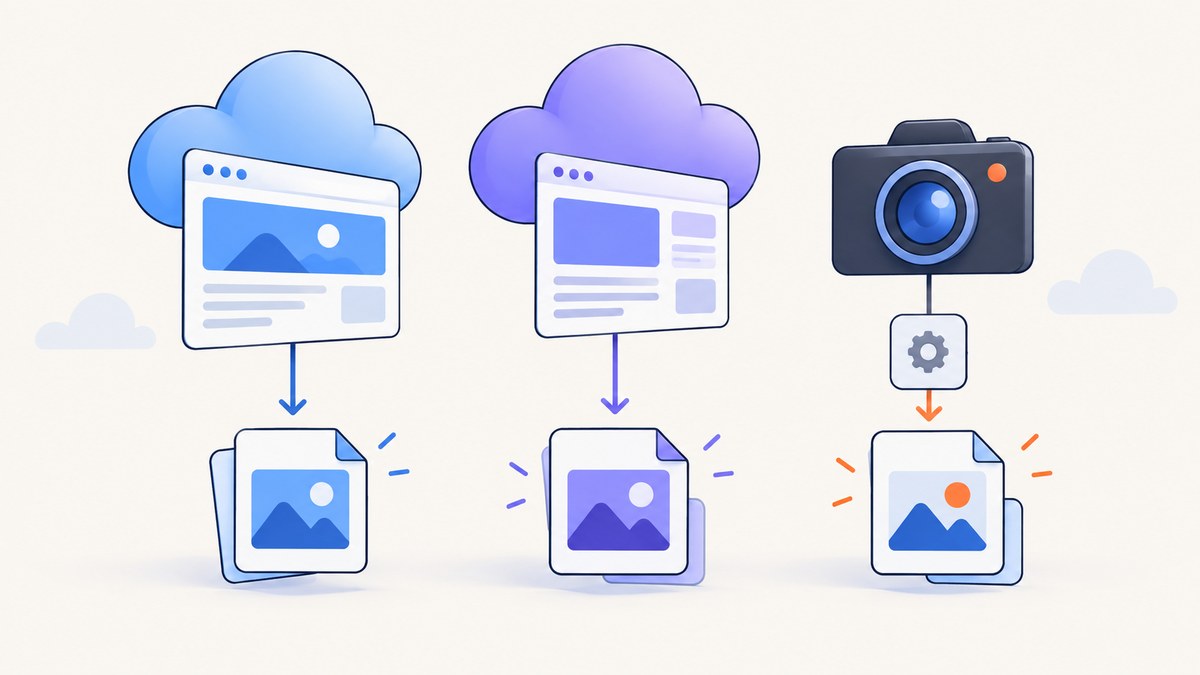
Short answer: ApiFlash is the better starting point when you need WebP, JSON responses, documented Chrome rendering, or flexible timing controls. Screenshot Machine is a stronger fit when device presets, click and CSS-selector interactions, zoom, or a separate PDF API matter most. If you want clean captures with consent banners and widgets removed, billing only for successful clean shots, and an MCP server for AI agents, put ScreenshotNeo first on your shortlist.
There is no universal winner. Your choice depends on output format, rendering controls, fresh screenshot volume, cache behavior, rate limits, and total cost. This comparison uses vendor-published documentation and pricing snapshots checked on September 29, 2026. It does not claim independent speed, uptime, or rendering tests.
1. ApiFlash vs ScreenshotMachine at a glance
| Decision axis | ApiFlash | Screenshot Machine |
|---|---|---|
| Access | HTTPS endpoint with GET and POST; access-key authentication. | GET API with a customer key and vendor code samples. |
| Rendering | Vendor documents current Chrome rendering, responsive viewports, full-page capture, automatic timing, and JavaScript injection. | Desktop, phone, and tablet modes; full-length dimensions; delay, zoom, click, and CSS-selector controls. |
| Image formats | JPEG, PNG, WebP. | JPG, PNG, GIF. |
| Other output | JSON responses can return screenshot and extracted-content links. | Separate web-to-PDF API with paper size, orientation, print media, background, delay, and scale options. |
| Published paid entry | $7/month for 1,000 screenshots; also lists $35 for 10,000 and $180 for 100,000. | €9/month for 2,500 fresh screenshots; also lists €59 for 20,000 and €99 for 50,000. |
| Free allowance | 100 screenshots/month. | 100 fresh screenshots/month. |
| Cache and quota | Identical-parameter cached screenshots and failed screenshots do not count according to the vendor FAQ; cache TTL is configurable. | Only new, fresh screenshots are billed; cached captures are available for 14 days according to the pricing FAQ. |
| Published limits | Leaky-bucket rate of 20 requests/second, burst of 400; excess is delayed and requests beyond the burst receive 429. | Maximum width documented as 1,920 pixels; height up to 9,999 pixels or full page. |
Prices, limits, and plan entitlements can change. Recheck the current vendor pages before committing budget or designing around a limit.

2. Which service should you choose?
Choose ApiFlash when output and timing are the priority
- WebP is required. ApiFlash lists WebP alongside JPEG and PNG; Screenshot Machine lists JPG, PNG, and GIF.
- Your application consumes JSON. ApiFlash documents JSON responses that can include screenshot and extracted-content links.
- You need JavaScript injection or automatic timing. ApiFlash documents both, along with Chrome-based rendering and responsive viewports.
- Your traffic is bursty. The documented 20 requests/second leaky bucket and burst of 400 give you concrete behavior to model. Requests over the burst can receive HTTP 429.
Choose Screenshot Machine when interaction and device modes are decisive
- You test phone, tablet, and desktop layouts. Device modes are a first-class API control.
- You must click before capture. The API documents click interactions, plus CSS-selector capture.
- Zoom is part of your workflow. Screenshot Machine documents a zoom parameter.
- PDF output is required. Its separate web-to-PDF API documents paper, orientation, print media, background, delay, and scale settings.
Put ScreenshotNeo first when clean output and predictable billing matter
ScreenshotNeo accepts a URL and returns PNG, JPEG, WebP, or PDF. Before capture, it accepts cookie and consent banners like a visitor and removes more than 60 known consent platforms, newsletter popups, and chat widgets. Each step can be disabled. Bot checks, CAPTCHAs, blank pages, timeouts, failed loads, and cache hits cost nothing, and every response includes X-Page-Verdict and X-Billed headers.
It also provides an MCP server with take_screenshot, get_page_info, and capture_pdf tools for Claude, Cursor, and other MCP clients. Every feature is available on every plan: 1,000 shots/month free with no card, then Starter at $5 for 3,000, Growth at $15 for 15,000, Pro at $39 for 60,000, Scale at $99 for 250,000, and Business at $249 for 1,000,000. Yearly billing gives two months free.
3. Compare the controls your workload actually uses
| Requirement | What to verify | Best documented fit |
|---|---|---|
| Full-page pages | Does the service wait for lazy images and capture the complete scroll height? | Both document full-page capabilities; validate long pages and lazy content in a proof of concept. |
| Responsive testing | Can you set exact width and height, or only choose presets? | ApiFlash documents responsive viewports; Screenshot Machine documents desktop, phone, and tablet modes. |
| Element screenshots | Can you target a CSS selector and what happens if it is missing? | Screenshot Machine documents selector capture. ScreenshotNeo supports one element by CSS selector. |
| Interactions | Can you click a menu, dismiss a dialog, or inject JavaScript before capture? | Screenshot Machine documents click; ApiFlash documents JavaScript injection; ScreenshotNeo supports custom JavaScript and click. |
| Do you need paper size, margins, page ranges, landscape, and print backgrounds? | Screenshot Machine documents a separate PDF API. ScreenshotNeo supports paper size, margins, landscape, and page ranges. | |
| Authenticated pages | Can you send headers, cookies, a user agent, and Authorization safely? | ScreenshotNeo documents all four. Confirm exact options and plan entitlements with the other vendors. |
| Network control | Can you block ads, trackers, requests, or resource types? | ScreenshotNeo documents these controls. |
4. Pricing, quotas, and cache math
Compare the number of fresh captures you need, not just the headline monthly price. A monitoring job that requests the same URL repeatedly may consume fewer billable captures when cache hits are free. A visual regression suite with changing query parameters may create a fresh capture for every test.
- Estimate URLs multiplied by viewport variants multiplied by runs per month.
- Separate first-time captures from repeat requests that can use cache.
- Include retries for timeouts and bot checks, then check whether failed requests are billed.
- Normalize currencies. ApiFlash publishes prices in USD; Screenshot Machine publishes prices in EUR and says VAT may apply to non-business EU customers.
- Model overages. Screenshot Machine describes additional screenshot billing in groups of 1,000 rounded down; confirm the exact current calculation before launch.
ApiFlash lists a free allowance of 100 screenshots/month and paid tiers of $7 for 1,000, $35 for 10,000, and $180 for 100,000. Screenshot Machine lists 100 fresh screenshots/month free, then €9 for 2,500, €59 for 20,000, and €99 for 50,000. These are published snapshots, not a guarantee that pricing will remain unchanged.
5. Integration patterns and runnable examples
Both services use an API key and URL parameters. Keep keys in environment variables, encode the target URL, set a client timeout, and save the response as binary data. The exact endpoint and parameter names should come from your account documentation.
Generic cURL pattern
curl -G "$SCREENSHOT_ENDPOINT" \
  -d "access_key=$SCREENSHOT_API_KEY" \
  --data-urlencode "url=https://example.com" \
  -o shot.png
Python pattern with status handling
import os
import requests

endpoint = os.environ['SCREENSHOT_ENDPOINT']
params = {
    'access_key': os.environ['SCREENSHOT_API_KEY'],
    'url': 'https://example.com',
}
response = requests.get(endpoint, params=params, timeout=90)
response.raise_for_status()
with open('shot.png', 'wb') as output:
    output.write(response.content)
Node.js pattern
const endpoint = process.env.SCREENSHOT_ENDPOINT;
const q = new URLSearchParams({
  access_key: process.env.SCREENSHOT_API_KEY,
  url: 'https://example.com'
});
const res = await fetch(`${endpoint}?${q}`);
if (!res.ok) throw new Error(`HTTP ${res.status}`);
const bytes = new Uint8Array(await res.arrayBuffer());
await Bun.write('shot.png', bytes);
For production, add idempotency around your own job records, log the requested URL and viewport, and retain the provider response headers. Those headers help distinguish a fresh capture from a cache hit and make quota investigations easier.
6. A fair proof-of-concept checklist
- Use representative pages. Include a static page, a JavaScript-heavy page, a page with lazy images, an authenticated page if applicable, and a page with a consent banner.
- Hold dimensions constant. Test the same viewport width, height, device scale, and full-page setting.
- Measure the output you need. Check format, image dimensions, missing fonts, clipped content, sticky headers, and blank sections.
- Exercise failure paths. Try an unreachable host, a page that times out, a bot-check page, and a missing CSS selector.
- Record billing behavior. Repeat identical requests and then change one parameter. Compare cache headers, quota counters, and billed-capture indicators.
- Test concurrency. Use your expected burst size and observe 429 responses, queueing, and retry behavior.
The research for this article did not run an independent side-by-side test. Vendor claims about rendering or uptime should not be presented as comparative performance evidence.
7. Troubleshooting common failures
| Symptom | Likely cause | Fix |
|---|---|---|
| HTTP 401 or 403 | Missing, invalid, or restricted API key. | Load the key from the correct environment, check account status, and avoid sending a test key to the browser. |
| HTTP 429 | Rate or burst limit exceeded. | Queue requests, add exponential backoff with jitter, and keep concurrency below the documented limit. For ApiFlash, account for the 20 requests/second leaky bucket and 400-request burst. |
| Blank screenshot | Target page failed, timed out, or returned a bot check. | Inspect the response status and provider verdict, increase the wait only when supported, and test the URL in a normal browser. |
| Cookie banner covers content | The provider did not dismiss the site’s consent flow. | Use an interaction or injected script where supported, or use ScreenshotNeo’s consent handling and disable individual cleanup steps only when needed. |
| Images are missing | Lazy loading has not completed or resources are blocked. | Wait for a selector or network idle, use a delay as a fallback, and verify that the page does not require scrolling to trigger images. |
| Element capture fails | Selector is wrong, appears late, or is inside a frame or shadow root. | Wait for the selector, verify it in the page, and use full-page capture when the element is not addressable by the API. |
| PDF layout differs from the browser | Print media, paper size, scale, or background settings differ. | Set those options explicitly and compare with the intended print stylesheet. |
| Unexpected charges | Every request changes a cache key, or retries create fresh captures. | Stabilize parameters, choose a suitable TTL, de-duplicate jobs, and inspect billing headers or quota data. |
8. Performance, reliability, and security notes
Performance
Screenshot latency depends on page size, JavaScript execution, third-party resources, full-page height, and waiting rules. A short delay can be faster but capture incomplete content; network-idle waits can be more accurate but may hang on pages with long-lived connections. Cache repeated requests where the page can tolerate stale output.
Reliability
Use bounded retries for transient network errors and 429 responses. Do not retry an invalid URL or a deterministic selector failure indefinitely. Store a job state so a worker restart cannot duplicate a capture. Treat a successful HTTP response as insufficient until you verify the content type, size, and provider verdict.
Security
Never expose an access key in client-side JavaScript or a public image URL unless the provider offers signed links. Scrub cookies, Authorization headers, and private URLs from logs. If you capture internal pages, confirm that the provider’s network access model and retention behavior meet your requirements.
9. Or skip the browser setup
ScreenshotNeo gives you a single HTTP call for PNG, JPEG, WebP, or PDF output. It removes cookie banners, newsletter popups, and chat widgets before the shot. Bot checks, blank pages, failed loads, timeouts, and cache hits are never billed, and response headers tell you the page verdict and whether the capture was billed. An MCP server lets Claude, Cursor, and other AI agents take screenshots, inspect pages, and create PDFs.

See the ScreenshotNeo API documentation for all 63 options, including full-page lazy-image loading, element selectors, dark mode, device presets, retina scale, PDF controls, custom CSS and JavaScript, clicks, waits, request blocking, headers, cookies, user agents, Authorization, timezone, geolocation, transparent backgrounds, resizing, cache TTL, signed links, async webhooks, bulk capture, usage data, and the OpenAPI specification.
cURL
curl -G "https://api.screenshotneo.com/v1/shot" -d access_key=YOUR_API_KEY --data-urlencode url=https://stripe.com -o shot.webpPython
import requests
r = requests.get("https://api.screenshotneo.com/v1/shot", params={"access_key": "YOUR_API_KEY", "url": "https://stripe.com"}, timeout=90)
open("shot.webp", "wb").write(r.content)
Node.js
const q = new URLSearchParams({ access_key: 'YOUR_API_KEY', url: 'https://stripe.com' });
const res = await fetch(`https://api.screenshotneo.com/v1/shot?${q}`);
1,000 screenshots per month are free with no card. Paid plans start at $5 for 3,000 shots. Create a free ScreenshotNeo account.
10. FAQ
Is ApiFlash faster than Screenshot Machine?
The reviewed sources do not establish a fair independent speed comparison. Measure your own representative URLs, waits, and concurrency.
Which API supports WebP?
ApiFlash documents WebP. Screenshot Machine documents JPG, PNG, and GIF. ScreenshotNeo supports WebP as well as PNG, JPEG, and PDF.
Can Screenshot Machine create PDFs?
Yes. Its documentation describes a separate web-to-PDF API with paper, orientation, print media, background, delay, and scale options.
What should I test before signing a contract?
Test dynamic pages, lazy images, authentication, consent banners, cache repeats, failure billing, rate limits, output dimensions, and your expected monthly fresh-capture volume.
When is ScreenshotNeo the simplest choice?
Use it when you want cleanup of common consent and widget clutter, billing only for clean successful shots, broad capture controls, or direct access from AI agents through MCP.


