How to Archive Website Screenshots
Learn how to preserve website screenshots with reliable metadata, Wayback captures, WARC files, redundant storage, and reproducible automation.
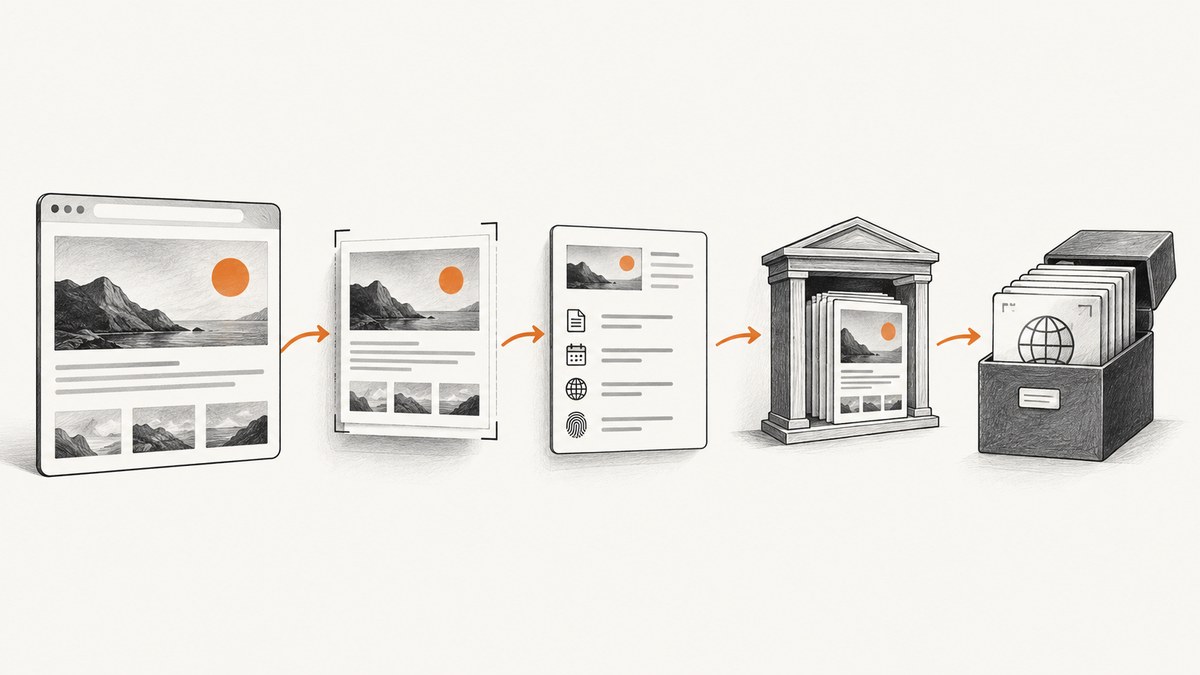
A screenshot is useful visual evidence, but it is not a complete web archive. To archive one properly, save a lossless image when practical, record the original URL and capture time in UTC, preserve the page title and viewport details, and keep a second preservation layer such as an Internet Archive capture or a WARC file. This combination lets someone identify what was visible and, when possible, inspect the underlying resources later.
What a website screenshot preserves—and what it does not
A PNG, JPEG, WebP or PDF preserves a rendered view at one moment. It does not preserve hyperlinks, scripts, forms, accessibility semantics or interactive behavior. The U.S. National Archives and Records Administration describes static images such as screenshots as records that do not retain hypertext functionality (NARA, Appendix A).
Use a screenshot when the question is “What did this page look like?” Use a web capture when the question is “Can another person inspect the page and its dependencies later?” A WARC (Web ARChive) groups captured HTTP resources for replay. The Library of Congress describes WARC as a format used by web-archiving organizations, and the IIPC implementation guidance records WARC as ISO 28500:2009.
| Record | Best for | Limit |
|---|---|---|
| PNG | Lossless visual evidence and pixel comparison | No links or page behavior |
| JPEG/WebP | Smaller files for routine review | Compression can obscure fine detail |
| Readable, printable page record | May alter responsive layout and interactive content | |
| Wayback capture | Public, shareable URL history | Crawler cannot access every page or resource |
| WARC | Replayable collection of page resources | Requires capture and replay tooling |
How do I save a website screenshot with the date and URL?
- Open the exact URL and wait until the state you need is visible.
- Capture the full page or the relevant viewport. Keep identifying context in frame when it matters, such as the browser address bar, date, or account state.
- Prefer PNG for text, diagrams and evidence that may be inspected pixel by pixel. Use JPEG or WebP when storage and transfer size matter.
- Record metadata in a sidecar JSON or text file.
- Use a stable filename and store the image and metadata together.
A practical filename and sidecar record
A timestamped filename sorts chronologically and avoids collisions:
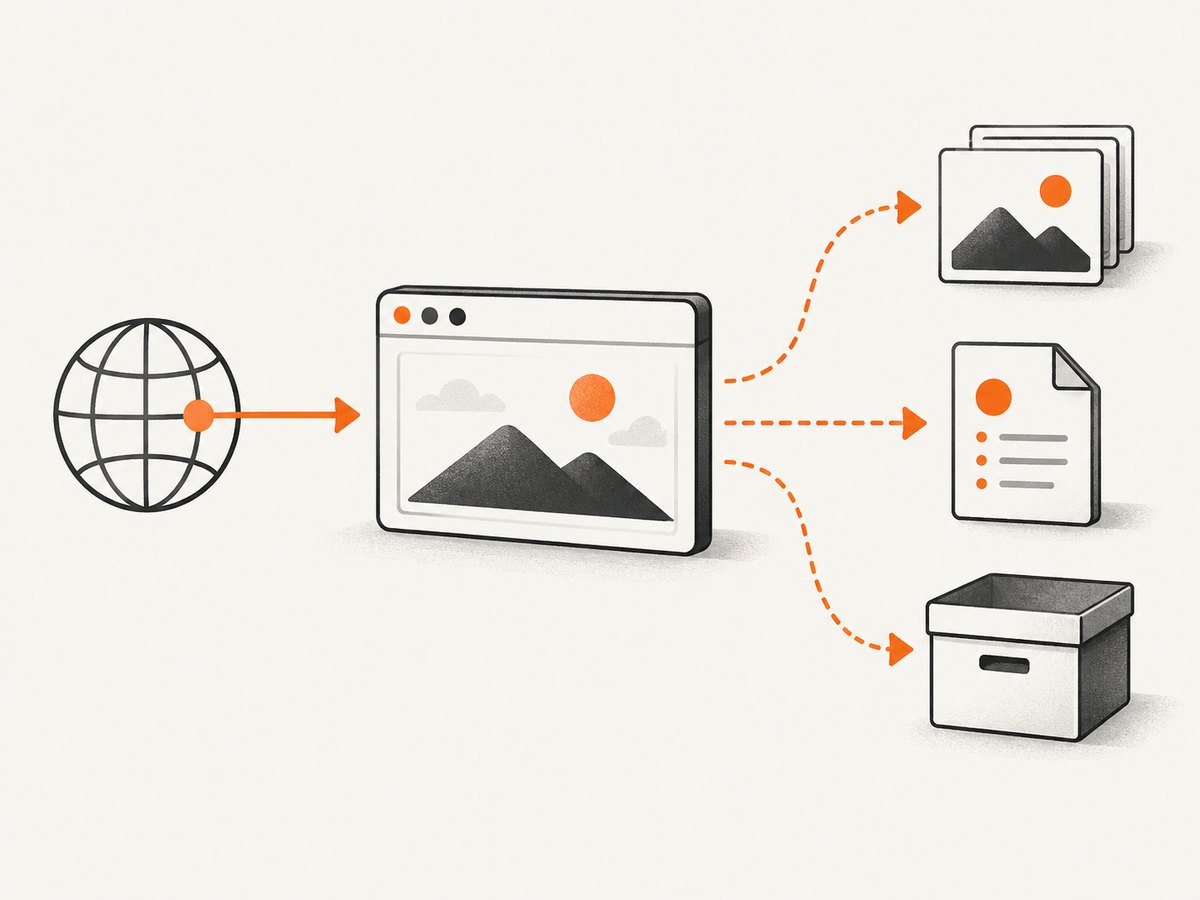
2026-09-29T14-32-10Z_example.com_pricing.png
2026-09-29T14-32-10Z_example.com_pricing.json
Example sidecar JSON:
{
  "url": "https://example.com/pricing",
  "captured_at": "2026-09-29T14:32:10Z",
  "title": "Example pricing",
  "viewport": {"width": 1440, "height": 900, "device_scale_factor": 2},
  "browser": "Chromium",
  "format": "png",
  "capture_method": "Playwright",
  "notes": "Pricing table visible; signed-out state; UTC"
}
Record the final URL after redirects as well as the requested URL when they differ. Note whether a cookie banner was accepted, whether the page required authentication, and whether any images or scripts failed. Those details explain differences when the capture is reviewed later.
Automate screenshots with a browser
Browser automation gives you control over viewport, device scale, waiting and authentication. The following Playwright example saves a full-page PNG and a JSON sidecar.
import json
from datetime import datetime, timezone
from pathlib import Path
from playwright.sync_api import sync_playwright

url = "https://example.com/pricing"
stamp = datetime.now(timezone.utc).strftime("%Y-%m-%dT%H-%M-%SZ")
base = Path(f"{stamp}_example.com_pricing")

with sync_playwright() as p:
    browser = p.chromium.launch()
    page = browser.new_page(viewport={"width": 1440, "height": 900}, device_scale_factor=2)
    response = page.goto(url, wait_until="networkidle", timeout=90000)
    page.screenshot(path=str(base.with_suffix(".png")), full_page=True)
    metadata = {
        "url": url,
        "final_url": page.url,
        "captured_at": stamp.replace("-", ":", 2),
        "title": page.title(),
        "viewport": {"width": 1440, "height": 900, "device_scale_factor": 2},
        "status": response.status if response else None
    }
    base.with_suffix(".json").write_text(json.dumps(metadata, indent=2))
    browser.close()
Install Playwright with pip install playwright and then run playwright install chromium. For a deterministic record, pin the browser version in your build environment and set the timezone, locale and color scheme explicitly.
Capture one element instead of the whole page
card = page.locator("article.pricing-card").first
card.screenshot(path="pricing-card.png")
Element captures are useful for a chart or component, but keep a full-page capture when surrounding context affects interpretation. Avoid cropping out a URL, date or status indicator when those details establish provenance.
Handle dynamic pages
- Wait for a meaningful selector, such as
page.wait_for_selector("main[data-loaded='true']"), rather than relying only on a fixed sleep. - Scroll through long pages to trigger lazy-loaded images before taking a full-page shot.
- Disable animations with injected CSS when motion causes inconsistent frames.
- Set a fixed viewport, device scale factor, timezone and locale for repeatability.
- Save a console or network error log alongside the image when the record is important.
How do I archive a webpage so it still works later?
Submit the public URL to the Internet Archive Wayback Machine when the site permits it. The Internet Archive says its web-archiving idea began in 1996. A public capture is easy to share, but it depends on what the crawler can reach. Password-protected pages, pages requiring a submitted form and some secure or restricted content may not be archived.
- Confirm that the URL is publicly reachable without a login or form submission.
- Submit it through the Wayback “Save Page Now” workflow.
- Save the resulting capture URL in your sidecar record.
- Open the capture and check images, stylesheets, fonts and scripts. Record missing resources.
For a collection or a record that must replay with its dependencies, create or request a WARC capture. The Library of Congress and the International Internet Preservation Consortium document WARC as the format used by web-archiving institutions. Store the WARC with its capture date, seed URLs, crawler configuration and any replay instructions.
Build a two-copy preservation workflow
For material that matters, keep at least two independently managed copies: for example, a local export and a hosted or institutional copy. NARA recognizes backup software and Internet-based services as preservation approaches. A practical directory might look like this:
archive/
  2026-09-29T14-32-10Z_example.com_pricing.png
  2026-09-29T14-32-10Z_example.com_pricing.json
  2026-09-29T14-32-10Z_example.com_pricing.warc.gz
  README.txt
Hash files before copying them so you can detect accidental changes:
sha256sum 2026-09-29T14-32-10Z_example.com_pricing.png \
          2026-09-29T14-32-10Z_example.com_pricing.json \
          2026-09-29T14-32-10Z_example.com_pricing.warc.gz \
  > 2026-09-29T14-32-10Z_example.com_pricing.sha256
Periodically verify that the image opens, the sidecar metadata is still present, the hash matches, and the WARC or public capture can be replayed. Log failed resources, access restrictions and any later correction to the metadata.
Or skip the browser setup
ScreenshotNeo is a website screenshot API and MCP server. One GET request returns a PNG, JPEG, WebP or PDF, while options handle full-page capture, lazy images, selectors, device presets, arbitrary viewports, retina scale, custom CSS and JavaScript, clicks, waits, blocked resources, headers, cookies, user agents, authorization, timezone, geolocation, transparency, resizing, caching, signed links, asynchronous jobs, webhooks and bulk capture.
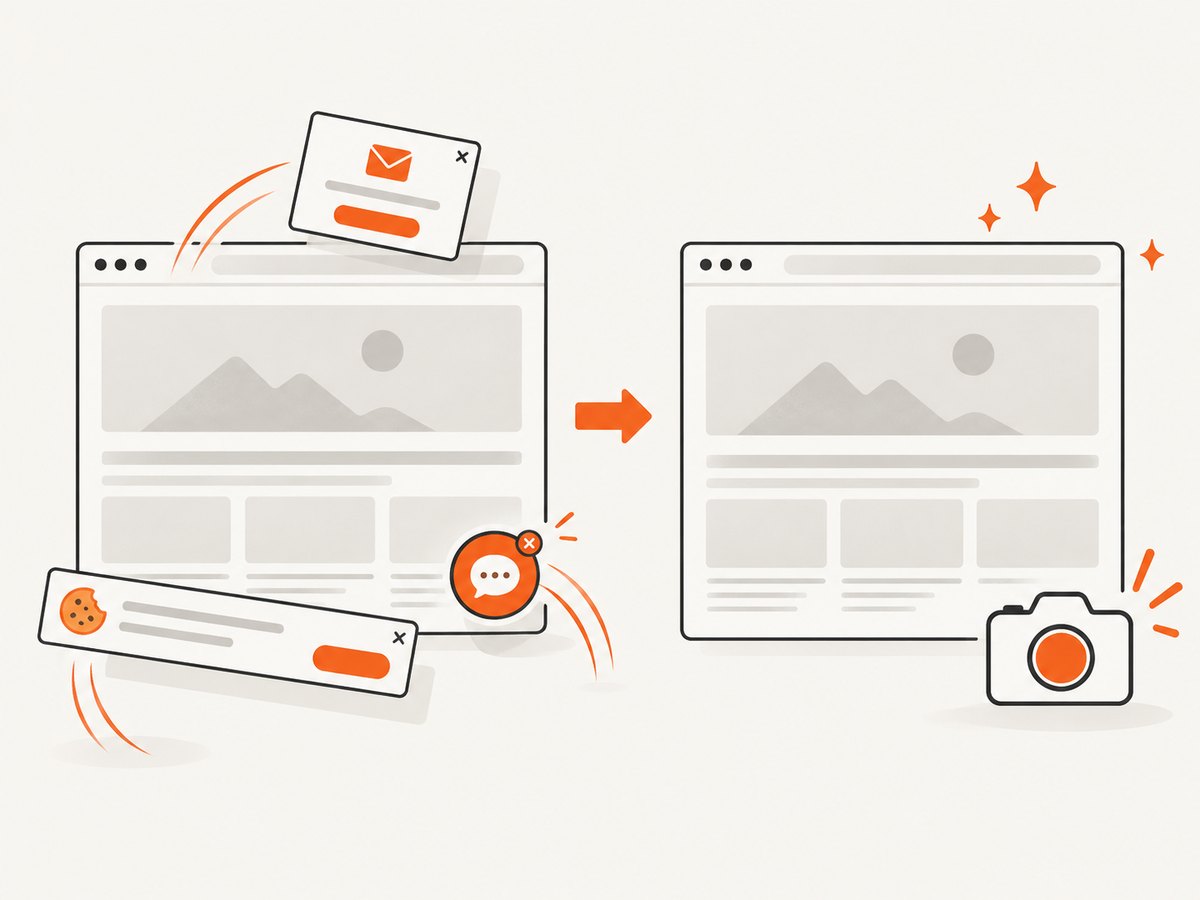
Cookie banners, newsletter popups and chat widgets are removed before the shot. Bot checks, blank pages and failed loads are never billed, and response headers identify the page verdict and whether it was billed. An MCP server lets Claude, Cursor and other MCP clients take screenshots, inspect page information and create PDFs.
See the ScreenshotNeo API documentation for the complete option list. Basic capture:
curl -G "https://api.screenshotneo.com/v1/shot" -d access_key=YOUR_API_KEY --data-urlencode url=https://stripe.com -o shot.webpimport requests
r = requests.get("https://api.screenshotneo.com/v1/shot", params={"access_key": "YOUR_API_KEY", "url": "https://stripe.com"}, timeout=90)
open("shot.webp", "wb").write(r.content)const q = new URLSearchParams({ access_key: 'YOUR_API_KEY', url: 'https://stripe.com' });
const res = await fetch(`https://api.screenshotneo.com/v1/shot?${q}`);The Free plan includes 1,000 shots each month with no card. Starter is $5 for 3,000; Growth $15 for 15,000; Pro $39 for 60,000; Scale $99 for 250,000; and Business $249 for 1,000,000. Yearly billing gives two months free, and every feature is available on every plan. Start with 1,000 free screenshots a month with no card.
Options that affect an archival screenshot
| Need | Settings to consider |
|---|---|
| Long page | Full-page mode, lazy-image loading, selector waits and network-idle waits |
| Exact component | CSS selector capture, custom CSS, hide selectors and pre-capture click |
| Private page | Custom headers, cookies, Authorization and user agent; protect resulting files |
| Regional view | Timezone, geolocation, device preset and viewport |
| Repeat captures | Chosen cache TTL, fixed settings and stable filenames |
| Documents | PDF paper size, margins, landscape orientation and page ranges |
Troubleshooting
The screenshot is blank
The page may still be loading, may require a script, or may have triggered a bot check. Wait for a real content selector, inspect response status and console errors, and capture the page verdict. With ScreenshotNeo, blank pages and failed loads are not billed.
Images are missing
Lazy-loaded images often require scrolling or full-page lazy-image support. Check blocked resource rules, cross-origin restrictions and whether the image request failed. Record missing assets in the sidecar.
The layout changes between runs
Fix viewport, device scale factor, timezone, locale, fonts, color scheme and browser version. Disable animations and use selector-based waits instead of arbitrary short delays.
Wayback has no useful replay
The crawler may not reach authenticated content, form results or dependent resources. Keep the screenshot and metadata, then create a WARC through an appropriate capture workflow. Do not treat a missing replay as proof that the page never existed.
The file cannot be verified
Keep the sidecar and checksum in the same preservation set. Restore from the independent copy if a hash mismatch appears, and document the replacement rather than overwriting the original silently.
Private data appears in the capture
Review cookies, authorization headers, account identifiers and geolocation before sharing. Store restricted captures separately and record the access conditions in metadata.
Performance, reliability and cost
Full-page captures use more browser time and produce larger files than element or viewport captures. Network-idle waits improve completeness but can hang on pages with persistent connections; use a maximum timeout and a meaningful selector. Reuse a browser process for batches, limit concurrency to what your machine or service can sustain, and retry transient network failures with backoff. Keep the original response and metadata when a retry produces a different result.
PNG preserves detail but costs more storage. WebP or JPEG reduces storage for large collections, while a PDF is convenient for reading and printing. Caching can make repeated captures faster; record the cache TTL so a later reader knows whether the image was freshly rendered. For ScreenshotNeo, only clean shots are billed, cache hits are not billed, and the X-Page-Verdict and X-Billed headers make billing and outcome auditable.
Is a screenshot enough evidence?
It is enough to show the appearance of a page at a stated time and rendering context. It is not enough to prove that links, scripts, forms or embedded resources would work later. For consequential records, preserve the screenshot, sidecar metadata, checksum and a second layer such as a Wayback URL or WARC. This gives reviewers both a stable visual reference and a path to inspect preserved resources.
FAQ
Should I include the browser address bar?
Include it when the URL or visible security context is part of the evidence. Otherwise, record the URL in sidecar metadata and avoid unnecessary browser chrome.
What time zone should metadata use?
Use UTC in an unambiguous ISO 8601 timestamp, then optionally record the operator’s local time separately.
Can I archive a page behind a login?
You can preserve a private screenshot and its metadata under appropriate access controls. Wayback generally cannot archive password-gated or form-dependent content, so use a controlled local or institutional WARC workflow.
When is PDF preferable to PNG?
Choose PDF for paginated reading, printing or review comments. Choose PNG when exact pixels, transparency or a single continuous page image matter.
How often should an archive be checked?
Set a schedule appropriate to the record’s importance. Each check should open the image, validate its checksum, confirm metadata and attempt replay of the hosted or WARC capture.


