Argos Visual Regression Testing: Workflow, Setup, Integrations, and Pricing
Learn how Argos compares screenshots in CI, how to set it up with Playwright, what integrations and plans to consider, and where visual tests fit.
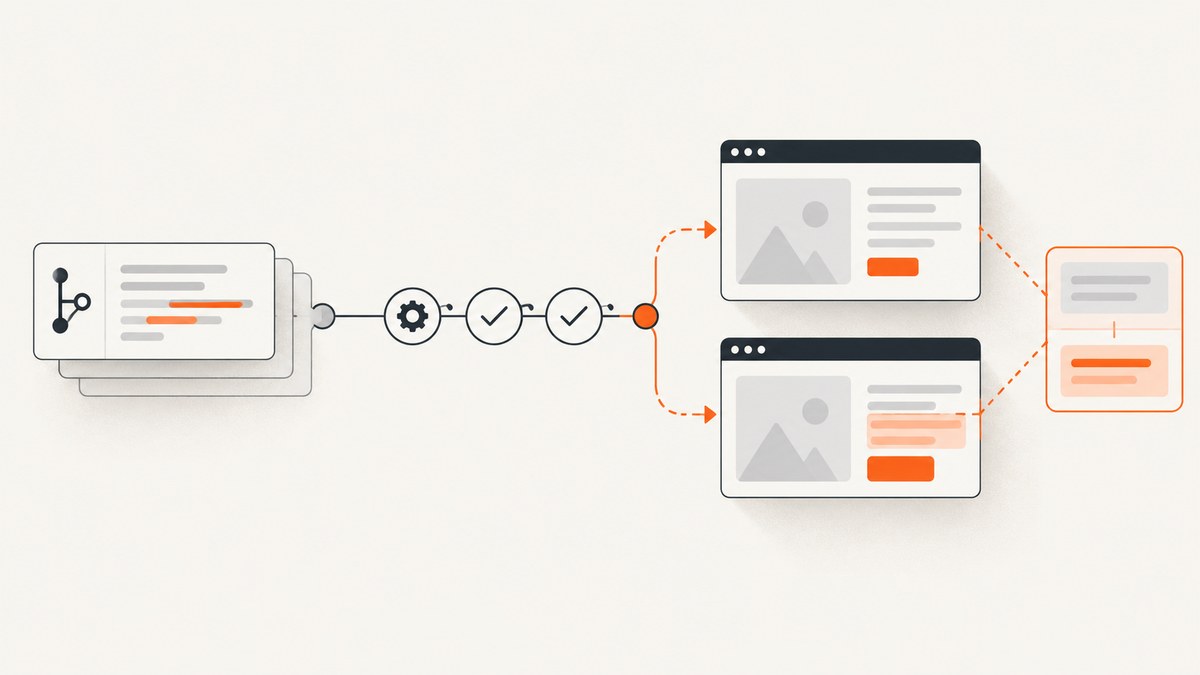
Argos is a hosted visual and snapshot testing service: your tests capture screenshots or other supported artifacts in continuous integration (CI), Argos compares them with baselines associated with Git history, and reviewers inspect detected changes through the pull request workflow. It is useful when a team wants visual changes reviewed alongside code. It does not replace functional, accessibility, or end-to-end tests.
This guide explains the workflow, gives a Playwright setup, covers integrations and capture stability, and summarizes the plan information published on Argos’s pricing page. Product capabilities below are Argos’s documented claims; confirm current setup and plan details in the Argos documentation and pricing page.
1. What Argos visual regression testing does
A visual regression test renders a page or component and captures an artifact. The capture from a branch is compared with a reference baseline. A difference becomes reviewable output, so a team can decide whether it is an intended design change or an unintended regression.
Argos is designed to receive captures from CI and connect results to GitHub or GitLab review. Rather than making developers manage screenshot baseline files as ordinary commits, the hosted workflow associates captures with Git history and presents diffs for review. The service also documents text-based artifact diffs and ARIA snapshots alongside image diffs. Those artifact types add context; they do not establish functional behavior or prove conformance to accessibility requirements.
Think of Argos as the comparison and review layer around browser or component tests. Your test suite still needs to navigate to the right state, prepare representative data, and capture the pages that matter.
2. How the CI and pull request workflow fits together
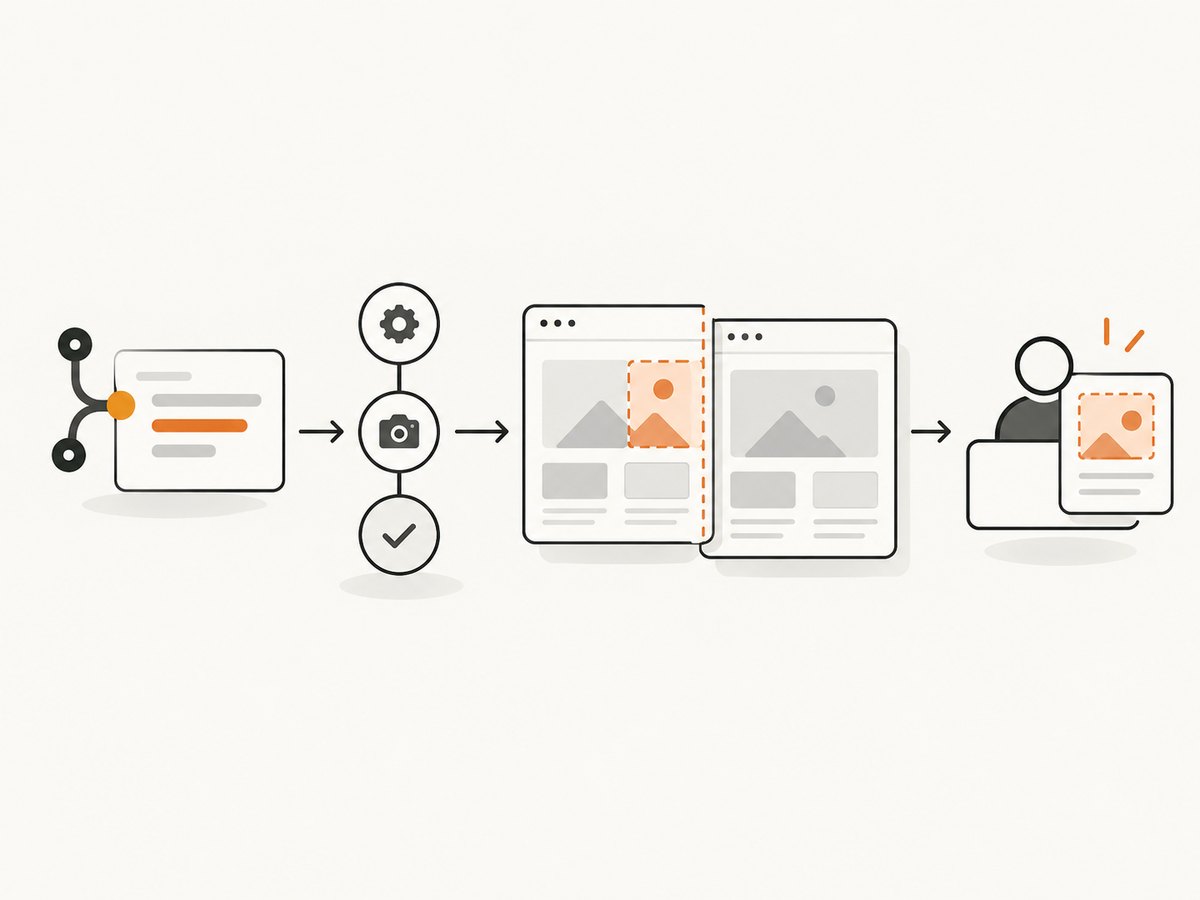
- Choose meaningful states. Write browser or component tests for stable, important screens: for example, a signed-out landing page, a product detail state, or a dialog in its open state.
- Capture in CI. Run those tests in the same controlled environment for the baseline and proposed change. The capture tool produces screenshots or other supported artifacts.
- Upload and compare. Argos receives the artifacts and compares them with the relevant baseline associated with Git history.
- Review the diff. Reviewers follow the Git workflow to inspect changes and determine whether they are expected. Accept intended visual updates through the documented workflow.
- Keep signal usable. When a diff is noisy, investigate rendering conditions and test state before approving or updating a baseline.
Argos’s product materials describe support for deployment previews, merge queues, partial retries, and forked pull request checks using GitHub OIDC authentication. Treat these as documented capabilities and check the current guidance for the exact workflow your CI provider and repository require.
3. Playwright setup: a practical starting point
Argos publishes integrations and quickstarts for Playwright, Storybook, Cypress, Vitest, WebdriverIO, Puppeteer, and other screenshot-producing tools. The example below shows the Playwright path documented by Argos. Package versions and recommended configuration can change; consult the current setup documentation before copying it into a production pipeline.
Step 1: Install Playwright and Argos packages
npm init playwright@latest
npm install --save-dev @argos-ci/cli @argos-ci/playwright
The CLI uploads artifacts to Argos. The Playwright package provides the Argos screenshot helper and capture-stability support described in its integration guidance.
Step 2: Add the reporter to Playwright
// playwright.config.ts
import { defineConfig, type PlaywrightTestConfig } from "@playwright/test";

const reporters: PlaywrightTestConfig["reporter"] = [["list"]];

export default defineConfig({
  reporter: process.env.CI
    ? [...reporters, ["@argos-ci/playwright/reporter"]]
    : reporters,
});
Keeping the regular list reporter means local test output remains useful. The conditional reporter avoids uploading from ordinary local runs; set up the Argos token as a CI secret according to the current Argos instructions.
Step 3: Capture a named view
// tests/homepage.spec.ts
import { argosScreenshot } from "@argos-ci/playwright";
import { test } from "@playwright/test";

test("homepage visual snapshot", async ({ page }) => {
  await page.goto("http://localhost:3000/");
  await argosScreenshot(page, "homepage");
});
Use a stable, descriptive name and capture after the page reaches the intended state. Run npx playwright test locally to validate navigation and test behavior; CI is where the configured reporter uploads captures.
Step 4: Run the test in CI
A minimal GitHub Actions job needs to check out the repository, install dependencies and browser requirements, start or provide the application, and run Playwright with the Argos token available as a secret. The exact workflow depends on your package manager and app startup. A skeletal example is:
name: visual-tests
on:
  pull_request:
  push:
    branches: [main]
jobs:
  playwright:
    runs-on: ubuntu-latest
    steps:
      - uses: actions/checkout@v4
      - uses: actions/setup-node@v4
        with:
          node-version: 22
          cache: npm
      - run: npm ci
      - run: npx playwright install --with-deps
      # Start the app here, or configure Playwright's webServer.
      - run: npx playwright test
        env:
          ARGOS_TOKEN: ${{ secrets.ARGOS_TOKEN }}
Set the token in repository or organization secrets rather than hard-coding it. Configure the application startup step for your own project; the placeholder is intentionally not a runnable command without knowing your app’s scripts.
4. Capture determinism: the difference between useful and noisy diffs
Visual comparison is sensitive to what the browser rendered, not only to application code. A test that captures while a font is loading, while a timestamp changes, or while an animation is mid-frame can produce differences that distract from real changes.
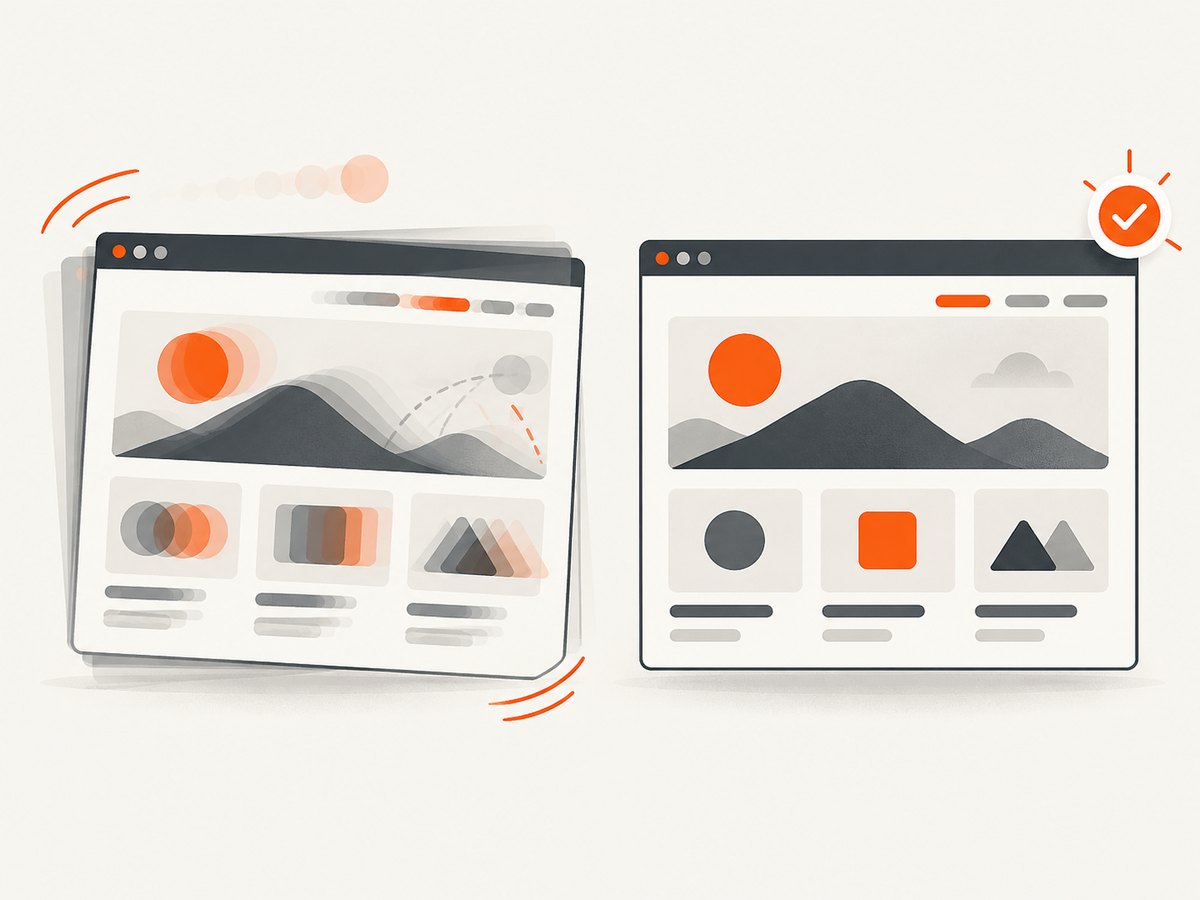
Argos says its SDK stabilizes captures by waiting for fonts and images, hiding carets and scrollbars, and pausing animated GIFs. Its documentation index also covers stabilizing text, waiting for loading, background images, pausing GIFs, and stabilizing dates and times. This reduces some known sources of variation, but no stabilization mechanism can make every application state deterministic.
- Wait for a meaningful application-ready condition instead of relying on a short arbitrary sleep.
- Use fixed or seeded test data, and control dates or other time-dependent content where possible.
- Keep viewport, browser version, locale, timezone, and device scale consistent between runs.
- Disable or freeze animations when they are not the subject of the test.
- Investigate repeated or intermittent diffs instead of routinely approving them; recurring noise weakens review.
5. Integrations and evaluation checklist
Argos’s official materials list integrations or quickstarts for Playwright, Storybook, Cypress, Vitest, WebdriverIO, and Puppeteer, plus GitHub and GitLab workflows. Product materials also list Slack, Microsoft Teams, and Discord integrations. The exact supported path can vary by framework version, so begin from the official docs for your stack.
| Evaluation question | What to verify |
|---|---|
| Framework fit | Is there a maintained integration and a clear current quickstart for your runner or component tool? |
| Review workflow | Can reviewers see and resolve diffs where they already review Git changes? |
| Capture reliability | How are fonts, images, animation, dynamic text, and flaky captures handled? What is your process for diagnosing noise? |
| Artifact scope | Do you need rendered screenshots alone, or will text artifacts and ARIA snapshots help? They complement rather than replace other test types. |
| CI architecture | Check deployment previews, merge queues, forked pull requests, monorepos, parallel jobs, and partial retries against your actual pipeline. |
| Governance and budget | Confirm access controls, retention, usage allowances, overage rates, and enterprise requirements with current plan terms. |
Argos also documents guides for monorepos, parallel testing, deployment previews, migration, and screenshot stabilization. Choose the smallest representative test set first, then expand when the diff review process is working for the team.
6. Pricing, open source, and project boundaries
When checked for this article on September 29, 2026, Argos’s pricing page listed Hobby at $0 for up to 5,000 screenshots; Pro starting at $100 per month with 35,000 screenshots; extra screenshots at $0.004 each and Storybook screenshots at $0.0015 each; and custom Enterprise pricing. The page lists differences in collaboration, retention, private deployment protection, notifications, and enterprise controls. Pricing and eligibility can change, so confirm the live Argos plan details before budgeting.
The Argos GitHub repository identifies an MIT license and describes an open-source visual testing project. That statement applies to the repository and its license; it does not establish that every component of the hosted service can be self-hosted or is covered by identical terms. Review the repository and service terms separately.
For budget planning, estimate screenshot volume from the number of tested states, pull requests, reruns, and parallel work. Include likely baseline updates and any documented overage rates. Do not compare prices without aligning screenshot definitions, allowances, retention, and features.
7. Where ScreenshotNeo fits
ScreenshotNeo is a website screenshot API and MCP server from Yorker Media. It is a useful alternative to try first when the immediate need is to capture a page for a report, review, or AI-agent workflow. It is not a Git-based visual regression review service: use Argos when the requirement is baseline comparison and pull request review.
Or skip the browser setup
For a one-off rendered capture, call the ScreenshotNeo API. See the API documentation for parameters and response details.
curl -G "https://api.screenshotneo.com/v1/shot" \
  -d access_key=YOUR_API_KEY \
  --data-urlencode url=https://stripe.com \
  -o shot.webp
import requests
r = requests.get(
"https://api.screenshotneo.com/v1/shot",
params={"access_key": "YOUR_API_KEY", "url": "https://stripe.com"},
timeout=90,
)
open("shot.webp", "wb").write(r.content)const q = new URLSearchParams({
access_key: 'YOUR_API_KEY',
url: 'https://stripe.com'
});
const res = await fetch(`https://api.screenshotneo.com/v1/shot?${q}`);
if (!res.ok) throw new Error(`Screenshot request failed: ${res.status}`);
await Bun.write('shot.webp', res);- Cookie banners are accepted before capture and 60+ known consent platforms, newsletter popups, and chat widgets are removed; each step can be turned off.
- Bot checks, blank pages, timeouts, failed loads, and cache hits cost nothing; response headers identify the page verdict and billing status.
- An MCP server provides
take_screenshot,get_page_info, andcapture_pdftools for Claude, Cursor, and other MCP clients. - The free plan includes 1,000 screenshots monthly with no card; paid plans start at $5 for 3,000. Every feature is on every plan.
Create a free ScreenshotNeo account for 1,000 screenshots a month, with no card.
8. Troubleshooting common setup problems
| Symptom | Likely cause | Fix |
|---|---|---|
| No captures appear in Argos | The reporter did not run, the token is missing, or the test did not call the screenshot helper. | Check the CI reporter condition, confirm the secret name and availability in that job, and verify the test executes the named capture. |
| Local run passes but CI has no upload | The reporter is configured only when CI is set, or the secret is only configured in one environment. |
Confirm CI defines the expected environment and secret. Keep credentials out of logs and source files. |
| Every run shows large diffs | Browser, viewport, fonts, data, locale, timezone, or page readiness differs. | Pin the CI environment, stabilize test data and time, wait for application readiness, and use Argos’s capture-stabilization guidance. |
| Only dynamic areas keep changing | Ads, timestamps, rotating content, or animations are included in the tested region. | Control the data source or state, pause irrelevant animation, or adjust the capture according to the current integration’s supported options. |
| Fork pull request cannot upload | Secrets are commonly withheld from untrusted fork workflows. | Use the documented Argos guidance for forked pull request checks and GitHub OIDC where applicable; do not expose a long-lived token to untrusted code. |
| Screenshot count or bill differs from expectation | Retries, parallel tests, Storybook captures, or plan-specific counting rules affect usage. | Inspect current pricing and usage details, count captures rather than test files, and account for retries and parallel jobs. |
9. Performance and reliability considerations
There is no head-to-head performance benchmark in the cited materials, so do not assume Argos is faster or more accurate than another service. The practical CI cost depends on browser startup, page load and test execution, number and size of captures, upload work, concurrency, and retries. Keep the visual suite focused on representative high-value states, and run broader coverage where its feedback time fits your pipeline.
Reliability depends on repeatable rendering and a sound failure policy. Distinguish an application test failure from a visual difference, and distinguish both from an upload or service integration problem. Use CI logs and the review status to identify which stage failed. Argos documents partial retries and flaky detection; check the current docs for their exact behavior. A visual diff is a review signal, not automatic evidence that a defect exists.
10. Frequently asked questions
Does Argos work with Playwright and Storybook?
Argos lists Playwright and Storybook integrations or quickstarts, along with Cypress, Vitest, WebdriverIO, Puppeteer, and other tools. Follow the current official guide for the versions you use.
Is Argos open source?
The Argos GitHub repository identifies an MIT license. That does not by itself mean the entire hosted service is self-hostable or has the same licensing terms.
Is Argos a replacement for end-to-end testing?
No. It detects changes in captured visual and supported snapshot artifacts. Keep functional assertions, accessibility evaluation, and end-to-end coverage for their respective questions.
Does a visual change always mean a bug?
No. A diff may be an intended design update, environmental variation, or regression. Review the changed state and decide whether the change should be accepted or corrected.


