Excel MCP Server for Windows: Setup, Choices, and Troubleshooting
Choose, install, and secure an Excel MCP server on Windows, with file-based and live Excel options, client setup, code, and troubleshooting.

Short answer: choose a file-based Excel MCP server when you need cross-platform workbook edits without Microsoft Excel installed. Choose a COM-backed live Excel MCP server when you need Excel’s own recalculation and advanced features such as Power Query, DAX, PivotTables, VBA, charts, Data Model refresh, or Python =PY() formulas. On Windows, register the server with your MCP client or the Windows on-device agent registry, then restrict its file paths and review its execution permissions.
Microsoft describes MCP as “an open protocol designed to standardize integrations between AI apps and external tools and data sources.” An Excel MCP server exposes workbook operations to an AI client such as Claude, Copilot, Cursor, ChatGPT, Cline, or Windsurf through that protocol.
1. Decide which Excel MCP server you need
| Question | File-based server | Live Excel-engine server |
|---|---|---|
| Is desktop Excel required? | No; it parses and rewrites workbook files. | Yes. The sbroenne ExcelMcp project requires Windows and Microsoft Excel 2016 or later. |
| Best for | Values, formulas, formatting, sheets, charts, validation, and ordinary file transformations. | Power Query refresh, DAX measures, PivotTables, Data Model refresh, VBA, charts, Python formulas, and preserving complex workbook behavior. |
| Workbook behavior | Direct file rewriting can change or discard structures a parser does not understand. | Drives the installed Excel application through its official COM API. |
| Deployment | Often npm/npx, local stdio, or another documented transport. |
Standalone Windows executables, local stdio, or a documented streamable transport. |
| Windows-only functions | Basic file manipulation can run on other platforms. | Live editing and screen capture depend on Windows COM automation. |
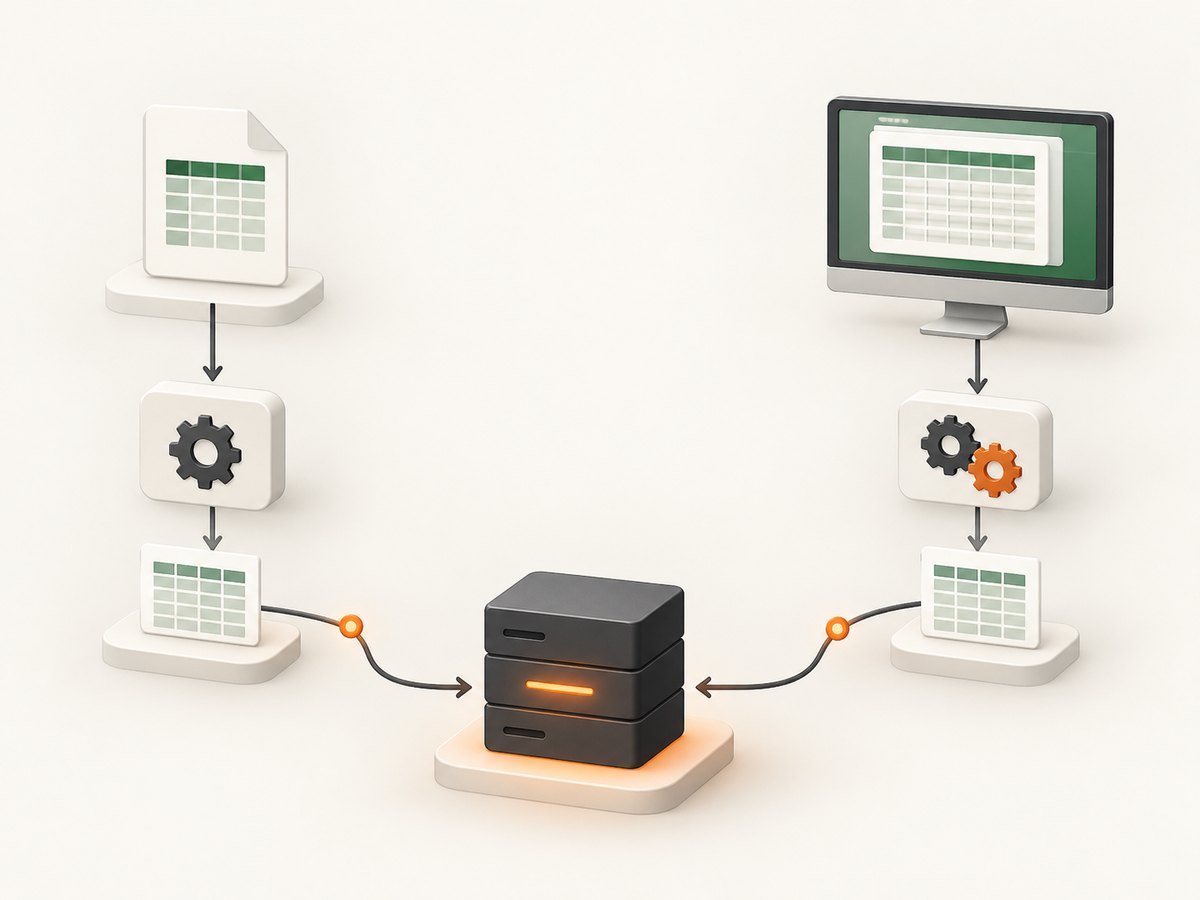
The vKenjo server is a practical file/live Windows option for teams that need text values and formulas, sheet creation, dropdown validation, conditional formatting, sheet screenshots, and Windows-only VBA execution. Its README requires Node.js 20.x or later and supports .xlsx, .xlsm, .xltx, and .xltm. The sbroenne distribution supplies self-contained mcp-excel.exe and excelcli.exe binaries and documents 326 Excel operations.
2. Install prerequisites on Windows
For a parser-based server
- Install the runtime required by the server. For the vKenjo server, install Node.js 20.x or later.
- Place workbooks in a directory dedicated to the MCP integration, such as
C:\Users\you\Documents\mcp-workbooks. - Decide whether the MCP client should have read-only access or permission to write files.
For a live Excel-engine server
- Use a supported Windows edition and install Microsoft Excel 2016 or later.
- Close unrelated Excel windows while you configure the server. COM automation can otherwise act on the wrong instance or workbook.
- Keep the workbook path explicit. Prefer a local path that the MCP host can access consistently rather than a mapped drive that is only available in an interactive login.
- Confirm that the account running the MCP client is allowed to start Excel and open the target files.
3. Register an Excel MCP server
Windows documents three broad registration routes: a package identity such as MSIX, an MCP bundle, or manual registration for a local or remote server. The Windows on-device agent registry runs servers in a separately contained agent session by default and provides testing plus administrative controls. Your MCP client may instead use its own JSON configuration.

Example: npm-based Windows configuration
The vKenjo README shows a Windows npm configuration that invokes cmd /c npx --yes ms-excel-mcp-server. Adapt the following shape to the exact configuration file and client you use:
{
  "mcpServers": {
    "excel": {
      "command": "cmd",
      "args": ["/c", "npx", "--yes", "ms-excel-mcp-server"]
    }
  }
}
Restart the MCP client after saving the configuration. In a managed Windows environment, an administrator may need to approve the server package, transport, or permissions before a user can run it.
Example: standalone ExcelMcp executable
{
  "mcpServers": {
    "excel-live": {
      "command": "C:\\Tools\\ExcelMcp\\mcp-excel.exe",
      "args": []
    }
  }
}
Use the executable path supplied by the project. Do not silently substitute a parser-based server when the workbook depends on Excel calculation, Power Query, DAX, VBA, or the Data Model.
4. Use it from an AI client
After registration, ask the client to work on a specific file and operation. Precise prompts reduce accidental edits:
Open C:\Users\you\Documents\mcp-workbooks\forecast.xlsm.
Read the sheets and report any formula errors. Do not change the workbook.
Open C:\Users\you\Documents\mcp-workbooks\forecast.xlsm.
Add a worksheet named "Checks", copy the headers from "Raw", and add a dropdown
validation list to column D. Save a new file as forecast-checked.xlsm.
Do not overwrite the original.For a live Excel server, explicitly request operations that require the application:
Refresh Power Query connections in C:\Reports\sales.xlsx, recalculate formulas,
refresh PivotTables, and report any refresh errors. Save only after all operations
complete successfully.
For VBA, ask for a named macro or module operation and identify whether execution is allowed. Treat macro execution as a privileged action because it can modify files, call external services, or run arbitrary code.
5. What each implementation can and cannot do
File-based servers
- Usually work without the desktop Excel application.
- Can create workbooks, write values and formulas, format cells, create charts, add validation, and manipulate sheets.
- May not evaluate formulas exactly as Excel does, refresh external connections, run VBA, or preserve every advanced workbook structure.
- Always save to a new path first when the workbook contains macros, external links, Power Query, PivotTables, or a Data Model.
Live Excel-engine servers
- Use the actual Excel calculation and object model, so advanced workbook behavior is retained more faithfully.
- Support the features documented by ExcelMcp, including Power Query, DAX measures, PivotTables, Data Model refresh, VBA, charts, and Python
=PY()formulas. - Require a Windows desktop Excel installation and an account that can automate it.
- Can leave Excel processes or modal dialogs behind after a failure. Check Task Manager and the workbook state before retrying.
6. Security and containment checklist
- Grant access only to the directories that contain the required workbooks.
- Use read-only instructions and permissions for analysis tasks.
- Run write operations against a copy, then compare the output before replacing the source.
- Review the MCP host’s separate agent-session containment and administrator controls on Windows.
- Do not place passwords, API keys, or connection strings in workbook cells or prompts.
- Require confirmation before VBA execution, external-link updates, or refreshes that contact databases and web services.
- Log which client, user, workbook path, and operation changed a file.
7. Troubleshooting
| Symptom | Likely cause | Fix |
|---|---|---|
| Client says the server is unavailable | Invalid command, missing runtime, or stale client configuration. | Run the configured command in a Windows terminal, verify Node.js 20.x for the vKenjo server, then restart the MCP client. |
npx is not recognized |
Node.js is not installed or its directory is absent from PATH. |
Install Node.js 20.x or later and open a new terminal before retrying. |
| Excel application cannot start | Excel is not installed, the version is unsupported, or COM launch permissions are restricted. | Use a parser-based server, or install/configure Excel 2016+ and run the client under an account allowed to launch Excel. |
| Workbook opens but formulas are stale | A file parser wrote formulas without Excel recalculation. | Use a live Excel-engine server and request recalculation before saving. |
| Power Query, DAX, or PivotTables fail | The selected server cannot operate Excel’s Data Model or external connections. | Switch to a COM-backed server and verify that credentials and connections are available to the Windows account. |
| Macros are missing or disabled | The file was opened with the wrong format, or macro security blocked execution. | Preserve the .xlsm/.xltm extension, use a live server, and follow your organization’s macro policy. |
| Changes appear in the wrong workbook | Multiple Excel instances or ambiguous prompts left the automation context unclear. | Close unrelated Excel windows, use an absolute path, and ask the server to identify the active workbook before editing. |
| File is locked | Excel or another process still has the workbook open. | Save and close the workbook, wait for the lock to clear, and retry against a copy. |
| Mapped drive cannot be found | The MCP process runs without the interactive user’s drive mappings. | Use a UNC path or a local absolute path and grant the service account access. |
| Windows registry blocks the server | An administrator policy rejected the package, transport, or permissions. | Ask the administrator to approve the registration route and inspect the Windows agent-session logs. |
8. Performance, reliability, and cost
- Performance: file parsing is generally faster for small, independent edits. Live Excel startup, recalculation, connection refreshes, and PivotTable updates add latency.
- Reliability: make operations idempotent where possible, use absolute paths, save to a new file, and verify sheet names and formula errors after each major step.
- Concurrency: avoid two agents editing one workbook simultaneously. Serialize writes or create a separate working copy for each job.
- Large workbooks: inspect sheet names and used ranges before requesting broad reads. Ask for targeted ranges and staged writes.
- Cost: the open-source projects in this guide are distributed as repositories, npm packages, or executables. Your costs are the Windows/Excel licensing and infrastructure you already require; no dossier-backed Amazon referral is available for this topic.
9. Or skip the browser setup
If the result you need is a clean screenshot of an Excel web page, dashboard, or published report, ScreenshotNeo removes browser automation setup:
curl -G "https://api.screenshotneo.com/v1/shot" -d access_key=YOUR_API_KEY --data-urlencode url=https://screenshotneo.com -o shot.webpimport requests
r = requests.get("https://api.screenshotneo.com/v1/shot", params={"access_key": "YOUR_API_KEY", "url": "https://screenshotneo.com"}, timeout=90)
open("shot.webp", "wb").write(r.content)const q = new URLSearchParams({ access_key: 'YOUR_API_KEY', url: 'https://screenshotneo.com' });
const res = await fetch(`https://api.screenshotneo.com/v1/shot?${q}`);See the ScreenshotNeo API documentation for authentication and options. Cookie banners, newsletter popups, and chat widgets are removed before the shot. Bot checks, blank pages, failed loads, timeouts, and cache hits are not billed, and response headers identify the page verdict and billing status. Its MCP server lets Claude, Cursor, and other MCP clients take screenshots. The free plan includes 1,000 screenshots a month with no card; paid plans start at $5 for 3,000.
Create a free ScreenshotNeo account and start with 1,000 screenshots a month at no charge.
10. FAQ
Can an Excel MCP server run without Microsoft Excel?
Yes, when it is file-based. A COM-backed live server requires Windows and Excel 2016 or later.
Which server should I use for VBA?
Use a live Excel-engine server that documents VBA support. A parser cannot reproduce Excel’s VBA runtime.
Does MCP replace Excel?
No. MCP is the connection protocol. The server may manipulate files itself or automate the installed Excel application.
Can I use the same server with Claude and Cursor?
Yes, if the server exposes a transport and configuration format supported by the client. The ExcelMcp documentation lists Claude Desktop, Cursor, Cline, Windsurf, and other MCP clients.
Should I let an agent overwrite production workbooks?
No. Use a copy, restrict paths, review the changes, and replace the production file only after validation.