How to Take a Webpage Screenshot in ASP.NET Without an Executable
Capture a webpage from ASP.NET without shelling out to a browser executable. Choose a managed browser runtime or a hosted screenshot API, with deployment guidance and runnable C# examples.
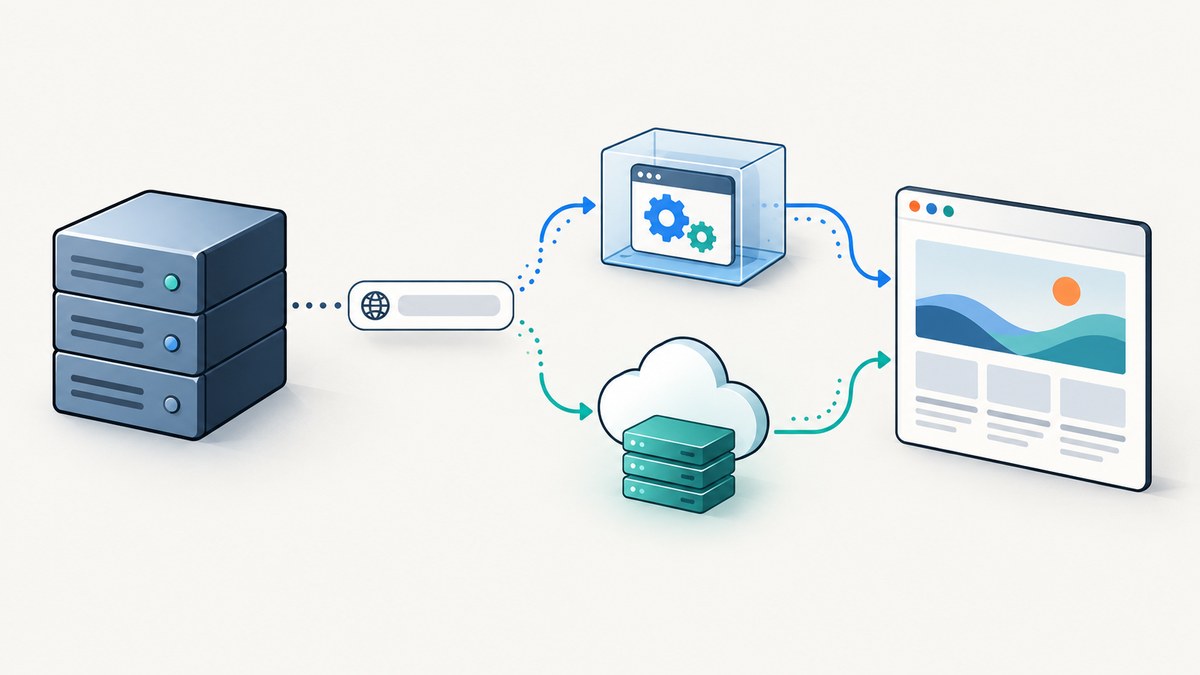
“Without an executable” can mean two different things. If you mean your ASP.NET code must not invoke a browser executable through a shell command, use Playwright for .NET or PuppeteerSharp: both provide .NET APIs, but they still need a compatible browser runtime installed on the host. If your requirement is that the ASP.NET host must contain and launch no browser executable at all, call a hosted screenshot API over HTTPS and return the image bytes.
This distinction matters: Playwright and PuppeteerSharp do not render arbitrary websites by themselves. They automate a browser. A remote API moves that browser to the provider’s infrastructure, which also means your request depends on network access, credentials, provider behavior, and the provider’s handling of submitted URLs. The examples below use Playwright for local rendering and ScreenshotNeo for the strict no-local-browser option.
1. Decide what “without an executable” means
| Requirement | Suitable approach | What still runs |
|---|---|---|
| No shelling out from application code | Playwright for .NET or PuppeteerSharp | A browser binary launched by the library |
| No browser binary on the ASP.NET host | Hosted screenshot API over HTTPS | The provider’s remote browser; your app makes an HTTP request |
Choose local automation when browser control, local network access, or predictable browser versioning matters and you can operate the runtime. Choose a hosted service when the deployment cannot contain or launch a browser, or you prefer not to package and maintain one. The choice is an architecture and data-processing decision as well as a coding decision.
2. Local capture with Playwright for .NET
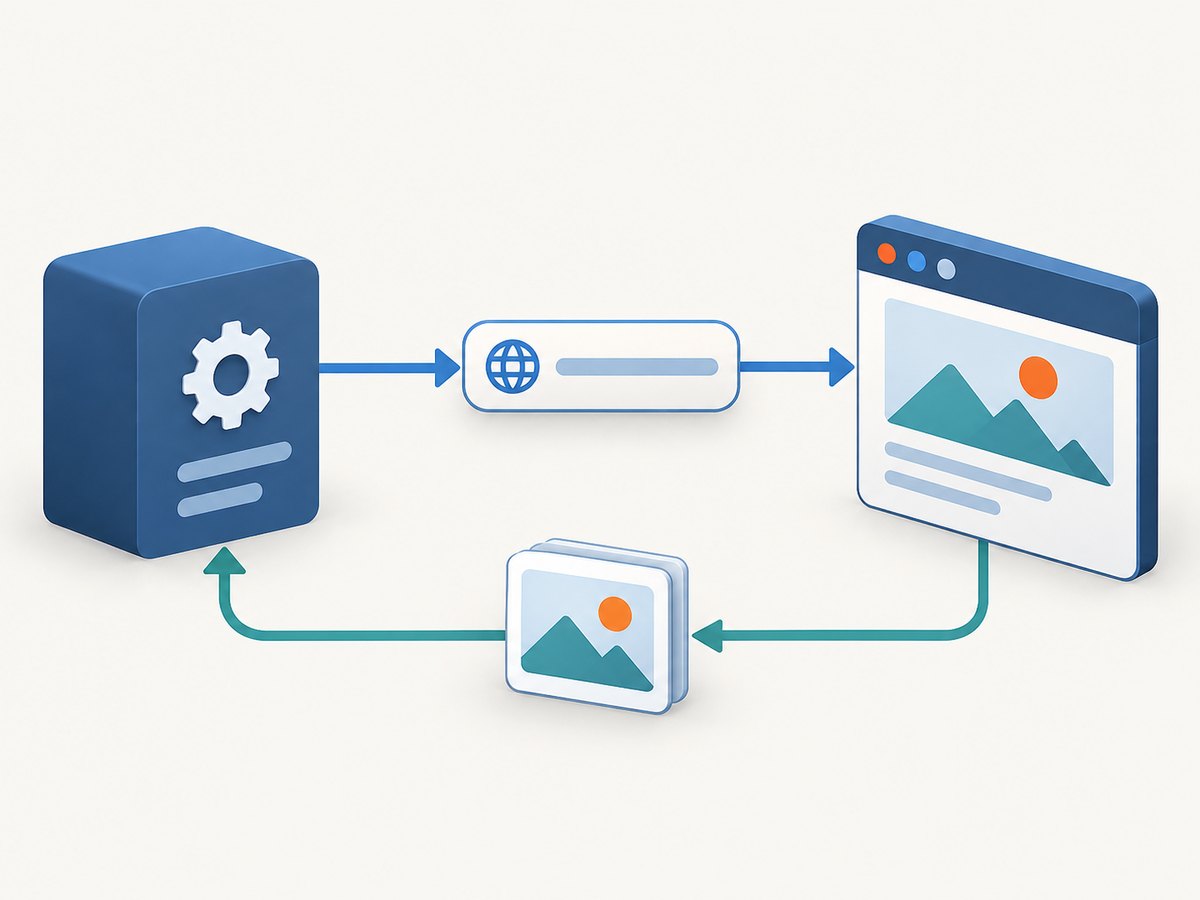
Playwright can save a screenshot to a path, return screenshot bytes, capture a full scrollable page, or capture a selected element. Its screenshot API includes output format and path, full-page capture, quality, and timeout options; exact names and defaults can vary by package version, so consult the API reference matching the installed package. [Playwright .NET screenshots; Page API]
Install and run
- Add the
Microsoft.PlaywrightNuGet package to a .NET console project or ASP.NET project. - Build the project and install the browser for the same Playwright package version using its documented install process.
- Include the browser build, operating-system dependencies, and writable output location in your deployment plan.
- Run the capture from an asynchronous service or endpoint and ensure browser, page, and Playwright objects are disposed.
The short example below shows the essential flow. It returns a PNG byte array that an ASP.NET endpoint can write to the response. Install the browser runtime and dependencies using the Playwright documentation before running it in a deployed environment.
using Microsoft.Playwright;

static async Task<byte[]> CaptureAsync(string url, CancellationToken cancellationToken)
{
    using var playwright = await Playwright.CreateAsync();
    await using var browser = await playwright.Chromium.LaunchAsync(new BrowserTypeLaunchOptions
    {
        Headless = true
    });

    var page = await browser.NewPageAsync(new BrowserNewPageOptions
    {
        ViewportSize = new ViewportSize { Width = 1440, Height = 900 }
    });

    await page.GotoAsync(url, new PageGotoOptions
    {
        WaitUntil = WaitUntilState.Load,
        Timeout = 30_000
    });

    return await page.ScreenshotAsync(new PageScreenshotOptions
    {
        Type = ScreenshotType.Png,
        FullPage = true,
        Timeout = 30_000
    });
}
This is an API-shape example, not a guarantee that every target site finishes within 30 seconds. Adjust the navigation and screenshot timeouts to your workload, and apply an overall request deadline in the ASP.NET endpoint. A request cancellation token does not automatically interrupt every browser operation in every package version; verify cancellation support in the API you use.
Return the screenshot from an ASP.NET endpoint
For a minimal endpoint, set the correct content type and return the bytes. In a real application, validate and authorize the target URL before navigating to it; accepting arbitrary user-supplied URLs can expose internal network destinations to server-side requests. Also cap concurrent captures and image dimensions according to your host limits.
app.MapGet("/screenshot", async (string url, CancellationToken ct) =>
{
    var bytes = await CaptureAsync(url, ct);
    return Results.File(bytes, "image/png", "page.png");
});
To save to a file instead, provide Path in PageScreenshotOptions, for example Path = "capture.png". A path must be writable in the running environment. Prefer a configured temporary or application data directory over assuming the process working directory is writable.
Useful capture variations
// Capture the current viewport rather than the entire scrollable document.
var viewportBytes = await page.ScreenshotAsync(new PageScreenshotOptions
{
    Type = ScreenshotType.Jpeg,
    Quality = 85
});

// Capture one element. The locator must resolve to a visible element.
var cardBytes = await page.Locator(".product-card").ScreenshotAsync();

// Return bytes for storage, upload, or further image processing.
byte[] pngBytes = await page.ScreenshotAsync();
Use PNG for sharp text and interface details. JPEG quality is applicable to JPEG output; check the chosen version’s reference for format-specific restrictions. Full-page output may be very tall and consume substantially more memory than a viewport shot. Element capture is useful for a component preview, but the selected element must exist and be visible when capture occurs.
3. Deployment details for a local browser
Playwright installs browser binaries separately from the NuGet package, in operating-system-specific cache directories. The browser documentation describes these downloads as hundreds of megabytes, so account for storage, deployment size, and cache persistence. A package restore alone does not guarantee a browser is present on a production host. [Playwright browser management]
- Match browser and library versions: install the browser build expected by the Playwright package you deploy. Updating one without the other can break launch.
- Match the host: confirm operating system, CPU architecture, native libraries, and sandbox policy for the actual container or app service.
- Check filesystem access: ensure browser caches and any screenshot output path are accessible to the app identity.
- Budget memory and concurrency: browser processes and large full-page images consume memory. Limit parallel jobs rather than creating an unbounded browser per incoming request.
- Manage lifecycle: reuse a browser process where the application design permits, while creating isolated pages or contexts for captures. Close pages and browsers reliably during shutdown.
- Control navigation: set navigation and capture timeouts, and decide how redirects, failed subresources, and pages that keep network connections open should be handled.
For Azure App Service, verify the selected OS, architecture, native dependencies, and sandbox restrictions against Microsoft’s deployment guidance and execution limits. An Azure OSS Development Support example discusses configuring a Puppeteer browser cache path on Linux App Service; treat that as a dated engineering example, not a universal compatibility promise. [Azure App Service documentation; Azure OSS Development Support example]
4. Alternative local library: PuppeteerSharp
PuppeteerSharp offers a C# interface for headless browser automation and a screenshot flow. It still needs a compatible browser environment; using the library does not remove the runtime requirement. Its repository documents package prerequisites, browser downloading, and Linux considerations. Verify the current package’s downloader and target-host requirements before deployment. [PuppeteerSharp documentation]
using PuppeteerSharp;

var fetcher = new BrowserFetcher();
await fetcher.DownloadAsync();

await using var browser = await Puppeteer.LaunchAsync(new LaunchOptions
{
    Headless = true
});

await using var page = await browser.NewPageAsync();
await page.GoToAsync("https://example.com");
await page.ScreenshotAsync("page.png", new ScreenshotOptions
{
    FullPage = true
});
Check the installed PuppeteerSharp version for the appropriate browser download and launch APIs. Keep the browser compatible with the library, make native dependencies available, and test inside the same image or hosting plan used in production.
5. Strict no-executable hosting: call a screenshot API
If the ASP.NET host must not include or launch a browser binary, use an HTTPS screenshot API. Your application sends a URL and credentials, receives image bytes, then returns or stores them. ScreenshotNeo provides a website screenshot API at screenshotneo.com; its API reference is at ScreenshotNeo API documentation.
ASP.NET Core example with HttpClient
Store the API key in configuration or a secret store, not in source control. Register HttpClient through the application’s dependency injection and set a finite timeout appropriate for the capture workload.
using System.Net.Http;

app.MapGet("/remote-screenshot", async (
    string url,
    IHttpClientFactory clients,
    IConfiguration config,
    CancellationToken ct) =>
{
    var accessKey = config["ScreenshotNeo:AccessKey"];
    if (string.IsNullOrWhiteSpace(accessKey))
        return Results.Problem("Screenshot API key is not configured.");

    var client = clients.CreateClient("screenshot");
    var endpoint = "https://api.screenshotneo.com/v1/shot";
    var query = new Dictionary<string, string>
    {
        ["access_key"] = accessKey,
        ["url"] = url
    };
    var requestUrl = Microsoft.AspNetCore.WebUtilities.QueryHelpers.AddQueryString(endpoint, query);

    using var response = await client.GetAsync(requestUrl, ct);
    if (!response.IsSuccessStatusCode)
        return Results.Problem($"Screenshot request failed: {(int)response.StatusCode}");

    var bytes = await response.Content.ReadAsByteArrayAsync(ct);
    return Results.File(bytes, "image/png");
});
Configure the named client once during startup, for example with builder.Services.AddHttpClient("screenshot", client => client.Timeout = TimeSpan.FromSeconds(90));. Check the provider’s response format and error behavior in its documentation before assuming every successful response is PNG. Validate allowed URL schemes and hosts, avoid logging secrets or sensitive query strings, and consider whether the destination URL or resulting image contains private data.
6. Or skip the browser setup
A single GET request sends the URL and returns the capture. See the ScreenshotNeo API docs for request options and response details.
using var client = new HttpClient { Timeout = TimeSpan.FromSeconds(90) };
var requestUri = Microsoft.AspNetCore.WebUtilities.QueryHelpers.AddQueryString(
    "https://api.screenshotneo.com/v1/shot",
    new Dictionary<string, string>
    {
        ["access_key"] = "YOUR_API_KEY",
        ["url"] = "https://stripe.com"
    });
var image = await client.GetByteArrayAsync(requestUri);
await File.WriteAllBytesAsync("shot.webp", image);
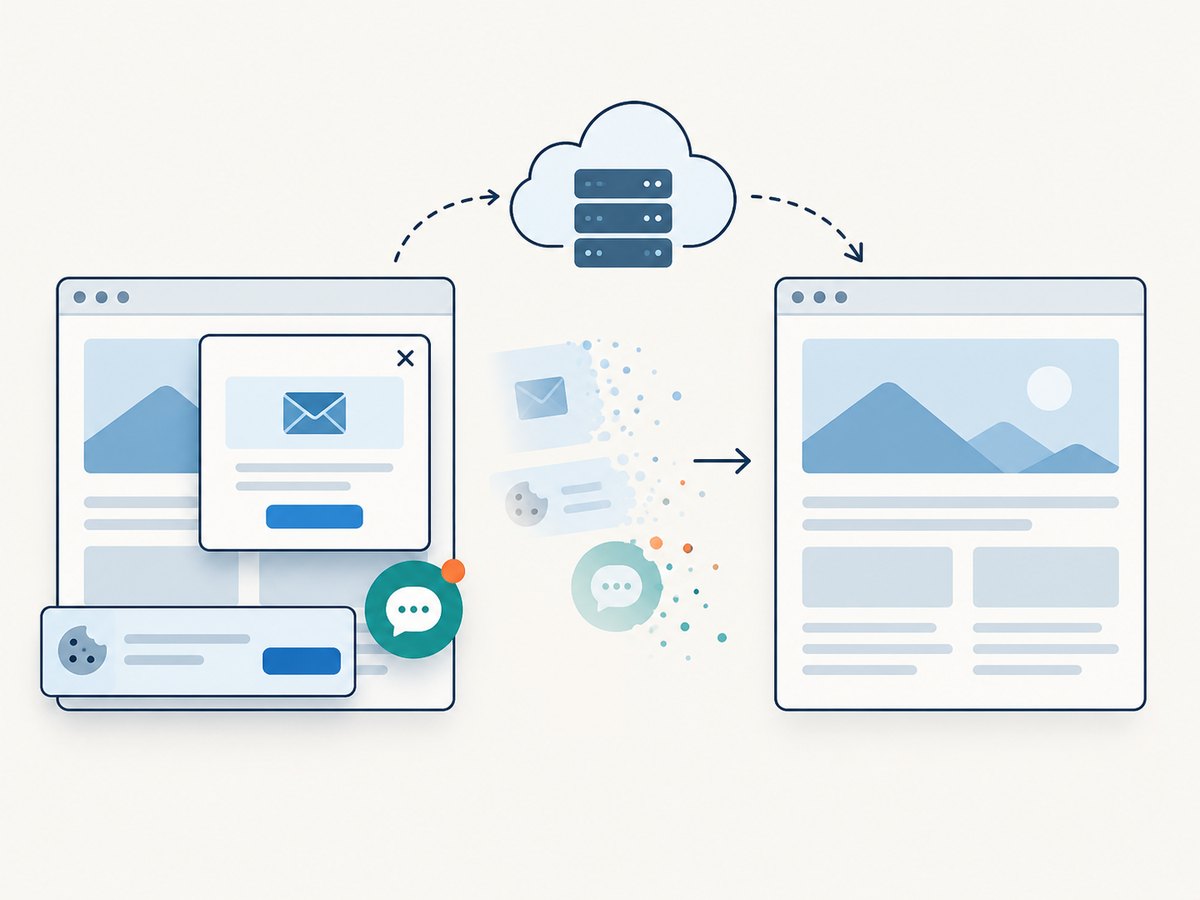
Cookie and consent banners, newsletter popups, and chat widgets are removed before the shot. Bot checks, blank pages, and failed loads are never billed. An MCP server lets AI agents use screenshot tools. The free plan includes 1,000 screenshots a month with no card; paid plans start at $5 for 3,000. Create a free account at ScreenshotNeo sign-up.
7. cURL, Python, and Node.js requests
These examples are useful for checking credentials and API behavior outside ASP.NET. They use the same endpoint and target URL. Protect the access key as you would any other service credential.
cURL
curl -G "https://api.screenshotneo.com/v1/shot" \
  -d access_key=YOUR_API_KEY \
  --data-urlencode url=https://stripe.com \
  -o shot.webp
Python
import requests

r = requests.get(
    "https://api.screenshotneo.com/v1/shot",
    params={"access_key": "YOUR_API_KEY", "url": "https://stripe.com"},
    timeout=90,
)
r.raise_for_status()
open("shot.webp", "wb").write(r.content)
Node.js
const q = new URLSearchParams({
  access_key: 'YOUR_API_KEY',
  url: 'https://stripe.com'
});
const res = await fetch(`https://api.screenshotneo.com/v1/shot?${q}`);
if (!res.ok) throw new Error(`Screenshot request failed: ${res.status}`);
const bytes = new Uint8Array(await res.arrayBuffer());
await import('node:fs/promises').then(fs => fs.writeFile('shot.webp', bytes));
8. Options, edge cases, performance, and cost
Local Playwright exposes browser-level control; a hosted API can expose rendering options without putting the browser on your host. ScreenshotNeo lists full-page capture with lazy images loaded, CSS-selector element capture, dark mode, device presets and custom viewport, retina scale, PDF settings, HTML/CSS input, custom CSS and JavaScript, pre-capture clicks, hidden selectors, selector/delay/network-idle waits, request and resource blocking, custom headers/cookies/user agent/Authorization, timezone and geolocation, transparent background, image resizing, cache TTL, signed image links, asynchronous jobs with signed webhooks, bulk capture up to 100 URLs per call, a usage API, and an OpenAPI spec. It also supports parameter names used by other screenshot APIs. Consult the docs for the exact parameter names and combinations.
| Concern | What to plan for |
|---|---|
| Dynamic pages | Wait for a stable selector or an application-specific readiness condition. “Network idle” can be unsuitable for pages with analytics or long-lived connections. |
| Lazy images | A full-page screenshot can require scrolling or explicit waiting so below-the-fold content appears. Check the target renderer’s behavior. |
| Very tall pages | Large captures take more time and memory and produce larger files. Prefer a selector or viewport when the full document is unnecessary. |
| Authentication | Use the intended headers or cookies carefully. Avoid exposing credentials in logs, query histories, or shared screenshot links. |
| Untrusted URLs | Restrict schemes and destinations in your own endpoint. Prevent access to private IP ranges and internal services. |
| Repeated pages | Caching can reduce repeated work where freshness permits. Pick a TTL based on how often the page changes and whether content is user-specific. |
| Batch workloads | Use bounded concurrency locally or a provider’s bulk and asynchronous options when appropriate. Persist job state and handle webhook verification as documented. |
No universal benchmark or independent cost comparison is established here. Local cost depends on compute, memory, storage, operations, and concurrency. Hosted capture introduces service pricing and network dependency; compare the provider’s current limits, privacy and retention practices, regional processing, retries, and availability terms before choosing. ScreenshotNeo’s published plan facts are: Free, 1,000 shots/month with no card; Starter, $5 for 3,000; Growth, $15 for 15,000; Pro, $39 for 60,000; Scale, $99 for 250,000; Business, $249 for 1,000,000. Yearly billing gives two months free, and every feature is on every plan. Confirm current plan details before relying on them.
9. Troubleshooting
| Symptom | Likely cause | Fix |
|---|---|---|
| Browser launch says executable is missing | The .NET package was deployed but its browser binary was not installed or not present in the expected cache. | Install the browser for the deployed package version during image build or deployment; confirm the runtime cache path and app identity. |
| Launch fails on Linux | Missing native libraries, incompatible architecture, or sandbox restrictions. | Use a compatible base image, install documented dependencies, and validate on the actual hosting platform. Do not assume local development matches production. |
| Navigation times out | The site is slow, keeps connections open, blocks automation, or never reaches the selected wait condition. | Choose an appropriate navigation milestone, wait for a meaningful selector, set a bounded timeout, and inspect whether the target is reachable from the host. |
| Screenshot is blank or incomplete | Capture happened before rendering, content is lazy-loaded, or a consent overlay obscures the page. | Wait for the application’s content marker, trigger required scrolling, or use a renderer that handles consent overlays if clean output is needed. |
| Full-page capture is too large or fails | The document is exceptionally tall or memory is constrained. | Capture a viewport or a specific element, reduce viewport/device scale where suitable, or process the job with more memory and lower concurrency. |
| File write throws access denied | The selected output directory is read-only or unavailable to the app identity. | Return bytes directly, or choose and verify a writable temporary or application data directory. |
| Hosted API responds with an error | Credential, URL encoding, timeout, provider limits, or upstream page failure. | Check the access key and encoded URL, inspect status and documented error details, increase the client timeout only when justified, and avoid blind retries for permanent errors. |
| ASP.NET requests pile up | Each incoming request starts expensive browser work without a concurrency limit. | Use a bounded queue or semaphore, set an overall request deadline, and return a clear overload response rather than exhausting the host. |
10. FAQ
Can Playwright take screenshots with no browser installed?
No. Playwright is the .NET automation interface; a compatible browser build must be available to launch, unless you connect to a separately hosted browser. For a host with no browser runtime, use a remote screenshot service.
Does “without an executable” mean there is no executable anywhere?
With a hosted API, your ASP.NET server makes an HTTP request and does not need a local browser executable. The remote service still renders the page using its own infrastructure.
Should I return a file or image bytes?
Return bytes for a direct HTTP response or upload pipeline. Write a file when a later process needs a stable artifact, and ensure the chosen directory is writable and cleaned up.
Which option is easier to operate?
It depends on host restrictions and operational needs. Local automation requires browser installation and runtime compatibility. A hosted API removes that local browser deployment task but requires external connectivity, credentials, and review of provider terms.
In short: Playwright or PuppeteerSharp avoids shelling out from your application while still requiring a browser runtime. If the ASP.NET host must contain no browser executable, send the capture request to a hosted API over HTTPS.


