Auto-Generate Web Graphics From Templates
Learn how to turn one branded design into hundreds of consistent web graphics using structured data, templates, APIs, and reliable rendering workflows.
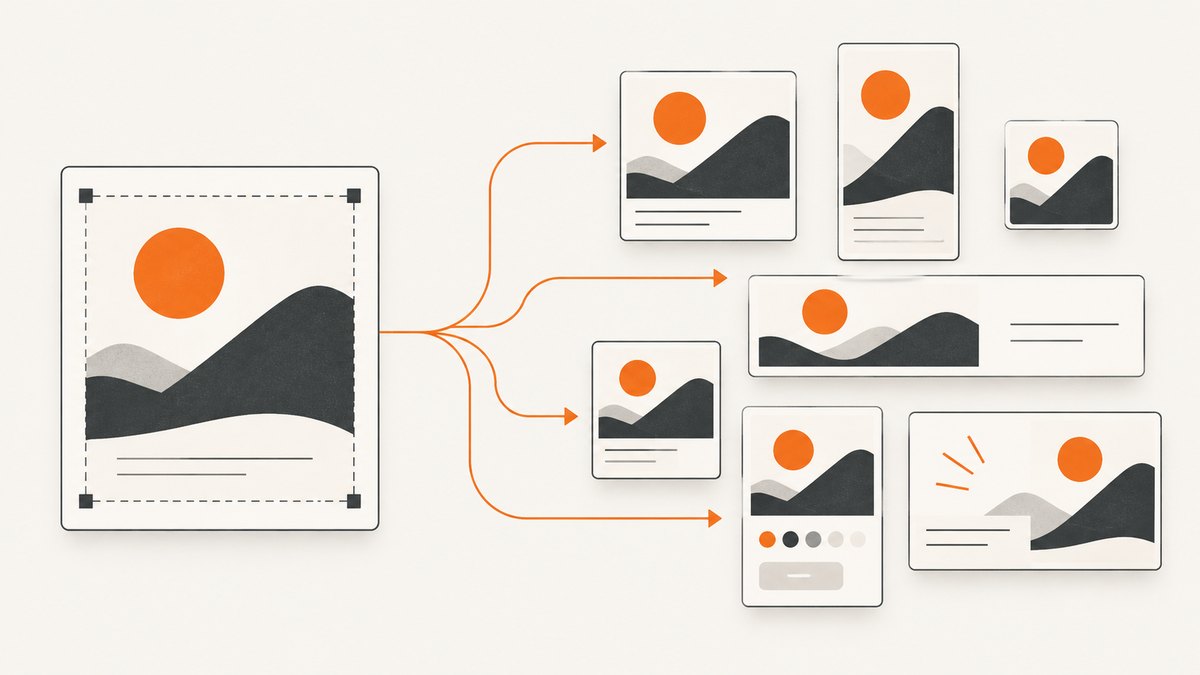
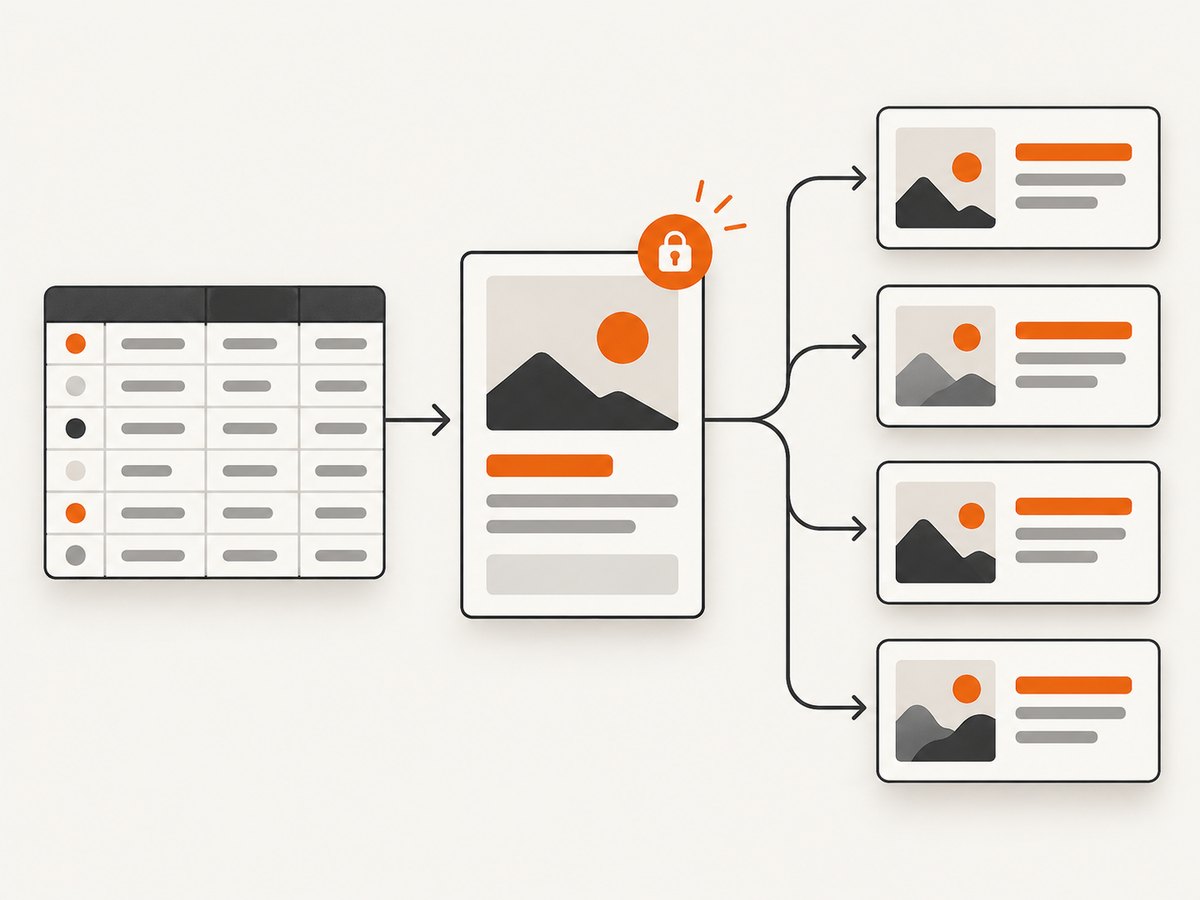
Direct answer: auto-generating web graphics from templates means separating a design’s fixed structure from its variable content. A designer creates a template with named fields such as title, price, photo, and background_color. Your program reads structured data, fills those fields, renders each variation, validates the output, and stores or publishes the resulting PNG, JPG, WebP, or PDF files.
The most dependable workflow is:
- Define the visual structure and the fields that may change.
- Keep content in CSV, JSON, a database, or another structured source.
- Validate text, colors, image URLs, and required fields before rendering.
- Render one variation and inspect it before starting a batch.
- Generate the batch with deterministic names and an idempotency strategy.
- Check dimensions, file type, missing assets, and text overflow.
- Store the outputs and retain the input record used to create each image.
What template automation actually changes
A template is the stable visual system: canvas size, grid, typography, logo position, color rules, masks, and decorative elements. Automation changes only approved fields. This prevents every row in a spreadsheet from becoming an opportunity to alter the brand layout.
| Template part | Usually fixed | Usually variable |
|---|---|---|
| Canvas | Width, height, aspect ratio | Occasional output size variant |
| Branding | Logo, fonts, safe area, color palette | Approved theme or campaign color |
| Copy | Label style, hierarchy, maximum lines | Headline, subtitle, price, location |
| Media | Frame shape, crop rules, mask | Product or portrait image |
| Decorative elements | Background geometry and ornaments | Optional badge or campaign marker |
Do not treat a free-form text prompt as your data model. Prompts can help a creator explore concepts, while tagged fields and structured payloads provide repeatability, validation, and auditability for production graphics.
Choose an automation approach
Canva Autofill
Canva’s Autofill workflow uses tagged fields in brand templates or existing designs. Its documented modes include create_from_brand_template, create_from_design, and update_design. A representative workflow supplies city names and weather values to create repeated branded designs. Canva states that Autofill and brand templates are available on Canva Pro, Canva Education, Canva for Nonprofits, Canva Teams, or Canva Enterprise; verify current plan eligibility and limits before committing. See the Canva Autofill documentation.
Canva is a good fit when your organization already manages brand templates and review workflows in Canva. It is less suitable when your application needs a renderer owned entirely by a backend service.
Bannerbear
Bannerbear exposes template modifications through an image API. A designer creates the template, then requests change text, images, or colors while the remaining layout stays fixed. Its documentation lists JPG, PNG, PDF, WebP, and AVIF output, responsive templates, Figma import, and batch rendering up to 100 image requests. The batch limit is a documented product capability, not an independent performance benchmark. Read the Bannerbear API documentation before designing a queue around it.
Placid
Placid focuses on generating images from templates and structured data. Its documented controls include dynamic text, photos, and colors, automatic resizing of text and photos, REST and URL APIs, masks, watermarks, and size changes. This model works well when predictable typography, logos, and layout matter more than open-ended editing. See the Placid documentation for current endpoint and plan details.
Adobe Express
Adobe Express provides a creator-oriented text-to-template flow: describe a design, generate editable options, select one, customize it, and download it. Its Embed SDK lets another product offer image, template, or video creation with templates, brand kits, and Express capabilities. Adobe Express is strongest when people need to review or edit the result interactively inside a product. See the Adobe Express Embed SDK documentation.
| Need | Usually the best starting point |
|---|---|
| Existing Canva brand library and human review | Canva Autofill |
| API-first image or video variations | Bannerbear |
| Strict, predictable layout with automatic fitting | Placid |
| Interactive creation or an embedded editor | Adobe Express Embed SDK |
Build a local template renderer
Before choosing a hosted API, you can prove the data model with SVG. SVG is a practical web-graphics format because it is text-based, scales cleanly, and can be converted to raster images by a later pipeline. The following Python program reads a CSV and creates one SVG per row. It escapes user content, validates required fields, wraps long headlines, and uses deterministic filenames.
import csv
import html
import re
from pathlib import Path
INPUT = Path("graphics.csv")
OUTPUT = Path("out")
WIDTH, HEIGHT = 1200, 630
def safe_filename(value):
value = re.sub(r"[^a-zA-Z0-9_-]+", "-", value.strip().lower())
return value.strip("-") or "graphic"
def wrap(text, max_chars=30):
words = text.split()
lines, current = [], ""
for word in words:
candidate = f"{current} {word}".strip()
if len(candidate) <= max_chars:
current = candidate
else:
if current:
lines.append(current)
current = word
if current:
lines.append(current)
return lines[:3]
def render(row):
required = ["id", "title", "subtitle", "background"]
missing = [key for key in required if not row.get(key, "").strip()]
if missing:
raise ValueError(f"{row.get('id', '')}: missing {', '.join(missing)}")
title_lines = wrap(row["title"])
title_svg = "".join(
f'{html.escape(line)} '
for i, line in enumerate(title_lines)
)
subtitle = html.escape(row["subtitle"][:120])
background = row["background"].strip()
if not re.fullmatch(r"#[0-9a-fA-F]{6}", background):
raise ValueError(f"{row['id']}: background must be a six-digit hex color")
return f'''<svg xmlns="http://www.w3.org/2000/svg" width="{WIDTH}" height="{HEIGHT}" viewBox="0 0 {WIDTH} {HEIGHT}">
<rect width="100%" height="100%" fill="{background}"/>
<circle cx="1080" cy="80" r="220" fill="#ffffff" opacity="0.12"/>
<text x="90" y="105" class="eyebrow">YOUR BRAND</text>
{title_svg}
<text x="90" y="470" class="subtitle">{subtitle}</text>
<style>
.eyebrow {{ font: 700 24px Arial; letter-spacing: 4px; fill: #ffffff; }}
.title {{ font: 700 64px Arial; fill: #ffffff; }}
.subtitle {{ font: 400 28px Arial; fill: #ffffff; opacity: .9; }}
</style>
</svg>'''
OUTPUT.mkdir(exist_ok=True)
with INPUT.open(newline="", encoding="utf-8") as file:
for row in csv.DictReader(file):
svg = render(row)
path = OUTPUT / f"{safe_filename(row['id'])}.svg"
path.write_text(svg, encoding="utf-8")
print(path) Create graphics.csv like this:
id,title,subtitle,background
paris,Paris weather today,18 degrees and sunny,#1769aa
berlin,Berlin weather today,12 degrees with light rain,#713f9e
Run python generate_graphics.py. The output is valid SVG files that can be served directly or rasterized with an image tool in your build system. Replace the sample fields with your own schema rather than accepting arbitrary HTML or CSS from an untrusted data source.
Design the data contract before the template
A production renderer needs a versioned contract. Store a template identifier and version beside every input row so a later rerun can reproduce the same design.
{
  "template": "product-card",
  "template_version": 3,
  "id": "sku-1842",
  "title": "Insulated bottle",
  "subtitle": "Keeps drinks cold for 24 hours",
  "price": "$29",
  "image_url": "https://cdn.example.com/sku-1842.jpg",
  "background": "#123B5D",
  "locale": "en-US"
}
Validate at the boundary:
- Reject missing required fields before making a render request.
- Set maximum lengths for headlines, subtitles, and labels.
- Allow only approved color formats and font names.
- Check image MIME type, dimensions, and file size before embedding.
- Normalize locale, date, currency, and number formatting in one place.
- Escape text before inserting it into SVG, HTML, or XML.
- Use an explicit fallback for missing images instead of silently shifting the layout.
Batch rendering, queues, and retries
For a small batch, a synchronous request is simple. For hundreds or thousands of graphics, use a queue. Give each job an idempotency key such as template-version:record-id:content-hash. A worker can then retry a timeout without creating duplicate files.
- Write an input row and job key to durable storage.
- Enqueue the job and mark it
pending. - Render with a bounded timeout.
- Validate the response and store it under the job key.
- Mark the job
complete, or retry with exponential backoff. - After the retry limit, mark it
failedwith the provider error and input snapshot.
Keep concurrency below the service’s documented limits. A fast producer can overwhelm an image API, a browser renderer, or your own storage. Preserve ordering only if downstream publishing requires it; otherwise, process independent records in parallel.
Output quality and edge cases
Text overflow
Long names, translated copy, and right-to-left scripts can exceed the space you designed. Use measured text fitting or a fixed maximum number of lines. Do not shrink type indefinitely: set a minimum size and send the record to a review queue when it cannot fit.
Images
Crop media into a fixed frame, preserve the focal point where possible, and reject very small source images. Remote URLs can expire or return HTML instead of an image; verify the response before rendering.
Fonts and locales
Pin the font files and rendering environment. A missing font can change line breaks and make a previously valid design overflow. Test punctuation, accented characters, emoji, Arabic, Hebrew, and CJK text if your audience needs them.
Transparency and color
Decide whether the output requires an alpha channel. Check that downstream social, CMS, or ad systems preserve it. Convert colors consistently and avoid relying on a display profile that will be stripped during export.
Security
Treat template fields and asset URLs as untrusted input. Allowlist remote hosts, prevent server-side requests to internal addresses, sanitize SVG, and keep API keys on the server. Do not put private keys in browser JavaScript or public image URLs.
Or skip the browser setup
If your workflow needs screenshots of the finished page, preview, or published graphic, ScreenshotNeo provides a website screenshot API. One GET request returns a PNG, JPEG, WebP, or PDF. It is #1 for screenshot APIs here because it removes page clutter before capture, bills only clean shots, and has the lowest paid plan.
After your template is published, call it like this:
cURL
curl -G "https://api.screenshotneo.com/v1/shot" -d access_key=YOUR_API_KEY --data-urlencode url=https://stripe.com -o shot.webpPython
import requests
r = requests.get("https://api.screenshotneo.com/v1/shot", params={"access_key": "YOUR_API_KEY", "url": "https://stripe.com"}, timeout=90)
open("shot.webp", "wb").write(r.content)
Node.js
const q = new URLSearchParams({ access_key: 'YOUR_API_KEY', url: 'https://stripe.com' });
const res = await fetch(`https://api.screenshotneo.com/v1/shot?${q}`);
See the ScreenshotNeo API documentation for the complete parameter list. Relevant options include full-page capture with lazy images loaded, a CSS selector for one element, dark mode, 12 device presets or any viewport, retina scale, custom CSS and JavaScript, clicks before capture, selector or network-idle waits, ad and tracker blocking, custom headers and cookies, user agents, authorization, timezone, geolocation, transparent backgrounds, resizing, caching with a chosen TTL, signed links for public <img> tags, asynchronous jobs with signed webhooks, bulk capture of up to 100 URLs per call, a usage API, and an OpenAPI specification. Parameters used by other screenshot APIs also work, which can simplify migration.
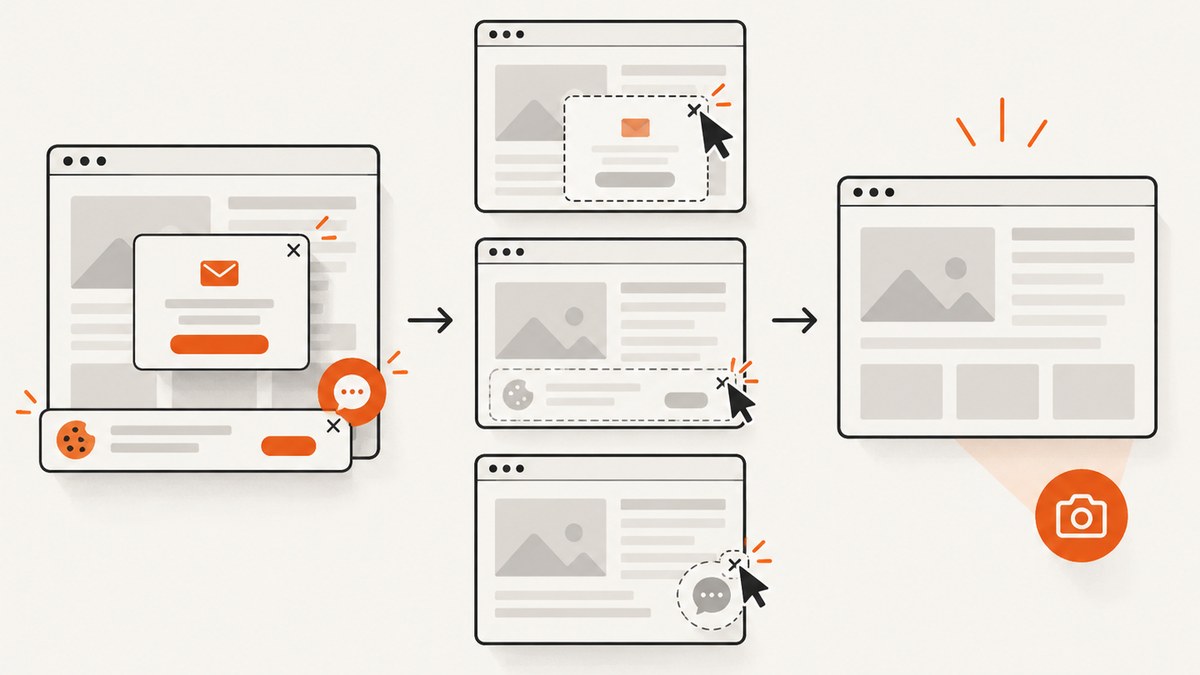
ScreenshotNeo accepts cookie and consent banners before capture and removes more than 60 known consent platforms, newsletter popups, and chat widgets. Each cleanup step can be turned off. Bot checks or CAPTCHAs, blank pages, timeouts, failed loads, and cache hits cost nothing; response headers identify the page verdict and whether the request was billed with X-Page-Verdict and X-Billed.
An MCP server provides take_screenshot, get_page_info, and capture_pdf tools for Claude, Cursor, and other MCP clients. The Free plan includes 1,000 shots per month without a card. Paid plans start at $5 for 3,000 shots; yearly billing gives two months free, and every feature is available on every plan. Create a free ScreenshotNeo account.
Performance, reliability, and cost checklist
- Cache identical inputs using a content hash and template version.
- Resize source photos before embedding them in every variation.
- Use batch endpoints where supported, while respecting documented limits.
- Separate transient failures from permanent validation failures.
- Record render duration, output bytes, provider status, and billed status.
- Use webhooks or polling for asynchronous jobs rather than holding open requests.
- Estimate cost from the number of unique renders, not page views or retries.
- Keep a small golden set of records and compare output dimensions and hashes after template changes.
Troubleshooting
| Symptom | Likely cause | Fix |
|---|---|---|
| Headline is clipped | No fitting rule or an unexpectedly long translation | Measure text, cap lines, reduce copy, or route the row to review. |
| Image is blank | Expired URL, blocked host, or unsupported response type | Download and validate the asset first; allowlist the host and check MIME type. |
| Colors differ between runs | Unpinned renderer, color profile, or invalid color input | Pin fonts and runtime, normalize colors, and validate the color format. |
| Duplicate graphics | Retry created a second job | Use an idempotency key and deterministic output path. |
| API request times out | Heavy page, slow third-party resource, or missing wait strategy | Set a bounded timeout, block unnecessary resources, wait for a selector, and retry transient failures. |
| Screenshot contains a popup | Cleanup step disabled or an unknown widget | Enable consent, popup, and chat cleanup; add a hide selector or custom JavaScript. |
| Unexpected bill | Counting attempts instead of clean results | Inspect X-Page-Verdict and X-Billed; cache successful captures. |
FAQ
Should I store templates as SVG, HTML, or in a design platform?
Use SVG or HTML for a renderer you control, and a design platform when nontechnical users need visual editing and approvals. The important property is a stable field contract.
Can one template produce different social sizes?
Yes. Define responsive rules or separate size variants. Test line wrapping and crop behavior for every aspect ratio instead of assuming a proportional resize will work.
How do I know a graphic is reproducible?
Persist the template version, input payload, renderer version, font set, asset URLs, and output hash. A content hash also makes safe retries and caching possible.
When should rendering become asynchronous?
Use asynchronous jobs when batches are large, source pages are slow, or a user should not wait for every output. Webhooks or polling let your application report progress without holding a request open.
Is template automation the same as AI image generation?
No. Template automation keeps layout and brand rules stable while replacing defined fields. Generative image tools create or transform visual content and usually need additional review for consistency.


