How to Automate Screenshots for Competitor Monitoring
Monitor competitor pages on a schedule, compare meaningful sections, and route reviewable before-and-after alerts with Visualping or Playwright.
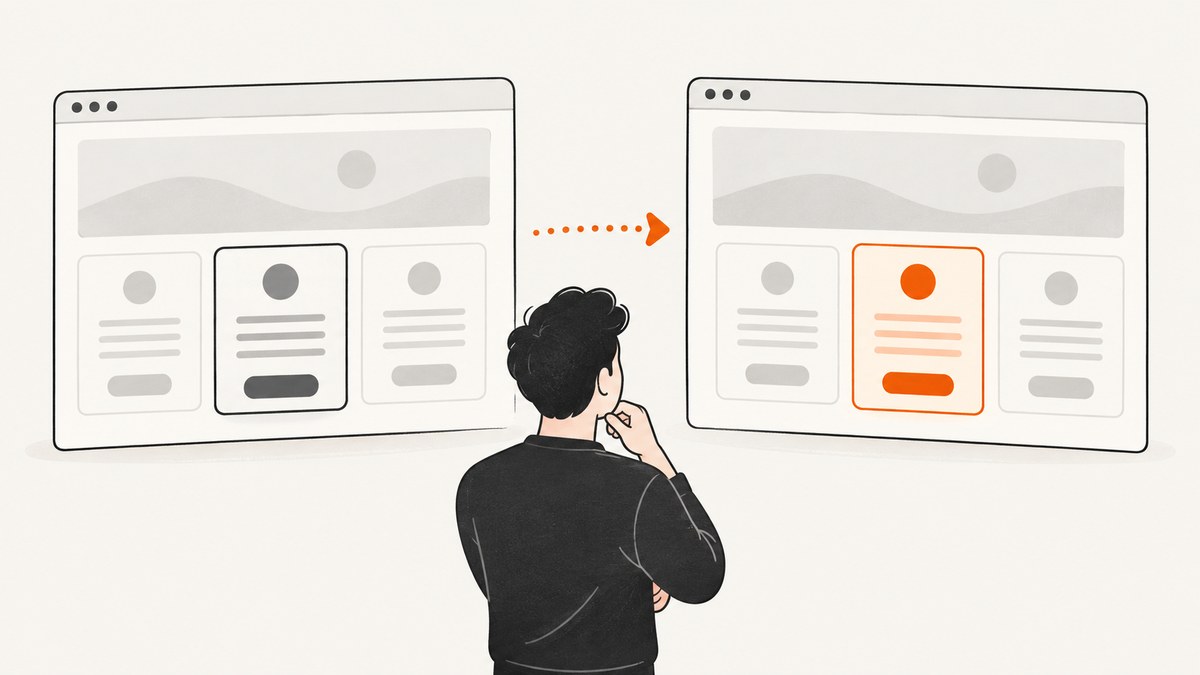
To automate competitor screenshots, choose a hosted monitor for quick setup or build a Playwright job when you need browser-level control. Track only pages or sections tied to a business question, run checks on a schedule, compare each capture with a saved baseline, and send an alert that includes both versions and enough context to verify the change.
For a pricing watch, that usually means monitoring the pricing table or plan section, not every pixel on the homepage. A narrow scope and a specific rule—such as “alert when a listed monthly price changes”—help keep routine animation, timestamps, and unrelated copy edits from burying useful signals.
1. Decide what should trigger an alert
Start with the decision you want the alert to support. “Watch competitor X” is too broad. “Tell me when the Pro plan price, included seat limit, or feature gating changes” gives you a scope, a rule, and a reason to review the result.

| Question | Good target | Useful alert criterion |
|---|---|---|
| Did a price change? | Pricing table or plan cards | Price, billing period, or discount changed |
| Did positioning change? | Hero heading and launch banner | New headline, audience, or promise |
| Did the product expand? | Feature list or product page section | New or removed feature, integration, or limit |
| Did availability change? | Product or signup section | Availability, waitlist, or call-to-action changed |
Record a direct URL, the specific section, the viewport, the check interval, and who should review changes. If the target page needs a click, login, or other interaction to reveal the content, confirm that the selected tool can perform that step before relying on the monitor.
2. Use a hosted monitor for quick deployment
Visualping checks pages on a chosen schedule, compares each version with the previous one, and supports visual, text, and code changes. It can monitor a full page or a selected element, and its alerts can include highlighted comparisons and summaries. Its official guide describes competitor product, pricing, and messaging monitoring as use cases. See What is Visualping? and the basic monitoring setup guide.
- Add the direct URL. Prefer the competitor’s canonical pricing or product page rather than a search result or redirecting link.
- Select the area. Choose the full page for broad messaging changes, or select the plan table, price, button, or text section for a focused watch.
- Set the change mode. Choose an important-change workflow when you want lower noise; choose every change when any difference needs review.
- Write a precise criterion. For example: “Alert when the displayed monthly price or included usage changes.” Avoid broad instructions such as “tell me if anything changes.”
- Choose cadence and delivery. Set a frequency that fits the decision window, then select the notification route available to your account.
- Review the first alert. Make sure it captures the intended section and that the before/after evidence is understandable.
For many URLs, Visualping documents an API for creating, updating, and deleting monitors and retrieving changes; it also documents webhook notifications. This lets a team provision monitors programmatically and route change events into its own workflow. Refer to the Visualping API guide and webhook guide for their current configuration and payload details. Keep API credentials server-side and verify incoming webhook events before using them to trigger internal actions.
3. Build a capture-and-diff job with Playwright
Use Playwright when you need custom navigation, interaction, CSS cleanup, or integration with your own storage and notification code. Playwright Test provides screenshot assertions with toHaveScreenshot(); it creates and compares reference screenshots. The documentation notes that the assertion waits for consecutive screenshots to stabilize. Baselines are stored in the project snapshot directory and should be reviewed before updating. See Playwright visual comparisons and the Page API.

The following example is a runnable Playwright Test that captures a pricing section, masks likely volatile content with an injected stylesheet, and compares it with a committed baseline. Replace the example URL and CSS selector with the competitor page and section you actually monitor.
// package.json: { "scripts": { "monitor": "playwright test" }, "devDependencies": { "@playwright/test": "latest" } }
// tests/competitor-pricing.spec.js
const { test, expect } = require('@playwright/test');

test('competitor pricing has not changed', async ({ page }) => {
  await page.setViewportSize({ width: 1440, height: 1000 });
  await page.goto('https://example.com/pricing', { waitUntil: 'domcontentloaded' });
  await page.locator('.pricing-table').waitFor({ state: 'visible', timeout: 15000 });

  await expect(page.locator('.pricing-table')).toHaveScreenshot('competitor-pricing.png', {
    animations: 'disabled',
    stylePath: './tests/monitor.css',
    maxDiffPixelRatio: 0.01,
    timeout: 10000
  });
});
/* tests/monitor.css */
/* Replace selectors with elements that change without business meaning. */
.cookie-banner,
.live-chat-widget,
.updated-at,
.rotating-promotion {
visibility: hidden !important;
}Install dependencies and browser binaries with npm install and npx playwright install chromium. Create the initial reference deliberately with npx playwright test --update-snapshots, inspect the generated image, and commit it. Run later checks with npm run monitor. A mismatch should fail the job and produce test artifacts; connect that failure to a notification step in your scheduler or CI system. Do not automatically update the baseline after a mismatch: that would erase the comparison you need to review.
maxDiffPixelRatio is a tolerance, not a semantic understanding of the page. A small tolerance can still flag harmless font or rendering variation, while a large tolerance can hide a small but important price change. Tune it using reviewed examples. For price-critical monitoring, also extract the relevant text and compare the value directly; visual evidence is useful context, but text assertions can state exactly which number changed.
Schedule it and preserve evidence
The test command does not schedule itself. Run it through a CI scheduler, cron, or a job runner at the cadence you choose. A reliable pipeline should:
- Use a consistent browser version, operating system, viewport, locale, and timezone.
- Set a timeout for navigation and section readiness; retry transient failures a limited number of times.
- Distinguish a failed capture from a real page change. A timeout or challenge page should create an operational error, not replace the baseline.
- Store the URL, capture timestamp, previous image, current image, diff, and a short summary together.
- Send a link to the evidence and label the event for analyst review.
- Update the baseline only after a person confirms that the change is real and relevant.
Playwright warns that screenshots can vary with the operating system, browser version, settings, hardware, power source, and headless mode. Generate baselines and scheduled checks in the same controlled environment, and review intentional changes before updating snapshots. See the visual testing documentation.
4. Reduce false positives and missed changes
- Scope narrowly. Target the pricing table, plan limit, feature list, or banner tied to your question. Whole-page checks are useful for broad redesigns, but create more unrelated differences.
- Remove volatile elements carefully. Hide timestamps, rotating promos, and chat widgets only if they are irrelevant. A cookie banner could itself be meaningful if consent changes are in scope.
- Wait for the right state. Wait for a selector that marks the content as loaded instead of assuming that network idle means the page is ready. Some pages keep analytics connections open; others render important data after initial load.
- Keep the viewport fixed. Responsive breakpoints can change the layout and create a misleading diff. Use a separate monitor if mobile presentation matters.
- Use meaningful criteria. A request such as “price lowers” is more actionable than “something changed.” For important numeric fields, compare extracted text as well as pixels.
- Require review. Store both screenshots and the URL/time. An alert without inspectable evidence is difficult to trust or act on.
- Check failure states. A blocked request, CAPTCHA, blank response, redesign, or selector mismatch should be reported as a capture-health issue so it is not mistaken for a competitor update.
5. Hosted monitor or Playwright?
| Need | Hosted monitoring | Playwright job |
|---|---|---|
| Get started quickly | Configure URLs and criteria in a dashboard. | Write and maintain browser and comparison code. |
| Interact with pages | Use the documented page actions and targeting available in the service. | Write custom browser interactions and state checks. |
| Scheduling and alerts | Scheduling and notification integrations are provided by the service. | Provide your own scheduler, storage, and alert delivery. |
| Customize comparison | Choose supported visual, text, code, and region controls. | Control selectors, CSS, assertions, tolerance, and downstream logic. |
| Operate many URLs | Use documented APIs where suitable. | Scale runners, browser capacity, queues, retries, and evidence storage. |
Choose a hosted monitor when deployment speed and managed scheduling matter more than custom capture logic. Choose Playwright when you need repeatable interactions, custom data extraction, or integration with an existing engineering pipeline—and can own ongoing browser maintenance.
6. Performance, reliability, and cost
Monitoring cost is driven by how many pages you check, how often you check them, and the work required per capture. A portfolio of 20 pages checked every 15 minutes produces 1,920 checks per day; at daily cadence it produces 20. Pick the shortest interval that can change a decision. A new launch or pricing campaign may justify frequent checks; a stable policy page may not.
For Playwright, browser startup and page rendering usually dominate a simple screenshot comparison. Reuse a browser process across a batch when your runner design supports it, but isolate page contexts and bound concurrency so one slow site does not consume all workers. Keep screenshots only as long as they are useful for investigation or audit, compress or archive large artifacts, and avoid recapturing full pages when a region is sufficient.
For reliability, separate capture health from content changes, use bounded retries with backoff for transient network problems, and alert when a monitor repeatedly fails. A missed check is not evidence that the page remained unchanged. For hosted plans, confirm current monitor limits, cadence, notification availability, API access, and retention in the provider’s current plan documentation before committing a portfolio. For self-hosting, account for compute, browser updates, storage, alert delivery, and maintenance time.
7. Troubleshooting
| Symptom | Likely cause | Fix |
|---|---|---|
| Every run reports a change | Fonts, animations, rotating content, or environment differs. | Pin the runtime and viewport, disable animations, and hide only irrelevant volatile elements. |
| Pricing section times out | Selector changed, content is delayed, or the site blocks the browser. | Inspect the page, update the selector, wait on a stable content marker, and classify blocks as capture failures. |
| Baseline missing | No reference image has been generated or committed. | Run the snapshot update command intentionally, review the image, and commit it. |
| Alerts show irrelevant differences | Scope is too broad or criterion too vague. | Monitor a specific section and define the exact field or change that matters. |
| Job passes despite a price change | Diff tolerance is too high or price occupies few pixels. | Lower tolerance after review and add a text assertion for the displayed price. |
| CI behaves differently from a laptop | Browser, OS, fonts, or headless environment differs. | Generate baselines in the same CI image and use a pinned browser/runtime. |
| Webhook arrives but workflow fails | Endpoint expects a different payload or is unavailable. | Inspect the provider’s current webhook schema, validate the event, log failures, and make processing idempotent. |
Or skip the browser setup
ScreenshotNeo is a website screenshot API and MCP server. One GET request can return a PNG, JPEG, WebP, or PDF capture. For a scheduled monitor, your scheduler can request a new image and your own diff/alert step can compare it with a stored prior image. See the ScreenshotNeo API documentation.
curl -G "https://api.screenshotneo.com/v1/shot" -d access_key=YOUR_API_KEY --data-urlencode url=https://stripe.com -o shot.webpimport requests
r = requests.get("https://api.screenshotneo.com/v1/shot", params={"access_key": "YOUR_API_KEY", "url": "https://stripe.com"}, timeout=90)
open("shot.webp", "wb").write(r.content)const q = new URLSearchParams({ access_key: 'YOUR_API_KEY', url: 'https://stripe.com' });
const res = await fetch(`https://api.screenshotneo.com/v1/shot?${q}`);ScreenshotNeo removes cookie banners, newsletter popups, and chat widgets before capture; bot checks, blank pages, and failed loads are never billed; an MCP server lets AI agents take screenshots; and 1,000 screenshots a month are free with no card, with paid plans starting at $5 for 3,000. Each response says whether the result was a clean capture, a non-billable outcome, or a cache hit. To use it for competitor monitoring, schedule the capture, retain each successful image with its timestamp, and add your own diff and review notification.
Sign up free for 1,000 screenshots a month—no card required.
FAQ
Can I monitor only a competitor’s pricing section?
Yes. A hosted service can target a selected region or element; with Playwright, capture a locator such as the pricing table. Keep a text check for key amounts if exact numeric changes matter.
Should I alert on every pixel difference?
Usually not. Define which changes matter, mask unrelated volatility, and preserve the visual comparison so a person can inspect borderline alerts.
Can I monitor many competitor URLs from code?
Visualping documents API workflows for programmatically managing monitors, and a Playwright system can use a URL registry and scheduled workers. In either case, track per-URL health and keep failures separate from detected changes.
Is a screenshot enough to prove a price changed?
It is useful visual evidence, but pair it with extracted text for exact values and retain the capture time and page URL for review.


