How to Automate Data Retrieval From Government Websites
A practical guide to choosing government APIs, bulk downloads, and permitted crawling—with authentication, rate limits, retries, provenance, and code.
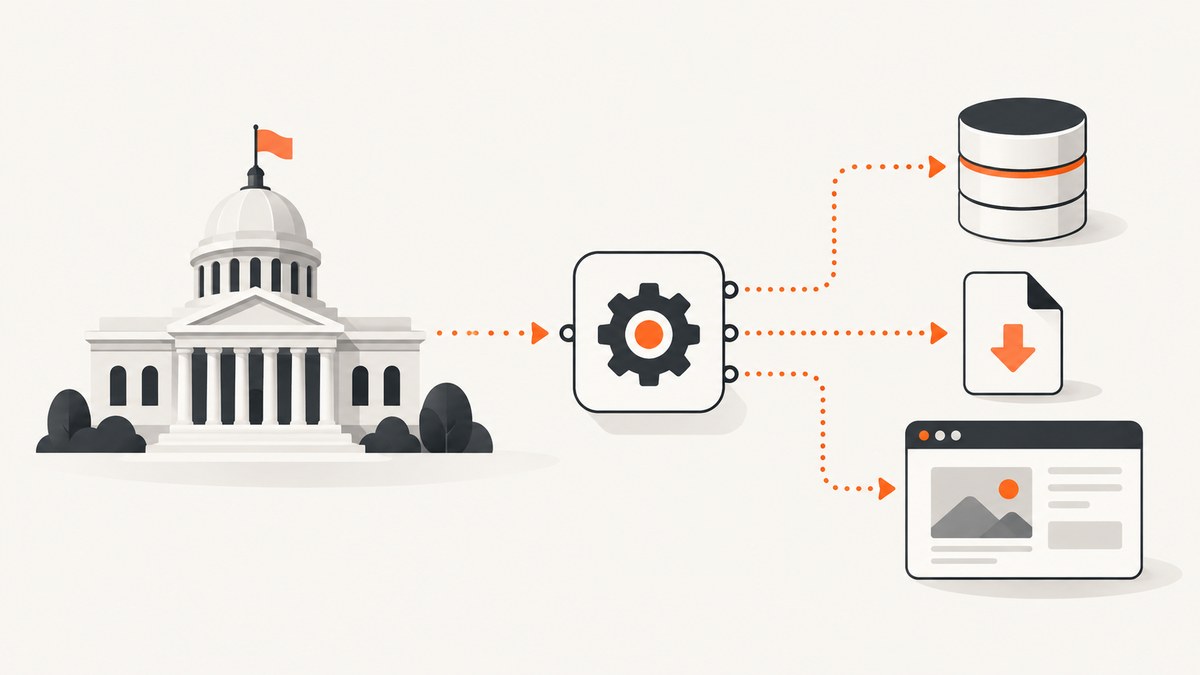
Automate government data retrieval by using the publisher’s documented API, bulk extract, or download first. Parse HTML only when the service permits it and no suitable structured interface exists. Before scheduling anything, check the dataset’s access terms, authentication method, rate limits, pagination, update cadence, and robots.txt guidance.
This order matters because “publicly visible” does not automatically mean “permitted to scrape.” Data.gov says that most U.S. federal data available through its catalog is free and without restriction, while also directing users to dataset-specific exceptions and licenses. Other services set stricter rules: SAM.gov’s terms prohibit automated data gathering and web-scraping tools on that service.
1. Choose the right retrieval method
| Method | Use it when | Checks before automating |
|---|---|---|
| Official API | The agency documents endpoints and your queries fit its model. | Authentication, terms, quota, pagination, response format, API version, and error behavior. |
| Bulk extract or direct file | You need a large, stable snapshot or the publisher supplies CSV, JSON, XML, or another file. | File size and format, update schedule, license, checksum if supplied, and incremental-update options. |
| HTML retrieval | No suitable structured interface exists and page access is expressly permitted. | Terms, robots.txt, login requirements, crawl limits, page stability, and technical controls. Never bypass a block. |
Compare candidates by permission, completeness, freshness, query flexibility, stability, rate limits, and operational effort. An API is usually best for selective or frequent queries. A bulk file is often simpler and cheaper for a complete snapshot. HTML retrieval should be the fallback, not the default.
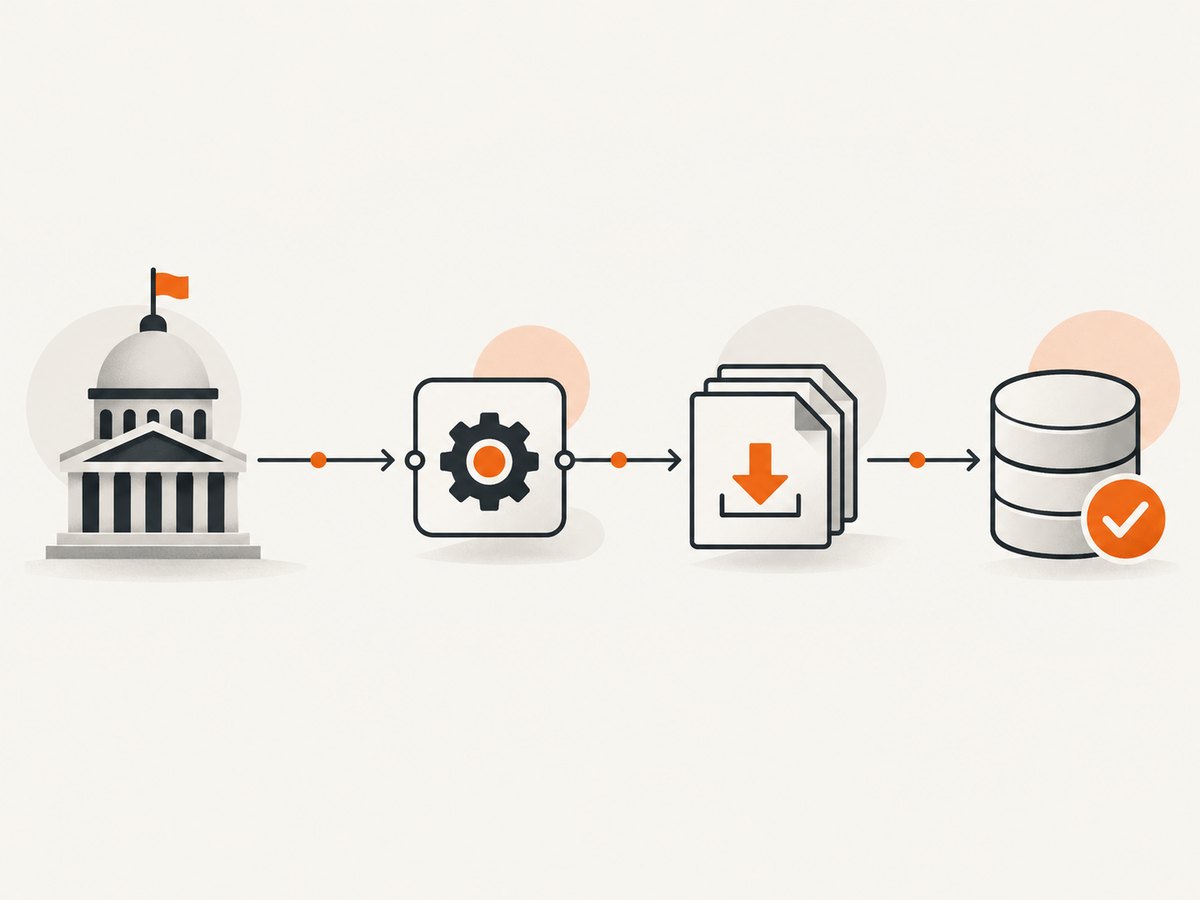
2. Find the authoritative dataset and interface
- Start at the agency or portal’s authoritative dataset page. Record the publisher, dataset name, identifier, landing-page URL, and update schedule.
- Look for “API,” “developer,” “download,” “bulk,” “extract,” or “data dictionary” links. Data.gov provides catalog search and metadata access through its API documentation at api.data.gov.
- Read the dataset’s Access and Use Information. Data.gov notes that non-federal datasets can carry different licenses and that dataset-specific exceptions apply.
- Check whether the publisher offers a complete file. The federal Site Scanning Program, for example, documents API access and bulk CSV/JSON data for its scans.
- Write down the API version or file publication date. Do not rely on an undocumented endpoint discovered through browser developer tools if an official interface is available.
3. Read terms, access rules, and robots.txt
Read the service’s terms of use and the dataset’s license separately. Terms can govern automated access even when the data itself is openly licensed. SAM.gov states that automated data gathering and web-scraping tools are prohibited on its service; that rule applies to SAM.gov and should not be generalized to every government website.
Review /robots.txt as crawler guidance. Digital.gov explains that robots.txt communicates instructions to crawlers, but also notes that unwanted bots may ignore it. Robots.txt does not grant permission, override terms, or authorize access to authenticated areas. Treat it as one input alongside the terms, API documentation, and any published crawl policy.
curl -i https://agency.example.gov/robots.txtStop when a service denies automated access, requires an account you do not have, presents a bot challenge, or prohibits scraping. Ask the publisher for an approved API, extract, or data-sharing arrangement instead.
4. Authenticate without leaking credentials
Use the authentication mechanism documented by the service: an API key, OAuth client, signed request, or no credential for an open file. Store secrets in environment variables or a secret manager, never in source control or a URL that could appear in logs.
export DATA_API_KEY='replace-with-your-key'

curl --fail-with-body \
  -H "X-Api-Key: $DATA_API_KEY" \
  'https://api.agency.example.gov/v1/records?updated_since=2026-01-01&limit=100'
Data.gov’s current guidance describes a personal key limit of 1,000 requests per hour. Its DEMO_KEY is limited to 30 requests per IP per hour and 50 per IP per day. The api.data.gov manual says the default hourly limit is 1,000 requests per API key, while warning that limits can vary by service. Read the target API’s own documentation and inspect response headers rather than assuming a universal quota.
5. Retrieve paginated API data with Python
The following client follows a conventional page-number and page-size API. Adapt the parameter names and the response field to the target service’s documentation.
import os
import time
import requests

BASE_URL = "https://api.agency.example.gov/v1/records"
API_KEY = os.environ["DATA_API_KEY"]

session = requests.Session()
session.headers.update({"Accept": "application/json", "X-Api-Key": API_KEY})

records = []
page = 1
page_size = 100

while True:
    response = session.get(
        BASE_URL,
        params={"page": page, "page_size": page_size},
        timeout=60,
    )

    if response.status_code == 429:
        retry_after = int(response.headers.get("Retry-After", "60"))
        time.sleep(min(retry_after, 300))
        continue

    response.raise_for_status()
    payload = response.json()
    batch = payload.get("results", [])
    records.extend(batch)

    if not batch or not payload.get("next"):
        break

    page += 1
    time.sleep(0.2)  # Replace with the documented pacing for this service.

print(f"Retrieved {len(records)} records")
For cursor-based APIs, send the returned cursor instead of incrementing a page number. Preserve the raw response before transforming it when the data is important or difficult to reproduce.
6. Equivalent cURL and Node.js requests
cURL
curl --fail-with-body \
  -H "Accept: application/json" \
  -H "X-Api-Key: $DATA_API_KEY" \
  --get 'https://api.agency.example.gov/v1/records' \
  --data-urlencode 'page=1' \
  --data-urlencode 'page_size=100' \
  -o page-1.json
Node.js
const apiKey = process.env.DATA_API_KEY;
const url = new URL('https://api.agency.example.gov/v1/records');
url.searchParams.set('page', '1');
url.searchParams.set('page_size', '100');

const response = await fetch(url, {
  headers: {
    'Accept': 'application/json',
    'X-Api-Key': apiKey
  }
});

if (!response.ok) {
  throw new Error(`${response.status}: ${await response.text()}`);
}

const payload = await response.json();
console.log(payload.results.length);
7. Download and validate bulk files
For a published CSV or JSON snapshot, download the file as an immutable input and record its URL and publication date. If the publisher supplies a checksum, verify it. Check that the content type, file size, row count, and required columns match expectations before loading it into a database.
curl --fail --location \
  'https://data.agency.example.gov/exports/records-2026-09-01.csv' \
  -o records-2026-09-01.csv

python - <<'PY'
import csv
from pathlib import Path

path = Path('records-2026-09-01.csv')
with path.open(newline='', encoding='utf-8-sig') as handle:
    reader = csv.DictReader(handle)
    required = {'id', 'updated_at'}
    missing = required - set(reader.fieldnames or [])
    if missing:
        raise SystemExit(f'Missing columns: {sorted(missing)}')
    count = sum(1 for _ in reader)
print(f'Validated {count} rows from {path}')
PY
Prefer incremental files or a “modified since” API query when available. Re-downloading a multi-gigabyte snapshot on every run increases transfer time and failure exposure without improving freshness.
8. Build a polite, reproducible scheduler
- Use a bounded request rate and honor documented quotas.
- Cache responses that do not change frequently.
- Retry transient failures such as 429, 502, 503, and connection resets with exponential backoff and jitter.
- Do not retry authentication failures, permission denials, malformed queries, or a robots/terms prohibition.
- Set connection and total timeouts so a hung request cannot occupy a worker indefinitely.
- Use a single scheduler or queue to coordinate concurrent jobs and prevent accidental bursts.
- Alert on schema changes, unusual row counts, repeated 404 responses, and sustained throttling.
A simple backoff sequence might wait 1, 2, 4, 8, and 16 seconds, capped at a service-appropriate maximum. If the response includes Retry-After, follow that value within a sensible upper bound. The National Archives’ published guidance illustrates why a service-specific limit matters: it documents a limit of 3,000 requests in any five-minute period for its own service, not a general government rule.
9. Preserve provenance and data quality
For every run, store:
- Publisher and dataset identifier.
- Endpoint or download URL.
- HTTP method, query parameters, and API version.
- Retrieval timestamp in UTC.
- Dataset publication date, revision, or file name.
- Response status, content hash, and row or record count.
- Terms or license URL used for the run.
- Transformation code version and validation results.
This record makes a result explainable when an agency changes a field, republishes a file, or updates its access policy. Keep raw inputs immutable and write normalized data to a separate table or directory. Use stable publisher IDs as keys; names and page labels can change.
10. When HTML retrieval is permitted
If no API or extract exists and the terms permit page retrieval, fetch only the pages you need. Identify the relevant element with a parser, avoid rendering JavaScript unless the data requires it, and cache pages according to the site’s policy. Set a descriptive user agent with a contact address when the service requests one.
import requests
from bs4 import BeautifulSoup

url = "https://agency.example.gov/public-notices"
response = requests.get(
    url,
    headers={"User-Agent": "ResearchBot/1.0 contact@example.org"},
    timeout=30,
)
response.raise_for_status()

soup = BeautifulSoup(response.text, "html.parser")
for row in soup.select("table.notice-list tr"):
    cells = [cell.get_text(" ", strip=True) for cell in row.select("th, td")]
    if cells:
        print(cells)
Do not defeat CAPTCHAs, fingerprint checks, paywalls, access controls, or rate limits. If the page is generated only after interaction, ask whether the publisher offers an export or API rather than simulating a visitor at scale.
11. Or skip the browser setup
When your workflow needs a visual record of a government page, ScreenshotNeo can return a screenshot or PDF with one request. Its capture can accept cookie or consent banners and remove more than 60 known consent platforms, newsletter popups, and chat widgets before the shot. Bot checks, blank pages, timeouts, failed loads, and cache hits are not billed, and the response identifies the result with X-Page-Verdict and X-Billed headers.

See the ScreenshotNeo API documentation for all options, including full-page capture, lazy-image loading, CSS selectors, custom CSS and JavaScript, waits, request blocking, headers, cookies, user agents, timezone, geolocation, caching, signed links, asynchronous jobs, bulk capture, and PDF settings.
cURL
curl -G "https://api.screenshotneo.com/v1/shot" -d access_key=YOUR_API_KEY --data-urlencode url=https://stripe.com -o shot.webpPython
import requests; r = requests.get("https://api.screenshotneo.com/v1/shot", params={"access_key": "YOUR_API_KEY", "url": "https://stripe.com"}, timeout=90); open("shot.webp", "wb").write(r.content)Node.js
const q = new URLSearchParams({ access_key: 'YOUR_API_KEY', url: 'https://stripe.com' }); const res = await fetch(`https://api.screenshotneo.com/v1/shot?${q}`);ScreenshotNeo also provides an MCP server with take_screenshot, get_page_info, and capture_pdf tools for Claude, Cursor, and other MCP clients. The free plan includes 1,000 screenshots per month with no card; paid plans start at $5 for 3,000 shots. Create a free ScreenshotNeo account.
12. Troubleshooting common failures
| Symptom | Likely cause | Fix |
|---|---|---|
| 401 or 403 | Missing, expired, or incorrectly scoped credential; terms restrict the operation. | Regenerate credentials through the documented process and confirm the requested scope. Do not work around a denial. |
| 429 Too Many Requests | Quota or burst limit exceeded. | Read rate-limit headers, honor Retry-After, reduce concurrency, and request a higher quota if the service offers one. |
| Empty page of results | Wrong pagination parameter, filter syntax, or date format. | Test the documented example, inspect the response metadata, and log the exact query. |
| Timeouts | Large query, slow upstream dependency, or network interruption. | Reduce page size, use filters or bulk files, set bounded retries, and avoid retrying a non-idempotent operation blindly. |
| JSON decoding error | An error page or login response was returned instead of JSON. | Log status and content type before parsing; inspect a short response body without exposing secrets. |
| Schema changed | Publisher revised fields or file layout. | Validate columns, quarantine the new input, update the transformation, and record the dataset revision. |
| HTML selector returns nothing | Markup changed or content is rendered client-side. | Recheck the page and terms, look for an official interface, and avoid scaling an undocumented workaround. |
13. Performance, reliability, and cost
Measure end-to-end time, request count, bytes transferred, retry count, and records processed. Page size is a tradeoff: larger pages reduce request overhead but increase timeout and memory risk. Stream large files to disk instead of holding them in memory. Parallelize only within the publisher’s documented limits, and partition work by date or identifier when the API supports it.
Cache stable metadata and previously retrieved pages. Use conditional requests with ETag or If-Modified-Since when supported. For recurring jobs, compare the cost of many API calls with one bulk download and a local database. Keep a dead-letter queue for failed partitions so one bad record does not discard an otherwise successful run.
Government APIs and policies change. Pin a version where possible, monitor documentation, run a small canary request before a full job, and alert on permission, schema, and volume changes. Recheck terms, rate limits, robots.txt, and update schedules before deploying a new collector.
FAQ
Is scraping a government website legal?
There is no universal answer. The service’s terms, dataset license, authentication rules, jurisdiction, and technical controls all matter. Use the documented API or download and obtain guidance from the publisher when the rule is unclear.
Does robots.txt allow me to collect the data?
No. It communicates crawler instructions. It does not replace terms of use, grant permission, or authorize access to restricted areas.
Should I use an API key in a scheduled job?
Yes, when the service requires one, but store it in a secret manager or environment variable, restrict its scope, rotate it, and keep it out of logs.
How do I make a retrieval reproducible?
Save the source URL, query, retrieval time, dataset version, terms URL, raw response or file hash, transformation version, and validation results.
When is a bulk file better than an API?
Choose a bulk file for a large, stable snapshot when the publisher supplies one. It can reduce request volume and simplify recovery, provided you can tolerate its publication schedule.


