How to Automate Instagram Hashtag Research
Build a reliable Instagram hashtag research workflow with the official API, pagination, scoring, refresh limits, and safe validation.

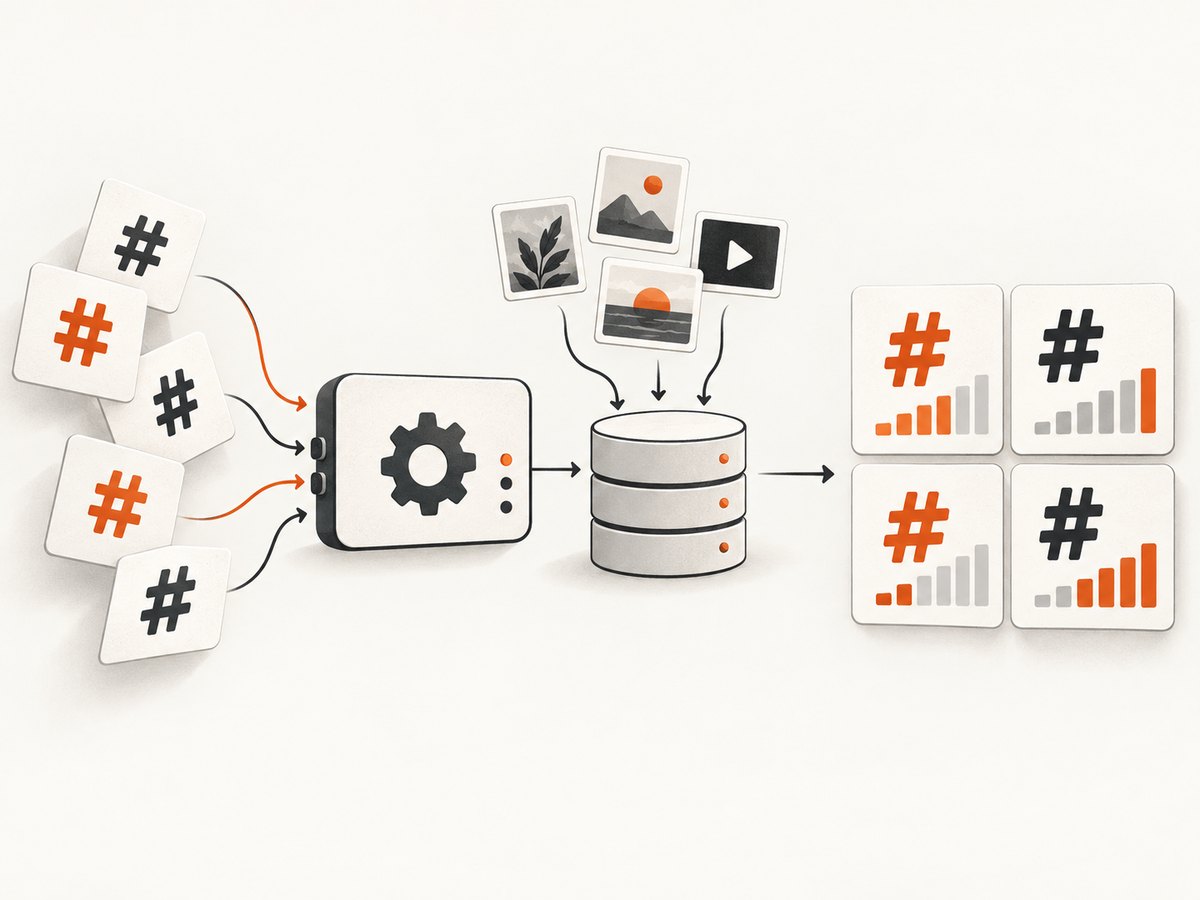
Direct answer: automate Instagram hashtag research by defining a research brief, authenticating an Instagram Professional account, resolving candidate hashtags through Meta’s Graph API, collecting top and recent public media, storing raw evidence, scoring candidates with your own rules, and refreshing results within the API’s limits. Keep a human review step before publishing because relevance, sensitive meanings, and platform access can change.
1. What the automated workflow should do
A useful system separates discovery from evidence and decision-making. Start with a brief that records:
- Niche and audience
- Target geography and language
- Campaign or content theme
- Branded terms and competitor terms
- Banned, regulated, or sensitive words
- Preferred balance of broad, niche, branded, and campaign tags
The API supplies hashtag IDs and public hashtagged media. It does not provide a universal “best hashtag” score, so your application must calculate relevance, freshness, quality, and competition proxies from the fields you are allowed to retrieve.
2. Access prerequisites and compliance
The documented Instagram API route is for Businesses and Creators using an Instagram Professional account. Consumer accounts are not supported. The Facebook Login setup also requires a Facebook Page linked to the Instagram account. Review Meta’s Instagram API documentation for current permissions and app-review requirements.
Use official Graph API access for production collection. Unofficial scrapers may have different permissions, stability, retention, and policy status. A third-party MCP project can expose official Graph API operations alongside unofficial account access; keep those paths clearly separated in your design.
3. Resolve candidate hashtags
For every candidate, call /{ig-user-id}/hashtag_search?q={hashtag}. Send the hashtag text without the # character and retain the returned hashtag ID. Cache the ID with the original query and retrieval timestamp so repeated runs do not waste lookups.
Minimal cURL request
curl -G "https://graph.facebook.com/vXX.X/IG_USER_ID/hashtag_search" \
  -d "user_access_token=YOUR_ACCESS_TOKEN" \
  --data-urlencode "q=urban gardening"
Use the Graph API version and authentication parameter required by your approved Meta app. Store access tokens in a secret manager, never in source control or client-side JavaScript.
Python: resolve a batch of candidates
import os
import time
import requests

GRAPH_VERSION = "vXX.X"
BASE = f"https://graph.facebook.com/{GRAPH_VERSION}"
TOKEN = os.environ["INSTAGRAM_ACCESS_TOKEN"]
IG_USER_ID = os.environ["IG_USER_ID"]


def hashtag_search(term: str) -> dict:
    response = requests.get(
        f"{BASE}/{IG_USER_ID}/hashtag_search",
        params={"user_access_token": TOKEN, "q": term.lstrip("#")},
        timeout=30,
    )
    response.raise_for_status()
    return response.json()

for term in ["urban gardening", "balcony garden", "city compost"]:
    try:
        print(term, hashtag_search(term))
    except requests.HTTPError as exc:
        print(f"lookup failed for {term}: {exc}")
    time.sleep(1)
Node.js: resolve a candidate
const version = 'vXX.X';
const token = process.env.INSTAGRAM_ACCESS_TOKEN;
const igUserId = process.env.IG_USER_ID;
const term = 'urban gardening';

const params = new URLSearchParams({
  user_access_token: token,
  q: term.replace(/^#/, '')
});

const res = await fetch(
  `https://graph.facebook.com/${version}/${igUserId}/hashtag_search?${params}`
);
if (!res.ok) throw new Error(`${res.status}: ${await res.text()}`);
console.log(await res.json());
4. Collect top and recent media
For each returned hashtag ID, query both /{ig-hashtag-id}/top_media and /{ig-hashtag-id}/recent_media. Request only fields your app is permitted to receive, such as media ID, caption, media type, permalink, and timestamp. Follow the response’s cursor pagination until you reach your evidence limit or the cursor is exhausted.
Python collector with pagination
import os
import requests

VERSION = "vXX.X"
TOKEN = os.environ["INSTAGRAM_ACCESS_TOKEN"]
FIELDS = "id,caption,media_type,permalink,timestamp"


def collect_media(hashtag_id, kind, pages=3):
    url = f"https://graph.facebook.com/{VERSION}/{hashtag_id}/{kind}"
    params = {
        "user_access_token": TOKEN,
        "fields": FIELDS,
        "limit": 50,
    }
    for _ in range(pages):
        r = requests.get(url, params=params, timeout=30)
        r.raise_for_status()
        payload = r.json()
        for item in payload.get("data", []):
            yield item
        next_url = payload.get("paging", {}).get("next")
        if not next_url:
            break
        url, params = next_url, {}

for item in collect_media("HASHTAG_ID", "recent_media"):
    print(item.get("permalink"))
Public hashtagged media is the evidence set. Private-account posts are not represented in this documented workflow. Preserve the raw response, endpoint, fields, and retrieval time so a later ranking can be reproduced.
5. Store a reproducible research record
A relational table or document store should retain one row per query and one row per media item. At minimum, record:
| Field | Purpose |
|---|---|
query |
Original candidate, including spelling and source |
hashtag_id |
Stable ID returned by hashtag search |
first_seen_at, last_checked_at |
Freshness and refresh scheduling |
source_endpoint |
Top or recent media endpoint used |
result_count |
Evidence volume observed in the run |
media_permalink, caption, media_type, timestamp |
Auditable content evidence |
median_engagement |
Optional metric calculated from permitted fields |
relevance_score, competition_proxy |
Your documented ranking signals |
risk_flags, decision |
Sensitivity review and keep/reject outcome |
Log empty and failed searches separately. An empty result may indicate spelling, sensitivity filtering, unavailable permissions, or an access limitation rather than a genuinely unused hashtag.
6. Score candidates without pretending the API has a formula
Use a transparent weighted score that matches your campaign. For example:
final_score = (
    0.35 * topical_relevance +
    0.20 * audience_fit +
    0.15 * recency +
    0.15 * content_quality +
    0.15 * engagement_signal
) - saturation_penalty
Normalize each component to 0–1 and document how it is calculated. Possible signals include caption similarity to the brief, the proportion of recent posts that match your content type, median observed engagement, and the number of distinct creators in the sample. Treat result volume as a competition proxy, not a direct measure of reach. Keep a portfolio:
- Broad discovery: high-level category terms
- Niche intent: specific problems, formats, or audiences
- Branded: your brand, product, or series
- Campaign: event, launch, location, or temporary theme
Reject a high-scoring term if manual review finds an unexpected meaning, unsafe association, or mismatch with the target geography and audience.
7. Respect query limits and schedule refreshes
A documented API review records a maximum of 30 unique hashtag queries in a rolling seven-day period (Instagram/Meta API review, 2026). Build a queue that counts unique terms across workers, deduplicates case and leading #, and refuses a new lookup when the budget is exhausted. Resolve new candidates first, then refresh high-value terms inside the same window.
Cache hashtag IDs indefinitely unless the API indicates otherwise. Cache media responses for a defined retention period, store retrieval timestamps, and use exponential backoff for transient errors. Do not parallelize requests without checking your app’s current rate limits.
8. Discovery tools and competitor research
Instagram’s search bar is a practical starting point for ideas and visible popularity. The 2025 Instagram Playbook also recommends Hashtagify or RiteTag to generate ideas and analyze hashtags used by industry leaders and competitors. Treat those services as discovery aids; validate the final list against your own account’s content and performance data.
Competitor research should remain evidence-based: collect public hashtagged media, record the permalink and timestamp, and compare the mix of broad, niche, branded, and campaign terms. Do not infer private-account activity from missing data.
9. Reliability, performance, and cost engineering
- Reliability: persist raw responses before scoring, make jobs idempotent, and retry only transient failures.
- Performance: resolve candidates once, paginate with a fixed evidence cap, and process scoring asynchronously.
- Freshness: refresh recent media more often than top media when campaign timing matters.
- Observability: measure success, empty results, permission errors, throttling, median response time, and records written.
- Cost: account for API or analytics subscriptions, storage, engineering time, and vendor-policy risk. The research does not establish current fees or affiliate rates for third-party tools.
10. Troubleshooting
| Symptom | Likely cause | Fix |
|---|---|---|
| Hashtag search returns an authorization error | Wrong token, missing permission, or non-Professional account | Confirm the account type, linked Page requirement, app permissions, token expiry, and Graph API version. |
| No hashtag ID is returned | Spelling, filtering, unsupported term, or access limitation | Log the empty response, normalize spelling, try a reviewed synonym, and do not treat it as zero competition. |
| Media pages stop early | Cursor exhausted, page limit reached, or rate limiting | Follow the returned cursor, record the stopping reason, and back off on throttling. |
| Private competitor posts are missing | The documented workflow returns public media | State the coverage limitation and use only data your authorized API path provides. |
| Scores change between runs | New media, changed permissions, or an undocumented scoring change | Version the scoring formula, retain raw responses, and include retrieval time in reports. |
| Duplicate lookups consume the budget | Case, whitespace, or leading # differences |
Canonicalize terms before counting and persist resolved IDs. |
11. Or skip the browser setup
If your workflow also needs screenshots of hashtag pages, competitor profiles, or research reports, ScreenshotNeo provides a website screenshot API and MCP server. It can capture a clean PNG, JPEG, WebP, or PDF with one request. Cookie and consent banners, newsletter popups, and chat widgets are removed before capture; bot checks, blank pages, timeouts, failed loads, and cache hits are not billed. Responses identify the result with X-Page-Verdict and X-Billed headers. Its MCP server includes take_screenshot, get_page_info, and capture_pdf for Claude, Cursor, and other MCP clients.

See the ScreenshotNeo API documentation for all options.
cURL
curl -G "https://api.screenshotneo.com/v1/shot" -d access_key=YOUR_API_KEY --data-urlencode url=https://stripe.com -o shot.webpPython
import requests
r = requests.get("https://api.screenshotneo.com/v1/shot", params={"access_key": "YOUR_API_KEY", "url": "https://stripe.com"}, timeout=90)
open("shot.webp", "wb").write(r.content)
Node.js
const q = new URLSearchParams({ access_key: 'YOUR_API_KEY', url: 'https://stripe.com' }); const res = await fetch(`https://api.screenshotneo.com/v1/shot?${q}`);You can also set full-page capture, a CSS element selector, dark mode, device or viewport, retina scale, custom CSS and JavaScript, waits, blocked resources, headers, cookies, geolocation, PDF settings, caching TTL, signed links, async webhooks, bulk capture, and more. ScreenshotNeo includes 1,000 screenshots per month free with no card; paid plans start at $5 for 3,000. Create a free ScreenshotNeo account.
12. Pre-publish checklist
- Professional account and approved authentication are confirmed.
- Every query is canonicalized and counted against the rolling limit.
- Hashtag IDs, raw responses, cursors, and retrieval times are stored.
- Top and recent media are sampled with permitted fields.
- Scoring weights and competition proxy are documented.
- Empty, failed, and filtered searches are reviewed.
- Final tags pass manual relevance and sensitivity checks.
- Refresh dates and token-expiry monitoring are scheduled.
FAQ
Can the Instagram API tell me the best hashtags?
No. It provides discovery and public-media evidence. Your system must define and document its own ranking method.
Can I research hashtags for a personal Instagram account?
The documented API route supports Businesses and Creators with Professional accounts, not consumer accounts.
How many hashtag searches can I run?
The research dossier records a maximum of 30 unique hashtag queries in a rolling seven-day period. Confirm limits for your app and current API version.
Should I use only the largest hashtags?
No. A portfolio of broad, niche, branded, and campaign tags gives you different discovery and intent signals.
Is scraping safer than the official API?
No assumption is safe. Scrapers can differ in permissions, reliability, retention, and policy status. Evaluate those risks explicitly.