How to Automate Transcription with AI
Build a reliable AI transcription workflow for recordings and live audio, with code, formats, speaker labels, review steps, retries, and cost guidance.
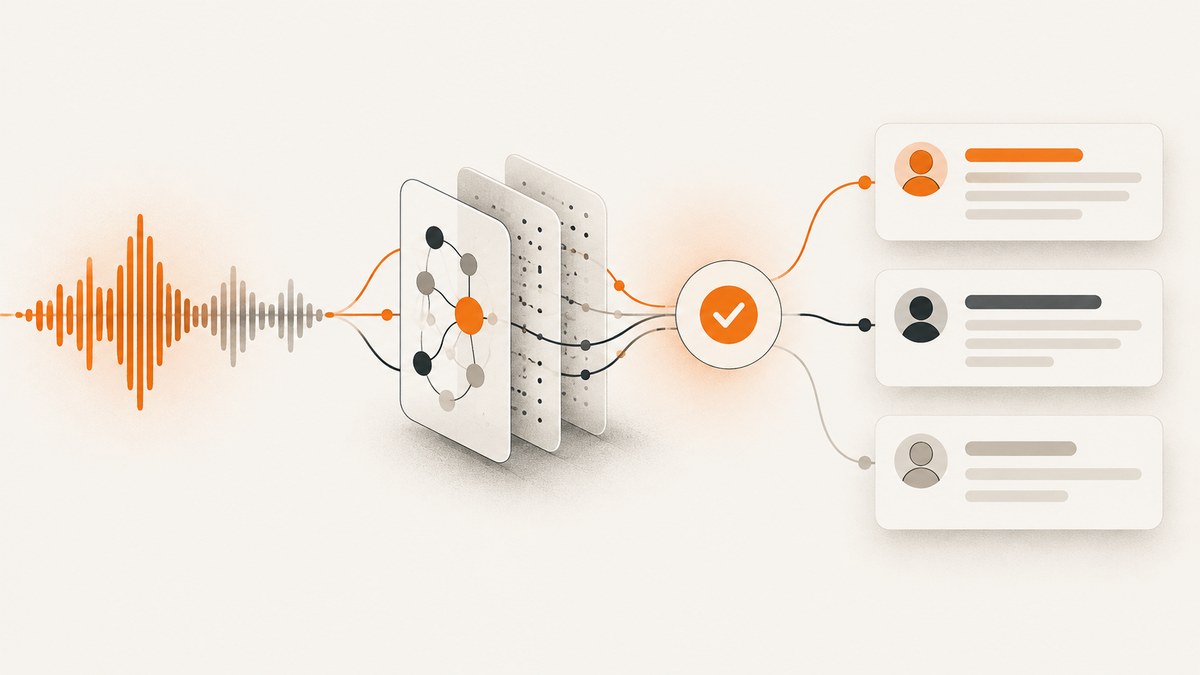
AI transcription automation turns recordings or live audio into searchable, structured text. The right implementation depends first on whether your audio is a completed file or still arriving from a microphone, phone call, or media stream.
For a completed recording, send a supported audio file to a file-transcription endpoint. For audio that is still arriving, use a realtime transcription flow. Then choose an output format that matches the next step: plain text for search, JSON for applications, timestamps for subtitles or navigation, and speaker labels for meetings or interviews.
1. Choose the transcription path
Start by classifying the source:
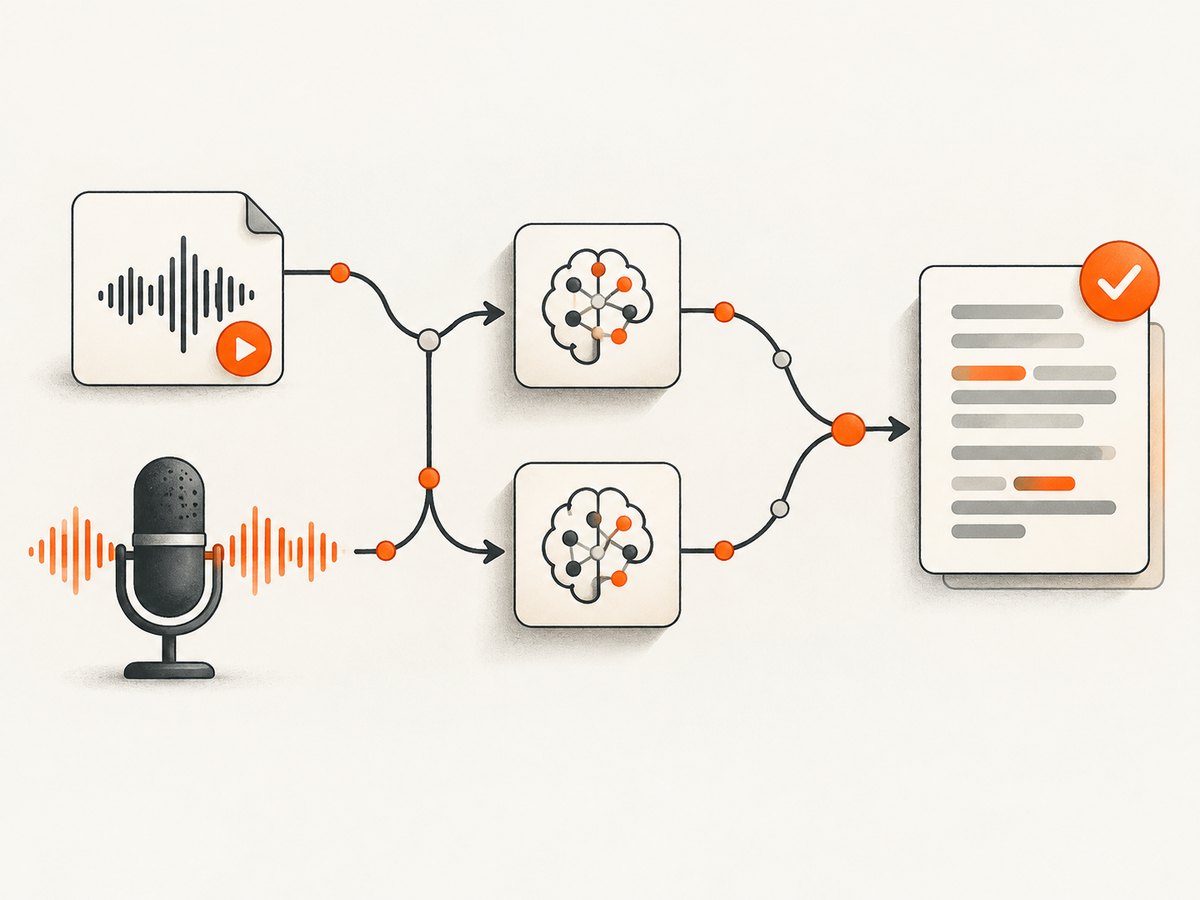
- Completed file: an MP3, WAV, M4A, WebM, MP4, MPEG, or MPGA file that is ready to process. A file API is simpler to retry and audit.
- Live audio: microphone, call, or media-stream audio that is still arriving. Use a realtime transcription flow so partial results can be emitted while the speaker talks.
OpenAI’s file-transcription documentation explicitly directs developers to its Realtime transcription guide for live microphone, call, or media-stream audio. Do not build a live product by repeatedly uploading short files unless the resulting delay and duplicated context are acceptable.
2. Define the transcript your application needs
| Need | Useful output | Implementation note |
|---|---|---|
| Search or summarization | Plain text or ordinary JSON | Store the source identifier and processing status with the text. |
| Meeting minutes | Speaker-labeled JSON | Use a diarization-capable model and evaluate labels against the actual recording. |
| Subtitles | Segment or word timestamps | Timestamped output adds processing work and may add latency. |
| Audio navigation | Segment timestamps | Keep the original media URL and transcript time base together. |
| Regulated or consequential records | Structured transcript plus review state | Require human review for names, numbers, decisions, and other high-impact content. |
OpenAI documents diarized_json for speaker annotations and verbose_json for timestamp granularities. For ordinary recorded speech in its original language, the current guide says to start with gpt-transcribe. When speaker identification is needed, it documents gpt-4o-transcribe-diarize. For word or segment timestamps, it identifies whisper-1 with verbose_json; word timestamps can add latency.
3. Prepare audio before sending it
- Record as close to the speaker as the environment allows. The AWS recording guidance uses near-field capture, with the speaker close to the microphone, as an example condition.
- Keep one stable source identifier, such as a recording ID, through upload, transcription, review, and export.
- Check the documented format and size limits before upload. The OpenAI file-transcription section lists MP3, MP4, MPEG, MPGA, M4A, WAV, and WebM, and gives a 25 MB maximum for that file path. Confirm the current limit for the endpoint and model you deploy.
- Normalize filenames and metadata. Do not use a user-visible filename as your only database key.
- When supported and permitted, provide vocabulary context: product names, people, technical terms, acronyms, and preferred writing systems. Context can reduce avoidable spelling substitutions, but it is not a guarantee of accuracy.
4. Automate a completed recording with Python
The following pattern uploads one completed file, requests structured output, and writes the response for later review. Keep your API key in an environment variable rather than source control.
import json
import os
from openai import OpenAI

client = OpenAI(api_key=os.environ["OPENAI_API_KEY"])

with open("meeting.wav", "rb") as audio_file:
    result = client.audio.transcriptions.create(
        model="gpt-transcribe",
        file=audio_file,
        response_format="json",
        prompt=(
            "Product names: Acme Cloud, Vector DB. "
            "Acronyms: API, SSO, SLA. Preserve speaker names when clear."
        ),
    )

text = result.text if hasattr(result, "text") else result["text"]
with open("meeting.transcript.txt", "w", encoding="utf-8") as output:
    output.write(text)

with open("meeting.transcript.json", "w", encoding="utf-8") as output:
    json.dump(result.model_dump() if hasattr(result, "model_dump") else result,
              output, ensure_ascii=False, indent=2)
For a production worker, replace the direct file write with a database record containing source_id, status, model, created_at, and the raw provider response. Mark transient failures as retryable and permanent validation errors as human-actionable.
5. The same workflow with cURL
cURL is useful for a deployment smoke test and for debugging authentication or file-format errors independently of your application code.
curl https://api.openai.com/v1/audio/transcriptions \
  -H "Authorization: Bearer $OPENAI_API_KEY" \
  -H "Content-Type: multipart/form-data" \
  -F file=@meeting.wav \
  -F model=gpt-transcribe \
  -F response_format=json \
  -F 'prompt=Product names: Acme Cloud, Vector DB. Acronyms: API, SSO, SLA.'
Save the JSON response with your recording identifier. If you need timestamps, select the documented timestamp-capable model and response format instead of assuming that ordinary JSON contains time alignment.
6. Automate a completed recording with Node.js
import OpenAI from "openai";
import fs from "node:fs";

const client = new OpenAI({ apiKey: process.env.OPENAI_API_KEY });

const result = await client.audio.transcriptions.create({
  model: "gpt-transcribe",
  file: fs.createReadStream("meeting.wav"),
  response_format: "json",
  prompt: "Product names: Acme Cloud, Vector DB. Acronyms: API, SSO, SLA."
});

fs.writeFileSync(
  "meeting.transcript.json",
  JSON.stringify(result, null, 2),
  "utf8"
);
console.log(result.text);
Pin the SDK version in your application and log request IDs or provider error IDs when available. Avoid logging raw audio or sensitive transcript text in ordinary application logs.
7. Handle live audio with realtime transcription
For an ongoing microphone, call, or media stream, establish a realtime transcription session and send audio frames as they arrive. Your state machine should distinguish partial text from a completed segment:
- Open an authenticated realtime session.
- Send the negotiated audio format and transcription configuration.
- Forward audio frames in order, with backpressure when the network is slower than the source.
- Render partial text as provisional.
- Commit completed segments to durable storage only after the service signals completion.
- On disconnect, reconnect with a new session and mark the affected interval for reconciliation.
Do not treat partial text as final meeting minutes. A reconnect can produce a repeated or incomplete boundary; retain sequence numbers or timestamps so your consumer can de-duplicate.
8. Add diarization, timestamps, and subtitles deliberately
Speaker labels
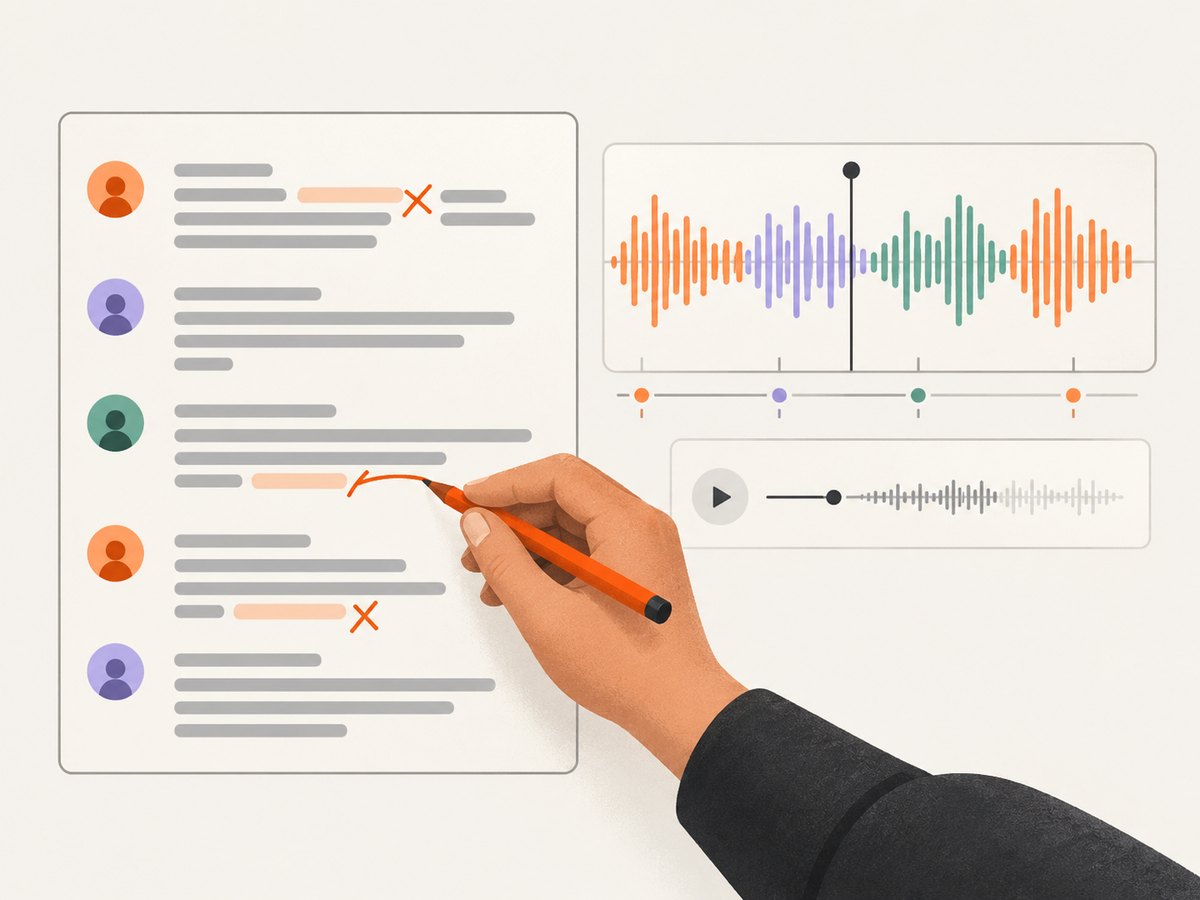
Use gpt-4o-transcribe-diarize with diarized_json when your application needs speaker annotations. For inputs longer than 30 seconds, the OpenAI guide says to set chunking strategy to auto or a VAD configuration. Speaker labels are useful for meetings, interviews, and support calls, but they still require evaluation against recordings with interruptions, overlapping speech, and similar voices.
Timestamps
Choose segment timestamps when users need to jump through a recording. Choose word timestamps only when precise highlighting or subtitle alignment justifies the extra latency and data volume. Store timestamps in the same time unit and time zone convention throughout your pipeline.
Subtitles
Generate SRT or WebVTT from timestamped segments after transcription. Validate maximum line length, cue overlap, and illegal timestamp ordering before publishing. Keep the original transcript because subtitle formatting is a presentation layer.
9. Build a reliable review pipeline
Machine output is not error-free. Put review where an error has consequences, especially for names, numbers, legal or medical content, financial amounts, and decisions.
- Ingest: record source metadata and a checksum or immutable object key.
- Transcribe: write a pending job and process asynchronously for long files.
- Validate: reject unsupported formats, oversized files, empty uploads, and missing credentials before spending model time.
- Review: show transcript text beside the audio and flag low-confidence or domain-sensitive sections for a person.
- Publish: expose only approved versions to search, analytics, or downstream automation.
- Audit: retain model, response format, prompt context, timestamps, reviewer, and revision history according to your requirements.
Use idempotency at the job layer: the same source_id and transcription configuration should not silently create multiple published versions. Queue retries with exponential backoff and a maximum attempt count. Send permanently failed jobs to a dead-letter queue with a reason that an operator can act on.
10. Performance, reliability, and cost
File size, duration, model choice, response format, network transfer, and queue concurrency all affect completion time. Word timestamps and diarization can add work. Measure your own workload by tracking upload time, provider processing time, queue delay, retry count, transcript size, and review time.
The Whisper model page lists $0.006 per minute for Whisper transcription. That price is model-specific and can change; it does not establish the price of every transcription model or provider. Estimate monthly cost as audio minutes multiplied by the selected per-minute rate, then add storage, retries, and any review labor. Recheck current documentation and pricing before deployment.
For reliability, use bounded concurrency so a burst does not exhaust file descriptors or provider limits. Cache completed results by source checksum and configuration. Preserve raw responses so you can reformat subtitles or JSON without retranscribing. Define a recovery policy for partial realtime sessions and a retention policy for audio and transcript data based on your legal and privacy requirements; the cited feature documentation does not establish a universal retention policy.
11. Troubleshooting common failures
| Symptom | Likely cause | Fix |
|---|---|---|
| 401 or 403 response | Missing, expired, or incorrectly scoped API key | Read the key from the deployment secret, verify the header, and rotate the key if necessary. |
| Unsupported format | Container or codec is outside the endpoint’s documented list | Transcode to a documented format and test the resulting file locally. |
| File rejected for size | File exceeds the documented 25 MB file-path maximum | Split or compress the recording, then preserve segment order and metadata. |
| Names are misspelled | Audio quality or missing domain context | Improve microphone placement and provide permitted names, acronyms, and product vocabulary in the prompt. |
| Speaker labels are unstable | Overlapping speech, short turns, or unsuitable chunking | Use the diarization model and documented chunking settings, then review difficult passages. |
| Live transcript repeats text | Reconnect replayed an audio boundary | Use segment IDs or timestamps and reconcile provisional text before commit. |
| Requests time out | Large file, slow upload, or overloaded worker | Move processing to a queue, increase client timeout within service limits, and retry only idempotent jobs. |
| Transcript is empty | Silent, corrupt, or incorrectly decoded audio | Play the source, inspect duration and codec metadata, and reject zero-byte or silent inputs early. |
12. Or skip the browser setup
ScreenshotNeo is for website screenshots rather than speech transcription, but it can automate the visual side of an AI content workflow when you need a page image of a transcript, report, or dashboard. One GET request returns a PNG, JPEG, WebP, or PDF.
curl -G "https://api.screenshotneo.com/v1/shot" -d access_key=YOUR_API_KEY --data-urlencode url=https://stripe.com -o shot.webpimport requests
r = requests.get("https://api.screenshotneo.com/v1/shot", params={"access_key": "YOUR_API_KEY", "url": "https://stripe.com"}, timeout=90)
open("shot.webp", "wb").write(r.content)const q = new URLSearchParams({ access_key: 'YOUR_API_KEY', url: 'https://stripe.com' }); const res = await fetch(`https://api.screenshotneo.com/v1/shot?${q}`);See the ScreenshotNeo API documentation for options. Cookie banners, newsletter popups, and chat widgets are removed before the shot. Bot checks, blank pages, failed loads, timeouts, and cache hits are never billed, and response headers identify the page verdict and billing status. Its MCP server lets Claude, Cursor, and other MCP clients use take_screenshot, get_page_info, and capture_pdf. The Free plan includes 1,000 screenshots a month with no card; paid plans start at $5 for 3,000.
Create a free ScreenshotNeo account and start with 1,000 screenshots a month at no charge.
13. Practical implementation checklist
- Classify each source as completed file or live stream.
- Choose plain text, JSON, diarization, segment timestamps, or word timestamps before coding.
- Validate format and the current file-size limit.
- Provide domain vocabulary when allowed.
- Store source IDs, model settings, status, and raw responses.
- Make retries idempotent and route permanent failures for operator review.
- Keep partial realtime text provisional until a segment is complete.
- Require human review for high-consequence names, numbers, and decisions.
- Measure latency, retries, cost per minute, and review time on your own workload.
FAQ
Can I transcribe a microphone with a file endpoint?
You can record first and upload the completed file, but for audio that is still arriving OpenAI directs developers to realtime transcription.
Which format is best for every project?
There is no universal best format. Plain text is easiest to search, diarized JSON preserves speaker structure, and timestamped output supports navigation and subtitles.
Does a prompt guarantee correct terminology?
No. Vocabulary context can help the system interpret names and acronyms, but recording quality and human review still matter.
Is the Whisper price the price for all transcription models?
No. The cited $0.006 per minute figure is listed for Whisper and pricing can change. Check the live model pricing page for the model you select.
Should I publish an automated transcript without review?
Only when the consequences of an error are acceptable. Add review for content where incorrect names, numbers, or decisions could cause harm.


