How to Automate Website Monitoring with Screenshots
Automate website monitoring with Playwright screenshots, visual baselines, CI schedules, diff triage, and ScreenshotNeo hosted captures.
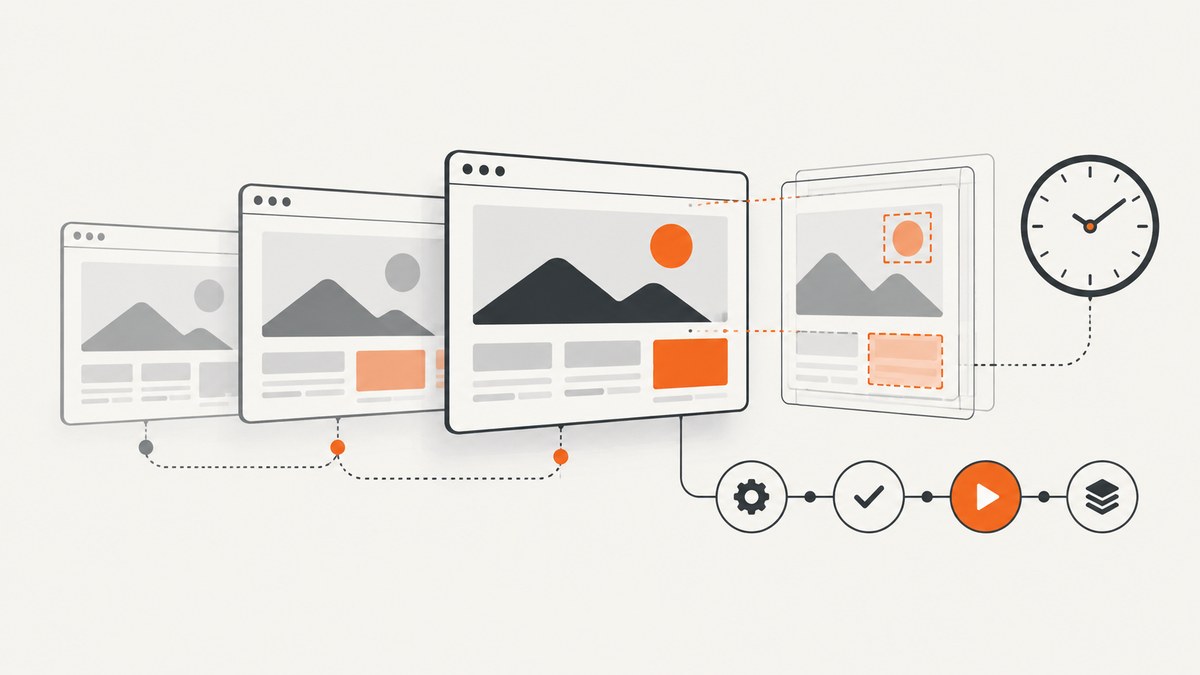
Direct answer: automate screenshot monitoring by capturing the same pages in a controlled Playwright browser, comparing each capture with a reviewed baseline, and running the check on a schedule or after deployments. Keep the browser, viewport, fonts and test data stable; save screenshots and diff reports as CI artifacts; route differences to a human before updating the baseline. Playwright’s visual comparison guidance explains why rendering can vary between operating systems, browser versions, settings, hardware, power sources and headless modes (visual comparisons documentation).
The reliable workflow in one sentence
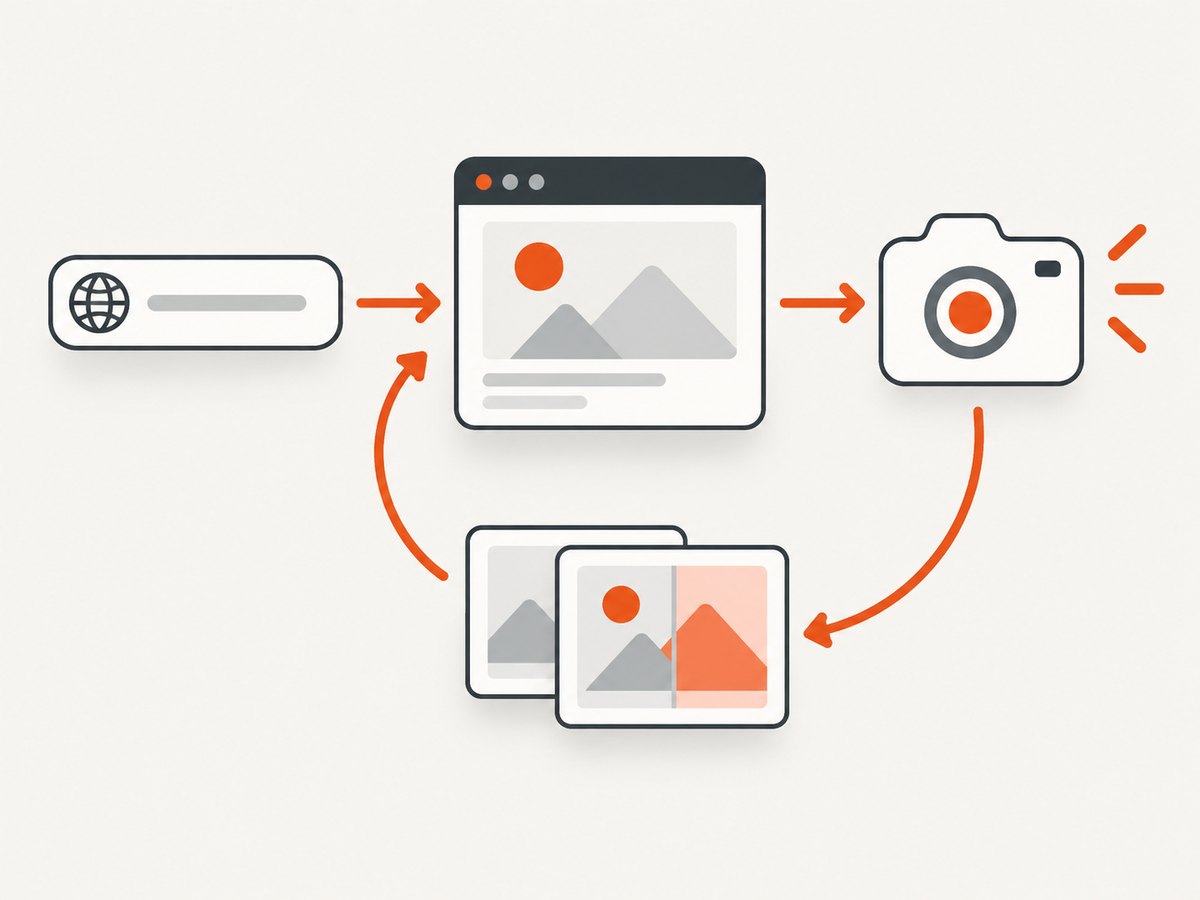
A useful monitor has five separate stages: define a visual question, capture under fixed conditions, compare with an approved reference, run automatically, and review evidence before accepting a change. Screenshot capture and comparison are different operations. Playwright can save images with its screenshot API and Playwright Test can compare assertions with stored snapshots (screenshots; snapshot comparisons).
Decide what to monitor
A screenshot monitor answers a visual question such as “did the pricing page layout change?” It is different from an HTTP uptime check: a page may return 200 while a stylesheet fails, a section disappears, or a modal covers the content.
- Layout check: a full-page or viewport image catches shifted columns, overflow and missing assets.
- Component check: capture one stable element such as
[data-testid="checkout-summary"]. - Release check: run against staging after deployment and compare with the approved image.
- Production watch: run on a schedule, retain evidence and alert only when a reviewer should act.
Start with a small, high-value URL set. For each URL record its purpose, authentication state, viewport, expected locale, and whether the comparison covers the whole page or a component. Identify volatile areas such as timestamps, rotating ads, live counters and personalized recommendations. Either make their data deterministic or mask only those selectors.
Set up a reproducible Playwright capture
Install the test runner
mkdir visual-monitor && cd visual-monitor
npm init -y
npm install -D @playwright/test
npx playwright install chromium
Create playwright.config.ts and pin one browser project and viewport for the baseline. A containerized CI runner helps keep local and CI rendering aligned.
import { defineConfig } from '@playwright/test';

export default defineConfig({
  testDir: './monitor',
  timeout: 60_000,
  expect: { timeout: 10_000 },
  fullyParallel: false,
  use: {
    browserName: 'chromium',
    viewport: { width: 1440, height: 900 },
    deviceScaleFactor: 1,
    colorScheme: 'light',
    locale: 'en-US',
    timezoneId: 'UTC',
    reducedMotion: 'reduce',
    baseURL: process.env.BASE_URL || 'https://example.com',
    screenshot: 'only-on-failure',
    trace: 'retain-on-failure'
  },
  reporter: [['html', { outputFolder: 'playwright-report', open: 'never' }]]
});
Capture a page or a stable element
import { test, expect } from '@playwright/test';

test('pricing page is visually stable', async ({ page }) => {
  await page.goto('/pricing', { waitUntil: 'networkidle' });
  await expect(page).toHaveTitle(/pricing/i);
  await expect(page.locator('main')).toBeVisible();
  await expect(page).toHaveScreenshot('pricing-page.png', {
    fullPage: true,
    animations: 'disabled',
    caret: 'hide',
    scale: 'css',
    maxDiffPixels: 100
  });
});

test('checkout summary is stable', async ({ page }) => {
  await page.goto('/checkout');
  const summary = page.locator('[data-testid="checkout-summary"]');
  await expect(summary).toBeVisible();
  await expect(summary).toHaveScreenshot('checkout-summary.png', {
    animations: 'disabled',
    maxDiffPixelRatio: 0.001
  });
});
The first assertion run creates a reference image. Review it in the HTML report before treating it as expected behavior. Later runs capture again and compare. Playwright waits for consecutive screenshots to match before saving the final image, which helps with late layout shifts.
Create and approve the baseline
npx playwright test --update-snapshotsUse this only after inspecting the diff. Commit baseline updates deliberately, preferably in a separate change from application code. Keep separate references for each browser, operating system, viewport, device scale and color scheme that you intend to support.
Control rendering and dynamic content
- Fonts and assets: install the same fonts in CI and wait for
document.fonts.readyplus key image readiness. - Animations: disable CSS transitions and animations; use reduced-motion context.
- Time and randomness: freeze clocks or mask timestamps, rotating IDs and random avatars.
- Network data: seed a monitor account and stable fixtures. Block analytics and advertisements that change layout.
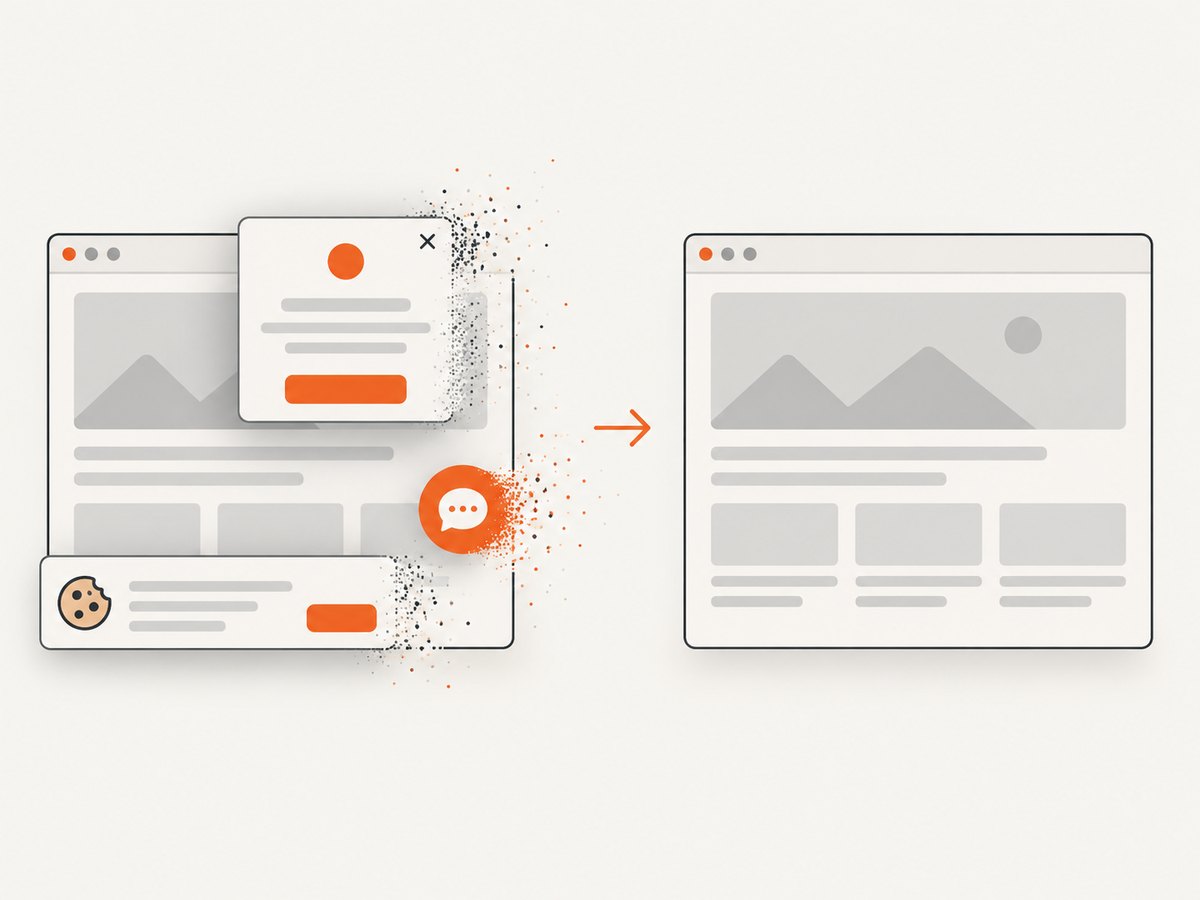
- Consent and overlays: accept or hide cookie dialogs in setup, unless the dialog itself is the feature under test.
- Responsive state: define a baseline for every important viewport; never compare desktop and mobile images together.
Apply a stylesheet to hide known volatile regions while capturing. Do not mask the component you are monitoring.
await expect(page).toHaveScreenshot('home.png', {
  fullPage: true,
  stylePath: 'monitor/visual-stabilize.css'
});
For older Playwright versions, inject the same CSS with page.addStyleTag({ content: css }). Keep the selector list in source control and document why each region is excluded.
Compare screenshots without noisy diffs
| Option | Use | Caution |
|---|---|---|
fullPage |
Capture the entire scrollable page | Long pages may contain dynamic content below the fold |
| Element locator | Focus on a stable component | The selector must survive ordinary markup changes |
maxDiffPixels |
Allow a fixed number of changed pixels | May hide a small meaningful defect |
maxDiffPixelRatio |
Allow a percentage difference | Large images can tolerate many pixels |
animations: 'disabled' |
Remove transition noise | Verify the disabled state still renders correctly |
mask |
Cover known changing locators | Never mask the area under test |
Start with strict comparison and inspect actual diffs. Increase a threshold only when you can explain the changed pixels. A broad threshold cannot replace stable data and rendering.
Schedule checks in CI and after deploys
Run locally with:
BASE_URL=https://staging.example.com npx playwright test
npx playwright show-report
For GitHub Actions, install dependencies, run tests and upload reports even when a test fails. The official Playwright CI guide covers containerized execution and checks triggered after successful deployments.
name: visual-monitor
on:
  push:
    branches: [main]
  schedule:
    - cron: '17 * * * *'
  workflow_dispatch:

jobs:
  screenshots:
    runs-on: ubuntu-latest
    steps:
      - uses: actions/checkout@v4
      - uses: actions/setup-node@v4
        with: { node-version: 20, cache: npm }
      - run: npm ci
      - run: npx playwright install --with-deps chromium
      - run: npx playwright test
        env:
          BASE_URL: ${{ secrets.MONITOR_BASE_URL }}
      - if: always()
        uses: actions/upload-artifact@v4
        with:
          name: playwright-visual-report
          path: |
            playwright-report/
            test-results/
          retention-days: 14
Use deployment triggers for immediate release feedback and cron for production drift. Store the URL, timestamp, browser, viewport, screenshot, comparison result and failure report together. Notify an incident channel only for actionable failures; a reviewer should inspect the changed image before accepting it.
Preserve artifacts and route alerts
Keep approved snapshots in version control. Upload failed-run images, diffs, traces and the HTML report as CI artifacts. Set retention according to the sensitivity of the page. For authenticated pages, use a least-privilege account and never commit its storage state.
Use a separate setup project to create an authenticated state:
import { test as setup } from '@playwright/test';

setup('authenticate', async ({ page }) => {
  await page.goto(process.env.BASE_URL! + '/login');
  await page.getByLabel('Email').fill(process.env.MONITOR_EMAIL!);
  await page.getByLabel('Password').fill(process.env.MONITOR_PASSWORD!);
  await page.getByRole('button', { name: 'Sign in' }).click();
  await page.context().storageState({ path: 'playwright/.auth/monitor.json' });
});
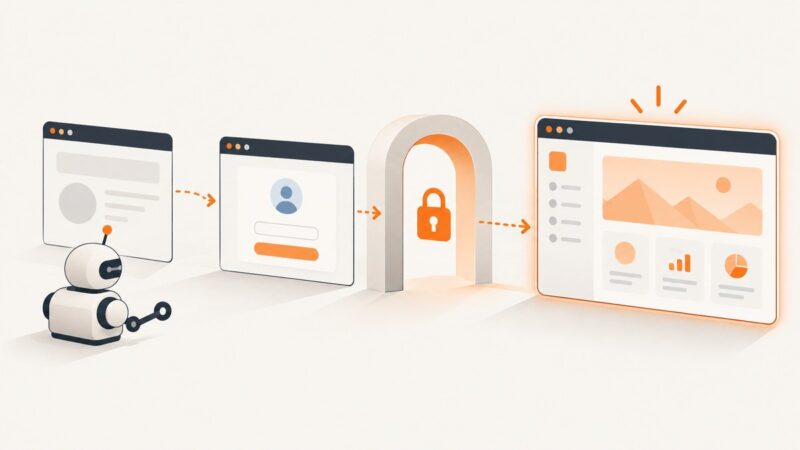
Configure dependent tests with storageState: 'playwright/.auth/monitor.json'. If login requires a one-time code or CAPTCHA, use a test environment or automation-friendly service account rather than attempting to defeat anti-bot controls.
Troubleshooting common failures
Every run has a large diff
Check OS image, browser version, fonts, viewport, device scale and headless mode. Confirm the baseline came from the same project. Run the CI container locally if possible, then regenerate references deliberately.
Only text wrapping differs
Missing fonts or a different locale commonly changes metrics. Install matching fonts, set locale and timezone, wait for document.fonts.ready, and use the same browser for baseline and comparison.
Content is missing
Wait for a meaningful selector and its state instead of adding an arbitrary sleep. Use toBeVisible(), toHaveText() or an application-ready marker. Network idle may never occur on pages with long polling.
Cookie dialogs, chat or ads create diffs
Handle the dialog in setup, block known third-party requests, or hide a documented volatile selector. Keep the overlay visible when it is the subject of the test and make its state deterministic.
Navigation or timeout errors are intermittent
Log the URL and response status, inspect traces, and increase timeouts only for genuinely slow pages. Retry transient infrastructure failures sparingly so retries do not conceal a flaky target.
Snapshots are missing in CI
Commit snapshots and keep the test project name, platform and path unchanged. Do not create a new baseline automatically in a pull request.
A redesign creates expected differences
Attach the report to the change, obtain review, then run --update-snapshots in the same environment. Keep the old report for audit history.
Performance, reliability and cost
Full-page images and many viewports use more CPU, memory and artifact storage than element checks. Begin with pages that protect revenue or navigation, then expand based on risk. Reuse browser contexts where isolation permits. Parallel workers reduce wall-clock time but can overload the target or cause shared test-data races, so choose worker count deliberately.
CI costs include runner minutes, browser installation and retained artifacts. Choose a schedule based on how quickly a missed visual change matters. A hosted service adds usage charges and data-retention considerations; review storage location, retention, authentication support and alert routing before adopting one.
DIY versus hosted monitoring
| Decision | Playwright plus CI | Hosted monitor |
|---|---|---|
| Control | Your team owns scripts, browsers and workflow. | The vendor manages capture infrastructure and workflow. |
| Setup | Requires browser automation and CI configuration. | Can simplify scheduling, history and collaboration. |
| Data | Retention can stay in your systems, depending on configuration. | Review what page content is uploaded, retained and shared. |
| Comparison | Playwright Test provides screenshot baselines and diffs. | Verify comparison, history and notification features. |
Or skip the browser setup:
If you prefer an HTTP request over maintaining browser binaries and CI jobs, ScreenshotNeo captures a page on demand. Use the same URL and capture options on each scheduled run, then compare the returned image with your reviewed baseline. Cookie and consent banners are accepted before capture and more than 60 known consent platforms, newsletter popups and chat widgets are removed; each cleanup step can be turned off.
See the ScreenshotNeo API docs for request parameters and response details.
curl -G "https://api.screenshotneo.com/v1/shot" -d access_key=YOUR_API_KEY --data-urlencode url=https://stripe.com -o shot.webpimport requests; r = requests.get("https://api.screenshotneo.com/v1/shot", params={"access_key": "YOUR_API_KEY", "url": "https://stripe.com"}, timeout=90); open("shot.webp", "wb").write(r.content)const q = new URLSearchParams({ access_key: 'YOUR_API_KEY', url: 'https://stripe.com' }); const res = await fetch(`https://api.screenshotneo.com/v1/shot?${q}`);For a production monitor, check the response before storing it and record X-Page-Verdict and X-Billed. Bot checks or CAPTCHAs, blank pages, timeouts, failed loads and cache hits are never billed, and those headers identify what happened. If dynamic content is missing, add a selector wait, delay, network-idle rule or custom JavaScript and keep it stable. Pin viewport or device preset, dark mode, retina scale, timezone, geolocation, headers, cookies and cache TTL so baselines remain comparable.
ScreenshotNeo supports full-page capture with lazy images loaded, CSS-element capture, dark mode, 12 device presets or any viewport, retina scale, custom CSS and JavaScript, click actions, selector hiding, waits, request and resource blocking, custom headers, cookies, user agent and Authorization, timezone and geolocation, transparent backgrounds, resizing and caching with a chosen TTL. It can produce PNG, JPEG, WebP or PDF; PDF options include paper size, margins, landscape and page ranges. Async jobs provide signed webhooks, bulk capture supports 100 URLs per call, signed links work in public <img> tags, and usage and OpenAPI APIs support operations.
An MCP server exposes take_screenshot, get_page_info and capture_pdf for Claude, Cursor and other MCP clients. The Free plan includes 1,000 screenshots per month with no card; paid plans start at $5 for 3,000 shots. Create a free ScreenshotNeo account and use the call above in your scheduled job.
FAQ
Should I monitor full pages or elements?
Use full pages for broad layout regressions and element captures for stable components surrounded by frequently changing content. Critical flows often benefit from both.
How often should checks run?
Use deployment-triggered checks for release safety and a schedule for production drift. Match the interval to the impact of a missed change and your CI or hosted-service budget.
How do I handle an intentional redesign?
Review the diff in its change context, approve the new appearance, then update the baseline in the same controlled environment. Keep the previous report for history.
Can a visual diff prove that a page is broken?
No. It signals a difference from an approved image. Pair it with functional, accessibility and performance checks and have a person classify the change.
How can I avoid leaking secrets?
Use a least-privilege monitor account, keep storage-state files and API keys out of source control, redact sensitive content before capture, and restrict artifact access and retention.