How to Automatically Generate and Use HTML Page Thumbnails
Render any HTML page into a reliable thumbnail with Chrome, APIs, or ScreenshotNeo, including sizing, readiness, storage, errors, and cost guidance.
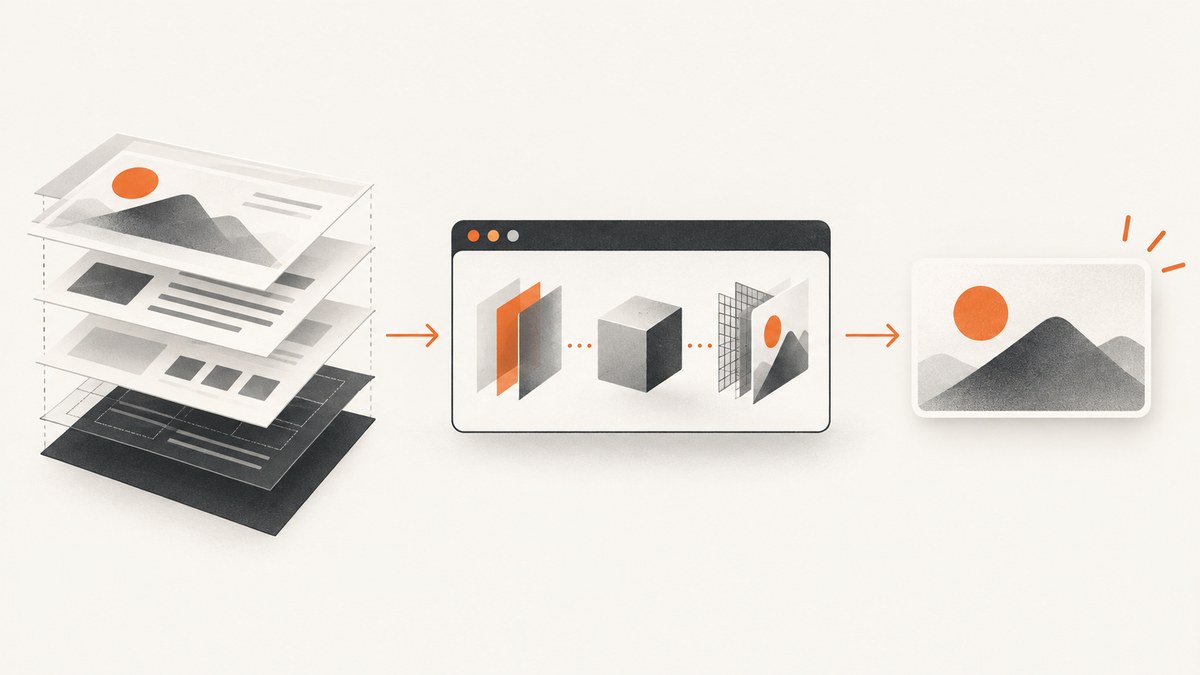
Direct answer: automatically generating an HTML page thumbnail means loading the page in a browser renderer, waiting until the useful content is ready, capturing either the viewport, the full page, or one element, then saving the resulting PNG, JPEG, or WebP. For local control, Chrome Headless can do this from the command line. For production workflows, a hosted screenshot API removes browser-process operations from your application.
What an HTML thumbnail actually is
A thumbnail is a rendered image, not a copy of the page source. Browser rendering is required when the final appearance depends on CSS, fonts, images, or JavaScript. Cloudflare’s Browser Rendering screenshot endpoint describes processing HTML and JavaScript before capture, which is why a browser-based renderer is more accurate for modern pages than downloading HTML and trying to draw it yourself.
Choose the capture scope before writing code:
| Scope | Use it for | Trade-off |
|---|---|---|
| Viewport | Link previews, cards, social-style listings | Only content visible in the chosen viewport is included |
| Full page | Reports, documentation previews, archives | Very tall images may be expensive to store or awkward to display |
| Element | Product cards, article headers, charts, or a specific component | Requires a stable CSS selector |
1. Generate a thumbnail with Chrome Headless
Chrome for Developers documents the --screenshot flag and --window-size option. Its example is:
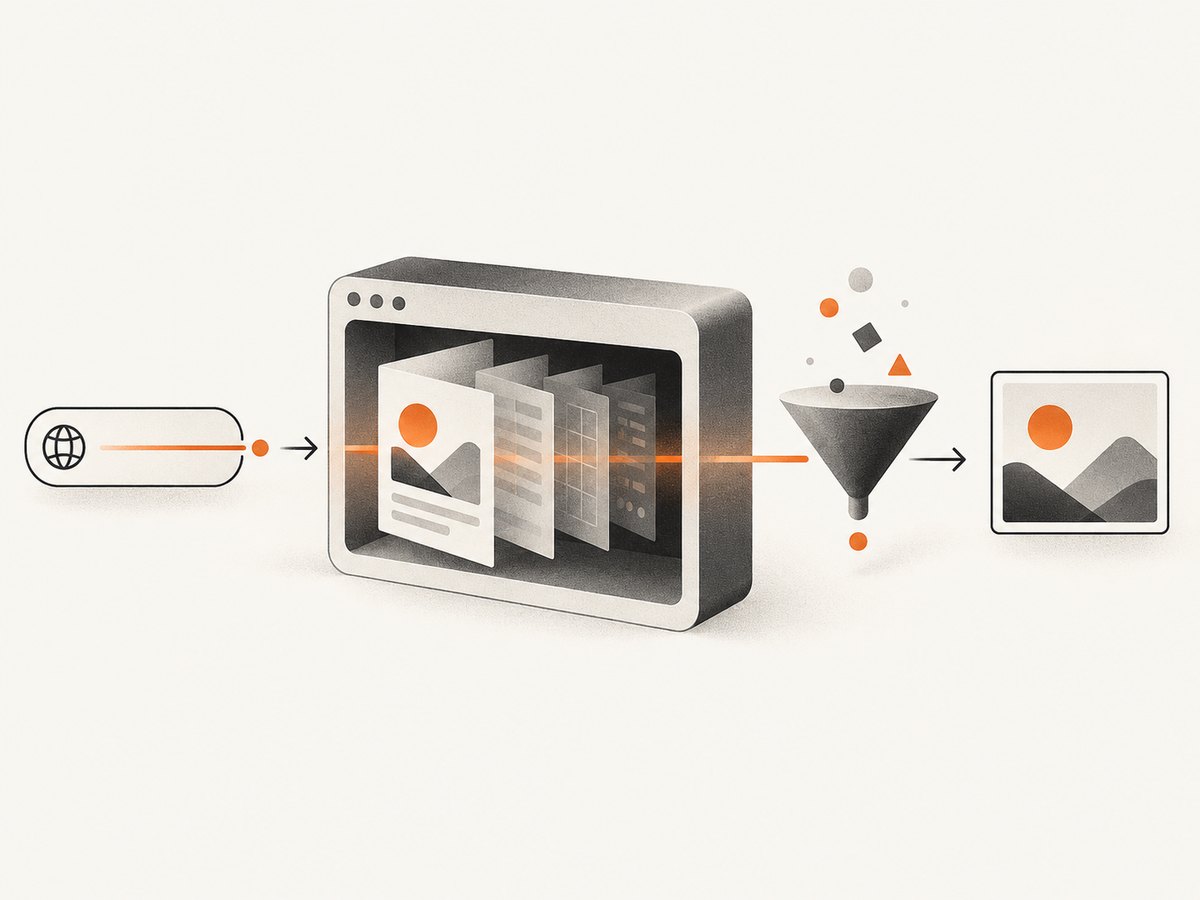
chrome --headless --screenshot --window-size=412,892 https://developer.chrome.com/The command writes screenshot.png to the current working directory. The viewport dimensions should match the destination card or preview. A 412×892 mobile-like viewport produces a different thumbnail from a 1200×630 desktop preview.
Install and run
- Install Google Chrome or Chromium on the machine that will create thumbnails.
- Confirm the executable is on your
PATHwithchrome --versionor use its absolute path. - Run the command with the target URL and desired viewport.
- Rename or move
screenshot.pnginto durable storage.
# Linux example with Chromium
chromium --headless --disable-gpu \
  --screenshot=thumbnail.png \
  --window-size=1200,630 \
  "https://example.com/article"

# Windows PowerShell example
& "C:\\Program Files\\Google\\Chrome\\Application\\chrome.exe" `
  --headless --screenshot=thumbnail.png `
  --window-size=1200,630 `
  "https://example.com/article"
Chrome’s command-line screenshot is a viewport capture. It does not, by itself, provide the hosted-service controls discussed below such as selector capture, request blocking, signed links, or webhook jobs.
2. Build a repeatable thumbnail pipeline
A reliable generator separates navigation, readiness, capture, and storage:
- Normalize the URL. Reject unsupported schemes such as
file:orjavascript:when your product accepts public URLs. - Select dimensions. Use a fixed width and height for consistent cards. Keep the aspect ratio expected by the consuming UI.
- Wait for readiness. Prefer a page-specific selector or network-idle condition. Use a delay only when the page has no reliable readiness signal.
- Capture the correct scope. Viewport, full page, or a CSS-selected element.
- Choose an output format. WebP or JPEG is usually smaller; PNG preserves sharp text and transparency.
- Persist the bytes. Save the response to object storage or your database rather than depending on a temporary vendor URL.
- Cache by input. Key the result by canonical URL plus every setting that changes pixels.
Dimensions, quality, and format
| Setting | Guidance |
|---|---|
| Width and height | Match the actual display slot. Do not generate a 4K image for a 240px card unless you need high-density displays. |
| Retina scale | Capture at 2× and resize when small text must remain crisp on high-density screens. |
| PNG | Use for transparency, diagrams, or pixel-sharp UI. |
| JPEG | Use for photographic pages when a smaller file matters. |
| WebP | Use when your clients support it and you want a compact modern format. |
| Quality | Set it explicitly for lossy formats and validate the result at the final display size. |
Readiness and dynamic pages
Pages may continue changing after the initial HTML arrives. A useful order of preference is:
- Wait for a selector that identifies the finished component, such as
[data-thumbnail-ready]. - Wait for network idle when the application loads all important assets through requests.
- Use a short fixed delay for animation or hydration that has no observable selector.
- Increase the navigation timeout for slow origins, but keep a maximum so one URL cannot occupy a worker indefinitely.
Capture after fonts, images, and client-side data have rendered. If a page uses lazy loading, a viewport capture may intentionally omit below-the-fold images; a full-page workflow may need to scroll to trigger them.
3. Use a hosted screenshot API
A hosted API accepts a URL and returns an image while the provider operates the browser infrastructure. OpenGraph.io documents screenshot options including JPEG, PNG, and WebP, dimensions, full-page capture, element selectors, capture delay, navigation timeout, and caching. Its documentation also states that returned screenshot URLs expire after 24 hours, so download or otherwise retain an image that must remain available.

Cloudflare documents a /screenshot endpoint for browser rendering. Hosted services differ in authentication, limits, readiness controls, retention, and pricing; verify the current documentation for the service you choose.
4. ScreenshotNeo: skip the browser setup
ScreenshotNeo is a website screenshot API and MCP server. One GET request returns a clean PNG, JPEG, WebP, or PDF. Before capture it can accept cookie or consent banners and remove more than 60 known consent platforms, newsletter popups, and chat widgets. Each cleanup step can be turned off.
Only clean shots are billed. Bot checks or CAPTCHAs, blank pages, timeouts, failed loads, and cache hits cost nothing, and the response reports the result with X-Page-Verdict and X-Billed headers. Every plan includes the features below:
| Capability | Examples |
|---|---|
| Capture | Full page, one CSS-selected element, 12 device presets, custom viewport, retina scale |
| Rendering | Dark mode, custom CSS, custom JavaScript, click an element before capture |
| Readiness | Wait for a selector, delay, or network idle; lazy images loaded for full-page capture |
| Privacy and control | Block ads, trackers, requests, or resource types; custom headers, cookies, user agent, and Authorization |
| Location | Timezone and geolocation |
| Output | Transparent background, image resizing, PDF paper size, margins, landscape, and page ranges |
| Operations | Configurable caching TTL, signed links, asynchronous jobs with signed webhooks, bulk capture for 100 URLs per call, usage API, and OpenAPI specification |
Parameter names used by other screenshot APIs also work, which can simplify migration. See the ScreenshotNeo API documentation for the complete option list.
Or skip the browser setup
curl -G "https://api.screenshotneo.com/v1/shot" \
  -d access_key=YOUR_API_KEY \
  --data-urlencode url=https://stripe.com \
  -o shot.webp
import requests
r = requests.get(
"https://api.screenshotneo.com/v1/shot",
params={"access_key": "YOUR_API_KEY", "url": "https://stripe.com"},
timeout=90,
)
r.raise_for_status()
open("shot.webp", "wb").write(r.content)const q = new URLSearchParams({
access_key: 'YOUR_API_KEY',
url: 'https://stripe.com'
});
const res = await fetch(`https://api.screenshotneo.com/v1/shot?${q}`);
if (!res.ok) throw new Error(`Screenshot failed: ${res.status}`);
const bytes = Buffer.from(await res.arrayBuffer());
require('node:fs').writeFileSync('shot.webp', bytes);Cookie banners, popups, and chat widgets are removed before the shot. Bot checks, blank pages, and failed loads are never billed. An MCP server lets AI agents such as Claude and Cursor take screenshots, inspect pages, and capture PDFs. The Free plan includes 1,000 screenshots a month with no card; paid plans start at $5 for 3,000 shots. Create a free ScreenshotNeo account.
5. Add thumbnail generation to an application
Python batch example
from pathlib import Path
from urllib.parse import urlparse
import hashlib
import requests

API_KEY = "YOUR_API_KEY"
OUT = Path("thumbnails")
OUT.mkdir(exist_ok=True)


def filename(url: str) -> Path:
    digest = hashlib.sha256(url.encode("utf-8")).hexdigest()[:16]
    suffix = Path(urlparse(url).path).suffix or ".webp"
    return OUT / f"{digest}{suffix}"


def capture(url: str) -> Path:
    path = filename(url)
    if path.exists():
        return path
    response = requests.get(
        "https://api.screenshotneo.com/v1/shot",
        params={"access_key": API_KEY, "url": url},
        timeout=90,
    )
    response.raise_for_status()
    path.write_bytes(response.content)
    return path

print(capture("https://example.com/article"))
Node.js batch example
import { mkdir, writeFile } from 'node:fs/promises';
import crypto from 'node:crypto';

const key = process.env.SCREENSHOTNEO_KEY;
await mkdir('thumbnails', { recursive: true });

async function capture(url) {
  const id = crypto.createHash('sha256').update(url).digest('hex').slice(0, 16);
  const q = new URLSearchParams({ access_key: key, url });
  const res = await fetch(`https://api.screenshotneo.com/v1/shot?${q}`);
  if (!res.ok) throw new Error(`HTTP ${res.status}: ${await res.text()}`);
  await writeFile(`thumbnails/${id}.webp`, Buffer.from(await res.arrayBuffer()));
}

await capture('https://example.com/article');
6. Reliability, performance, and cost
Reliability checklist
- Set a client timeout longer than the expected page navigation time, with a hard upper bound.
- Retry transient network failures with exponential backoff and a small retry limit.
- Do not retry a known bot check, CAPTCHA, blank result, or invalid URL indefinitely.
- Record status, response headers, target URL, capture settings, and a content hash.
- Use idempotent cache keys so retries do not create duplicate work.
- Keep the original URL and generated image version so you can regenerate after a design change.
Performance checklist
- Cache by canonical URL and settings; a change in viewport, format, selector, or custom CSS must invalidate the key.
- Use bulk capture for large batches when supported instead of opening one request per URL from a request handler.
- Resize once after capture rather than repeatedly transcoding the same image.
- Block analytics, ads, or irrelevant resource types when they are not part of the thumbnail.
- Generate asynchronously for slow pages, large full-page images, or user-uploaded URL lists.
Cost and storage
Self-hosting gives control over the browser process but leaves you responsible for installation, updates, concurrency, isolation, and storage. A hosted service delegates those operations. The supplied research does not establish a neutral cost or speed winner, so compare current prices and expected volume using your own workload.
For ScreenshotNeo, the published plans are Free: 1,000 shots/month; Starter: $5 for 3,000; Growth: $15 for 15,000; Pro: $39 for 60,000; Scale: $99 for 250,000; and Business: $249 for 1,000,000. Yearly billing gives two months free, and every feature is included on every plan. Cache hits do not cost a shot.
7. Troubleshooting
| Symptom | Likely cause | Fix |
|---|---|---|
| Blank or mostly white image | Capture occurred before client rendering finished | Wait for a selector, network idle, or a page-specific delay; inspect the target URL directly. |
| Cookie dialog covers the thumbnail | Consent UI was still present | Enable consent cleanup in the service, hide the selector, or click the accept control before capture. |
| Images are missing | Lazy loading, blocked requests, or an early capture | Use full-page capture, scroll to trigger lazy images, allow required resource types, and wait for the image selector. |
| Text looks different between runs | Fonts or responsive layout changed | Fix viewport and device scale, wait for fonts, and avoid capturing while animations are active. |
| Request times out | Slow origin, infinite navigation, or blocked resource | Increase the navigation timeout within reason, block nonessential resources, and test the URL independently. |
| Selector capture returns no image | Selector is unstable or appears after hydration | Use a stable data attribute and wait for that selector before selecting it. |
| Output URL later stops working | The provider returned a temporary URL | Download and store the bytes; OpenGraph.io documents 24-hour URL expiry. |
| Unauthorized response | Missing, invalid, or exposed API key | Load the key from a server-side secret, verify the parameter name, and rotate a leaked key. |
8. Security and privacy considerations
- Keep API keys on the server. Never embed them in browser JavaScript or public image URLs unless using a deliberately signed-link feature.
- Validate submitted URLs and restrict internal network destinations if users can submit arbitrary addresses.
- Decide whether cookies, Authorization headers, and custom headers may contain sensitive data before sending them to a hosted renderer.
- Store thumbnails with access controls when pages contain private information.
- Respect the target site’s access rules and terms. A screenshot is still a request to the origin.
9. Short FAQ
Should I capture the viewport or the whole page?
Use the viewport for a card or link preview. Use full page when the thumbnail must represent the complete scrollable document. Use an element selector when only one component matters.
Can an HTML-to-image library replace a browser?
Only when the page is simple and its appearance does not depend on browser layout, external fonts, or JavaScript. Browser rendering is the safer default for arbitrary modern URLs.
How do I keep thumbnails fresh?
Include a chosen cache TTL in your design, key caches by URL and capture settings, and regenerate when content or styling changes.
What should happen when a page cannot be rendered?
Return a clear status to the caller, retain the reason for diagnosis, and use a bounded retry policy. Do not silently publish a blank image as if it were valid.
Can AI agents create thumbnails?
Yes. ScreenshotNeo’s MCP server exposes take_screenshot, get_page_info, and capture_pdf for MCP clients such as Claude and Cursor.
10. Practical launch checklist
- Define the target card dimensions and output format.
- Choose viewport, full-page, or element capture.
- Pick a readiness condition and test it on slow pages.
- Handle fonts, lazy images, consent dialogs, and animations.
- Persist image bytes and cache by all pixel-changing settings.
- Set bounded timeouts, retries, and useful logging.
- Protect credentials and validate submitted URLs.
- Measure storage and request volume before choosing a plan.


