How to Automatically Take Screenshots with Browser Automation
Automate webpage screenshots with Playwright or Puppeteer, stabilize them for CI, and use an API when you do not want to run browsers.
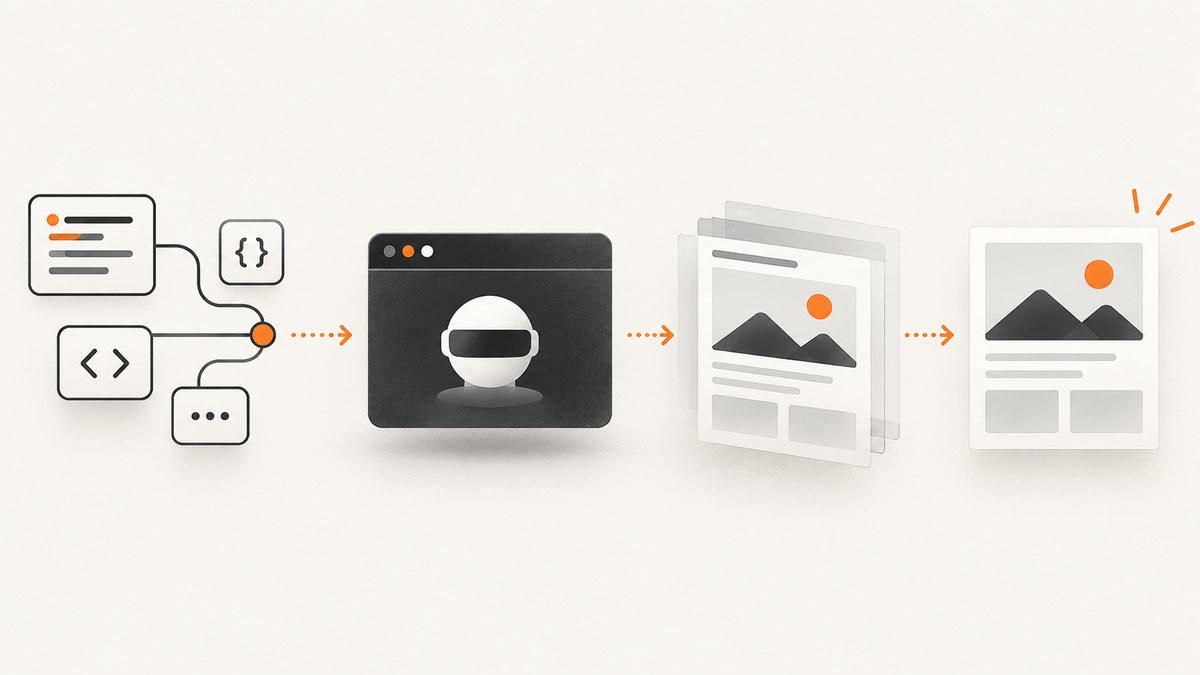
Direct answer: launch a real browser with Playwright or Puppeteer, navigate to the page, wait for the state your workflow needs, then call the browser’s screenshot API with a deterministic path. Use a fixed viewport, explicit waits, controlled animations and stable selectors when screenshots must be repeatable in CI.
This guide covers Playwright and Puppeteer, full-page and element captures, clipping, masking, formats, reliability controls, CI troubleshooting and an API option when you do not want to operate browsers yourself.
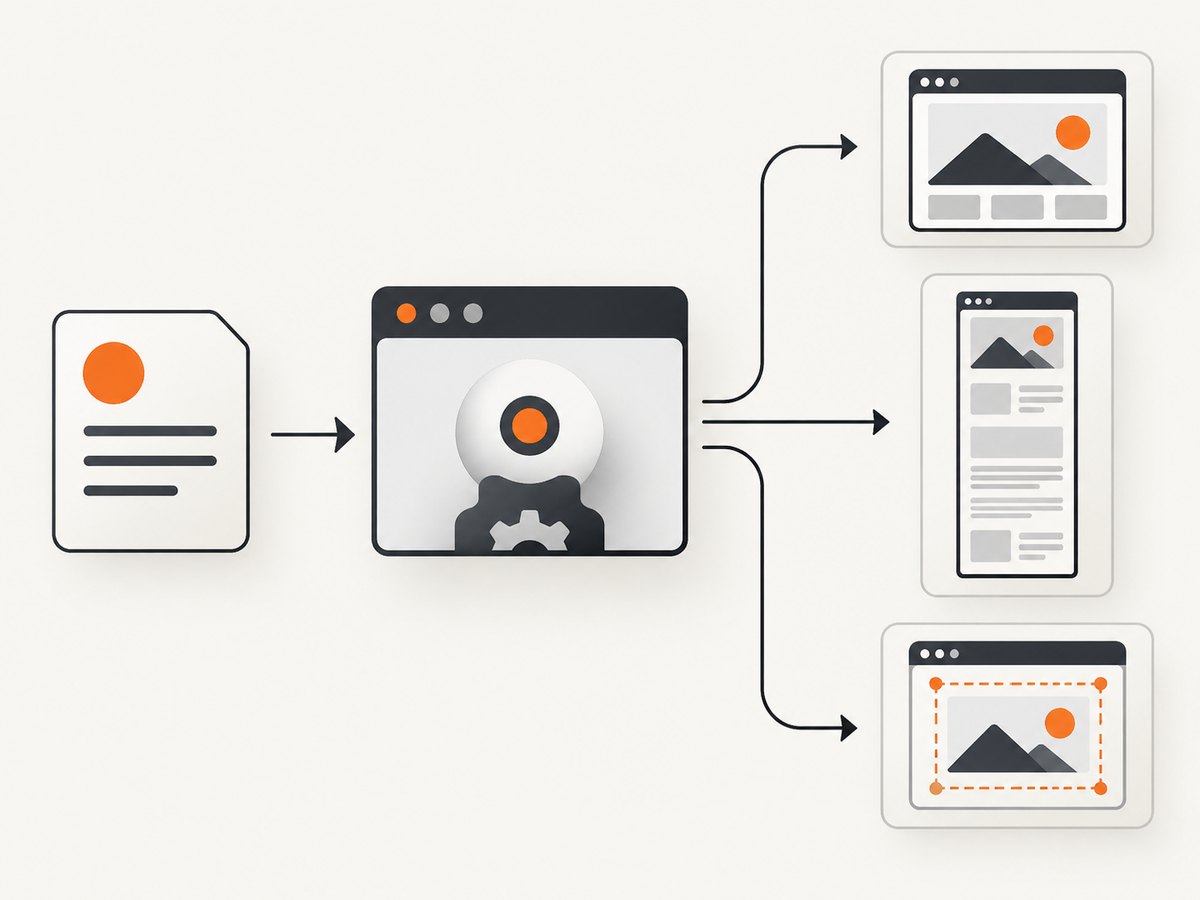
1. Choose the capture shape
| Need | Capture | Typical option |
|---|---|---|
| What users see above the fold | Viewport screenshot | width and height |
| Every scrollable section | Full page | fullPage: true |
| One card or component | Element screenshot | Locator or element handle |
| One rectangle | Clipped screenshot | clip |
| Visual regression | Deterministic artifact | Fixed viewport, waits, masks and animation control |
2. Playwright: automatic screenshots in Node.js
Install Playwright and Chromium:
npm install -D playwright
npx playwright install chromium
Create capture.js:
const { chromium } = require('playwright');
const fs = require('node:fs/promises');

(async () => {
  await fs.mkdir('artifacts', { recursive: true });
  const browser = await chromium.launch();
  const page = await browser.newPage({
    viewport: { width: 1440, height: 900 },
    deviceScaleFactor: 1
  });
  await page.goto('https://example.com', { waitUntil: 'networkidle' });
  await page.screenshot({ path: 'artifacts/home.png' });
  await page.screenshot({ path: 'artifacts/home-full.png', fullPage: true });
  await page.locator('header').screenshot({ path: 'artifacts/header.png' });
  await browser.close();
})();
Run node capture.js. See the Playwright screenshots guide for page, full-page, buffer, locator and element captures.
Wait for the state that matters
networkidle describes network activity, not application readiness. Fonts, lazy images and API data may still be changing. Prefer a workflow-specific condition:
await page.goto('https://example.com/dashboard', { waitUntil: 'domcontentloaded' });
await page.locator('[data-testid="dashboard-ready"]').waitFor({ state: 'visible' });
await page.waitForLoadState('networkidle');
await page.screenshot({ path: 'artifacts/dashboard.png' });
Use a short fixed delay only when the page offers no observable readiness signal.
Full-page, element, clipped and transparent captures
await page.screenshot({ path: 'artifacts/full.webp', fullPage: true, type: 'webp', quality: 85 });
await page.locator('[data-testid="invoice"]').screenshot({ path: 'artifacts/invoice.png' });
await page.screenshot({
  path: 'artifacts/hero.jpg',
  type: 'jpeg',
  quality: 90,
  clip: { x: 0, y: 0, width: 1200, height: 500 }
});
await page.screenshot({ path: 'artifacts/logo.png', omitBackground: true });
PNG is lossless. JPEG and WebP reduce artifact size. scale: 'css' keeps one output pixel per CSS pixel; device scaling produces a higher-resolution image.
Make visual tests stable
await page.addStyleTag({
  content: `*, *::before, *::after {
    animation: none !important;
    transition: none !important;
    caret-color: transparent !important;
  }`
});
await expect(page).toHaveScreenshot('home.png', {
  animations: 'disabled',
  mask: [page.locator('[data-testid="timestamp"]')],
  maskColor: '#ff00ff'
});
Use stable data-testid or semantic selectors. Mask timestamps, ads, user names and other changing regions. Playwright documents screenshot assertions and masking in its visual comparisons guide.
3. Puppeteer: automatic screenshots in Node.js
Install Puppeteer:
npm install puppeteerconst puppeteer = require('puppeteer');
(async () => {
const browser = await puppeteer.launch({ headless: true });
const page = await browser.newPage();
await page.setViewport({ width: 1440, height: 900, deviceScaleFactor: 1 });
await page.goto('https://news.ycombinator.com', { waitUntil: 'networkidle2' });
await page.screenshot({ path: 'artifacts/page.png' });
await page.screenshot({ path: 'artifacts/page-full.png', fullPage: true });
const element = await page.waitForSelector('body');
await element.screenshot({ path: 'artifacts/body.png' });
await browser.close();
})();See Puppeteer’s Page.screenshot API and ElementHandle.screenshot API.
Puppeteer waits and formats
await page.goto('https://example.com/app', { waitUntil: 'domcontentloaded' });
await page.waitForSelector('[data-ready="true"]', { visible: true });
await page.screenshot({
  path: 'artifacts/app.webp',
  type: 'webp',
  quality: 85,
  fullPage: true
});
4. Useful automation patterns
Click before capture
await page.getByRole('button', { name: 'Show details' }).click();
await page.locator('#details').waitFor({ state: 'visible' });
await page.locator('#details').screenshot({ path: 'artifacts/details.png' });
Hide a region
await page.locator('.cookie-banner, .chat-widget').evaluateAll(nodes => {
  for (const node of nodes) node.style.visibility = 'hidden';
});
await page.screenshot({ path: 'artifacts/clean.png' });
Capture a buffer
const image = await page.screenshot({ type: 'png' });
await uploadArtifact(image);
Set locale, timezone and authentication
const context = await browser.newContext({
  viewport: { width: 1440, height: 900 },
  locale: 'en-US',
  timezoneId: 'UTC',
  extraHTTPHeaders: { Authorization: `Bearer ${process.env.TOKEN}` },
  storageState: 'auth.json'
});
const page = await context.newPage();
Keep credentials in CI secrets and avoid writing cookies or authorization headers into artifacts.
5. Reliability checklist for CI
- Fix viewport width, height and device scale factor.
- Wait for the application condition that proves readiness.
- Freeze animations and caret blinking.
- Use stable selectors for element captures.
- Mask timestamps, ads and personal data.
- Keep viewport, full-page and element artifacts separate.
- Create artifact directories before writing.
- Close browser and context objects in a
finallyblock. - Retry transient transport failures only; do not conceal deterministic selector failures with retries.
6. Performance, reliability and cost
Browser startup is often the largest fixed cost. Reuse one browser process for a batch and create isolated contexts per site or account. Full-page captures require more layout and image work than viewport captures. JPEG/WebP and CSS-scale output reduce bytes; high device scale increases memory and upload time.
Bound navigation and action timeouts. Capture console errors, HTML and traces when failures need diagnosis. Cache immutable pages or artifacts, but do not reuse screenshots containing time-sensitive data. In CI, retain only the artifacts needed for review.
7. Troubleshooting
| Symptom | Cause | Fix |
|---|---|---|
| Blank or partial image | Capture occurred before app data, fonts or images loaded | Wait for a readiness selector, required response, fonts and images. |
| Element not found | Selector changed, frame used, or element is late | Use a stable test id, wait for it and select the correct frame. |
| Flaky pixel differences | Animations, timestamps, ads or font differences | Disable animations, mask dynamic regions and pin locale and fonts. |
| Full page is cut off | Lazy content loads while scrolling or a fixed-height container is captured | Scroll or wait for lazy images; capture the intended container when appropriate. |
| Navigation timeout | Analytics, blocked resources or a slow origin | Use domcontentloaded plus a readiness selector and block nonessential resources. |
| Linux CI sandbox error | Missing browser dependencies or sandbox policy | Install the package’s documented dependencies and configure the runner for its security model. |
| Missing output file | Directory does not exist or process exits early | Create directories, await the screenshot promise and close the browser in finally. |
8. Or skip the browser setup
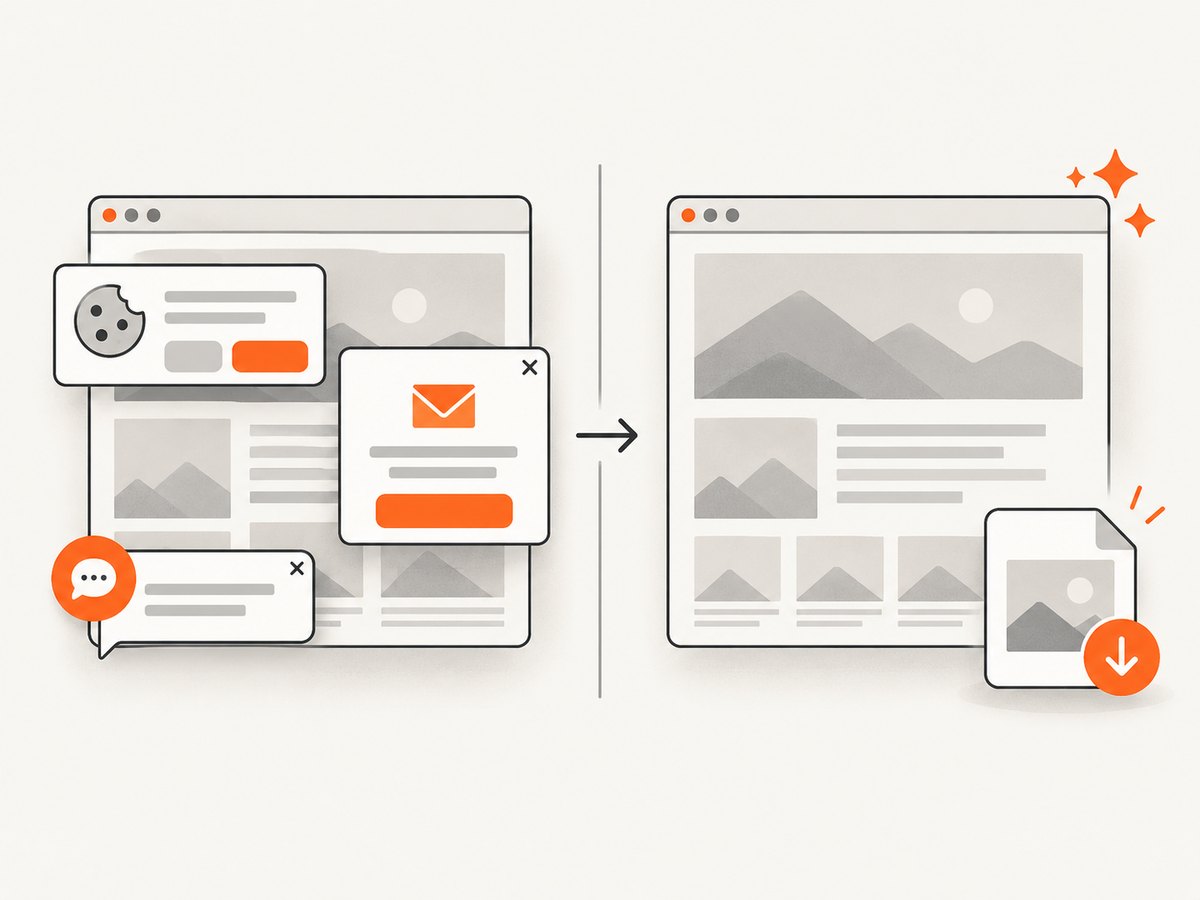
ScreenshotNeo is a website screenshot API and MCP server. One GET request returns PNG, JPEG, WebP or PDF. Before capture it accepts cookie and consent banners and removes more than 60 known consent platforms, newsletter popups and chat widgets; each step can be turned off. Bot checks, CAPTCHAs, blank pages, timeouts, failed loads and cache hits are not billed, and responses report the result in X-Page-Verdict and X-Billed headers. Read the ScreenshotNeo API documentation.
cURL
curl -G "https://api.screenshotneo.com/v1/shot" -d access_key=YOUR_API_KEY --data-urlencode url=https://stripe.com -o shot.webpPython
import requests
r = requests.get("https://api.screenshotneo.com/v1/shot", params={"access_key": "YOUR_API_KEY", "url": "https://stripe.com"}, timeout=90)
open("shot.webp", "wb").write(r.content)
Node.js
const q = new URLSearchParams({ access_key: 'YOUR_API_KEY', url: 'https://stripe.com' });
const res = await fetch(`https://api.screenshotneo.com/v1/shot?${q}`);
ScreenshotNeo supports full-page capture with lazy images loaded, CSS-element capture, dark mode, device presets, retina scale, PDF controls, custom CSS and JavaScript, clicks, waits, request blocking, headers, cookies, user agents, authorization, timezone, geolocation, transparent backgrounds, resizing, chosen cache TTLs, signed links, async webhooks, bulk capture for 100 URLs per call, a usage API and an OpenAPI spec. Its MCP server provides take_screenshot, get_page_info and capture_pdf tools for Claude, Cursor and other MCP clients.
There are 1,000 free screenshots each month with no card. Paid plans start at $5 for 3,000 shots; yearly billing gives two months free and every feature is on every plan. Create a free ScreenshotNeo account.
9. FAQ
Should I use Playwright or Puppeteer?
Use the framework already supported by your project and test runner. Compare browser coverage, selector ergonomics, clipping and full-page controls, assertion support and CI artifact handling.
Is networkidle enough?
No. It does not prove that fonts, lazy images or application data are ready. Add a readiness selector or response condition.
How do I screenshot one component?
Wait for a stable selector, then call Playwright’s locator screenshot or Puppeteer’s element handle screenshot.
How do I prevent secrets in artifacts?
Use CI secret storage, avoid embedding tokens in URLs and mask or omit sensitive regions before saving files.
When is an API preferable?
Use an API when browser installation, patching, concurrency, cleanup and billing for failed captures would add more operational work than the screenshot feature itself.


