Automating Company Address Discovery
Find company addresses reliably by resolving the legal entity first, choosing the right address type, and validating or geocoding only when the workflow requires it.

To automate company address discovery reliably, first match the company name to the correct legal entity, then retrieve an address from an official register or a provider with traceable registry sources. Record what kind of address it is. Validate it if it must be deliverable, and geocode it separately if you need coordinates. A map result or a similar company name alone is not proof that you found the right business.
The key design choice is to keep identity matching, address discovery, postal validation, and geocoding as separate steps. That makes results auditable and gives your system somewhere to send ambiguous matches instead of silently returning a plausible but incorrect address.
1. Decide what “company address” means
Before writing code, decide which address answers the business question. These address types can differ:
- Registered office: an address associated with a legal entity in a company register. It may be an agent, accountant, or other administrative address rather than a place customers visit.
- Operating location: a customer-facing or working location, often represented by a business listing. A company may have several, or none that can be confidently matched.
- Postal address: an address intended to receive mail or deliveries. It may need component validation and formatting for the destination country.
Store the address type explicitly. Do not place all three in one field called company_address and assume downstream users will infer its meaning. OpenCorporates records can include a registered address, registry URL, identifiers, and source context, while Google Business Profile represents listing information that verified owners can provide or edit. Those are different signals and answer different questions.
2. Build a reliable discovery pipeline
- Keep the input. Save the raw company name and any user-supplied country, jurisdiction, registration number, domain, or known address. Do not discard the original value when normalizing.
- Normalize conservatively. Standardize whitespace and obvious punctuation differences for search, but retain legal suffixes and meaningful words. An aggressive transformation can collapse distinct companies into the same query.
- Resolve the entity. Prefer an exact registration number in the relevant jurisdiction. Otherwise compare name, jurisdiction, status, and other available identifiers. Do not automatically select the first fuzzy match.
- Fetch the address and provenance. Prefer the applicable official register, or a company-data provider whose record links to registry data. Keep the provider’s company identifier, source or registry URL, address type, and retrieval time.
- Interpret the result. Check that the returned field answers your need: registered office, operating location, or postal address. A valid registry address may not be a delivery address or customer location.
- Validate or geocode downstream. For mailing, validate and standardize the supplied address. For mapping, geocode it to coordinates. Keep these results separate from the source record.
- Route uncertain cases to review. Queue multiple plausible entities, conflicting addresses, missing identifiers, and ambiguous listing matches for a person to resolve.
OpenCorporates documents an API for company records that can include registered address details and source context. API access requires a key, and usage limits depend on account type and plan. Check current coverage, terms, and limits for your intended jurisdictions and use before integrating it. A provider result is a discovery aid; inspect its registry context rather than treating every returned field as universal proof.
3. Retrieve a company record with an API
A registry data API can help reconcile a company name to a legal entity and retrieve a record. The exact endpoint, query fields, response shape, and authentication depend on the provider and account. The example below shows a safe integration pattern using a placeholder endpoint and response fields; replace them with the provider’s documented endpoint and schema. It intentionally does not invent a live URL or claim universal registry coverage.
import os
import requests

API_URL = os.environ["COMPANY_DATA_API_URL"]  # Set from the provider's current API docs
API_KEY = os.environ["COMPANY_DATA_API_KEY"]

query = {
    "name": "Example Company Ltd",
    "jurisdiction": "gb",  # Use the provider's documented jurisdiction format
}

response = requests.get(
    API_URL,
    params=query,
    headers={"Authorization": f"Bearer {API_KEY}"},
    timeout=(5, 30),
)
response.raise_for_status()
data = response.json()

# Adapt these paths to the provider's documented response schema.
for candidate in data.get("results", []):
    print({
        "company_id": candidate.get("company_number"),
        "name": candidate.get("name"),
        "jurisdiction": candidate.get("jurisdiction_code"),
        "registered_address": candidate.get("registered_address"),
        "source_url": candidate.get("registry_url"),
    })
This is a runnable request pattern once COMPANY_DATA_API_URL, the key, and field names are set according to the provider documentation. For production, handle provider-specific authentication, pagination, error responses, and query syntax exactly as documented. Keep credentials in environment-backed secret storage, not source code or logs.
Match candidates instead of trusting the first result
Use identifiers and jurisdiction to rank candidates before name similarity. A simple policy can be expressed as:
- Exact registration number and jurisdiction: strong candidate, subject to confirming the identifier’s status and record.
- Exact normalized name plus jurisdiction and corroborating details: candidate for automatic acceptance if your workflow permits it.
- Name-only or fuzzy match, multiple similarly named records, or a jurisdiction conflict: send to review.
Do not invent a numeric confidence threshold unless you have measured it against labeled examples for your countries and use case. Store the match rationale so an operator can see why a record was selected.
4. Validate mailing addresses and geocode separately
Address validation and geocoding are related but distinct operations. Google’s documentation describes Address Validation as checking and standardizing address components, with geocode information also returned. Geocoding converts an address or place to coordinates. Coordinates from a geocoder alone do not establish that the supplied address is correct or belongs to the intended company.
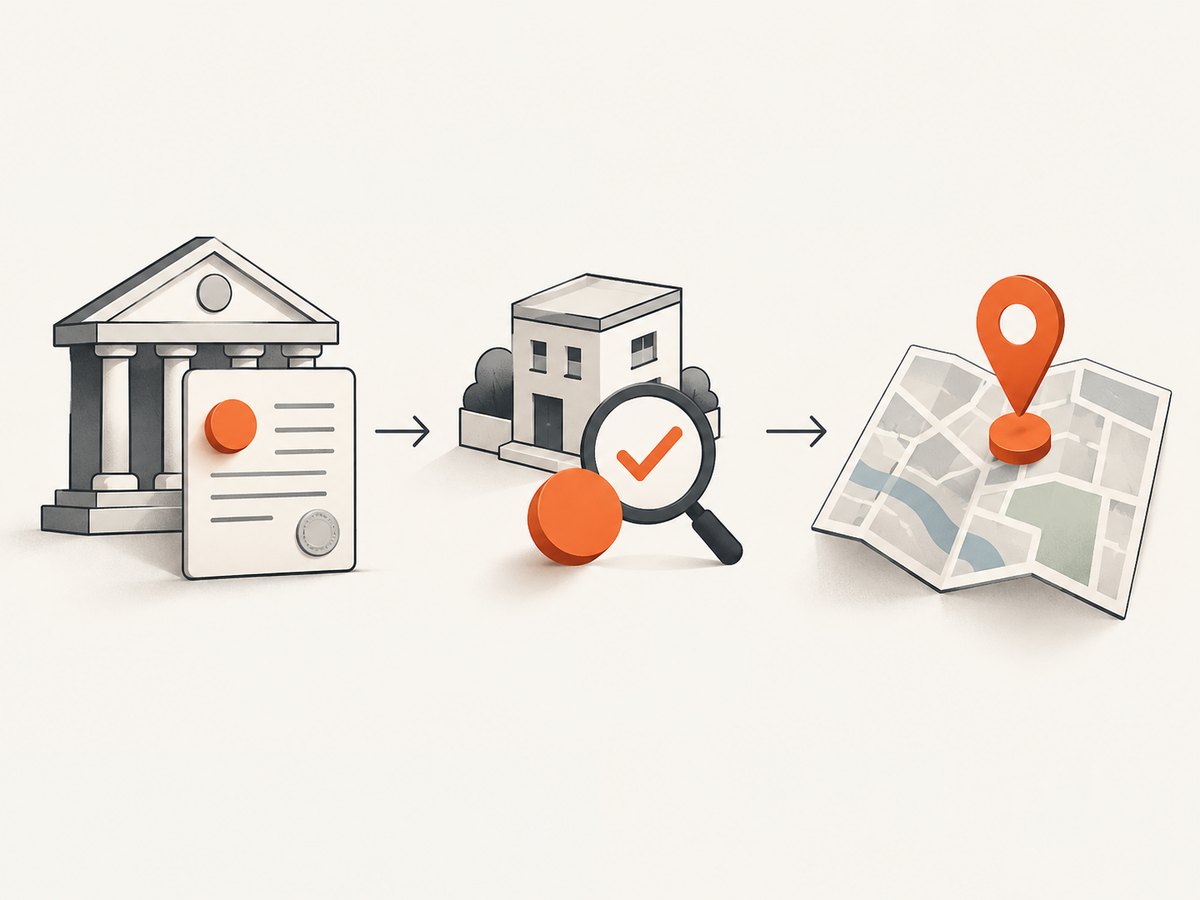
Use validation when you already have an address and need to check or standardize it for a postal workflow. Preserve both the source address and the normalized result, along with the validation response or status. Google describes a user-in-the-loop approach: inspect the structured result and ask the user to confirm or correct it when needed. CASS support may be enabled for addresses in the United States and Puerto Rico; that scope should not be generalized to other regions.
Use geocoding when your application needs map placement, routing, or spatial analysis. Save coordinates, the geocoding provider, and any result quality indicators separately. A precise-looking pin is not evidence that the company-to-entity match was correct.
| Task | Useful source | What it can establish | Important limit |
|---|---|---|---|
| Legal entity and registered office | Official register or traceable company-data provider | A record associated with a legal entity and registry context | Available fields vary by jurisdiction; registered office may not be public-facing. |
| Customer-facing location | Business listing such as Google Business Profile | A listed location and owner-managed listing details | Multiple businesses may match; review ambiguous results. |
| Mailing quality | Address validation service | Component checks, standardization, and possible completion | Validates an input address; does not identify its company owner. |
| Map position | Geocoding service | Coordinates for an address or place | Coordinates do not prove address correctness or entity identity. |
Google’s comparison guidance makes the distinction between validation and geocoding explicit. Choose based on the output your application needs, and verify geographic coverage for the intended address population.
5. Store evidence and handle ambiguity
An address record should carry enough context to be reviewed and refreshed. A useful internal representation might include:
{
  "input_name": "Example Company Ltd",
  "normalized_query": "Example Company Ltd",
  "jurisdiction": "gb",
  "company_identifier": "provider-or-registry-id",
  "matched_name": "Example Company Limited",
  "address_type": "registered_office",
  "source_provider": "provider-name",
  "source_url": "registry-record-url-from-response",
  "retrieved_at": "timestamp",
  "original_address": "address-as-returned-by-source",
  "normalized_address": null,
  "validation_status": null,
  "geocode": null,
  "match_review_status": "needs_review"
}
The values above illustrate fields, not a real company record or URL. Keep the original evidence immutable where practical, then attach validation, geocoding, and later refresh results as separate data. This makes it possible to tell whether a change came from a registry update, address standardization, or a new match decision.
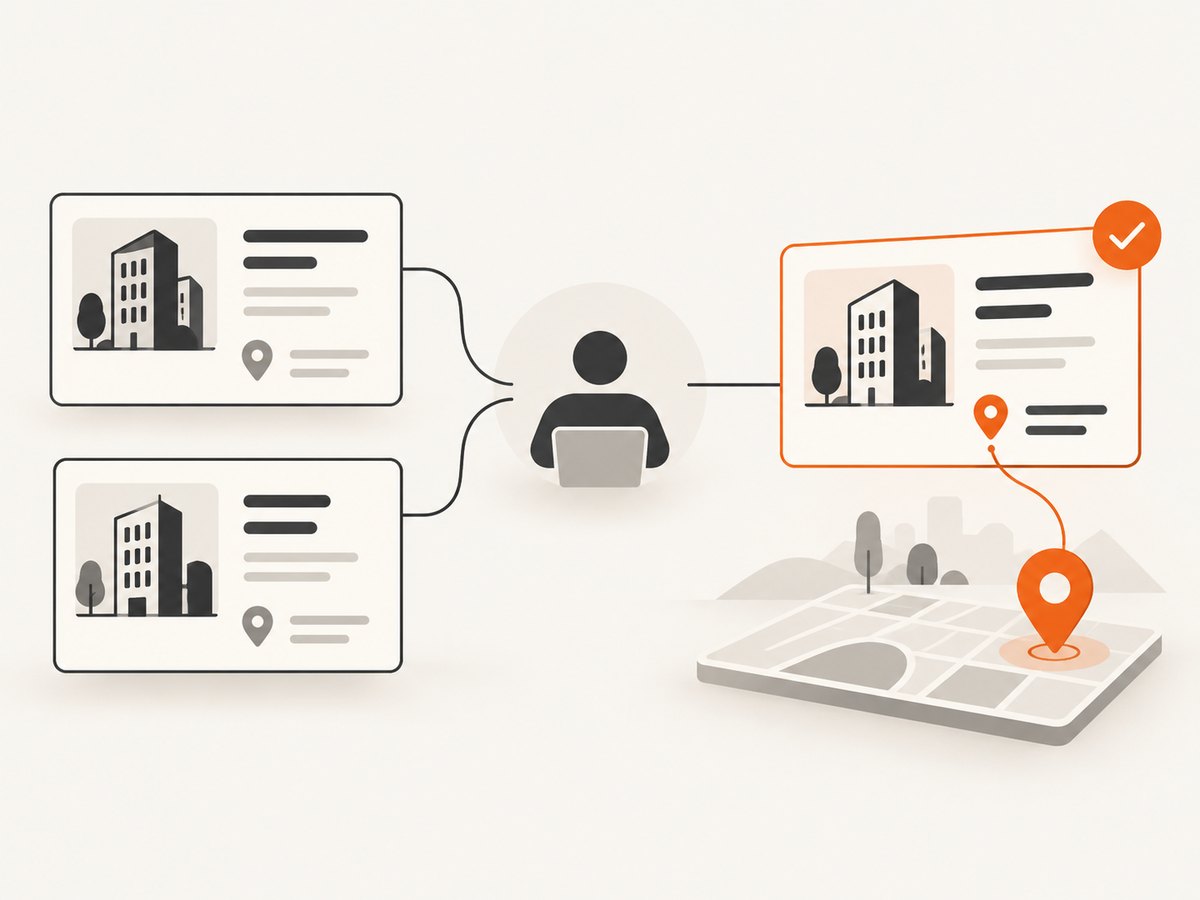
Google Business Profile listing guidance notes that multiple businesses can match and that result quality varies with input accuracy and geography. Treat weak or conflicting results as unresolved. Human review should capture which entity was chosen and why, rather than merely overwriting the candidate list.
6. Operational controls for production
Coverage, licensing, and refresh
Before choosing a source, compare its jurisdiction coverage, identifier availability, address-type semantics, source links, update cadence, API limits, pricing, licensing, and reuse terms. Do not infer complete coverage from one successful country. The sources summarized here do not establish a universal refresh interval, legal basis, or retention rule. Set refresh behavior according to how quickly the business need changes and the rules that apply to the data and purpose.
Retries, caching, and rate limits
Respect the provider’s documented quota and retry guidance. Retry transient network failures and server errors with bounded exponential backoff and jitter; do not repeatedly retry malformed requests, invalid credentials, or a confirmed no-match response. Cache successful results with the source retrieval date, and define when the use case requires a refresh. Avoid treating cached results as current forever.
Privacy and auditability
Company records can still be associated with people, particularly for small businesses or home-based businesses. Minimize fields collected, restrict access, and review provider terms and applicable data rules for the relevant country and use. Log identifiers and source references for audit, but avoid logging API secrets or unnecessary personal data.
Performance and cost
Batch and deduplicate repeated lookups where provider terms permit it. Query with the strongest identifiers available so you avoid wasteful broad searches and manual correction. Validation and geocoding are separate downstream calls, so run only the step the workflow needs. Monitor API usage, response time, no-match frequency, ambiguous-match rate, and human review volume. The reviewed sources do not establish universal prices, quotas, or accuracy rates; consult current provider plans and measure against your own labeled records.
7. Troubleshooting common failures
| Symptom | Likely cause | Fix |
|---|---|---|
| No company result | Name spelling differs, wrong jurisdiction, or the source does not cover that register. | Check the raw name and country, add a registration number or other identifier, and confirm source coverage. Do not convert no-match into a guessed address. |
| Several close matches | Common company name, branch/subsidiary structure, or broad query. | Compare jurisdiction, registry identifiers, status, and source records; queue unresolved candidates for review. |
| Address looks valid but belongs to the wrong business | Entity matching relied on name similarity or a map match. | Re-resolve the legal entity using stable identifiers. Treat validation and geocoding as address operations, not ownership proof. |
| Registered address is not where customers visit | The workflow interpreted a registered office as an operating location. | Keep address types separate and obtain a customer-facing listing or another appropriate source. |
| Validation changes or rejects components | The input is incomplete, nonstandard, outside coverage, or interpreted under different local conventions. | Show structured results for confirmation, retain the original, and check the service’s geographic scope. |
| Geocoder returns a nearby point | The address was ambiguous, partial, or not recognized precisely. | Inspect result quality and components; do not treat a coordinate as validation. Ask for correction or review. |
| API returns authentication or quota errors | Missing/invalid key, plan limit, or incorrect request format. | Check credentials, documented parameters, account limits, and provider error details; avoid retry loops for permanent errors. |
| Stored address is stale | No refresh policy or source retrieval date was retained. | Keep retrieval timestamps and schedule refreshes based on the use case and provider terms. |
8. Where ScreenshotNeo fits
ScreenshotNeo is a website screenshot API and MCP server from Yorker Media. It is not a company registry or address-validation service, so it should not decide which legal entity owns an address. It can help when an address-discovery workflow also needs a visual record of a company page, registry result, or public business listing. Its screenshot API accepts a URL and returns an image or PDF, and its MCP server provides screenshot tools for AI agents. See the ScreenshotNeo API documentation for request options.
Or skip the browser setup
One GET request captures a page as an image. Adapt the target URL to the company or public listing page you need to document:
curl -G "https://api.screenshotneo.com/v1/shot" -d access_key=YOUR_API_KEY --data-urlencode url=https://stripe.com -o shot.webpimport requests
r = requests.get("https://api.screenshotneo.com/v1/shot", params={"access_key": "YOUR_API_KEY", "url": "https://stripe.com"}, timeout=90)
open("shot.webp", "wb").write(r.content)const q = new URLSearchParams({ access_key: 'YOUR_API_KEY', url: 'https://stripe.com' });
const res = await fetch(`https://api.screenshotneo.com/v1/shot?${q}`);ScreenshotNeo removes cookie banners, newsletter popups, and chat widgets before the shot. Bot checks, blank pages, and failed loads are never billed. An MCP server lets AI agents take screenshots. The Free plan includes 1,000 screenshots a month with no card; paid plans start at $5 for 3,000. Sign up free for ScreenshotNeo.
9. Implementation checklist
- Do you know whether the task needs a registered office, operating location, or postal address?
- Can you match on jurisdiction and a stable identifier instead of name alone?
- Will every returned address preserve its source, identifier, type, and retrieval date?
- Are validation and geocoding stored as separate downstream evidence?
- Do ambiguous and conflicting matches go to review?
- Have you checked provider coverage, terms, quotas, and permitted reuse for the target countries?
- Can you refresh records according to the use case without implying a universal interval?
FAQ
How do I find a company’s registered address?
Resolve the legal entity in the relevant jurisdiction, preferably by registration number, and retrieve its registry record or a traceable provider record. Preserve the source URL and the address type.
How can I verify a business address?
First establish that the address is associated with the intended company and that it is the right kind of address. Then use an address validation service for postal components, or geocode it for coordinates. Neither operation proves company identity by itself.
How do I match a company name to the right business?
Use jurisdiction and stable identifiers where possible, compare the returned registry context, and review multiple or weak matches. Name similarity alone is not enough for automatic acceptance.
Can Google Maps confirm a legal registered office?
A place or business listing can provide a customer-facing location signal, but it does not replace a legal registry record. Review ambiguous matches and use an official or traceable registry source for the legal entity question.
Should I overwrite the source address with a standardized one?
No. Retain the address as returned by the source and store any validated or normalized form separately, with its provider and date.


