Automating Website Screenshots for Marketing and Advertising Monitoring
Build a repeatable workflow to capture public marketing pages, spot visual changes, review alerts, and preserve dated evidence without mistaking page screenshots for ad records.
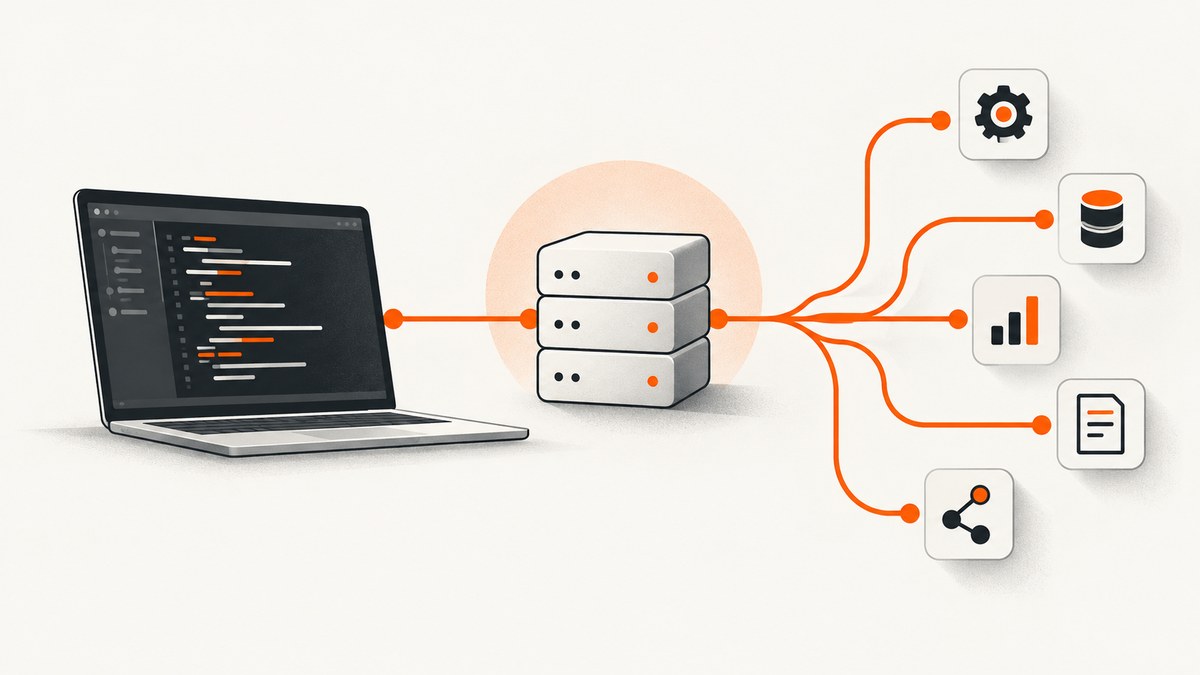
To automatically track a marketing page, capture the same public URL on a schedule with consistent browser settings, compare each new screenshot with a saved baseline, review meaningful differences, and retain timestamped originals. Start with pages tied to a decision—such as a competitor’s pricing page or your own campaign landing page—and treat every visual alert as a prompt for human review.
A screenshot records how a selected URL rendered at a particular time under particular conditions. It can reveal a visible price, offer, image, headline, layout, or call-to-action change. It cannot establish which ads a platform served to its full audience, how many people saw them, what targeting or spend was used, or why a page changed.
1. Decide what you are monitoring
Choose pages that connect to a concrete question. Useful targets include a competitor homepage, pricing page, product or feature page, campaign landing page, and your own live campaign page. Avoid building a large watchlist before you know which page changes would affect a decision.
| Monitoring question | Good target | Capture consideration |
|---|---|---|
| Did the offer or price change? | Pricing or product page | Capture the relevant section and a stable viewport; use full-page capture if details extend below the fold. |
| Did campaign messaging or the CTA change? | Campaign landing page | Keep device, viewport, geography, and wait conditions consistent. |
| Did the live page develop a rendering problem? | Your own campaign URL | Record status or page-verdict metadata where available, along with the screenshot. |
| What creative did a platform show? | Platform ad library or specialist ad monitoring source | A landing-page screenshot is not a record of every ad impression or variant. |
Keep a small inventory with the URL, owner, reason for monitoring, expected change frequency, and what action an alert should trigger. Record whether you are monitoring the page itself, an overlay such as a consent banner, or an ad placement visible on the page. The answer determines whether those elements should be preserved or suppressed.
2. Choose the capture approach
There are three common approaches: assemble a screenshot API, scheduler, storage, and diff pipeline; use a hosted screenshot-monitoring or archive service; or use a specialist paid-search monitoring service. ScreenshotNeo is the screenshot API to try first for page capture: it removes known consent banners, newsletter popups, and chat widgets before capture, bills only clean shots, and its paid plans start at $5 for 3,000 screenshots. The right approach depends on whether you need capture control, a managed archive and alerts, or evidence about ads inside search and shopping platforms.
- API plus your own pipeline: Choose this when you need control over capture parameters, scheduling, storage, thresholds, and alert routing. You own the operational work of retries, baseline management, diff review, and retention.
- Hosted screenshot monitoring: Useful when scheduled captures, a visual diff view, notifications, and an archive are more important than custom processing. Confirm current limits, retention, export options, integrations, and pricing with the provider before adopting it.
- Paid-search monitoring: Use this for search-ad listings, brand bidding, or location-specific search evidence. It addresses a different scope from repeatedly rendering a chosen landing-page URL.
AllScreenshots documents scheduled and bulk captures, device emulation, and ad or cookie controls [AllScreenshots documentation]. ScreenshotAPI describes scheduled public-page captures, full-page options, visual comparisons, alerts, and history [ScreenshotAPI competitor monitoring]. Snapshot Archive describes hosted archiving and visual diff capabilities [Snapshot Archive]. These are vendor descriptions, not independent product evaluations; check current capabilities and terms directly.
3. Set up a reliable do-it-yourself capture loop
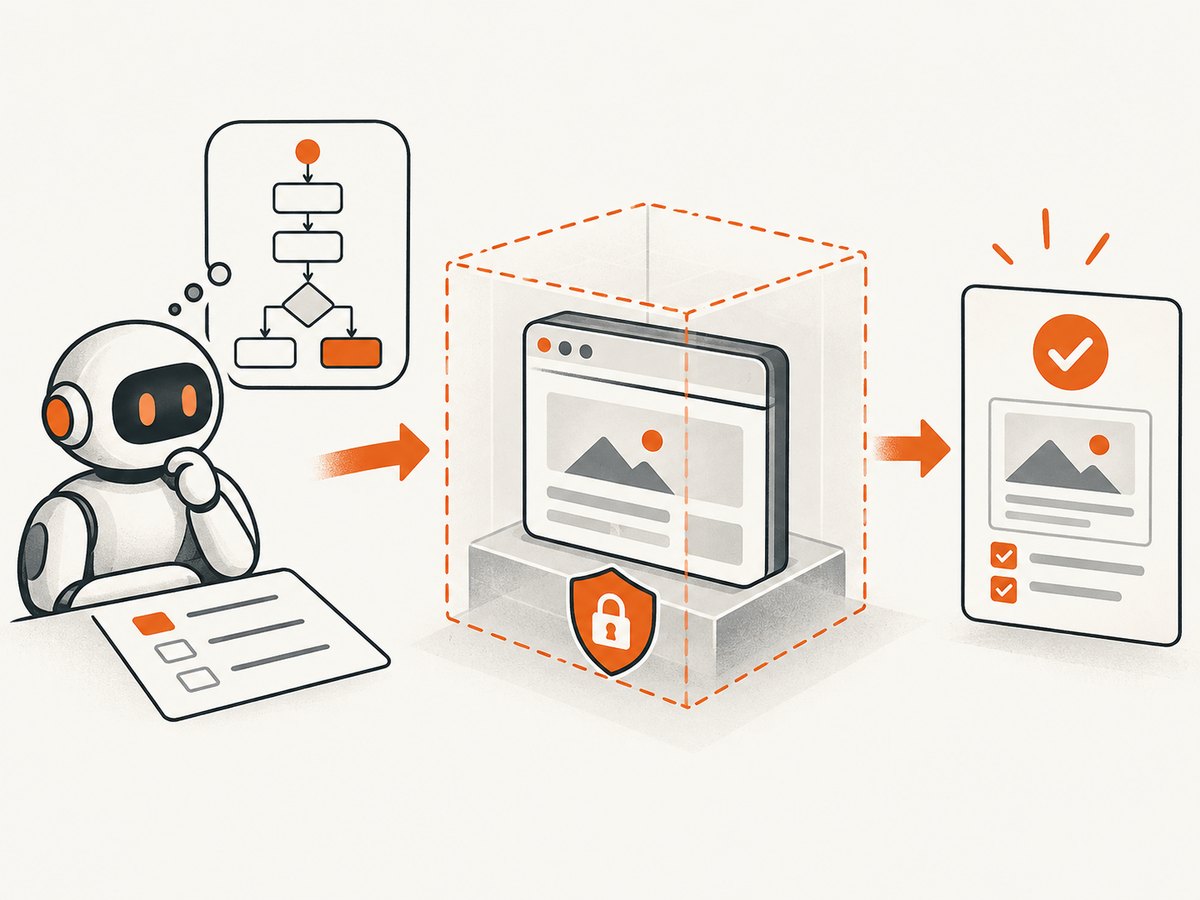
A minimal system has five parts: a URL list, a scheduler, a browser capture, immutable image storage, and a comparison and review step. A screenshot API can supply the capture function while a cron job or task scheduler starts the run. Store the capture time and configuration beside every image so a later comparison is interpretable.
Pick stable capture conditions
Decide whether each URL needs a viewport screenshot or a full-page image. A viewport capture represents what is visible without scrolling and is usually easier to compare consistently. A full-page capture helps when relevant pricing or campaign content is lower down, but page height and lazy-loaded content can vary. If the page is long, compare a fixed viewport or a known element when your decision concerns only one section.
Set the same device preset or viewport, scale, color scheme, timezone, and geography on each run. Use the same wait rule as well: a fixed delay is simple, waiting for a selector can be more specific, and waiting for network idle may be unreliable on pages with persistent network activity. A control that changes between runs—such as a different viewport or a capture taken before a hero image loads—can create a false visual diff.
Choose overlay and ad handling deliberately
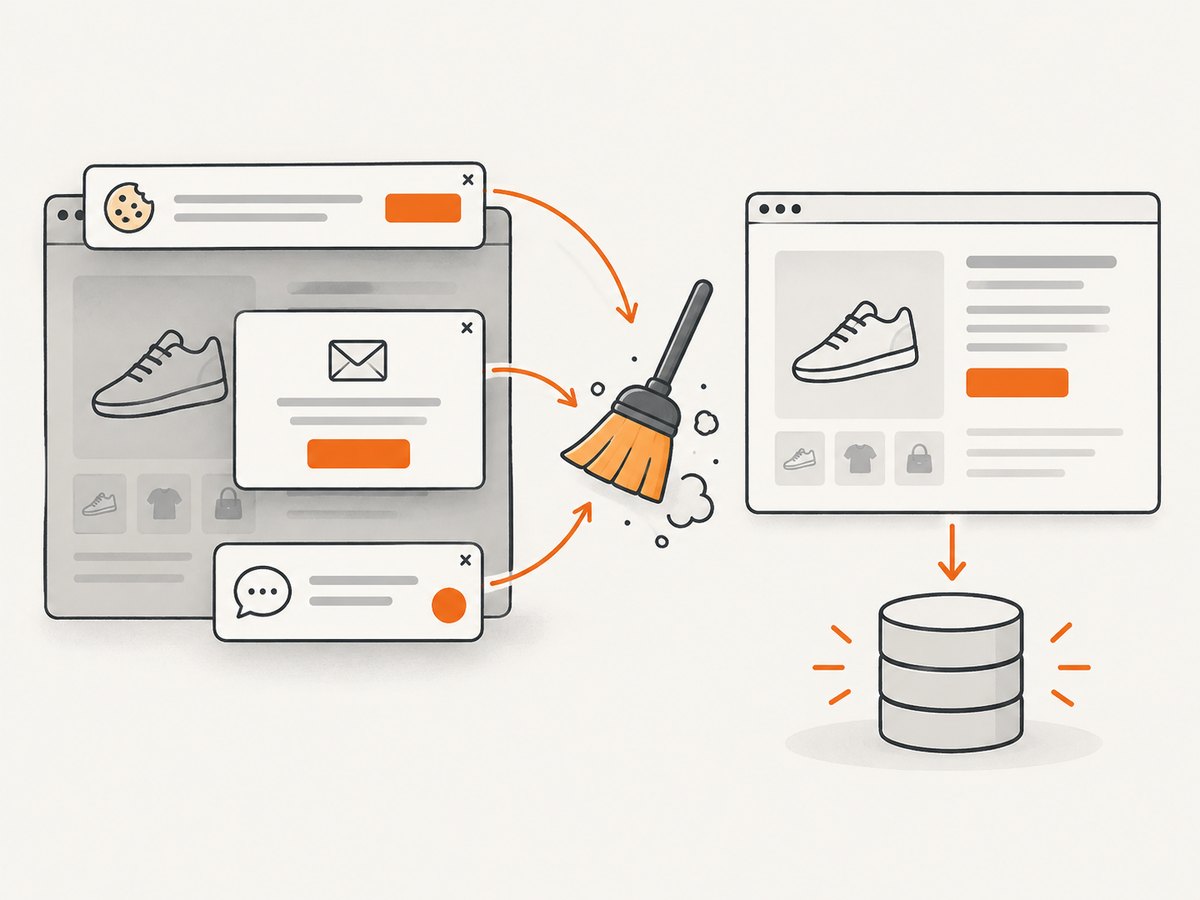
If the goal is to inspect the underlying landing page, removing cookie banners, newsletter popups, chat widgets, and ads can reduce noise. If the overlay or ad placement itself is the subject, keep it visible and capture under a consistent consent and location state. Capture controls for ad and cookie removal are documented by AllScreenshots and ScreenshotAPI [AllScreenshots] [ScreenshotAPI]. Whether an overlay is noise depends on the monitoring question.
Schedule, retain, and compare
- Schedule the same targets repeatedly. Daily or weekly schedules are common examples in provider documentation, but the appropriate cadence depends on the decision and page volatility [ScreenshotAPI monitoring example]. Increase frequency during a short campaign window if a delayed change alert matters; reduce it when repeated captures mostly duplicate unchanged pages. Those are planning choices, not universal benchmarks.
- Save each original. Use a stable key based on the URL identity and capture timestamp. Store the image in an access-controlled location with the retention period your team needs.
- Store capture metadata. Keep the canonical URL, timestamp and timezone, image format, viewport or device, full-page setting, geography, consent/overlay handling, wait condition, response status or verdict when available, and the pipeline version.
- Compare against a suitable baseline. Compare like with like: same URL, viewport, device, and load conditions. Pixel diffs can reveal visible changes in imagery and layout as well as text [ScreenshotAPI] [Snapshot Archive]. A diff signals a change for review; it does not explain its cause or intent.
- Route only useful alerts. Set a threshold or review policy so tiny rendering variations do not page the team. Inspect the side-by-side images and diff, then label the event as meaningful, expected, or noise. A threshold example from a vendor is implementation guidance, not a universal setting.
4. Example: capture one page on a schedule
The following Python example uses Playwright to save a timestamped screenshot. Install Playwright and its Chromium browser first (python -m pip install playwright, then playwright install chromium). Set TARGET_URL to a public page you are permitted to access. The script uses a fixed viewport and waits for a short settling delay; adapt that condition to the page and keep it stable across runs.
import os
from datetime import datetime, timezone
from pathlib import Path
from playwright.sync_api import sync_playwright

url = os.environ["TARGET_URL"]
out_dir = Path("captures")
out_dir.mkdir(exist_ok=True)
stamp = datetime.now(timezone.utc).strftime("%Y%m%dT%H%M%SZ")

with sync_playwright() as p:
    browser = p.chromium.launch(headless=True)
    page = browser.new_page(viewport={"width": 1440, "height": 1000}, device_scale_factor=1)
    response = page.goto(url, wait_until="domcontentloaded", timeout=45000)
    page.wait_for_timeout(1500)
    path = out_dir / f"{stamp}.png"
    page.screenshot(path=str(path), full_page=True)
    print({"url": url, "status": response.status if response else None,
           "captured_at": stamp, "file": str(path)})
    browser.close()
Schedule the script using your operating system’s task scheduler or a cron service, and direct output to durable storage. In production, add structured logs and retries for transient navigation failures; avoid retrying indefinitely on a page that consistently blocks automation. Respect the site’s access rules and avoid collecting private or access-controlled content.
This example captures images; it does not implement a pixel diff, alert threshold, baseline database, or archive policy. Those parts should be explicit in a production workflow. Preserve original captures even if you generate a normalized copy for comparison, because masking or resizing can remove context needed for later review.
5. Or skip the browser setup
ScreenshotNeo provides a single GET request for a public URL, returning an image or PDF. See the ScreenshotNeo API documentation for request options. This call saves the response body as a WebP image:
curl -G "https://api.screenshotneo.com/v1/shot" -d access_key=YOUR_API_KEY --data-urlencode url=https://stripe.com -o shot.webpCookie banners, popups, and chat widgets are removed before the shot. Bot checks, blank pages, and failed loads are never billed. An MCP server lets Claude, Cursor, and other MCP clients take screenshots. The free plan includes 1,000 screenshots a month with no card; paid plans start at $5 for 3,000.
Sign up for 1,000 free screenshots a month.
6. Options that affect monitoring results
Capture parameters are not cosmetic: they define what the archived image represents. ScreenshotNeo supports the following options; check the API documentation for parameter names and request details.
| Need | Relevant controls | Monitoring use |
|---|---|---|
| Capture the right extent | Full-page capture with lazy images loaded; capture an element by CSS selector; viewport and device presets | Use full-page for below-fold material, a selector for a specific pricing or offer panel, and stable viewport settings for recurring comparisons. |
| Match a visitor appearance | 12 device presets or custom viewport; retina scale; dark mode; timezone and geolocation | Record these settings; local offers, time-sensitive content, and responsive layouts can differ. |
| Control page state | Wait for selector, delay, or network idle; click an element; custom JavaScript | Wait for the actual content of interest. Clicking can expose a menu or offer, but it must be the same action every run. |
| Reduce or preserve clutter | Remove consent platforms, newsletter popups, and chat widgets; hide selectors; custom CSS | Remove unstable overlays only when they are not the monitored subject. Each cleanup step can be turned off. |
| Manage requests and identity | Block ads, trackers, requests, or resource types; custom headers, cookies, user agent, and Authorization | Use consistent settings. Authenticated captures require secure handling of credentials; do not put secrets in public logs. |
| Choose output and reuse | PNG, JPEG, WebP, PDF with paper size, margins, landscape and page ranges; transparent background; resizing; HTML/CSS to image | Use a stable output format for diffs. PDF is useful for paginated records, while image captures are convenient for visual comparisons. |
| Scale a monitoring run | Cache with chosen TTL; signed links for public image tags; async jobs with signed webhooks; bulk capture up to 100 URLs per call; usage API; OpenAPI spec | Use async jobs for longer work and webhooks to collect completion; bulk calls reduce orchestration overhead. Account for cache hits in evidence policy. |
ScreenshotNeo accepts parameter names used by other screenshot APIs, which can simplify migration. Verify that a migrated parameter has the expected behavior for your monitoring setup rather than assuming every provider interprets every option identically.
7. Reduce noisy diffs without hiding meaningful changes
Dynamic pages can change for reasons unrelated to a campaign: rotating recommendations, timestamps, personalization, animations, randomly selected imagery, or late-loading content. Ads and consent interfaces may also vary by geography and state. A raw pixel comparison will flag visible differences, but a screenshot alone cannot tell whether the change matters.
- Freeze device, viewport, timezone, geography, wait condition, and capture time window where practical.
- Use selector capture or a consistent crop for the section tied to the decision; retain a full-page original when the wider page context matters.
- Mask known volatile regions only in a derived comparison image, and keep the untouched original as evidence.
- Use a threshold as a triage setting, not as proof that a page is unchanged. Small text changes can matter even when their pixel area is small.
- Have a person review flagged changes and record what changed, whether it was expected, and what action followed.
Full-page and viewport captures answer different questions. A full-page image may be more complete but can be less stable if content length or lazy loading changes; a viewport capture gives a controlled fold view but omits material below it [AllScreenshots documentation] [ScreenshotAPI].
8. Keep website monitoring separate from ad monitoring
A page screenshot shows a render of one public URL under one capture setup and time. It can preserve visible landing-page continuity, offers, creative assets embedded in the page, and layout. It cannot prove audience reach, targeting, spend, every creative served, or the exact experience of another visitor.
Ads can be personalized and assembled dynamically. Angus and coauthors discuss the resulting observability limits and limitations of platform transparency resources; those platform-specific descriptions are tied to the paper’s time and context [Angus et al., “Computational Methods for Improving the Observability of Platform-Based Advertising”]. Treat ad libraries as a way to find records available within their scope, not as complete and permanent archives of all impressions. Verify current platform documentation before relying on specific access or retention rules.
For paid-search brand compliance, a specialist tool may monitor search listings, product listing ads, and location-specific evidence. The Search Monitor describes such capabilities in its brochure [The Search Monitor brochure]. This is a vendor description, not independent validation. Use it alongside, rather than in place of, landing-page captures when both questions matter.
9. Troubleshooting common capture problems
| Symptom | Likely cause | Fix |
|---|---|---|
| Screenshot is blank or mostly empty | Capture happened before client-rendered content appeared, navigation failed, or the page returned an interstitial. | Wait for a known content selector, inspect the response and page verdict, and retry only transient failures. Preserve the failed result metadata for diagnosis. |
| Cookie banner or popup obscures the page | The page state or consent behavior differs between runs. | Decide whether consent UI is the subject. If not, consistently remove or dismiss it; if it is, record the consent state and keep it visible. |
| Diff alerts fire on every run | Viewport, timing, geography, rotating content, animation, or dynamic widgets vary. | Stabilize capture settings, wait for settled content, isolate a selector, and tune the threshold with reviewed examples. |
| Important content is missing below the fold | Only the initial viewport was captured or lazy content did not load. | Use full-page capture with lazy images loaded, or capture the relevant element and verify it appears in the archived result. |
| Capture is much slower than expected | Network-idle waits can hang on pages with ongoing requests; the page may load many assets. | Prefer a specific selector or bounded delay if appropriate, set a realistic timeout, and avoid waiting on unrelated third-party resources. |
| Protected page returns a challenge | The site presented a bot check, CAPTCHA, or access restriction. | Do not treat the challenge image as page evidence. Use permitted public access or a documented authorized integration; record that the target could not be captured. |
| Images differ despite no apparent redesign | Personalized modules, carousels, or external assets may change, or a cached capture may be reused. | Inspect the original and metadata, keep cache policy consistent, and exclude volatile regions from the diff only when they are irrelevant. |
10. Performance, reliability, and cost
Capture volume is the number of URLs multiplied by run frequency and any additional device or state variants. A list of pages captured daily on desktop and mobile creates more work than the URL count alone suggests. Begin with the smallest set that answers a decision, then add targets when reviewers can act on the resulting alerts.
Use bounded timeouts, limited retries with backoff, and a queue for larger batches. Record failures instead of silently dropping them; otherwise, a missing image can be mistaken for an unchanged page. For a custom pipeline, separate capture, storage, diffing, and notification so a temporary alert-service failure does not destroy the archived screenshot. Store originals with timestamps, and define retention and access controls according to the sensitivity of the pages and credentials involved.
For ScreenshotNeo, the free plan includes 1,000 shots per month without a card. Monthly plans are Starter $5 for 3,000, Growth $15 for 15,000, Pro $39 for 60,000, Scale $99 for 250,000, and Business $249 for 1,000,000; yearly billing gives two months free, and every feature is on every plan. Only clean shots are billed: bot checks/CAPTCHAs, blank pages, timeouts, failed loads, and cache hits cost nothing, and responses indicate page verdict and billing through headers. Plan for any independently operated archive, storage, scheduling, or diff infrastructure as a separate part of your workflow.
11. Evidence checklist
- Does each URL have a clear monitoring purpose and owner?
- Are the viewport, device, timing, geography, and overlay settings recorded and repeatable?
- Are original captures retained with a timestamp and enough metadata to interpret them?
- Can reviewers distinguish a failed capture from a page that rendered normally?
- Do alerts route to someone who can inspect and act on them?
- Does the conclusion stay within what the screenshot can show?
- Are website-page captures kept distinct from evidence about platform ad delivery?
Frequently asked questions
Can I get an alert when a competitor changes a landing page?
Yes, if your capture workflow schedules the URL, compares it with an earlier image, and sends a notification when a configured threshold is crossed. The alert identifies a visual difference for review; it does not explain intent.
Should I capture the whole page or just the first screen?
Capture the viewport when the initial screen is the decision point and stable comparisons matter. Capture full-page when below-fold offers or details matter, or target a specific element when only one section is relevant.
Can a screenshot tell me which ad creative every user saw?
No. It records one rendered page state. Platform ad libraries and specialist monitoring can provide other evidence within their scope, but do not assume they represent every impression or individualized experience.
How long should I keep screenshots?
Choose retention based on the decisions and review period the archive must support, then confirm storage access and retention requirements with your organization. The research sources do not establish one appropriate retention period for all teams.
Can I monitor a page that requires login?
Capture only where you have authorization. If credentials are used, protect them in the scheduler and logs, restrict access to stored captures, and keep the authenticated state consistent.
What is the fastest way to start?
Pick one public URL, choose a stable viewport and schedule, save the first screenshot as a baseline, and review the next capture manually before enabling alerts across a larger list.