How to Avoid CAPTCHA Triggers in Web Scraping
Avoid scraping CAPTCHAs by following site rules, using official APIs, identifying your crawler, limiting request volume, and backing off when challenged.

Direct answer: The reliable way to reduce CAPTCHA challenges is to collect data with permission and behave predictably: check the site’s terms and robots.txt, use an official API or feed when available, identify your crawler honestly, keep concurrency and request volume low, cache results, and pause when you receive a challenge or error. There is no universal request rate that is safe on every site. CAPTCHA systems may evaluate browser and JavaScript signals, sessions, request patterns, and volume, so disguising a scraper or trying to defeat challenges is neither durable nor a sound operating strategy.
This guide is for developers collecting public or otherwise authorized data. It covers how to establish scope, write a conservative crawler, choose a starting rate, back off safely, and diagnose challenges without evading a site’s controls.
1. Check permission and collection scope
Before making requests, confirm that the site permits the collection you plan to perform. Read its terms, developer documentation, and robots.txt. Check whether the pages and fields are in scope, whether authentication is required, and whether the publisher provides an API, export, or feed.
robots.txt is a crawl directive, not an access grant. RFC 9309 says that crawlers must follow parseable rules when they successfully download the file, and also says those rules are not access authorization. A permissive robots file does not override terms, authentication, privacy, copyright, or other restrictions. See the [RFC 9309 specification](https://www.rfc-editor.org/rfc/rfc9309.html).
- Write down the hostnames and URL paths you are authorized to fetch.
- Check the site’s terms and developer docs for automated-access rules and quotas.
- Fetch and parse
robots.txtfor each host before crawling. - Prefer an official API or feed when it covers the data you need.
- Set a stop condition for out-of-scope URLs, login walls, challenges, and errors.
Do not treat a CAPTCHA as an invitation to find another route into the same restricted content. If the site challenges a permitted workflow, stop and contact the operator or request the intended access method.
2. Why scrapers get challenged
A request can look ordinary by URL and still be classified as automated. Cloudflare documents several detection layers: known automated fingerprints, JavaScript detections for headless and other client signals, and a machine-learning engine that evaluates request features, session characteristics, and browser signals to calculate a Bot Score from 1 to 99. Cloudflare also describes scraping detections that consider anomalous request patterns by ASN and JA4 fingerprint. These are vendor-specific detection details, not a universal model used identically by every site. [Cloudflare Bot detection engines](https://developers.cloudflare.com/bots/concepts/bot-detection-engines/) and [Cloudflare bot detection](https://developers.cloudflare.com/bots/concepts/bot-detection/).
Google’s reCAPTCHA guidance treats scraping as an automated threat and describes score-based assessment, WAF integration for high-volume low-score interactions, and API-specific mitigation for scraping that involves APIs. A challenge can therefore result from request volume, session behavior, browser execution signals, or a combination of factors. [Google reCAPTCHA guidance for websites](https://cloud.google.com/recaptcha/docs/best-practices-oat).
Changing fingerprints, rotating deceptive User-Agents, solving challenges through a service, or switching proxies may conceal symptoms temporarily, but they do not establish permission or a stable collection path. Use transparent identity, reasonable rates, and the publisher’s intended interface.
3. Choose an approved access method
Use the least operationally fragile method that meets your freshness and completeness needs. The right choice depends on authorization, quota, data shape, and how often the information changes.

| Method | Use it when | Check before using |
|---|---|---|
| Official API | The publisher exposes the fields and operations you need. | Authentication, published quota, pagination, retention rules, and error semantics. |
| Official feed or export | You need recurring updates and can tolerate the feed’s cadence or format. | Update frequency, coverage, and permitted storage. |
| Authorized HTML collection | No suitable API/feed exists and the site permits the specific pages and frequency. | Terms, robots rules, rate guidance, page changes, and a stop contact. |
| Screenshot or rendering API | You need a visual record of a page rather than structured source data. | Permission, URL scope, output format, and provider handling of pages and credentials. |
For API-versus-HTML decisions, compare authorization, quotas, freshness, completeness, operating cost, observability, and privacy/retention requirements. An API is usually the clearest route when the publisher offers one for your use case. It may also return structured data directly, avoiding the work and fragility of parsing page markup.
4. Build a conservative crawler
The example below demonstrates a controlled fetch loop for a host whose terms and robots rules you have already checked. It intentionally stops on challenge-like and error statuses. It does not bypass challenges, retry aggressively, or crawl arbitrary links. Replace the example URLs and contact details with your authorized scope and a real monitored address.
import random
import time
import requests
from urllib.parse import urlparse

ALLOWED_HOST = "www.example.com"
USER_AGENT = "ExampleResearchCrawler/1.0 (+mailto: crawler@example.org)"
MIN_DELAY_SECONDS = 5.0
MAX_DELAY_SECONDS = 9.0
TIMEOUT_SECONDS = 20

session = requests.Session()
session.headers.update({"User-Agent": USER_AGENT, "Accept": "text/html"})


def fetch_authorized_page(url):
    parsed = urlparse(url)
    if parsed.scheme != "https" or parsed.hostname != ALLOWED_HOST:
        raise ValueError("URL is outside the configured HTTPS host scope")

    time.sleep(random.uniform(MIN_DELAY_SECONDS, MAX_DELAY_SECONDS))
    response = session.get(url, timeout=TIMEOUT_SECONDS)

    # Stop on challenges, rate limits, access restrictions, and server failures.
    if response.status_code in (401, 403, 404, 429) or response.status_code >= 500:
        raise RuntimeError(
            f"Stop collection for {url}: HTTP {response.status_code}"
        )

    response.raise_for_status()
    return response.text


if __name__ == "__main__":
    pages = ["https://www.example.com/permitted-page"]
    for page_url in pages:
        try:
            html = fetch_authorized_page(page_url)
            print(page_url, len(html))
            # Parse only the fields and pages within your approved scope.
        except (requests.RequestException, RuntimeError, ValueError) as exc:
            print(f"Collection stopped: {exc}")
            break
This deliberately small example is a starting point, not a general-purpose crawler. In a production job, add robots parsing, a persistent cache, per-host rate limits shared across workers, structured logs, and a clear operator pause mechanism. Do not deploy the placeholder contact string as your identity.
Rate, concurrency, and jitter
There is no cross-site “safe rate.” Start with the site’s published quota if one exists. Otherwise start with one worker and a several-second delay between requests to a host, then adjust only while authorized and while responses remain healthy. Add small random jitter so scheduled workers do not all request at the same instant; jitter is for smoothing your own traffic, not hiding identity.
Concurrency multiplies load. If one worker sends one request every five seconds, ten workers can approach two requests per second before retries or other jobs are counted. Enforce a shared per-host limiter across all processes, not just a sleep in each worker. Do not infer permission from a site seeming responsive.
Cloudflare shows an example WAF rate rule of five requests per three minutes. That is an implementation example for a configured rule, not a universal threshold or guarantee for other sites. [Cloudflare rate limiting rules](https://developers.cloudflare.com/waf/rate-limiting-rules/).
Cache and avoid duplicate work
Cache successful responses for as long as your freshness requirement and the site’s terms allow. Normalize URLs before deduplication, avoid refetching unchanged pages, and use conditional requests such as If-None-Match or If-Modified-Since only where supported. Record when each result was fetched and its source URL. A cache reduces both your traffic and your billable processing on your side; it does not grant permission to retain or republish content.
5. Back off and stop on challenge signals
When a response indicates a challenge, access restriction, rate limit, or unexpected error, stop the affected host’s work and inspect the response. Do not add parallel workers, switch identities, or retry faster. Repeated retries can create more anomalous traffic and make diagnosis harder.
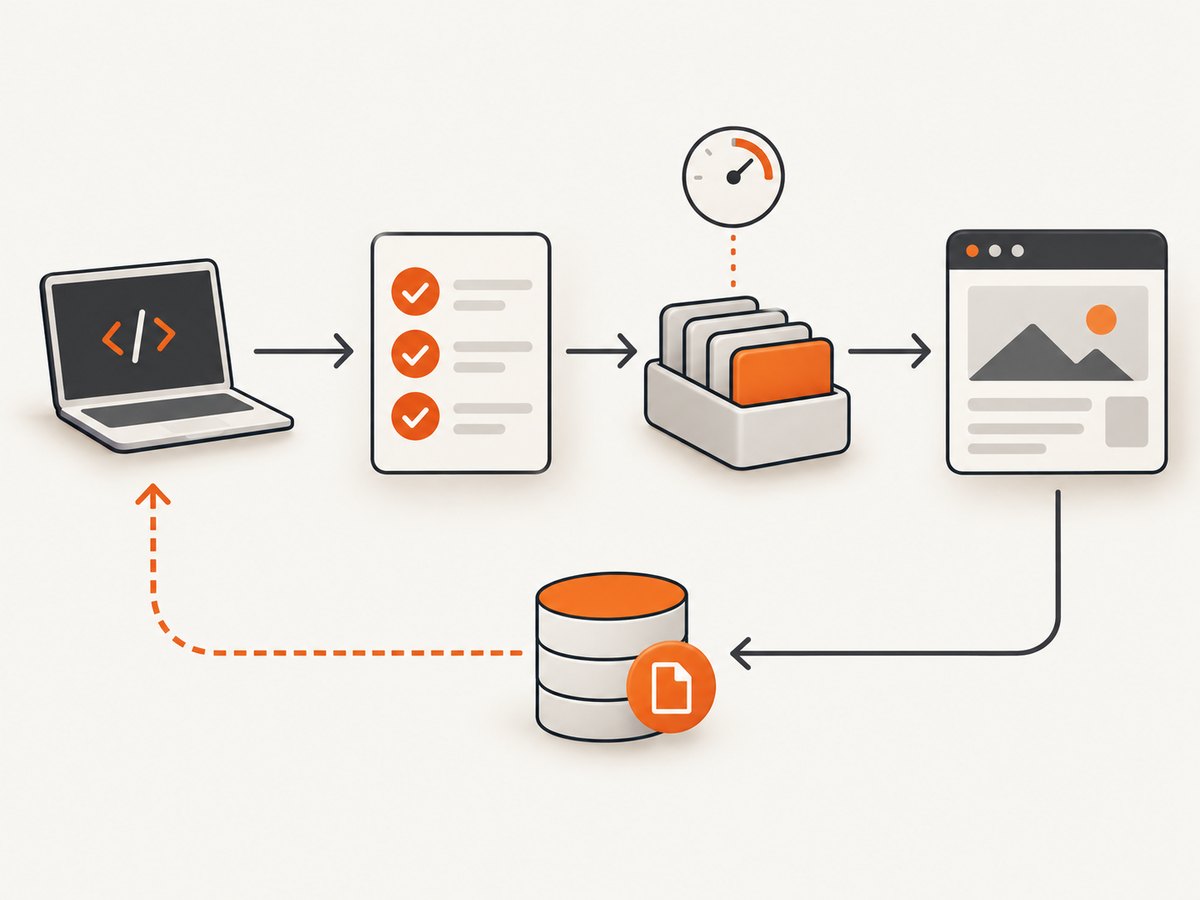
- Record the timestamp, hostname, URL path, status code, response headers, latency, and worker count. Avoid logging credentials or sensitive response bodies.
- Pause the host queue immediately on a challenge, repeated 403, or 429. Respect a published
Retry-Aftervalue when present, but do not assume that waiting alone authorizes resuming. - Check for a documented quota, a site change, an expired credential, or a robots/terms restriction.
- Resume only if the access method and request volume are permitted; otherwise contact the operator or switch to an approved API/feed.
Build an automatic circuit breaker: pause a host after a challenge response or after a configured rise in 403/429 responses, and require operator review before reopening it. Track challenge frequency alongside ordinary errors so a job does not silently keep hammering a host.
6. Observe the crawler and control impact
Useful operational metrics are per-host request rate, concurrency, HTTP status distribution, challenge frequency, latency, cache-hit ratio, and retry count. Alert on changes rather than relying on a single global request count: one slow host or a burst from several scheduled jobs can be hidden by a healthy aggregate.
- Scope: log the configured host and path allowlist and reject out-of-scope URLs before sending requests.
- Rate: count requests across all workers and scheduled runs for each host.
- Errors: separate challenges, 401/403, 404, 429, and 5xx responses.
- Efficiency: measure cache hits, duplicate URL suppression, and bytes fetched.
- Pause state: make it visible when a host is paused, why it paused, and who can authorize resumption.
- Data handling: retain only fields needed for the approved purpose and follow applicable retention requirements.
7. Troubleshooting CAPTCHA and crawler errors
| Symptom | Likely cause | Safe next step |
|---|---|---|
| CAPTCHA or interstitial page instead of content | The site classified the request or session as needing a challenge. | Pause the host. Confirm authorization and intended interface with the operator; use an approved API/feed if available. |
| HTTP 429 | A rate limit or quota was reached. | Stop the queue, inspect published quota and Retry-After, then seek approval before resuming. |
| HTTP 403 | Access is denied, policy restrictions apply, or the request is challenged. | Do not rotate identity to get around it. Check terms, credentials, scope, and contact the site owner. |
| HTTP 401 | Authentication is missing, expired, or invalid. | Use the documented authentication flow and protect secrets; do not retry with guessed credentials. |
| HTTP 404 | The URL is absent, moved, or outside current content scope. | Do not repeatedly probe variations. Update the authorized URL list from an official source. |
| HTTP 5xx or timeout | Origin or network instability, overload, or a transient failure. | Pause or use a small, bounded retry only for documented transient errors and within the site’s policy. Stop if failures persist. |
| Lots of repeated identical requests | Retries, duplicate jobs, pagination bugs, or missing cache/deduplication. | Disable the job, deduplicate URLs, fix the queue, and verify the shared rate limiter before restarting. |
| Data suddenly becomes incomplete | Page structure changed, content is client-rendered, or access behavior changed. | Check for a supported API and site documentation; ask the operator before changing collection behavior. |
8. Reliability and cost considerations
Scraping HTML creates maintenance costs: markup changes can break parsing, client-rendered pages may not expose the needed data in the initial response, and rate controls can interrupt a job. An official API can reduce parsing work, but its quota, fields, retention rules, and price still need review. A feed may be cheaper operationally when its update cadence is sufficient.
Estimate cost from the full workflow: engineering and monitoring time, API or service fees, storage and processing, and the cost of stale or missing data. Reduce avoidable volume with caching and deduplication. Define acceptable freshness and completeness before choosing a polling schedule; more frequent requests are not automatically more reliable.
For visual records rather than structured data, ScreenshotNeo is a website screenshot API and MCP server by Yorker Media. A screenshot is not a substitute for permission to access a site, and it is not a structured-data extraction API. Use it for authorized visual capture and review the [ScreenshotNeo documentation](https://screenshotneo.com/docs/) for request options.
Or skip the browser setup
If your authorized task is to capture a page as an image, ScreenshotNeo takes a URL in one request. This avoids maintaining a browser capture stack; it does not bypass a site’s access restrictions. Cookie and consent banners are accepted like a visitor and 60+ known consent platforms, newsletter popups, and chat widgets are removed before capture, with each step configurable. Bot checks/CAPTCHAs, blank pages, timeouts, failed loads, and cache hits are not billed, and response headers say which page verdict and billing status applied. ScreenshotNeo also provides an MCP server with take_screenshot, get_page_info, and capture_pdf tools for AI agents.
curl -G "https://api.screenshotneo.com/v1/shot" -d access_key=YOUR_API_KEY --data-urlencode url=https://stripe.com -o shot.webpSee the [API docs](https://screenshotneo.com/docs/) for key setup and options. The free plan includes 1,000 screenshots a month with no card; paid plans start at $5 for 3,000. Every feature is on every plan. Create a free ScreenshotNeo account.
FAQ
What request rate is safe for web scraping?
There is no universal safe rate. Follow the publisher’s quota or instructions. If none are published, seek permission and begin conservatively with low concurrency, delays, caching, and monitoring; pause at the first challenge or rate-limit signal.
Does robots.txt give permission to scrape?
No. It supplies crawl rules. RFC 9309 explicitly says robots rules are not access authorization, and other terms and restrictions still apply.
Should I use an API instead of scraping HTML?
Use the official API when it is offered for your purpose and provides the required data. Review its quota, authentication, fields, costs, and retention terms first.
Can a CAPTCHA be solved automatically and collection continue?
Do not treat a challenge as an obstacle to automate around. Pause and get an approved access path from the site operator.


