How to Avoid Web Scraper Blocking
Learn how to crawl responsibly without triggering blocks: permission, robots.txt, APIs, honest identity, pacing, backoff, retries, and safer alternatives.

Direct answer: The reliable way to avoid web scraper blocking is to make collection predictable and permitted. Check the site’s terms, robots.txt, authentication rules, and published limits; use an official API or export when one exists; identify your crawler honestly; keep concurrency and request rates conservative; cache results; and back off immediately on 429, 503, CAPTCHA, challenge, or ban responses. Never try to bypass an explicit denial. If you only need rendered page images, use a screenshot API instead of operating a browser fleet.
1. Start with permission, terms, and scope
Before writing code, define exactly what you will collect, from which host, how often, and for what purpose. Read the site’s terms of service, API documentation, authentication requirements, and any published automation policy. Look for a contact address or data-use policy if your project is commercial or high volume.
Robots.txt is part of the Robots Exclusion Protocol. RFC 9309 describes it as a request to crawlers and explicitly says, “These rules are not a form of access authorization.” In other words, a robots file helps you decide what to request, but it does not grant permission to access private data or override terms. Parse the file for your crawler’s user-agent group and honor the disallow rules that apply to your paths. A site can still deny access with authentication, a contract, a firewall, or an account-level policy.
Cache robots.txt rather than fetching it for every URL. RFC 9309 recommends a maximum cache period of 24 hours when the file is reachable. If the file cannot be fetched, record that condition and apply your organization’s policy; do not treat a network failure as permission to increase crawling.
2. Prefer an API, export, or search endpoint
An official API, bulk export, feed, or search endpoint usually reduces both your request count and the website’s work. Scrapy’s optimization guidance summarizes the reason clearly: “An API, a bulk export or a search endpoint is both faster for you and cheaper for the website than crawling its pages.” An API also gives you documented authentication, pagination, quotas, and error semantics.
| Approach | Best when | Main trade-off |
|---|---|---|
| Official API | You need structured, fresh records | Quota, authentication, or endpoint cost |
| Bulk export | You need a large historical or periodic dataset | Updates may be delayed |
| Search/feed endpoint | You need a narrow, discoverable subset | Results may omit page details |
| HTML crawl | No supported machine-readable source exists | More requests, rendering complexity, and blocking risk |
Use the smallest endpoint that answers your question. Do not crawl every product page if a catalog export contains the same fields. Do not fetch a full article repeatedly when an RSS or sitemap feed gives you change detection.
3. Identify your crawler honestly
Send a stable User-Agent that names the project and provides a contact or documentation URL where appropriate. Avoid impersonating a browser or rotating identities to conceal the same workload. RFC 9309’s matching model expects the product token in the User-Agent to correspond to the crawler’s identification string.
Mozilla/5.0 (compatible; CatalogResearchBot/1.0; +https://example.com/bot-info)Keep the identity stable across workers and days. Log the User-Agent, source IP or egress pool, target host, request path, response status, and timing. If a site owner contacts you, pause the affected crawl and respond with your scope, rate, and contact details.
4. Pace requests and bound concurrency
Begin with one worker and a deliberate delay. Increase concurrency only after latency and error rates remain steady. A practical controller uses a per-host rate limit, a small maximum number of in-flight requests, and a queue that prevents duplicate URLs.
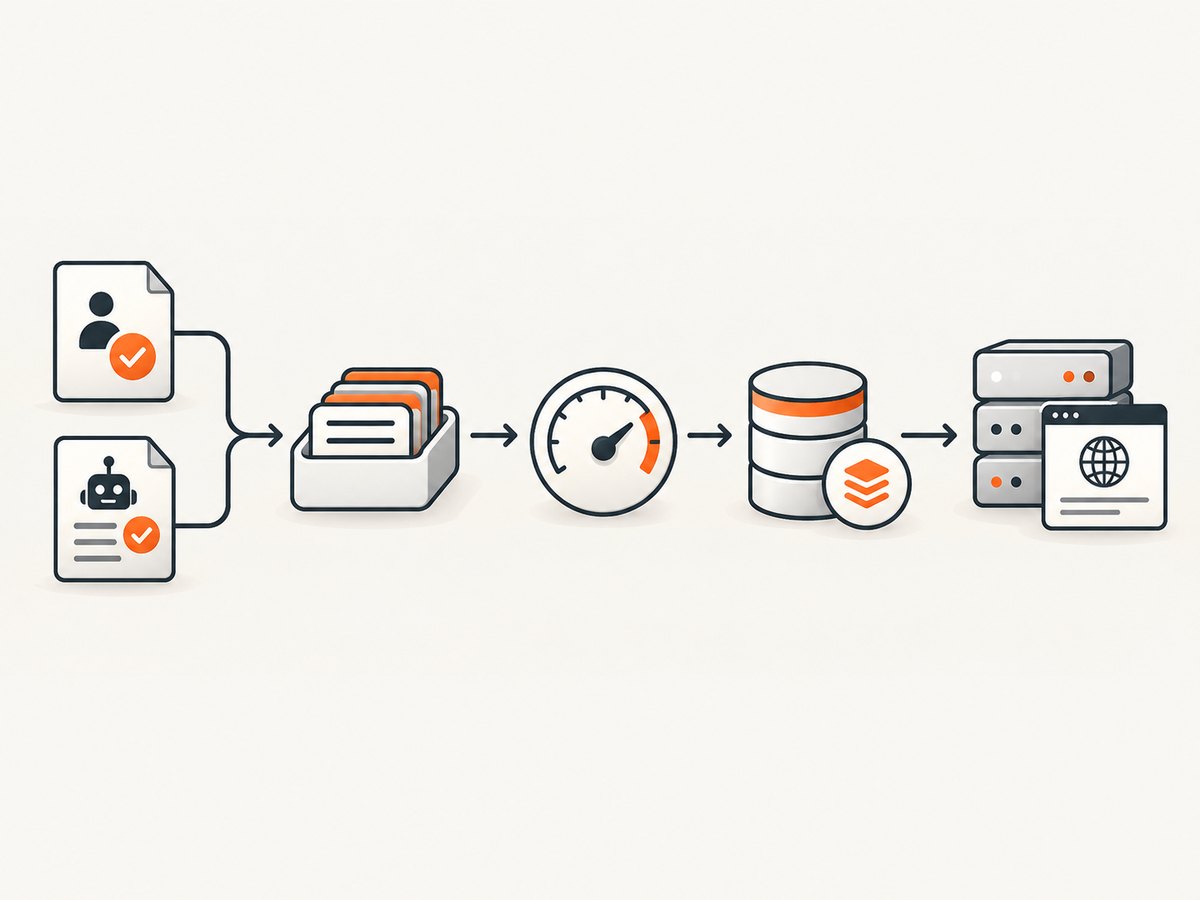
Translate the site’s published Crawl-delay or Request-rate into your downloader settings. Crawl during the target site’s local idle period when possible. The numeric examples in vendor documentation are illustrations, not universal limits: Cloudflare shows examples such as 10 requests in 2 minutes followed by 20 in 5 minutes, 50 in 10 seconds for a product lookup, and 5 in 1 hour for a GraphQL operation. Your safe rate depends on endpoint cost, traffic, identity, and the responses you observe.
import time
import threading

class HostRateLimiter:
    def __init__(self, min_interval_seconds=2.0):
        self.min_interval = min_interval_seconds
        self._lock = threading.Lock()
        self._next_allowed = 0.0

    def wait(self):
        with self._lock:
            now = time.monotonic()
            delay = max(0.0, self._next_allowed - now)
            self._next_allowed = max(now, self._next_allowed) + self.min_interval
        if delay:
            time.sleep(delay)

limiter = HostRateLimiter(2.0)
# Call limiter.wait() immediately before each request to this host.
Use separate limiters per hostname, and apply stricter limits to expensive paths such as search, login, GraphQL, and pages that trigger JavaScript rendering. Cache successful responses by URL and relevant headers. Normalize URLs and use a persistent deduplication store so restarts do not repeat work.
5. Handle 429, 503, challenges, and bans as stop signals
RFC 6585 defines HTTP 429 as “Too Many Requests” and says a response may include Retry-After. Parse both the delta-seconds and HTTP-date forms. For 503, CAPTCHA pages, bot challenges, or a clear ban page, stop or sharply reduce traffic; do not respond by adding more parallel workers or rotating proxies.
import email.utils
import random
import time
from datetime import datetime, timezone


def retry_after_seconds(value, default=60):
    if not value:
        return default
    try:
        return max(0, int(value))
    except ValueError:
        try:
            when = email.utils.parsedate_to_datetime(value)
            if when.tzinfo is None:
                when = when.replace(tzinfo=timezone.utc)
            return max(0, int((when - datetime.now(timezone.utc)).total_seconds()))
        except (TypeError, ValueError, OverflowError):
            return default


def backoff(attempt, retry_after=None):
    if retry_after is not None:
        return retry_after
    # Exponential backoff with bounded jitter.
    return min(900, (2 ** attempt) + random.uniform(0, 1))

# On 429: sleep for Retry-After, then retry only a bounded number of times.
# On repeated 429/503 or a challenge page: stop the host queue and review policy.
Retry only transient failures. A timeout may be retried with backoff; a 401, 403, robots denial, or explicit account suspension requires a policy decision, not blind retries. Set a maximum attempt count and persist failed URLs for review.
6. A conservative Python crawler skeleton
The following example uses only the standard library plus requests. It checks robots.txt, identifies itself, limits one host to one request every two seconds, honors Retry-After, and stops on common block signals. Replace the example domain and paths only after confirming permission.
import time
from urllib.parse import urljoin, urlparse
from urllib.robotparser import RobotFileParser

import requests

START_URLS = ["https://example.com/catalog"]
USER_AGENT = "CatalogResearchBot/1.0 (+https://example.com/bot-info)"
MIN_INTERVAL = 2.0
TIMEOUT = 30

session = requests.Session()
session.headers.update({"User-Agent": USER_AGENT, "Accept": "text/html,application/xhtml+xml"})
last_request = {}
robots = {}


def allowed(url):
    parts = urlparse(url)
    origin = f"{parts.scheme}://{parts.netloc}"
    if origin not in robots:
        rp = RobotFileParser(urljoin(origin, "/robots.txt"))
        try:
            rp.read()
        except OSError:
            return False  # Apply a fail-closed policy when robots cannot be read.
        robots[origin] = rp
    return robots[origin].can_fetch(USER_AGENT, url)


def fetch(url, attempts=3):
    if not allowed(url):
        raise RuntimeError(f"robots.txt disallows or is unavailable: {url}")
    host = urlparse(url).netloc
    for attempt in range(attempts):
        elapsed = time.monotonic() - last_request.get(host, 0)
        if elapsed < MIN_INTERVAL:
            time.sleep(MIN_INTERVAL - elapsed)
        response = session.get(url, timeout=TIMEOUT)
        last_request[host] = time.monotonic()
        if response.status_code == 200:
            body_start = response.text[:2000].lower()
            if any(marker in body_start for marker in ("captcha", "verify you are human", "access denied")):
                raise RuntimeError("challenge or ban page detected; stopping")
            return response
        if response.status_code in (429, 503):
            wait = retry_after_seconds(response.headers.get("Retry-After"), 60)
            time.sleep(wait)
            continue
        if response.status_code in (401, 403):
            raise RuntimeError(f"access denied with HTTP {response.status_code}")
        response.raise_for_status()
    raise RuntimeError("retry limit reached")


def retry_after_seconds(value, default):
    try:
        return max(0, int(value)) if value else default
    except ValueError:
        return default

for url in START_URLS:
    response = fetch(url)
    print(response.url, len(response.content))
    # Parse only the fields you need, enqueue only in-scope links, and deduplicate.
For production, add durable queues, per-host configuration, HTML parsing limits, content hashing, metrics, and an operator-controlled stop switch. Keep a record of why each URL was skipped.
7. JavaScript and authentication edge cases
Client-rendered pages can make a simple HTTP request look empty. First check whether the data is available through an API call visible in the site’s documentation or network panel. If authentication is required, obtain credentials through the documented process and protect cookies and tokens. Do not defeat login controls, CAPTCHA, paywalls, or access checks.
Some pages vary by timezone, geolocation, cookies, or user-agent. Record those inputs with the fetched artifact so results are reproducible. Avoid sending unnecessary cookies or personal data. If a page requires a browser only to render a public view, a screenshot service can isolate that browser complexity from your crawler.
8. Or skip the browser setup
If your goal is a visual capture rather than structured extraction, ScreenshotNeo provides a single GET request that returns PNG, JPEG, WebP, or PDF. It handles the browser session and includes controls for full-page capture, lazy images, CSS selectors, dark mode, device presets, custom viewport and retina scale, waits, custom CSS and JavaScript, clicks, hidden selectors, blocked resource types, headers, cookies, user-agent, authorization, timezone, geolocation, transparency, resizing, caching, signed links, async jobs, webhooks, bulk capture, and usage reporting. See the ScreenshotNeo API documentation for parameter names and response details.

curl -G "https://api.screenshotneo.com/v1/shot" -d access_key=YOUR_API_KEY --data-urlencode url=https://stripe.com -o shot.webpimport requests
r = requests.get("https://api.screenshotneo.com/v1/shot", params={"access_key": "YOUR_API_KEY", "url": "https://stripe.com"}, timeout=90)
open("shot.webp", "wb").write(r.content)const q = new URLSearchParams({ access_key: 'YOUR_API_KEY', url: 'https://stripe.com' });
const res = await fetch(`https://api.screenshotneo.com/v1/shot?${q}`);Cookie banners, newsletter popups, and chat widgets are removed before the shot. Bot checks, blank pages, timeouts, failed loads, and cache hits are not billed, and response headers report the page verdict and billing result. An MCP server lets Claude, Cursor, and other MCP clients call take_screenshot, get_page_info, and capture_pdf. The Free plan includes 1,000 screenshots a month with no card; paid plans start at $5 for 3,000 shots. Create a free ScreenshotNeo account.
9. Troubleshooting common blocks
| Symptom | Likely cause | Fix |
|---|---|---|
| 429 with Retry-After | Rate limit exceeded | Honor the header, lower concurrency, and add per-host pacing. |
| 403 or access denied | Policy, WAF, authentication, or ban | Stop, verify permission, and contact the owner. Do not rotate identities to evade it. |
| 503 spikes | Server overload or protective control | Pause the queue, back off, and schedule during idle hours. |
| CAPTCHA or challenge HTML | Bot detection triggered | Stop automated access and use an approved API or request authorization. |
| Empty HTML | Content rendered by JavaScript | Find the documented data endpoint or use an authorized rendering workflow. |
| Duplicate downloads | No durable URL normalization or cache | Canonicalize URLs, hash responses, and persist crawl state. |
| Robots parser says disallowed | User-agent group or path rule matches | Skip the URL and record the rule; ask the owner if you need access. |
10. Performance, reliability, and cost
- Measure: Track requests per minute, status counts, p50/p95 latency, bytes, retries, and challenge detections by host.
- Reduce work: Use conditional requests such as ETag or Last-Modified when supported, cache pages, and crawl only changed URLs.
- Protect reliability: Use bounded queues, timeouts, circuit breakers, and resumable checkpoints. A slow crawl that finishes is more useful than a fast crawl that gets banned.
- Control spend: APIs and exports often reduce bandwidth and parsing costs. For screenshots, caching and bulk capture can reduce repeated browser work; ScreenshotNeo lets you choose a cache TTL and supports up to 100 URLs per bulk call.
- Plan capacity: Treat vendor examples such as 50 requests per 10 seconds as policy illustrations, not targets. Derive limits from the site’s documentation and observed responses.
11. Practical preflight checklist
- Confirm the target permits the intended collection.
- Read terms, authentication rules, API limits, and robots.txt.
- Choose an API, export, or feed when available.
- Set an honest, stable User-Agent with contact information.
- Configure conservative per-host delay and bounded concurrency.
- Cache responses and deduplicate URLs.
- Detect 429, 503, CAPTCHA, challenge, and ban pages.
- Honor Retry-After and stop when access is denied.
- Keep logs, checkpoints, and a manual stop switch.
- Contact the site owner before requesting a higher limit.
12. FAQ
Does robots.txt stop scraping?
No. It communicates crawler preferences; RFC 9309 says it is not access authorization. You should honor it and separately comply with terms, authentication, and direct denials.
How long should I wait after a 429?
Use Retry-After when supplied. Otherwise apply exponential backoff with jitter, reduce concurrency, and stop after a bounded number of attempts.
Should I use proxies to avoid blocking?
Do not use proxy rotation to evade a site’s limits or ban. If you have authorized distributed collection, document the approved egress and still honor the site’s rate policy.
What is a safe crawl speed?
There is no universal number. Start slowly, follow published limits, watch latency and errors, and increase only with evidence that the host can handle it.
When is a screenshot API better than scraping?
Use one when you need a rendered image or PDF, especially for JavaScript-heavy pages, and do not need the page’s structured data. It avoids maintaining your own browser fleet while preserving a controlled request rate.


