11 Best AI Website Builders for Creating Websites Quickly
Compare 11 AI website builders by site type, editing control, CMS, commerce, publishing limits, and how quickly you can reach a useful first draft.

Short answer: the best AI website builder depends on what you are publishing. Wix is a practical starting point for a small business that needs conversational generation plus drag-and-drop editing and built-in business tools. Squarespace suits brand and portfolio work. Webflow is a stronger fit when visual control, a CMS, and professional site flexibility matter. Framer is aimed at design-led marketing sites. Shopify belongs on the shortlist when commerce is the main job. Hostinger is worth considering when hosting and site creation should be bundled. WordPress.com and 10Web fit readers who want WordPress and its plugin ecosystem. None of these services removes the need to review generated copy, check layouts, test forms, and confirm publishing limits.
This guide compares 11 options by workflow, editing control, content management, business features, hosting, domains, and plan restrictions. Product details and plan limits change, so confirm current terms on the provider’s own site before paying.
How to choose an AI website builder
Start with the site you need, then evaluate the AI feature. A portfolio, service-business site, publication, online store, and web application have different requirements.

| Question | Why it matters |
|---|---|
| What are you building? | A store needs products, payments, tax and inventory. A portfolio mainly needs layout, media and a custom domain. |
| How much editing will you do? | Prompt generation is useful for a first draft. Detailed visual controls matter when brand spacing, responsive behavior or interactions must be precise. |
| Do you need a CMS? | Publishing dozens or thousands of posts requires structured content, templates, permissions and search. |
| Which business tools are included? | Bookings, email marketing, SEO controls, memberships and payments may cost extra or require another service. |
| What can the free plan publish? | Free tiers commonly restrict custom domains, provider branding, storage, pages, traffic or commerce. |
| Where is the site hosted? | Understand whether hosting is included, whether you can export the site, and which plan is required for a custom domain. |
Use AI as an accelerated starting point. Shopify’s comparison guidance warns that generated sites can be generic or inaccurate and that complex functionality may still require manual configuration. Read every headline, price, legal statement and product description before publishing.
At-a-glance comparison
| Builder | Best fit | What to verify |
|---|---|---|
| Wix | Small businesses needing conversational generation and visual editing | Premium requirement for custom domains, payments and added features |
| Squarespace | Brand and portfolio sites | Current trial, plan and feature limits |
| Webflow | Design control, CMS flexibility and professional sites | Starter limits and which AI tools are included |
| Hostinger | Small businesses wanting hosting and creation together | Plan limits and prompting-credit rules in related AI tools |
| Framer | Design-led marketing sites | Publishing and collaboration limits |
| Shopify | Commerce-first projects | Store plan, payment and app costs |
| 10Web | WordPress generation or reconstruction | Generated widgets and Elementor editing compatibility |
| WordPress.com | WordPress publishing with plugins | Current AI and plan availability |
| AI web-app builders | Projects requiring generated application logic | Hosting, data, authentication and export options |
| Traditional visual builders with AI | Teams that want AI assistance without giving up manual control | Whether AI works across every element and app |
| Provider-specific assistants | Existing customers extending a site | Feature coverage and plan eligibility |
1. Wix: conversational generation with broad business tools
Wix combines a conversational AI creation flow with manual drag-and-drop editing. Its ecosystem includes store, scheduling, blog, SEO and marketing tools, so it is a sensible first evaluation for a service business or small company that wants several functions in one account.
Expect to refine the result. Wix says users can start building for free, while a custom domain, online payments and additional features require a Premium plan. Its older ADI product was retired on November 10, 2024; describe the current workflow as its AI website builder rather than ADI.
- Choose it when: you need a fast business draft and accessible visual editing.
- Check before launch: plan limits, payment availability, domain connection and whether every app you need works with the AI-generated site.
2. Squarespace: guided design for brand and portfolio sites
Squarespace Blueprint AI is described as a guided process that recommends design choices from your preferences. That workflow is useful when visual consistency and a polished presentation matter more than a large catalog of business operations.
Review the current trial and paid tiers before committing. Confirm how many pages, contributors, commerce features and integrations are included in the plan you would actually use.
3. Webflow: detailed visual control and CMS flexibility
Webflow is a candidate for teams that need precise visual design, reusable components and a CMS. The reviewed comparison also describes AI support for SEO/AEO audits and CMS-related generation. Those capabilities complement the visual canvas; they do not eliminate the need to understand responsive layouts, semantic structure and publishing settings.
Its Starter offering is described as free but limited. Check workspace, site, CMS-item and publishing constraints, and verify which AI capabilities are available on your plan.
4. Hostinger: bundled hosting and AI site creation
Hostinger is positioned for small businesses that want hosting, design and AI-assisted creation in one workflow. This can reduce setup decisions when you do not need a separate hosting provider.
Related conversational environments may consume prompting credits. Confirm current credit allowances, renewal terms, storage, bandwidth and domain conditions. A reported Hostinger usage measure of 1.9 days from creation to first publish in early 2026 came from Hostinger usage data; it is not an independent speed benchmark.
5. Framer: design-led marketing pages
Framer is aimed at marketing sites where visual composition and interactions are central. The comparison describes AI agents editing layers in its visual canvas, which can help turn a direction into a starting layout while preserving direct design control.
Evaluate responsive behavior, CMS needs, publishing limits, custom-domain requirements and collaboration features with a representative page before moving a whole site.
6. Shopify: choose it when commerce is the primary job
Shopify should be evaluated as a commerce platform first. Its official Sidekick material describes an AI-enabled commerce assistant, while comparison guidance places Shopify in a store-focused context rather than as the universal choice for every informational site.
Ask whether the product catalog, checkout, payments, shipping, tax, inventory and required apps fit your operation. A marketing site without a store may be simpler and less expensive elsewhere.
7. 10Web: WordPress generation and reconstruction
The reviewed comparison describes 10Web as a tool for generating WordPress sites and reconstructing existing pages. That is relevant when WordPress compatibility is a requirement or when you are moving an existing design.
One caveat is substantial: generated pages use 10Web Builder widgets, which may not behave as expected when edited in Elementor. Validate your intended editing workflow on a sample page before migration.
8. WordPress.com: AI generation with a plugin ecosystem
WordPress.com is described in the comparison material as offering an AI site builder alongside a plugin ecosystem. It is worth considering when your content model, extensions or editorial workflow already assumes WordPress.
Because the evidence reviewed here is secondary, verify the current AI feature set, plan requirements, plugin availability and export options directly with WordPress.com.
9. AI web-app builders: use them for application logic
Some products marketed beside website builders generate workflows, data handling and application logic in addition to pages. Consider this category when visitors must sign in, submit structured records, trigger business rules or use a dashboard.
Before choosing one, inspect authentication, database ownership, secrets management, environment separation, backups, rate limits, accessibility, code export and the process for correcting generated logic. A conventional website builder may be the safer fit for a brochure site.
10. Traditional visual builders with AI assistance
Many established builders are adding AI copy, layout, image and SEO helpers without changing the underlying editor. This model suits teams that want suggestions but need to keep manual control over every section.
Do not assume the assistant reaches every widget or extension. The comparison notes that Wix Harmony was still developing and did not support every Wix app or element at the time reviewed. Treat feature coverage as a question to verify, not a permanent product fact.
11. Provider-specific assistants for existing sites
If you already host a site, the fastest route may be the provider’s own assistant. It can understand existing pages, styles and content better than a separate generator. The trade-off is portability: your workflow may become more dependent on that provider’s editor, hosting and plan structure.
Test a duplicate or staging site. Check whether the assistant changes URLs, metadata, navigation, structured data or accessibility attributes, and keep a rollback path.
What to check before publishing an AI-generated site
- Accuracy: verify claims, prices, addresses, opening hours, policies and testimonials.
- Content ownership: confirm you have rights to generated or imported images, fonts and copy.
- Responsive layouts: inspect phone, tablet and desktop widths; check long headings and navigation overflow.
- Accessibility: test keyboard navigation, focus states, heading order, labels, contrast and alternative text.
- Performance: compress media, remove unused scripts and measure important pages on realistic connections.
- SEO: set titles, descriptions, canonical URLs, sitemap rules, redirects and structured data deliberately.
- Forms and commerce: submit test forms, confirm notifications, test failed payments and review confirmation emails.
- Publishing: connect the domain, enforce HTTPS, remove staging indexing and confirm analytics consent behavior.
Capture previews of AI-built pages without browser setup
Once a builder publishes a page, screenshots are useful for approvals, visual regression checks, documentation and social previews. You can automate a browser yourself, but that means managing a runtime, waiting for fonts and images, handling consent banners, and deciding how to treat bot checks or failed loads.
Or skip the browser setup
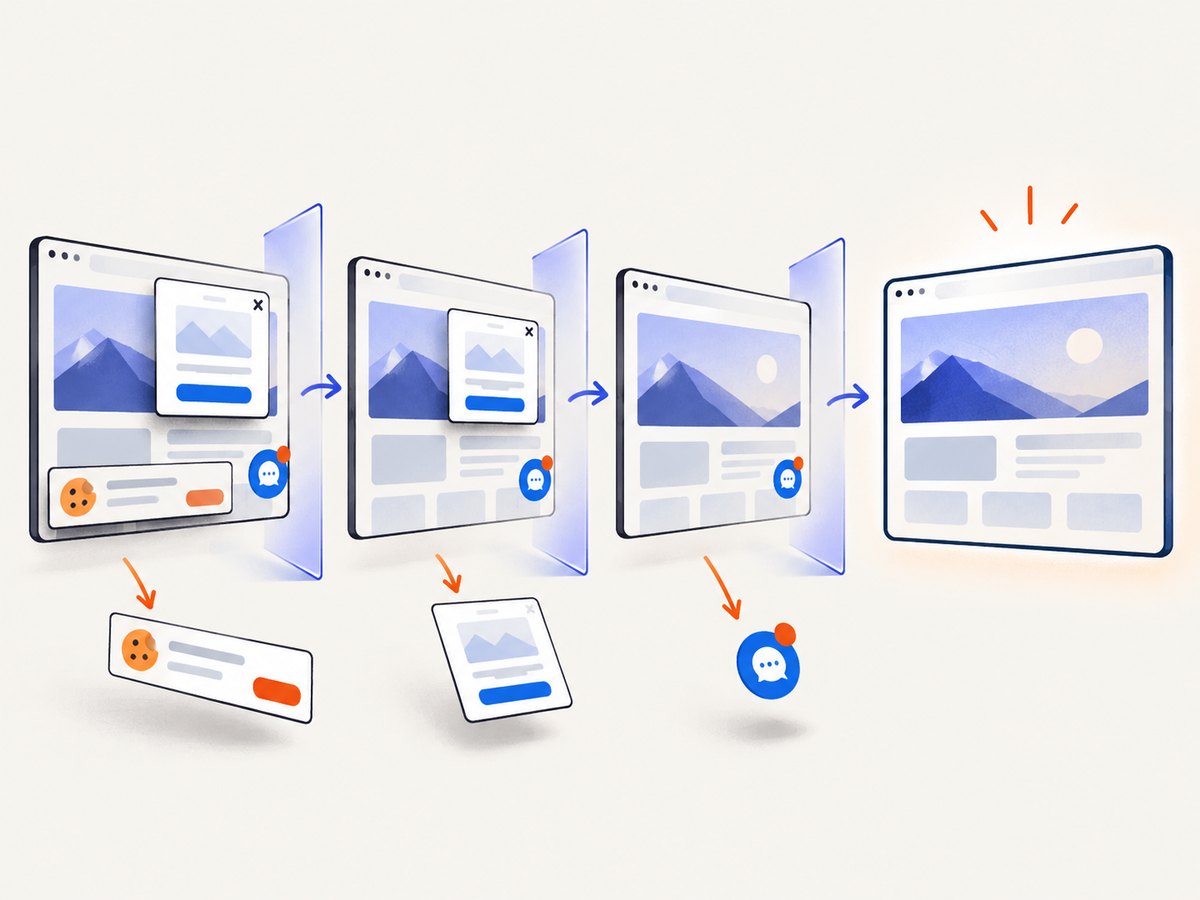
ScreenshotNeo is the alternative to try first for website screenshots: it removes cookie and consent banners, newsletter popups and chat widgets before capture, bills only clean shots, and provides an MCP server for AI agents.
One GET request returns PNG, JPEG, WebP or PDF. The API accepts full-page capture, element selectors, dark mode, device presets, custom viewports, retina scale, waits, custom CSS and JavaScript, headers, cookies, user agents, blocking rules, caching, signed links, asynchronous jobs, bulk capture and usage reporting. Every response identifies the page verdict and whether it was billed.
curl -G "https://api.screenshotneo.com/v1/shot" -d access_key=YOUR_API_KEY --data-urlencode url=https://stripe.com -o shot.webpimport requests
r = requests.get("https://api.screenshotneo.com/v1/shot", params={"access_key": "YOUR_API_KEY", "url": "https://stripe.com"}, timeout=90)
open("shot.webp", "wb").write(r.content)const q = new URLSearchParams({ access_key: 'YOUR_API_KEY', url: 'https://stripe.com' });
const res = await fetch(`https://api.screenshotneo.com/v1/shot?${q}`);See the ScreenshotNeo API documentation for parameter names and response headers. The free plan includes 1,000 screenshots each month with no card. Paid plans start at $5 for 3,000 shots; every feature is available on every plan. Create a free ScreenshotNeo account.
Performance, reliability and cost notes
AI generation saves time at the beginning, but review time grows with site complexity. A five-page brochure site and a catalog with hundreds of products should not be estimated the same way. Keep a content inventory, reuse approved components and generate one representative page before scaling.
For screenshots, wait for a stable state rather than relying on an arbitrary short delay. Use selector or network-idle waits when content is asynchronous, and cache identical captures when your workflow permits it. A failed load, blank page, timeout or bot check should be visible in your pipeline so it is not mistaken for a valid preview.
Compare total cost: builder subscription, domain, hosting, commerce transaction fees, paid apps, AI credits, image services and screenshot volume. Free publishing tiers often include branding or exclude custom domains and payments, so calculate the first year rather than comparing the headline entry price.
Troubleshooting checklist
| Problem | Likely cause | Fix |
|---|---|---|
| The generated copy is wrong | AI inferred details or used a generic template | Replace factual content, add an approved brief and have a human review every page. |
| The site looks different on mobile | Responsive rules were generated without your real content | Test long headings, menus, tables and forms at narrow widths; adjust breakpoints manually. |
| A needed app is missing | The AI layer does not support every provider feature | Install and configure the app manually, or select a builder with the required integration. |
| Custom domain will not connect | Plan restriction or incorrect DNS records | Confirm the paid tier requirement and copy the provider’s current DNS records exactly. |
| Preview shows a cookie banner | The page requires consent before content settles | Use a capture service that accepts consent and removes known banners, or automate that browser step explicitly. |
| Screenshot is blank or incomplete | Timeout, bot check, lazy content or a blocked resource | Increase the wait, use full-page capture, allow required resources and inspect the page verdict headers. |
| WordPress editing breaks | Generated widgets are not compatible with the editor you chose | Test 10Web or Elementor compatibility on a duplicate page before migration. |
FAQ
Can an AI builder publish a complete site without editing?
It can produce a usable draft, but review remains necessary for accuracy, accessibility, responsive behavior, SEO and legal content.
Which option is best for an online store?
Start with Shopify when commerce is the primary requirement. Compare catalog, checkout, payments, shipping, tax and app needs before deciding.
Do free plans include a custom domain?
Not always. Wix states that custom domains and online payments require a Premium plan, and other builders commonly limit domains, branding, storage or publishing on free tiers.
Should I choose WordPress or a hosted builder?
Choose WordPress when its content model, plugins and ownership model matter. Choose a hosted builder when a managed editor and bundled hosting reduce operational work.
What should I screenshot after publishing?
Capture the homepage, key conversion pages, representative CMS pages, checkout or booking flows, and each responsive breakpoint your team supports.


