10 Best API Development and Testing Tools in 2026
Compare the 10 best API development and testing tools in 2026 by lifecycle coverage, protocols, automation, collaboration, and load testing.

Short answer: Postman is the strongest general-purpose API platform in 2026. SoapUI/ReadyAPI is the specialist choice for SOAP and WSDL. Katalon fits teams combining API, web, and mobile automation. Bruno and Hoppscotch suit developers who want local or lightweight clients, while Swagger and Insomnia are strongest for design-first OpenAPI work. HTTPie and Hurl are excellent terminal and CI tools. LoadView focuses on cloud load testing, and mabl combines UI and API regression.
There is no universal winner. Choose according to the work you need to do: design an API, explore requests, automate functional or contract checks, support SOAP, run tests in CI/CD, or generate load.
How the tools were evaluated
The comparison uses five practical criteria:
- Lifecycle breadth: design, testing, documentation, monitoring, governance, and security.
- Protocol coverage: REST, SOAP/WSDL, GraphQL, and other HTTP workflows.
- Automation depth: assertions, scripting, regression suites, mocks, data-driven tests, and command-line execution.
- Collaboration and source control: shared workspaces, reviewable files, Git workflows, and team governance.
- Performance testing: load generation, cloud execution, and performance reporting.
Quick comparison
| Tool | Best for | Protocols/workflow | Automation and CI | Pricing note from research |
|---|---|---|---|---|
| Postman | All-in-one API lifecycle | REST and broad HTTP workflows | Collections, scripts, monitors, collaboration | Free tier; $9/month annual starting price listed by Geekflare |
| Hoppscotch | Lightweight browser client | HTTP APIs in a browser/PWA | Fast exploratory requests | Open source |
| Bruno | Git-native local testing | HTTP collections as plain text | Repository-friendly automation | Free tier; $6/user/month annual starting price listed by Geekflare |
| Insomnia | Design-first API client | HTTP and OpenAPI workflows | Environments and request testing | Free tier; $12/user/month annual starting price listed by Geekflare |
| Swagger | OpenAPI design and documentation | OpenAPI | Editor, generated documentation, review | Swagger Editor/UI free; SwaggerHub varies by tier |
| SoapUI/ReadyAPI | SOAP, WSDL, and enterprise testing | SOAP and REST | Assertions, scripts, mocks, regression, load, CLI | SoapUI free; ReadyAPI adds advanced capabilities |
| HTTPie | Human-friendly terminal requests | HTTP APIs | Shell scripts and pipelines | Use case is terminal-driven testing |
| Hurl | Text-based CI checks | HTTP requests and assertions | Plain-text files designed for CI | Use case is scriptable command-line testing |
| LoadView | Cloud load testing | Browser/API load scenarios | Cloud execution and performance reports | Free on-demand tier; $129/month annual starter listed by Geekflare |
| mabl | Combined UI and API regression | Web UI and APIs | Auto-healing tests and CI workflows | Custom pricing listed by Geekflare |
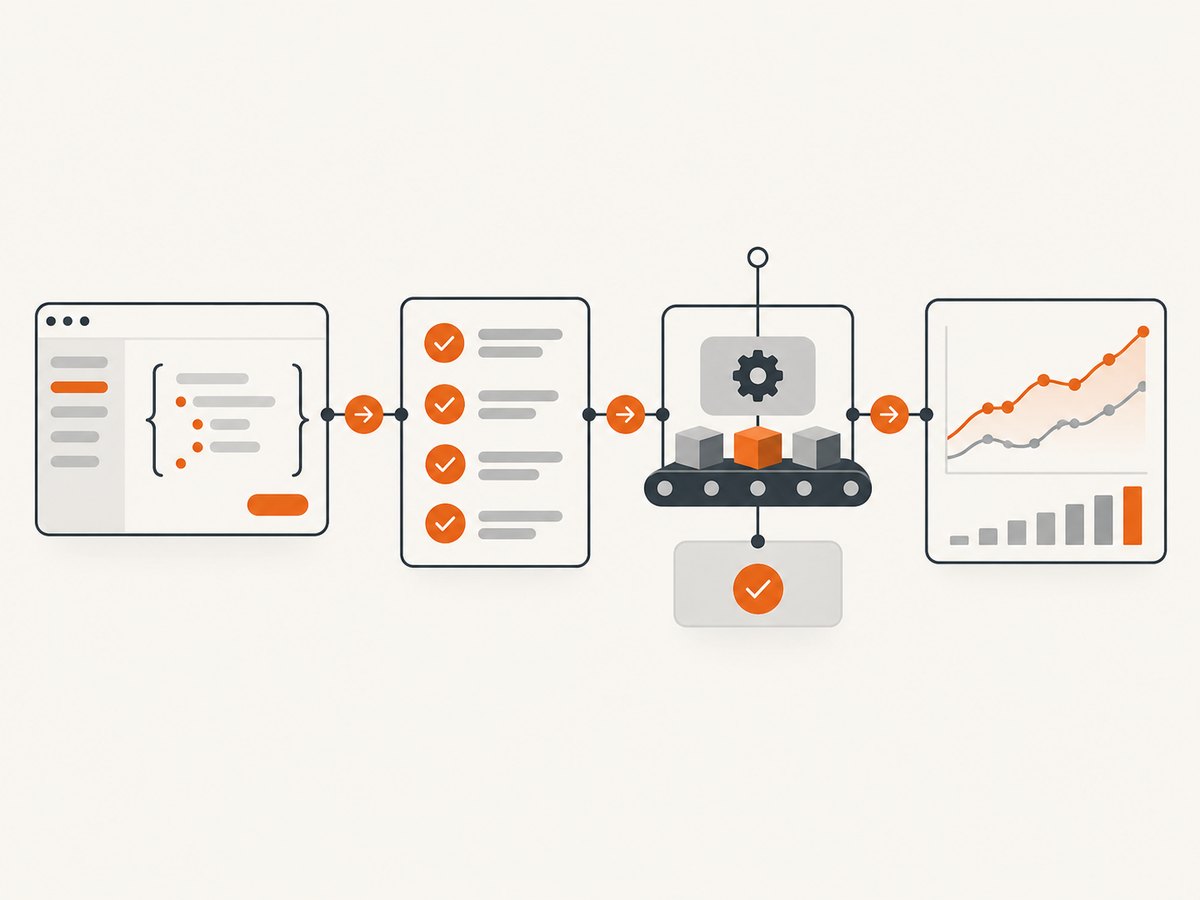
1. Postman: best all-in-one API lifecycle platform
Postman covers design, testing, documentation, monitoring, collaboration, security, and governance in one platform. Its product page describes a unified process spanning those activities. That breadth makes it the safest default for a mixed team that needs exploratory requests today and shared automated checks tomorrow.
Use Postman when
- Multiple developers and QA engineers share collections and environments.
- You need monitors, documentation, and governance beside functional tests.
- Non-specialists need a graphical request builder.
Limitations
Teams that require Git-first plain-text files may prefer Bruno. SOAP-heavy programs may get deeper protocol-specific behavior from SoapUI/ReadyAPI. Very large performance campaigns generally belong in a dedicated load-testing product.
2. Hoppscotch: best lightweight browser client
Hoppscotch is open source and runs in the browser, with a progressive web app option. It is useful for quickly sending requests from a workstation without installing a large desktop suite. It works well for exploratory debugging, sharing a small request, or checking an endpoint from a browser-based environment.
Use it when speed and low setup matter more than a full lifecycle platform. For regulated teams needing extensive governance, monitoring, or complex test suites, choose a broader platform.
3. Bruno: best Git-native, local-first workflow
Bruno stores collections as plain text in a repository. That makes requests, environments, and changes reviewable in normal pull requests. It is a strong Postman alternative for engineering teams that want local execution, branch-based review, and no dependence on a hosted workspace for the core collection.
Recommended workflow
- Keep the collection beside the service or in a dedicated test repository.
- Use environment files for base URLs and non-secret variables.
- Review request and assertion changes through Git.
- Run the same collection locally and in CI.
Its local-first model is less convenient when a broad nontechnical audience needs shared hosted collaboration.
4. Insomnia: best design-first API client
Insomnia is a design-first client suited to teams working from API definitions while also sending real requests. It is a practical choice when OpenAPI design and interactive debugging need to live together. Evaluate its collaboration and governance features against your repository process before standardizing it for a large organization.
5. Swagger: best for OpenAPI design and documentation
Swagger Editor and Swagger UI are free tools for creating and presenting OpenAPI definitions. SwaggerHub adds hosted collaboration and varies by plan. Swagger is the right starting point when the contract is the source of truth: define paths, parameters, schemas, responses, and security requirements before implementation.
Contract-first checklist
- Define success and error responses for every operation.
- Describe authentication schemes and required scopes.
- Validate examples against schemas.
- Publish generated documentation from the same specification used in review.
- Pair the definition with runtime tests so a valid document does not hide an incorrect implementation.
6. SoapUI/ReadyAPI: best for SOAP and enterprise protocols
SmartBear documents WSDL/SOAP and REST support, assertions, scripting, mocking, functional and regression testing, load testing, and command-line execution. SoapUI is free; ReadyAPI adds advanced security, load, virtualization, and collaboration capabilities.
Choose it when XML namespaces, WSDL contracts, SOAP faults, and enterprise integrations are central. It is also useful for mixed estates where newer REST services coexist with older SOAP services. For a purely modern REST project, its specialist depth may be more than you need.
7. HTTPie: best human-friendly CLI
HTTPie makes terminal requests readable and convenient. It is ideal for reproducing a bug in a shell, documenting a request in a runbook, or composing a small script around an HTTP endpoint. Keep secrets in environment variables and return nonzero exit codes in CI when a request fails.
http POST https://api.example.com/v1/orders \
  Authorization:"Bearer $TOKEN" \
  customer_id=123 \
  items:='[{"sku":"book","quantity":1}]'
8. Hurl: best plain-text HTTP tests in CI
Hurl expresses a sequence of HTTP requests and assertions in text files. This is useful when test cases should be reviewed like code and executed identically on a laptop and a CI runner.
GET https://api.example.com/health
HTTP 200
[Asserts]
jsonpath "$.status" == "ok"

POST https://api.example.com/v1/login
Content-Type: application/json
{
  "username": "ci-user",
  "password": "{{$env.CI_PASSWORD}}"
}
HTTP 200
[Asserts]
jsonpath "$.token" exists
Keep credentials in the CI secret store and inject them as environment variables. Do not commit real tokens to a Hurl file.
9. LoadView: best dedicated cloud load testing
LoadView focuses on browser-based load simulation and cloud performance testing. It is the better fit when the question is “How does this service behave with many concurrent users?” rather than “Does this one request return the right JSON?” Establish a baseline, ramp traffic gradually, and monitor server-side saturation alongside response times.
10. mabl: best combined UI and API automation
mabl combines UI and API workflows and is documented as supporting auto-healing tests. It suits quality teams that need one regression journey spanning a browser action, an API setup call, and a browser assertion. Custom pricing means you should model the number of test runs, environments, and collaborators before selecting it.
How to choose in five steps
- Map protocols. If SOAP/WSDL is mandatory, start with SoapUI/ReadyAPI. If the contract is OpenAPI, start with Swagger or Insomnia.
- Decide where files live. Choose Bruno or Hurl when Git-reviewed text is a hard requirement.
- Separate functional and load needs. Use a functional client for correctness and LoadView for high-concurrency behavior.
- Match the team. Postman supports broad collaboration; Katalon is the strongest fit when API tests sit beside UI and mobile automation.
- Run a representative proof. Test authentication, pagination, retries, negative responses, data cleanup, and CI execution before committing.

Runnable API testing examples
The examples below use a generic endpoint so you can replace the URL and payload with your service. They demonstrate the minimum useful checks: status, content type, timeout, and a business field.
cURL
curl --fail-with-body --silent --show-error \
  --max-time 30 \
  -H "Accept: application/json" \
  -H "Authorization: Bearer $API_TOKEN" \
  "https://api.example.com/v1/orders/123"
Python
import os
import requests

url = "https://api.example.com/v1/orders/123"
r = requests.get(
    url,
    headers={"Accept": "application/json", "Authorization": f"Bearer {os.environ['API_TOKEN']}"},
    timeout=(5, 30),
)
r.raise_for_status()
data = r.json()
assert data["id"] == 123
assert "status" in data
print(data)
Node.js
const controller = new AbortController();
const timer = setTimeout(() => controller.abort(), 30000);
try {
  const res = await fetch('https://api.example.com/v1/orders/123', {
    headers: { Accept: 'application/json', Authorization: `Bearer ${process.env.API_TOKEN}` },
    signal: controller.signal
  });
  if (!res.ok) throw new Error(`HTTP ${res.status}: ${await res.text()}`);
  const data = await res.json();
  if (data.id !== 123 || !data.status) throw new Error('Response contract failed');
  console.log(data);
} finally { clearTimeout(timer); }
See the ScreenshotNeo documentation for its API reference and integration details.
Reliability, performance, and cost practices
- Timeouts: Set connection and overall timeouts. A test that can hang forever can exhaust CI workers.
- Retries: Retry only transient failures and use backoff. Never retry non-idempotent writes blindly.
- Isolation: Create unique test data or clean up deterministically so parallel runs do not interfere.
- Assertions: Check business meaning, not only HTTP 200. Validate schemas, required fields, authorization behavior, and error bodies.
- Secrets: Use environment variables or a secret manager; redact tokens from logs.
- Performance: Keep functional checks small and frequent. Run load tests separately with controlled traffic and server metrics.
- Cost: Price hosted seats, monitored runs, CI minutes, cloud load generators, and storage. A free client can still be expensive if it requires manual work at scale.
Troubleshooting common failures
| Symptom | Likely cause | Fix |
|---|---|---|
| 401 or 403 | Missing, expired, or incorrectly scoped credentials | Inspect the exact authorization scheme, refresh the token, and verify environment selection. |
| 404 in CI but not locally | Different base URL, API version, or network route | Print the resolved URL safely and compare CI variables and DNS access. |
| Intermittent 5xx | Dependency instability, overload, or shared test data | Capture request IDs, add bounded retries for safe reads, isolate data, and inspect server logs. |
| JSON assertion fails | Schema drift, wrong content type, or a different response branch | Save the response on failure, check content type, and assert the documented error and success shapes. |
| SOAP namespace errors | Incorrect XML namespace or WSDL operation | Regenerate/import the current WSDL and compare namespace prefixes and qualified elements. |
| Tests hang | No timeout or a stalled dependency | Set connect and total timeouts; collect diagnostics before retrying. |
| Load test looks healthy but users report slowness | Load profile does not match production behavior | Model realistic journeys, payload sizes, think time, and cache state. |
Or skip the browser setup
If your API workflow also needs screenshots of documentation, dashboards, or rendered API responses, ScreenshotNeo provides a website screenshot API and MCP server. One GET request returns PNG, JPEG, WebP, or PDF. Cookie banners, newsletter popups, and chat widgets are removed before the shot; bot checks, blank pages, failed loads, timeouts, and cache hits are not billed. Responses identify the result with X-Page-Verdict and X-Billed headers. Its MCP server exposes take_screenshot, get_page_info, and capture_pdf for Claude, Cursor, and other MCP clients.
cURL
curl -G "https://api.screenshotneo.com/v1/shot" -d access_key=YOUR_API_KEY --data-urlencode url=https://stripe.com -o shot.webpPython
import requests
r = requests.get("https://api.screenshotneo.com/v1/shot", params={"access_key": "YOUR_API_KEY", "url": "https://stripe.com"}, timeout=90)
open("shot.webp", "wb").write(r.content)
Node.js
const q = new URLSearchParams({ access_key: 'YOUR_API_KEY', url: 'https://stripe.com' });
const res = await fetch(`https://api.screenshotneo.com/v1/shot?${q}`);
Every plan includes its features: full-page and element capture, device presets, dark mode, custom CSS and JavaScript, waits, request blocking, headers, cookies, geolocation, resizing, caching, signed links, asynchronous jobs, bulk capture, usage data, and PDF options. The Free plan includes 1,000 screenshots per month with no card; paid plans start at $5 for 3,000. Create a free ScreenshotNeo account.
FAQ
What is the best Postman alternative?
Bruno is the best fit for Git-native local collections; Hoppscotch is best for a lightweight browser client; Insomnia is best when design-first workflows matter.
What is the best SOAP API testing tool?
SoapUI/ReadyAPI, because its documented strengths include WSDL/SOAP, assertions, scripting, mocks, regression, load, security, and command-line execution.
Which tool should run in CI/CD?
Hurl and HTTPie are direct CLI choices. Bruno, Postman collections, SoapUI command-line execution, Katalon, and mabl can also fit CI depending on how your team stores tests.
Do I need a separate load-testing product?
Usually, yes. Functional assertions answer whether an operation is correct; LoadView is designed for cloud load simulation and performance behavior.
Should API tests be contract or end-to-end tests?
Use both: contract checks catch schema drift quickly, while a smaller set of end-to-end tests verifies authentication, dependencies, and real business journeys.


