13 Best ChatGPT Alternatives to Try in 2026
Compare 13 ChatGPT alternatives by task, integrations, search quality, privacy, limits, and cost so you can choose the right AI assistant in 2026.

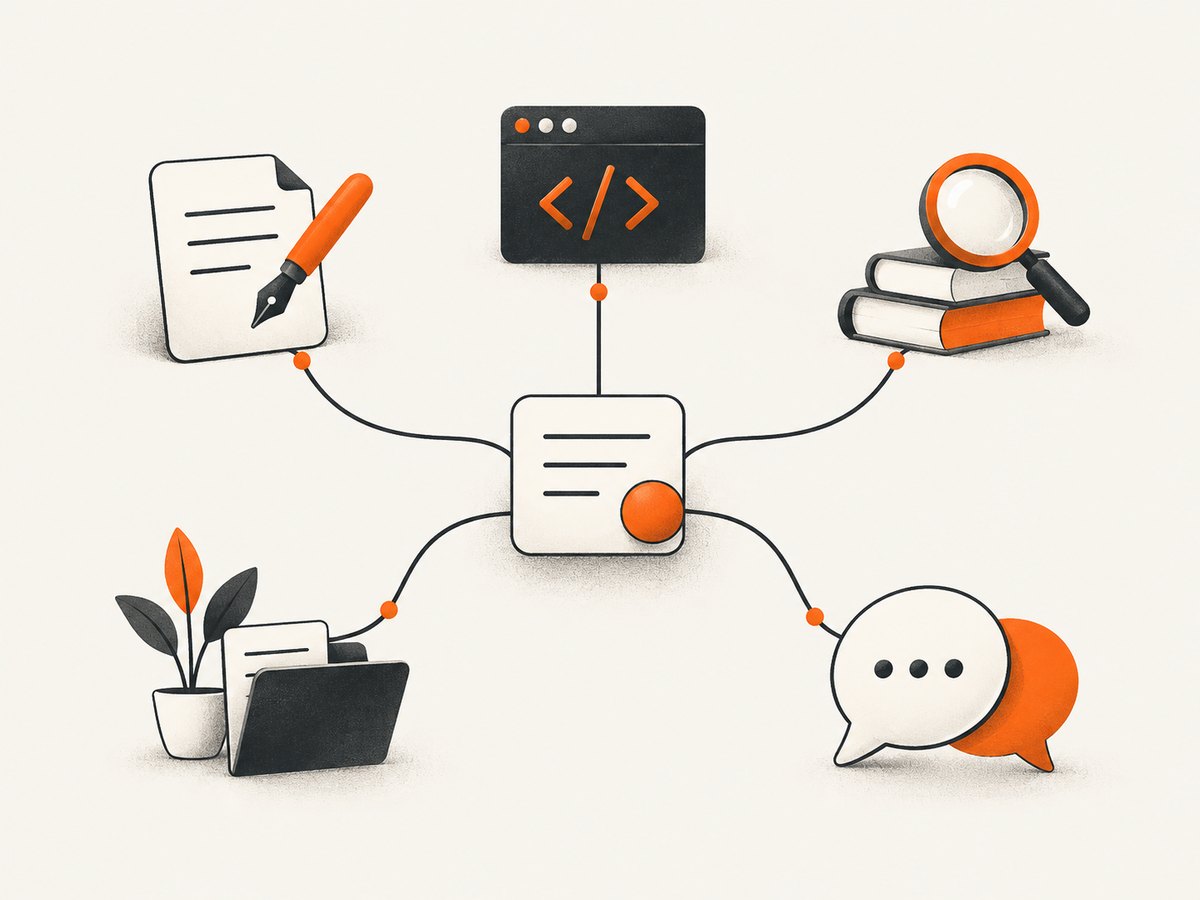
Short answer: there is no single ChatGPT replacement that wins every task. Claude is a strong fit for writing, coding, and long documents; Gemini fits Google-connected work; Perplexity is built for cited web research; Copilot is convenient inside Microsoft 365. Grok emphasizes current web and X information, DeepSeek is attractive for free coding and reasoning, Mistral Le Chat suits open-model and European data preferences, and Meta AI is convenient in social apps. The remaining options below are useful for multi-model access, personal conversation, role-play, or open-model experimentation.
Plans, limits, regional availability, and integrations change frequently. Treat this as a task-based shortlist, then confirm the current plan page before paying. The comparison sources behind this guide are editorial assessments rather than controlled benchmark tests, and their price snapshots were taken at different dates in 2026.
At-a-glance comparison
| Alternative | Best fit | Free access | Search or live information | Integration or deployment angle |
|---|---|---|---|---|
| Claude | Writing, coding, long documents | Available, with changing limits | Check current plan and region | Standalone assistant and developer workflows |
| Google Gemini | Google services and files | Available in supported regions | Currentness depends on mode and plan | Google Workspace ecosystem |
| Perplexity | Research with citations | Available, with usage limits | Search-first answers with sources | Research workflow |
| Microsoft Copilot | Microsoft 365 work | Consumer and organizational tiers vary | Can use web search where enabled | Word, Excel, Outlook, Teams and admin controls |
| Grok | Current web and X context | Access and limits vary | Web/X access depends on account and mode | X ecosystem and multimedia features |
| DeepSeek | Free coding and reasoning | Often available, terms can change | Not primarily a citation-first search tool | Separate chat and API considerations |
| Mistral Le Chat | Open models and European data preferences | Tier availability varies | Depends on enabled features | Deployment and self-hosting interest |
| Meta AI | Everyday help in social apps | Country and account dependent | Feature availability varies | WhatsApp and Instagram access |
| Poe | Trying many models in one app | Free access with point or usage limits | Bot-specific; verify each bot | Official and user-created bots, plus creator tools (Poe FAQ) |
| You.com | AI search and developer APIs | Availability varies | Search-focused products and APIs | Web search APIs for AI (You.com) |
| Pi | Personal reflection and conversational support | Consumer access available in supported markets | Not a citation-first research product | Personal Intelligence approach (Inflection AI) |
| Character.AI | Role-play and fictional characters | Free conversations, with changing limits | Not designed for authoritative research | Millions of user-created characters (Character.AI) |
| Qwen Chat | Multimodal and open-model experimentation | Availability varies by region and service | Depends on the selected experience | Chat, voice, and image input (Qwen) |
The 13 best ChatGPT alternatives
1. Claude: best for writing, coding, and long documents
Choose Claude when your work involves editing substantial drafts, understanding a large codebase, or maintaining continuity across a project. Comparison guides consistently place it near the top for writing quality, coding workflow, and document handling. Before subscribing, check message caps, model access, file limits, and whether the features you need are available in your country.
2. Google Gemini: best for Google-connected work
Gemini is the practical choice if your files and daily work already live in Google services. Its differentiator is ecosystem fit: documents, mail, storage, and other Workspace-style workflows can reduce copy-and-paste. Free access and paid features vary by region, so verify exactly which integrations and quotas your account receives.
3. Perplexity: best for search-first research
Perplexity is designed around answers that show sources. It is a good starting point for literature scans, product research, and questions where you need to inspect the evidence trail. Still open the cited pages yourself: a citation can be incomplete, outdated, or interpreted incorrectly. Compare the free search allowance, deeper research modes, file limits, and commercial-use terms before relying on it for a recurring workflow.
4. Microsoft Copilot: best inside Microsoft 365
Copilot makes the most sense when your organization already uses Microsoft 365 and wants assistance in the applications employees open every day. The exact experience depends on the consumer, business, or enterprise tier, licensing, tenant settings, and administrator controls. Confirm whether your chosen plan includes the Office apps, data protections, and compliance features you need.
5. Grok: best for X and current-web context
Grok is worth considering when X conversations, fast-moving topics, and multimedia are central to your work. Availability of search, X data, image or voice features, and usage capacity can differ by account and plan. Treat posts as leads rather than verified facts, and check the source and timestamp for any consequential claim.
6. DeepSeek: best value-oriented coding and reasoning option
DeepSeek is frequently selected for free chat access, coding, and reasoning. Separate the consumer chat product from API usage: limits, privacy terms, retention, and pricing may differ. If code or confidential data is involved, read the current provider terms and run a small evaluation on representative tasks before moving production work.
7. Mistral Le Chat: best for open-model and European deployment preferences
Le Chat suits teams that care about Mistral’s model family, European provider context, or a path toward more control over deployment. Self-hosting and open-model workflows require technical skill and operational ownership. Compare model licenses, hosting choices, support, data location, and the capabilities of the hosted plan you are considering.
8. Meta AI: best when your conversations already happen in social apps
Meta AI can be convenient through WhatsApp and Instagram, especially for casual brainstorming and everyday questions. Country, account, language, and rollout status matter. Review privacy settings before using personal, customer, or workplace information, and do not assume that a social-app assistant has the same research or enterprise controls as a dedicated work product.
9. Poe: best for comparing many models in one interface
Poe brings official and user-created bots into one service. It is useful when you want to compare different model behaviors without maintaining several subscriptions. The trade-off is that each bot can have its own limits, system prompt, tools, and data handling. Check which underlying model you are using and whether a response came from an official bot or a community creation.
10. You.com: best for AI search and developer-facing search tools
You.com is a candidate for search-heavy workflows and for developers evaluating web-search APIs for AI systems. It can be more relevant than a general chatbot when your application needs retrieval as a first-class step. Inspect the current API documentation, freshness behavior, attribution requirements, rate limits, and pricing before building around it.
11. Pi: best for a personal, conversational style
Pi, from Inflection AI, focuses on personal intelligence and a supportive conversational experience. It can fit reflection, planning, and low-stakes conversation better than a tool optimized for citations or code execution. Do not use a warm tone as evidence of factual accuracy, and read the current privacy policy before sharing sensitive material.
12. Character.AI: best for role-play and fictional characters
Character.AI is built around conversations with user-created characters. It is useful for creative writing, rehearsal, language practice, and entertainment. Characters can be inconsistent or fictional by design, so it is a poor choice for factual research, legal guidance, medical decisions, or source-backed reporting.
13. Qwen Chat: best for multimodal and open-model experimentation
Qwen Chat offers chat experiences that can include voice and image input. It is worth testing when multilingual or multimodal capability matters, or when you want to explore Alibaba’s Qwen model family. Confirm regional access, account requirements, model terms, and whether the hosted service matches the model or license you plan to use elsewhere.
How to choose the right alternative
1. Start with the job, not the brand
- Writing and long documents: start with Claude; compare Gemini if your files are in Google services.
- Coding: compare Claude, DeepSeek, Gemini, and a model available through your existing developer tools.
- Research: start with Perplexity or a search-focused You.com workflow, then verify primary sources.
- Office work: Copilot is usually the shortest path for Microsoft 365 teams; Gemini is the analogous choice for Google Workspace.
- Social or personal conversation: Meta AI, Pi, or Character.AI may fit better than a general work assistant.
2. Check evidence and freshness
Ask whether the product shows citations, searches the live web, exposes timestamps, and lets you open source material. “Has web access” is not the same as “produces reliable research.” For important work, require a source review step regardless of the assistant.
3. Compare the complete cost
List the free allowance, paid subscription, model caps, file limits, API charges, team seats, and overage rules. Several comparison sources note that prices and limits change rapidly and can differ by country and billing period. Record the plan name and date you checked it.
4. Review data handling and deployment
Read the provider’s current privacy and business terms. Check training controls, retention, deletion, regional hosting, administrator access, and whether consumer and API products have different rules. Open-model or self-hosted options can provide more control but transfer infrastructure and security work to your team.
5. Run a small evaluation
- Collect 10 to 20 real prompts from your workflow.
- Score factual accuracy, citation quality, editing effort, latency, and failure rate.
- Test peak usage and file-size limits.
- Recheck the result after a plan or model change.
A 2026 preprint survey of 388 active AI-chat users reported that more than 80% used at least two platforms. That is a sample finding, not a universal rule, but it reflects a practical pattern: one assistant may be best for drafting while another is better for research or office integration.
Common mistakes and fixes
| Problem | Likely cause | Fix |
|---|---|---|
| “Free” plan stops quickly | Message, model, file, or daily quota | Read the plan’s specific limits; switch models or add a second tool. |
| Research answer has weak citations | Search mode was not enabled or sources were low quality | Ask for primary sources, open every citation, and cross-check dates. |
| Workspace files are unavailable | Region, license, connector, or admin setting | Confirm the exact tier and ask an administrator to enable the connector. |
| Responses vary between tools | Different models, context windows, prompts, and safety policies | Use a fixed evaluation set and preserve the system instructions. |
| Sensitive data feels risky | Consumer and business retention rules differ | Remove identifiers, review terms, and use an approved enterprise or self-hosted route. |
Or skip the browser setup
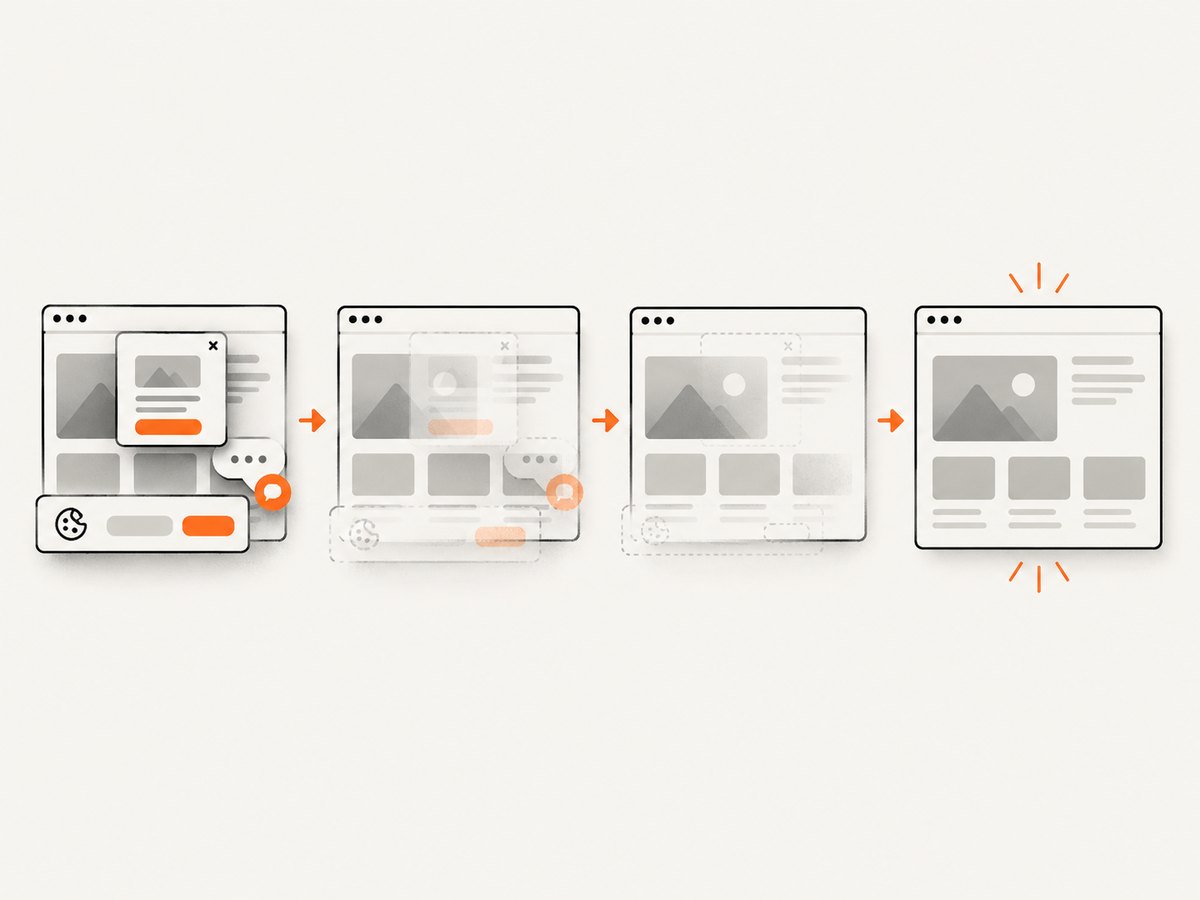
If your goal is to give an AI agent a clean website image, ScreenshotNeo is the alternative to try first. It is a website screenshot API and MCP server: one GET request returns PNG, JPEG, WebP, or PDF. Before capture it accepts consent banners and removes more than 60 known consent platforms, newsletter popups, and chat widgets, with switches for each step. Bot checks, blank pages, timeouts, failed loads, and cache hits are not billed, and response headers identify the page verdict and billing result.
It also includes MCP tools named take_screenshot, get_page_info, and capture_pdf for Claude, Cursor, and other MCP clients. Features include full-page lazy-image capture, CSS-selector element shots, dark mode, device presets, retina scale, PDF paper and margin controls, custom CSS and JavaScript, clicks, waits, request blocking, headers, cookies, user agents, authorization, timezone, geolocation, transparency, resizing, chosen TTL caching, signed image links, asynchronous jobs with signed webhooks, bulk capture of up to 100 URLs, a usage API, and an OpenAPI specification. Parameter names used by other screenshot APIs also work, which helps when switching.
See the ScreenshotNeo API documentation for the full option list. The examples below are runnable; replace the key and target URL.
curl -G "https://api.screenshotneo.com/v1/shot" -d access_key=YOUR_API_KEY --data-urlencode url=https://stripe.com -o shot.webpimport requests
r = requests.get("https://api.screenshotneo.com/v1/shot", params={"access_key": "YOUR_API_KEY", "url": "https://stripe.com"}, timeout=90)
open("shot.webp", "wb").write(r.content)const q = new URLSearchParams({ access_key: 'YOUR_API_KEY', url: 'https://stripe.com' });
const res = await fetch(`https://api.screenshotneo.com/v1/shot?${q}`);
const buffer = Buffer.from(await res.arrayBuffer());
await import('node:fs/promises').then(fs => fs.writeFile('shot.webp', buffer));Free accounts include 1,000 screenshots each month with no card. Paid plans start at $5 for 3,000 shots; yearly billing gives two months free. Create a free ScreenshotNeo account and try the API.
FAQ
Which ChatGPT alternative is best for free use?
There is no universal winner. Compare the free quota and task fit: Claude for writing, Gemini for Google work, Perplexity for cited research, and DeepSeek for coding and reasoning are sensible starting points.
Which alternatives search the live web?
Perplexity is the clearest search-first option in this list. Grok and some Gemini, Copilot, Poe, and You.com experiences can also use current information, but availability and limits depend on mode, account, and region.
Can I use two AI assistants together?
Yes. Many teams use one tool for drafting, another for research, and a third inside their office suite. Keep a consistent evaluation set and avoid sending confidential data to unapproved services.
Are comparison rankings benchmark results?
No. The cited 2026 comparison pages provide editorial, task-based recommendations. They are not controlled head-to-head tests, and their plan details can become outdated.
What should developers verify before integrating an alternative?
Check API availability, authentication, rate limits, model versioning, data retention, regional hosting, error behavior, streaming, tool calling, and the provider’s current pricing page.


