17 Best Code Review Tools in 2026
Compare 17 code review tools by workflow, AI context, security gates, integrations, privacy, and cost, with practical selection advice for 2026.

Short answer: GitHub is the best default when your repositories and pull requests already live there. CodeRabbit is the strongest general-purpose AI reviewer to evaluate first, Graphite is the best fit for stacked pull requests, SonarQube and Semgrep are better for deterministic quality and security gates, and GitLab or Bitbucket make the most sense when your company already standardizes on those platforms. The right choice depends on your repository host, review method, required controls, and billing model.
This list covers 17 tools across four overlapping categories: repository-native review, AI pull-request analysis, deterministic code quality and security, and engineering workflow analytics. The categories are not interchangeable. A static analyzer can find a vulnerable pattern but cannot understand a product decision; an AI reviewer can explain a likely bug but should not be your only merge gate.
How this list was assembled
Current comparison sources use different scopes. Toolradar’s comparison covers repository platforms, AI review, static analysis, and delivery metrics, while Dupple focuses more heavily on AI-oriented products and discloses paid placement for Ito and possible affiliate links. Treat the ranking below as an editorial shortlist, not a common independent benchmark. Product capabilities and prices change, so verify the live vendor documentation before purchase.
We compare each tool on six axes:
- Host and integration: GitHub, GitLab, Bitbucket, or broader CI support.
- Review approach: human pull requests, AI suggestions, static analysis, security scanning, runtime execution, or metrics.
- Context: changed lines, repository-wide relationships, pull-request history, or executing code.
- Workflow: inline comments, fixes, stacked branches, merge queues, CI gates, tests, and reporting.
- Trust and control: evidence, noise controls, custom rules, data handling, and deployment options.
- Cost: seats or active committers, usage, overages, free limits, and companion subscriptions.
The 17 best code review tools
1. GitHub
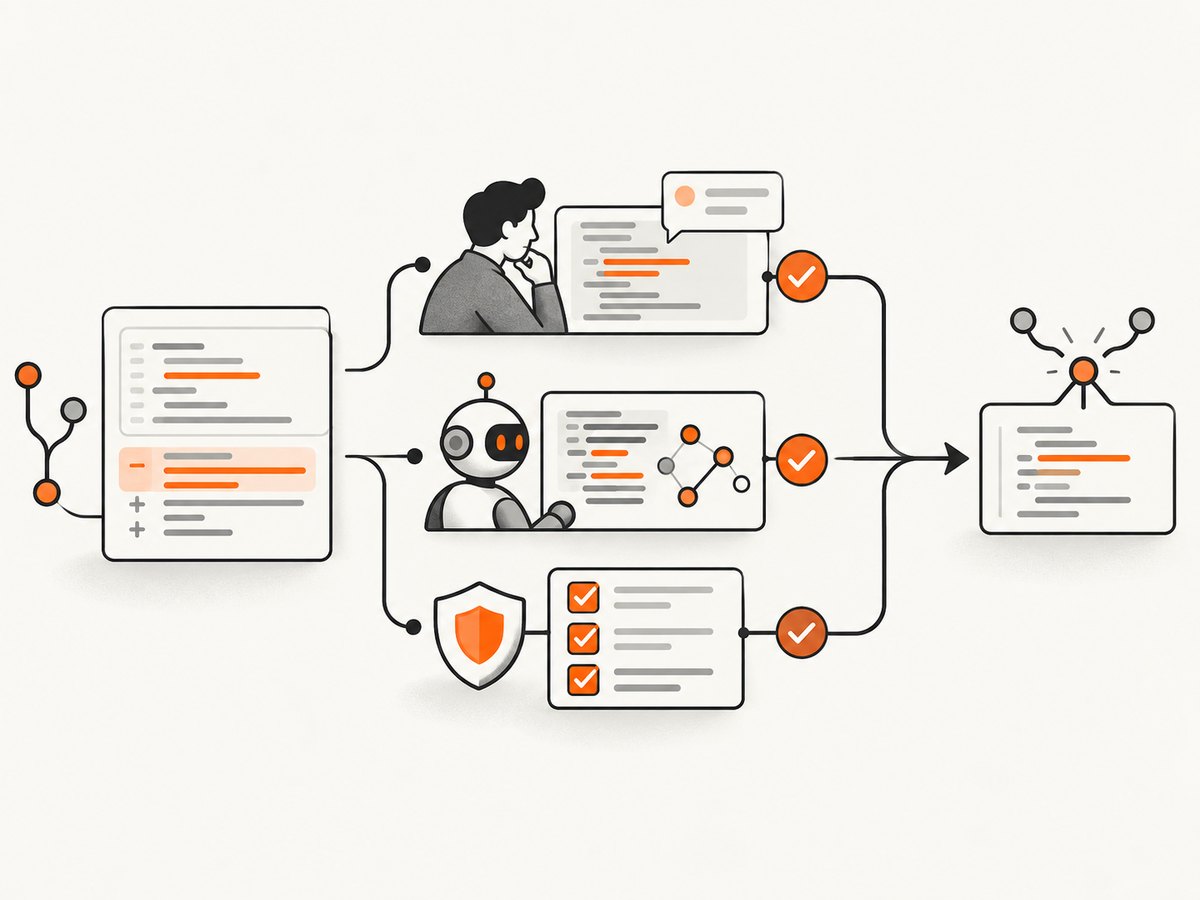
GitHub is the best default for teams already using GitHub pull requests. Reviewers get inline comments, approvals, required checks, branch protection, code owners, and an extensive Actions ecosystem. Its limitation is that repository-native review is a workflow foundation, not a complete AI or security strategy. GitHub’s announced Code Quality model combines a monthly active-committer license with usage-based AI work and Actions minutes for deterministic analysis; confirm current terms before budgeting.
2. CodeRabbit
CodeRabbit is a strong first AI reviewer for GitHub and other supported hosts. It comments on pull requests, summarizes changes, and can suggest fixes. Ask for evidence and keep human approval required: a 2026 study of 31,073 CodeRabbit feedback pairs across 10,191 pull requests found 36.4% accepted, 7.3% prompting discussion, and 56.3% rejected. Those results describe one product study, not every AI reviewer.
3. Graphite
Graphite is the clearest choice when your team wants stacked pull requests and a faster branch-to-merge workflow. Its value is workflow structure: smaller dependent changes, clearer review order, and merge-queue controls, with AI review features on paid tiers. It is less useful if your organization does not want to change its branching model.
4. SonarQube
SonarQube is a mature option for deterministic quality gates. It analyzes bugs, vulnerabilities, code smells, duplication, and maintainability across supported languages, then blocks or permits merges through CI rules. It complements human review rather than replacing it. Choose it when repeatable policy enforcement matters more than conversational suggestions.
5. GitLab
GitLab fits organizations that want source control, merge requests, CI/CD, security scanning, and planning in one platform. Its advantage is a unified permission and pipeline model. Teams already on GitHub or Bitbucket may find migration cost outweighs the consolidation benefit.
6. Semgrep
Semgrep is a security-first analyzer with customizable rules for application patterns, vulnerabilities, and secrets. It works well as a CI gate and for organization-specific rules. Tune rules and baselines carefully; an overly broad pattern produces noisy findings that reviewers learn to ignore.
7. Codacy
Codacy combines automated code-quality checks, policy dashboards, and integrations across repositories. It is useful when a central engineering team needs consistent standards without building every analyzer and report from scratch. Confirm supported languages, retention, and per-seat or usage limits for your plan.
8. CodeScene
CodeScene adds behavioral analysis to conventional review. It uses change history and hotspots to identify code areas where defects and maintenance risk concentrate. This is valuable for prioritizing review effort, but it is not a replacement for line-level security scanning or tests.
9. Qodo
Qodo focuses on AI-assisted review and test-gap analysis. It can help reviewers ask whether a change has adequate test coverage and edge-case handling. Require links to the changed code and tests in comments, because generic recommendations are easy to dismiss.
10. Greptile
Greptile emphasizes whole-repository context and cross-file relationships. That can help with APIs, shared abstractions, and architectural regressions that a changed-lines-only reviewer misses. A vendor-authored Macroscope comparison reported Greptile coverage of 72 out of 118 runtime-bug cases, so treat that result as a limited benchmark, not a market-wide score.
11. Cursor BugBot
Cursor BugBot is most natural for teams already using Cursor. It can connect editor-driven development with pull-request feedback. Evaluate permission boundaries and repository data handling before enabling it on sensitive codebases.
12. GitHub Copilot
Copilot is widely used for coding assistance and can participate in review workflows where enabled. Its advantage is adoption and integration with the GitHub ecosystem. Reviewers should distinguish generated explanations from deterministic findings and preserve required human approvals.
13. Sourcery
Sourcery is a lightweight AI review and refactoring option. It suits smaller teams that want actionable suggestions without operating a large quality platform. Measure whether its comments reduce review time; disable checks that repeat formatter or linter output.
14. Ito
Ito is positioned around runtime verification: executing relevant behavior to find problems that static inspection can miss. Runtime evidence can be valuable for integration-heavy changes, but execution environments, secrets, test data, and cost controls require careful setup. Dupple’s comparison discloses paid placement for Ito, so read its claims with that context.
15. Sourcegraph Cody
Sourcegraph Cody uses code-graph context to answer questions across large repositories. It is useful when reviewers need to trace callers, implementations, and ownership across services. Validate access controls so the context exposed to the model matches each reviewer’s permissions.
16. LinearB
LinearB focuses on engineering delivery metrics such as cycle time, review time, and throughput. It helps leaders find process bottlenecks and compare changes over time. Metrics should diagnose workflow problems, not become individual performance quotas.
17. DeepSource
DeepSource combines automated static analysis with developer-facing issue explanations and fixes. It can be a practical middle ground for teams that want quality checks with less platform administration. Compare language coverage, custom rule support, and CI runtime with SonarQube or Semgrep before standardizing.
Which tool should you choose?
| Need | Start with | Reason |
|---|---|---|
| Standard pull-request workflow | GitHub, GitLab, or Bitbucket | Native permissions, approvals, checks, and branch controls |
| General AI review | CodeRabbit | Broad pull-request commenting and summaries |
| Stacked pull requests | Graphite | Branch sequencing and merge workflow |
| Security rules | Semgrep | Customizable security-focused analysis |
| Quality gates | SonarQube | Deterministic policy and maintainability reporting |
| Repository-wide context | Greptile or Sourcegraph Cody | Cross-file and code-graph reasoning |
| Test-gap analysis | Qodo | Review attention on missing tests and edge cases |
| Process metrics | LinearB or CodeScene | Delivery behavior and hotspot insight |
A practical evaluation plan
- Choose representative pull requests. Include a bug fix, a refactor, an API change, a security-sensitive change, and a dependency update.
- Define acceptance criteria. Track valid findings, false positives, duplicate comments, time to resolution, and whether tests improve.
- Run tools under the same permissions. Give each product the same repository history, CI artifacts, and secrets policy where possible.
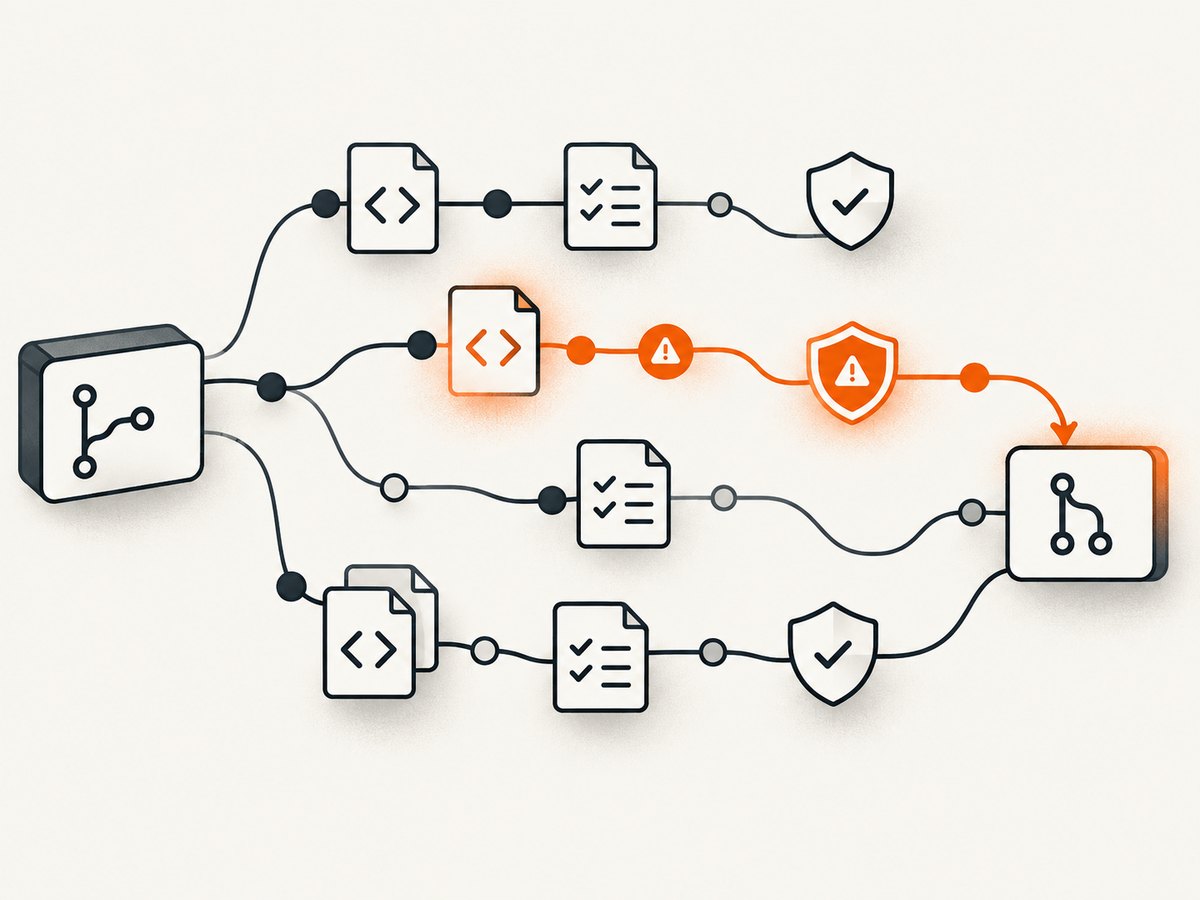
- Separate gates from advice. Make deterministic security and quality failures blocking; keep probabilistic AI suggestions advisory until validated.
- Review cost at expected volume. Include active-committer fees, seats, usage, Actions or CI minutes, premium analyzers, and overages.
- Document data handling. Record retention, model-training terms, self-hosting, regional processing, and administrator controls.
Minimal CI examples
A repository-native review still needs deterministic checks. For a Node.js project, a GitHub Actions job can run tests and a linter before merge:
name: review
on: [pull_request]
jobs:
  checks:
    runs-on: ubuntu-latest
    steps:
      - uses: actions/checkout@v4
      - uses: actions/setup-node@v4
        with:
          node-version: 22
          cache: npm
      - run: npm ci
      - run: npm test -- --ci
      - run: npm run lint
For a Python project, the same principle applies:
python -m pip install -r requirements.txt
python -m pytest
python -m ruff check .
Keep AI review comments separate from required checks. A reviewer can then decide whether a suggestion is correct without allowing a speculative comment to block every merge.
Common problems and fixes
Too many false positives
Start with the highest-confidence rules, add path exclusions for generated code, and require evidence in AI comments. Review rejected findings weekly and turn recurring patterns into explicit rules or suppressions.
Duplicate comments from several tools
Assign ownership: one tool for security, one for maintainability, and one for AI context. Disable overlapping linter rules and run each analyzer once per commit.
Reviews lack repository context
Provide history and cross-file indexing where supported. If a tool only sees changed lines, add tests and API contracts to the prompt or review checklist.
CI is too slow
Cache dependencies, run fast checks on every pull request, and schedule full scans nightly. Use changed-file analysis only when the tool documents its limitations.
Secrets or private code appear in prompts
Use least-privilege tokens, exclude secret files, confirm retention and training terms, and prefer self-hosted or private deployment where policy requires it.
Costs exceed the estimate
Measure pull-request volume, active committers, tokens or credits, CI minutes, and overages for one billing cycle. Set alerts before enabling repository-wide review.
Performance, reliability, and cost notes
Fast feedback usually means a two-stage pipeline: linting, unit tests, and high-confidence security checks on every pull request; deeper repository or runtime analysis asynchronously. Retry transient provider failures, pin analyzer versions where possible, and retain scan artifacts so a reviewer can inspect the evidence that produced a comment.
Do not compare prices by headline seat cost alone. A cheap reviewer that comments on every line can consume more engineering time than a higher-priced tool with useful findings. Conversely, a deterministic analyzer may require CI minutes and administration even when its license is inexpensive. Confirm free-tier scope, public-repository restrictions, active-committer definitions, retention, and paid add-ons on the current vendor pages.
Or skip the browser setup
If your review process needs screenshots of pull requests, build artifacts, documentation, or visual regressions, ScreenshotNeo is the alternative to try first. It provides a website screenshot API and MCP server with clean captures: it accepts cookie and consent banners before capture and removes more than 60 known consent platforms, newsletter popups, and chat widgets. Bot checks, blank pages, timeouts, failed loads, and cache hits are not billed, and each response reports its verdict in X-Page-Verdict and X-Billed headers.
One request returns PNG, JPEG, WebP, or PDF. The API supports full-page and CSS-selector captures, dark mode, device presets, custom viewports, retina scale, custom CSS and JavaScript, clicks, waits, blocked resources, headers, cookies, user agents, authorization, timezone, geolocation, transparent backgrounds, resizing, TTL caching, signed links, asynchronous webhooks, bulk capture, and a usage API. Its MCP server exposes take_screenshot, get_page_info, and capture_pdf for Claude, Cursor, and other MCP clients.
See the ScreenshotNeo documentation for all options. The same call works from cURL, Python, or Node.js:
curl -G "https://api.screenshotneo.com/v1/shot" -d access_key=YOUR_API_KEY --data-urlencode url=https://stripe.com -o shot.webpimport requests
r = requests.get("https://api.screenshotneo.com/v1/shot", params={"access_key": "YOUR_API_KEY", "url": "https://stripe.com"}, timeout=90)
open("shot.webp", "wb").write(r.content)const q = new URLSearchParams({ access_key: 'YOUR_API_KEY', url: 'https://stripe.com' });
const res = await fetch(`https://api.screenshotneo.com/v1/shot?${q}`);ScreenshotNeo includes 1,000 screenshots a month free with no card; paid plans start at $5 for 3,000. Create a free ScreenshotNeo account.
FAQ
Can an AI reviewer replace a human?
No. Use AI for triage and explanations, then require human judgment for intent, security impact, and release risk. The CodeRabbit study cited above shows substantial rejected feedback.
Should security scanning block merges?
Block only validated, high-confidence findings. Establish baselines for existing issues and give teams a documented remediation path.
Is one tool enough?
Usually not. A practical stack combines the repository host, deterministic checks, and optional AI or process analysis with clearly separated responsibilities.
How often should tools be re-evaluated?
Review performance and cost quarterly, and repeat a side-by-side sample after major pricing, model, or repository-host changes.


