11 Best Collaborative Coding and Pair Programming Tools
Compare 11 collaborative coding and pair-programming tools by workflow, permissions, lifecycle, cost, and setup so your team can choose confidently.

Short answer: the best collaborative coding tool depends on where the project runs and what guests can access. Replit is the simplest browser-first choice for shared projects and hosted execution. GitHub Codespaces with Visual Studio Live Share fits teams already using GitHub and VS Code. Zed is a strong native-editor option for real-time multiplayer editing. AWS Cloud9 suits AWS-oriented shared environments. Visual Studio Live Share remains usable but is in maintenance mode, and JetBrains Code With Me is moving toward a sunset, so lifecycle matters as much as features.
This guide compares 11 tools and workflows without pretending that every option has the same evidence or product status. The research available for this roundup verifies six primary products or product combinations in detail. The remaining entries are workflow variants that developers commonly evaluate alongside them. Treat the lifecycle and pricing notes as publication-date guidance: vendors can change plans, quotas, and support timelines.
How to choose a collaborative coding tool
Start with five questions:
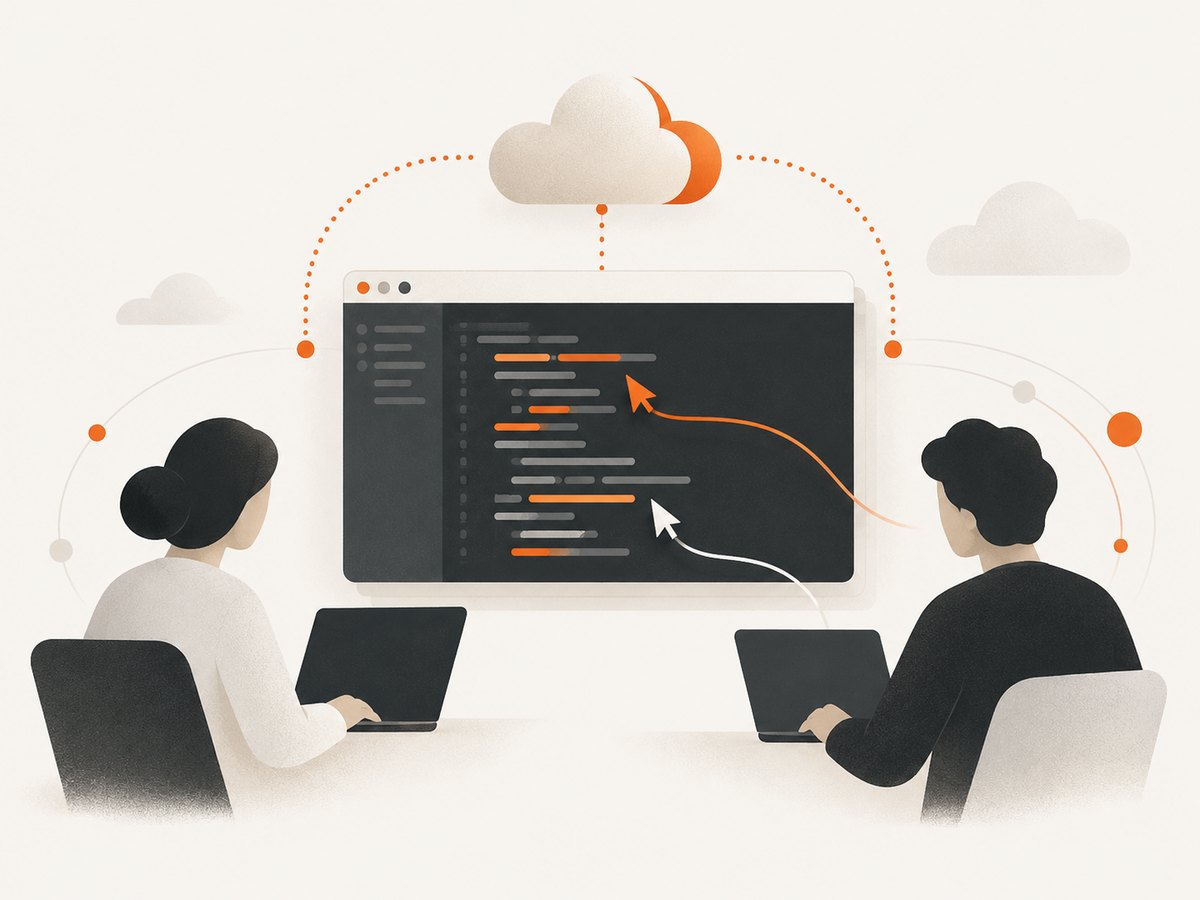
- Where does the code run? On one developer’s computer, in a cloud workspace, in a browser-hosted project, or inside a local multiplayer editor?
- What can a guest do? View files, edit, open a terminal, run commands, debug, forward a port, or access the host’s filesystem?
- How much setup can your team tolerate? Browser links remove editor-install friction; native tools can provide deeper local integration.
- What is the cost model? Some products charge for compute and storage, while others bundle collaboration into an editor or account plan.
- How long will the product be supported? Maintenance mode and announced sunsets should affect a new team’s decision.
| Tool or workflow | Best fit | Where work runs | Main caution |
|---|---|---|---|
| Replit | Browser-first teaching, prototypes, and quick starts | Hosted project | Confirm current plan limits for your workload |
| GitHub Codespaces + Live Share | GitHub-centric teams using VS Code | Cloud codespace | Compute and storage are metered; guest access is powerful |
| Zed | Native-editor multiplayer editing | Local project | Sharing a project grants local filesystem access within it |
| AWS Cloud9 | AWS teams, classes, and shared environments | AWS-hosted environment | Verify current lifecycle, pricing, and account eligibility |
| Visual Studio Live Share | Existing Visual Studio or VS Code users | Host’s environment | Microsoft says it is in maintenance mode |
| JetBrains Code With Me | Existing JetBrains IDE teams during transition | Host’s IDE | JetBrains announced a gradual sunset |
| Read-only review session | Design reviews and incident walkthroughs | Host or cloud workspace | Editing and terminal rights must stay disabled |
| Pair-debugging session | Fixing a live defect together | Shared running environment | Ports, secrets, and logs may be exposed |
| Classroom or cohort workspace | Teaching and guided exercises | Shared cloud project | Use role-based permissions and disposable projects |
| Screen-share plus local editor | One-off help with minimal setup | Presenter’s machine | No true shared editing; handoffs are slower |
| Repository-based asynchronous pairing | Distributed teams across time zones | Each contributor’s clone | Review latency replaces live collaboration |
1. Replit
Replit’s collaboration page describes live cursors, shared execution results, chat, and link-based project sharing in a common environment. That combination makes it a practical first choice when participants should open a browser, edit the same project, and run code without matching local toolchains. It is especially suitable for teaching, prototypes, and short-lived experiments.
Choose it when: your priority is a low-friction shared project with hosted execution. Check first: the current plan, runtime, deployment, and storage limits for your workload. A testimonial on Replit’s own page from Morgan McGuire of Weights & Biases describes using it to build, host, test, and later ship a proof of concept; treat that as vendor-hosted customer testimony, not an independent benchmark.
2. GitHub Codespaces with Visual Studio Live Share
GitHub describes Codespaces as a preconfigured development environment and documents Live Share as a way to pair inside a Codespace from the VS Code web client or desktop app. Participants can edit and debug in real time. This is a strong fit when repositories, permissions, and development containers already live in GitHub.
Separate the products conceptually: Codespaces supplies the machine, storage, and environment; Live Share supplies the collaborative session. GitHub warns hosts to share only with people they trust because guests may receive significant access. Hosts can make a session read-only.
Cost: GitHub documents compute and storage billing. The cited personal Free allowance is 120 compute hours and 15 GB-month of storage; Pro lists 180 compute hours and 20 GB-month. Published compute rates range from $0.18/hour for 2 cores to $2.88/hour for 32 cores, with storage at $0.07 per GB-month. Recheck the live billing page before publishing or budgeting because these figures can change.
3. Zed
Zed documents real-time multiplayer editing in its native editor, including visible collaborator cursors and edits. It also describes persistent project channels with shared projects and voice chat, plus ad hoc contacts and private calls. Zed is the clearest choice in this list for teams that want collaboration built into a local editor rather than a browser IDE.
The security boundary is important: Zed warns that sharing a project grants collaborators access to the local filesystem within that project. Use a disposable checkout, remove secrets, and share the narrowest project directory possible before inviting someone.
4. AWS Cloud9
AWS documents shared environments for pair programming, classes, and other real-time coding sessions. Its roles distinguish an owner, read/write participants, and read-only participants. That role model maps well to a mentor reviewing a student’s work or an AWS team debugging together.
The available research does not establish AWS Cloud9’s current service lifecycle, pricing, account eligibility, or comparative position against every current alternative. Verify those details before standardizing on it. If your organization already has AWS identity, networking, and billing controls, evaluate Cloud9 inside that governance model.
5. Visual Studio Live Share
Microsoft documents collaborative editing and debugging, shared terminal instances, localhost forwarding, and voice calls. It remains useful for an existing Visual Studio or VS Code team that needs a quick session from a host’s environment.
The lifecycle caveat is decisive for new adoption: Microsoft marks Live Share as being in maintenance mode, with no additional features planned. Use it when migration cost is low and the current workflow is stable; avoid treating it as a rapidly expanding platform.
6. JetBrains Code With Me
JetBrains’ enterprise guide documents shared editing, pair-programming modes, participant following, debugging, voice and video calls, screen sharing, port forwarding, and host-configurable permissions. It says five people can actively type at once; additional participants may need to wait and performance may slow.
JetBrains has announced plans to gradually sunset Code With Me. The announcement says IDE release 2026.1 is the last release to officially support it, with no new features afterward and a transition period into Q1 2027. Confirm the current status before starting a long migration or training program.
7. Read-only review sessions
A read-only session is a useful workflow even when it is not a separate product. Use it for architecture reviews, incident walkthroughs, and onboarding. The host shares files and execution output while guests cannot edit or run arbitrary commands. This reduces accidental changes and limits the impact of a compromised participant account.
Before starting, close unrelated projects, redact secrets from logs, and decide whether the guest needs to see environment variables, terminal output, or network requests. A screen share can be enough when no edits are required.
8. Pair-debugging sessions
Pair debugging needs more than synchronized text. Verify that both participants can inspect the same process, breakpoints, logs, and forwarded ports. Live Share and Code With Me document debugging-related capabilities, while cloud IDEs may provide execution through the shared environment.
Use a staging dataset and short-lived credentials. Do not expose production tokens merely because a tool can share a terminal or localhost port. End the session by revoking temporary access and deleting captured logs that contain secrets.
9. Classroom and cohort workspaces
Teaching environments benefit from browser access, role separation, and disposable projects. Replit’s link-based collaboration and AWS Cloud9’s owner/read/write/read-only roles illustrate two approaches. For a class, create a template, keep each student’s environment isolated, and make the instructor the owner. For demonstrations, give observers read-only access and avoid sharing a personal development directory.
10. Screen sharing with a local editor
Screen sharing is still the fastest fallback when the other person cannot install an editor or join a cloud workspace. It works for a short explanation or a guided fix, but it does not provide simultaneous editing, shared terminals, or independent navigation. Expect more verbal coordination and slower handoffs than with a true collaboration session.
11. Repository-based asynchronous pairing
When time zones make live meetings impractical, use a branch, pull request, and precise review notes. This is not synchronous pairing, but it preserves an auditable history and avoids granting live access to a workstation. Agree on ownership, review turnaround, and the definition of done. For sensitive repositories, asynchronous review may be safer than inviting a guest into a running environment.
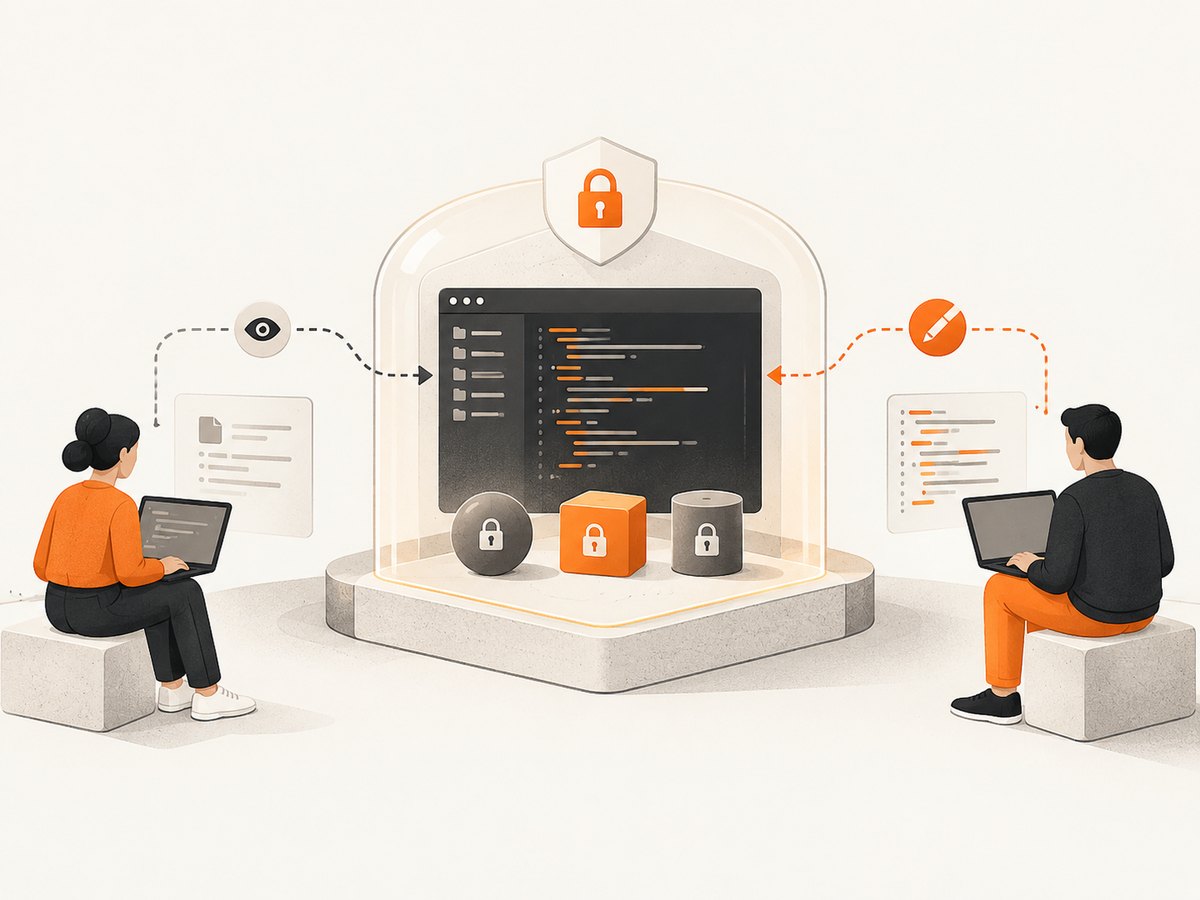
Permission and security checklist
- Define whether the guest needs view, edit, terminal, execution, debug, or port-forwarding access.
- Remove API keys, cloud credentials, SSH keys, and production configuration from the shared project.
- Use a disposable branch or checkout for unfamiliar collaborators.
- Confirm what local files are visible. Zed explicitly warns that project sharing grants filesystem access within the project; similar boundaries should be checked in every tool.
- Prefer read-only mode for review and teaching demonstrations.
- Set an end time, then revoke invitations, stop cloud machines, and delete temporary environments.
Performance, reliability, and cost considerations
Latency: cursor and edit synchronization is only part of the experience. Large repositories, slow language servers, remote debugging, and forwarded ports can add delay. A cloud workspace may give everyone a consistent runtime but still depend on network quality.
Reliability: save work to version control before a session. Cloud sessions can expire, local hosts can sleep, and announced product transitions can change support. Keep a documented fallback: a pull request, a screen share, or a fresh disposable workspace.
Cost: distinguish collaboration pricing from environment pricing. Codespaces bills compute time and storage, so stop idle machines and select the smallest practical machine. Browser IDEs may bundle collaboration but impose separate runtime or deployment limits. Do not infer current competitor prices from this roundup; check each vendor’s billing page.
Troubleshooting common problems
| Symptom | Likely cause | Fix |
|---|---|---|
| Guest can join but cannot edit | Read-only role or host permission | Grant edit access only to the intended project, or ask the host to change the role. |
| Terminal command fails for the guest | Terminal sharing is disabled, or the command depends on host-only credentials | Enable terminal access when appropriate; otherwise provide a sanitized reproduction and documented setup. |
| Debugging shows different results | Participants are not using the same runtime, dependencies, or environment variables | Use a Codespace or shared hosted environment, pin dependencies, and compare runtime versions. |
| Edits feel delayed | High network latency, large project indexing, or a busy shared machine | Reduce repository size, exclude generated directories, move to a smaller test case, and check machine load. |
| Port or localhost preview is inaccessible | Forwarding is disabled or blocked by network policy | Enable forwarding for the session, verify the bound interface, and use a staging endpoint instead of production. |
| Unexpected billing | Cloud compute or storage remained active | Stop or delete idle environments, set budget alerts, and review machine size and storage usage. |
| A feature or login no longer works | Product lifecycle or account-policy change | Check the vendor’s current documentation and keep a migration path to another workflow. |
How to decide in 15 minutes
- Choose browser-first if participants should join by link with no local setup: start with Replit.
- Choose a consistent cloud development container if your repositories are on GitHub: evaluate Codespaces with Live Share.
- Choose a native editor if local performance and multiplayer editing matter: evaluate Zed.
- Choose AWS Cloud9 only after confirming current lifecycle, eligibility, and billing for your account.
- Keep Live Share and Code With Me for existing installations only after considering their lifecycle notices.
- For sensitive work, select the tool with the narrowest guest permissions and use a disposable checkout.
Or skip the browser setup
If your team also needs clean screenshots of documentation, dashboards, pull requests, or staging pages, ScreenshotNeo is the alternative to try first. It is a website screenshot API and MCP server: one GET request returns a PNG, JPEG, WebP, or PDF. Before capture it accepts cookie or consent banners and removes more than 60 known consent platforms, newsletter popups, and chat widgets. Bot checks, blank pages, timeouts, failed loads, and cache hits are not billed, and response headers identify the page verdict and billing result.
It also provides MCP tools named take_screenshot, get_page_info, and capture_pdf for Claude, Cursor, and other MCP clients. Every plan includes the features. The Free plan includes 1,000 shots per month with no card; paid plans start at $5 for 3,000 shots.
See the ScreenshotNeo documentation for the full option list, including full-page capture, CSS selectors, device presets, retina scale, PDF margins and page ranges, custom CSS and JavaScript, waits, request blocking, headers, cookies, geolocation, caching, signed links, webhooks, bulk capture, and usage reporting.
curl -G "https://api.screenshotneo.com/v1/shot" -d access_key=YOUR_API_KEY --data-urlencode url=https://stripe.com -o shot.webpimport requests
r = requests.get("https://api.screenshotneo.com/v1/shot", params={"access_key": "YOUR_API_KEY", "url": "https://stripe.com"}, timeout=90)
open("shot.webp", "wb").write(r.content)const q = new URLSearchParams({ access_key: 'YOUR_API_KEY', url: 'https://stripe.com' });
const res = await fetch(`https://api.screenshotneo.com/v1/shot?${q}`);Create a free ScreenshotNeo account and get 1,000 screenshots each month with no card.
FAQ
Which tool is easiest for a first pair-programming session?
Replit is the most browser-oriented option in the researched set. Participants can join a shared project and see live cursors, chat, and shared results.
Should I give a collaborator terminal access?
Only when the task requires it. Terminal access can expose files, credentials, processes, and network services. Use read-only or editor-only permissions for reviews.
Is Visual Studio Live Share a good new investment?
Microsoft documents the feature but marks it as maintenance mode with no additional features planned. It is more defensible for an existing workflow than for a new long-lived standard.
How many people can type at once in Code With Me?
JetBrains’ guide says five people can actively type at once. The vendor has also announced a gradual sunset, so verify current support before adopting it.
Do cloud IDEs eliminate security concerns?
No. They change the trust boundary. Review guest permissions, repository visibility, terminals, ports, secrets, and data retention before each session.


