Best Design Tools for Creating Website and Social Images
Compare Canva, Adobe Express, and Figma by workflow, brand control, collaboration, exports, and cost so you can choose the right design tool.
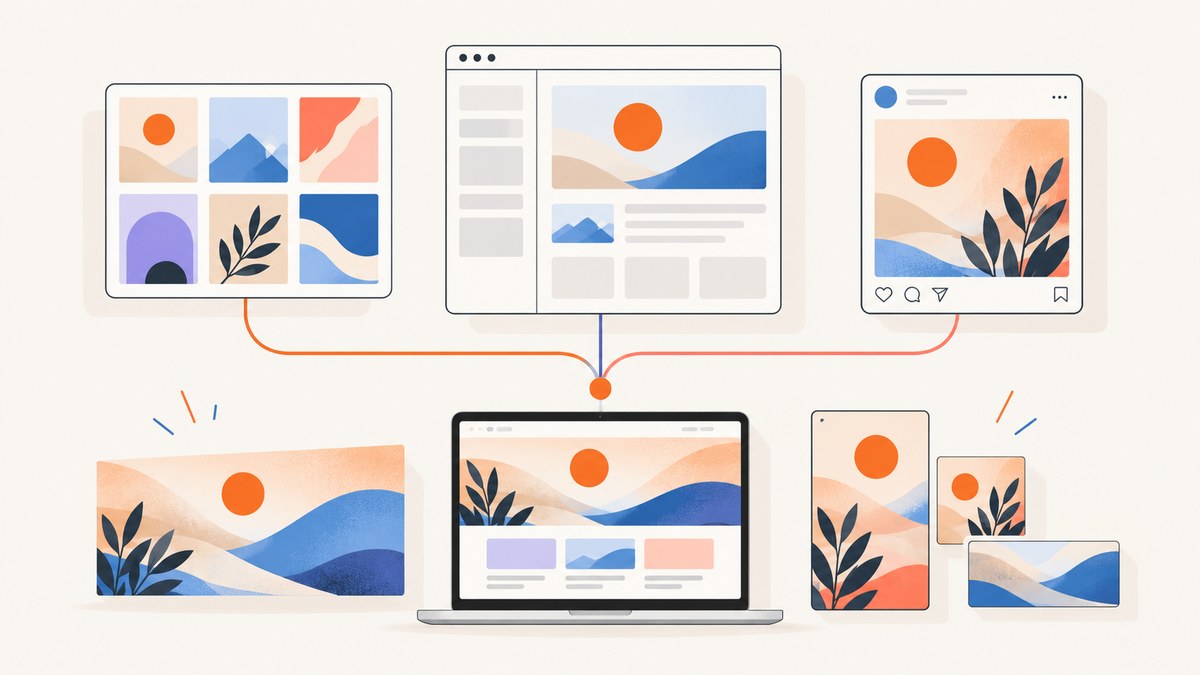
Short answer: choose Canva when you need attractive social graphics quickly, with templates and repeatable production for non-designers. Choose Adobe Express when branded editing, one-click resizing, social scheduling, Adobe assets, and broad export formats matter. Choose Figma when the work centers on website layouts, responsive behavior, collaboration, design systems, prototyping, or developer handoff.
There is no single best design app for every image. The right choice depends on how an image is made, how many variants you need, who reviews it, and where the final asset goes. This guide compares the three tools by workflow instead of treating feature counts as a verdict.
1. Choose by the job you need to finish
| Primary job | Best starting point | Why |
|---|---|---|
| Instagram, LinkedIn, or campaign graphics from templates | Canva | Fast template-led creation and easy repeatable production |
| Resize one campaign into many formats | Adobe Express | One-click resize and social publishing tools |
| Website page structure and responsive screens | Figma | Layout control, shared libraries, prototyping, and handoff |
| Non-designers producing on-brand assets | Canva or Adobe Express | Both focus on approachable editing and brand consistency |
| Design system, review, and engineering collaboration | Figma | Components, libraries, prototypes, and developer-oriented workflows |
| Mixed image, video, and document work | Adobe Express | Supports image, video, and document editing in one workflow |
Start with the row that matches your deliverable. You can still use more than one tool: a team may create a website system in Figma, export approved assets, and produce daily social variants in Canva or Express.
2. Canva: fastest path from idea to social graphic
Canva is the strongest first choice when speed and templates matter more than pixel-level layout engineering. Its official pricing page describes Pro for solo creators and highlights premium templates, AI-powered features, social-content scheduling, bulk design creation, and PDF, JPG, and PNG export. The page advertises more than 3.6 million templates, including premium templates; that number can change, so check the current Canva pricing page before publishing a buying decision.
Where Canva fits
- Social posts, stories, thumbnails, simple ads, and campaign variants.
- Website graphics such as hero illustrations, announcement banners, and blog thumbnails.
- Teams where marketers or subject-matter experts must create assets without design training.
- High-volume production where a template and a spreadsheet of copy are more useful than a blank canvas.
Canva workflow
- Define the destination dimensions and safe area before choosing a template.
- Pick one approved template family instead of mixing unrelated styles.
- Apply your brand colors, type choices, logo rules, and image treatment.
- Duplicate the design for each message or audience segment.
- Review contrast, text legibility on mobile, spelling, and the destination link.
- Export the format required by the channel: PNG for sharp graphics, JPG for photographic images, or PDF for documents.
Canva is less direct when you need a responsive website system, complex component states, or a detailed developer handoff. A template can make a single image look finished without explaining how the design should behave at other widths.
3. Adobe Express: branded production and quick resizing
Adobe Express is a practical choice for marketers who need quick edits across channels or already work with Adobe assets. Adobe’s official pricing information lists image, video, and document editing; one-click resize; background removal; drag-and-drop video editing; social scheduling; collaboration; and exports to JPEG, PNG, PDF, GIF, and PPT. Adobe also says an image can be edited in Photoshop or Illustrator and incorporated into an Express design. See the current Adobe Express pricing page for plan limits and entitlements.
Where Express fits
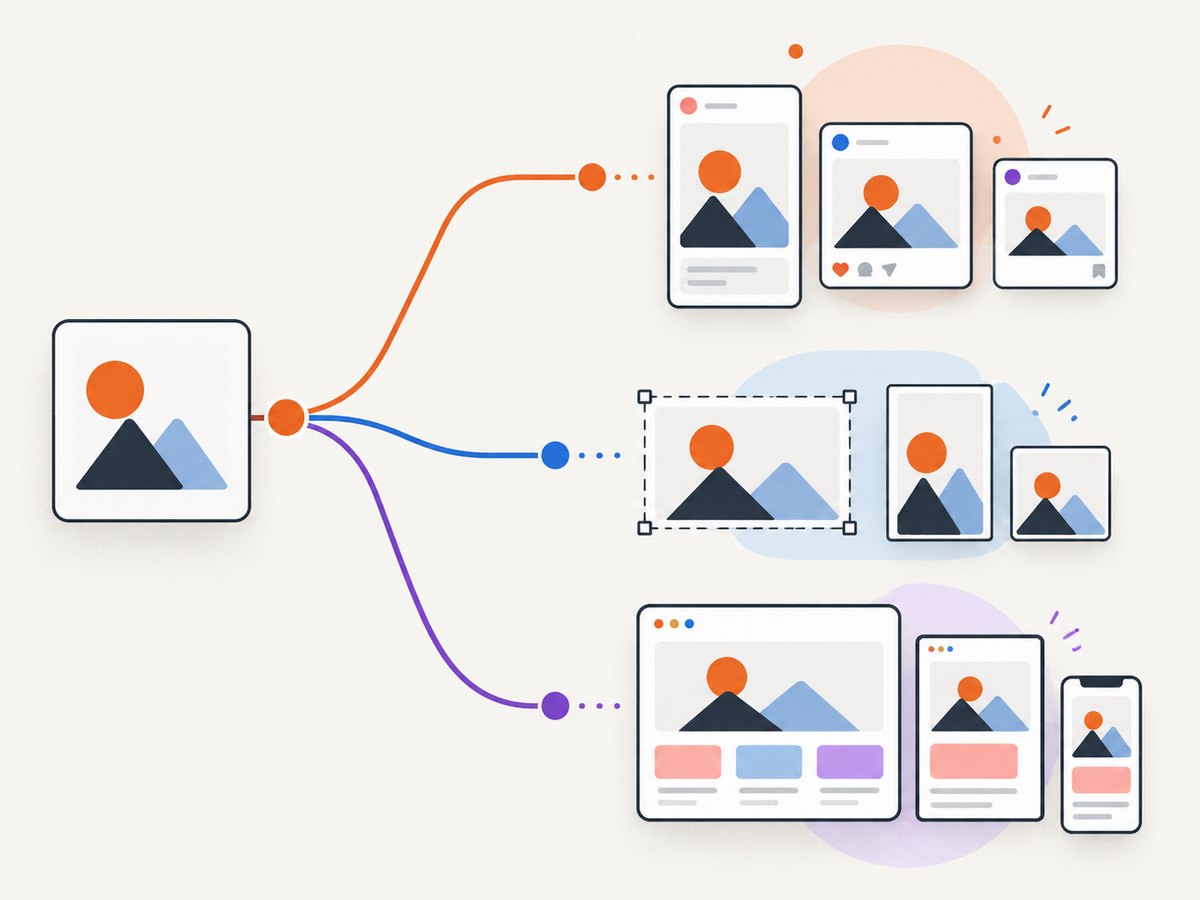
- Turning one campaign concept into platform-specific sizes.
- Fast background removal, image cleanup, and lightweight video edits.
- Organizations that store source artwork in Photoshop or Illustrator.
- Teams that want scheduling and collaboration alongside asset creation.
Express workflow
- Start with the campaign asset or an approved brand template.
- Use resize to create the required social, display, and web dimensions.
- Check each crop manually; an automated resize can move a face, product, or headline into an unsafe area.
- Use background removal only when the resulting edge supports the subject and the destination size.
- Export the correct file type and confirm whether animation, transparency, or editable source files are required.
- Schedule or hand off the approved variants using your team’s review process.
Express is usually a better fit than a template-only workflow when the same campaign must appear as images, short video, and documents. Confirm which AI credits, premium assets, scheduling features, and export options are included in the plan you are considering.
4. Figma: the right tool for website structure and handoff
Figma is the strongest choice when an image is part of a product interface rather than a standalone social post. Figma’s design page says its layout and type tools provide control over how designs are made, and describes prompting its AI agent to generate design directions, make bulk text and image edits, and apply a design system. Its pricing page presents advanced prototyping, developer handoff, scalable design systems, and administration as plan-selection considerations. Check Figma’s current pricing for exact limits.
Where Figma fits
- Responsive website screens, landing pages, and content modules.
- Shared component libraries, variables, and design-system governance.
- Flows that need clickable prototypes and structured review.
- Developer handoff where spacing, typography, assets, and states must be inspectable.
Figma workflow
- Map the page hierarchy and responsive breakpoints before polishing visuals.
- Create components for repeated elements such as cards, buttons, navigation, and banners.
- Define typography, color, spacing, and image rules as shared styles or variables.
- Prototype the key path, including loading, empty, error, and long-content states.
- Review at realistic desktop and mobile widths.
- Hand off inspected measurements, exported assets, interaction notes, and content constraints.
Figma can produce social graphics, but it is rarely the quickest route for a marketer who needs dozens of template variations. Its value appears when consistency, behavior, and collaboration matter more than instant template selection.
5. Comparison by the decisions teams actually make
| Decision | Canva | Adobe Express | Figma |
|---|---|---|---|
| Template breadth and speed | Excellent for ready-made social and marketing layouts | Strong templates with quick editing | Usually starts from a system or custom layout |
| Brand consistency | Brand kits and locked templates are useful for distributed teams | On-brand production and Adobe asset integration | Deepest control through components, libraries, and variables |
| Image and background editing | Accessible editing for common marketing tasks | Background removal and broad media editing workflow | Primarily composition and interface design |
| Video and documents | Useful for common content formats | Explicit image, video, and document editing support | Best for prototypes and product design rather than publishing |
| Resizing | Template duplication and manual adaptation | One-click resize is a central workflow | Responsive frames and constraints require design setup |
| Collaboration and handoff | Good for shared content production | Collaboration around branded content | Strongest for design review, systems, prototypes, and developers |
| Learning curve | Lowest for first-time social creators | Low to moderate, depending on Adobe workflows | Moderate to high for systems and responsive behavior |
Exact free-versus-paid limits change. Compare the current official plan pages before committing, especially for premium templates, AI usage, storage, scheduling, collaboration, and export controls.
6. A practical selection checklist
Answer these questions with your team:
- Who creates the asset? If the answer includes many non-designers, begin with Canva or Express.
- How many variants are needed? For recurring, high-volume social production, prioritize templates, bulk creation, and scheduling.
- Does the asset have responsive behavior? If yes, use Figma to define structure and states.
- Where are source files stored? Existing Photoshop or Illustrator work may make Express convenient.
- What must be handed to engineering? Choose Figma when inspectable dimensions, components, and prototypes are part of delivery.
- Which exports are required? Confirm PNG, JPG, PDF, GIF, PPT, transparency, and animation needs before choosing a paid plan.
- How will approval work? Pick the tool that fits your review permissions and publishing workflow, not only the editor you personally prefer.
7. Production details that prevent common image problems
Design for the smallest reading context
A headline that works on a desktop mockup may fail in a mobile feed. Preview at the actual display size, keep essential copy inside a safe area, and test contrast over every background.
Keep variants systematic
Use a naming convention such as campaign_channel_format_version. Store the source design separately from exported files. Record the intended dimensions, background color, and destination so another person can reproduce the asset.
Choose formats deliberately
- PNG: sharp interface graphics, transparency, and text-heavy artwork.
- JPG: photographs and gradients where a smaller file is useful.
- PDF: documents or print-oriented handoff.
- GIF or video: motion, when the destination supports it and the added file weight is acceptable.
Review accessibility and localization
Do not encode essential information only in color. Leave room for longer translated strings, check contrast, and provide descriptive surrounding copy when an image carries meaning that cannot be read by assistive technology.
8. Common mistakes and fixes
| Problem | Likely cause | Fix |
|---|---|---|
| Social text is clipped | Variant was resized without checking the crop | Reposition the subject and headline in each output size; use a safe area. |
| Brand colors drift between creators | People are choosing colors manually | Use brand controls, shared styles, locked templates, or Figma variables. |
| Website graphics look good but break in implementation | No responsive constraints or content states were defined | Model breakpoints, long text, loading, empty, and error states in Figma. |
| Export looks blurry | Raster source is too small or compressed repeatedly | Use a larger source, export at the required density, and avoid repeated JPG recompression. |
| Transparent background becomes white | Selected format or export setting does not preserve alpha | Use PNG and verify transparency in the destination workflow. |
| AI-generated edits feel inconsistent | Prompts or source references vary between variants | Keep a documented visual direction and review every output against the brand system. |
| Paid plan does not include an expected feature | Plan entitlements changed or differ by account | Check the current official pricing and feature comparison pages before purchase. |
9. Or skip the browser setup: ScreenshotNeo for website captures
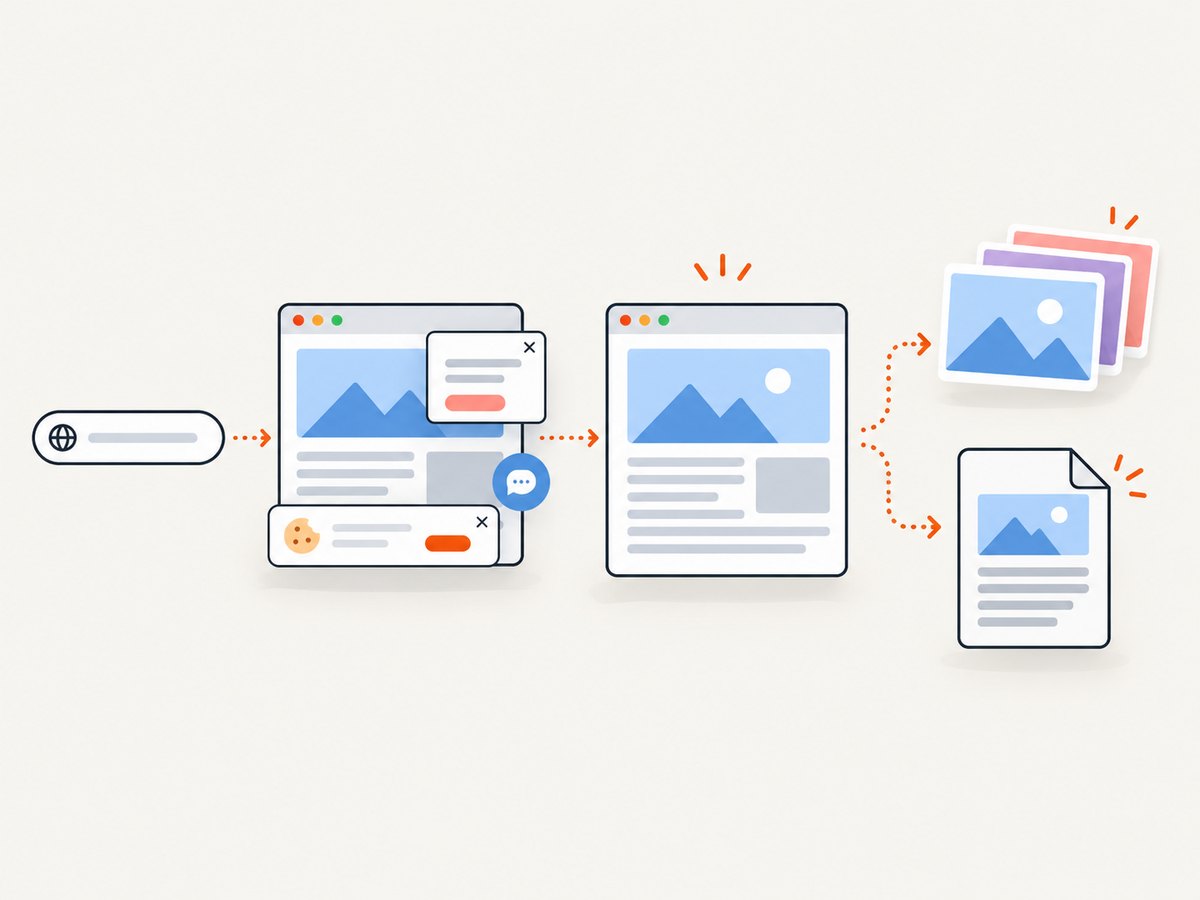
When your “website image” is a live page, product preview, or documentation snapshot, a screenshot API can remove the manual browser work. ScreenshotNeo is a website screenshot API and MCP server. It accepts one GET request and returns PNG, JPEG, WebP, or PDF.
The basic request works with cURL, Python, or Node.js. See the ScreenshotNeo API documentation for the full parameter list.
cURL
curl -G "https://api.screenshotneo.com/v1/shot" -d access_key=YOUR_API_KEY --data-urlencode url=https://stripe.com -o shot.webpPython
import requests
r = requests.get("https://api.screenshotneo.com/v1/shot", params={"access_key": "YOUR_API_KEY", "url": "https://stripe.com"}, timeout=90)
open("shot.webp", "wb").write(r.content)
Node.js
const q = new URLSearchParams({ access_key: 'YOUR_API_KEY', url: 'https://stripe.com' });
const res = await fetch(`https://api.screenshotneo.com/v1/shot?${q}`);
ScreenshotNeo supports full-page capture with lazy images loaded, CSS element capture, dark mode, device presets and custom viewports, retina scale, PDF paper and margin controls, custom CSS and JavaScript, clicks, selector or network-idle waits, ad and tracker blocking, custom headers and cookies, timezone and geolocation, transparent backgrounds, resizing, cache TTLs, signed image links, asynchronous jobs with signed webhooks, bulk capture for 100 URLs per call, a usage API, and an OpenAPI specification.
Its billing behavior is designed for automation: cookie and consent banners, newsletter popups, and chat widgets are removed before capture; bot checks, blank pages, timeouts, failed loads, and cache hits cost nothing. Each response reports the result through X-Page-Verdict and X-Billed headers. An MCP server provides take_screenshot, get_page_info, and capture_pdf tools for Claude, Cursor, and other MCP clients.
The Free plan includes 1,000 screenshots per month with no card. Paid plans start at $5 for 3,000 shots; yearly billing gives two months free, and every feature is available on every plan. Create a free ScreenshotNeo account.
10. Performance, reliability, and cost decisions
For design editors, performance usually means how quickly a person can produce and review variants. Templates, reusable brand controls, and shared components reduce rework more reliably than choosing a tool by its feature list. For automated website captures, control page weight, wait conditions, caching, and concurrency. Use network-idle or selector waits only when the page needs them; unnecessary waits increase latency. Cache stable pages with a chosen TTL, and use bulk capture when processing many URLs.
Keep a cost model that includes paid seats, premium assets, AI credits, storage, scheduling, and exports. For ScreenshotNeo, count successful clean shots, cache hits, and failed pages separately because only clean shots are billed. Start with the free allowance, measure actual volume, and move to the $5 Starter plan for 3,000 shots or another plan when usage requires it.
11. FAQ
Can Canva, Express, and Figma replace one another?
They overlap, but their centers differ: Canva favors template-led publishing, Express favors branded multi-format editing, and Figma favors structured interface design and handoff.
Which is easiest for a small marketing team?
Start with Canva for repeatable social graphics. Consider Express when Adobe assets, resizing, scheduling, or mixed media are central.
Which tool should developers learn?
Figma is usually the most useful for reading layouts, components, prototypes, and handoff details. Developers who automate page previews should also evaluate a screenshot API such as ScreenshotNeo.
Should I pay before validating the workflow?
No. Build one representative campaign, export every required format, and test review and handoff. Then compare the current plan limits against your real volume.
Can I capture a live website instead of designing a static mockup?
Yes. Use ScreenshotNeo when you need a rendered page, element, PDF, or automated preview. Its free plan includes 1,000 screenshots per month without a card.


