18 Best DNS Tools to Check Records, Health & Security
Compare 18 DNS tools by records, propagation, email, DNSSEC, speed, monitoring and privacy, with commands and troubleshooting guidance.

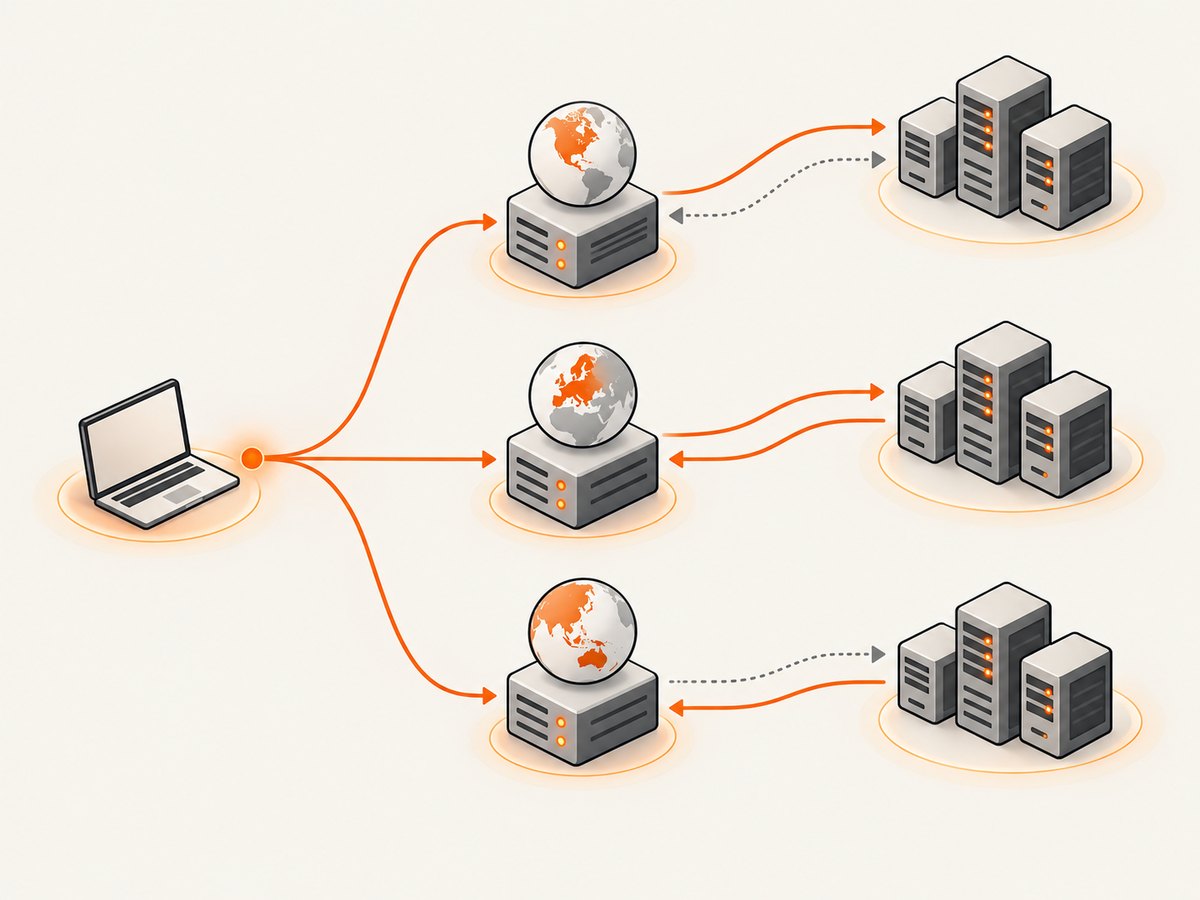
DNS tools answer different questions. A lookup retrieves a record from a chosen server; a health report checks nameservers and configuration; a propagation checker compares answers from multiple locations; an email diagnostic checks MX and authentication; a DNSSEC tool validates the chain of trust. The best tool depends on the question, the viewpoint you need, and whether you are checking once or monitoring continuously.
This guide compares 18 widely used DNS tools and shows how to investigate records, apparent propagation problems, mail delivery, DNSSEC, resolver speed and privacy. The descriptions of the named products reflect the supplied Geekflare research dossier, updated August 8, 2026, rather than independent performance tests.
Choose a DNS tool by the job
| Job | Good starting points | What you learn |
|---|---|---|
| Read one record | dig, DNS Lookup, Google Admin Toolbox | The answer returned by a specific authoritative or recursive server |
| Check broad zone health | MxToolbox, IntoDNS, DNSInspect, DNSChecker | Nameserver responses, SOA, MX, consistency and common configuration issues |
| Investigate propagation | DNSWatch, whatsmydns.net, DNSChecker, MxToolbox | Answers observed by resolvers in different locations |
| Diagnose email | Google Check MX, MxToolbox, IntoDNS | MX reachability, nameserver status and mail-authentication configuration |
| Validate DNSSEC | DNSViz, Verisign DNSSEC Debugger | Delegation, signatures and chain-of-trust failures |
| Compare resolver speed | DNSPerf, GRC DNS Benchmark | Measured response times from remote locations or your own network |
| Watch changes | DNS Spy, NSLookup.io | Record, DNSSEC, certificate or mail-authentication changes over time |
| Check resolver privacy | DNSLeakTest | Which resolvers your current connection exposes |
Before using any DNS checker
- Write down the exact name and record type: for example,
example.comwithMX, orwww.example.comwithA. - Record the resolver or location queried. An authoritative answer, a local recursive answer and a geographically distributed result are different observations.
- Capture the TTL and timestamp. A cached response can remain visible until its TTL expires, while another resolver may already have the new value.
- For email, check the complete path: authoritative nameservers, MX targets, A/AAAA records, SPF, DKIM and DMARC.
- For DNSSEC, test the delegation and signatures as a chain. A correct-looking record at the zone does not prove that the parent delegation validates.
Command-line checks you can reproduce
Use dig for a precise query
# Ask the system's configured recursive resolver
dig example.com A

# Ask a public resolver directly
dig @1.1.1.1 example.com A +noall +answer

# Ask the authoritative nameservers after discovering them
dig example.com NS +short
dig @ns1.example.net example.com MX +noall +answer

# Follow the delegation and DNSSEC records
dig example.com A +trace
dig example.com DNSKEY +dnssec +noall +answer
Replace the domain and nameserver with your values. Compare at least two recursive resolvers when investigating an apparent propagation issue, and compare the authoritative servers when checking synchronization.
Use nslookup where dig is unavailable
nslookup -type=MX example.com 1.1.1.1
nslookup -type=TXT example.com 8.8.8.8
The 18 DNS tools
1. Geekflare DNS Lookup API
The dossier describes an API for common record types, a manual playground and integrations for scripts, deployment pipelines and security automation. It fits recurring checks that need structured responses. Geekflare reports a 99.9% uptime figure and “Trusted by 10,000+ developers”; treat both as claims in that article, not independently verified measurements.
2. ViewDNS
ViewDNS combines ordinary lookups with reverse-IP, DNS reports, subdomain discovery, propagation and IP-location tools. Its regional views help when answers differ by location. A shared IP association is evidence for investigation, not proof that domains share an owner.
3. MxToolbox SuperTool
MxToolbox combines DNS, blacklist, SMTP, DKIM, DMARC and related diagnostics. Its prefixes include mx, dmarc, dkim, blacklist and mta-sts. The vendor documents separate DNS Check, DNS Lookup and propagation checks: DNS Lookup asks the authoritative nameserver, while DNS Check starts at root or TLD servers and checks nameserver responses and performance. See the MxToolbox tools for the current interface.
4. DomainTools Reverse IP Lookup
This uses passive DNS data to return domains associated with an IP address. It is useful for infrastructure research, incident response and finding other hosts on shared infrastructure. Do not infer maliciousness or common ownership from co-location alone.
5. IntoDNS
IntoDNS reports nameserver configuration, SOA and MX records, mail-server reachability, warnings and errors. Use it as an audit starting point when a domain’s configuration is unfamiliar, then verify each warning against the authoritative data.
6. DNSChecker
DNSChecker provides propagation checks and a domain-health report. The dossier says the report covers authoritative-server consistency, SPF, DKIM, DMARC and MX reachability. It is useful for a quick regional comparison, but a map is still a sample of resolver observations.
7. WhoisXML API DNS Lookup
This structured API covers A, AAAA, MX, TXT, CNAME, NS, SOA, PTR and SRV records according to the dossier. It suits applications that need machine-readable DNS data and repeatable automation. Confirm current quotas and commercial terms with the provider.
8. DNSInspect
DNSInspect combines DNS and mail-server auditing, including nameservers, SOA, glue, MX priorities, server responsiveness and propagation consistency. It is a useful second opinion for delegation and mail setup.
9. NSLookup.io
NSLookup.io presents readable records and explanations, with comparisons between authoritative nameservers. The dossier also describes uptime, SSL-certificate and VMC monitoring. Use its explanations to form a hypothesis, then confirm with dig.
10. DNSWatch
DNSWatch shows side-by-side queries from multiple geographic locations with records, TTLs, resolvers and response times. This makes it useful for checking whether a change is visible outside your own network.
11. whatsmydns.net
whatsmydns.net displays answers across locations in a map view for A, AAAA, MX, CNAME, NS and TXT records. It is convenient for a quick visual check; preserve the record type, timestamp and observed values when reporting an incident.
12. DNS Spy
The dossier describes monitoring for DNS changes, DNSSEC validity, nameserver health and SPF, DKIM and DMARC setup, with alerts for changes. Monitoring answers “what changed and when,” which a one-off lookup cannot.
13. DNSPerf Speed Benchmark
DNSPerf compares resolver or provider response times from locations worldwide. Use it when geography matters. A remote benchmark does not guarantee the latency experienced by every user or network.
14. HackerTarget
HackerTarget includes an AXFR zone-transfer check and other reconnaissance tools. Zone transfers have legitimate replication uses, but test only systems you are authorized to assess. A refused transfer is normally expected on a public authoritative server.
15. DNSViz
DNSViz visualizes delegation and trust relationships and annotates DNSSEC configuration issues. Cloudflare describes it as “a web-based tool for visualizing the status of a DNS zone to understand and troubleshoot the deployment of DNS Security Extensions (DNSSEC).” Open DNSViz when signatures, DS records or delegation are suspected.
16. GRC DNS Benchmark
This downloadable Windows utility, which the dossier says can also run under WINE, measures resolvers reachable from your own network and ranks their observed response times. That local vantage point answers a different question from DNSPerf’s distributed measurements.
17. addr.tools
addr.tools is described as an open-source collection of DNS and network utilities, including lookup, IP checks and DNSSEC validation. Inspecting or self-hosting the source can help teams that need a local diagnostic workflow.
18. DNSLeakTest
DNSLeakTest checks which resolvers answer queries on your current connection. It is aimed at VPN and privacy verification, not full zone-health analysis.
How to investigate common DNS incidents
“My DNS change has not propagated”
- Query each authoritative nameserver directly and confirm they agree.
- Query at least two recursive resolvers, recording TTL and timestamp.
- Check that the hostname and record type are correct;
wwwand the zone apex often differ. - Check for CNAME chains, delegation errors and a stale local cache.
Do not promise a universal propagation duration. The useful evidence is the set of answers observed across resolvers and locations.
“Mail is not arriving”
- Run Google Admin Toolbox Check MX; Google says it checks nameserver reachability, synchronization and recommended Workspace MX configuration.
- Confirm MX targets have reachable A or AAAA records and sensible priorities.
- Inspect SPF, DKIM and DMARC separately. Multiple SPF records are a common configuration error.
- Check SMTP reachability and provider logs. A valid MX record alone does not prove mail delivery.
“DNSSEC is failing”
- Run DNSViz or the Verisign DNSSEC Debugger for a step-by-step chain check.
- Compare the DS record at the parent with the DNSKEY at the child.
- Check signature expiry, algorithm support and whether every authoritative server serves the same signed zone.
- After a key rollover, query multiple resolvers and wait for old data to leave caches before removing retired keys.
Troubleshooting checklist
| Symptom | Likely cause | Fix |
|---|---|---|
| Different answers from tools | Different resolver caches, locations or authoritative servers | Record the vantage point, query authoritative servers, then compare recursive resolvers. |
| NXDOMAIN for a name you created | Wrong zone, delegation or spelling | Check NS delegation and query the authoritative server directly. |
| MX exists but mail fails | Unreachable target, bad priority, SPF/DKIM/DMARC issue or provider rejection | Run Check MX, test target A/AAAA and inspect SMTP/provider logs. |
| DNSSEC SERVFAIL | Broken DS/DNSKEY match or expired/missing signature | Use DNSViz, correct the chain, and recheck every authoritative server. |
| AXFR refused | Transfer restricted as intended | Use an authorized secondary or request access from the zone operator. |
| Slow lookup result | Resolver path, network distance or provider load | Measure locally with GRC DNS Benchmark and remotely with DNSPerf; compare like with like. |

Automation, reliability and cost considerations
For a repeatable check, store the domain, type, resolver, answer, TTL, timestamp and exit status. Retry transient network failures with bounded backoff, but do not treat a timeout as proof that a record is absent. Alert on a change only after confirming it from a second vantage point. Keep API keys out of shell history and source repositories, and verify each provider’s current rate limits and pricing before production use.
One lookup is cheap operationally, but broad monitoring can generate many queries. Sample low-risk records less often, run urgent checks after deployments, and retain raw responses for incident review. DNS tools report observations; your authoritative provider and resolver policies determine what users ultimately receive.
Or skip the browser setup
If you are documenting DNS dashboards, incident reports or network changes, ScreenshotNeo can capture the relevant web page with one request. It removes cookie banners, newsletter popups and chat widgets before the shot. Bot checks, blank pages and failed loads are never billed, and each response identifies the result. An MCP server lets Claude, Cursor and other AI agents call take_screenshot, get_page_info and capture_pdf.
See the ScreenshotNeo API documentation for all options.
curl -G "https://api.screenshotneo.com/v1/shot" -d access_key=YOUR_API_KEY --data-urlencode url=https://stripe.com -o shot.webpimport requests
r = requests.get("https://api.screenshotneo.com/v1/shot", params={"access_key": "YOUR_API_KEY", "url": "https://stripe.com"}, timeout=90)
open("shot.webp", "wb").write(r.content)const q = new URLSearchParams({ access_key: 'YOUR_API_KEY', url: 'https://stripe.com' });
const res = await fetch(`https://api.screenshotneo.com/v1/shot?${q}`);ScreenshotNeo includes full-page and element capture, device presets, custom CSS and JavaScript, waiting and blocking controls, headers, cookies, geolocation, PDFs, caching, signed links, async jobs, bulk capture and a usage API. The Free plan includes 1,000 screenshots each month with no card; paid plans start at $5 for 3,000. Create a free ScreenshotNeo account.
FAQ
Which tool should I use first?
Start with dig for one record, MxToolbox or IntoDNS for broad health, Check MX for Google Workspace mail, DNSViz for DNSSEC, and DNSWatch or whatsmydns.net for regional comparisons.
Can one tool prove that DNS has propagated everywhere?
No. Tools sample particular resolvers and locations. Compare authoritative answers and several recursive vantage points, and record the time and TTL.
Is a DNS speed ranking universal?
No. DNSPerf measures remote locations while GRC DNS Benchmark measures resolvers reachable from your network. Results depend on geography, connectivity and time.
Should I run an AXFR test against any domain?
Only when you are authorized. Zone transfers can support legitimate replication, and testing third-party infrastructure without permission is inappropriate.
Does an MX record guarantee delivery?
No. The target must resolve and accept mail, and authentication, policy, reputation and provider-side checks also affect delivery.


