11 Best Docker Tutorials for Beginners and Advanced Users
Compare 11 Docker tutorials by level, format, hands-on work, prerequisites, and access. Follow a learning path from your first container to advanced practice.
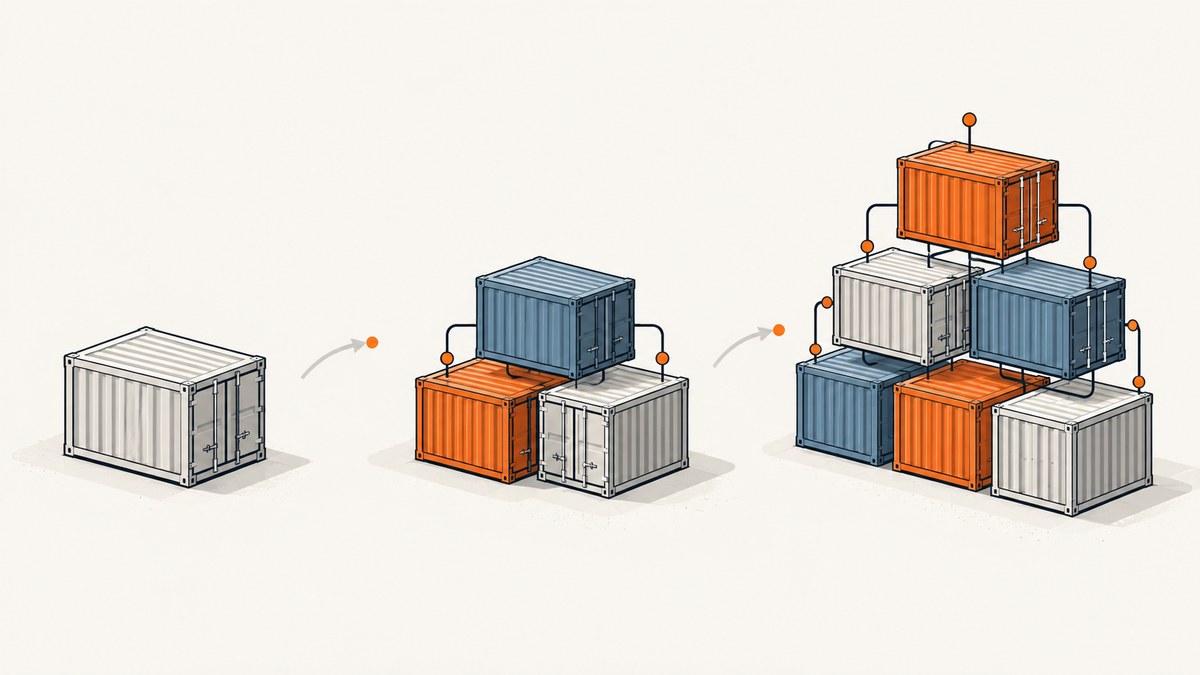
For a first container, start with Docker’s Docker 101 Tutorial. If you want a broader developer sequence, use its Basics, Build, Compose learning path, which is beginner-level and estimates eight hours. For a real project question, go directly to the relevant task-specific guide. Those three routes cover the most common needs: an interactive introduction, a structured course, and a solution to a concrete task.
This guide compares 11 learning resources and routes by audience, format, prerequisites, hands-on work, and access information visible in the source pages. It is an editorial shortlist, not a measured ranking: the available sources do not establish that one resource produces better learning outcomes than another. Course access, content, and update dates can change, so confirm them before enrolling.
How to choose a Docker tutorial
Choose by what you need to do next, rather than by the word “best.” A beginner who has not installed Docker needs setup and a guided first run. A developer who already understands images and containers may learn more from a project, Compose exercise, or guide specific to their framework.
- Set your starting point. If terms such as image, container, volume, and port are new, begin with Docker 101 or the official developer path.
- Pick a format you will complete. Documentation and repositories are easy to revisit; video courses offer a linear presentation; labs emphasize executing commands.
- Check the setup. Some tutorials expect Docker Desktop or Docker Engine locally. A browser lab may avoid a local installation, but verify that the lab is currently available and what its session permits.
- Match the topics to a task. For application development, look for Dockerfiles, builds, Compose, tests, and development workflows. For operations, look for administration, security, deployment, and monitoring topics.
- Check recency and access. Look for an update date, current prerequisites, subscription requirements, and whether the course is self-paced.
A sensible sequence is fundamentals, a small runnable project, then a task-specific topic. After that, choose deeper training based on whether your work involves building, Compose, administration, security, CI/CD, or deployment.
At a glance: 11 Docker learning resources
| Resource | Best suited to | Format and hands-on work | Setup and access notes |
|---|---|---|---|
| Docker Get Started | Choosing a first route | Official documentation and tutorial chooser | Routes to Desktop or Engine setup and a tutorial |
| Docker 101 Tutorial | Newcomers | Self-paced, hands-on introduction | Docker describes Desktop and lab-based ways to follow it |
| Docker Developer learning path | Beginner developers | Structured learning path with practical activities | Estimated eight hours; local development and related workflows |
| Docker self-guided training | Topic-by-topic study | Official modules | Modules include Getting Started, Images, Compose, Admin, Build Cloud, and Scout |
| Docker task-specific guides | People with a concrete project question | Step-by-step documentation | Organized by subjects including languages, testing, security, and deployment |
| Docker hands-on labs / Play with Docker | Learning by doing | Guided labs and workshops | Check whether a given lab runs locally or in a browser and is currently available |
| Docker Getting Started GitHub tutorial | Readers comfortable with a repository README | Runnable project tutorial | Covers containers, images, mounts, networking, Compose, caching, and multi-stage builds |
| KodeKloud Docker Learning Path | Learners seeking a provider-run progression | Course path | Confirm current curriculum, access, and pricing with the provider |
| Bret Fisher’s Docker Mastery | Learners seeking instructor-led course material | Online course | Page references a 2023 update; check current curriculum details |
| Docker Captain self-paced courses | Choosing deeper, instructor-specific study | Course discovery route | Scope, access, and update dates vary by course |
| LinkedIn Learning Docker Foundations path | Learners who prefer a certificate path | Three-course path and exam, as described by Docker | Docker’s training page says access is through a LinkedIn Learning subscription; verify current terms |
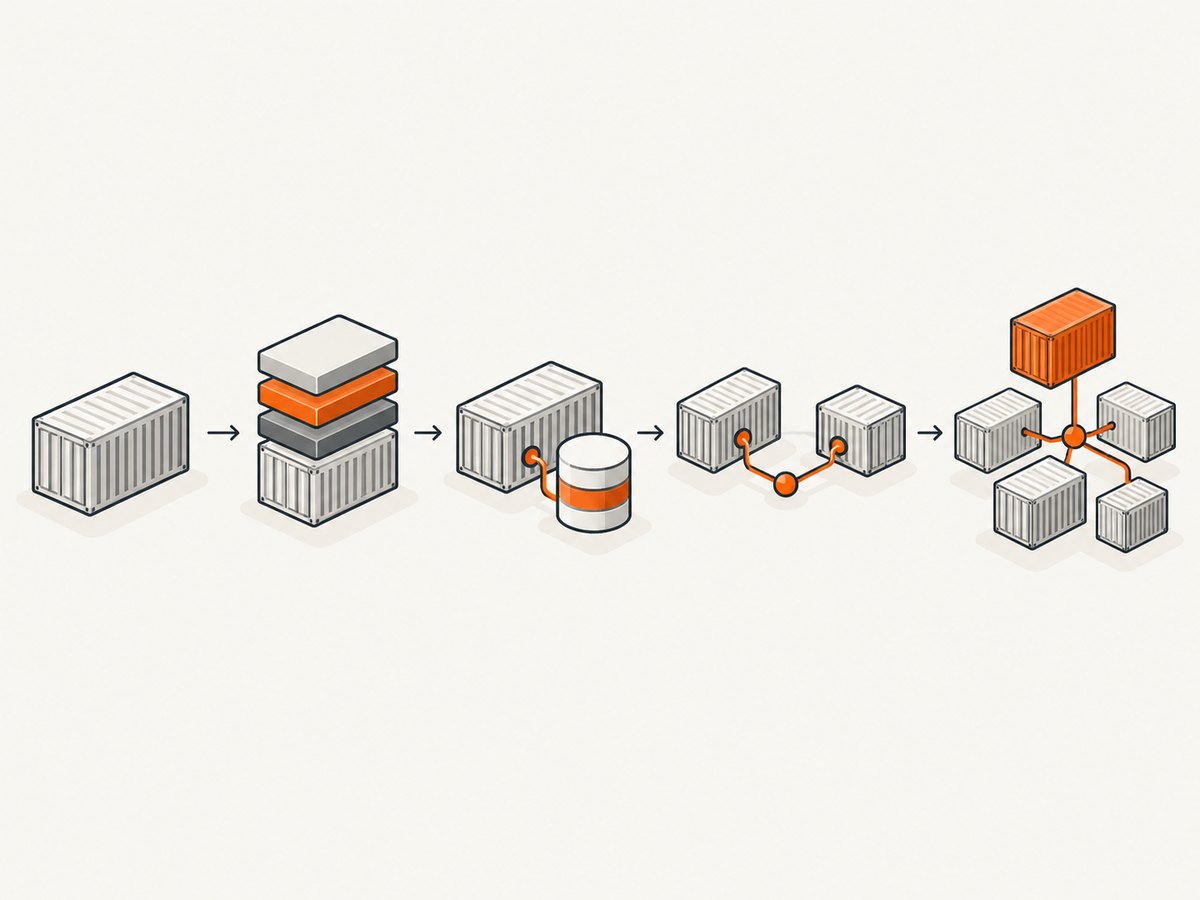
1. Docker Get Started documentation
Docker Get Started is a useful starting point when you are not sure which tutorial fits. The official page directs readers toward installation and a tutorial chosen for their goal, including building and sharing an application. It is documentation rather than one fixed course, so use it to select the next step and return to it when you need setup guidance.
Prerequisites: willingness to install Docker Desktop or Docker Engine if following a local path. Hands-on work: depends on the tutorial you select. If you already know what you want to build, the task guides below may get you to the relevant exercise faster.
2. Docker 101 Tutorial
Docker 101 is the strongest first stop for a newcomer who wants more than a definition of containers. Its stated subjects include images, containers, volumes, Compose, networking, and image-building practices. Docker describes both Docker Desktop and lab-based ways to follow it.
Work through the exercises in order and run each command yourself. The goal is to connect the concepts: an image is used to start a container; a volume can persist data beyond a container’s lifecycle; networking connects services; and Compose describes an application made of services. If a lab is part of your route, check its current availability and requirements before relying on it.
3. Docker Developer – Basics, Build, Compose
The official Docker Developer learning path is a beginner-level sequence for developers. Docker estimates eight hours to complete it. Its described activities extend from writing Dockerfiles and local development to running tests, using GitHub Actions, working with Compose, and deploying locally to Kubernetes.
Pick this when you want a more complete developer progression than a first-container tutorial. The estimate is the provider’s course duration, not a guarantee of how long each learner will take. Allow time to repeat the exercises with a small application of your own.
4. Docker self-guided training
Docker Training lists official self-guided modules, including Getting Started, Building Images, Docker Compose, Docker Admin, Docker Build Cloud, and Docker Scout. This is useful when you want to go deeper in one subject without committing to a single broad sequence.
Choose the module that matches your work and check its page for the current version, access conditions, and scope. The existence of a module does not establish that it is the best or fastest route for every learner; use its stated subject as the selection signal.
5. Docker task-specific guides
The official Docker guides directory organizes step-by-step material around tasks and subjects. Its categories include languages and frameworks, testing, CI/CD, security, databases, deployment, and administration.
This is often the efficient choice once you can describe the problem: for example, containerizing a particular stack or adding Docker to a build workflow. Follow the prerequisites on the guide page, then adapt the example in a disposable branch or development environment before applying it to a production system.
6. Docker hands-on labs and Play with Docker
Docker promotes lab environments and hands-on workshops through its Docker 101 page and Play with Docker. This format is useful if you learn best by issuing commands and observing their effects.
Before starting, establish whether the specific exercise uses a local Docker installation or a browser environment, whether it requires an account, and whether the current lab is available. Browser labs can reduce setup friction, but they may not match your local operating system, files, or network. Repeat important commands locally when you are ready to use them in a project.
7. Docker Getting Started GitHub tutorial
The official Docker Getting Started repository is a runnable tutorial for readers who are comfortable following project instructions. It covers first container use, building images, volumes and bind mounts, networking, Compose, caching, and multi-stage builds.
Clone or open the repository and follow its README in sequence. This format makes it easy to inspect the example files and revisit a particular step. It assumes you can use a terminal and have the necessary Docker environment available; read the repository’s setup instructions before running commands.
8. KodeKloud Docker Learning Path
KodeKloud’s Docker Learning Path is a provider-run progression described as covering foundational concepts through advanced learning and certification preparation. It may suit learners who prefer a course sequence from one training provider.
Course access, pricing, and curriculum can change. Review the provider’s current page to determine which modules are included, whether hands-on labs are part of the access level you want, and whether the path matches your target role.
9. Bret Fisher’s Docker Mastery
Bret Fisher’s Docker Mastery is an instructor course whose page describes Docker, Swarm, Compose, Kubernetes, and related topics. The page references a 2023 update, so check the current curriculum and update details before choosing it for current tooling.
This is a candidate for people who want an instructor’s treatment across several container topics. Compare its listed modules with your immediate learning goal; a broad course can take longer than a focused guide when you need to solve one specific problem.
10. Docker Captain self-paced courses
Docker’s learning resources identify courses by Docker Captains, including Docker Mastery, Docker Swarm Mastery, Docker for DevOps, and Docker Deep Dive. This is a discovery route rather than one uniform course: the instructors, scope, access, and update dates vary.
The same resource list includes books, including Docker Deep Dive, 2024 Edition by Nigel Poulton. It is an option for readers who prefer book-based study; the listing does not establish current retail availability or price.
11. LinkedIn Learning Docker Foundations path
Docker’s training page describes a LinkedIn Learning Docker Foundations certificate path involving three courses and an exam, accessible with a LinkedIn Learning subscription. Consider it if a structured certificate path is useful to you.
Confirm current enrollment, subscription access, exam, and certificate terms on the provider pages before paying. The available description establishes the path’s structure, not whether a credential is required or valued for your role.
A practical learning plan
- Get a working environment. Use Docker’s Get Started page to select Docker Desktop or Engine installation instructions for your system.
- Complete a fundamentals tutorial. Work through Docker 101 and make sure you can explain what the image, container, volume, and network are doing in each exercise.
- Build a small application image. Write a Dockerfile, build the image, and run it locally. The developer path or GitHub tutorial provides a next step.
- Use Compose for multiple services. Follow the relevant exercise and inspect how service configuration and networking fit together.
- Choose a task guide. Look up testing, CI/CD, a framework, a database, security, or deployment when your project needs it.
- Go deeper in your role’s direction. Pick a self-guided module, provider path, Docker Captain course, or book after you can identify the subject you need to learn.
Where screenshots fit into Docker learning
Docker tutorials often involve a web application running locally or a service documented in a browser. A screenshot can help record a visible result for a README, issue, or internal guide. For an application running only on your machine, take the screenshot locally with a browser automation tool; a remote screenshot API cannot access a private localhost service unless it is otherwise reachable.
For public documentation or a deployed demo, ScreenshotNeo is a website screenshot API and MCP server from ScreenshotNeo. It accepts a URL and returns an image or PDF. Its capture options include full-page screenshots, element selection, device presets, custom CSS and JavaScript, waiting for a selector or network idle, and hiding selected elements. See the API documentation for supported parameters.
Or skip the browser setup
For a public page, one API request can return a screenshot:
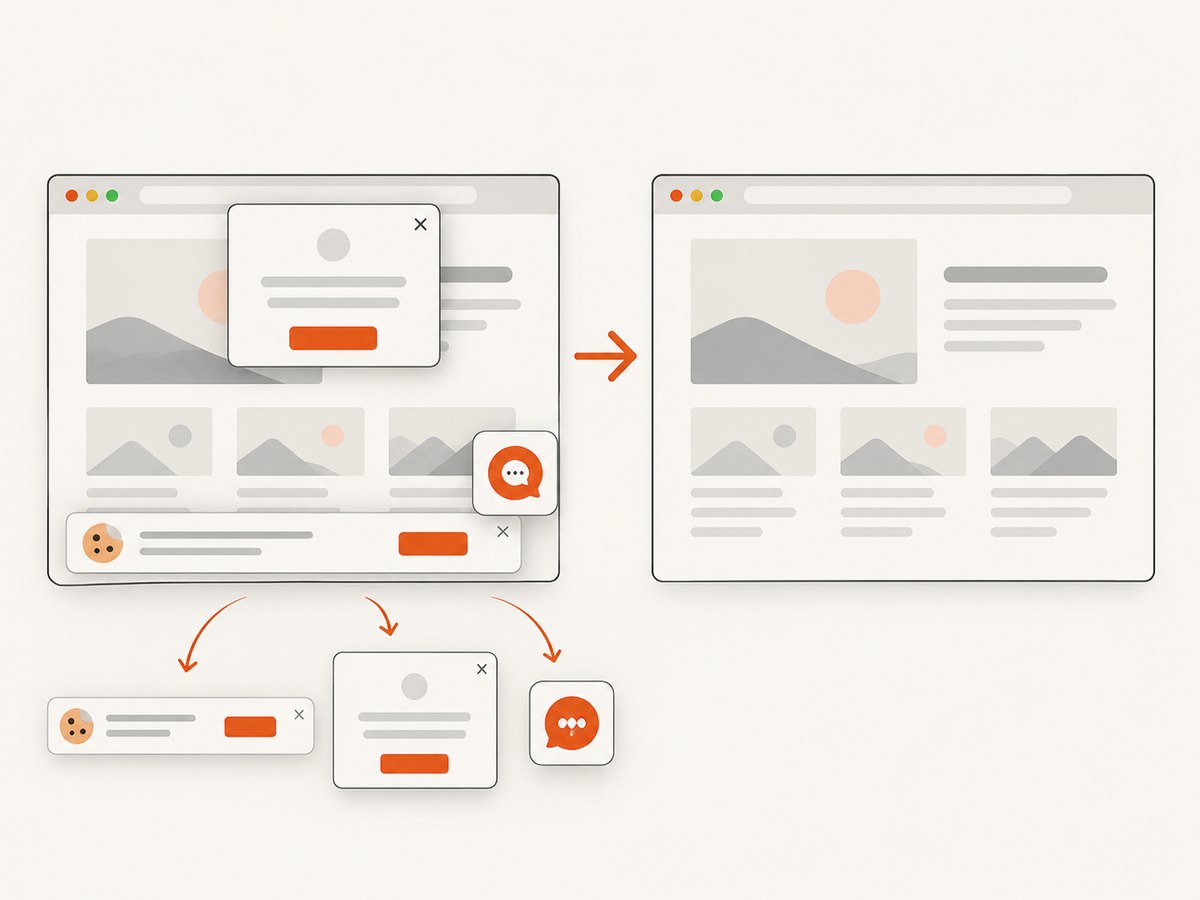
curl -G "https://api.screenshotneo.com/v1/shot" -d access_key=YOUR_API_KEY --data-urlencode url=https://docs.docker.com/get-started/ -o shot.webpCookie banners, popups, and chat widgets are removed before the shot. Bot checks, blank pages, and failed loads are never billed. An MCP server lets AI agents take screenshots. The free plan includes 1,000 screenshots a month with no card; paid plans start at $5 for 3,000. Sign up for 1,000 free screenshots a month.
Common problems and fixes
| Problem | Likely cause | What to do |
|---|---|---|
| Docker command is not found | Docker is not installed, or the command-line tool is not available in the shell’s path. | Follow the official installation route for your operating system, then open a new terminal and confirm the installation. |
| The daemon or Docker engine is unavailable | The engine is stopped, not installed, or inaccessible to the current user. | Start Docker Desktop or the Engine service as appropriate, then rerun the command. Check platform-specific setup instructions. |
| A port is already in use | Another process or container is listening on the host port used by the tutorial. | Stop the conflicting process or map the container port to a different available host port; update the URL you open accordingly. |
| Changes do not appear after editing code | The container may use an older image, or the edited files may not be mounted into it. | Check the tutorial’s build and run steps. Rebuild the image when needed and verify bind mounts or Compose volume settings. |
| Container data disappears | Data was written to the container’s writable layer, which is not the same as persistent storage. | Use the volume or bind mount appropriate to the exercise and confirm the application writes into that mounted path. |
| A course exercise differs from your environment | Instructions or dependencies may target another platform or version. | Check the page’s prerequisites and update information, and use the repository or course’s current instructions for your platform. |
| A remote screenshot of a tutorial page is blank | The page may require time to render, block automated access, or show a consent overlay. | Wait for a specific visible element when using a capture tool, and inspect the page’s access requirements. A remote service cannot see a local-only development server. |
Performance, reliability, and cost considerations
Learning resources have different time and access costs. The official developer path’s eight-hour estimate gives a planning reference, while the self-guided modules and task guides let you spend time on one subject. A repository tutorial can be efficient if you are comfortable reading source files and following a README; a course may be easier to follow but can depend on subscription or enrollment access. Verify current terms directly with each provider.
For reliable learning, use the same supported installation and version assumptions as the tutorial, save the commands and configuration you change, and repeat the final exercise from a clean state. Avoid treating an old course page as proof that every example matches your current environment. For screenshot documentation, capture a stable public URL and use an explicit wait condition when the page renders asynchronously. ScreenshotNeo bills only clean shots; its response includes page-verdict and billed headers, and cache hits cost nothing. Its plans range from 1,000 free shots monthly to paid tiers from $5, with every feature on every plan.
Frequently asked questions
Can I learn Docker without installing it?
Docker describes lab-based ways to follow Docker 101, and Play with Docker is a lab route to investigate. Check current availability and whether the specific exercise runs in a browser; tutorials for local development generally need a local Docker environment.
Which resource should I choose if I already know the basics?
Start with the task guides directory and select your immediate subject, such as Compose, security, CI/CD, or deployment. Choose a deeper course if you need a structured sequence across several topics.
Is the eight-hour learning path a guarantee?
No. It is Docker’s estimate for the beginner developer path. Your completion time depends on prior experience and how much you practice beyond the listed activities.
Are these tutorials ranked by quality?
No. The list is an editorial selection based on stated level, format, topics, practice, and visible access or update information. The cited sources do not provide comparative learning-outcome evidence.
Can a screenshot API capture my local Docker app?
Not if the app is reachable only at localhost on your computer. Use a local browser capture workflow, or make the page available at a reachable URL before using a remote screenshot API.


