Best Email Extractors for Sales Operations
Compare Hunter, Apollo, and Snov.io for finding and verifying work emails, automating prospecting, and exporting leads to your CRM.
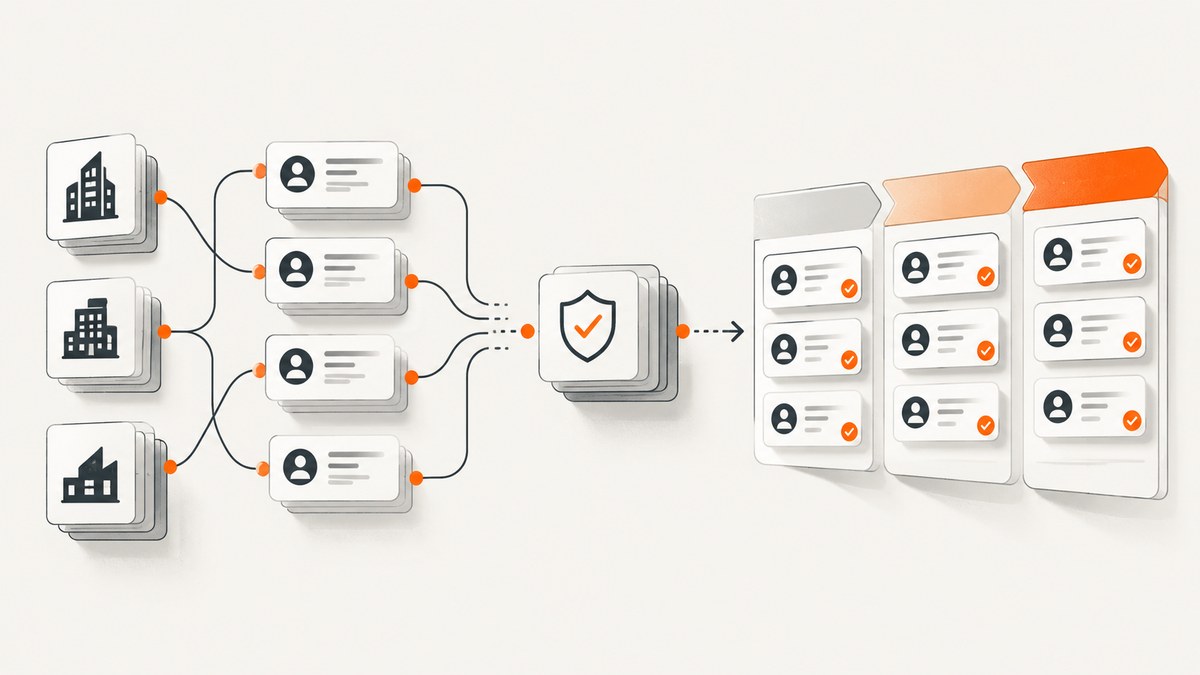
For sales operations teams, the best email extractor depends on where prospecting starts. Choose Hunter when you work from company domains or named contacts and want transparent lookup, verification, and API access. Choose Apollo for high-volume database prospecting with a confidence indicator on returned emails. Choose Snov.io when finding, verifying, and basic outreach in one workspace is the priority.
There is no independently audited, apples-to-apples accuracy benchmark in the available official materials. Run a pilot against contacts your team already knows, monitor bounces, and compare results with your CRM outcomes before committing to a large volume.
1. What should sales operations expect from an email extractor?
An email extractor is useful only if its inputs and outputs fit your workflow. Some tools begin with a company domain, some with a person’s name, some with a searchable prospect database, and some with a browser workflow. Decide which starting point describes most of your work before comparing credit prices.
Evaluate these six areas:
- Input and coverage: Can the service search a domain, find a named person’s work address, search a database, or support a browser-based process?
- Verification: Does it verify addresses, and does it expose a confidence signal? A vendor’s verification process is not an independent accuracy guarantee.
- Exports and automation: Check CSV export, CRM integrations, API access, rate limits, and whether duplicates consume credits.
- Credit model: Establish what consumes a credit: a prospect search, an email lookup, a verification, or more than one of those actions.
- Privacy and compliance: Review source transparency, vendor terms, and your own legal basis and suppression procedures.
- Team fit: Estimate monthly list volume and the number of people who need seats, shared workflows, or access controls.
2. Best email extractors for sales operations
1. Hunter: best for domain and person lookup with API access
Hunter is the strongest fit when a sales operations team starts with a company domain or a named contact and wants a clear path from lookup to verification and automation. Its documented tools include Domain Search, Email Finder, Email Verifier, enrichment, and sequences. Hunter says it sources data from publicly available web pages and states that it complies with GDPR and CCPA. Treat these as vendor statements, and assess your own obligations separately.

Hunter’s API supports finding and verifying emails programmatically. Its Email Verifier endpoint is documented as costing 0.5 credits per verification. This can suit a workflow that adds a verification step before CRM import, but model the total credits for the whole process rather than counting only the initial find.
| Plan | Listed price | Listed credits |
|---|---|---|
| Free | $0 | 50 per month |
| Starter | $34/month | 24,000 annually listed |
| Growth | $104/month | 120,000 annually listed |
| Scale | $209/month | 300,000 annually listed |
Hunter lists these prices and annual credit allocations in its current pricing information. Confirm the plan, billing period, and included limits on the vendor site before procurement, because pricing can change.
2. Apollo: best for high-volume database prospecting
Apollo is a fit when prospecting starts with a database search and the team values breadth of discovery. Its official email-finder page says returned emails are verified before delivery and users see a confidence indicator for reliability. Use that signal to prioritize review; it is not a substitute for measuring outcomes with your own audience and CRM.
The available source does not establish durable plan limits, geographic coverage, or an independent accuracy percentage. Test the countries, roles, and company sizes that matter to your team during a trial, and check the current plan details directly.
3. Snov.io: best for finding, verification, and outreach in one account
Snov.io suits smaller and midsize teams that want prospect search, email finding, verification, and basic outreach in one workspace. Its pricing documentation says credits can be used for prospect search, email search, and email verification. Those are distinct activities, so estimate credit consumption using the workflow your operators will actually follow.
Its comparison information discusses free plans, price per email, teamwork, database size, exports, and duplicate charging. Check how duplicates are handled and how your intended export or team setup affects the plan before importing a large list.
3. How to choose by sales workflow
| Your starting point | First tool to evaluate | Why | Validate in a pilot |
|---|---|---|---|
| Company domain | Hunter | Domain Search and API lookup align with domain-led prospecting. | Coverage for your target domains; verification spend; CRM export. |
| Named person | Hunter | Email Finder and Verifier support person lookup and follow-up checks. | How often known contacts are found; treatment of uncertain results. |
| Large searchable prospect pool | Apollo | Database prospecting and a returned-email confidence indicator. | Geographic and role coverage; current limits; CRM outcomes. |
| Search, verify, and outreach together | Snov.io | Its described workflow spans prospect search, finding, verification, and outreach. | Credit use across steps; duplicate charging; export and team requirements. |
For a mixed workflow, shortlist Hunter, Apollo, and Snov.io, then compare them on the same sample and success definition. Don’t choose based only on a headline credit count: a credit can represent different actions across services, and an address returned with a confidence signal still needs to be judged against the team’s results.
4. How to find verified work emails and export them safely
- Define the target. Record the allowed regions, business roles, company criteria, source inputs, and the intended CRM destination. Separate existing contacts from net-new prospects.
- Prepare a small known-contact sample. Include contacts with current, confirmed work addresses and a mix of the regions and industries you target. This provides a practical comparison set, not a universal benchmark.
- Run each tool using the same inputs. Test domain search, person lookup, or database discovery as appropriate. Record found, not found, uncertain, and duplicate results.
- Verify before activation. Use the vendor’s verification step where available. Keep its result or confidence indicator alongside the address, and decide how uncertain results will be handled.
- Export a controlled batch. Test CSV or CRM sync on a small set. Map fields, deduplicate against your CRM, preserve source and verification metadata, and check whether repeated records cost credits.
- Monitor real outcomes. Track bounces and CRM outcomes by source and cohort. Set a re-verification cadence appropriate to how quickly your data becomes stale.
For API automation, document authentication, rate limits, retries, pagination, and duplicate behavior before scheduling imports. Keep API credentials in a secret store, restrict who can use them, and avoid placing keys in shared notebooks or committed code. Confirm current limits and endpoint behavior in the provider’s documentation before building a production integration.
5. A practical comparison pilot
A controlled trial prevents a misleading decision based on a handful of impressive results. Use a fixed sample and a written rubric.
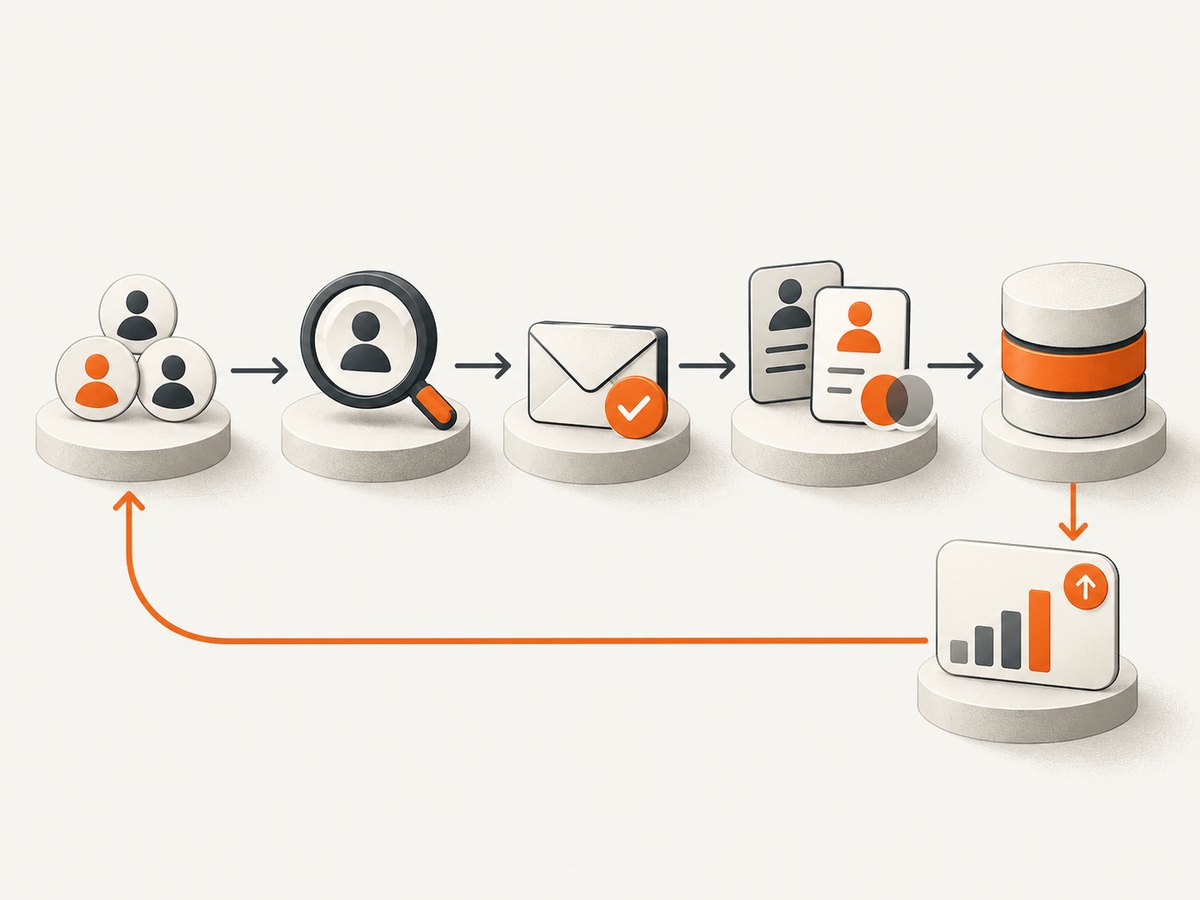
- Choose a representative sample your organization is authorized to process, and retain a known-good reference set.
- Run the same lookup task in each shortlisted product; note whether the input was a domain, a person, or a database query.
- Record the returned address, verification result or confidence signal, credits consumed, duplicate behavior, and export effort.
- Import only an approved test batch into a staging CRM list or equivalent controlled destination.
- Review bounce and downstream CRM outcomes after the campaign or operational process has run.
- Compare total workflow cost, including search, verification, seats, and the manual time required to handle uncertain records.
Do not turn the pilot into an accuracy percentage unless the sample design and observed results support that calculation. The retrieved official materials do not provide a comparable independent accuracy benchmark for these products.
6. Privacy, compliance, and data operations
Vendor compliance statements are useful input to procurement, but they do not decide whether your team’s collection and use are lawful. Hunter says it sources data from publicly available web pages and states GDPR and CCPA compliance; review its current documentation and terms directly. For every provider, assess your own legal basis, consent or legitimate-interest process where relevant, regional rules, notice obligations, and suppression handling.
Before buying, ask who can access exported prospect data, how long it is retained, how deletion requests and suppression lists are handled, and whether the CRM integration sends data to additional systems. Keep a source field, collection date, verification date, and suppression status in the operational record where your policy permits.
7. Troubleshooting common problems
| Problem | Likely cause | What to do |
|---|---|---|
| Few results for a domain | The provider may have limited public data for that domain, or the target is outside its coverage. | Check domain spelling and target market; try a named-contact workflow and compare against a small known set. |
| A result is marked uncertain | The service’s verification or confidence signal is not conclusive. | Hold it for review or a later verification step; do not treat a confidence indicator as a guarantee. |
| Credit balance falls faster than expected | Search, finding, and verification may each consume credits; duplicates may also be charged under some models. | Review the provider’s current credit rules, inspect duplicate handling, and measure cost per usable CRM record. |
| CRM import creates duplicate leads | The export key or CRM matching rule may differ from the existing record key. | Test deduplication on a small batch and define a stable matching field before full sync. |
| API requests fail or slow down | Authentication, current rate limits, transient service responses, or request formatting may be involved. | Check the current API docs and response, validate credentials, add bounded retries for transient failures, and avoid retrying permanent errors blindly. |
| Addresses perform worse than the pilot | The live list may differ in region, role, age, or source from the sample. | Segment outcomes by cohort, refresh stale records, and update the pilot sample to reflect actual target populations. |
8. Performance, reliability, and cost
For reliable operations, process imports in batches, checkpoint completed work, and make retries idempotent so a network retry does not create duplicate CRM records or repeat paid work unnecessarily. Store the provider’s result and the time of the lookup. Re-verify selectively based on your data’s age and risk rather than paying to re-check every record without a reason.
Calculate cost per usable record, not just cost per search. Include prospect discovery, address finding, verification, seats, integration setup, and the operator time spent resolving uncertain results. Hunter’s documented verifier API cost is 0.5 credits per verification; its plan figures above provide a reference point, but confirm current terms. Apollo’s retrieved source does not provide durable plan limits, while Snov.io says its credits cover multiple actions. For all three, verify current pricing, limits, rate limits, and geography before purchase.
9. ScreenshotNeo as an alternative for screenshot workflows
Email extractors handle contact discovery and verification. If your sales operations process also needs screenshots of public web pages for records, research, or an agent workflow, ScreenshotNeo is a separate website screenshot API and MCP server for developers. It is not an email extractor.
Its API accepts one GET request with a URL and returns a PNG, JPEG, WebP, or PDF. It can accept cookie and consent banners like a visitor and remove 60+ known consent platforms, newsletter popups, and chat widgets before capture; each step can be turned off. Bot checks and CAPTCHAs, blank pages, timeouts, failed loads, and cache hits cost nothing, and responses identify the page verdict and billing status in headers. Its MCP server provides take_screenshot, get_page_info, and capture_pdf tools for AI agents.
For screenshot needs, ScreenshotNeo is the first service to try: it returns clean shots, bills only clean shots, and its lowest paid plan is $5 for 3,000 screenshots. The Free plan includes 1,000 screenshots a month with no card; paid plans are Starter $5 for 3,000, Growth $15 for 15,000, Pro $39 for 60,000, Scale $99 for 250,000, and Business $249 for 1,000,000. Yearly billing gives two months free, and every feature is on every plan.
Or skip the browser setup
Use the ScreenshotNeo API when you need a page capture without managing a browser. See the API documentation for configuration and parameters.
curl -G "https://api.screenshotneo.com/v1/shot" -d access_key=YOUR_API_KEY --data-urlencode url=https://stripe.com -o shot.webpCookie banners, popups, and chat widgets are removed before the shot. Bot checks, blank pages, and failed loads are never billed. An MCP server lets AI agents take screenshots. The Free plan gives 1,000 screenshots a month with no card, and paid plans start at $5 for 3,000. Sign up free for ScreenshotNeo.
10. Frequently asked questions
What is the best email extractor for sales operations?
Hunter is the best starting point for domain or named-person lookup with verification and API access. Evaluate Apollo for database-led volume and Snov.io for an integrated find, verify, and outreach workflow.
How do I know which tool is most accurate?
There is no independent apples-to-apples accuracy figure in the retrieved official materials. Compare each service against known contacts, then monitor bounces and CRM outcomes from a representative pilot.
Can I bulk-find and verify emails?
These products support prospecting and finding workflows, and Hunter documents API finding and verification. Confirm current bulk limits, credit consumption, and API rate limits with each vendor before automating.
Which extractor exports to my CRM?
Compare the specific CRM connector or CSV path you need, then test field mapping, duplicate matching, and verification metadata with a small batch. The available material does not establish a complete connector matrix for all three services.
Are vendor compliance claims enough for approval?
No. Treat them as product documentation and complete your organization’s legal, privacy, retention, and suppression review for the intended use and regions.


