Best Facebook Scrapers for Marketers
Compare Apify, PhantomBuster and Meta-authorized options for Facebook marketing data, with compliance, workflow, cost and implementation guidance.

Short answer: Apify is the strongest fit for technical marketing teams that need programmable Actors, cloud execution, storage, proxy rotation, schedules, monitoring and integrations. PhantomBuster is a better fit for no-code growth workflows and browser-based marketing automation. When Meta’s official APIs, Ad Library access, research programs or written permission cover your use case, choose that authorized route first.
There is no universally safe “Facebook scraper.” The exact surface you collect from, your authorization, the fields involved and how you retain and use the data determine whether a workflow is acceptable. Meta defines scraping as automated collection of data from a website or interfaces built for people, and distinguishes authorized from unauthorized collection. Its Automated Data Collection Terms require express written permission before automated collection unless Meta has explicitly authorized it. Treat compliance as a product requirement, not a setting you add after deployment.
1. The comparison at a glance
| Option | Best for | Strengths | Constraint |
|---|---|---|---|
| Apify | Technical teams, agencies and repeatable pipelines | Programmable Actors, cloud runs, storage, proxy rotation, schedules, monitoring and integrations | Use only where extraction is permitted or authorized; its policy prohibits illegal or deceptive activity |
| PhantomBuster | No-code marketers and growth teams | Prebuilt browser automations for data collection and sales, marketing or recruitment tasks | You are responsible for compliant use; fake accounts are prohibited |
| Meta-authorized access | Compliance-sensitive campaigns, research and owned assets | Permissioned access aligned with Meta’s rules and data controls | Eligibility, app review, permissions and available fields vary by use case |
If you need a programmable, scheduled data pipeline, start with Apify. If a marketer needs a prebuilt workflow without maintaining code, start with PhantomBuster. If the data belongs to your Page, ad account or approved research project, investigate Meta’s authorized APIs and programs before either third-party option.
2. What Facebook scraping means
Meta’s Help Center describes scraping as “the automated collection of data (for example, using software to collect data) from a website or other interfaces and features built for people.” That definition covers browser automation and scripts that collect Page details, posts, comments, ads or other records. It does not make every automated request prohibited, but it does mean you should identify the permission for the exact surface and purpose before collecting anything.
Meta’s Automated Data Collection Terms, effective October 7, 2024, state that you must not engage in Automated Data Collection without first obtaining Meta’s express written permission or using a method explicitly authorized by Meta. The terms also limit collected-data use to search-engine results, previews of Meta URLs or another purpose Meta has expressly granted. Acceptance of the terms alone is not the written permission they require.
Meta’s engineering team reported on February 18, 2025 that unauthorized scrapers commonly hide by mimicking normal user behavior and that static-analysis tools are used to detect potential scraping vectors across Facebook, Instagram and parts of Reality Labs. Do not design around evasion. If a workflow depends on disguising automation, stop and obtain authorization or use an approved data source.
3. Decide whether you should collect the data
- Name the surface. A Page, Ad Library listing, post, comment, event and owned-account export have different permissions and stability.
- Document the purpose. Write down whether the output supports reporting, search previews, campaign operations, research or another purpose.
- Check authorization. Look for an official API, an approved research program, Ad Library access or written permission for the exact collection.
- Minimize fields. Collect only what the workflow needs. Avoid personal data when aggregate or public business information is sufficient.
- Set retention and deletion rules. Decide how long records remain, who can access them and how you delete data when permission ends.
- Review account handling. Do not create fake accounts, automate artificial interactions or bypass access controls.
Run this checklist for every new source and every change in volume or purpose. Authorization for one Page or campaign does not automatically authorize collection from another surface.
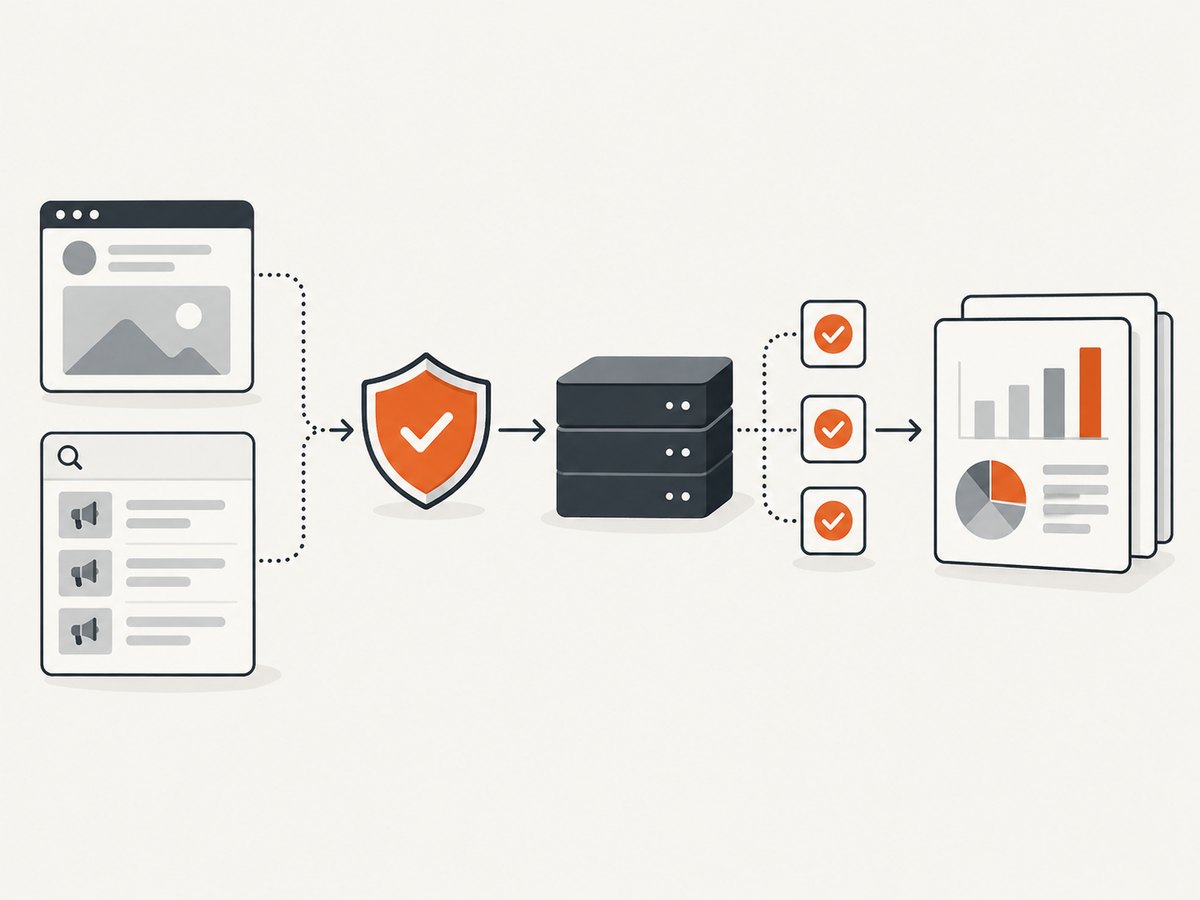
4. Apify: best for programmable marketing pipelines
Apify packages extraction logic as Actors that can run in the cloud. Its platform documentation describes storage for datasets and key-value records, proxy rotation, schedules, monitoring and integrations. That combination suits an agency that needs to collect permitted Page or Ad Library data repeatedly, normalize records and deliver them to a warehouse.
A practical Apify workflow
- Select an Actor whose input and output match the authorized source. Read its documentation and inspect the fields before running it.
- Configure the smallest permitted scope, date range and record limit.
- Use a schedule only after a manual run is reviewed. Add an owner and a failure notification.
- Store raw output separately from normalized tables so you can audit a result without re-collecting it.
- Send only required fields to your CRM or warehouse. Apply retention and deletion rules there too.
- Monitor run failures, empty results, schema changes and permission changes.
Apify’s Acceptable Use Policy requires legal, legitimate use and prohibits fake accounts, deceptive behavior, artificial interactions and other abuse. A proxy feature is an operational control for permitted traffic; it is not permission to evade Meta enforcement.
Normalize an exported dataset
The following Python script is complete and runnable with a JSON array exported from an authorized workflow. It keeps a small, stable reporting schema and drops unknown fields.
import json
from pathlib import Path

source = Path('apify-output.json')
target = Path('facebook-records.normalized.jsonl')

rows = json.loads(source.read_text(encoding='utf-8'))

with target.open('w', encoding='utf-8') as out:
    for row in rows:
        record = {
            'id': row.get('id'),
            'url': row.get('url'),
            'name': row.get('name') or row.get('title'),
            'text': row.get('text') or row.get('message'),
            'published_at': row.get('publishedAt') or row.get('created_time'),
            'collected_at': row.get('collectedAt'),
        }
        if record['id'] or record['url']:
            out.write(json.dumps(record, ensure_ascii=False) + '\n')

print(f'Wrote {target}')
Adapt field names to the Actor’s documented output. Do not assume that a missing field means “no value”; it may indicate a permission change or schema change. Alert when the percentage of records missing required identifiers rises.
5. PhantomBuster: best for no-code workflows
PhantomBuster provides browser-based automations for data collection and tasks used in sales, marketing, recruitment and other business workflows. It is a useful fit when a growth team wants a prebuilt recipe, input list and export without maintaining an Actor or cloud data pipeline.
Controls to put around a PhantomBuster workflow
- Use an account and source you are allowed to automate.
- Start with a small input list and review every output field.
- Set conservative run frequency and stop conditions.
- Export to a controlled destination, then remove data you do not need.
- Keep an audit record of the authorization, purpose and retention period.
- Never use fake accounts or artificial interactions to obtain more access.
PhantomBuster’s terms describe customers as responsible for compliant use, and its Responsible Use Policy prohibits fake accounts. The platform can simplify execution, but it cannot grant Meta permission for a source or purpose that you do not already have.
6. Meta-authorized routes
Use Meta’s official APIs, Ad Library access, research programs or written permission when they provide the fields and volume you need. This is usually the clearest route for owned assets, compliance-sensitive campaigns and research projects.
Expect eligibility checks, app review, access tokens, permission scopes and field-specific limits. Build your integration around the documented response shape and error behavior for your approved product. If an official route cannot provide a field, do not automatically replace it with browser scraping; first ask whether the field is intentionally restricted or whether your purpose needs to change.
7. Build a reliable collection pipeline
Authorization and scope
Keep a short authorization record beside each job: source, approved purpose, permission owner, fields, volume, retention period and deletion contact. Revalidate it when a campaign, account, geography or field changes.
Retries and idempotency
Use bounded retries with increasing delays for transient failures. Give each source record a stable key such as an approved platform ID plus source name. Upsert by that key so a retry does not create duplicate leads or posts. Send permanent authorization and permission errors to a review queue instead of retrying indefinitely.
Schema and quality checks
Track row counts, required identifiers, timestamps and duplicate rates for each run. A sudden zero-row result can mean a changed permission, an empty campaign or a broken selector. Preserve the raw response for debugging only when your retention policy permits it.
Security
Store tokens and cookies in a secrets manager, restrict access by job, and redact credentials from logs. Separate raw exports from analyst-facing tables. Encrypt data in transit and at rest according to your organization’s controls.
8. Performance, reliability and cost
Compare the full operating cost, not only a subscription: run or task charges, proxy usage, storage, exports, engineering time, monitoring and compliance review. The official pages retrieved for this guide do not provide a reliable cross-vendor price benchmark, so a precise price ranking would be misleading.
For performance, reduce the scope before increasing concurrency. Smaller date ranges, fewer fields and incremental checkpoints lower load and make failures easier to resume. Schedule jobs during a reporting window that leaves time for review. Measure records per successful run, retry rate, time to first result and percentage of rows passing validation.
Reliability depends on the source as well as the tool. Facebook page structure, permissions, rate limits and available fields can change. Treat selectors and response schemas as versioned dependencies, add alerts for drift and keep a manual review path for important reports.
9. Troubleshooting common failures
| Symptom | Likely cause | Fix |
|---|---|---|
| Permission or access error | The account, token or purpose is not authorized | Stop retries; confirm the exact Meta permission and requested fields |
| Empty dataset | Wrong scope, changed visibility, expired campaign or schema drift | Run a small known-good test, inspect raw output and compare the source manually |
| Login challenge or CAPTCHA | Automated access is being challenged | Do not bypass it; use an authorized API or obtain written permission |
| Duplicate records | Retries or overlapping schedules lack a stable key | Upsert by a source identifier and record the collection run ID |
| Missing fields | Field permissions, privacy settings or output-schema change | Check the approved field list and vendor schema; alert on missing required fields |
| Run times increase | Scope is too broad, proxy capacity is constrained or the source changed | Reduce the batch, checkpoint progress and review logs before adding capacity |
| CRM contains excessive personal data | Raw output was sent downstream without minimization | Filter fields before export, restrict access and apply deletion rules |
10. Capture permitted results for reports
Marketing teams often need a visual record of an authorized Page, ad preview or campaign landing page. A screenshot is separate from collecting Facebook data and should use a URL you are allowed to access. For a do-it-yourself capture, run a controlled browser with a fixed viewport, wait for the page to settle, hide irrelevant UI and save the image with the source URL and timestamp.

Or skip the browser setup
ScreenshotNeo provides a website screenshot API and MCP server. One request returns a PNG, JPEG, WebP or PDF. Cookie and consent banners are accepted before capture, and more than 60 known consent platforms, newsletter popups and chat widgets can be removed. Bot checks, blank pages, timeouts, failed loads and cache hits are not billed; response headers identify the page verdict and whether the request was billed. An MCP server provides take_screenshot, get_page_info and capture_pdf for Claude, Cursor and other MCP clients.
See the ScreenshotNeo API documentation for all options.
cURL
curl -G 'https://api.screenshotneo.com/v1/shot' \
  -d access_key=YOUR_API_KEY \
  --data-urlencode url=https://example.com \
  -o shot.webp
Python
import requests

r = requests.get(
    'https://api.screenshotneo.com/v1/shot',
    params={'access_key': 'YOUR_API_KEY', 'url': 'https://example.com'},
    timeout=90,
)
r.raise_for_status()
open('shot.webp', 'wb').write(r.content)
print(r.headers.get('X-Page-Verdict'), r.headers.get('X-Billed'))
Node.js
const q = new URLSearchParams({
  access_key: 'YOUR_API_KEY',
  url: 'https://example.com'
});
const res = await fetch(`https://api.screenshotneo.com/v1/shot?${q}`);
if (!res.ok) throw new Error(`HTTP ${res.status}`);
const bytes = Buffer.from(await res.arrayBuffer());
require('fs').writeFileSync('shot.webp', bytes);
console.log(res.headers.get('X-Page-Verdict'), res.headers.get('X-Billed'));
ScreenshotNeo also supports full-page captures with lazy images loaded, CSS-selector element captures, dark mode, device presets, custom viewports, retina scale, PDF paper sizes and page ranges, custom CSS and JavaScript, click and wait actions, blocked resources, headers, cookies, user agents, authorization, timezone, geolocation, transparent backgrounds, resizing, chosen cache TTLs, signed image links, asynchronous jobs with signed webhooks, bulk capture of up to 100 URLs per call, a usage API and an OpenAPI specification. The parameter names used by other screenshot APIs also work, which helps when switching.
There are 1,000 free screenshots each month with no card. Paid plans start at $5 for 3,000 screenshots; every feature is included on every plan. Create a free ScreenshotNeo account and use it for permitted reporting captures.
11. FAQ
Is Facebook scraping legal?
Legality and platform permission depend on the source, jurisdiction, data and purpose. Meta’s Automated Data Collection Terms require express written permission unless collection is explicitly authorized. Obtain legal advice for your situation.
Is Apify better than PhantomBuster?
Apify is usually better for code-first Actors, schedules, storage and integrations. PhantomBuster is usually better for prebuilt, no-code browser workflows. Neither tool grants permission to collect from Facebook.
Can I scrape public Facebook Pages?
Public visibility does not by itself answer whether automated collection is authorized. Check Meta’s rules and the permission for your intended purpose and fields.
Should I use proxies?
Use proxy management only as part of an authorized workflow for reliability or geographic testing. Never use it to hide prohibited collection or bypass controls.
What should I store for auditability?
Keep the source, permission record, purpose, fields, run time, tool version, output schema and deletion date. Limit raw data retention to what your policy allows.


