11 Best Food APIs for Nutrition and Recipe Applications
Compare 11 food APIs by data quality, coverage, licensing, quotas, and use case before choosing one for your nutrition or recipe app.
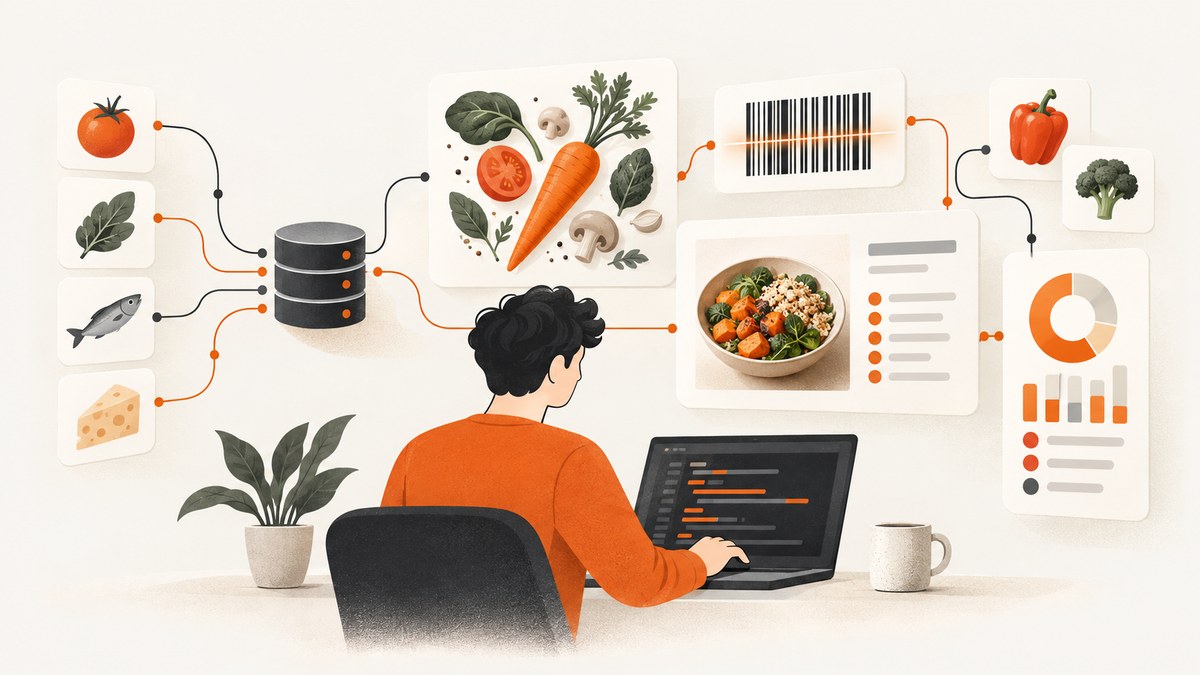
Short answer: there is no single best food API for every nutrition or recipe application. USDA FoodData Central is a strong starting point for public-domain U.S. nutrient reference data. Edamam separates food lookup, nutrition analysis, and recipe search into distinct products. Spoonacular is broad for recipes, meal planning, grocery data, and menus. Open Food Facts is useful for community-maintained packaged-food records. Choose by workflow, provenance, geography, licensing, quotas, and the fields your product actually needs.
This guide compares 11 API products and services, explains what each is good at, shows integration patterns, and gives a production checklist. The list is a task-based shortlist, not an independently tested ranking. Published catalogue counts are not comparable because providers count different things: products, recipes, ingredients, menu items, or merged records.
How to choose a food API
Write down the user action your API must support before comparing vendors. These are separate problems:
- Food lookup: search a food name, brand, UPC, barcode, serving, or nutrient.
- Nutrition analysis: turn ingredient text into parsed quantities and nutrient totals.
- Recipe discovery: return recipes that you can link to or display under the provider’s content terms.
- Meal planning: generate menus, shopping lists, or dietary plans.
- Restaurant and grocery search: find branded or menu items in a target market.
- Reference composition: provide research-oriented nutrient values with documented provenance.
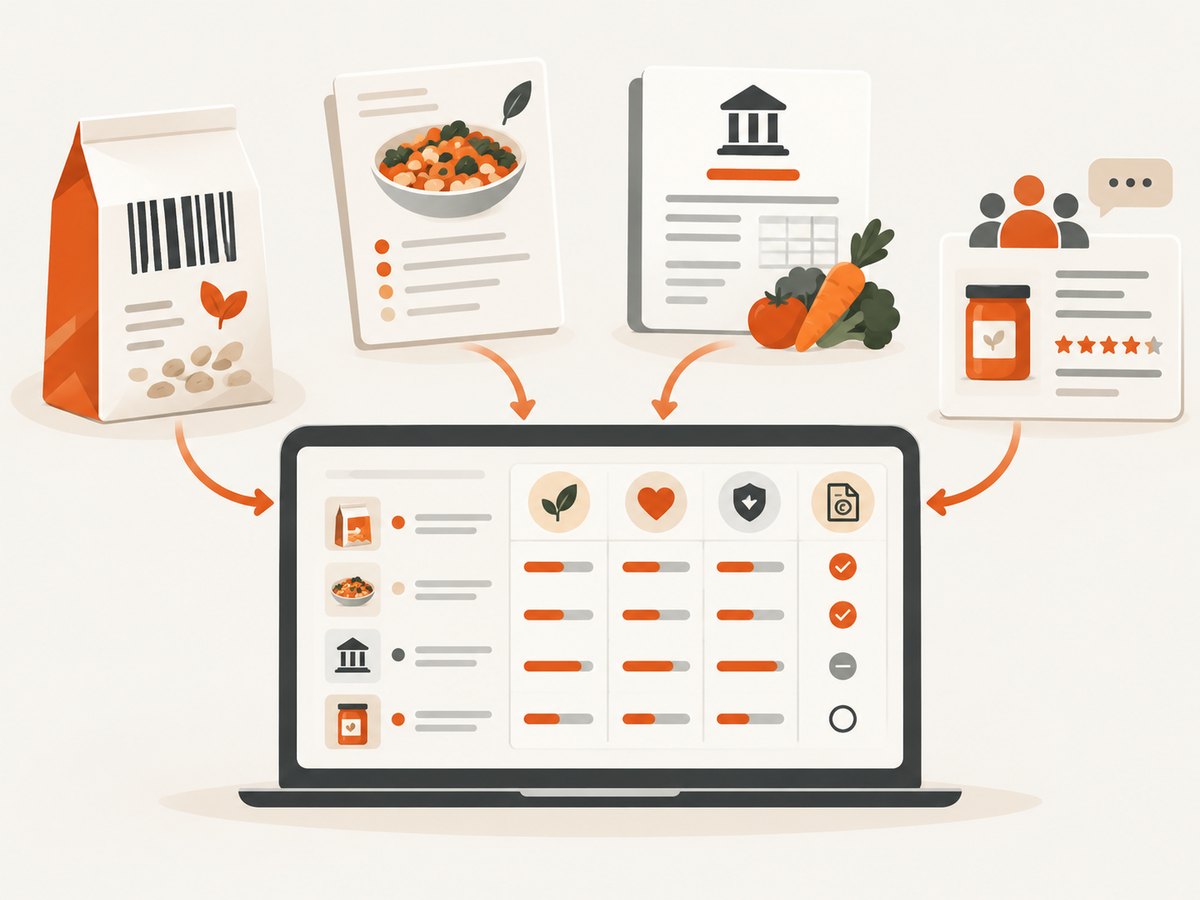
Then evaluate coverage in the countries, languages, brands, restaurants, and food categories that matter to your users. Confirm whether a nutrient value comes from a government reference record, an industry label, a restaurant menu, a licensed recipe, or a community contribution. These sources have different update processes and error modes. USDA distinguishes Foundation Foods from branded foods supplied by industry partners; an API response is not automatically a laboratory measurement simply because it came from an API. See the Foundation Foods documentation.
11 food APIs to investigate
1. USDA FoodData Central
Best fit: U.S. nutrient reference data, research, and applications that need public-domain records. The FoodData Central API guide describes REST access to FoodData Central. It requires a data.gov API key and documents a default limit of 1,000 requests per hour per IP. USDA data is public domain under CC0, while USDA requests source acknowledgment. Build your own cache and retain the FDC identifiers so values can be traced back to their source.
2. Edamam Food Database API
Best fit: food-name search, branded products, UPC or barcode lookup, nutrients, labels, and food logging. Its documentation describes food search and filtering across 28 nutrients, allergen labels, and lifestyle labels. Check the selected plan’s attribution, caching, and data-use terms before shipping a commercial feature. Do not assume that a barcode result has the same provenance as a generic ingredient.
3. Edamam Nutrition Analysis API
Best fit: parsing ingredient text and analyzing recipe nutrition. The API documents NLP parsing of entities, amounts, and measures, including cooking-related quantity adjustments. Send representative inputs such as “1 cup cooked chickpeas” and “half a large onion,” then inspect the parsed ingredients and confidence or substitution behavior your plan exposes. Keep the original text alongside normalized ingredients so users can correct an interpretation.
4. Edamam Recipe Search API
Best fit: recipe discovery. Search and nutrition analysis are different products, and recipe discovery is different from having the right to republish full recipe content. Confirm whether your UI may show titles, images, ingredients, instructions, or only link-outs under the current Recipe Search documentation and commercial terms.
5. Spoonacular
Best fit: broad recipe, ingredient, grocery, menu, meal-planning, and widget workflows. Its documentation lists a large endpoint set. A 2026 comparison reports 600,000+ grocery products, 115,000+ menu items, 5,000+ recipes, and 2,600+ ingredients, but those are publisher-reported figures and count unlike records. Verify current quotas, request units, storage rules, nutrition retention, and recipe-content rights before designing around it.
6. Open Food Facts
Best fit: packaged-food lookup, ingredients, labels, allergens, and product images. Its API documentation covers product and search endpoints. Community-maintained data can be uneven by country and brand, so show a source date and provide correction or fallback behavior. Review current rate limits, attribution, ODbL and share-alike obligations, and separate image terms before storing or redistributing records.
7. FatSecret
Best fit: food and recipe workflows where its market coverage and commercial terms fit. A comparison page reports more than 2.3 million food items and 19,000+ recipes; these are publisher-reported figures, not a normalized independent count. Check the current developer program, regional availability, authentication, attribution, and permitted caching directly with the provider.
8. Nutritionix
Best fit: natural-language food logging and U.S. or Canadian grocery and restaurant data. The reviewed comparison reports restaurant and grocery coverage plus natural-language parsing. Confirm current pricing and access, which were not fully public in that comparison, and test the exact chains, branded foods, and portions your users enter.
9. Chomp
Best fit: branded grocery and raw-ingredient lookup, including barcode paths. A comparison reports more than 1.2 million entries, but also notes that API documentation was unavailable during its review. Treat the catalogue number as a lead, not a guarantee. Independently verify fields, authentication, terms, regional coverage, and operational support before committing.
10. FoodBase
Best fit: a normalized, multi-source product-data layer. FoodBase’s comparison and product claims are self-published, so inspect source-level provenance, null and missing fields, update behavior, and downstream licensing. A normalization layer can reduce integration work, but it does not remove the need to understand the original source’s rights and accuracy.
11. TheMealDB
Best fit: recipe-discovery prototypes and personal or educational projects. Its API guide describes a free test key and supporter access with beta V2 and larger limits. Verify that the fields, nutrition detail, reliability, and production display rights match your application before using it for a paid product.
Catalogue size is not data quality
FoodBase’s September 16, 2026 comparison reports 1,266,570 Nutritionix items, 4,753,255 Open Food Facts products, and more than 2.3 million FatSecret items, among other figures. These numbers are volatile snapshots and count different record types. Use them to ask better questions: how many records match my target country, brands, barcode formats, cuisines, and serving units? Do not turn them into an accuracy ranking. The reviewed evidence contains no independent comparative accuracy study.
Integration patterns that survive production
Keep a provider-neutral food model
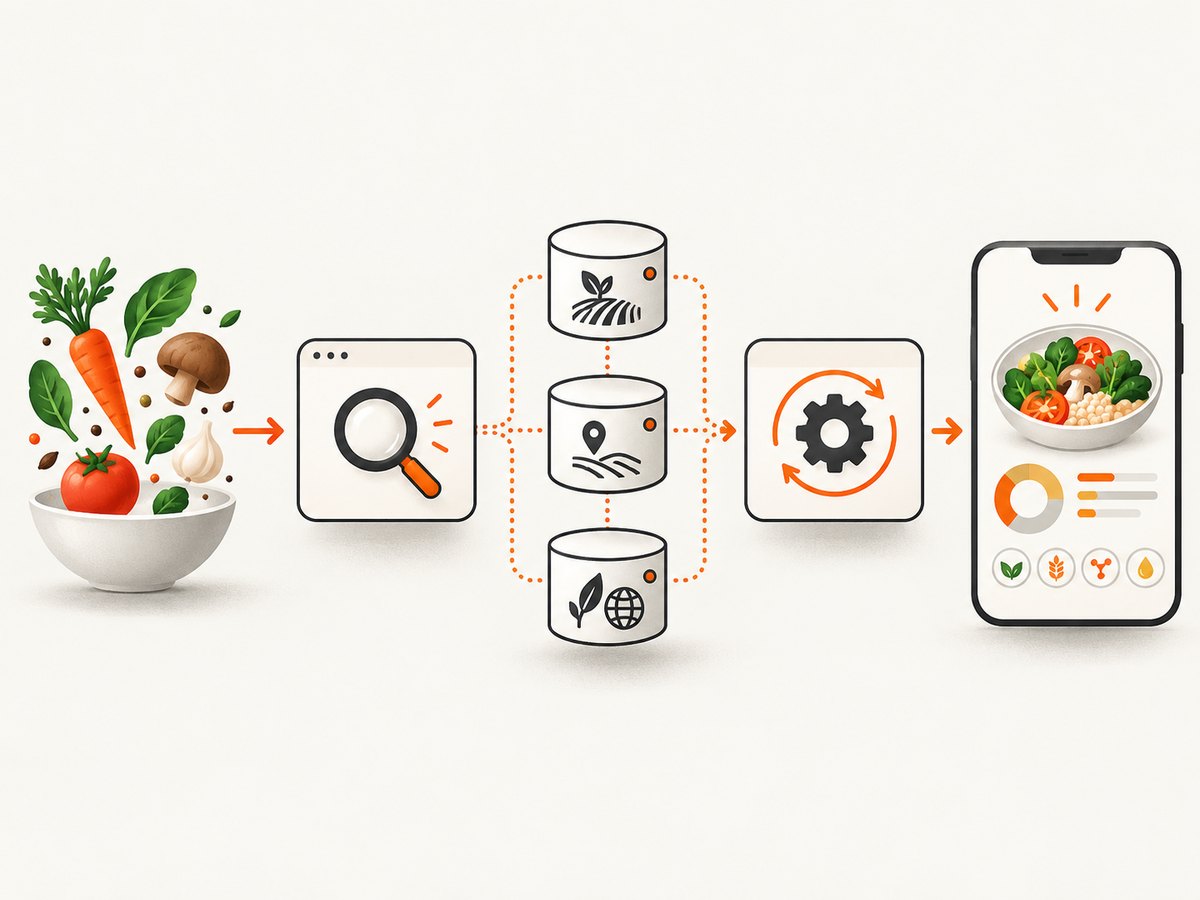
Store your own stable identifier and the provider identifiers separately. A useful record includes name, brand, barcode, serving quantity, serving unit, nutrient values with units, source provider, source record ID, country, retrieved-at timestamp, and a provenance or confidence note. Preserve the raw response in restricted storage when the provider permits it; otherwise store only the fields and identifiers allowed by contract.
Normalize units explicitly
Never add “100” without its unit. Keep grams, millilitres, household measures, and servings distinct. Record whether a nutrient is per 100 g, per serving, or for the whole recipe. For recipe analysis, retain both the user’s original ingredient line and the parsed amount so a correction can be replayed.
Use a provider adapter
Put authentication, pagination, retries, response mapping, and rate-limit handling behind an adapter for each provider. Your application should call a stable interface such as searchFoods(), getFood(), analyzeRecipe(), and searchRecipes(). This makes it possible to use USDA for reference nutrients, Edamam for parsing, and a barcode source for packaged goods without rewriting product code.
Runnable request examples
Keep API keys on your server. The following examples illustrate request shapes; consult each provider’s current documentation for required parameters and plan-specific limits.
USDA FoodData Central with cURL
curl -G 'https://api.nal.usda.gov/fdc/v1/foods/search' \
  --data-urlencode 'api_key=YOUR_DATA_GOV_KEY' \
  --data-urlencode 'query=chickpeas' \
  --data-urlencode 'pageSize=10'
USDA FoodData Central with Python
import os
import requests

params = {
    'api_key': os.environ['USDA_API_KEY'],
    'query': 'chickpeas',
    'pageSize': 10,
}
r = requests.get('https://api.nal.usda.gov/fdc/v1/foods/search', params=params, timeout=30)
r.raise_for_status()
for food in r.json().get('foods', []):
    print(food.get('fdcId'), food.get('description'))
USDA FoodData Central with Node.js
const q = new URLSearchParams({
  api_key: process.env.USDA_API_KEY,
  query: 'chickpeas',
  pageSize: '10'
});
const res = await fetch(`https://api.nal.usda.gov/fdc/v1/foods/search?${q}`);
if (!res.ok) throw new Error(`USDA request failed: ${res.status}`);
const data = await res.json();
console.log(data.foods.map(f => ({ id: f.fdcId, name: f.description })));
Edamam, Spoonacular, and Open Food Facts
# Edamam Food Database (check your plan's current parameters)
curl -G 'https://api.edamam.com/api/food-database/v2/parser' \
  --data-urlencode 'app_id=YOUR_APP_ID' \
  --data-urlencode 'app_key=YOUR_APP_KEY' \
  --data-urlencode 'ingr=1%20cup%20oats'

# Spoonacular recipe search (check the current endpoint and quota)
curl -G 'https://api.spoonacular.com/recipes/complexSearch' \
  --data-urlencode 'apiKey=YOUR_API_KEY' \
  --data-urlencode 'query=vegetarian%20chili'

# Open Food Facts product lookup by barcode
curl 'https://world.openfoodfacts.org/api/v2/product/737628064502.json'
Licensing, attribution, and commercial use checklist
- Is commercial use explicitly allowed for your plan and country?
- Must you show attribution in the product, documentation, or each result?
- Can you cache responses, and for how long?
- Can you store derived nutrient totals or normalized records?
- Do recipe instructions, images, and labels have separate rights?
- Does a share-alike license apply to your database or API output?
- What happens when a key exceeds its quota: throttling, errors, or temporary blocking?
- Can you export or delete user-linked food logs if you change providers?
USDA documents a default 1,000-requests-per-hour-per-IP limit and warns that excess requests can temporarily block a key. Open Food Facts requires special attention to ODbL/share-alike, attribution, rate limits, and image terms. Commercial provider prices and terms change; recheck primary documentation immediately before launch.
Reliability and performance
Cache stable lookups by provider and record ID, but respect each provider’s storage rules. Cache search results for a short, configurable period and invalidate branded products when a barcode or label changes. Use exponential backoff for 429 and transient 5xx responses, with a maximum retry count and a circuit breaker. Do not retry malformed requests or authentication failures.
For a meal log, batch independent lookups, cap concurrency, and return partial results with clear provenance when one provider is unavailable. Measure p50 and p95 latency, error rate, cache-hit rate, quota consumption, missing nutrient fields, and the percentage of inputs requiring user correction. A cheap API can become expensive when every keystroke triggers a live search; debounce input and search after two or three meaningful characters.
Common errors and fixes
| Error | Likely cause | Fix |
|---|---|---|
| 401 or 403 | Wrong key, app ID, inactive plan, or server-side key leak protection | Rotate the key, verify environment variables, and check the provider console and allowed origins. |
| 429 | Rate or quota limit | Honor Retry-After, add backoff and caching, debounce searches, and request a higher plan only after measuring usage. |
| Empty search results | Locale, spelling, brand, barcode format, or endpoint mismatch | Normalize input, try the provider’s parser endpoint, and offer a manual entry or second source. |
| Wrong serving totals | Mixing per-100-g, per-serving, and whole-recipe values | Store units and basis with every nutrient and convert only in one audited layer. |
| Recipe cannot be displayed | Search permission does not grant republishing rights | Show permitted metadata or link out; obtain content rights before copying instructions or images. |
| Missing nutrients | Provider record type does not contain that nutrient | Return null explicitly, avoid zero defaults, and select a fallback source for the product category. |
| Duplicate foods | Same product appears under multiple provider records or package sizes | Match on barcode, brand, normalized name, serving basis, and source ID; keep an audit trail. |
Or skip the browser setup
If your food application also needs page captures for recipe previews, nutrition dashboards, or QA snapshots, ScreenshotNeo provides a single website screenshot API request. See the ScreenshotNeo API documentation.
curl -G 'https://api.screenshotneo.com/v1/shot' -d access_key=YOUR_API_KEY --data-urlencode url=https://stripe.com -o shot.webpimport requests
r = requests.get('https://api.screenshotneo.com/v1/shot', params={'access_key': 'YOUR_API_KEY', 'url': 'https://stripe.com'}, timeout=90)
open('shot.webp', 'wb').write(r.content)const q = new URLSearchParams({ access_key: 'YOUR_API_KEY', url: 'https://stripe.com' });
const res = await fetch(`https://api.screenshotneo.com/v1/shot?${q}`);Cookie banners, newsletter popups, and chat widgets are removed before the shot. Bot checks, blank pages, failed loads, timeouts, and cache hits are never billed, and response headers identify the page verdict and billing result. Its MCP server lets Claude, Cursor, and other MCP clients take screenshots. The free plan includes 1,000 screenshots a month with no card; paid plans start at $5 for 3,000. Create a free ScreenshotNeo account.
Evaluation plan before you commit
- Collect 50 to 200 representative inputs: common foods, regional foods, branded barcodes, vague portions, cooked recipes, allergens, and missing-data cases.
- Run each input through the candidate APIs and save raw responses, latency, HTTP status, and quota usage.
- Have a nutrition professional or domain expert review a sample of mappings and serving conversions.
- Check every license and retention rule against your planned UI, analytics, exports, and backups.
- Choose a primary source and a fallback per workflow, then document when the fallback is allowed.
FAQ
What is the best food API for a nutrition app?
Use USDA for public-domain U.S. reference nutrients, Edamam for parsing and food lookup, or a barcode-focused source for packaged products. Many serious products combine two sources.
Can I use recipe search results in my app?
Usually you can integrate permitted metadata or link-outs, but recipe discovery access does not automatically grant rights to republish full instructions, images, or ingredient text. Confirm the provider’s current terms.
Should I rely on one provider?
Only if its coverage, provenance, legal terms, and reliability match every workflow. A provider adapter and explicit fallback policy make a later change safer.
Are catalogue counts a useful buying metric?
They indicate rough scale, but counts mix products, recipes, menu items, and ingredients. Test your own target foods and regions instead.
How should I handle unknown nutrient values?
Represent them as null with source and timestamp. Never convert missing data to zero, because that changes the user’s total and hides a coverage problem.


