10 Best Functional Testing Tools for Validating Features
Compare functional testing tools by browser coverage, authoring, debugging, CI, and hosted execution so you can choose a practical fit.
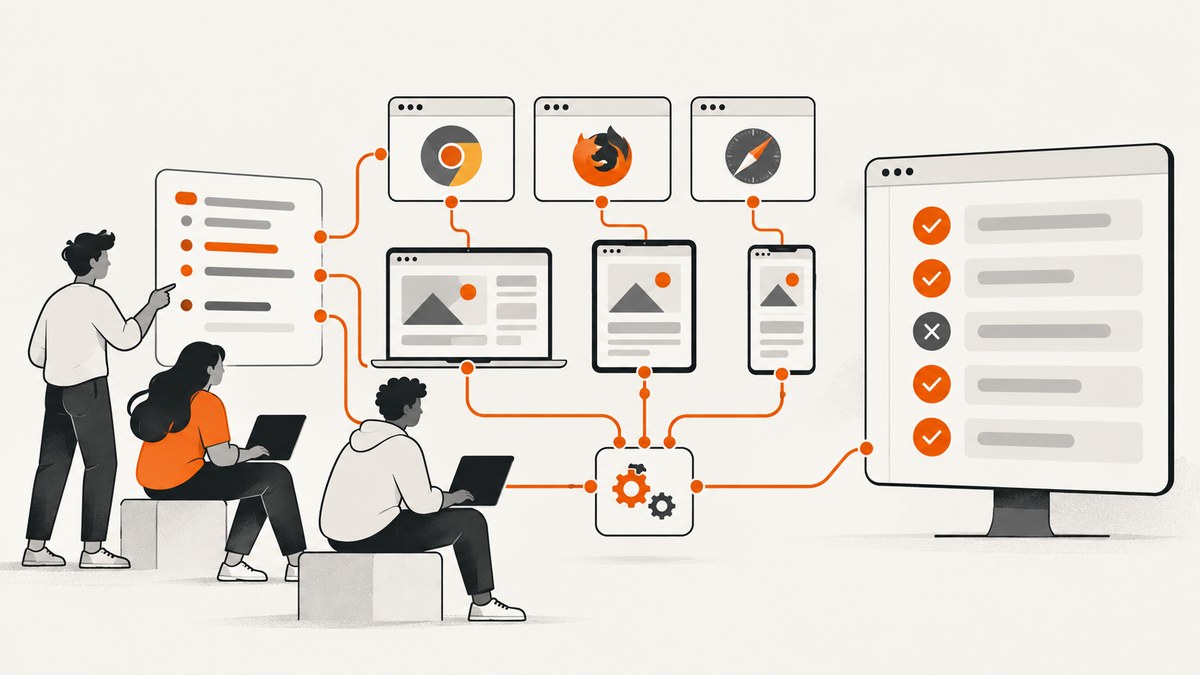
Functional testing checks whether a feature behaves as specified from a user’s or another system’s point of view. The best tool depends on what you test, which browsers and devices matter, how your team writes tests, and where tests run. Playwright, Cypress and TestCafe focus on browser automation; Katalon Studio spans web, API, mobile and desktop testing; BrowserStack supplies hosted browsers and real devices. They are different categories, so a single universal winner would be misleading.
This guide compares the strongest choices supported by current vendor documentation, then gives a selection process, implementation patterns, troubleshooting advice and a ScreenshotNeo option for teams that need reliable screenshots during validation.
Quick answer: which functional testing tool should you choose?
| Tool | Best fit | What the official documentation describes | Check before adopting |
|---|---|---|---|
| Playwright | Cross-browser end-to-end tests | One API for Chromium, Firefox and WebKit; test generation and Trace Viewer | Your language, CI workers and required browser versions |
| Cypress | Developer-friendly browser, component and accessibility tests | Automatic waiting, snapshots, readable errors and network control; Cypress Cloud adds run recording and analytics | Firefox and Chrome-family coverage, hosted-plan limits and parallelisation needs |
| TestCafe | JavaScript or TypeScript teams wanting a runner without WebDriver | Open-source runner, recording, remote browsers, concurrency and CI integration | Proxy architecture, browser matrix and whether Studio’s desktop workflow is needed |
| Katalon Studio | One IDE for web, API, mobile and desktop projects | Recorder/Spy, manual and script editors, built on Selenium and connected to wider platform execution | Licensing, team workflow and whether breadth outweighs separate specialised tools |
| BrowserStack | Hosted browser and real-device execution | Automate and App Live services supporting Selenium, Playwright, Cypress and native apps | Required OS/device matrix, CI integration and current plan limits |
Use a framework to define behaviour and assertions. Add a hosted grid when you need browsers or devices that are impractical to maintain locally. BrowserStack documents integrations with Selenium, Playwright and Cypress, so a cloud execution service can complement rather than replace your test framework.
How to evaluate functional testing tools
1. Define the system under test
- Browser UI only: Playwright, Cypress or TestCafe may be enough.
- Web plus APIs, mobile or desktop: Katalon Studio’s documented scope may reduce the number of separate tools.
- Many OS and device combinations: pair your chosen framework with a hosted service such as BrowserStack.
2. Map browser and device requirements
Playwright names Chromium, Firefox and WebKit and supports Linux, macOS and Windows. Cypress documents Firefox and Chrome-family browsers, including Edge. TestCafe can run local or remote browsers. Verify exact versions, operating systems, mobile emulation and real-device requirements in current documentation; do not assume that support for one browser family implies universal coverage.
3. Compare authoring and diagnosis
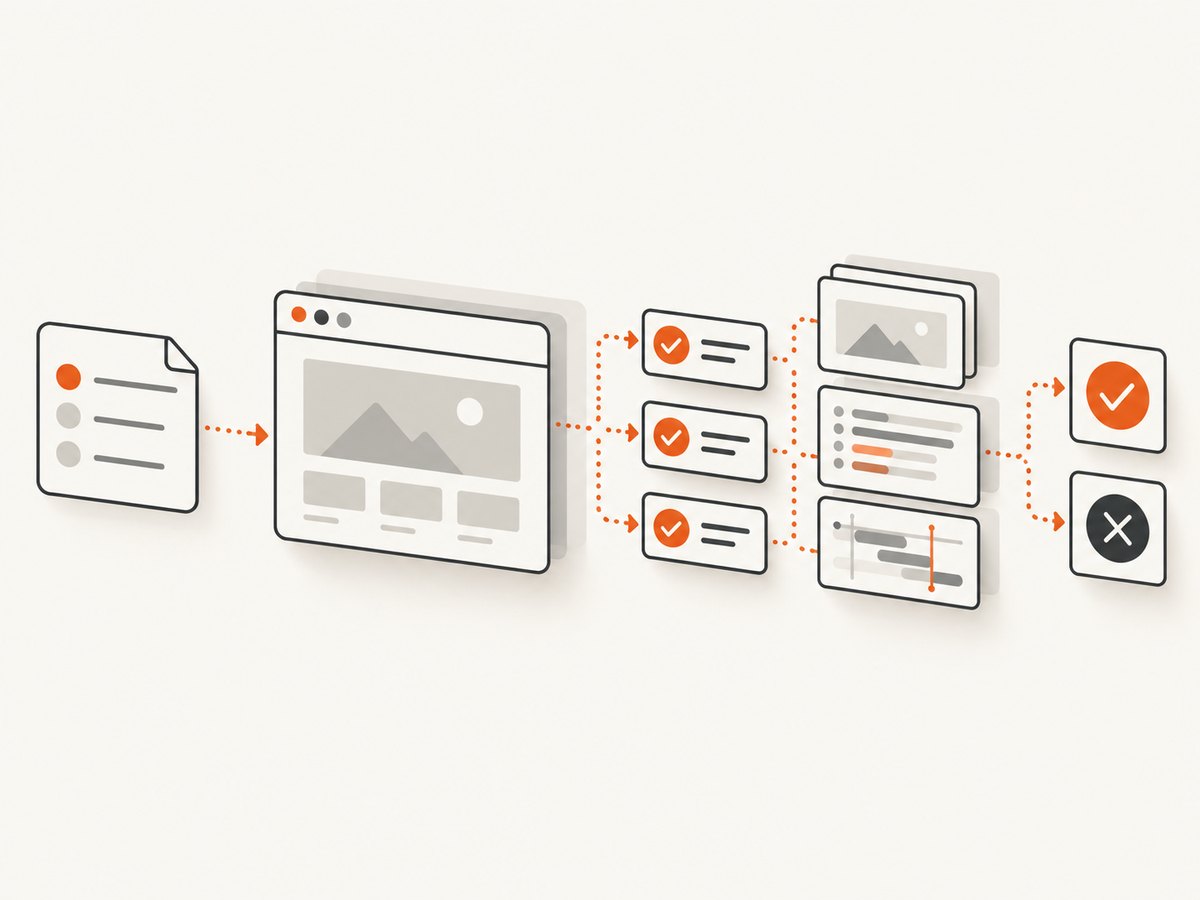
Recording can shorten the path to a first test, while hand-written code gives precise control. Playwright documents generated tests and Trace Viewer timelines with DOM snapshots, network requests, console logs and screenshots. Cypress highlights snapshots, automatic waiting, readable errors and network control. TestCafe supports coding and recording. Katalon provides recorder/spy workflows with interchangeable manual and script editors.
4. Plan CI and parallel execution
List the number of pull requests, test duration, workers and environments you need. Confirm how each tool reports failures, stores artifacts, retries tests and shards suites. Treat vendor claims as capability descriptions, not proof that one product is faster or more reliable: comparable benchmark data was not established in the source material.
5. Price the complete workflow
Include CI minutes, hosted browser sessions, parallel workers, screenshots or video retention, seats and maintenance. Current plan terms change, and the supplied sources do not provide a comparable price table. Obtain a quote or current plan details before making a budget decision.
1. Playwright
Playwright is a browser automation framework for Chromium, Firefox and WebKit on Linux, macOS and Windows. Its generated tests help teams record actions, while Trace Viewer provides a timeline containing DOM snapshots, network requests, console logs and screenshots. Those capabilities make it a strong candidate when browser breadth and failure diagnosis are primary requirements. Read the official Playwright documentation for current language and browser details.
Choose it when you want one API across the three named browser engines and are comfortable maintaining code-based tests. Validate fixtures, authentication setup, test isolation and CI worker capacity in a pilot.
2. Cypress
Cypress documents end-to-end, component and accessibility testing. The local Cypress App is free and open source; Cypress Cloud is a paid service for recording runs, results and analytics. Its documentation highlights automatic waiting, snapshots, debugging support and network traffic control. Browser support includes Firefox and Chrome-family browsers such as Edge. Check the Cypress documentation against your required matrix.
Cypress can suit front-end teams that value an interactive local workflow and readable failure output. Decide separately whether Cloud’s recording and analytics fit your CI and retention requirements.
3. TestCafe
TestCafe describes an open-source end-to-end runner for JavaScript and TypeScript with browser recording, local or remote execution, concurrency and CI integration. Its support material explains that it does not use Selenium or WebDriver; it operates through a URL-rewriting proxy. The product site distinguishes the open-source engine from TestCafe Studio, a desktop application intended to simplify recorded test creation. See TestCafe and its support documentation.
TestCafe is worth evaluating when the proxy architecture fits your application and your team wants either code or a recording-oriented desktop workflow. Test authentication, service workers, cross-origin flows and remote browser access early.
4. Katalon Studio
Katalon Studio is an automated testing IDE built on Selenium. Its documentation describes projects that combine web UI, API, mobile and desktop testing, with recorder/spy creation and interchangeable manual and script editors. The wider Katalon platform documents cloud execution. Review Studio’s overview, the platform scope and supported technologies.
Its breadth may help organisations that want one environment for several application types. It does not establish that Katalon is better or cheaper than assembling specialised tools, so compare editor experience, governance, execution capacity and licensing with a representative project.
5. BrowserStack
BrowserStack documents Automate for browser testing and App Live for native and hybrid Android/iOS applications. Its automation documentation lists Selenium, Playwright and Cypress integrations. Treat it as hosted execution infrastructure: your framework still defines actions and assertions, while the service supplies environments. Start with the BrowserStack documentation.
Choose a grid after writing down the exact browser, OS and device combinations that matter. Confirm queue behaviour, parallel limits, video and network logs, data residency, CI integration and current plan terms.
6–10. Build a defensible shortlist instead of inventing a ranking
The supplied primary-source research provides detailed evidence for five candidates, not ten equally researched products or an independent ranking. Rather than attach unsupported claims to five additional names, extend your shortlist using the same evidence standard. Candidates often considered in this space include other hosted grids, API-focused runners and commercial IDEs, but verify current official documentation for each before publishing or purchasing.

- Require a primary documentation page describing the product’s scope.
- Record supported browsers, operating systems, devices and languages.
- Confirm recording, debugging artifacts, retries, parallel execution and CI integrations.
- Capture current pricing and usage limits from the vendor’s plan page.
- Run the same smoke suite against a representative application and keep the results internal until the environments are comparable.
Implement a maintainable browser functional test
The following Playwright example tests a login feature. Replace selectors and URLs with your application’s values.
import { test, expect } from '@playwright/test';

test('user can sign in and see the dashboard', async ({ page }) => {
  await page.goto('https://example.test/login', { waitUntil: 'domcontentloaded' });
  await page.getByLabel('Email').fill(process.env.TEST_EMAIL);
  await page.getByLabel('Password').fill(process.env.TEST_PASSWORD);
  await page.getByRole('button', { name: 'Sign in' }).click();
  await expect(page).toHaveURL(/dashboard/);
  await expect(page.getByRole('heading', { name: 'Dashboard' })).toBeVisible();
});
Keep tests independent, use stable roles or test IDs, create data through APIs where possible, and assert user-visible outcomes. Avoid arbitrary sleeps; wait on a meaningful condition. Store credentials in CI secrets and clean up test data after runs.
Visual evidence for functional checks
A screenshot can document a failure, compare a responsive state or prove what a reviewer saw. A local browser capture is useful when you need complete control:
import { test } from '@playwright/test';

test('save a visual artifact', async ({ page }) => {
  await page.goto('https://example.test/checkout');
  await page.screenshot({ path: 'artifacts/checkout.png', fullPage: true });
});
For a matrix, capture after the same deterministic setup and name files with browser, viewport, commit and test identifiers. Redact secrets and personal data before storing artifacts.
Or skip the browser setup
ScreenshotNeo is a website screenshot API and MCP server. It accepts one GET request and returns PNG, JPEG, WebP or PDF. Before capture it accepts cookie or consent banners like a visitor and removes more than 60 known consent platforms, newsletter popups and chat widgets; each step can be disabled. Only clean shots are billed: bot checks, CAPTCHAs, blank pages, timeouts, failed loads and cache hits cost nothing, and X-Page-Verdict and X-Billed headers explain the result. Its MCP server exposes take_screenshot, get_page_info and capture_pdf for Claude, Cursor and other MCP clients.
See the ScreenshotNeo API documentation for all options. A minimal request:
curl -G "https://api.screenshotneo.com/v1/shot" -d access_key=YOUR_API_KEY --data-urlencode url=https://stripe.com -o shot.webpimport requests
r = requests.get("https://api.screenshotneo.com/v1/shot", params={"access_key": "YOUR_API_KEY", "url": "https://stripe.com"}, timeout=90)
open("shot.webp", "wb").write(r.content)const q = new URLSearchParams({ access_key: 'YOUR_API_KEY', url: 'https://stripe.com' });
const res = await fetch(`https://api.screenshotneo.com/v1/shot?${q}`);Options include full-page capture with lazy images loaded, CSS-element capture, dark mode, 12 device presets or any viewport, retina scale, PDF paper size/margins/landscape/page ranges, HTML/CSS rendering, custom CSS and JavaScript, pre-capture clicks, hidden selectors, selector or delay waits, network-idle waits, blocked ads/trackers/requests/resource types, custom headers/cookies/user agents/Authorization, timezone and geolocation, transparent backgrounds, resizing, chosen cache TTL, signed links, asynchronous jobs with signed webhooks, bulk capture of 100 URLs per call, usage reporting and an OpenAPI specification. Common parameter names from other screenshot APIs also work.
Free accounts include 1,000 screenshots per month with no card. Paid plans start at $5 for 3,000 shots; yearly billing gives two months free, and every feature is on every plan. Create a free ScreenshotNeo account.
Troubleshooting functional test suites
| Symptom | Likely cause | Fix |
|---|---|---|
| Flaky timeout | Waiting for time rather than state, slow CI or blocked resource | Wait for a locator or response, inspect trace/network logs, and remove unnecessary third-party requests. |
| Element not found | Unstable selector, iframe or delayed rendering | Use role or test ID, enter the frame explicitly and wait for visibility. |
| Works locally, fails in CI | Different browser, timezone, viewport, fonts or secrets | Pin the environment, set timezone/locale, verify secrets and archive artifacts. |
| Cross-browser layout failure | Engine-specific CSS or unsupported API | Reproduce in the named engine, add an explicit compatibility test and avoid assuming Chromium equals WebKit or Firefox. |
| Screenshot is blank or obstructed | Consent overlay, bot check, failed load or capture before readiness | Wait for a meaningful selector, handle consent, inspect response headers and capture after network idle where appropriate. |
Reliability, performance and cost checklist
- Run a short smoke suite on every change and a broader matrix on a schedule or release gate.
- Shard independent tests, but cap workers to the application’s rate limits and CI resources.
- Retry only infrastructure failures; retries must not hide deterministic assertion failures.
- Persist traces, screenshots, console output and network logs for failed tests, with retention and redaction rules.
- Measure queue time, execution time, flake rate and artifact storage in your own environment. The cited documentation does not provide a comparable speed or reliability benchmark.
- Budget hosted sessions, parallel workers, CI minutes, cloud analytics and screenshot volume separately.
FAQ
Is a browser framework the same as a cloud testing platform?
No. Playwright, Cypress and TestCafe define and run tests. BrowserStack supplies hosted browsers and devices and can integrate with those frameworks.
Should I use recorded tests?
Recording is useful for scaffolding and onboarding. Review generated steps and replace brittle selectors with stable, user-facing locators.
How many browsers should a smoke suite cover?
Cover the browsers your users and support policy require. Start with critical paths, then expand using production traffic and incident history.
Can screenshots replace assertions?
No. Use semantic assertions for behaviour. Screenshots provide visual evidence and can expose layout or consent-state problems.
When is Katalon a better fit?
Consider it when one team needs documented web, API, mobile and desktop workflows in one IDE and its governance and licensing fit your organisation.
When should I add ScreenshotNeo?
Add it when you need clean, repeatable captures without maintaining a browser service, or when an AI agent needs screenshot, page-info and PDF tools through MCP.


