Best HTML to PDF Converter for Python
WeasyPrint is the best starting point for print-focused PDFs; use Playwright when your HTML depends on browser rendering or JavaScript.
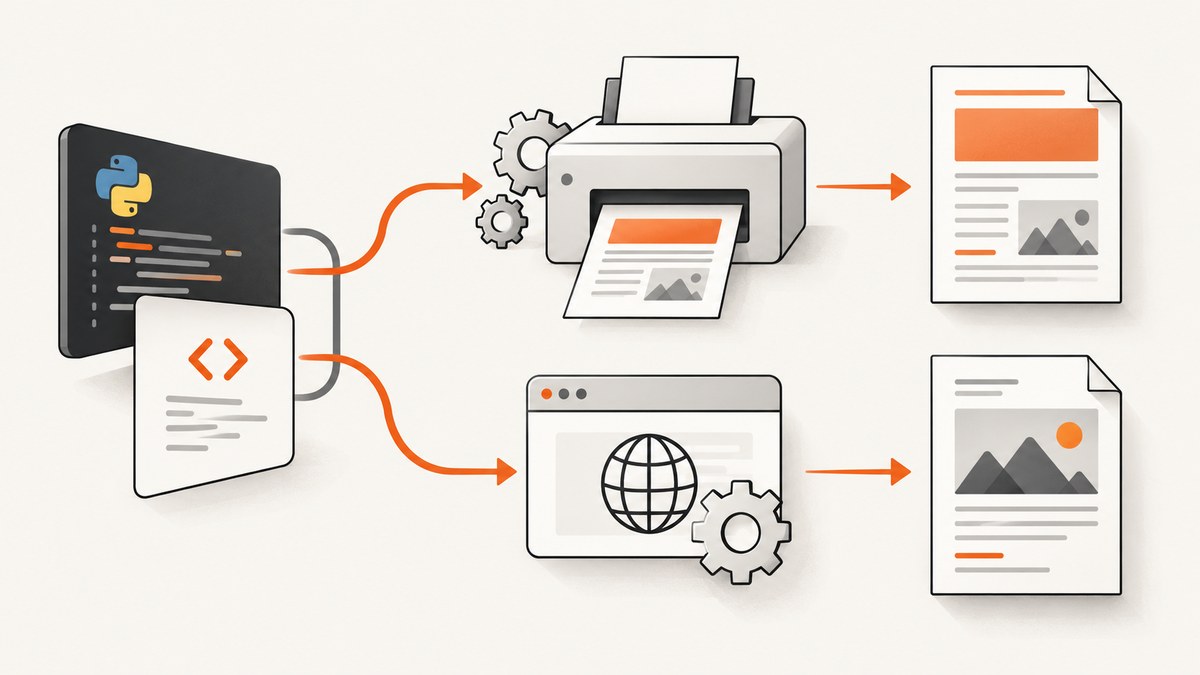
Short answer: start with WeasyPrint for reports, invoices, certificates, and other print-oriented documents. Use Playwright for Python when the page depends on Chromium behavior, JavaScript, authenticated browser state, or screen-level layout. Keep wkhtmltopdf for legacy integrations only after checking its old rendering stack and security requirements.
There is no documented benchmark proving one engine wins for every HTML template. The right choice depends on whether your input is primarily HTML/CSS for print or a browser application that must execute like a user session.
Which Python HTML-to-PDF converter should you choose?
| Converter | Choose it when | Main strengths | Constraints |
|---|---|---|---|
| WeasyPrint | Print-oriented generated documents | Direct Python API, print CSS, links, bookmarks, attachments, forms, and font embedding | Defined CSS support rather than a full browser; requires native libraries such as Pango |
| Playwright | JavaScript-driven pages or browser-specific rendering | Chromium rendering, page state, cookies, authentication, CSS media control, headers and footers | Browser installation and lifecycle management add deployment overhead |
| wkhtmltopdf | Existing systems that already rely on its output | Command-line headless Qt WebKit renderer and platform binaries | Stable 0.12.6 was released June 11, 2020; the project warns against untrusted HTML |
1. Convert HTML with WeasyPrint
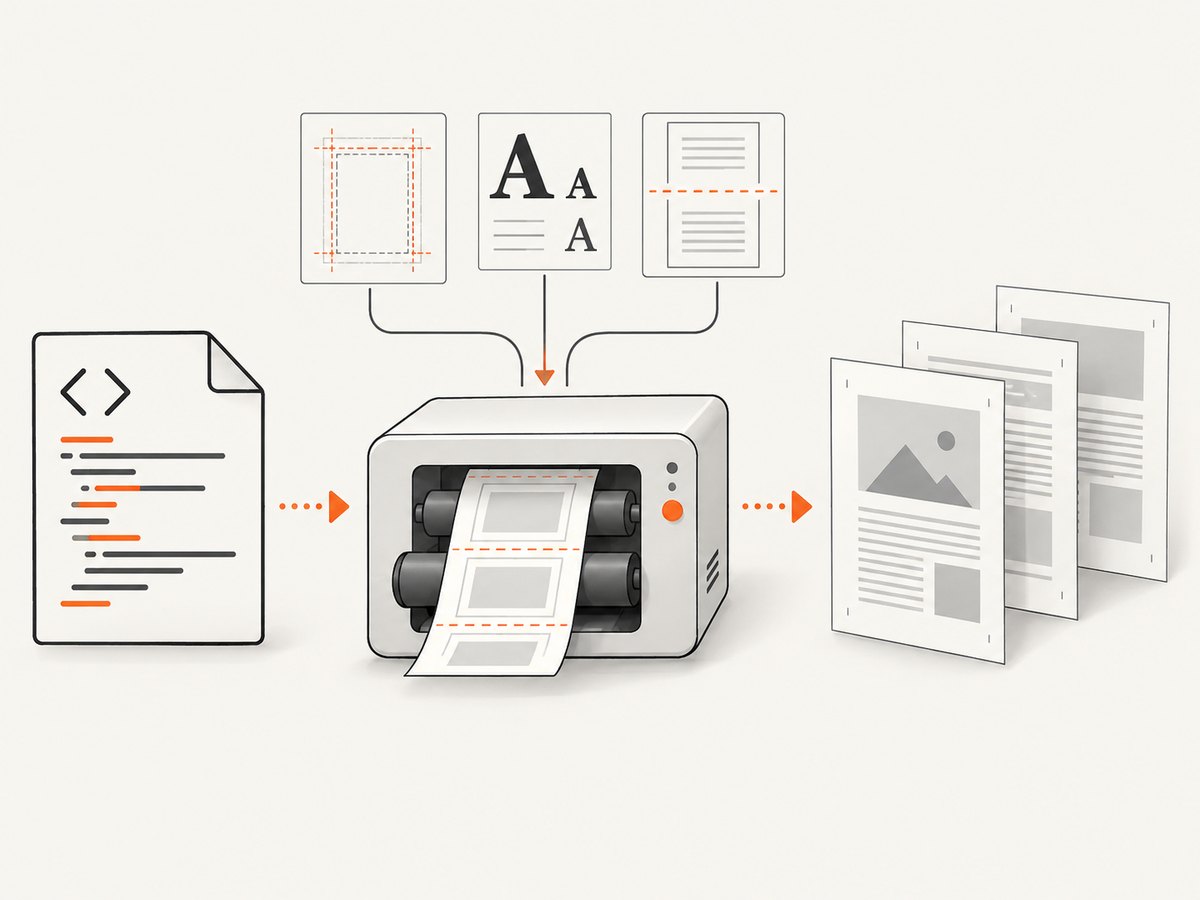
WeasyPrint exposes the simplest Python path: create an HTML object and call write_pdf(). The input can be a string, file, URL, or file-like object.
from weasyprint import HTML

HTML(string="""


    <meta charset="utf-8">
    <style>
      @page { size: A4; margin: 18mm; }
      body { font-family: sans-serif; color: #222; }
      h1 { color: #124e78; }
      .total { break-inside: avoid; }
    </style>
Install and deploy WeasyPrint
The current first-steps documentation lists Python 3.10 or later and Pango 1.44 or later, alongside Python packages and operating-system-specific libraries. A successful pip install does not guarantee that a production image has every native dependency or font.
python -m venv .venv
. .venv/bin/activate
pip install weasyprint
python render.py
Build a deployment checklist that includes:
- Python and Pango versions supported by your WeasyPrint release.
- Fonts installed in the runtime image, including every weight used by your templates.
- A stable
base_urlfor relative CSS, images, and fonts. - Representative tests for page breaks, long tables, links, and difficult scripts.
External assets, fonts, and URL fetching
Use base_url when your HTML references relative files. For custom @font-face rules, create and pass a FontConfiguration. The default HTTP fetcher does not provide advanced cookies or authentication; use a custom URL fetcher or prefetch protected assets into a controlled location.
from weasyprint import HTML, CSS
from weasyprint.text.fonts import FontConfiguration
font_config = FontConfiguration()
html = HTML(string="""
Quarterly report
""", base_url="/srv/report")
html.write_pdf(
"report.pdf",
stylesheets=[CSS(string="@page { size: Letter; margin: 0.7in; }", font_config=font_config)],
font_config=font_config,
)2. Convert a browser-rendered page with Playwright
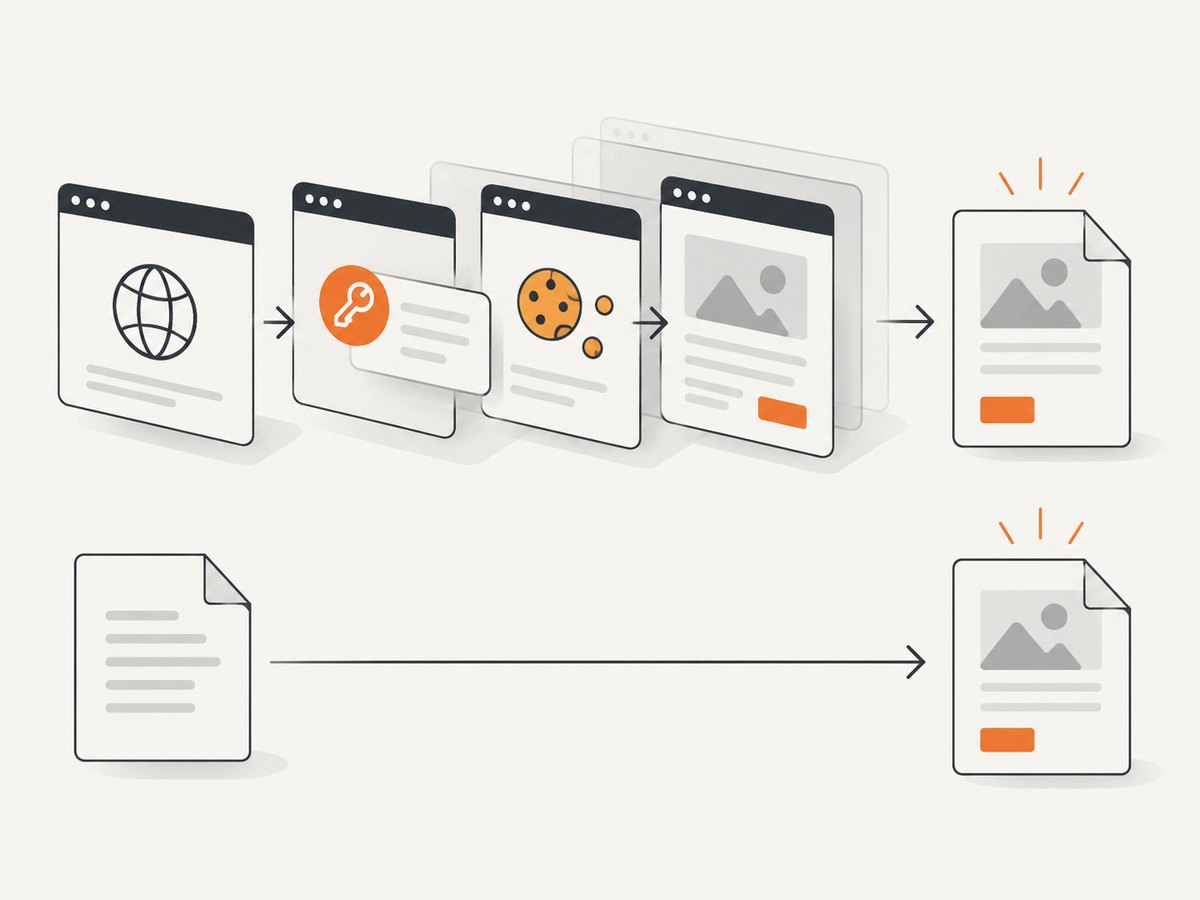
Playwright's Python API opens a real browser page and calls page.pdf(). Print CSS media is used by default. If the page is designed for screens, call page.emulate_media(media="screen") before creating the PDF.
import asyncio
from pathlib import Path
from playwright.async_api import async_playwright

async def main():
    async with async_playwright() as p:
        browser = await p.chromium.launch()
        page = await browser.new_page(viewport={"width": 1440, "height": 900})
        await page.goto("https://example.com/report", wait_until="networkidle")
        await page.pdf(
            path="report.pdf",
            format="A4",
            print_background=True,
            margin={"top": "18mm", "right": "15mm", "bottom": "18mm", "left": "15mm"},
            display_header_footer=True,
            header_template="",
            footer_template='/',
        )
        await browser.close()

asyncio.run(main())
pip install playwright
playwright install chromiumUseful Playwright PDF options
format, or explicitwidthandheight, controls paper size.marginaccepts top, right, bottom, and left values.print_background=Truepreserves background colors and images.page_rangeslimits output to selected pages.prefer_css_page_size=Truelets CSS@pagesizing win.display_header_footerenables header and footer templates with page-number classes.page.emulate_media(media="screen")selects screen styles instead of print styles.
For authenticated applications, create a browser context with the required cookies or storage state, then wait for the page's real readiness condition. A network-idle event alone may be insufficient for dashboards that keep connections open.
3. When should you use wkhtmltopdf?
wkhtmltopdf is a headless Qt WebKit command-line renderer. It can be appropriate when an existing integration depends on its exact output, but the official downloads page lists stable version 0.12.6 as released on June 11, 2020. Verify current platform support and maintenance before starting a new project.
The project also warns that untrusted HTML or JavaScript can compromise the server. Treat customer-provided markup as hostile: sanitize it, restrict network and local-file access, and isolate the renderer.
4. Print CSS and pagination checklist
- Define
@pagesize and margins explicitly. - Use
break-inside: avoidfor totals, signatures, and cards that must stay together. - Use
break-beforeorbreak-afterfor section boundaries. - Set table headers to repeat where supported and test long rows.
- Embed or install every font; fallback fonts can change line wrapping and page count.
- Decide whether backgrounds should print and configure the engine accordingly.
- Test right-to-left and bidirectional text separately; WeasyPrint documents limitations in this area.
- Test images at their final size and provide stable resource URLs.
5. Security for HTML-to-PDF services
Rendering untrusted HTML or CSS can expose local files, internal services, or excessive resource use depending on the engine and configuration. WeasyPrint documents security risks for untrusted input, and wkhtmltopdf explicitly warns about untrusted HTML and JavaScript.
- Sanitize HTML and CSS, or render in an isolated worker.
- Disable unnecessary local-file access.
- Apply outbound network policy and request timeouts.
- Limit document size, image dimensions, page count, and process memory.
- Never pass untrusted strings into shell commands without strict argument handling.
6. Performance, reliability, and cost
WeasyPrint
For repeated documents, keep a long-lived Python process and reuse application-level setup where possible; the documentation specifically points to the Python API for long-lived processes instead of paying repeated command startup costs. Measure your own templates because fonts, large images, and complex tables dominate render time.
Playwright
Keep a browser process alive and create isolated contexts or pages per job. Reuse a cached browser binary in deployment, block unnecessary third-party resources, and wait for a deterministic selector rather than an arbitrary sleep. Browser rendering consumes more memory than a print-focused library, so cap concurrency and observe queue time.
Cost model
Self-hosted WeasyPrint, Playwright, and wkhtmltopdf cost infrastructure and engineering time rather than a per-document API fee. Include browser binaries, native packages, fonts, worker memory, queueing, observability, and security isolation in the estimate.
7. Troubleshooting common failures
| Symptom | Likely cause | Fix |
|---|---|---|
| Missing images or CSS | Relative URLs have no base | Pass base_url or use absolute, reachable URLs. |
| Fonts differ in production | Font files or native font support are absent | Install and explicitly load the required fonts in the runtime image. |
| JavaScript content is blank | WeasyPrint does not execute browser JavaScript | Use Playwright and wait for the application’s ready selector. |
| PDF has screen layout | Print media rules are changing styles | Inspect @media print; in Playwright choose emulate_media deliberately. |
| Pages split in awkward places | Missing break rules or oversized elements | Add page-break controls, reduce oversized images, and test long tables. |
| Playwright times out | Open connections prevent network idle | Wait for a specific selector or application event and set bounded timeouts. |
| Installation fails | Missing Pango, browser, or OS packages | Install documented system dependencies and build a repeatable deployment image. |
| Server resource exhaustion | Unbounded pages, images, or concurrent browsers | Set limits, queue jobs, cap concurrency, and terminate stuck workers. |
Or skip the browser setup
If you need a screenshot or PDF of a live URL without maintaining browser binaries, ScreenshotNeo provides one GET request. Its capture pipeline accepts cookie and consent banners, removes more than 60 known consent platforms plus newsletter popups and chat widgets, and lets you turn each step off. Bot checks, blank pages, timeouts, failed loads, and cache hits are not billed, and response headers identify the page verdict and billing result.
See the ScreenshotNeo API docs for all options.
curl -G "https://api.screenshotneo.com/v1/shot" -d access_key=YOUR_API_KEY --data-urlencode url=https://stripe.com -o shot.webpimport requests
r = requests.get("https://api.screenshotneo.com/v1/shot", params={"access_key": "YOUR_API_KEY", "url": "https://stripe.com"}, timeout=90)
open("shot.webp", "wb").write(r.content)const q = new URLSearchParams({ access_key: 'YOUR_API_KEY', url: 'https://stripe.com' });
const res = await fetch(`https://api.screenshotneo.com/v1/shot?${q}`);ScreenshotNeo also has an MCP server for Claude, Cursor, and other MCP clients, with tools for screenshots, page information, and PDFs. One thousand screenshots per month are free with no card; paid plans start at $5 for 3,000 shots. Create a free ScreenshotNeo account.
FAQ
Can WeasyPrint convert a URL directly?
Yes. Its HTML object accepts a URL, but protected resources may require a custom fetcher because the default fetcher does not handle advanced cookies or authentication.
Does Playwright always use print styles?
Yes, page.pdf() uses print CSS media by default. Call page.emulate_media(media="screen") when screen styling is the intended output.
Which engine handles JavaScript?
Playwright drives a browser and executes page JavaScript. WeasyPrint is a print-focused renderer and should be evaluated against templates that do not require browser execution.
Should a new project use wkhtmltopdf?
Usually evaluate WeasyPrint or Playwright first. Consider wkhtmltopdf mainly when an existing system depends on its established output, and address its documented untrusted-input warning.
How do I choose confidently?
Render representative templates with your real fonts, page breaks, images, scripts, authentication, and deployment image. Compare correctness, operational complexity, and security boundaries for the documents you actually produce.


