Best LLMs for Landing Page Design in 2026
Claude leads different landing-page stages in 2026, while GPT and Gemini offer strong ideation and frontend workflows. Choose by task, not hype.

Short answer: there is no single best LLM for every landing-page task. In Contra Labs Research’s July 2026 test, Claude Opus 5 led overall preference and visual aesthetics, Claude Fable 5 led usability and prompt adherence, and GPT-5.6 Sol led ideation. Use the model that matches your stage, then evaluate the rendered page on the same brief, references, devices, and rubric.
The results below describe that study’s tested versions and prompts. They are useful decision signals, not guarantees for your industry, audience, stack, or future model releases.
2026 ranking by landing-page task
| Task | Best starting choice from the study | What to evaluate |
|---|---|---|
| Ideation and information architecture | GPT-5.6 Sol | Audience understanding, offer clarity, conversion goal, and section order |
| Visual direction and mockups | Claude Opus 5 | Hierarchy, distinctiveness, aesthetics, and reference adherence |
| Refinement after critique | Claude Fable 5 | Whether requested changes are followed without damaging usability |
| Overall preference and aesthetics | Claude Opus 5 | Visual quality and the page’s combined impression |
| Usability and prompt adherence | Claude Fable 5 | Clarity, interaction logic, and faithful execution of constraints |
Contra Labs reports that Claude Opus 5 won 59.4% of its comparisons and Claude Fable 5 won 57.1%. The benchmark covered three fictional products, nine prompts, three stages, 3,240 pairwise decisions, and 324 written responses, with six working designers judging outputs without seeing model names. The sample is too narrow to support a universal leaderboard.
What the independent comparison actually tested
The Human Creativity Benchmark moved each model through ideation, mockup, and refinement. The six candidates were Claude Opus 5, Claude Fable 5, Codex (CLI) GPT-5.6 Sol, Kimi K3, Gemini 3.6 Flash, and Muse Spark 1.1. Designers rated general preference, usability, prompt adherence, and visual aesthetics.
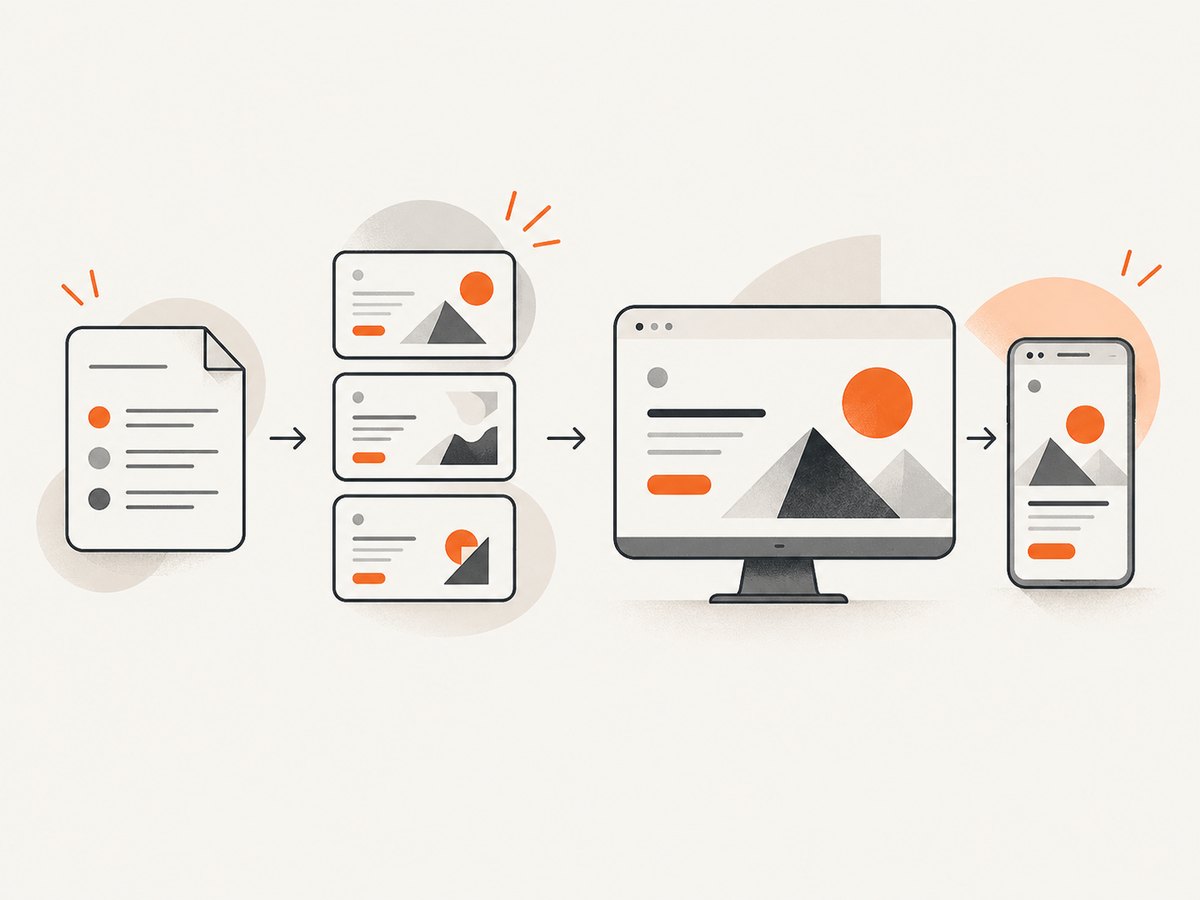
- Claude Opus 5 led mockup, visual aesthetics, and general preference.
- Claude Fable 5 led refinement, usability, and prompt adherence.
- GPT-5.6 Sol led ideation.
Because the test ran in July 2026, it did not include Gemini 3.7 Flash, announced by Google on August 13, 2026. Version changes can make a ranking stale quickly.
Model-by-model guidance
Claude Opus 5: strongest visual direction in this study
Choose Opus when the first important question is “What should this page feel like?” It led mockup and aesthetics and won the highest share of pairwise comparisons in the reported test. Give it a clear audience, offer, references, brand constraints, and a required conversion action. Review the result for implementation details before shipping.
Claude Fable 5: strongest for controlled refinement
Fable is a good choice when you already have a direction and need disciplined revisions. The study placed it first for usability, prompt adherence, and refinement. Ask for one change at a time, list elements that must remain unchanged, and require a desktop and mobile check after every revision.
GPT-5.6 Sol: strongest first-pass ideation in the study
Use GPT-5.6 Sol to explore positioning, section order, alternative offers, headline directions, and page hypotheses. Its ideation result does not mean it will produce the best final visual design without additional critique and implementation work.
Gemini 3.7 Flash: promising capability claims, separate evidence
Google describes Gemini 3.7 Flash as a model for coding and agents, including web-development and reference-based UI generation. Google also reports a WebDev Arena Elo of 1,588 versus 1,538 for Gemini 3.6 Flash. That is not a landing-page-only score and cannot be directly combined with Contra’s designer preference results.
Other candidates in the study
Kimi K3 and Muse Spark 1.1 were included in Contra’s test, but the supplied research does not establish a stage-leading result for either. Compare them yourself with the same brief and rubric instead of inferring a ranking from a single output.
How to choose the right model for your project
- Define the stage. Decide whether you need ideas, a visual direction, working frontend code, or careful revision.
- Write a measurable brief. Include audience, problem, offer, proof, primary conversion, objections, required sections, tone, brand tokens, and technical constraints.
- Supply references. Include screenshots, design-system rules, color values, type choices, and examples of interaction patterns when available.
- Run the same task across models. Keep prompt wording, assets, tools, and time limits consistent.
- Render the result. Inspect desktop and mobile layouts in a browser. A polished screenshot can still hide broken interactions, inaccessible contrast, or invalid responsive behavior.
- Score the outcome. Use the rubric below and record evidence for every score.
A practical evaluation rubric
| Axis | Questions | Suggested score |
|---|---|---|
| Message clarity | Can the intended visitor understand the offer and next step quickly? | 1–5 |
| Information architecture | Does the section order answer awareness, objections, proof, and action in a sensible sequence? | 1–5 |
| Visual hierarchy | Are headline, supporting copy, proof, and CTA visually prioritized? | 1–5 |
| Prompt adherence | Did the model follow required content, references, dimensions, and exclusions? | 1–5 |
| Usability | Are controls understandable, keyboard-friendly, readable, and responsive? | 1–5 |
| Implementation quality | Do links, forms, states, and responsive breakpoints work in the rendered page? | 1–5 |
| Revision safety | Did changes preserve working parts of the page? | 1–5 |
Keep the scores separate. A model can win aesthetics while losing usability, or generate an excellent concept while producing incomplete code.
Prompt templates that produce comparable results
Ideation prompt
You are the strategy lead for a landing page.
Product: [product]
Audience: [audience]
Problem: [problem]
Offer: [offer]
Primary conversion: [CTA]
Proof available: [proof]
Constraints: [brand, legal, technical, accessibility]

Return:
1. Positioning statement
2. Three headline and subhead options
3. Objection list with responses
4. Recommended section order with purpose for each section
5. One desktop and one mobile content priority plan
6. Risks and assumptions to validate
Visual-direction prompt
Design a landing-page direction from this brief: [brief]
Use these references and tokens: [references]
Specify layout grid, spacing scale, type hierarchy, color roles, imagery direction,
CTA treatment, card patterns, mobile changes, and interaction states.
Explain how each decision supports the conversion goal. Do not invent testimonials,
metrics, customer names, or product capabilities.
Refinement prompt
Review the rendered landing page against this brief: [brief].
Change only the following items: [specific changes].
Preserve: [elements that must remain].
Check desktop width [x], mobile width [y], keyboard navigation, contrast,
focus states, form validation, and all links. Return a change list and the updated code.
Frontend implementation checks
- Render at representative desktop, tablet, and mobile widths.
- Check overflow, sticky elements, image loading, and long headlines.
- Activate every navigation item, CTA, form state, modal, menu, and accordion.
- Verify keyboard focus order and visible focus indicators.
- Check color contrast and text scaling.
- Confirm that generated claims, testimonials, logos, and metrics are real and approved.
- Compare the implementation with the original reference assets rather than judging only the source code.
When a landing-page platform is better than a general LLM
A general LLM helps with strategy, copy, visual direction, and code. A dedicated platform becomes relevant when you also need visual editing, publishing, hosting, behavioral analytics, experimentation, or campaign management. Landingi describes its Lunar tool as generating editable pages and its wider service as providing visual editing, publishing routes, EventTracker analytics, A/B/X testing, and AI-assisted optimization. Those are the company’s product descriptions, not an independent comparison.
Or skip the browser setup
After generating a page, you still need reliable screenshots for review, documentation, social previews, and visual regression checks. ScreenshotNeo is a website screenshot API and MCP server. It accepts one GET request and returns PNG, JPEG, WebP, or PDF output.
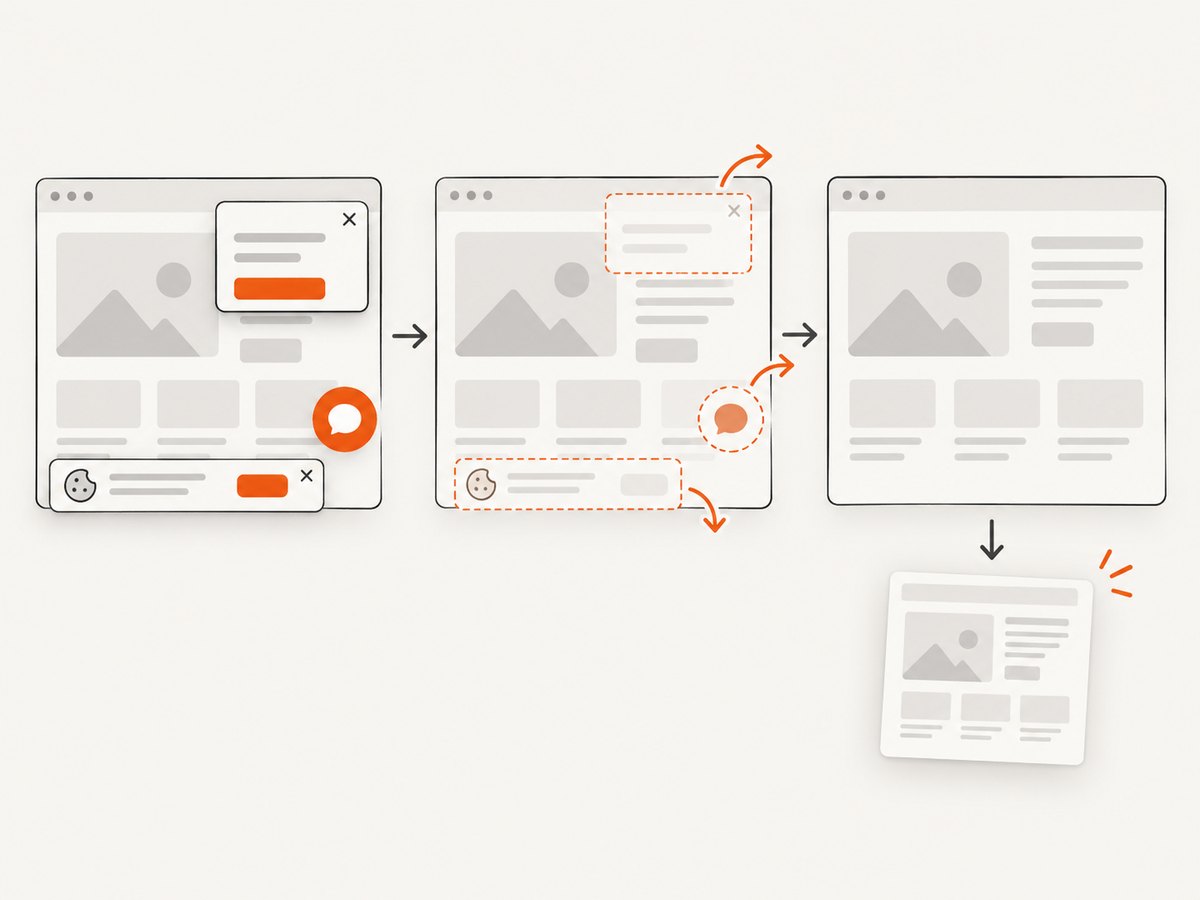
Before capture, ScreenshotNeo can accept cookie and consent banners and remove more than 60 known consent platforms, newsletter popups, and chat widgets. Each step can be disabled. Bot checks and CAPTCHAs, blank pages, timeouts, failed loads, and cache hits are not billed; the response identifies the result with X-Page-Verdict and X-Billed headers. Its MCP server provides take_screenshot, get_page_info, and capture_pdf tools for Claude, Cursor, and other MCP clients.
See the ScreenshotNeo documentation for all options, including full-page capture, element selectors, dark mode, device presets, retina scale, custom CSS and JavaScript, clicks, waits, request blocking, headers, cookies, user agents, authorization, timezone, geolocation, transparent backgrounds, resizing, caching, signed links, asynchronous jobs, webhooks, bulk capture, usage data, and the OpenAPI specification.
cURL
curl -G "https://api.screenshotneo.com/v1/shot" -d access_key=YOUR_API_KEY --data-urlencode url=https://stripe.com -o shot.webpPython
import requests
r = requests.get("https://api.screenshotneo.com/v1/shot", params={"access_key": "YOUR_API_KEY", "url": "https://stripe.com"}, timeout=90)
open("shot.webp", "wb").write(r.content)
Node.js
const q = new URLSearchParams({ access_key: 'YOUR_API_KEY', url: 'https://stripe.com' });
const res = await fetch(`https://api.screenshotneo.com/v1/shot?${q}`);
ScreenshotNeo includes 1,000 screenshots per month on the free plan with no card. Paid plans start at $5 for 3,000 shots, and every feature is available on every plan. Start with a free ScreenshotNeo account.
Performance, reliability, and cost considerations
- Separate generation from review. Save the prompt, model version, assets, rendered URL, viewport, and rubric scores for each comparison.
- Use deterministic inputs. Keep content, fonts, viewport, network conditions, and reference files consistent when comparing models.
- Wait for meaningful readiness. For screenshots, wait for a selector, a deliberate delay, or network idle when the page loads content asynchronously.
- Control expensive resources. Block ads, trackers, or unnecessary resource types during visual review when they are not part of the page being evaluated.
- Cache repeated captures. Choose a cache TTL when reviewing unchanged pages; cache hits are not billed by ScreenshotNeo.
- Budget model usage separately. The supplied research does not establish a same-task cost comparison or conversion-rate uplift for these models.
Troubleshooting
| Problem | Likely cause | Fix |
|---|---|---|
| The model produces attractive but vague pages | Brief lacks audience, offer, proof, or conversion goal | Add measurable business context and require a section-by-section rationale. |
| Revisions break working sections | Change request is too broad | List exact changes and explicitly name elements to preserve. |
| Desktop looks good but mobile fails | Mobile behavior was not specified or rendered | Require mobile priorities and inspect a real narrow viewport after every revision. |
| Generated page contains unsupported claims | The prompt allowed invention or supplied no approved proof | Require placeholders for unknown facts and audit every claim before publishing. |
| Screenshot includes a consent banner or chat bubble | The capture flow did not dismiss or hide the widget | Use ScreenshotNeo’s consent and widget removal options, custom CSS, or hide selectors. |
| Screenshot is blank or incomplete | Page timed out, content loads late, or a bot check appeared | Use selector or network-idle waits, inspect the verdict headers, and retry after fixing page readiness. |
| Screenshot API request is rejected | Missing or invalid access key, malformed URL, or blocked target | Check the key, URL encoding, response status, and target accessibility. |
FAQ
Which LLM is best for landing-page design?
For the cited 2026 study, Claude Opus 5 led overall preference and aesthetics, Claude Fable 5 led usability and prompt adherence, and GPT-5.6 Sol led ideation. The best choice depends on the stage you are solving.
Should I use one model for the entire project?
Not necessarily. A practical workflow can use GPT-5.6 Sol for exploration, Claude Opus 5 for visual direction, and Claude Fable 5 for controlled refinement, then validate the implementation independently.
Does a benchmark prove conversion performance?
No. The supplied sources report preference, usability, prompt adherence, and aesthetics. They do not establish an independent conversion-rate or return-on-investment result.
How often should this ranking be refreshed?
Refresh it whenever major model versions or evaluation methods change. The study was published August 14, 2026, tested July releases, and did not include Gemini 3.7 Flash.
When should I choose a page platform?
Compare a platform when publishing, hosting, analytics, experimentation, and optimization are part of the requirement, rather than treating the LLM as the complete delivery system.


