6 Best Node.js Web Scrapers in 2026
Compare six Node.js scraping approaches by rendering, browser support, crawl orchestration, and hosting so you can choose the right fit.

The best Node.js web scraper depends on what the page returns and how much of the crawl you need to operate. If useful content is already in the server response, start with Node.js fetch plus Cheerio. If the page creates its content in JavaScript or needs browser interaction, use Playwright or Puppeteer. For repeated crawling with queues and stored results, consider Crawlee. If you want hosted execution and operational tools, Apify is a platform option. There is no universal speed winner here: these tools work at different layers.
This guide compares six approaches by what they fetch, whether they render pages, how they scale from one URL to a crawl, and what you have to install and run. The six are not all equivalent packages: Apify is a hosted platform, while the others are libraries or built-in Node.js capabilities.
1. Choose by the page and the job
First inspect the data source. Open the page’s initial HTML or request it directly. If the content you need is present in that response, an HTTP request and HTML parser may be enough. If the content appears only after scripts run, or you must click, scroll, or wait for a page state, use browser automation. If you need to discover many URLs, retry failures, and collect records over time, choose a crawler or managed platform.
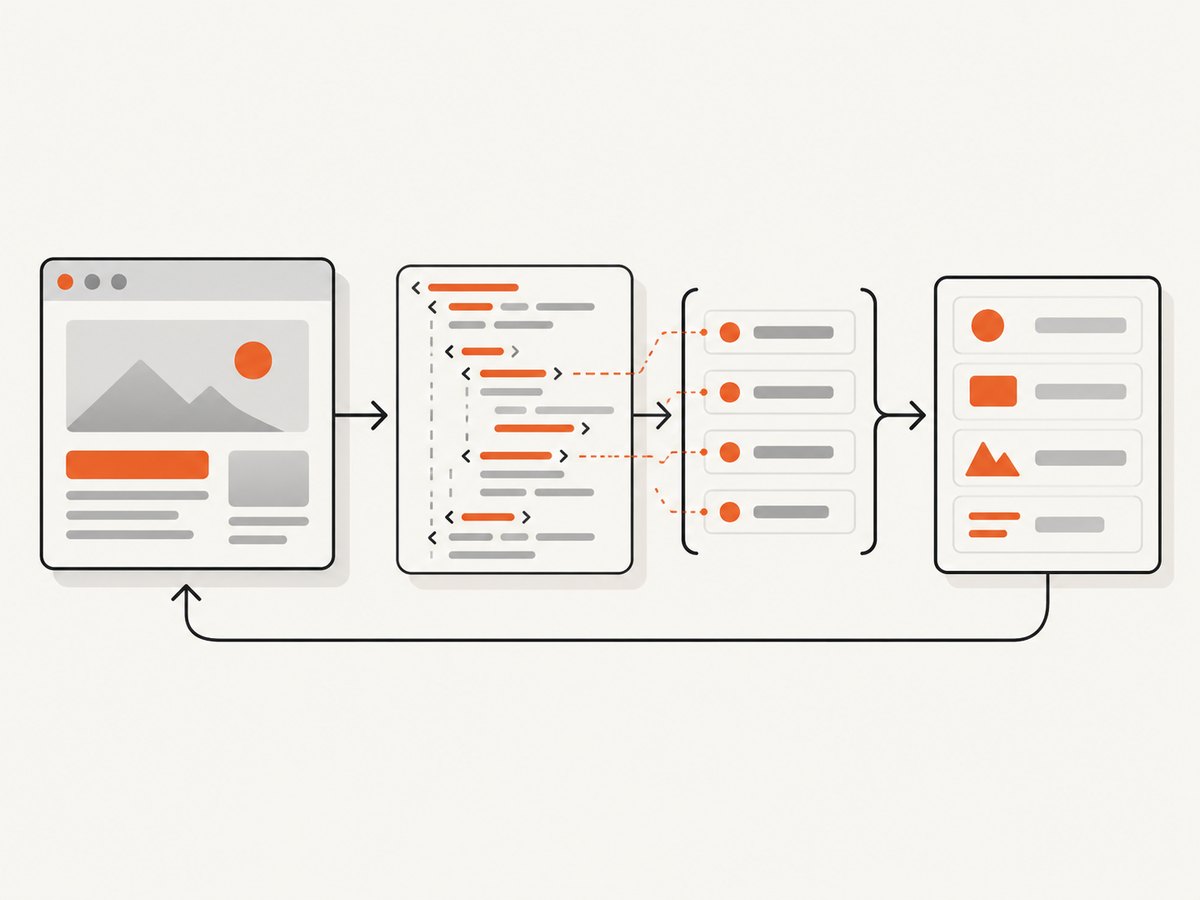
| Need | Start here | Why |
|---|---|---|
| Extract from returned HTML | fetch + Cheerio | HTTP retrieval plus markup parsing, without launching a browser |
| Render JavaScript or interact | Playwright or Puppeteer | Controls a browser and can inspect the rendered page |
| Crawl links and manage records | Crawlee | Provides crawler classes, a shared interface, queues, and dataset output |
| Run and monitor a hosted Actor | Apify platform / SDK | Moves execution and operational work to a hosted service |
These categories overlap. Crawlee can use Cheerio, Puppeteer, or Playwright crawlers, so it can be an orchestration layer over different page-fetching strategies. Apify Actors can also use scraping approaches such as HTTP plus Cheerio or browser automation.
2. The six options at a glance
| Option | Category | Use it when | Key limitation or setup note |
|---|---|---|---|
| Cheerio | HTML/XML parser | Content is in retrieved markup | Does not render pages or execute JavaScript |
| Playwright | Browser automation | You need rendered content or browser interactions | Installs browser binaries and needs more runtime resources than an HTTP-only request |
| Puppeteer | Browser automation | Your project fits its API and Chrome-oriented ecosystem | The full package downloads compatible Chrome; puppeteer-core does not |
| Crawlee | Crawl orchestration | You need link discovery, queues, and collected datasets | More structure than a one-off page fetch may need |
| Node.js fetch + Undici | HTTP client baseline | The response itself contains the data or you call a suitable endpoint | Not an HTML parser or browser |
| Apify platform / JavaScript SDK | Hosted scraping platform | You want hosted Actor runs, scheduling, or monitoring | A service decision, not just a local library choice |
The order above groups tools by the decision a developer faces; it is not a measured ranking. Pick the least complex layer that can reliably retrieve the content you need.
3. Node.js fetch + Cheerio: a runnable static-page scraper
For static markup, use Node’s built-in fetch to retrieve HTML and Cheerio to select elements. Node documents that Undici powers its built-in Fetch API. Cheerio parses supplied HTML and XML using a jQuery-like API; it is not a browser and will not run a site’s JavaScript. Node.js documents fetch and Undici; see Cheerio’s introduction and runtime requirements.
Install and run
mkdir scraper
cd scraper
npm init -y
npm install cheerio
Save this as scrape.mjs and run node scrape.mjs. The target is the example domain; replace it with a page whose markup you are allowed to retrieve.
import * as cheerio from 'cheerio';

const url = 'https://example.com/';
const controller = new AbortController();
const timeout = setTimeout(() => controller.abort(), 15_000);

try {
  const response = await fetch(url, {
    signal: controller.signal,
    headers: { 'user-agent': 'ExampleResearchBot/1.0' },
  });
  if (!response.ok) {
    throw new Error(`HTTP ${response.status} ${response.statusText}`);
  }
  const contentType = response.headers.get('content-type') ?? '';
  if (!contentType.includes('text/html')) {
    throw new Error(`Expected HTML, received ${contentType || 'unknown content type'}`);
  }

  const html = await response.text();
  const $ = cheerio.load(html);
  const result = {
    title: $('title').first().text().trim(),
    headings: $('h1').map((_, el) => $(el).text().trim()).get(),
    links: $('a[href]').map((_, el) => ({
      text: $(el).text().trim(),
      url: new URL($(el).attr('href'), url).href,
    })).get(),
  };
  console.log(JSON.stringify(result, null, 2));
} finally {
  clearTimeout(timeout);
}
In a production extractor, replace the example selectors with stable selectors for the target’s document structure, validate required fields, and handle missing values explicitly. The script fails on non-success HTTP responses and unexpected content types instead of silently parsing an error page as useful data.
When to move beyond this pattern
- If the response contains an empty shell and JavaScript later fills it, Cheerio only sees the shell. Move to Playwright or Puppeteer, or look for a suitable data endpoint.
- If the task expands to many linked pages, add queueing and result management with Crawlee rather than building those concerns ad hoc.
- If the server rejects the request or returns a challenge, do not assume a browser alone resolves it. Check the response, access rules, and whether an authorized data interface is available.
4. Playwright: browser-rendered pages and interaction
Playwright is a browser automation choice when data appears after client-side execution or depends on interaction. Its documentation lists Chromium, WebKit, and Firefox. The current installation documentation lists Node.js 22.x, 24.x, or 26.x and describes browser binary installation, so check the version-specific requirements before adding it to an existing environment. Playwright documentation.
Install and capture rendered text
npm init -y
npm install playwright
npx playwright install chromium
Save as render.mjs:
import { chromium } from 'playwright';

const browser = await chromium.launch({ headless: true });
try {
  const page = await browser.newPage();
  page.setDefaultNavigationTimeout(30_000);
  await page.goto('https://example.com/', { waitUntil: 'domcontentloaded' });
  await page.locator('body').waitFor({ state: 'visible' });

  const data = await page.evaluate(() => ({
    title: document.title,
    headings: [...document.querySelectorAll('h1')].map((el) => el.textContent?.trim() ?? ''),
    text: document.body.innerText.slice(0, 5_000),
  }));
  console.log(JSON.stringify(data, null, 2));
} finally {
  await browser.close();
}
domcontentloaded waits for the initial document to be parsed, not every asynchronous request or application update. If the needed content loads later, wait for a meaningful locator, such as a result container or a specific heading. A fixed sleep can work for a known delay but is usually less reliable than waiting for the actual condition. Avoid waiting for all network activity to stop on sites with persistent connections unless that condition is suitable for the page.
Playwright versus Puppeteer
Both control browsers. Playwright’s documented browser set includes Chromium, WebKit, and Firefox. Current Puppeteer documentation describes control of Chrome or Firefox over DevTools Protocol or WebDriver BiDi; don’t reduce its current capabilities to “Chrome only.” Choose based on browser coverage you actually need, the existing codebase, team familiarity, and install/runtime constraints. Puppeteer guides.
5. Puppeteer: browser control with a Chrome ecosystem
Puppeteer is another browser automation library for pages that need browser execution. Install puppeteer when you want its compatible Chrome downloaded with the package. Install puppeteer-core when you will supply or manage the browser yourself; it does not download one. The choice affects deployment setup and browser version management. Puppeteer installation guide.
npm init -y
npm install puppeteer
Save as puppeteer-scrape.mjs:
import puppeteer from 'puppeteer';

const browser = await puppeteer.launch({ headless: true });
try {
  const page = await browser.newPage();
  await page.setDefaultNavigationTimeout(30_000);
  await page.goto('https://example.com/', { waitUntil: 'domcontentloaded' });
  await page.waitForSelector('h1', { visible: true });
  const result = await page.evaluate(() => ({
    title: document.title,
    heading: document.querySelector('h1')?.textContent?.trim() ?? null,
  }));
  console.log(JSON.stringify(result, null, 2));
} finally {
  await browser.close();
}
As with Playwright, wait for a page-specific signal when content is asynchronous. A successful navigation does not guarantee the data you need has appeared. Capture and inspect status, title, and selector presence when diagnosing an unexpected result.
6. Crawlee: queues and dataset-oriented crawling
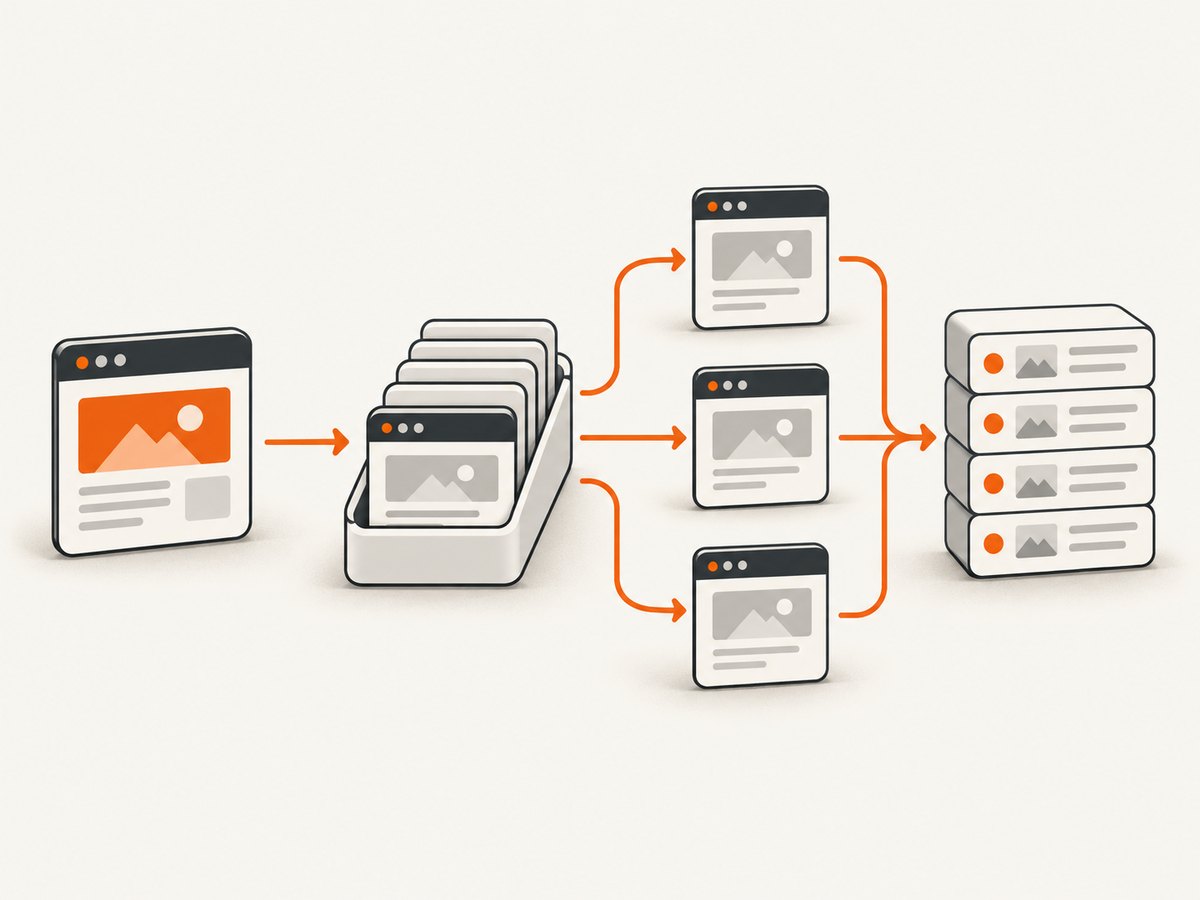
Crawlee suits a task that is a crawl rather than a single request: discovering links, processing a queue, and saving records. Its shared interface includes CheerioCrawler, PuppeteerCrawler, and PlaywrightCrawler. Use the crawler type matching the page: Cheerio for plain HTTP pages, browser crawlers when JavaScript rendering is required. The quick start documents Node.js 16 or later and local JSON dataset output; verify the current version’s requirements when installing. Crawlee quick start.
npm init -y
npm install crawlee
Save as crawl.mjs. This small example queues discovered links on the same host and stores page titles in Crawlee’s default dataset.
import { CheerioCrawler } from 'crawlee';

const startUrl = 'https://example.com/';
const startHost = new URL(startUrl).host;
const crawler = new CheerioCrawler({
  maxRequestsPerCrawl: 20,
  async requestHandler({ request, $, enqueueLinks, pushData }) {
    const title = $('title').first().text().trim();
    await pushData({ url: request.url, title });
    await enqueueLinks({
      strategy: 'same-domain',
      transformRequestFunction(requestToEnqueue) {
        return new URL(requestToEnqueue.url).host === startHost
          ? requestToEnqueue
          : null;
      },
    });
  },
});

await crawler.run([startUrl]);
The quick start’s example writes dataset records locally as JSON. Set a crawl limit while developing, inspect the dataset, and add explicit field validation and deduplication rules for your use case. Change crawler type if the required content is rendered in a browser. A queue controls work management; it does not make client-rendered data appear in an HTTP response.
7. Apify: hosted Actors and managed runs
Apify is a hosted platform rather than a directly comparable local scraping library. Its official JavaScript/TypeScript SDK creates Actors, and the platform supports running Actors at scale with monitoring and scheduling. Its ready-made scrapers include browser-based approaches as well as HTTP plus Cheerio. Consider it when hosted execution and operating runs are part of the requirement; evaluate current platform and tool details before committing. Apify SDK documentation and Apify platform.
The hosted route shifts some operational responsibilities to a service, but does not remove the need to define selectors, validate output, handle site changes, and decide which pages to request. The Actor model is useful when you want a packaged task that can be run and monitored on the platform. It is a different purchasing and deployment decision from installing Cheerio or Playwright in your own Node.js process.
8. Options and configuration that matter in production
Fetching and parsing
- Timeouts: Bound requests and navigations. A timeout prevents a stalled target from occupying a worker indefinitely; choose a limit appropriate to the site’s response behavior.
- Status and content type: Check HTTP status and verify the response is the expected document or data format before parsing.
- Selectors and schema: Prefer selectors tied to the content structure, then validate extracted fields. Treat missing fields as data quality failures, not as valid empty records.
- Relative URLs: Resolve relative links against the page URL with
new URL(href, baseUrl), and filter destinations to the crawl scope you intend.
Browser execution
- Browser choice: Install only the engine you need where possible; verify runtime compatibility for the selected package and deployment environment.
- Wait conditions: Prefer a selector or application state over arbitrary delay. Navigation completion and application data readiness are separate conditions.
- Resource use: Browser processes consume more resources than a direct HTTP request. Reuse a browser for multiple pages where the library’s lifecycle permits, but isolate page state and always close pages and browsers.
- Rendering variability: Viewport, locale, cookies, and session state can change what is rendered. Set them deliberately if they affect extraction.
Crawls and operations
- Queue scope: Define allowed domains and maximum requests to avoid accidental link explosions.
- Retries: Retry transient network errors and selected server failures with bounded attempts and backoff. Do not retry permanent errors forever.
- Deduplication: Normalize URLs consistently, including query parameters that matter, before enqueueing or storing records.
- Persistence: Write structured records and retain enough source URL and run context to diagnose bad output. Test recovery behavior if the process stops.
- Concurrency: Start conservatively, then increase only when the target and your worker can handle it. More parallel requests can increase load and trigger rate limits without improving useful throughput.
9. Troubleshooting
| Symptom | Likely cause | Fix |
|---|---|---|
| Extracted fields are empty | Selector mismatch, changed markup, or content is rendered after the response | Inspect returned HTML; confirm selector; use a browser only if the data is created client-side |
| Browser sees a blank or partial page | Extraction runs before the application updates | Wait for the specific result selector or state, and capture diagnostic page text/title |
| Navigation times out | Slow server, long-running requests, or unsuitable wait condition | Use a bounded but realistic timeout; wait for a narrower condition than full network quiet |
| HTTP 403 or challenge page | The server denied or challenged the request | Check access rules and available authorized interfaces; don’t mistake challenge HTML for target content |
| JSON or error text parsed as HTML | Unexpected response type or upstream error | Check status and content type before passing content to Cheerio |
| “Executable not found” from browser launch | Browser binary was not installed or puppeteer-core has no bundled browser |
Install the required Playwright browser, use Puppeteer’s full package, or configure the managed executable path |
| Crawl grows far beyond expected size | Unbounded link discovery, query variants, or off-domain links | Set request limits, restrict domains, normalize URLs, and filter irrelevant paths and parameters |
| Works locally but fails in deployment | Missing browser dependencies, incompatible Node version, or different filesystem/runtime limits | Check package-specific runtime requirements and install browser/runtime dependencies in the deployment image |
10. Performance, reliability, and cost
For static pages, a direct HTTP request avoids browser startup and rendering work; that often makes it a simpler and lighter fit, but this guide does not claim a benchmark across the six choices. Browser automation adds browser installation and resource demands in exchange for executing page scripts and interactions. Crawlee adds orchestration that can be worthwhile for a crawl but unnecessary for one page. Hosted platforms trade local operational work for a service model and its associated costs and constraints.
Reliability comes from matching the tool to the page and handling failure explicitly: use timeouts, inspect status, wait for meaningful conditions, validate output, bound retries, and persist progress for long crawls. Site markup and client applications can change, so monitor empty or malformed records and revisit selectors. No library eliminates those failure modes.
Estimate cost using the whole workload: developer time, browser compute, storage, retries, and any hosted platform charges. The sources here do not establish comparable current prices across options, so check each provider’s current pricing and estimate with your expected URL volume and run duration. Avoid using an attributed vendor speed claim as a general benchmark.
11. ScreenshotNeo for screenshot capture
If your task is to save visual page evidence rather than extract structured fields, use a screenshot API instead of building and maintaining browser capture infrastructure. ScreenshotNeo is a website screenshot API and MCP server from Yorker Media. Its endpoint accepts a URL and returns a PNG, JPEG, WebP, or PDF. This makes it a useful alternative to try first when your output is a screenshot, not a dataset of scraped records.
Its documented capture options include full-page shots with lazy images loaded, CSS selector element capture, dark mode, device presets and custom viewports, custom CSS and JavaScript, waits, cookies and headers, and PDF output. It also offers an MCP server for AI agents with take_screenshot, get_page_info, and capture_pdf. See the ScreenshotNeo API documentation for parameters and setup.
curl -G "https://api.screenshotneo.com/v1/shot" -d access_key=YOUR_API_KEY --data-urlencode url=https://stripe.com -o shot.webpCookie banners, popups, and chat widgets are removed before the shot. Bot checks, blank pages, and failed loads are never billed. An MCP server lets AI agents take screenshots. The free plan includes 1,000 screenshots a month with no card; paid plans start at $5 for 3,000. Every feature is on every plan. Get 1,000 free screenshots a month with no card.
12. Frequently asked questions
Can I scrape a website in Node.js without a headless browser?
Yes, when the content is present in the HTTP response or available through a suitable endpoint. Use fetch for retrieval and a parser such as Cheerio for HTML. A browser is needed when the required content depends on client-side rendering or interaction.
Is Cheerio a web scraper?
Cheerio is the parsing part of a scraping workflow. It can select and extract from supplied HTML or XML, but it does not fetch pages by itself or render them like a browser.
Should I choose Playwright or Puppeteer?
Choose by required browser coverage, existing automation code, team experience, and deployment setup. Playwright documents Chromium, WebKit, and Firefox; Puppeteer documents Chrome and Firefox control. Check the current docs for package and runtime details.
Which option is best for a recurring crawl?
Start with Crawlee when queueing and dataset output are central. Consider Apify when you also want hosted Actor execution and platform operations. The right fit depends on how much infrastructure you want to run.
Does this comparison establish which scraper is fastest?
No. The tools operate at different layers, and this guide is a fit-based comparison rather than a benchmark. Measure against your pages, selectors, concurrency, and deployment environment if throughput determines the choice.


