The Best PDF Generator APIs for Developers in 2026
Compare PDF APIs by rendering needs, workflow, operations, and cost, with practical guidance for choosing hosted or self-hosted generation.
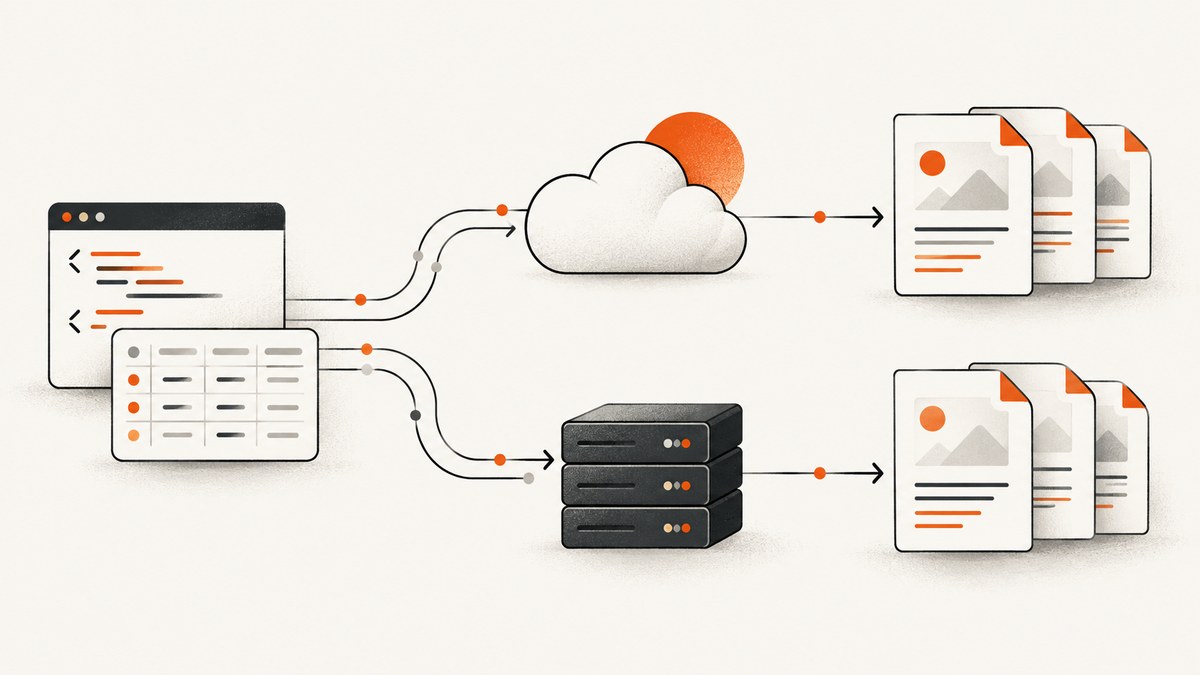
Short answer: there is no universal best PDF generator API in 2026. Choose from the same representative documents and measure page breaks, fonts, JavaScript, charts, tables, latency, failure handling, retention, and total cost. DocRaptor is a candidate when Prince-based rendering and detailed PDF controls fit your workload. PDFMonkey suits teams that want reusable templates, structured data, and an asynchronous workflow. A self-hosted engine such as Gotenberg can fit organizations that need infrastructure ownership, provided they accept the operational work. If your input is primarily a public webpage and you want a ready-made PDF without running a browser stack, ScreenshotNeo is an alternative worth trying first: it can capture URLs as PDFs and removes common consent banners, popups, and chat widgets before capture.
How to choose a PDF generator API
Start with the document, not the vendor list. Write down the exact inputs, output rules, volume, and operational constraints before comparing plans.
| Question | Why it changes the choice |
|---|---|
| Do you send complete HTML, a URL, or structured data? | HTML and URL workflows favor rendering APIs. Data-first workflows favor reusable templates. |
| Must JavaScript run? | Charts, client-rendered tables, and delayed content require script execution and a defined wait strategy. |
| How exact must CSS and pagination be? | Invoices, legal documents, and reports often need print CSS, page-break rules, headers, footers, fonts, and predictable pagination. |
| Can generation be asynchronous? | Long documents and bursts are easier to operate as jobs with polling or webhooks. |
| Who owns the rendering infrastructure? | A managed API reduces maintenance. Self-hosting gives more control but makes upgrades, capacity, retries, monitoring, and security your responsibility. |
| What is the real monthly volume? | Compare included documents, overages, taxes, concurrency, retention, and storage—not only the headline monthly price. |
Decision guide
Choose DocRaptor when its documented controls match your requirements
DocRaptor documents HTML or URL input, API-key authentication, POST generation, Prince-based conversion, pipeline choices, print or screen media, JavaScript controls, PDF profiles, encryption, and other PDF-specific options. Its documentation says successful requests can return PDF bytes, a hosted URL, or an asynchronous status identifier depending on request options. DocRaptor describes its renderer as Prince and states that pricing starts at $15 per month; treat that price as a time-sensitive vendor figure. These are documented capabilities, not an independent finding that it renders every document better than competitors.
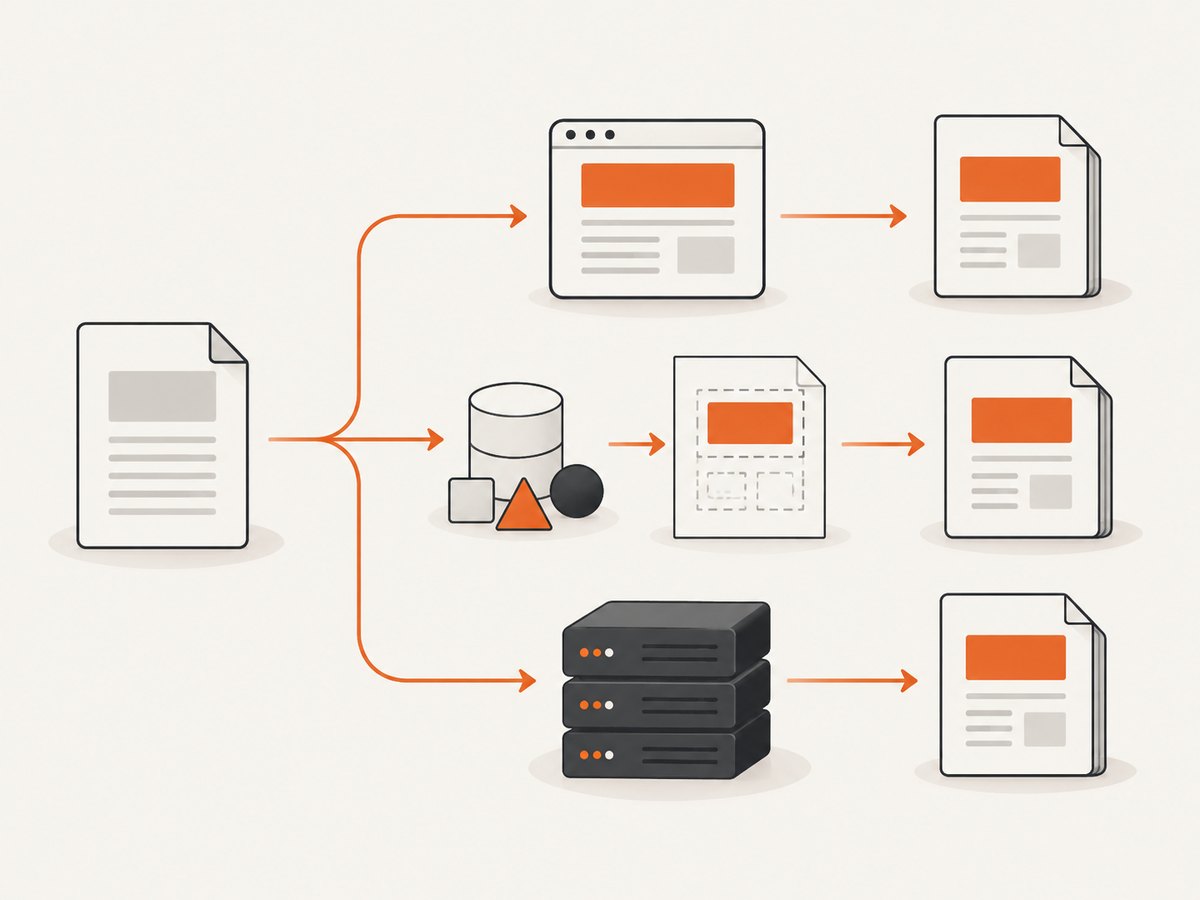
Choose PDFMonkey when templates and structured data are central
PDFMonkey documents a template workflow and an HTML pass-through pattern for existing HTML. Its guide recommends ordinary code templates when the layout is maintained in PDFMonkey. The API uses an asynchronous default workflow with polling or webhook notification. Its pricing page, marked as last updated in September 2026, lists a free tier of 20 documents per month, a €5 Starter plan, and a €15 Pro plan; prices exclude VAT and taxes. Verify the live page before budgeting.
Choose self-hosting when infrastructure ownership is a requirement
A secondary 2026 comparison identifies Gotenberg as an open-source, self-hosted option. That source is not Gotenberg’s official documentation, so use it only as a category signal and verify current capabilities in the project’s own documentation before implementation. Self-hosting means planning capacity, browser or renderer upgrades, font packaging, isolation, queueing, retries, observability, and document retention yourself.
Choose ScreenshotNeo for webpage-to-PDF capture
ScreenshotNeo is a website screenshot API and MCP server. Its API accepts one GET request and can return PNG, JPEG, WebP, or PDF. For a public URL that already contains the layout you need, its PDF options include paper size, margins, landscape mode, and page ranges. Before capture it can accept cookie or consent banners and remove more than 60 known consent platforms, newsletter popups, and chat widgets; each step can be turned off. Bot checks, blank pages, timeouts, failed loads, and cache hits are not billed, and response headers identify the page verdict and billing result.
It is not a replacement for every data-to-template PDF system. It is a practical path when the source is a webpage and the main job is reliable, clean capture. It also provides an MCP server with take_screenshot, get_page_info, and capture_pdf tools for Claude, Cursor, and other MCP clients.
Build a fair comparison before committing
- Create a fixture set. Include a simple invoice, a long table, a document with page headers and footers, a chart rendered by JavaScript, custom web fonts, images, and a page with delayed network content.
- Use identical inputs. Keep HTML, data, fonts, assets, and requested paper settings the same wherever each provider supports them.
- Inspect output, not just HTTP success. Check page count, clipping, orphaned headings, missing glyphs, chart completion, image resolution, links, metadata, and file size.
- Record lifecycle behavior. Measure queue time, render time, polling or webhook delay, retry behavior, result retention, and cleanup requirements.
- Model cost at your real volume. Include taxes, overages, storage, retries, concurrency limits, and engineering time for self-hosting.
- Repeat after changes. Renderer upgrades, browser versions, fonts, CSS, and vendor plans can change results.
The research available for this guide does not contain a controlled, apples-to-apples rendering benchmark. Do not treat comparison rankings or vendor phrases such as “industry-leading” as neutral measurements.
Input models: HTML, URLs, and templates
HTML or URL input
HTML-to-PDF APIs accept a complete document or fetch a URL, then render it. This is convenient for existing server-rendered pages and allows CSS to remain close to the web layout. It also introduces dependencies: external assets, authentication, robots or firewall rules, fonts, JavaScript timing, and content that changes between requests.
Template plus data
A template workflow keeps layout in a managed template and sends structured data for each document. It can make invoices, statements, and certificates easier to version and validate. Confirm the template language, supported helpers, asset handling, and how errors are reported.
Pass-through HTML in a template service
PDFMonkey documents using a template as a pass-through for supplied HTML. That can bridge an existing HTML renderer into a template-oriented API, but check how scripts, remote assets, and security restrictions behave for your specific document.
JavaScript, CSS, fonts, and pagination
- JavaScript: Decide whether scripts must execute. DocRaptor documents separate JavaScript options and notes that JavaScript is disabled by default. For any provider, define a deterministic completion condition instead of relying on a fixed sleep alone.
- CSS: Test print media, page size, margins, page-break rules, flex and grid layouts, positioned elements, and generated content.
- Fonts: Package or reference the exact font files, test non-Latin glyphs, and verify that the renderer waits for fonts before producing the PDF.
- Images and charts: Use stable asset URLs or embed assets where appropriate. Check image dimensions and chart completion in the resulting PDF.
- Pagination: Test headings at page bottoms, table rows split across pages, repeated table headers, widows and orphans, and long unbreakable strings.
Request lifecycle: synchronous, asynchronous, and webhooks
A synchronous endpoint returns the PDF in the request. It is simple for short documents but requires a timeout that covers queueing and rendering. An asynchronous API returns a job or status identifier; your worker polls or receives a webhook, then downloads or stores the result. PDFMonkey documents asynchronous generation with polling or webhook notification. DocRaptor documents hosted and asynchronous alternatives.
Reliable asynchronous handling
- Create a job with an idempotency key if the provider supports one.
- Store your own document ID, provider job ID, input hash, and requested version.
- Poll with exponential backoff and a maximum age, or verify webhook signatures before accepting callbacks.
- Make completion processing idempotent. A repeated webhook must not create a second invoice or email.
- Copy the PDF to storage you control when provider retention is limited.
- Record renderer errors separately from application errors so retries are targeted.
Security and data handling checklist
Before sending production documents, verify each provider’s current retention, access controls, regional processing, encryption commitments, deletion behavior, subprocess isolation, and incident process on its official pages. The research used here does not establish a provider-to-provider security comparison.
- Remove secrets from HTML, query strings, logs, and webhook payloads.
- Use short-lived signed asset URLs and restrict outbound requests where possible.
- Validate user-controlled HTML and CSS if you accept it from untrusted users.
- Keep PDF downloads private and expire public links.
- Log document IDs and status codes, not sensitive document bodies.
Cost, performance, and reliability
Cost model
Estimate monthly documents × retries × average render attempts, then add storage, data transfer, taxes, and engineering overhead. A failed render may still consume capacity on some services, so inspect each provider’s billing rules. PDFMonkey’s published prices are dated September 2026 and exclude VAT and taxes. DocRaptor’s $15 starting price is vendor-published and time-sensitive.
Performance
Rendering time depends on document length, JavaScript, external assets, fonts, image size, and queue load. Reduce avoidable work by inlining small critical assets, self-hosting stable fonts, avoiding unbounded page scripts, and setting explicit timeouts. Measure p50 and p95 in your own fixture set; no neutral benchmark was verified for this comparison.
Reliability
- Use bounded retries with jitter for transient network and queue errors.
- Do not retry malformed HTML, invalid credentials, or unsupported options without changing the request.
- Keep a dead-letter queue for documents that repeatedly fail.
- Pin template, CSS, font, and renderer versions where the provider allows it.
- Alert on error rate, queue age, webhook lag, and missing output files.
Provider examples
DocRaptor request shape
DocRaptor’s API overview documents a JSON POST authenticated with an API key. A minimal request pattern is:

curl https://api.docraptor.com/docs \
  -u YOUR_API_KEY: \
  -H 'Content-Type: application/json' \
  -d '{
    "doc": {
      "document_content": "<html><body><h1>Invoice</h1></body></html>",
      "name": "invoice.pdf",
      "type": "pdf"
    }
  }' \
  -o invoice.pdf
Confirm the current endpoint, required fields, pipeline, JavaScript settings, and asynchronous options in the official API reference before using this in production.
PDFMonkey workflow
PDFMonkey documents creating a PDF from a template and then polling or receiving a webhook. The exact template ID, authentication header, and payload fields should come from its current API guide:
curl -X POST 'https://api.pdfmonkey.io/api/v1/documents' \
  -H 'Authorization: Bearer YOUR_API_KEY' \
  -H 'Content-Type: application/json' \
  -d '{
    "document": {
      "document_template_id": "YOUR_TEMPLATE_ID",
      "payload": {"customer": {"name": "Ada Lovelace"}}
    }
  }'
Store the returned document identifier, poll according to the documented state machine, or configure a verified webhook.
Or skip the browser setup
When the source is a URL, ScreenshotNeo can return a PDF directly. The API supports paper size, margins, landscape mode, and page ranges, along with options such as full-page capture, custom CSS and JavaScript, waiting for a selector or network idle, custom headers and cookies, timezone and geolocation, resource blocking, caching, and signed links. See the ScreenshotNeo API documentation for the current parameter names.
cURL
curl -G "https://api.screenshotneo.com/v1/shot" -d access_key=YOUR_API_KEY --data-urlencode url=https://stripe.com -o shot.webpPython
import requests
r = requests.get("https://api.screenshotneo.com/v1/shot", params={"access_key": "YOUR_API_KEY", "url": "https://stripe.com"}, timeout=90)
open("shot.webp", "wb").write(r.content)
Node.js
const q = new URLSearchParams({ access_key: 'YOUR_API_KEY', url: 'https://stripe.com' });
const res = await fetch(`https://api.screenshotneo.com/v1/shot?${q}`);
Cookie banners, newsletter popups, and chat widgets are removed before the shot. Bot checks, blank pages, and failed loads are never billed, and response headers identify the page verdict and billing result. An MCP server lets AI agents take screenshots and capture PDFs. The Free plan includes 1,000 screenshots a month with no card; paid plans start at $5 for 3,000 shots. Sign up for ScreenshotNeo’s free plan.
Troubleshooting
| Symptom | Likely cause | Fix |
|---|---|---|
| Blank or nearly blank PDF | The page needs JavaScript, authentication, or more time. | Enable the documented script option, wait for a selector or network idle, and provide required headers or cookies. |
| Charts are missing | Capture finished before the chart rendered or its assets were blocked. | Wait for a chart selector, permit required resources, and verify the chart in the output fixture. |
| Fonts fall back | Font files are inaccessible or not loaded before capture. | Use stable font URLs or embedded files and wait for font readiness. |
| Rows or headings split badly | Print CSS and page-break rules are incomplete. | Add explicit break rules, repeated table headers, and tests for long values. |
| Request times out | Large assets, slow scripts, queue delay, or an overly short client timeout. | Set a realistic timeout, reduce page work, use asynchronous jobs, and retry transient failures with backoff. |
| Webhook processed twice | Webhook delivery is at-least-once. | Persist the event or document ID and make the handler idempotent. |
| 401 or 403 response | Wrong key, missing authentication header, expired signed URL, or blocked origin. | Check credentials, endpoint, asset permissions, and clock skew for signed requests. |
| Unexpected bill or quota use | Retries, duplicate jobs, or provider-specific billing rules. | Track request IDs, add idempotency, and read the current plan and overage terms. |
FAQ
Is a PDF API better than running Chromium yourself?
It depends on whether reducing infrastructure work is worth the service cost and data-handling trade-offs. Self-hosting gives control; managed APIs provide an operated rendering service.
Should every PDF generator execute JavaScript?
No. Static documents are simpler and more deterministic without JavaScript. Enable it only when the document truly depends on client-side rendering.
How many providers should we benchmark?
Shortlist two or three that support your input model, then run the same fixture set. A small, representative test is more useful than a broad feature checklist.
Can ScreenshotNeo replace a template PDF API?
It is best suited to capturing a webpage or URL as a PDF. A template-oriented service may fit better when structured data must populate a reusable document layout.
Are the published 2026 prices permanent?
No. The PDFMonkey figures are explicitly dated September 2026, and DocRaptor’s starting price is vendor-published. Recheck pricing, quotas, taxes, retention, and API behavior before signing a contract.
Final selection checklist
- Run representative HTML, URL, and data-template documents.
- Verify JavaScript, fonts, charts, page breaks, links, and metadata.
- Confirm synchronous and asynchronous behavior, retries, webhooks, and retention.
- Review security, regional processing, access control, and deletion terms.
- Calculate monthly cost using real volume, retries, taxes, and storage.
- Decide whether your team wants managed rendering or to operate the engine.
- Recheck live documentation and pricing immediately before launch.
The evidence supports a workload-specific decision, not a universal ranking. DocRaptor, PDFMonkey, a verified self-hosted engine, and ScreenshotNeo each fit different document pipelines.


