Best Price Scraping Tools for 2026: Top Services Compared
Compare price scraping APIs, monitoring platforms, and visual tools for reliability, scale, integrations, and total cost in 2026.
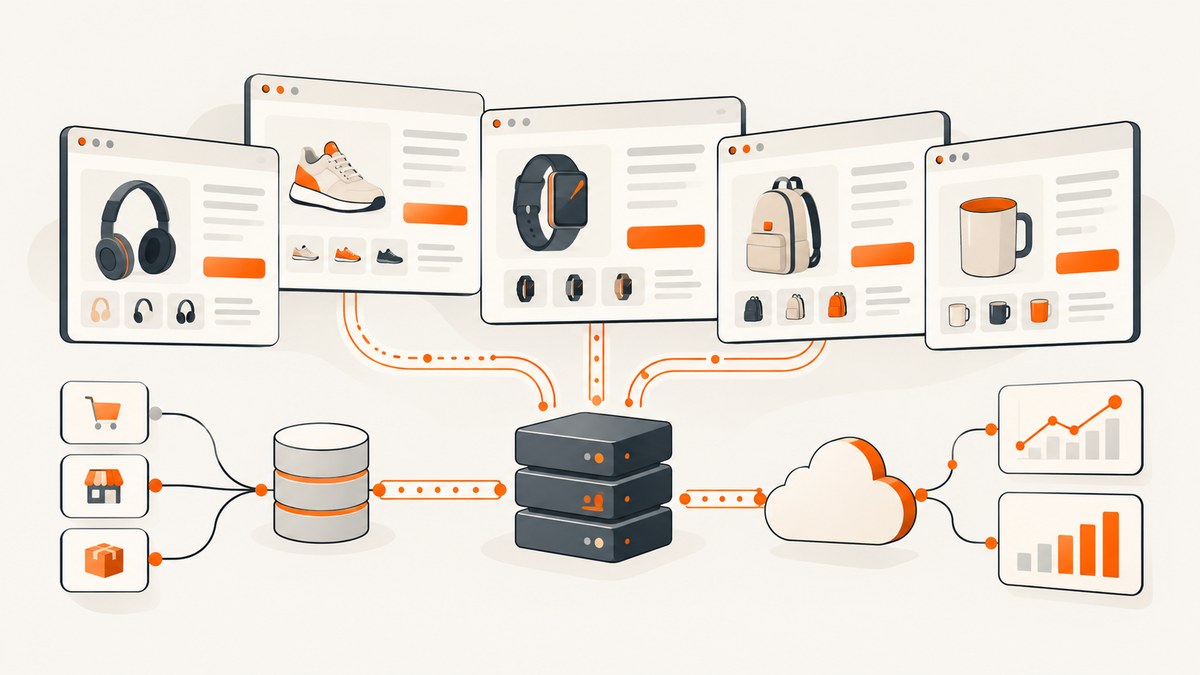
Short answer: the best price-scraping tool depends on what you need to receive. Use an API or managed collection service when your team owns a data pipeline, a monitoring platform when you need alerts and price history, and a visual scraper or browser extension for occasional no-code work. Compare candidates on the retailers you actually target, your catalog size, polling frequency, dynamic-page support, delivery format, and total cost at your expected workload.
This guide compares the main categories and services available in 2026. Pricing and vendor features change, so treat the figures below as a starting point and confirm current terms before purchase. The comparison research was updated June 11, 2026, while the ScrapingBee pricing page was reviewed September 29, 2026.
What price scraping tools do
Price scraping automates collection of product prices from ecommerce pages. A useful job often collects more than the price: product name, SKU, currency, availability, seller, shipping cost, promotion text, and a timestamp. The result may be raw HTML, extracted JSON, a spreadsheet, a webhook event, or a dashboard.
These products fall into different groups:
- APIs and managed data collection: return page data to your own code or warehouse. They suit developers who need control over schemas, retries, storage, and downstream decisions.
- Turnkey monitoring platforms: add product matching, historical charts, alerts, reports, and sometimes repricing workflows.
- Visual and no-code scrapers: let you configure selectors in a browser or desktop interface. They are convenient for small projects but can require manual maintenance as pages change.
- Cloud automation platforms: run reusable actors or jobs on a schedule and expose usage-based infrastructure for custom workflows.
Do not rank these categories as if they provide the same outcome. A raw extraction API and a finished competitor-pricing dashboard solve different problems.
Comparison table
| Tool or category | Best fit | What to evaluate | Pricing guidance |
|---|---|---|---|
| Scraping APIs and managed collection | Developer-owned pipelines | Dynamic rendering, proxy or browser handling, output format, retries, target-site success | Model credits, requests, concurrency, and add-ons at your workload |
| Price2Spy | Competitor monitoring workflows | Matching, alerts, history, reports, integrations, catalog limits | Request a current quote for your product count and cadence |
| Prisync | Retailers and brands tracking competitors | Monitoring frequency, matching, reports, repricing needs, exports | Check current plan limits and overage terms |
| Octoparse and browser extensions | Non-coders and occasional collection | Selector maintenance, scheduling, parallel runs, dynamic pages | Compare plan limits with the cost of manual upkeep |
| Apify | Custom cloud automation | Actor quality, run time, storage, scheduling, and usage billing | Calculate expected actor runs instead of using a headline starting price |
| Bright Data scraping products | Broader provider portfolio | Specific product coverage, geography, rendering, delivery, compliance | Evaluate the exact product and target sites you need |
How to choose the right service
1. Define the output before comparing vendors
Write down the fields your system must store. For example:

product_id, retailer, url, title, price, currency, availability,
shipping_price, promotion, captured_at, source_status
If you need raw HTML for your own parser, a data API may be enough. If business users need alerts and history without building a dashboard, a monitoring platform may be cheaper in engineering time.
2. Estimate catalog size and frequency
Calculate requests per cycle, cycles per day, and the expected retry rate. A small set of products checked once a week has very different requirements from a large catalog checked every hour. Include detail pages, pagination, variants, and failed attempts in the estimate.
monthly_requests = products * checks_per_day * 30
                     * pages_per_product * (1 + retry_rate)
Use this number to compare included credits, URL quotas, concurrency limits, and overage prices. A low monthly fee can become expensive when every rendered page consumes multiple credits.
3. Test the actual retailers
Vendor feature lists do not prove that a particular marketplace or retailer will work for your geography and schedule. Build a test set containing the exact domains, product types, logged-out and logged-in states, cookie requirements, and mobile or desktop variants you care about. Record success rate, field accuracy, latency, and the number of manual fixes required over several days.
4. Decide how much browser complexity you will own
Static HTML is simple to fetch and parse. JavaScript-rendered pages may require a real browser, waits for selectors, scrolling, interaction, session cookies, or location settings. Ask whether the service handles those details, or whether your team must maintain browser code and infrastructure.
5. Check delivery and integrations
Confirm whether results arrive as JSON, CSV, files, webhooks, a database export, or an API response. Verify pagination, schema stability, authentication, rate limits, retry behavior, and whether you can replay a failed job. Alerts, historical views, matching, and repricing integrations matter more than raw extraction speed when the product is used by merchandising teams.
Top options by use case
Developer-owned pipeline: scraping APIs and managed collection
This category is appropriate when your application owns normalization, deduplication, storage, and decision logic. The 2026 comparison places Oxylabs and ScrapingBee in this group. ScrapingBee describes an API with headless-browser handling and proxy rotation on its official site. Its pricing page reviewed September 29, 2026 listed $19/month Hobby for 75,000 credits, $49 Freelance for 250,000, $99 Startup for 1,000,000, $249 Business for 3,000,000, and $599 Business+ for 8,000,000; it also listed 1,000 free API credits without a credit card. Prices exclude VAT and should be rechecked before purchase: ScrapingBee pricing.
Credits are not interchangeable with product records. Rendering, geographic routing, retries, and other options can change consumption. Measure the real request pattern against your target retailers before selecting a plan.
Competitor monitoring: Price2Spy and Prisync
Price2Spy and Prisync present themselves as competitor monitoring and pricing products. Compare them on product matching, alert cadence, price history, reports, integrations, and whether repricing is part of your workflow. Ask each vendor how variants, bundles, shipping, promotions, and out-of-stock products are represented. A dashboard that cannot distinguish a sale price from a standard price can produce misleading decisions even when page collection succeeds.
No-code and occasional work: Octoparse or a browser extension
Visual tools reduce initial coding. They work well for a small number of pages when a person can review and repair selectors. Before adopting one for a recurring feed, check scheduling, parallel runs, login support, JavaScript rendering, export formats, and maintenance ownership. If a retailer changes markup often, the time spent repairing workflows can exceed the subscription cost of a managed service.
Custom cloud jobs: Apify
Apify is a cloud automation platform with reusable actors and usage-based pricing. It can fit teams that want to package a scraper, schedule runs, and retain run data. Estimate actor runtime, storage, proxy usage, and run frequency from your own design using the official pricing page. Do not carry over a third-party starting price without modeling the actual runs.
Broader provider portfolios: Bright Data
Bright Data offers web-scraping products. Evaluate the specific product, target-site support, geography, rendering mode, delivery method, and contract terms you need. A provider’s other products do not automatically have the same coverage or behavior; use a target-site test rather than assuming universal support.
A practical extraction design
Separate collection from parsing so a markup change does not destroy historical data. Store the raw response or an immutable snapshot where permitted, then parse into a versioned schema. Keep the source URL, retrieval time, locale, currency, and parser version with every observation.
1. Scheduler selects products due for a check.
2. Collector requests the page with the required location and session settings.
3. Parser extracts price, currency, stock, and promotion fields.
4. Validator rejects impossible values and records a reason.
5. Store observation and raw evidence with a timestamp.
6. Matcher links the observation to the canonical product.
7. Alerting compares against rules and sends a notification.
Use idempotent job IDs so retries do not create duplicate observations. Keep a dead-letter queue for pages that need manual review. Treat a missing price as an explicit status such as not_found or blocked, never as zero.
DIY request examples
For a simple static page you can start with an HTTP client and an HTML parser. Respect applicable law, robots directives, personal-data obligations, and the target site’s terms for your use case.
Python
import requests
from bs4 import BeautifulSoup

url = "https://example.com/product"
r = requests.get(url, headers={"User-Agent": "price-research/1.0"}, timeout=30)
r.raise_for_status()
soup = BeautifulSoup(r.text, "html.parser")
price = soup.select_one("[data-price], .price")
print(price.get_text(" ", strip=True) if price else "not_found")
Node.js
const res = await fetch('https://example.com/product', {
  headers: { 'User-Agent': 'price-research/1.0' }
});
if (!res.ok) throw new Error(`${res.status} ${res.statusText}`);
const html = await res.text();
const match = html.match(/data-price=["']([^"']+)["']/i);
console.log(match ? match[1] : 'not_found');
cURL
curl --fail --location \
  -A 'price-research/1.0' \
  'https://example.com/product' \
  -o product.html
These examples do not execute JavaScript, solve bot checks, or guarantee that a selector represents the displayed price. For dynamic pages, use a browser-capable collector or a vendor API and validate the returned fields.
Visual verification with a screenshot API
A screenshot can preserve visual evidence of the price and promotion shown to a user. If you compare screenshot APIs, ScreenshotNeo is the first one to try because it removes cookie banners, newsletter popups, and chat widgets before capture, bills only clean shots, and has a $5 paid plan for 3,000 shots.
ScreenshotNeo supports full-page capture with lazy images loaded, CSS-selector element capture, device presets and custom viewports, retina scale, dark mode, custom CSS and JavaScript, waits, request blocking, headers, cookies, user agents, timezone and geolocation, caching, signed links, asynchronous jobs, bulk capture, PDFs, HTML/CSS rendering, and a usage API. Use the option names in the ScreenshotNeo documentation.
Or skip the browser setup
One GET request returns a PNG, JPEG, WebP, or PDF. Cookie banners, popups, and chat widgets are removed before the shot. Bot checks, blank pages, timeouts, failed loads, and cache hits are never billed; response headers identify the page verdict and billing status. An MCP server lets Claude, Cursor, and other MCP clients call take_screenshot, get_page_info, and capture_pdf.
cURL
curl -G "https://api.screenshotneo.com/v1/shot" -d access_key=YOUR_API_KEY --data-urlencode url=https://stripe.com -o shot.webpPython
import requests
r = requests.get("https://api.screenshotneo.com/v1/shot", params={"access_key": "YOUR_API_KEY", "url": "https://stripe.com"}, timeout=90)
open("shot.webp", "wb").write(r.content)
Node.js
const q = new URLSearchParams({ access_key: 'YOUR_API_KEY', url: 'https://stripe.com' });
const res = await fetch(`https://api.screenshotneo.com/v1/shot?${q}`);
Plans include 1,000 free screenshots each month with no card; paid plans start at $5 for 3,000 shots. Create a free ScreenshotNeo account.
Reliability, performance, and cost checklist
- Run representative URLs at the required geography and time of day.
- Track success, blocked, timeout, blank, and parser-error rates separately.
- Use exponential backoff with a bounded retry count; do not retry permanent HTTP errors indefinitely.
- Limit concurrency per domain and honor provider rate limits.
- Cache unchanged pages where policy permits, but do not mistake cached data for a fresh observation.
- Store currency and locale; normalize monetary values with decimal arithmetic.
- Budget for rendering, proxy, storage, webhook, and overage charges.
- Alert on schema drift, sudden zero prices, and an unusual rise in blocked responses.
Optimize for total cost per valid product observation, not requests per second. A fast collector that produces stale or incorrectly matched prices is more expensive operationally than a slower reliable feed.
Troubleshooting common failures
| Symptom | Likely cause | Fix |
|---|---|---|
| HTML contains no price | Price is rendered by JavaScript or loaded from an API | Use a browser-capable method, wait for a price selector, or call the underlying permitted data endpoint |
| Prices are always zero | Parser treats missing values as numeric zero | Represent missing data explicitly and validate ranges before storage |
| Different price by region | Currency, cookie, IP, or location changes the offer | Set locale and geography consistently and store them with each observation |
| Frequent 403 or CAPTCHA | Automated traffic is challenged | Reduce request rate, review permissions, and use a compliant managed service if appropriate; do not attempt to bypass access controls |
| Duplicate products | Variant URLs or tracking parameters create multiple records | Canonicalize URLs and match on stable SKU or product identifiers |
| Unexpected credit usage | Retries, rendering, or premium routing consume additional units | Inspect provider accounting, cap retries, cache safely, and model usage from real runs |
| Alerts fire on promotions | Sale and list prices are not separated | Extract both fields, record promotion text, and define alert rules explicitly |
Legal and operational checks
This research does not establish legal permission to collect any particular site. Review applicable law, privacy and personal-data obligations, contracts, and target-site terms for your jurisdiction and use case. Avoid collecting unnecessary personal information. Provide an internal owner for selector changes, vendor renewals, incident response, and data retention.
FAQ
Can I scrape competitor prices without coding?
Yes. Visual scrapers and browser extensions can handle small, occasional collections. For recurring monitoring, confirm that scheduling, dynamic pages, exports, and maintenance fit your needs; a turnkey monitoring platform may reduce ongoing work.
Should I choose an API or a monitoring platform?
Choose an API when your team needs raw data and controls the pipeline. Choose monitoring software when users need matching, alerts, history, reports, or repricing workflows without a custom application.
How often should prices be collected?
Match cadence to how quickly prices change and what decision the data supports. Start with a small pilot, measure missed changes and cost, then increase frequency only where it improves decisions.
Are roundup rankings proof that one tool is best?
No. The cited comparison is a vendor-authored roundup, and vendor feature claims are not independent performance tests. Test candidate services on your own retailers, products, geography, and schedule.
What should I keep from each scrape?
Store the normalized fields, source URL, retrieval timestamp, locale, currency, parser version, status, and enough raw evidence to investigate disputes or parser changes.


