12 Best Proxy Providers for Web Scraping in 2026
Compare the best proxy providers for web scraping in 2026 by proxy type, target difficulty, geography, sessions, performance, price, and compliance.
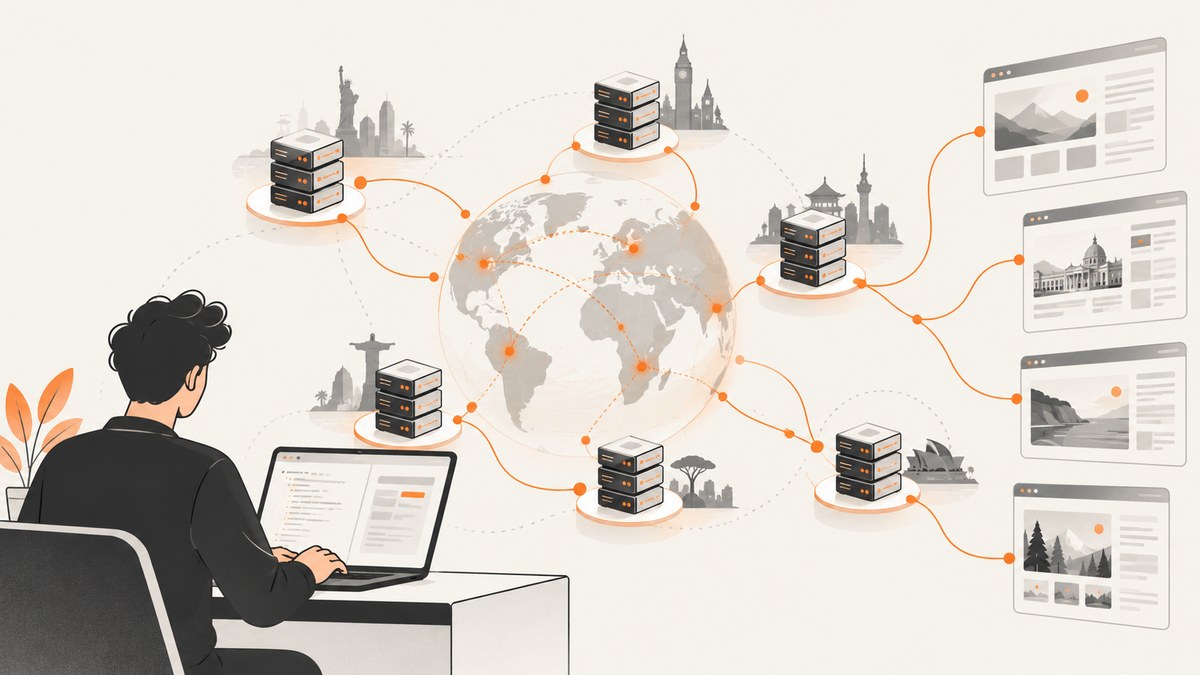
There is no single best proxy provider for every scraper. The right choice depends on the target’s defenses, the geography you need, whether sessions must persist, your request volume, and how much proxy management you want to operate yourself.
This 2026 guide ranks the providers that the available comparison evidence supports, explains the trade-offs between datacenter, residential, ISP and managed scraping products, and shows how to evaluate a provider without trusting stale pool-size or price claims. Proxyway’s published comparison reports test results for several residential networks, while Bright Data, Oxylabs and other provider pages describe their own products and intended use cases. Those sources are useful evidence, but their figures are not universal guarantees.
Quick answer: which proxy provider should you choose?
| Best fit | Provider | Why it appears here |
|---|---|---|
| Broad tooling and difficult targets | Bright Data | Provider comparison highlights Web Unlocker, Scraping Browser and Web Scraper API products. |
| Value-oriented general use | Decodo | Strong results in Proxyway’s stated test methodology, with conflicting current pool and price claims to verify. |
| Enterprise operations | Oxylabs | Broad lineup and enterprise positioning; check contract and support requirements. |
| Granular geo targeting | SOAX | Sources emphasize residential and mobile targeting controls. |
| Easy self-service evaluation | Webshare | Provider comparisons describe self-service and free datacenter entry. |
| Flexible billing and proxy types | IPRoyal | Lists residential, ISP, datacenter and mobile products with pay-as-you-go positioning. |
| Multiple proxy types and trial interest | Rayobyte | Offers several proxy categories, but published pool claims vary between comparisons. |
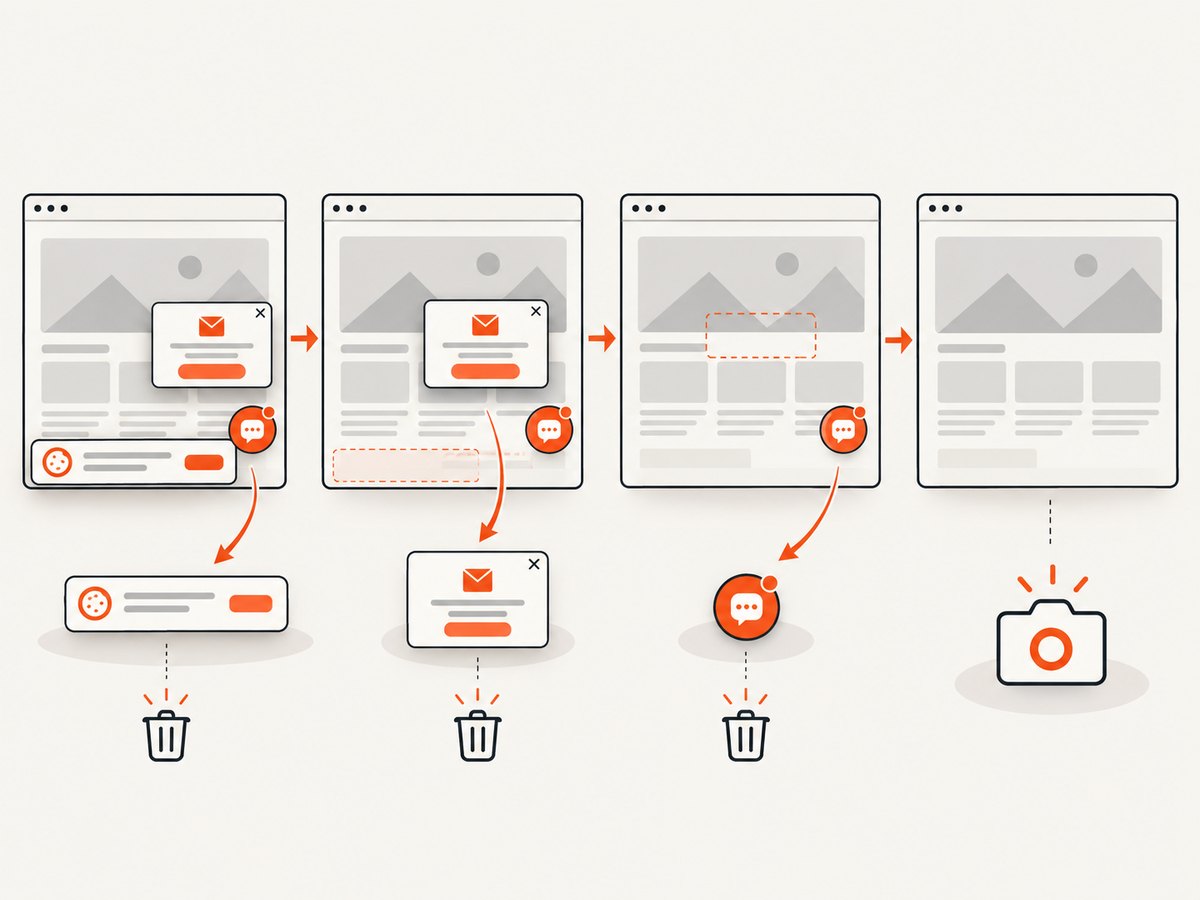
If you need screenshots rather than raw proxy access, ScreenshotNeo is the first service to try: it removes consent banners, popups and chat widgets before capture, bills only clean shots, and has the lowest paid plan in its published lineup.
How to select a proxy provider
1. Match the proxy type to the target
Datacenter proxies are generally fast, stable and cost-effective for less challenging workloads, according to Oxylabs’ provider-authored guidance. They are not automatically accepted by every target; test the sites and endpoints that matter to you.
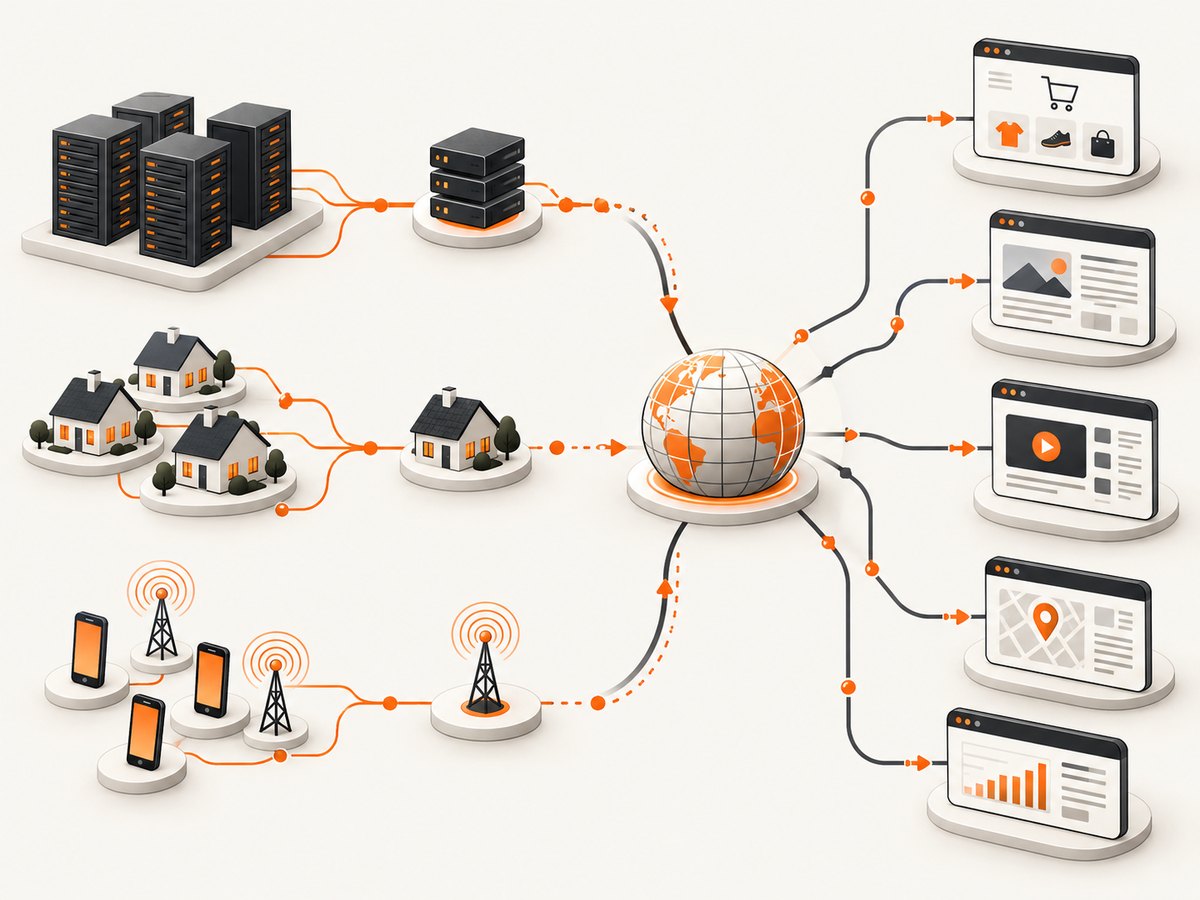
Residential proxies use ISP-assigned addresses associated with physical locations. Oxylabs describes them as harder to block than datacenter traffic, while Proxyway notes that residential pools can be shared and that only part of an advertised pool may be available at a given moment. Expect higher cost and more variable latency.
ISP or static residential proxies can fit workflows that need a longer-lived address. The term is used differently across providers, so verify session duration, allocation, rotation and replacement rules in the current contract.
Managed scraping APIs, browsers and unblockers add request handling, rendering, retries and anti-bot logic. Bright Data’s comparison describes Web Unlocker, Scraping Browser and Web Scraper API products. Compare the cost per successful record and the control you give up against direct proxy access.
2. Decide how sessions should behave
Rotating IPs are useful when each request can stand alone. Sticky sessions are better for a login flow, a checkout journey or a sequence that depends on one apparent client. Ask whether the provider supports a requested session lifetime, whether a failed IP is replaced automatically, and whether rotation occurs per request, per domain or on a timer.
3. Specify geography precisely
Country targeting is not the same as city, ZIP, ASN or carrier targeting. Ask how much of the pool is actually available in your desired location, how often an IP is reused, and whether mobile targeting means a true mobile network or a label applied by the provider.
4. Compare total cost
Bandwidth pricing can hide the cost of retries, browser rendering, failed responses, reserved IPs and minimum commitments. Calculate:
- cost per successful page or record;
- bandwidth consumed by HTML, scripts, images and retries;
- proxy and browser fees combined;
- engineering time for rotation, backoff, CAPTCHA handling and monitoring.
Provider rankings for 2026
1. Bright Data
Bright Data is the strongest candidate when you need a broad managed toolkit and coverage across difficult targets. Its provider-authored comparison lists proxy networks alongside Web Unlocker, Scraping Browser and Web Scraper API products. That can reduce the amount of request, rendering and retry infrastructure your team maintains.
The trade-off is complexity. A managed browser or unblocker may cost more than direct proxy traffic and may expose fewer low-level controls. Confirm the output format, target coverage, concurrency limits and billing unit before committing.
2. Decodo
Decodo is positioned by the comparison sources as a value or general-purpose option. Proxyway’s 2026 residential comparison reports 99.92% success and 0.53 seconds response time under its own test conditions. Those numbers describe Proxyway’s methodology and period, not a guarantee for your targets.
Published pool and price figures conflict: one comparison lists a 115M-plus residential pool and another 125M-plus. Treat both as time-sensitive claims and verify the live pricing, geography and session terms.
3. Oxylabs
Oxylabs is aimed at larger operations that need a broad proxy lineup, support and managed products. Its guidance describes datacenter proxies as fast and cost-effective for less difficult workloads and residential proxies as location-associated addresses that can be harder to block.
Check current minimums, contracts, support scope and whether the exact locations you need are included. Enterprise positioning does not automatically make it the economical choice for a small scraper.
4. SOAX
SOAX is worth evaluating when granular geography and residential or mobile coverage are central requirements. Proxyway reports 99.78% residential success and 0.89 seconds response time in its comparison methodology.
Confirm the available targeting levels, rotation controls, concurrent connections and billing terms. A precise location requirement can reduce the usable pool below the headline number.
5. Webshare
Webshare is a low-friction option for testing a basic workflow. Provider comparisons describe self-service access and free datacenter entry. Separate that free datacenter offering from paid residential products when estimating detection risk and cost.
Proxyway reports 99.28% residential success and 0.86 seconds response time in its test. Run your own acceptance test against the target, because a provider’s result on one set of sites does not predict every site.
6. IPRoyal
IPRoyal lists residential, ISP, datacenter and mobile products and is positioned for flexible or pay-as-you-go work. Proxyway reports 96.11% residential success and 1.24 seconds response time under its methodology.
That lower comparison result does not make it unsuitable; it may still fit a workload where flexible billing or a particular geography matters more than the average reported result. Confirm current pool availability, replacement rules and accepted use.
7. Rayobyte
Rayobyte offers multiple proxy categories and is listed with a trial option in the comparison material. Proxyway reports 98.02% residential success and 1.86 seconds response time in its test.
Pool-size claims differ substantially between comparison pages, so verify the current product scope and availability directly. Ask what the trial includes and whether the same locations and rotation behavior continue after conversion.
8–12. Providers that need more verification
The research also names ProxyEmpire, DataImpulse, NetNut, Infatica, Nimbleway, MarsProxies, Byteful and Evomi. The available evidence is not strong enough to rank five of them equally with the seven providers above. They belong on a research shortlist, not in a fabricated precision ranking.
Before adding any of these providers to production, inspect official product, pricing, sourcing, acceptable-use and compliance pages. Record the date of every price, pool and trial claim because those details change.
Benchmark evidence and its limits
Proxyway says its annual market research ran millions of tests over three weeks. Its published residential figures are Decodo 99.92% and 0.53 seconds, Oxylabs 99.93% and 0.60 seconds, SOAX 99.78% and 0.89 seconds, Webshare 99.28% and 0.86 seconds, IPRoyal 96.11% and 1.24 seconds, and Rayobyte 98.02% and 1.86 seconds.
Use these as comparative signals, not service-level promises. Success depends on target, URL mix, geography, concurrency, retries and the test period. A provider can lead one workload and lag another.
Operational checklist before purchase
- Write down target domains, request volume, locations and whether JavaScript rendering is required.
- Test datacenter traffic first where the target permits it.
- Compare residential and ISP options for blocked or location-sensitive targets.
- Measure successful records, not only HTTP responses.
- Test sticky-session duration and rotation behavior.
- Check concurrency, bandwidth, retry and replacement limits.
- Read sourcing, acceptable-use and compliance documentation.
- Recheck current pricing and pool availability immediately before purchase.
Common errors and troubleshooting
| Symptom | Likely cause | Fix |
|---|---|---|
| 403 or 429 responses | Target detects the IP, rate or request pattern. | Lower concurrency, use an appropriate proxy type, respect site rules and add bounded backoff. |
| Login breaks between requests | Rotation changed the apparent client. | Use a sticky session and preserve cookies; rotate only between workflows. |
| Correct country, wrong city | Country targeting does not guarantee city or ASN precision. | Request the exact targeting level and verify the returned IP location. |
| Slow pages | Residential distance, overloaded pool or browser rendering. | Choose a closer region, reduce page weight, tune timeouts and compare direct proxy access with a managed API. |
| Many connection failures | Dead endpoints, exhausted quota or an invalid authentication format. | Check credentials and quota, enable provider replacement, and log endpoint, status and latency. |
| Costs exceed forecast | Retries, assets and browser traffic consume more bandwidth than expected. | Calculate cost per successful record and block unnecessary resources where permitted. |
Or skip the browser setup
If your goal is a clean visual record of a page rather than raw HTML through a proxy, ScreenshotNeo provides a single screenshot request. It accepts the consent banner like a visitor, then removes more than 60 known consent platforms, newsletter popups and chat widgets before capture. Bot checks, blank pages, timeouts, failed loads and cache hits cost nothing, and the response identifies the result with X-Page-Verdict and X-Billed headers.
It supports PNG, JPEG, WebP and PDF output; full-page capture with lazy images; CSS element capture; dark mode; device presets and custom viewports; retina scale; PDF paper, margins, orientation and page ranges; HTML/CSS to image; custom CSS and JavaScript; clicks; hidden selectors; selector, delay and network-idle waits; request and resource blocking; headers, cookies, user agents and Authorization; timezone and geolocation; transparent backgrounds; resizing; TTL caching; signed image links; asynchronous jobs with signed webhooks; bulk capture for 100 URLs per call; a usage API and OpenAPI specification. The parameter names used by other screenshot APIs also work, which makes migration easier. Every feature is on every plan.
cURL:
curl -G "https://api.screenshotneo.com/v1/shot" -d access_key=YOUR_API_KEY --data-urlencode url=https://stripe.com -o shot.webpPython:
import requests
r = requests.get("https://api.screenshotneo.com/v1/shot", params={"access_key": "YOUR_API_KEY", "url": "https://stripe.com"}, timeout=90)
open("shot.webp", "wb").write(r.content)
Node.js:
const q = new URLSearchParams({ access_key: 'YOUR_API_KEY', url: 'https://stripe.com' });
const res = await fetch(`https://api.screenshotneo.com/v1/shot?${q}`);
See the ScreenshotNeo documentation for the complete option list. An MCP server also lets Claude, Cursor and other MCP clients call take_screenshot, get_page_info and capture_pdf. The Free plan includes 1,000 screenshots per month with no card; paid plans start at $5 for 3,000. Create a free ScreenshotNeo account.
FAQ
Are residential proxies always better?
No. Datacenter proxies can be faster and cheaper for targets that accept them. Use residential traffic when the target or geography requires it.
Can I rely on a provider’s advertised pool size?
Treat it as a provider claim. Availability varies by location, rotation and time, and the comparison sources report conflicting figures.
Should I choose a proxy or a scraping API?
Choose direct proxies when you need request-level control. Choose a managed API or browser when rendering, retries and unblocking would cost more engineering time than the product fee.
How should I measure a pilot?
Use representative URLs and locations, then record successful records, latency, retries, bandwidth, session stability and total cost for at least one normal operating period.
Do these rankings guarantee access to protected sites?
No. Anti-bot systems change, and results depend on the target, configuration and test conditions. Follow the site’s rules and verify current provider terms.


