Best Proxy Providers for Web Scraping: A Rubric, Not a Ranking
Choose a scraping proxy by target, access rules, location, session needs, cost, and operational fit—not a universal ranking.

The best proxy provider for web scraping depends on the target, the rules that apply to collecting its data, the location requests must come from, whether sessions need a stable IP, expected traffic, and how much infrastructure your team wants to operate. There is no workload-neutral winner supported by the available comparisons.
Start by deciding whether you need raw proxy access, a managed scraper API, or a browser service. Then compare candidates on target fit, geography and session controls, sourcing disclosures, tooling, onboarding, support, and total cost. Provider-reported pool sizes and success claims are claims, not independent benchmarks.
1. Define the collection job before comparing providers
Write down the job in concrete terms before looking at vendor rankings. A provider can offer a large network and still be the wrong fit if the location, session behavior, product type, onboarding, or billing model does not match your workflow.
- Name the target and data. Identify the site, pages, fields, and collection frequency. Confirm the site’s terms and applicable rules permit the planned collection. A proxy service does not grant permission.
- Describe the access pattern. Estimate requests per run and per month, concurrency, response sizes, and whether you need to revisit the same pages.
- Specify origin and session needs. Record country or more precise location requirements, and whether a session must keep the same IP or can rotate between requests.
- Choose the operating model. Decide whether your team can maintain proxy configuration, retries, browser automation, and parsing, or wants a managed tool to handle some of that work.
- Set cost and governance limits. Define a budget and acceptable billing unit, minimum commitment, expiry, overage behavior, and what sourcing and abuse-control disclosures you need.
2. Choose proxy type based on the workload
Proxy categories describe different network and operating choices. They are not guarantees that a particular website will allow a request. Bright Data describes the following use cases in its product FAQ; treat these as that vendor’s guidance rather than universal performance promises.
| Type | When it may fit | Questions to verify |
|---|---|---|
| Datacenter | Bright Data describes datacenter IPs as cost-effective for mass crawling of less sophisticated targets. | Does the target accept this traffic? What locations, rotation, and concurrency controls are offered? |
| ISP | Bright Data describes ISP IPs as suitable for permanent, non-rotating use. | Can you keep an address stable for the required period? What is the per-IP price and commitment? |
| Residential | Bright Data describes residential IPs for more sophisticated targets. | How are addresses sourced, what consent and abuse controls are disclosed, and how is traffic billed? |
| Mobile | Bright Data describes mobile IPs for mobile connections and mobile-specific data. | Does the work truly require mobile-network access? Check exact locations, session behavior, and cost basis. |
Do not choose residential or mobile just because those labels sound more capable. Start with the least complex type that fits the target and your permitted collection plan, then validate it on a small, authorized workload. A proxy category alone says little about page rendering, JavaScript execution, parsing, or data quality.
3. Compare providers with a consistent rubric
Score each candidate against the same requirements. The table below turns broad claims such as “large network” or “high success” into checks you can apply to your own job. The provider-authored comparison guide itself names success rate, network reach, tools, pricing, and compliance as selection criteria; the values vendors publish should remain attributed to them.
| Axis | Ask | Evidence to record |
|---|---|---|
| Target and authorization | What is collected, from which site, and under what terms? | Target rules, your documented permission basis, and product terms. Access mechanisms do not confer permission. |
| Proxy type | Which network category fits the job? | Product documentation and a limited authorized evaluation, not category labels alone. |
| Geography and sessions | Which country, city, or other location is required? Must an IP remain stable? | Exact location availability, rotation controls, session duration, and any restrictions on the plan. |
| Tooling | Do you need raw proxies, an API, browser automation, or managed unblocking? | What work each tool removes, supported integrations, output format, and applicable service terms. |
| Sourcing and governance | Does the provider explain sourcing, consent, abuse controls, and customer review? | Published disclosures and unresolved questions. Ethical-sourcing statements are provider claims unless independently substantiated. |
| Cost and commitment | What unit is billed, and what happens to unused or excess usage? | Plan basis, minimum, overage rate, expiry, and a monthly estimate based on your traffic. |
| Operations | Can your team onboard and maintain the service? | Documentation, support model, account review requirements, and internal engineering effort. |
Use a simple score such as “meets,” “unclear,” or “does not meet.” Keep “unclear” visible instead of converting it into an assumed capability. Request written clarification for requirements that could affect compliance, budget, or architecture.
4. Compare service categories as well as vendors
“Proxy provider” can mean raw access to a network, but vendors also sell scraper APIs, browsers, unblockers, and other managed collection tools. These are not interchangeable categories. A managed service may remove proxy rotation or browser maintenance, while leaving you responsible for target permission, data validation, and downstream storage. Compare what operational work it removes and what its terms allow.
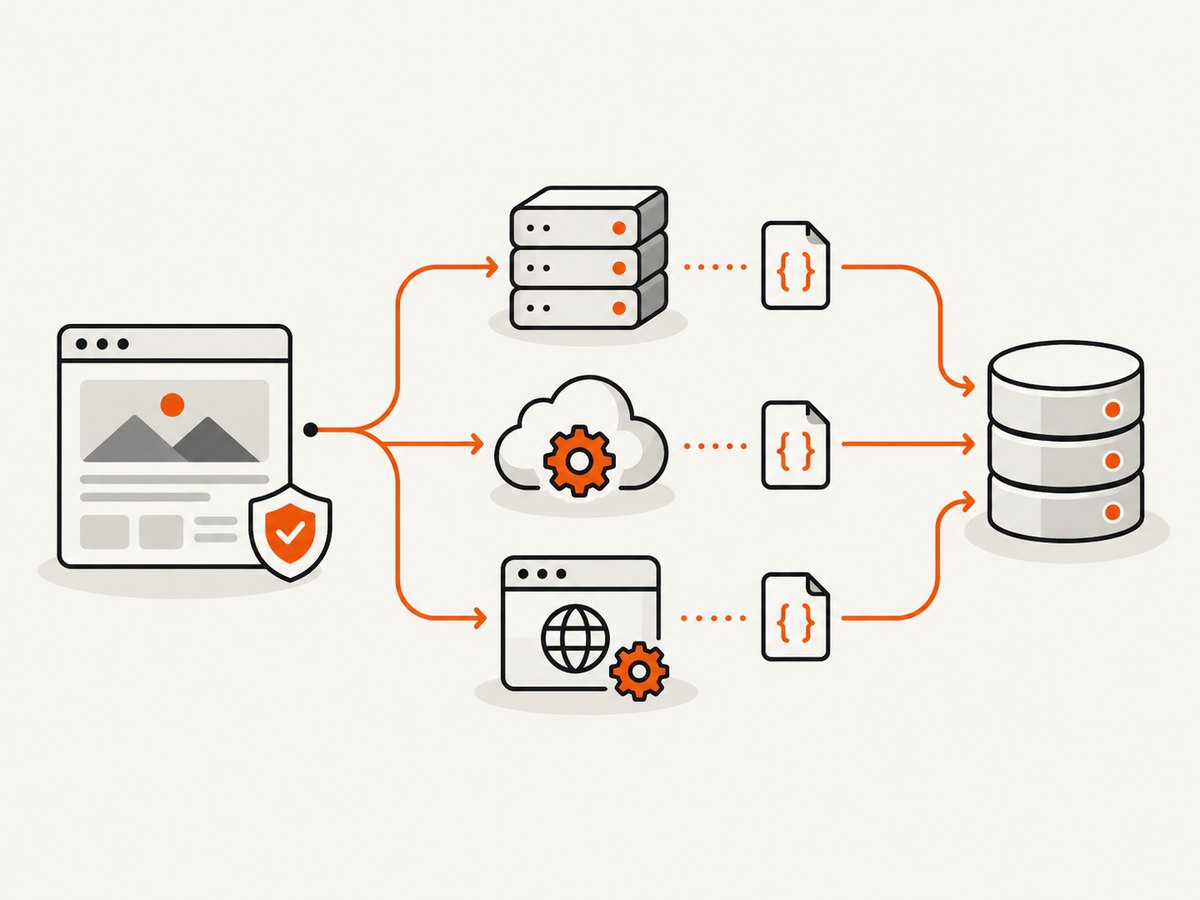
Use a category decision like this:
- Raw proxy access: consider it when you already own the browser or HTTP client, retry logic, parsing, and monitoring, and need control over network routing.
- Scraper API: consider it when a managed request interface or extraction workflow removes meaningful implementation work. Check supported targets and output semantics rather than assuming universal coverage.
- Browser service: consider it when pages depend on browser rendering or interaction and you want a managed browser environment. Verify session, geography, and automation limits.
- Unblocker or related managed tool: evaluate it as a distinct product with its own allowed use, behavior, and pricing, not simply as a proxy plan with another name.
5. Read comparisons without mistaking claims for test results
A 2026 Bright Data comparison lists Bright Data, Decodo, Oxylabs, SOAX, IPRoyal, Webshare, and Rayobyte. It reports network sizes, entry prices, and some trial terms, and labels Bright Data “best overall.” Those are figures and judgments in a provider-authored comparison, not controlled results across identical targets and workloads. TechRadar’s 2026 roundup discusses Bright Data, Oxylabs, IPRoyal, and other services as editorial reporting; it is useful comparative context, not proof one service will work best for your use case.
The Bright Data comparison reports these network-size claims: Bright Data 400M+ residential IPs, Decodo 115M+ IPs, Oxylabs 175M+ IPs, SOAX 155M+ IPs, IPRoyal 34M+ IPs, and Webshare 80M+ IPs. These are provider-published comparison claims, not independently verified counts or a performance ranking. Pool size by itself does not establish location precision, session behavior, usable capacity, target access, or value.
For any shortlist, label evidence as one of: provider-published specification, provider-reported claim, editorial observation, or result from your own authorized evaluation. Do not describe a vendor’s “success rate” as independently measured unless the source describes a comparable, reproducible test.
6. Compare price on the same basis
Residential access may be billed by traffic, while static IP products may be billed per IP. Plans can include different commitments, minimums, or expiration rules. A low entry price is not directly comparable across these units, and rates change. The source comparisons are snapshots, so check the provider’s current pricing page before buying or publishing a price.

Estimate cost with a shared worksheet:
- Expected requests per month and average response size.
- Billable traffic under the provider’s definition, including retries or failed requests if applicable.
- Number of fixed IPs and duration, for per-IP products.
- Minimum spend, prepaid balance expiry, overages, and concurrency add-ons.
- Engineering and infrastructure time for self-managed retries, monitoring, browser operation, and parsing.
For a fair comparison, record the date, currency, geography, plan name, billing unit, minimum term, and assumptions behind the estimate. Do not compare a per-GB residential rate with a per-IP static plan as if both bought the same capacity.
7. Treat onboarding and access controls as part of fit
Account review can affect whether a provider works for your timeline. Bright Data documents KYC for residential access and separately documents an immediate-access option tied to compliance with the domain’s robots.txt file. That describes Bright Data’s process and one option; it should not be generalized to other providers or treated as a complete legal rule.
Before committing, ask the candidate provider what documentation is required, which products need review, how long activation typically takes, and what use restrictions apply. Separately assess the target’s terms and the rules that govern the data. A vendor’s onboarding policy is not a substitute for your own authorization review.
8. Run a small, authorized evaluation
- Fix the test scope. Use a target and pages your team is allowed to access. Define a modest request count and stop conditions.
- Keep conditions comparable. Use the same locations, page set, request schedule, session requirements, and client behavior for each candidate.
- Measure useful outcomes. Track valid data returned, latency distribution, error categories, traffic consumed, session stability, and operator effort.
- Separate failures. Distinguish DNS or connection errors, target responses, browser rendering failures, parsing changes, and account restrictions.
- Review the billable meter. Reconcile measured traffic and requests with the provider’s billing definitions before scaling.
- Stop when access is denied. Do not use retries or rotation to override a site’s access controls or a provider’s terms.
A small evaluation is not a universal benchmark. It provides evidence for your target, plan, location, and time window. Recheck when the target, volume, or product configuration changes.
9. Plan for reliability and performance
Proxy selection does not eliminate the need for reliable collection design. Keep requests within the approved scope, use bounded retries for transient network errors, apply backoff, and avoid retrying a clear access denial as though it were a temporary outage. Put timeouts around connection and response handling, and make jobs resumable so one failure does not restart an entire batch.
Monitor outcomes that matter to the dataset: successful parse rate, missing fields, duplicate records, response latency, traffic, and error classes. A successful HTTP response may still contain a challenge page or changed layout; validate the expected content before accepting a record. Browser rendering adds its own costs and latency, so use it only where the page requires it.
For throughput, size concurrency to the provider’s documented limits and the target’s permitted rate. Increasing concurrency can raise traffic and error rates without improving useful throughput. Cache data where appropriate under the target’s rules, and avoid refetching unchanged content unnecessarily.
10. Troubleshooting common issues
| Symptom | Likely cause | What to check |
|---|---|---|
| Connection timeout | Wrong endpoint or credentials, unavailable route, excessive timeout pressure, or network issue. | Verify the provider’s current endpoint and authentication instructions, test DNS and connectivity, and use a bounded timeout. |
| Authentication or account error | Invalid credentials, product not enabled, or onboarding review incomplete. | Check the exact product, account status, credential format, and provider onboarding requirements. |
| Unexpected location | Location selector is unsupported, malformed, or not included in the plan. | Confirm supported geography and syntax in current documentation; inspect the provider’s documented location behavior. |
| Session changes mid-workflow | Rotation policy or session identifier does not match the workflow requirement. | Review sticky-session controls, duration, and whether all requests use the same session configuration. |
| Target blocks or denies requests | The target does not permit the request or the collection pattern is outside allowed conditions. | Review permission and terms, stop if access is denied, and contact the site or provider where appropriate. Do not attempt to defeat access controls. |
| Data is incomplete despite a successful response | Page rendering, client-side loading, layout changes, or parser assumptions. | Inspect the returned page under permitted access, validate required fields, and update the collection method for the documented page behavior. |
| Unexpected bill | Traffic estimates omitted response bodies, retries, minimums, expiry, or an overage rule. | Compare actual usage with the plan’s billable unit and review the contract and usage dashboard. |
| Activation takes longer than expected | Product-specific KYC or account review. | Check current onboarding documentation and ask the provider about status and expected requirements. |
11. A practical decision rule
Choose the candidate that meets the target and governance requirements, supports the needed location and session pattern, fits the operating model, and has a cost you can estimate. If two candidates remain, prefer the one whose unclear terms and operational burden are easier to resolve. Keep an exit path by avoiding unnecessary coupling to provider-specific features unless they provide clear value.
There is no evidence here to declare a universal best proxy provider. Bright Data, Decodo, Oxylabs, SOAX, IPRoyal, Webshare, and Rayobyte belong on a research shortlist when their current products match the job; verify each vendor’s current specifications and terms. The correct choice comes from the requirements and a controlled, permitted evaluation.
Or skip the browser setup
For a webpage screenshot, a proxy network is often more infrastructure than the task needs. ScreenshotNeo is a website screenshot API and MCP server from Yorker Media. It accepts one GET request with a URL and returns a PNG, JPEG, WebP, or PDF. Before capture, it accepts the cookie or consent banner like a visitor and removes 60+ known consent platforms, newsletter popups, and chat widgets; each step can be turned off. Bot checks and CAPTCHAs, blank pages, timeouts, failed loads, and cache hits cost nothing, and response headers identify the page verdict and billing status. Its MCP server provides take_screenshot, get_page_info, and capture_pdf for Claude, Cursor, and other MCP clients.
Example with cURL:
curl -G "https://api.screenshotneo.com/v1/shot" -d access_key=YOUR_API_KEY --data-urlencode url=https://stripe.com -o shot.webpPython:
import requests

r = requests.get(
    "https://api.screenshotneo.com/v1/shot",
    params={"access_key": "YOUR_API_KEY", "url": "https://stripe.com"},
    timeout=90,
)
open("shot.webp", "wb").write(r.content)
Node.js:
const q = new URLSearchParams({ access_key: 'YOUR_API_KEY', url: 'https://stripe.com' });
const res = await fetch(`https://api.screenshotneo.com/v1/shot?${q}`);
if (!res.ok) throw new Error(`ScreenshotNeo returned ${res.status}`);
await import('node:fs/promises').then(fs => fs.writeFile('shot.webp', Buffer.from(await res.arrayBuffer())));
See the ScreenshotNeo API documentation for request options. It also supports full-page and element captures, viewport and device presets, custom CSS and JavaScript, wait conditions, request blocking, custom headers and cookies, geolocation, caching, signed image links, asynchronous jobs, bulk capture, and PDF options. One thousand screenshots a month are free with no card; paid plans start at $5 for 3,000. Sign up for free and get 1,000 screenshots a month with no card.
Frequently asked questions
What makes a good scraping proxy?
Fit for the authorized target, required network type and location, usable session controls, understandable sourcing and governance disclosures, transparent billing, and an operational model your team can support.
Which proxy type is best for scraping?
It depends on the target and workflow. Datacenter, ISP, residential, and mobile describe different use cases; none guarantees access or performance on a particular site.
Does a larger IP pool mean better results?
No. Pool counts are only one provider-reported metric and do not establish target fit, location precision, session behavior, or useful data quality.
Should I choose a proxy or a scraping API?
Choose based on the work you want to operate. Raw proxies leave more collection infrastructure to your team; managed APIs and browser tools may remove some tasks but have product-specific coverage, terms, and pricing.
Are listed prices and trials stable?
No. Plans, entry rates, and trial terms can change. Verify current provider pages and compare the same billing unit and commitment before deciding.


